

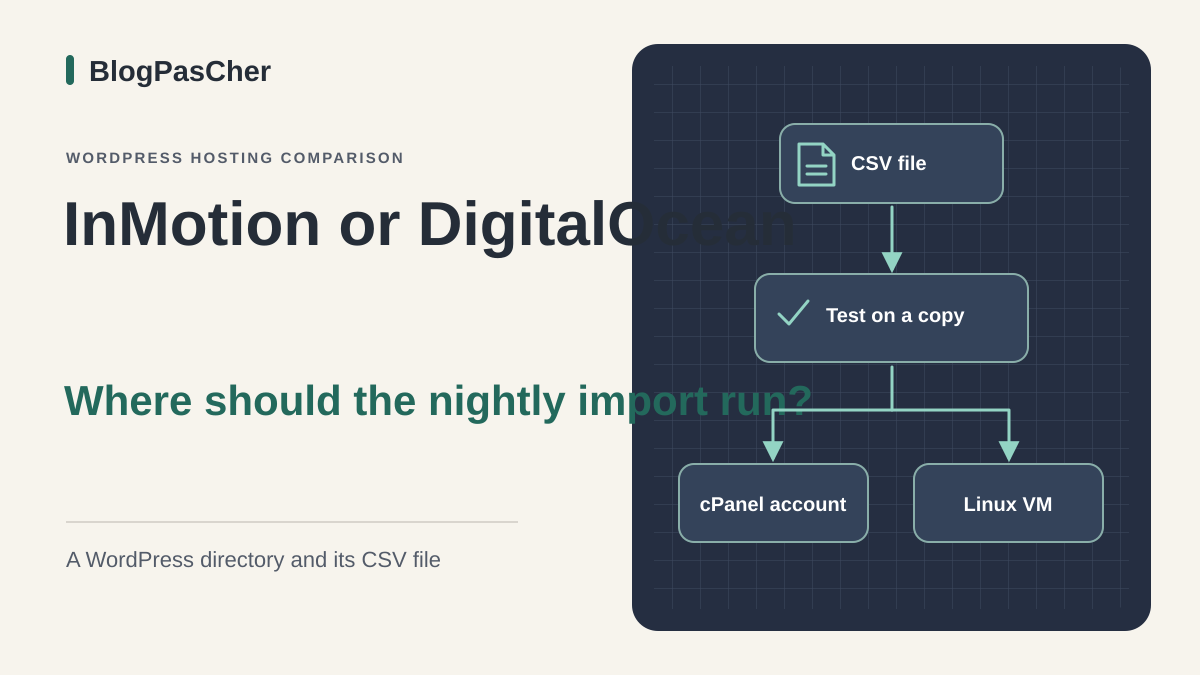
Choose where to run the nightly import
A professional directory running WordPress receives a CSV file every evening. The import adds listings and updates existing ones, while the team edits the site during the day. The maintainer is considering moving WordPress. The question is whether the import can remain a task compatible with the shared account or depends on a Linux service whose installation and execution the team must control.
Both proposals cover one site. InMotion's WP Launch provides a shared environment with cPanel. DigitalOcean's Basic 2 GiB Droplet provides a Linux virtual machine on which the team can prepare WordPress. Resources in the two offerings measure different things. Prices and terms come from official records archived on November 10, 2026. The trial protocol is proposed for a private environment.
Start by describing the current import. Record its trigger point, files read, processing time, usual errors and data written. Also indicate who restarts processing and how that person knows it has stopped. These answers let you compare actual responsibilities alongside the commercial card's figures.
Compare before you choose
The offers at a glance
Find the use case and budget that fit, then read the details to see the limitations and any components you may need.
On smaller screens, the table scrolls horizontally. With a keyboard, press Tab to focus the table, then use the left and right arrow keys.
| Offer | Best for | Pricing and billing | Renewal and support |
|---|---|---|---|
 InMotion Hosting WP LaunchRead the details | Batched WordPress import whose operation is established on a shared account. | Equivalent USD 5.49/month over 36 months. Calculated total USD 197.64 before taxes and any fees. 36-month cycle for this record. Shorter durations displayed at other prices. Calculation excludes taxes, fees and any options. Confirm order tax treatment. | USD 14.49/month displayed for the comparable duration, or USD 521.64 over 36 months at that rate. Check amount and date in AMP. |
 DigitalOcean Droplet Basic Regular 2 GiBRead the details | Import requiring a specific system component and having a Linux administrator. | Displayed USD 0.01786/h and USD 12/month VM cap. Calculated USD 432 for 36 full months at a constant rate. Per-second billing from creation, with a documented minimum. Monthly invoice and separate resources. VM costing before taxes, backups and other resources. | Ongoing usage at the applicable rate. No promotional renewal in the record. |
WP Launch and the 36-month cycle price
The WP Launch record displays an equivalent USD 5.49 per month over thirty-six months. Calculation gives USD 197.64 before taxes, fees and any options for this first cycle. The card also displays shorter durations at different rates. To assess a trial or gradual migration, record the price of the cycle you can actually subscribe to and the amount payable upfront.
For the comparable duration, the displayed renewal reference is USD 14.49 per month, or a calculated USD 521.64 if applied over thirty-six months. The billing guide indicates where to check amount, duration and date in AMP, under Billing then My Subscriptions. Terms provide for same-duration renewal by default, with settings to check before the due date. The contract amount and account holder's tax situation determine the invoice.
The card provides for two sites, 100 GB of NVMe storage and three PHP processes per site. These values give hosting limits. For the import, ask which launch modes are permitted, what duration or memory constraints apply and how to locate scheduled-task errors. WordPress access or access to a scheduling tool does not justify inferring availability of a permanent Linux service.
Basic 2 GiB and the cost of a VM that remains allocated
The DigitalOcean Basic Regular rate schedule displays an equivalent USD 0.01786 per hour for this size and a USD 12 monthly cap for the VM. It indicates one shared vCPU, 2 GiB RAM, 50 GiB SSD and 2,000 GiB transfer. The advertised minimum for the WordPress image is 1 GiB. The 2 GiB size serves here as a costing scenario. The actual headroom needed depends on the site and tasks running concurrently. This is the Basic Regular bundled-resource plan. v5 configurations use resource-based pricing without this monthly cap; do not apply USD 12 to those configurations.
Billing for this size starts at creation and is calculated per second, with the documented minimum of sixty seconds or USD 0.01, whichever is greater. A powered-off machine remains billable while allocated. To give an order of magnitude, seventy-two hours at the displayed hourly rate represents approximately USD 1.29 for the VM alone. The total depends on rounding, usage, taxes and added resources.
The price applies to ongoing usage. The record contains no initial discount with a promotional expiry. At a constant cap for thirty-six full months, the VM alone would represent USD 432 before taxes and other items. This calculation provides a comparison duration with WP Launch. The team must add administration time, backups and any second test VM. The server cap does not cover these items.
Check that the import method matches the hosting
If the extension processes the CSV in short batches using WordPress functions, the priority is confirming it can finish at the expected pace in the cPanel account. Check whether visits, a host scheduler or an external service trigger the task. Record the time and latest useful log state. An observed trigger and a completed import are two separate checks.
If processing depends on a system command, permanent agent or specific Linux package, document the need before choosing. On the Droplet, system control lets you prepare these components. The team must then handle server and database-engine updates, SSH access, log rotation and alerts. A disk incident or lost key becomes an operational task to assign.
Ask the person taking over the directory to locate a failed import and explain recovery. They must know the source file, ID of the last processed listing and method for avoiding duplicates. If the extension restarts in blocks, check block size and where its state is stored. This recovery dossier applies to both hosting options.
Isolate a copy before running the import
Prepare a private copy from a site export. Keep files and SQL from the same reference point, then restore them to a destination with its own database, login account and folder. Use a fictional or anonymised dataset. The team must be able to recognise the test target in administration before the first write. The public domain remains on the source during this phase.
At InMotion, the guide describes the Softaculous installation list and Create Staging action. Check that WordPress is recognised in this list and the account allows copy creation. Check the displayed domain, path and database. If the site is not recognised or the option unavailable, use a separate copy made from files and SQL export at an authorised location, then check the destination database before launching the import.
On DigitalOcean, a test environment can be prepared on a separate VM. Documentation also describes creating a new Droplet from a backup point, with a disk at least as large as the backed-up machine's. Before permitting writes, limit network access and replace copied credentials pointing to production databases, volumes or services. A second allocated VM has its own billing. A server image may restart tasks immediately at boot. Prepare network isolation before using this image. If you cannot isolate the copy from creation, prepare an empty VM and import data after removing production access and triggers.
Replay a fictional file and check rollback
Take a reference database containing two fictional listings, A01 and A02. The test CSV changes A02's title and adds A03. Use the same format, encoding and required fields as the real import. Disconnect nightly scheduling and sending on the copy before working. Run the import manually to know the exact trigger. If processing contacts a remote service, replace its destination with a test environment or disable the exchange.
The expected result is three listings, with A01 intact, A02 modified and A03 created once. A second run of the same file must respect the selected deduplication rule. Record listing count, log and last processed line after every run. Then simulate an error with an incomplete test file. Check that the maintainer identifies the failure and understands whether to resume a line, a batch or the entire import.
To check reversibility, import the reference export into a new empty database reserved for the trial, then connect the copy to it and restore any changed media. You should recover the two initial listings and A02's old title. Leave the automatic trigger stopped on the copy during this check. If a write reached the source or a real service, stop the trial and identify the shared access before any further execution. Record the actual result. The protocol is a verification method, with no assumed result for a provider.
- Check the private URL, test database name and disabled sending.
- Run the CSV once, then repeat the same run and check identifiers.
- Reconnect the copy to the rebuilt reference database and restore test files. Confirm the return to two listings.
Calculate the recovery budget separately
The InMotion card mentions backups. The guide distinguishes Backup Manager, an option whose advertised base costs USD 2.99 per month for 10 GB, with USD 1.80 for each additional 10 GB block. For example, two 10 GB blocks in total would give USD 4.79 per month under this rate schedule. The quota applies to backups, and the guide states that exceeded capacity can interrupt their execution. Ask which points are included in WP Launch and which data fall under the option. The guide specifies prorated billing up to the hosting renewal date: USD 2.99 per month is a rate equivalent, not a promise of a separate monthly charge.
DigitalOcean documents weekly Basic backups at 20% and daily backups at 30% of the VM cost. For a full month at the USD 12 cap, the references are USD 14.40 and USD 15.60 respectively including the VM, before taxes and other resources. The guide advertises four weeks' retention for weekly backups and seven days for daily ones. The Droplet disk image does not include attached volumes. If the directory stores its database or media elsewhere, plan protection specific to those services.
In both cases, keep usable files and SQL outside the account, with the date, site and schema version. A system copy helps rebuild the server. An SQL database export accompanied by corresponding WordPress files lets you recover the installation in another environment. The WordPress tool's XML export is not a complete backup. To determine whether the backup meets the need, estimate how many CSV files and editorial corrections would have to be replayed after the latest copy.
Over the same thirty-six full months, the WP Launch reference with 10 GB of Backup Manager would be USD 305.28, calculated as 197.64 + 36 × 2.99. With the Droplet capped at USD 12 and daily Basic copies at 30%, the reference would be USD 561.60, or 36 × 15.60. These projections assume the option stays active throughout and rates remain unchanged. They exclude taxes, overages, a second machine, independent export and administration. They do not make both coverages equivalent: check included data and accessible restore points before comparing the complete recovery cost.
Allocate maintenance and access
On WP Launch, cPanel and WordPress access provide a different scope from system-administrator access. Identify who can create a database, consult an error log and request a restore. The plan grid mentions chat and tickets. The catalogue has French pages, with support language to check for the account. Make sure two people know how to find the subscription and latest independent copy.
On the Droplet, name the person keeping Linux, the web engine and database up to date. Prepare an emergency procedure for SSH keys, restarts and disk exhaustion. Basic support tickets and documentation describe the platform service. Maintenance of the guest operating system and import processing still needs organising. Include monitoring time even if no installation task is planned the following month.
For fair costing, ask both maintainers for the same result. It must be possible to locate the last successful import, detect a missing file and restart from a copy with a known date. An operations table can bring together CSV size, duration observed during the authorised trial, last written line and next server update. Trial figures are usable only under the conditions in which they were measured.
Prepare migration and stop trial costs
Keep a recent export and inventory the domain, files, database and scheduled tasks. Specify InMotion migration-assistance scope according to the source and configuration. On the Droplet, prepare the server and WordPress destination before transferring data. The WordPress image guide documents initial configuration through SSH. For an existing site, check that versions needed by the extension and system tasks are available before importing SQL.
Before the final switch, define the last import to run on the source. Block its trigger on the new target until the file, editorial changes and recent media have been transferred. The same task launched on two targets can write twice to an external service. After validation, activate scheduling only on the selected destination and check the first complete log. Keep the source accessible during the agreed window.
To roll back, disable the trigger on the new target, identify data received since the switch and restore the old web route if still available. Retain mail settings if that service stays elsewhere. On DigitalOcean, once exports are retained, VM billing stops when it is deleted. Inventory snapshots, volumes and addresses that may remain. At InMotion, check the cycle date and termination terms in AMP. Deleting a Softaculous copy and ending the subscription are separate operations.
Decide based on the need for system control
WP Launch merits costing if the import works within shared hosting's permitted scope, the team wants to use cPanel and the thirty-six-month cycle fits its schedule. The test must show a batch completes and the maintainer knows how to rerun a file without duplicating listings. Also check necessary backup capacity and the actual next-cycle reference before selecting the introductory price.
The Droplet becomes relevant when the project needs to manage a specific service or system version and someone handles operations. For comparison, take the monthly VM and copy costs, then add administration and the price of resources retained after the test. The choice rests on permission to run the import and ability to restore it when the first attempt fails.
Finally, formalise the decision with first-cycle cost, confirmed recurring cost or cost still to obtain, update owner and private-trial result. Keep the rollback procedure with the reference archive. If the trial reveals an unaddressed dependency, resolve it before the switch. This preparation gives the next maintainer a verifiable starting point.
Further reading
Sources and references
Use these references to check the features, requirements and limitations described. Reading documentation is not a practical test.
View 16 references
- InMotion Hosting WP Launch — Shared WordPress hosting, plans and resources, public information consulted on 10 November ↗ — Documentation consulted:
- InMotion Hosting WP Launch — Hosting terms and renewal ↗ — Documentation consulted:
- InMotion Hosting WP Launch — Billing and period in AMP ↗ — Documentation consulted:
- InMotion Hosting WP Launch — Backup Manager pricing ↗ — Documentation consulted:
- InMotion Hosting WP Launch — WordPress backup and cPanel export ↗ — Documentation consulted:
- InMotion Hosting WP Launch — Staging in Softaculous ↗ — Documentation consulted:
- InMotion Hosting WP Launch — WordPress migration and email scope ↗ — Documentation consulted:
- DigitalOcean Droplet Basic Regular 2 GiB — Basic Droplets pricing table, consulted on 10 November 2026 ↗ — Documentation consulted:
- DigitalOcean Droplet Basic Regular 2 GiB — Droplet billing, minimum charge and when billing stops ↗ — Documentation consulted:
- DigitalOcean Droplet Basic Regular 2 GiB — Billing cycle and country-specific taxes ↗ — Documentation consulted:
- DigitalOcean Droplet Basic Regular 2 GiB — WordPress image and initial configuration ↗ — Documentation consulted:
- DigitalOcean Droplet Basic Regular 2 GiB — Backup pricing ↗ — Documentation consulted:
- DigitalOcean Droplet Basic Regular 2 GiB — How backups work and volume exclusions ↗ — Documentation consulted:
- DigitalOcean Droplet Basic Regular 2 GiB — Create or restore from a backup ↗ — Documentation consulted:
- DigitalOcean Droplet Basic Regular 2 GiB — Deletion and associated resources ↗ — Documentation consulted:
- DigitalOcean Droplet Basic Regular 2 GiB — Support plans and language ↗ — Documentation consulted:
Uses, prices and what to check
2 offers in detail
Compare the features you need and the terms of each offer. The order of these entries does not indicate a ranking.
InMotion Hosting WP Launch
 Official InMotion Hosting logo in color. — Image: InMotion Hosting.
Best forBatched WordPress import whose operation is established on a shared account.
WP Launch provides a shared environment with cPanel. It suits investigation of a WordPress import compatible with account resources and launch modes.
Offer pricing
Equivalent USD 5.49/month over 36 months. Calculated total USD 197.64 before taxes and any fees.
Billing: 36-month cycle for this record. Shorter durations displayed at other prices.
Renewal and support: USD 14.49/month displayed for the comparable duration, or USD 521.64 over 36 months at that rate. Check amount and date in AMP.
Calculation excludes taxes, fees and any options. Confirm order tax treatment.
Checked on .
Strengths
- cPanel and Softaculous staging workflow documented.
- Two sites, 100 GB NVMe and three PHP processes per site displayed.
What to consider
- Check import execution and restart options.
- Distinguish included backups from the Backup Manager option.
Pricing terms and compatibility
Understanding the offer
- Price at the time of review
- Equivalent USD 5.49/month over 36 months. Calculated total USD 197.64 before taxes and any fees.
- Currency
- USD
- Billing
- 36-month cycle for this record. Shorter durations displayed at other prices.
- Renewal and support
- USD 14.49/month displayed for the comparable duration, or USD 521.64 over 36 months at that rate. Check amount and date in AMP.
- Taxes and fees
- Calculation excludes taxes, fees and any options. Confirm order tax treatment.
- Commitment and terms
- First 36-month cycle for this price. Same-duration renewal by default according to terms.
- Date checked
Compatibility and components
- WordPress and PHP import within the offering's limits.
- Check that Softaculous recognises the installation before relying on its staging.
DigitalOcean Droplet Basic Regular 2 GiB
 Official DigitalOcean logo in black, with the symbol and name stacked. — Image: DigitalOcean.
Best forImport requiring a specific system component and having a Linux administrator.
A Basic VM lets you control Linux and choose components needed for the import. The team operates the system and costs the VM, copies and other services.
Offer pricing
Displayed USD 0.01786/h and USD 12/month VM cap. Calculated USD 432 for 36 full months at a constant rate.
Billing: Per-second billing from creation, with a documented minimum. Monthly invoice and separate resources.
Renewal and support: Ongoing usage at the applicable rate. No promotional renewal in the record.
VM costing before taxes, backups and other resources.
Checked on .
Strengths
- System control and SSH access on the VM.
- 1 shared vCPU, 2 GiB RAM, 50 GiB SSD and 2,000 GiB transfer displayed.
What to consider
- Automatic backups billed separately and attached volumes excluded.
- Organise Linux, database and WordPress maintenance.
Pricing terms and compatibility
Understanding the offer
- Price at the time of review
- Displayed USD 0.01786/h and USD 12/month VM cap. Calculated USD 432 for 36 full months at a constant rate.
- Currency
- USD
- Billing
- Per-second billing from creation, with a documented minimum. Monthly invoice and separate resources.
- Renewal and support
- Ongoing usage at the applicable rate. No promotional renewal in the record.
- Taxes and fees
- VM costing before taxes, backups and other resources.
- Commitment and terms
- No 36-month cycle for this bundled-resource plan. Stopped VM still billable. Cap does not apply to v5 configurations.
- Date checked
Compatibility and components
- WordPress image documented from 1 GiB.
- Maintain processing version, access and dependencies on the VM.