Web hosting
1984 Hosting for WordPress in Iceland: pricing and backups
1984 Hosting’s WordPress plans in Iceland, initial and renewal terms, migration, the Security Pack and backup limitations.
Read more →

Site appearance
Web hosting
The Marketplace WordPress image prepares the server. The owner manages Linux, updates and recovery. The budget combines the VM, copies and services used.
Source published: · Source updated: · Editorial policy
Visit the official DigitalOcean website ↗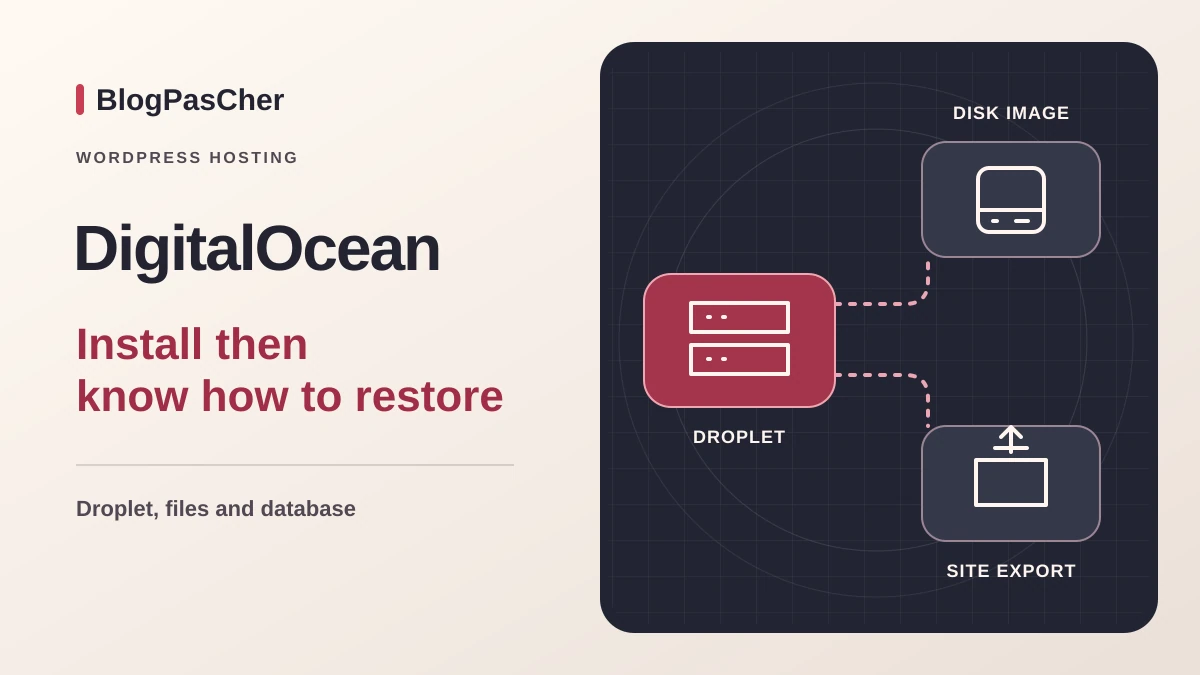
This profile is based on published offers and documentation. No new hosting benchmark or support test was performed for this translation.
Prices retain the market, currency and billing period described in the French source. Translation does not update a commercial quote. Confirm the final price, taxes and options before ordering.
| Plan | Price and billing | Resources and limits |
|---|---|---|
| Basic 1 GiB | 0.00893 USD/h displayed, server cap of 6 USD/month. Minimum charge at creation. Renewal: Recurring usage at applicable rates. No promotional rate to renew in this record. Per second for this Droplet type. Monthly invoice, taxes and options extra where applicable. | 1 shared vCPU, 1 GiB RAM, 25 GiB SSD, listed transfer 1,000 GiB. Stated minimum for the WordPress image. Backups and administration separate. |
| Basic 2 GiB | 0.01786 USD/h displayed, server cap of 12 USD/month. Minimum charge at creation. Renewal: Recurring usage at applicable rates. No promotional rate to renew in this record. Per second for this Droplet type. Monthly invoice, taxes and options extra where applicable. | 1 shared vCPU, 2 GiB RAM, 50 GiB SSD, listed transfer 2,000 GiB. Shared CPU capacity. Budget backups, external resources and overages. |
| Basic 4 GiB | 0.03571 USD/h displayed, server cap of 24 USD/month. Minimum charge at creation. Renewal: Recurring usage at applicable rates. No promotional rate to renew in this record. Per second for this Droplet type. Monthly invoice, taxes and options extra where applicable. | 2 shared vCPU, 4 GiB RAM, 80 GiB SSD, listed transfer 4,000 GiB. Moving to this tier adds resources. Server maintenance still needs organizing. |
 Official DigitalOcean logo in black, with the symbol and name stacked. — Image: DigitalOcean.
DigitalOcean calls a Linux virtual machine a Droplet. The workflow examined uses the Marketplace WordPress image to prepare software and its web stack. The cloud panel selects server size, region, access and backups. WordPress administration then handles publishing. Between them, the team owning the server must organize system updates, firewall, database and exports. This profile covers Basic Droplets. Cloudways, with its own managed service, and other DigitalOcean products have separate terms.
This may suit a team wanting control over Linux settings or a site copy in a chosen region. For an owner mainly needing page editing and someone to contact when a plugin fails, administration work belongs in the budget. Before comparing a VM price with a WordPress subscription, specify who maintains the system and who can recover the site if its installer is absent. A small association can outsource that role while retaining the domain and billing contacts.
On November 10, 2026, the bundled-resource Basic Regular Droplet table displays 6 USD per month for 1 GiB RAM, one shared vCPU and 25 GiB SSD. The 12 USD tier offers 2 GiB, one shared vCPU and 50 GiB SSD. The 24 USD tier offers 4 GiB, two shared vCPU and 80 GiB SSD. Listed transfer increases from 1,000 to 2,000 then 4,000 GiB for these sizes. The WordPress image documents a minimum of 1 GiB RAM. The 4 USD, 512 MiB VM displayed in the table is below this minimum.
Hourly equivalents are 0.00893, 0.01786 and 0.03571 USD. These Droplets are billed per second with a minimum of sixty seconds or 0.01 USD, whichever is higher. The monthly cap applies to this VM type. It does not apply to v5 configurations, billed according to resources and duration used. Backups, snapshots, volumes, support services and possible taxes may have separate lines. For two identical machines, such as production and testing, track each one’s usage. The first machine’s cap does not cover the second.
For a 6 USD server used all month, weekly Basic backups at 20% give a 7.20 USD reference including the VM. Daily backups at 30% give 7.80 USD. This assumes a full month at the server cap and the corresponding Basic backup rate. The product also offers usage-based backups with separate billing. To compare totals, add taxes applicable to the billing address, other resources and possible conversion fees. A permanent migration copy needs an owner and planned deletion date in the budget.
Billing starts when the VM is created. Documentation states a monthly invoice for the previous month’s usage, generally at the beginning of the following month. Some accounts may be charged during the month if a payment threshold is reached. The selected schedule has no initial promotional period or new renewal price. While the machine is allocated, usage is billed at the applicable rate even when powered off. To understand charges, distinguish accrued cost, possible credits, taxes and resources added during the month.
Shutting down a server to work on its copy therefore does not stop Droplet cost. Before deleting it, back up data and ensure it can be opened elsewhere. Identify associated resources, especially snapshots, volumes or reserved addresses depending on configuration. The deletion guide states that associated resources may remain if not selected. After migration, review the project inventory and next invoice. This finds remaining active costs while retaining archives the team actually needs.
Documentation distinguishes Amsterdam and Frankfurt in Europe, among other locations. Data center choice depends on Droplet type and size availability. Machine location does not define the location of an external database, archive storage or plugin service. If an organization has a location requirement, inventory every component and record each resource’s region. For a public site, distance is only part of response time. A large-catalogue search and a cached page use the server differently.
The 1 GiB tier is the advertised minimum to launch the image. For a small brochure site, it may provide a starting point if the team monitors disk and memory. The same server may run a local database, scheduled task and image processing. Before resizing, record which operation slows down, when and in which log it appears. Adding memory does not solve lack of space. Adding disk does not fix an overly costly query. The Basic table lists shared processors. It does not set a concurrent visitor count per size.
The Marketplace image requires a compatible machine, region and SSH access method. Before launch, prepare the administrator’s key and know how to recover access if it is lost. Select the WordPress image and check size before creating the resource, since billing starts at creation. The guide also offers adding a managed MySQL database. That creates a separate resource. A small VM retaining its database locally has a different recovery scope.
The current image guide describes a script launched on first SSH access as root. It requests the WordPress administration address and credentials, then prepares HTTPS on the machine’s address with Caddy. After configuration, check the homepage and wp-admin access. Use an administration address controlled by the organization and limit console access. Instructions rely on the documented image version. For an older installation or custom image, check the actual stack before applying the same steps.
To attach a domain, the guide requires pointing its A record to the machine, then running the image’s domain script named /root/wp_setup_domain.sh. The script configures Caddy and requests a certificate for the name. Before changing DNS for a live site, plan destination validation and keep original DNS values. Once the domain is attached, check redirects, certificate and the address used by internal links. Email MX records are a separate setting.
The image accelerates initial deployment. The team then tracks Linux, web-stack and WordPress updates. Prepare a procedure with server name, region, who decides on downtime and how to access logs. If a form stops sending messages, examine the browser workflow, application log and sending provider. Plan email service according to project needs. The Basic offers examined price the machine and resources. They do not include a ready-to-use mailbox service for an organization’s existing messages.
For a French-speaking team, examined guides and panel are documented in English. Support publishes an official English-response policy and may use translation on a best-effort basis. The basic plan provides round-the-clock tickets. Other channels and response times depend on the selected support plan. A platform request and a WordPress plugin repair may require different contacts. A short incident sheet with VM identifier, time, affected service and latest changes helps divide responsibilities.
DigitalOcean automatic backups create an image of the machine’s disk. Documentation advertises four weeks’ retention for weekly Basic copies and seven days for daily copies. Usage-based options have their own retention. Attached volumes are not included in automatic Droplet backup. If media uses a volume or a managed database is involved, identify each component’s policy and keep a way to restore them to a compatible state.
A disk image provides a return point for the system and its data. To recover only one site, also keep a separate file and database export. This export can be checked on another infrastructure. Retain the domain, site root, PHP and database versions and point date alongside it. Use storage independent of the VM and test archive readability. For a store, calculate the gap between point date and latest orders. A disk backup and SQL export created at another time may require reconciliation.
Snapshots are images created on demand. Before a major change, choose a time when data has been written correctly and check provider recommendations for an active database. A snapshot retained after departure may incur its own cost. Deleting a Droplet does not immediately delete automatic backups: they remain available until retention expires. Before any deletion, keep the necessary copy and check selected resources on the confirmation screen. An archive outside the account avoids relying solely on this recovery window.
The guide allows creating a new Droplet from a backup. In the panel, open the original machine, then Backups. Choose the dated point and the action to create a machine from it. Check available region and choose a disk at least as large as the backed-up Droplet’s. This creates a second billed resource. Before exposing its address, protect access, disable sending and check site settings. If the copy points to production’s database, create or select a separate database before allowing write tests.
To examine an incident, first record what is missing and when the site still worked. For media, compare the restored file with WordPress’s path. For a database, check content and latest writes. Restoring the existing Droplet acts at system level. Reserve that rollback for cases requiring such scope and keep a recent point beforehand. When repair concerns one component, extracting it from the verification machine preserves the rest of the active site.
To move an active WordPress site, inventory domain, files, database, scheduled tasks and external-service credentials. Export the initial state before preparing the target. Check required versions and modules, database connection, links and certificate. Validation at a temporary address must also cover forms and login-required pages. If email remains with its provider, keep corresponding records during the web switchover.
For a site receiving orders, set a final synchronization point and a way to reconcile data. Keep the previous machine accessible during transition. DNS rollback sends traffic back to it and must account for writes subsequently received on the new machine. After validation, recheck files and exports outside the account, then close resources no longer needed. Record costs for the period when both instances coexisted.
DigitalOcean documents inference products separate from a Basic Droplet. The WordPress image documents no generative assistant included in the editor. Adding AI requires choosing the WordPress integration and model service, then handling billing, access permissions and transmitted data. Server pricing does not give inference cost. For a site with no AI requirement, none of those resources enters the budget of this workflow.
For a team able to administer Linux, DigitalOcean allows server-size choice and an isolated recovery copy. An organization delegating that work must budget update time, monitoring, copies and an available administrator. The difference between 6 and 12 USD for the VM may matter less than recovery cost for an unavailable site. Before choosing a tier, specify which site workflow must be restored first and who can perform the procedure. This profile relies on public sources; no hosting, load or restoration trial was performed.
Use these references to check the features, requirements and limitations described. Reading documentation is not a practical test.
English translation of the reviewed French edition. Code examples retain their original identifiers, comments and output strings for reproducibility. Linked exercise files and original screenshots may contain French. No new practical tests or price checks are implied by translation.
1984 Hosting’s WordPress plans in Iceland, initial and renewal terms, migration, the Security Pack and backup limitations.
Read more →Compare 34SP.com WordPress containers, shared memory, staging copies, downloadable snapshots and site migration.
Read more →Compare AEserver’s managed WordPress prices and check whether your network must be split into independent installations before migration.
Read more →