Web hosting
1984 Hosting for WordPress in Iceland: pricing and backups
1984 Hosting’s WordPress plans in Iceland, initial and renewal terms, migration, the Security Pack and backup limitations.
Read more →

Site appearance
Web hosting
Three shared WordPress plans with cPanel. Three-year pricing, website capacity and data recovery guide plan selection.
Source published: · Source updated: · Editorial policy
Visit the official InMotion Hosting website ↗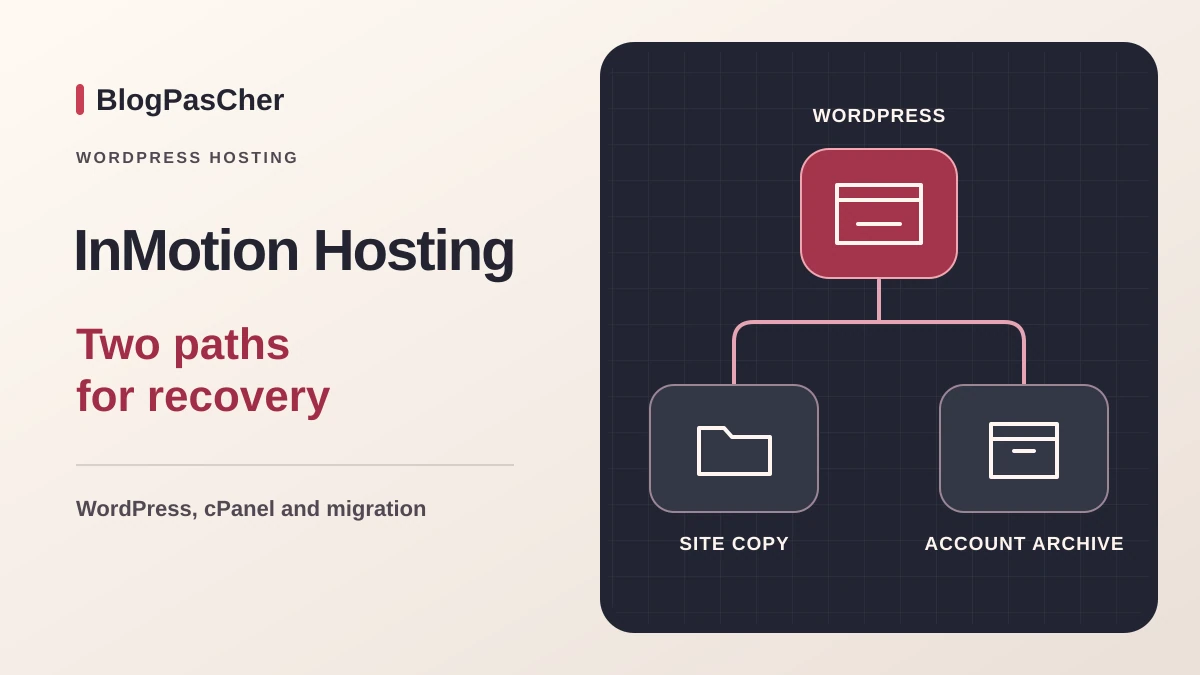
This profile is based on published offers and documentation. No new hosting benchmark or support test was performed for this translation.
Prices retain the market, currency and billing period described in the French source. Translation does not update a commercial quote. Confirm the final price, taxes and options before ordering.
| Plan | Price and billing | Resources and limits |
|---|---|---|
| WP Launch | USD 5.49/month over 36 months in the public review. USD 197.64 calculated for the term, excluding any fees and taxes. Renewal: USD 14.49/month displayed for the comparable term. Contractual amount and date in AMP. Monthly equivalent over 36 months. Amount due and taxes according to the order. | 2 websites, 100 GB NVMe, 3 PHP processes per website and 5 GB per cPanel mailbox. Chat and tickets. Shared account capacity. Backup coverage to confirm. |
| WP Power | USD 6.49/month over 36 months in the public review. USD 233.64 calculated for the term, excluding any fees and taxes. Renewal: USD 18.49/month displayed for the comparable term. Contractual amount and date in AMP. Monthly equivalent over 36 months. Amount due and taxes according to the order. | 10 websites, 200 GB NVMe, 4 PHP processes per website and 10 GB per cPanel mailbox. Telephone according to the table, plus chat and tickets. Copy retention and quotas to check. |
| WP Pro | USD 11.49/month over 36 months in the public review. USD 413.64 calculated for the term, excluding any fees and taxes. Renewal: Renewal rate for this tier not established in the usable review. Check AMP. Monthly equivalent over 36 months. Amount due and taxes according to the order. | 40 websites, 300 GB NVMe, 6 PHP processes per website and 20 GB per cPanel mailbox. Dedicated IP according to the table. Access and account scope to check before promising isolation for every client. |
 Official InMotion Hosting logo in color. — Image: InMotion Hosting.
InMotion Hosting presents WP Launch, WP Power and WP Pro as three shared hosting plans for WordPress. The holder uses the AMP management area for billing and subscriptions. cPanel handles files, databases, domains and mailboxes. The WordPress dashboard remains the entry point for publishing and plugin administration. This scope corresponds to the Shared Hosting for WordPress range. The provider’s VPS and separate managed offers follow their own schedules and terms.
For a small organization taking over a website and email, this structure combines several services. It also requires clarity about who holds the subscription, domain and technical access. A writer needs a WordPress account. The hosting account manager must be able to locate an invoice or request restoration. During an agency change, these roles avoid making website recovery depend on one person’s credentials. The study draws on public pages consulted on November 10, 2026.
The November 10, 2026 review associated three-year equivalents with USD 5.49 per month for WP Launch, USD 6.49 for WP Power and USD 11.49 for WP Pro. At unchanged amounts, 36-month totals are USD 197.64, 233.64 and 413.64. These figures multiply the displayed equivalents before any fees and taxes. Amount due, holder tax treatment and options depend on the order. The table also displays two-year, one-year and one-month terms with different prices.
For WP Launch and WP Power, cards associated with the first long cycle list renewal at USD 14.49 and 18.49 per month respectively. If the same rate applies over 36 months, calculations give USD 521.64 and 665.64. These are reference figures to confirm on the subscription. The WP Pro renewal reference remains unknown in usable data. A multiyear budget can therefore reserve a line to complete for that tier. Comparing a three-year promotional rate with monthly renewal would not establish the cost of two equivalent periods.
The domain credit applies to certain extensions and eligible terms of 12, 24 or 36 months. It covers the first year. The domain then follows its own rate and may remain registered after website transfer. The catalog also distinguishes cPanel mailboxes from Professional Email, presented with a one-month trial. Before assessing a total, record hosting price, domain, email options and backups on separate lines. A team paying from a euro account must also include possible currency conversion fees from its payment method.
The Webhosting terms provide automatic renewal for the same duration as the last period unless a different choice is made in AMP. The billing guide documents a reminder before the date and automatic item renewal when an active card is saved. Under Billing, My Subscriptions associates product, term, renewal price and date. For an association budget or account handover, record these four details and the contact receiving the reminder.
If the team leaves, prepare the copy and domain transfer before disabling renewal. The guide shows the subscription moving to an expiring status. Verify that status and record the end date. Handle domain and email on their own lines. If the website still receives forms or orders, plan the new destination’s start date before stopping the source. Contract end and visitors’ arrival on the new server must be coordinated.
WP Launch provides two websites, 100 GB NVMe and three PHP processes per website. WP Power increases to ten websites, 200 GB and four processes per website. WP Pro advertises forty websites, 300 GB, six processes per website and a dedicated IP. cPanel mailboxes display capacities of 5, 10 and 20 GB per mailbox according to plan. Catalog traffic figures are provider indications. To size a store, chiefly record PHP-intensive operations such as carts, searches or catalog imports.
An allocation of 100 GB may suit a rarely modified website and working copy, depending on media size. Count the public website, temporary archives, databases and email separately. For dozens of clients, also verify how domains and permissions are separated. The page presents WHM management options on WP Pro. Before promising independent access, ask which accounts and permissions the chosen plan provides. An acceptance-testing subdomain and a client website may need different access policies even when sharing billing space.
The catalog has a French version. The AMP guides and cPanel procedures examined are in English. InMotion documents a language setting in the preferences of recent cPanel versions. Check the instance’s available language and keep labels for menus needed during recovery at hand. WordPress allows a separate language choice. A team can publish in French while assigning technical English exchanges to someone else.
The table lists chat and tickets for WP Launch and adds telephone for WP Power and WP Pro. The provider advertises continuous human technical assistance. Availability of a French-speaking agent and billing-service hours need confirmation for the specific need. Before migration, designate someone able to transmit the domain, incident time, symptom and intervention scope. For recovery, they must also know which contact is authorized to request data access.
InMotion documents centers in California, Virginia and Amsterdam among others. The infrastructure page also mentions Singapore. Actual choices in the shared WordPress range and backup location must be checked for the contract. In AMP, the guide explains how to locate account technical details and server name. For a European website, a nearby location may be a criterion. Page weight, plugins and the share of traffic served by cache remain decisive.
The catalog advertises preinstalled WordPress and Softaculous. Begin by checking whether an installation exists at the intended domain. To create one, open Softaculous from cPanel, select WordPress, then check protocol, domain and directory. A root installation uses the directory serving that domain. A test website should point to a separate location covered by a certificate and use its own credentials. Also check the PHP version and modules required by theme and plugins, especially when taking over an old installation.
To transfer a website, record its public address, root, database name and email sending method. Keep files and a readable SQL export independent of the source account. On the verification destination, test a WordPress login, a media item and a form. A full copy can retain links to the old domain or external-service settings. Check these before making the destination public. A content reviewer can work with a WordPress role separate from cPanel access.
The InMotion guide uses the Softaculous installation list. Select the website, open Create Staging, then check destination domain, path and database. Once the copy is created, verify that its URL responds and administration uses the copy’s data. Protect access and replace form recipients, payment credentials and tasks contacting production services. For an update, record the workflow that must work and plugin versions before modifying the copy.
The guide also presents Push to Live. Destination and scope selection matter because the operation can replace public-website data. For a store or registration form, inventory orders and responses received since cloning. If the change concerns a theme, prepare a deployment preserving those writes. If full restoration is needed, retain a current-state backup and organize a switch window. Then verify a page, login and writing workflow, and monitor expected messages and payments.
The sales page mentions off-site backups, while help also describes Backup Manager as an option for cPanel accounts. Before relying on recovery, check which points already exist, their components and which tools are separately charged. The Backup Manager guide advertises 10 GB for the base subscription. The rate published in help is USD 2.99 per month with USD 1.80 per extra 10 GB block. Website and backup storage are two separate quotas. Documentation warns that scheduled backups may stop if capacity is exceeded.
For WordPress, plan at least files and database. A plugin export may help if the team knows how to restore it. Help also describes cPanel methods for separately exporting files and database. Keep a copy in independent space with a date and corresponding domain. An account archive may cover additional elements. If email matters, confirm that expected mailboxes, folders and messages can be recovered. A website appearing in the copy list does not establish this scope.
To verify an archive, use a protected folder and empty database. Check that the copy connects to this database and verify recent content, a media item and a form. If only one file disappeared, retrieve that element and limit restoration to the affected part. A full database rollback requires identifying data received since the copy point. Preserve the current state before any operation overwriting files or database. If the copy is too old, document writes needing reconstruction.
The provider presents assistance for eligible transfers. Depending on plan and source, scope may be a complete cPanel account or a website with its database. The migration guide distinguishes cPanel mailboxes and specifies that Microsoft 365 or Exchange emails are not transferred through this service. Before requesting intervention, send the inventory of website, domains, mailboxes and data to preserve through the designated channel. Arrange temporary transfer access and remove it after acceptance testing.
When email remains with its provider, retain MX records and records authenticating messages. If it also moves, prepare receipt and sending checks between independent accounts. Test the WordPress form separately because it may use another sender or SMTP service. Check HTTPS, redirects and administrator login before directing the domain to the new server. For an activity recording orders, plan final synchronization or a window without new writes.
During DNS propagation, visitors or messages may still reach the old destination. Keep the source accessible during verification and identify which installation contains the latest writes before rollback. If domain transfer also changes registrar, handle it on a separate schedule. Once the public website and email are verified, retain a final export and dates of the latest operations.
InMotion documents BoldGrid as a WordPress builder with templates and visual editing. These features help lay out a website. Sources examined for WP Launch, WP Power and WP Pro do not confirm a generative AI assistant included in the WordPress editor. If a team needs to generate text or images, it must identify the exact plugin or service, its cost and data sent. The chosen builder must also remain usable if the team changes plan or host.
WP Launch merits consideration if two website slots and chat or ticket support suffice. WP Power adds headroom for several websites, larger mailboxes and a documented telephone channel. WP Pro mainly interests a team operating more websites and needing to confirm access and client separation. Meaningful cost includes renewal pricing, domains and backup storage needed to recover data. Nominal disk volume explains part of the price. Time spent maintaining WordPress and recovering mailboxes may matter more. This profile relies on public documentation without load measurement, restoration or support testing.
The official WordPress page (see sources at the end of the profile) now presents cards including USD 3.99 for WP Launch and USD 4.99 for WP Power. The rendering consulted does not allow each card to be confidently matched to its term. The three-year calculations above therefore remain those of the November 10 review and are not a current quote. Record the selected term, amount due and renewal in the summary before comparing offers.
Use these references to check the features, requirements and limitations described. Reading documentation is not a practical test.
English translation of the reviewed French edition. Code examples retain their original identifiers, comments and output strings for reproducibility. Linked exercise files and original screenshots may contain French. No new practical tests or price checks are implied by translation.
1984 Hosting’s WordPress plans in Iceland, initial and renewal terms, migration, the Security Pack and backup limitations.
Read more →Compare 34SP.com WordPress containers, shared memory, staging copies, downloadable snapshots and site migration.
Read more →Compare AEserver’s managed WordPress prices and check whether your network must be split into independent installations before migration.
Read more →