

Start with the store’s country
Imagine a French store that wants to accept cards and offer Bancontact to Belgian visitors. You need two pieces of information before installing anything. In which country can the business open its merchant account? In which country should the payment method appear for the customer? A gateway may accept a Belgian buyer while imposing conditions on the store applying for the service.
Start with what you actually sell. An association receiving one-off payments, a store shipping products and a service charging a monthly subscription raise different questions. Choose one primary method, a complementary method useful to your customers, and a concrete case that will support your decision. You can add other methods once the first orders are running reliably.
The list includes connectors that collect payments and one plugin that controls when methods are displayed. Products with no purchase fee may still involve transaction fees or a provider subscription. The selection relies on official listings and published terms. The profiles are not based on testing with a real merchant account.
Compare before you choose
The offers at a glance
Find the use case and budget that fit, then read the details to see the limitations and any components you may need.
On smaller screens, the table scrolls horizontally. With a keyboard, press Tab to focus the table, then use the left and right arrow keys.
| Offer | Best for | Pricing and billing | Renewal and support |
|---|---|---|---|
 WooPaymentsRead the details | A store that wants to manage payments within WooCommerce. | Download without a license fee. Contract and payment-processing fees depend on the provider. Free plugin | Terms for any paid plans were unavailable at the time of review. |
 WooCommerce Stripe Payment GatewayRead the details | A store that already has a Stripe account and wants to retain its tracking tools. | Download without a license fee. Contract and payment-processing fees depend on the provider. Free plugin | Terms for any paid plans were unavailable at the time of review. |
 WooCommerce PayPal PaymentsRead the details | Adding the PayPal wallet alongside a primary payment method. | Download without a license fee. Contract and payment-processing fees depend on the provider. Free plugin | Terms for any paid plans were unavailable at the time of review. |
 Square for WooCommerceRead the details | A business connecting its online store to a Square point of sale. | Download without a license fee. Contract and payment-processing fees depend on the provider. Free plugin | Terms for any paid plans were unavailable at the time of review. |
 Mollie Payments for WooCommerceRead the details | A European store examining local payment methods. | Download without a license fee. Contract and payment-processing fees depend on the provider. Free plugin | Terms for any paid plans were unavailable at the time of review. |
 Mercado Pago for WooCommerceRead the details | A merchant selling in a market supported by Mercado Pago. | Download without a license fee. Contract and payment-processing fees depend on the provider. Free plugin | Terms for any paid plans were unavailable at the time of review. |
 Razorpay for WooCommerceRead the details | A store targeting India with an eligible Razorpay account. | Download without a license fee. Contract and payment-processing fees depend on the provider. Free plugin | Terms for any paid plans were unavailable at the time of review. |
 Paystack WooCommerce Payment GatewayRead the details | A store in a market where Paystack opens merchant accounts. | Download without a license fee. Contract and payment-processing fees depend on the provider. Free plugin | Terms for any paid plans were unavailable at the time of review. |
 PayPlug for WooCommerceRead the details | A French store examining PayPlug and CB cards. | Download without a license fee. Contract and payment-processing fees depend on the provider. Free plugin | Terms for any paid plans were unavailable at the time of review. |
 Viva.com Smart CheckoutRead the details | A merchant already using Viva.com or preparing to migrate from Standard Checkout. | Download without a license fee. Contract and payment-processing fees depend on the provider. Free plugin | Terms for any paid plans were unavailable at the time of review. |
 Mastercard Merchant CloudRead the details | A merchant whose provider can open or supply a Merchant Cloud account. | Download without a license fee. Contract and payment-processing fees depend on the provider. Free plugin | Terms for any paid plans were unavailable at the time of review. |
 GoCardless for WooCommerceRead the details | A business wanting to collect direct debits in an eligible country. | Download without a license fee. Contract and payment-processing fees depend on the provider. Free plugin | Terms for any paid plans were unavailable at the time of review. |
 Airwallex Payments for WooCommerceRead the details | A multicurrency store already using or eligible for Airwallex. | Download without a license fee. Contract and payment-processing fees depend on the provider. Free plugin | Terms for any paid plans were unavailable at the time of review. |
 Payfast Payment Gateway for WooCommerceRead the details | A South African store accepting payment hosted by Payfast. | Download without a license fee. Contract and payment-processing fees depend on the provider. Free plugin | Terms for any paid plans were unavailable at the time of review. |
 Authorize.net Payments for WooCommerceRead the details | A merchant with an existing compatible Authorize.net account. | Download without a license fee. Contract and payment-processing fees depend on the provider. Free plugin | Terms for any paid plans were unavailable at the time of review. |
 PayU India for WooCommerceRead the details | A store in India whose PayU account can use this connector. | Download without a license fee. Contract and payment-processing fees depend on the provider. Free plugin | Terms for any paid plans were unavailable at the time of review. |
 Elavon Payment GatewayRead the details | A store that can confirm which Elavon offering is supported. | Download without a license fee. Contract and payment-processing fees depend on the provider. Free plugin | Terms for any paid plans were unavailable at the time of review. |
 Amazon Pay for WooCommerceRead the details | A store that wants to offer Amazon Pay without duplicating identical options. | Download without a license fee. Contract and payment-processing fees depend on the provider. Free plugin | Terms for any paid plans were unavailable at the time of review. |
 SumUp Payment Gateway for WooCommerceRead the details | A SumUp merchant selling online with one-off payments. | Download without a license fee. Contract and payment-processing fees depend on the provider. Free plugin | Terms for any paid plans were unavailable at the time of review. |
 Redsys Gateway for WooCommerceRead the details | A store whose bank can supply the necessary Redsys contract. | USD 79 for one year on WooCommerce Marketplace Annual payment Taxes excluded from the recorded price. Payment-provider fees are separate where applicable. | Check renewal and its price at checkout. |
 Klarna for WooCommerceRead the details | An eligible merchant examining Klarna arrangements for its market. | Download without a license fee. Contract and payment-processing fees depend on the provider. Free plugin | Terms for any paid plans were unavailable at the time of review. |
 Moneris Gateway for WooCommerceRead the details | A Canadian merchant already using Moneris. | USD 99 for one year on WooCommerce Marketplace Annual payment Taxes excluded from the recorded price. Payment-provider fees are separate where applicable. | Check renewal and its price at checkout. |
 Conditional Shipping and Payments for WooCommerceRead the details | A team that needs to restrict existing methods to particular baskets or shipping methods. | USD 109 for one year on WooCommerce Marketplace Annual payment Taxes excluded from the recorded price. Payment-provider fees are separate where applicable. | Check renewal and its price at checkout. |
 WooCommerce CyberSource Payment GatewayRead the details | A store with an existing CyberSource account and an identified integration requirement. | USD 79 · Regular license One-time purchase Taxes and processing fees excluded. The payment contract is separate. | Future updates and six months of support advertised. Optional support extension. |
 Worldline Global Online Pay for WooCommerceRead the details | A merchant using Worldline Direct that wants local methods such as Wero. | Download without a license fee. Contract and payment-processing fees depend on the provider. Free plugin | Terms for any paid plans were unavailable at the time of review. |
Read the total cost before comparing licenses
Put the connector price, contract price, commission for each method, refund costs and currency conversion if you sell abroad into the same sheet. A USD 99 annual license and a freely downloadable plugin are two starting points. The total cost still varies with the contract, currency and frequency of your transactions.
Run two calculations using your own assumptions: a common small basket and a larger basket. A fixed fee per payment weighs more heavily on the first. Add a return or dispute to the scenario if it occurs often in your business. Record the price list’s country and the date you read it so you can find the same terms when revisiting the sheet.
The paid products in this selection distinguish WooCommerce Marketplace subscriptions from Regular license purchases on CodeCanyon. A marketplace’s displayed price replaces neither checkout confirmation nor the terms of the provider processing payments. If a contractual condition remains unknown, write down the question and obtain an answer before buying.
Check the checkout page your customers use
A store’s checkout page may use the WooCommerce block or the classic form. Open the page in the editor to check its composition. An integration may display its button and process payments in one form without providing the same workflow in the other. Record the WooCommerce version, theme, form and order-storage system in your test sheet.
HPOS means storing orders in dedicated tables. HPOS compatibility and block-checkout compatibility are separate pieces of information. Also record whether the developer handles automatic refunds and renewals for your subscription plugin. If a listing advertises subscriptions, check renewal in the configuration you intend to use, not only the first order.
The device and browser can change how an express wallet appears. With a fictional basket, test the button in its intended location on desktop and phone. Then check that the amount, currency, shipping method and address match the order created.
Prepare an end-to-end test
Work on a copy accessible only to those responsible for acceptance testing. Use the provider’s test environment, test data and credentials separate from production. Check that your test store neither emails customers nor sends new orders to the management software or carrier.
For every outcome, open the WooCommerce order and the provider’s dashboard. Returning to the confirmation page informs the buyer. The status recorded by the provider helps the team decide whether it can start shipping. When a gateway confirms the transaction later, make that waiting period clear in the store’s instructions.
- Use a fictional basket and check the price, currency, shipping charges and displayed method before confirmation.
- Test an accepted payment, a declined payment and a cancellation or incomplete return. Record the order status for each outcome.
- If the method supports it, trigger a full and then a partial test refund. Compare amounts and statuses at the provider and in WooCommerce.
- If you sell a subscription, check the first payment and a test renewal using the workflow specified by the developer.
Decide which payment methods to keep visible
For a simple catalog, start with one primary payment method and the complementary method your customers request. Adding the same wallet through two plugins can create duplicate buttons. Review the product page, basket and checkout before keeping several workflows active. Conditional rules restrict existing methods when the country, basket or customer profile requires it.
For cash on delivery or bank transfer, first examine WooCommerce’s built-in options. Your team must recognize orders still awaiting funds. Also test what happens if a rule removes every available method. Visitors should be able to adjust their basket or understand how to ask for help.
The 25 plugin cards identify use cases to test and the source of each displayed price. Select a few solutions compatible with your market, then record each one’s result using the same test basket. The closest fit is the solution whose statuses, fees and return handling the team can explain.
Sources and references
Use these references to check the features, requirements and limitations described. Reading documentation is not a practical test.
View 40 references
- WooPayments — Official connector listing and pricing ↗ — Documentation consulted:
- WooPayments — Developer documentation ↗ — Documentation consulted:
- WooCommerce Stripe Payment Gateway — Official connector listing and pricing ↗ — Documentation consulted:
- WooCommerce Stripe Payment Gateway — Developer documentation ↗ — Documentation consulted:
- WooCommerce PayPal Payments — Official connector listing and pricing ↗ — Documentation consulted:
- WooCommerce PayPal Payments — Developer documentation ↗ — Documentation consulted:
- Square for WooCommerce — Official connector listing and pricing ↗ — Documentation consulted:
- Square for WooCommerce — Developer documentation ↗ — Documentation consulted:
- Mollie Payments for WooCommerce — Official connector listing and pricing ↗ — Documentation consulted:
- Mollie Payments for WooCommerce — Developer documentation ↗ — Documentation consulted:
- Mercado Pago for WooCommerce — Official connector listing and pricing ↗ — Documentation consulted:
- Razorpay for WooCommerce — Official connector listing and pricing ↗ — Documentation consulted:
- Paystack WooCommerce Payment Gateway — Official connector listing and pricing ↗ — Documentation consulted:
- PayPlug for WooCommerce — Official connector listing and pricing ↗ — Documentation consulted:
- Viva.com Smart Checkout — Official connector listing and pricing ↗ — Documentation consulted:
- Viva.com Smart Checkout — Developer documentation ↗ — Documentation consulted:
- Mastercard Merchant Cloud — Official connector listing and pricing ↗ — Documentation consulted:
- Mastercard Merchant Cloud — Developer documentation ↗ — Documentation consulted:
- GoCardless for WooCommerce — Official connector listing and pricing ↗ — Documentation consulted:
- Airwallex Payments for WooCommerce — Official connector listing and pricing ↗ — Documentation consulted:
- Payfast Payment Gateway for WooCommerce — Official connector listing and pricing ↗ — Documentation consulted:
- Authorize.net Payments for WooCommerce — Official connector listing and pricing ↗ — Documentation consulted:
- PayU India for WooCommerce — Official connector listing and pricing ↗ — Documentation consulted:
- Elavon Payment Gateway — Official connector listing and pricing ↗ — Documentation consulted:
- Amazon Pay for WooCommerce — Official connector listing and pricing ↗ — Documentation consulted:
- Amazon Pay for WooCommerce — Developer documentation ↗ — Documentation consulted:
- SumUp Payment Gateway for WooCommerce — Official connector listing and pricing ↗ — Documentation consulted:
- SumUp Payment Gateway for WooCommerce — Developer documentation ↗ — Documentation consulted:
- Redsys Gateway for WooCommerce — Official connector listing and pricing ↗ — Documentation consulted:
- Klarna for WooCommerce — Official connector listing and pricing ↗ — Documentation consulted:
- Moneris Gateway for WooCommerce — Official connector listing and pricing ↗ — Documentation consulted:
- Conditional Shipping and Payments for WooCommerce — Official connector listing and pricing ↗ — Documentation consulted:
- Conditional Shipping and Payments for WooCommerce — Developer documentation ↗ — Documentation consulted:
- WooCommerce CyberSource Payment Gateway — Official connector listing and pricing ↗ — Documentation consulted:
- WooCommerce CyberSource Payment Gateway — Developer documentation ↗ — Documentation consulted:
- Worldline Global Online Pay for WooCommerce — Official connector listing and pricing ↗ — Documentation consulted:
- Worldline Global Online Pay for WooCommerce — Developer documentation ↗ — Documentation consulted:
- Worldline Global Online Pay for WooCommerce — Payment method documentation ↗ — Documentation consulted:
- WooCommerce payment options ↗ — Documentation consulted:
- Payment gateway compatibility with WooCommerce Subscriptions ↗ — Documentation consulted:
Uses, prices and what to check
25 offers in detail
Compare the features you need and the terms of each offer. The order of these entries does not indicate a ranking.
WooPayments
 Publisher-provided image. — Publisher
Best forA store that wants to manage payments within WooCommerce.
WooPayments brings payment collection, refunds and payout tracking together in WordPress. It is a useful comparison point for a small store that wants to avoid switching between dashboards. The available methods vary with the account country and basket. Before enabling it, check the payout currency and net amount received.
Offer pricing
Download without a license fee. Contract and payment-processing fees depend on the provider.
Billing: Free plugin
Checked on .
Strengths
- Transaction, refund and dispute tracking in the dashboard.
What to consider
- Merchant registration and fees depend on the country. For the 11.2.x branch, the November 3 notice identifies fix 11.2.1.
Pricing terms and compatibility
Understanding the offer
- Price at the time of review
- Download without a license fee. Contract and payment-processing fees depend on the provider.
- Currency
- Unspecified. Confirm for the offer you choose.
- Billing
- Free plugin
- Renewal and support
- Unspecified. Confirm for the offer you choose.
- Taxes and fees
- Unspecified. Confirm for the offer you choose.
- Commitment and terms
- Check terms and fees in the merchant account’s country.
- Date checked
Compatibility and components
- WordPress.org version recorded: 11.3.0; tested up to WordPress 7.1.4 according to the listing.
- Check your checkout form, WooCommerce version and the features used on the merchant account.
WooCommerce Stripe Payment Gateway
 Official promotional banner for the WooCommerce Stripe gateway; the publisher’s marketing slogan is not a promise of revenue.
Best forA store that already has a Stripe account and wants to retain its tracking tools.
If you already use Stripe, this plugin lets you examine card payments and the wallets offered on your account. Check that the order, transaction ID and amount match in both dashboards. The express button may behave differently from the classic form. Test it on the screens where you intend to display it.
Offer pricing
Download without a license fee. Contract and payment-processing fees depend on the provider.
Billing: Free plugin
Checked on .
Strengths
- Support for eligible cards, wallets and local methods.
What to consider
- Woo recommends version 11.2.0 or later, or version 11.1.2 for the 11.1.x branch. Check prerequisites before updating.
Pricing terms and compatibility
Understanding the offer
- Price at the time of review
- Download without a license fee. Contract and payment-processing fees depend on the provider.
- Currency
- Unspecified. Confirm for the offer you choose.
- Billing
- Free plugin
- Renewal and support
- Unspecified. Confirm for the offer you choose.
- Taxes and fees
- Unspecified. Confirm for the offer you choose.
- Commitment and terms
- Check terms and fees in the merchant account’s country.
- Date checked
Compatibility and components
- WordPress.org version recorded: 11.2.0; tested up to WordPress 7.1.4 according to the listing.
- Check your checkout form, WooCommerce version and the features used on the merchant account.
WooCommerce PayPal Payments
 Publisher-provided image. — Publisher
Best forAdding the PayPal wallet alongside a primary payment method.
The official plugin suits a store whose customers already know the PayPal wallet. Distinguish the basic offering from additional methods that can be enabled for the merchant account. Check button display in the basket and checkout block. After the customer returns to the store, their confirmation should correspond to a single order.
Offer pricing
Download without a license fee. Contract and payment-processing fees depend on the provider.
Billing: Free plugin
Checked on .
Strengths
- PayPal wallet and complementary methods depending on the country and account.
What to consider
- Advanced card processing and options such as Pay Later vary with eligibility.
Pricing terms and compatibility
Understanding the offer
- Price at the time of review
- Download without a license fee. Contract and payment-processing fees depend on the provider.
- Currency
- Unspecified. Confirm for the offer you choose.
- Billing
- Free plugin
- Renewal and support
- Unspecified. Confirm for the offer you choose.
- Taxes and fees
- Unspecified. Confirm for the offer you choose.
- Commitment and terms
- Check terms and fees in the merchant account’s country.
- Date checked
Compatibility and components
- WordPress.org version recorded: 4.2.2; tested up to WordPress 7.1.4 according to the listing.
- Check your checkout form, WooCommerce version and the features used on the merchant account.
Square for WooCommerce
 Publisher-provided image. — Publisher
Best forA business connecting its online store to a Square point of sale.
For a physical store already using Square, the question extends beyond online payment. The plugin can also synchronize products and stock. First test payment collection, then separately test a stock change originating at the point of sale. Decide which catalog is authoritative and who can edit it before enabling synchronization across the store.
Offer pricing
Download without a license fee. Contract and payment-processing fees depend on the provider.
Billing: Free plugin
Checked on .
Strengths
- Online payments and catalog synchronization can be configured separately.
What to consider
- Square requires the store and account to be associated with a supported country.
Pricing terms and compatibility
Understanding the offer
- Price at the time of review
- Download without a license fee. Contract and payment-processing fees depend on the provider.
- Currency
- Unspecified. Confirm for the offer you choose.
- Billing
- Free plugin
- Renewal and support
- Unspecified. Confirm for the offer you choose.
- Taxes and fees
- Unspecified. Confirm for the offer you choose.
- Commitment and terms
- Check terms and fees in the merchant account’s country.
- Date checked
Compatibility and components
- Check your checkout form, WooCommerce version and the features used on the merchant account.
Mollie Payments for WooCommerce
 Publisher-provided image. — Publisher
Best forA European store examining local payment methods.
Mollie is of interest to a European store that wants to adapt payment methods to each market. Choose a specific example, such as Bancontact for Belgian customers, then check that it appears with the expected address and currency. A method’s presence in general documentation does not prove your account can enable it. Read its fee schedule before testing.
Offer pricing
Download without a license fee. Contract and payment-processing fees depend on the provider.
Billing: Free plugin
Checked on .
Strengths
- One connector for several cards, wallets and local methods.
What to consider
- Countries, contracts, currencies and fees differ between methods.
Pricing terms and compatibility
Understanding the offer
- Price at the time of review
- Download without a license fee. Contract and payment-processing fees depend on the provider.
- Currency
- Unspecified. Confirm for the offer you choose.
- Billing
- Free plugin
- Renewal and support
- Unspecified. Confirm for the offer you choose.
- Taxes and fees
- Unspecified. Confirm for the offer you choose.
- Commitment and terms
- Check terms and fees in the merchant account’s country.
- Date checked
Compatibility and components
- WordPress.org version recorded: 8.2.0; tested up to WordPress 7.1.4 according to the listing.
- Check your checkout form, WooCommerce version and the features used on the merchant account.
Mercado Pago for WooCommerce
 Publisher-provided image. — Publisher
Best forA merchant selling in a market supported by Mercado Pago.
A store selling in a Latin American market can examine Mercado Pago using its actual country, currency and enabled methods. An immediate payment and a method confirmed later require different monitoring. Check that the team distinguishes an order awaiting payment from one ready to prepare.
Offer pricing
Download without a license fee. Contract and payment-processing fees depend on the provider.
Billing: Free plugin
Checked on .
Strengths
- Local payment methods tied to the store’s country.
What to consider
- Available products and payout times depend on the account’s country.
Pricing terms and compatibility
Understanding the offer
- Price at the time of review
- Download without a license fee. Contract and payment-processing fees depend on the provider.
- Currency
- Unspecified. Confirm for the offer you choose.
- Billing
- Free plugin
- Renewal and support
- Unspecified. Confirm for the offer you choose.
- Taxes and fees
- Unspecified. Confirm for the offer you choose.
- Commitment and terms
- Check terms and fees in the merchant account’s country.
- Date checked
Compatibility and components
- WordPress.org version recorded: 8.10.0; tested up to WordPress 7.1.4 according to the listing.
- Check your checkout form, WooCommerce version and the features used on the merchant account.
Razorpay for WooCommerce
 Publisher-provided image. — Publisher
Best forA store targeting India with an eligible Razorpay account.
Razorpay is worth examining if your customers expect to use payment methods available in India. Reproduce checkout with a fictional basket and address in the target market. Check both the outcome shown to the customer and the transaction status before considering the order ready.
Offer pricing
Download without a license fee. Contract and payment-processing fees depend on the provider.
Billing: Free plugin
Checked on .
Strengths
- WooCommerce integration with the Razorpay service.
What to consider
- Check which methods are actually enabled, along with eligible currencies and accounts.
Pricing terms and compatibility
Understanding the offer
- Price at the time of review
- Download without a license fee. Contract and payment-processing fees depend on the provider.
- Currency
- Unspecified. Confirm for the offer you choose.
- Billing
- Free plugin
- Renewal and support
- Unspecified. Confirm for the offer you choose.
- Taxes and fees
- Unspecified. Confirm for the offer you choose.
- Commitment and terms
- Check terms and fees in the merchant account’s country.
- Date checked
Compatibility and components
- WordPress.org version recorded: 4.8.9; tested up to WordPress 7.1.0 according to the listing.
- Check your checkout form, WooCommerce version and the features used on the merchant account.
Paystack WooCommerce Payment Gateway
 Publisher-provided image. — Publisher
Best forA store in a market where Paystack opens merchant accounts.
This plugin connects WooCommerce to Paystack. Evaluate it first against the country where your business is registered, then against your customers’ expected method. Compare the payment reference displayed in Paystack with the order note. A confirmation screenshot alone does not show how accounting reconciliation works.
Offer pricing
Download without a license fee. Contract and payment-processing fees depend on the provider.
Billing: Free plugin
Checked on .
Strengths
- WooCommerce payment tracking within the Paystack ecosystem.
What to consider
- Registration countries and enabled methods depend on Paystack’s terms.
Pricing terms and compatibility
Understanding the offer
- Price at the time of review
- Download without a license fee. Contract and payment-processing fees depend on the provider.
- Currency
- Unspecified. Confirm for the offer you choose.
- Billing
- Free plugin
- Renewal and support
- Unspecified. Confirm for the offer you choose.
- Taxes and fees
- Unspecified. Confirm for the offer you choose.
- Commitment and terms
- Check terms and fees in the merchant account’s country.
- Date checked
Compatibility and components
- WordPress.org version recorded: 5.8.6; tested up to WordPress 7.1.4 according to the listing.
- Check your checkout form, WooCommerce version and the features used on the merchant account.
PayPlug for WooCommerce
 Publisher-provided image. — Publisher
Best forA French store examining PayPlug and CB cards.
PayPlug is particularly relevant to a French team examining CB card acceptance with a localized interface. Compare the embedded presentation and redirect offered under your account settings. Test the return after an accepted order and after cancellation. If you also choose installment payments, check their activation separately.
Offer pricing
Download without a license fee. Contract and payment-processing fees depend on the provider.
Billing: Free plugin
Checked on .
Strengths
- Connector published by Payplug, with a listing available in French.
What to consider
- The service account and pricing are separate from downloading the plugin.
Pricing terms and compatibility
Understanding the offer
- Price at the time of review
- Download without a license fee. Contract and payment-processing fees depend on the provider.
- Currency
- Unspecified. Confirm for the offer you choose.
- Billing
- Free plugin
- Renewal and support
- Unspecified. Confirm for the offer you choose.
- Taxes and fees
- Unspecified. Confirm for the offer you choose.
- Commitment and terms
- Check terms and fees in the merchant account’s country.
- Date checked
Compatibility and components
- WordPress.org version recorded: 3.1.1; tested up to WordPress 6.9.11 according to the listing.
- Check your checkout form, WooCommerce version and the features used on the merchant account.
Viva.com Smart Checkout
 Publisher-provided image. — Publisher
Best forA merchant already using Viva.com or preparing to migrate from Standard Checkout.
This profile covers Smart Checkout, the product offered to replace Viva.com Standard Checkout. If you still use the old plugin, record its settings and pending orders before testing the transition. Check payment and the notification that updates the order in WooCommerce. Also test returning without payment to check the status left for the customer.
Offer pricing
Download without a license fee. Contract and payment-processing fees depend on the provider.
Billing: Free plugin
Checked on .
Strengths
- Cards, wallets and local methods through the Smart Checkout connector.
What to consider
- Check that your host allows the notifications documented by Viva.com.
Pricing terms and compatibility
Understanding the offer
- Price at the time of review
- Download without a license fee. Contract and payment-processing fees depend on the provider.
- Currency
- Unspecified. Confirm for the offer you choose.
- Billing
- Free plugin
- Renewal and support
- Unspecified. Confirm for the offer you choose.
- Taxes and fees
- Unspecified. Confirm for the offer you choose.
- Commitment and terms
- Check terms and fees in the merchant account’s country.
- Date checked
Compatibility and components
- WordPress.org version recorded: 1.2.0; tested up to WordPress 7.1.4 according to the listing.
- Check your checkout form, WooCommerce version and the features used on the merchant account.
Mastercard Merchant Cloud
 Publisher-provided image. — Publisher
Best forA merchant whose provider can open or supply a Merchant Cloud account.
Merchant Cloud targets a store that already has, or can obtain, the appropriate merchant account. Hosted payment and embedded checkout provide different experiences. Test the return after payment and payment reconciliation before choosing the presentation. Ask your provider to confirm which modes are available on your account.
Offer pricing
Download without a license fee. Contract and payment-processing fees depend on the provider.
Billing: Free plugin
Checked on .
Strengths
- Several integration modes, including a hosted form and redirect.
What to consider
- Documentation requires a compatible Mastercard account, a supported country and HTTPS.
Pricing terms and compatibility
Understanding the offer
- Price at the time of review
- Download without a license fee. Contract and payment-processing fees depend on the provider.
- Currency
- Unspecified. Confirm for the offer you choose.
- Billing
- Free plugin
- Renewal and support
- Unspecified. Confirm for the offer you choose.
- Taxes and fees
- Unspecified. Confirm for the offer you choose.
- Commitment and terms
- Check terms and fees in the merchant account’s country.
- Date checked
Compatibility and components
- Check your checkout form, WooCommerce version and the features used on the merchant account.
GoCardless for WooCommerce
 Publisher-provided image. — Publisher
Best forA business wanting to collect direct debits in an eligible country.
GoCardless is worth testing if direct debit fits your activity. Confirmation timing may differ from card payments. Check when your team authorizes service access or starts shipping. One-off purchases, recurring direct debit and Instant Bank Pay deserve separate scenarios if you use several methods.
Offer pricing
Download without a license fee. Contract and payment-processing fees depend on the provider.
Billing: Free plugin
Checked on .
Strengths
- Direct debit and bank-payment options depending on countries and currencies.
What to consider
- A GoCardless account and enabled features appropriate to your market are required. Confirmation times vary.
Pricing terms and compatibility
Understanding the offer
- Price at the time of review
- Download without a license fee. Contract and payment-processing fees depend on the provider.
- Currency
- Unspecified. Confirm for the offer you choose.
- Billing
- Free plugin
- Renewal and support
- Unspecified. Confirm for the offer you choose.
- Taxes and fees
- Unspecified. Confirm for the offer you choose.
- Commitment and terms
- Check terms and fees in the merchant account’s country.
- Date checked
Compatibility and components
- Check your checkout form, WooCommerce version and the features used on the merchant account.
Airwallex Payments for WooCommerce
 Publisher-provided image. — Publisher
Best forA multicurrency store already using or eligible for Airwallex.
A store selling in several currencies can examine Airwallex for local methods and payment tracking. Separate the currency shown to the customer from the one in which your account receives the payout. Test two orders in the intended currencies. Confirmations and the dashboard should let you explain conversion differences.
Offer pricing
Download without a license fee. Contract and payment-processing fees depend on the provider.
Billing: Free plugin
Checked on .
Strengths
- Local payment methods and wallets in the same connector.
What to consider
- Check presentment and settlement currencies, and conversion fees.
Pricing terms and compatibility
Understanding the offer
- Price at the time of review
- Download without a license fee. Contract and payment-processing fees depend on the provider.
- Currency
- Unspecified. Confirm for the offer you choose.
- Billing
- Free plugin
- Renewal and support
- Unspecified. Confirm for the offer you choose.
- Taxes and fees
- Unspecified. Confirm for the offer you choose.
- Commitment and terms
- Check terms and fees in the merchant account’s country.
- Date checked
Compatibility and components
- WordPress.org version recorded: 1.38.0; tested up to WordPress 7.1.4 according to the listing.
- Check your checkout form, WooCommerce version and the features used on the merchant account.
Payfast Payment Gateway for WooCommerce
 Publisher-provided image. — Publisher
Best forA South African store accepting payment hosted by Payfast.
Payfast redirects customers to its own checkout. The return to WooCommerce should remain understandable even if the customer closes the tab before confirmation. For a South African store, simulate a cancellation and then an accepted test order, and check the result in order management without relying only on the return message.
Offer pricing
Download without a license fee. Contract and payment-processing fees depend on the provider.
Billing: Free plugin
Checked on .
Strengths
- Documented redirect workflow and a connector distributed by Woo.
What to consider
- Check merchant eligibility, currency and the confirmation return.
Pricing terms and compatibility
Understanding the offer
- Price at the time of review
- Download without a license fee. Contract and payment-processing fees depend on the provider.
- Currency
- Unspecified. Confirm for the offer you choose.
- Billing
- Free plugin
- Renewal and support
- Unspecified. Confirm for the offer you choose.
- Taxes and fees
- Unspecified. Confirm for the offer you choose.
- Commitment and terms
- Check terms and fees in the merchant account’s country.
- Date checked
Compatibility and components
- Check your checkout form, WooCommerce version and the features used on the merchant account.
Authorize.net Payments for WooCommerce
 Publisher-provided image. — Publisher
Best forA merchant with an existing compatible Authorize.net account.
The official Authorize.net plugin is of interest to a store already using that provider. Migrating from another connector deserves two separate tests. First check new orders. Then ask the developer whether existing saved methods or renewals can be carried over. Plan a customer workflow if new authorization is required.
Offer pricing
Download without a license fee. Contract and payment-processing fees depend on the provider.
Billing: Free plugin
Checked on .
Strengths
- Integration maintained by the Authorize.net team.
What to consider
- Check registration countries, account type and transfer of saved methods.
Pricing terms and compatibility
Understanding the offer
- Price at the time of review
- Download without a license fee. Contract and payment-processing fees depend on the provider.
- Currency
- Unspecified. Confirm for the offer you choose.
- Billing
- Free plugin
- Renewal and support
- Unspecified. Confirm for the offer you choose.
- Taxes and fees
- Unspecified. Confirm for the offer you choose.
- Commitment and terms
- Check terms and fees in the merchant account’s country.
- Date checked
Compatibility and components
- Check your checkout form, WooCommerce version and the features used on the merchant account.
PayU India for WooCommerce
 Publisher-provided image. — Publisher
Best forA store in India whose PayU account can use this connector.
Assess PayU India against the Indian market and the methods actually enabled on the account. A store can start with the most requested method, check the test workflow and compare back-office results. If a payment uses an external page, also check the instruction buyers see when returning without completing it.
Offer pricing
Download without a license fee. Contract and payment-processing fees depend on the provider.
Billing: Free plugin
Checked on .
Strengths
- Access to PayU India methods according to the merchant account.
What to consider
- The local offering and contract do not automatically apply to other PayU services.
Pricing terms and compatibility
Understanding the offer
- Price at the time of review
- Download without a license fee. Contract and payment-processing fees depend on the provider.
- Currency
- Unspecified. Confirm for the offer you choose.
- Billing
- Free plugin
- Renewal and support
- Unspecified. Confirm for the offer you choose.
- Taxes and fees
- Unspecified. Confirm for the offer you choose.
- Commitment and terms
- Check terms and fees in the merchant account’s country.
- Date checked
Compatibility and components
- WordPress.org version recorded: 3.9.2; tested up to WordPress 7.1.4 according to the listing.
- Check your checkout form, WooCommerce version and the features used on the merchant account.
Elavon Payment Gateway
 Publisher-provided image. — Publisher
Best forA store that can confirm which Elavon offering is supported.
If you are already discussing an Elavon contract, ask which exact offering matches the plugin before configuring it. Check the account type and store versions. During the test, record who finds the payment authorization and who triggers capture, if your contract allows those two separate steps.
Offer pricing
Download without a license fee. Contract and payment-processing fees depend on the provider.
Billing: Free plugin
Checked on .
Strengths
- Connector distributed on the WooCommerce marketplace.
What to consider
- The provider’s name alone is not enough to establish compatibility with an existing contract.
Pricing terms and compatibility
Understanding the offer
- Price at the time of review
- Download without a license fee. Contract and payment-processing fees depend on the provider.
- Currency
- Unspecified. Confirm for the offer you choose.
- Billing
- Free plugin
- Renewal and support
- Unspecified. Confirm for the offer you choose.
- Taxes and fees
- Unspecified. Confirm for the offer you choose.
- Commitment and terms
- Check terms and fees in the merchant account’s country.
- Date checked
Compatibility and components
- Check your checkout form, WooCommerce version and the features used on the merchant account.
Amazon Pay for WooCommerce
 Publisher-provided image. — Publisher
Best forA store that wants to offer Amazon Pay without duplicating identical options.
Amazon Pay lets buyers pay using their Amazon account when the merchant is eligible. Before adding a second button, check whether your Stripe or WooPayments integration already offers it. Keep the basket workflow clear and check that allowed addresses and shipping costs remain consistent.
Offer pricing
Download without a license fee. Contract and payment-processing fees depend on the provider.
Billing: Free plugin
Checked on .
Strengths
- Express payment using information available in the Amazon account.
What to consider
- Check merchant-account availability and possible duplication with the existing gateway.
Pricing terms and compatibility
Understanding the offer
- Price at the time of review
- Download without a license fee. Contract and payment-processing fees depend on the provider.
- Currency
- Unspecified. Confirm for the offer you choose.
- Billing
- Free plugin
- Renewal and support
- Unspecified. Confirm for the offer you choose.
- Taxes and fees
- Unspecified. Confirm for the offer you choose.
- Commitment and terms
- Check terms and fees in the merchant account’s country.
- Date checked
Compatibility and components
- Check your checkout form, WooCommerce version and the features used on the merchant account.
SumUp Payment Gateway for WooCommerce
 Publisher-provided image. — Publisher
Best forA SumUp merchant selling online with one-off payments.
The plugin published by SumUp targets stores that want to connect online payment to an eligible SumUp account. Block cart support and HPOS order storage are documented. For recurring sales, the developer states that automatic WooCommerce Subscriptions renewals require another compatible gateway.
Offer pricing
Download without a license fee. Contract and payment-processing fees depend on the provider.
Billing: Free plugin
Checked on .
Strengths
- Card payments, block cart and checkout, and HPOS are documented.
What to consider
- The official plugin does not support automatic renewals.
Pricing terms and compatibility
Understanding the offer
- Price at the time of review
- Download without a license fee. Contract and payment-processing fees depend on the provider.
- Currency
- Unspecified. Confirm for the offer you choose.
- Billing
- Free plugin
- Renewal and support
- Unspecified. Confirm for the offer you choose.
- Taxes and fees
- Unspecified. Confirm for the offer you choose.
- Commitment and terms
- Check terms and fees in the merchant account’s country.
- Date checked
Compatibility and components
- WordPress.org version recorded: 2.18.0; tested up to WordPress 7.1.4 according to the listing.
- Check your checkout form, WooCommerce version and the features used on the merchant account.
Redsys Gateway for WooCommerce
 Publisher-provided image. — Publisher
Best forA store whose bank can supply the necessary Redsys contract.
Redsys targets stores with the compatible banking contract, particularly in Spain. Ask your bank which terminal references it supplies for testing and production. For an order, check the result on both sides and follow the customer workflow to see what appears on cancellation.
Offer pricing
USD 79 for one year on WooCommerce Marketplace
Billing: Annual payment
Renewal and support: Check renewal and its price at checkout.
Taxes excluded from the recorded price. Payment-provider fees are separate where applicable.
Checked on .
Strengths
- Redsys integration for WooCommerce.
What to consider
- The banking contract, currency and enabled options determine available methods.
Pricing terms and compatibility
Understanding the offer
- Price at the time of review
- USD 79 for one year on WooCommerce Marketplace
- Currency
- USD
- Billing
- Annual payment
- Renewal and support
- Check renewal and its price at checkout.
- Taxes and fees
- Taxes excluded from the recorded price. Payment-provider fees are separate where applicable.
- Commitment and terms
- Annual offering checked.
- Date checked
Compatibility and components
- Check your checkout form, WooCommerce version and the features used on the merchant account.
Klarna for WooCommerce
 Publisher-provided image. — Publisher
Best forAn eligible merchant examining Klarna arrangements for its market.
Klarna is of interest to merchants examining the payment arrangements offered in their market. Separately check which baskets qualify and how the team handles partial delivery or a return. Keep service costs and merchant terms in your comparison even if downloading requires no purchase.
Offer pricing
Download without a license fee. Contract and payment-processing fees depend on the provider.
Billing: Free plugin
Checked on .
Strengths
- Klarna options available under the account’s terms.
What to consider
- Applicable countries, thresholds, fees and arrangements depend on the contract.
Pricing terms and compatibility
Understanding the offer
- Price at the time of review
- Download without a license fee. Contract and payment-processing fees depend on the provider.
- Currency
- Unspecified. Confirm for the offer you choose.
- Billing
- Free plugin
- Renewal and support
- Unspecified. Confirm for the offer you choose.
- Taxes and fees
- Unspecified. Confirm for the offer you choose.
- Commitment and terms
- Check terms and fees in the merchant account’s country.
- Date checked
Compatibility and components
- WordPress.org version recorded: 4.13.6; tested up to WordPress 7.1.4 according to the listing.
- Check your checkout form, WooCommerce version and the features used on the merchant account.
Moneris Gateway for WooCommerce
 Publisher-provided image. — PublisherOpen full-size screenshot ↗
Best forA Canadian merchant already using Moneris.
Moneris targets merchants based in Canada. The plugin provides tracking of authorizations, captures and refunds from orders. If you sell in CAD and USD, compare the merchant accounts and settings required for each currency. The listing states that a separate account may be required for each currency.
Offer pricing
USD 99 for one year on WooCommerce Marketplace
Billing: Annual payment
Renewal and support: Check renewal and its price at checkout.
Taxes excluded from the recorded price. Payment-provider fees are separate where applicable.
Checked on .
Strengths
- Moneris Checkout, authorization management and refunds in WooCommerce.
What to consider
- Restricted to Canadian merchants. Provider fees are separate from the plugin subscription.
Pricing terms and compatibility
Understanding the offer
- Price at the time of review
- USD 99 for one year on WooCommerce Marketplace
- Currency
- USD
- Billing
- Annual payment
- Renewal and support
- Check renewal and its price at checkout.
- Taxes and fees
- Taxes excluded from the recorded price. Payment-provider fees are separate where applicable.
- Commitment and terms
- Annual offering checked.
- Date checked
Compatibility and components
- Check your checkout form, WooCommerce version and the features used on the merchant account.
Conditional Shipping and Payments for WooCommerce
 Publisher-provided image. — Publisher
Best forA team that needs to restrict existing methods to particular baskets or shipping methods.
This plugin applies conditions to existing payment methods. For example, it can hide a method for a currency or category. Write the rules on paper with one case that should trigger them and another that should retain its payment methods. Check that no common basket loses all options.
Offer pricing
USD 109 for one year on WooCommerce Marketplace
Billing: Annual payment
Renewal and support: Check renewal and its price at checkout.
Taxes excluded from the recorded price. Payment-provider fees are separate where applicable.
Checked on .
Strengths
- Payment and shipping rules by country, currency, product or profile.
What to consider
- A gateway must be installed and enabled to process a payment.
Pricing terms and compatibility
Understanding the offer
- Price at the time of review
- USD 109 for one year on WooCommerce Marketplace
- Currency
- USD
- Billing
- Annual payment
- Renewal and support
- Check renewal and its price at checkout.
- Taxes and fees
- Taxes excluded from the recorded price. Payment-provider fees are separate where applicable.
- Commitment and terms
- Annual offering checked.
- Date checked
Compatibility and components
- Check your checkout form, WooCommerce version and the features used on the merchant account.
WooCommerce CyberSource Payment Gateway
 Publisher-provided image. — Publisher
Best forA store with an existing CyberSource account and an identified integration requirement.
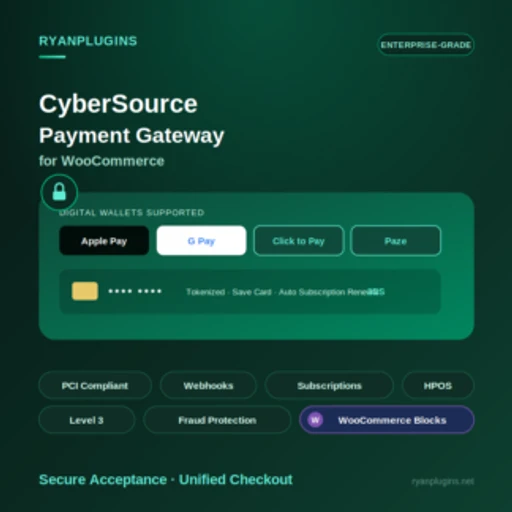
This commercial connector concerns a merchant with a CyberSource contract who knows which payment mode the account should use. Have support for your integration mode confirmed before purchase. The listing describes hosted-payment and refund-management options. Check the exact workflow with your versions, especially if you use blocks.
Offer pricing
USD 79 · Regular license
Billing: One-time purchase
Renewal and support: Future updates and six months of support advertised. Optional support extension.
Taxes and processing fees excluded. The payment contract is separate.
Checked on .
Strengths
- Hosted CyberSource checkout and API integration advertised by the developer.
What to consider
- The recorded CodeCanyon listing advertises WooCommerce support up to the 10.x series. Ask for confirmation for WooCommerce 11.x.
Pricing terms and compatibility
Understanding the offer
- Price at the time of review
- USD 79 · Regular license
- Currency
- USD
- Billing
- One-time purchase
- Renewal and support
- Future updates and six months of support advertised. Optional support extension.
- Taxes and fees
- Taxes and processing fees excluded. The payment contract is separate.
- Commitment and terms
- Regular license for one end product under Envato’s terms.
- Date checked
Compatibility and components
- Latest compatibility markers in the CodeCanyon listing: WordPress 7.0.x and WooCommerce 10.x.
Worldline Global Online Pay for WooCommerce
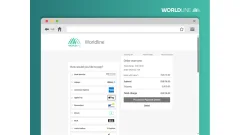
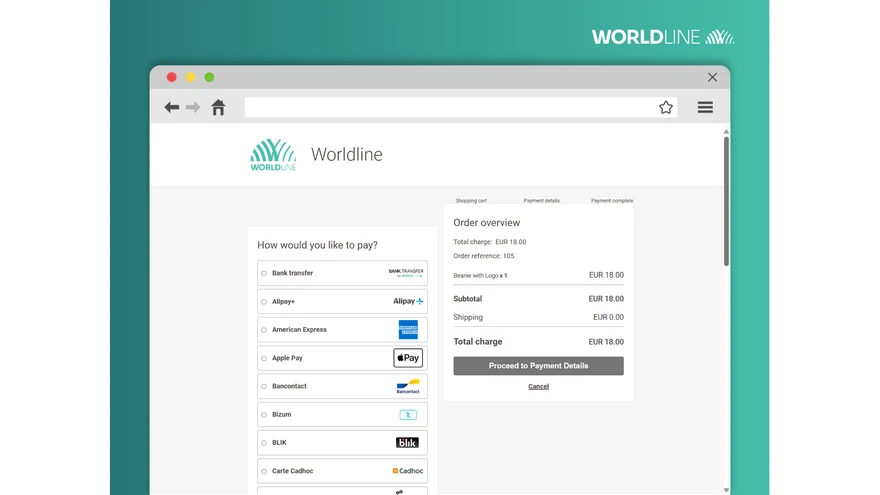 Preview of the hosted checkout page. The methods displayed depend on the merchant account. — Worldline · WordPress.orgOpen full-size screenshot ↗
Best forA merchant using Worldline Direct that wants local methods such as Wero.
Worldline lets merchants offer a hosted payment page or, depending on the method, buttons on the WooCommerce checkout page. Wero may interest a store collecting euros from French or Belgian customers. Check its activation on the merchant account, then test it on a phone and desktop. Also check order status after an incomplete return.
Offer pricing
Download without a license fee. Contract and payment-processing fees depend on the provider.
Billing: Free plugin
Checked on .
Strengths
- Hosted modes and configuration documentation available in French.
What to consider
- Wero requires contractual activation. Check the methods and fees applicable to your account with Worldline.
Pricing terms and compatibility
Understanding the offer
- Price at the time of review
- Download without a license fee. Contract and payment-processing fees depend on the provider.
- Currency
- Unspecified. Confirm for the offer you choose.
- Billing
- Free plugin
- Renewal and support
- Unspecified. Confirm for the offer you choose.
- Taxes and fees
- Unspecified. Confirm for the offer you choose.
- Commitment and terms
- Check terms and fees in the merchant account’s country.
- Date checked
Compatibility and components
- WordPress.org version recorded: 2.5.33; tested up to WordPress 7.1.4 according to the listing.
- The developer’s changelog reports WooCommerce 11.0.0 compatibility. The documentation lists WooCommerce 8.7, WordPress 6.3 and PHP 7.4 as minimum versions.
- Check your checkout form, WooCommerce version and the features used on the merchant account.