

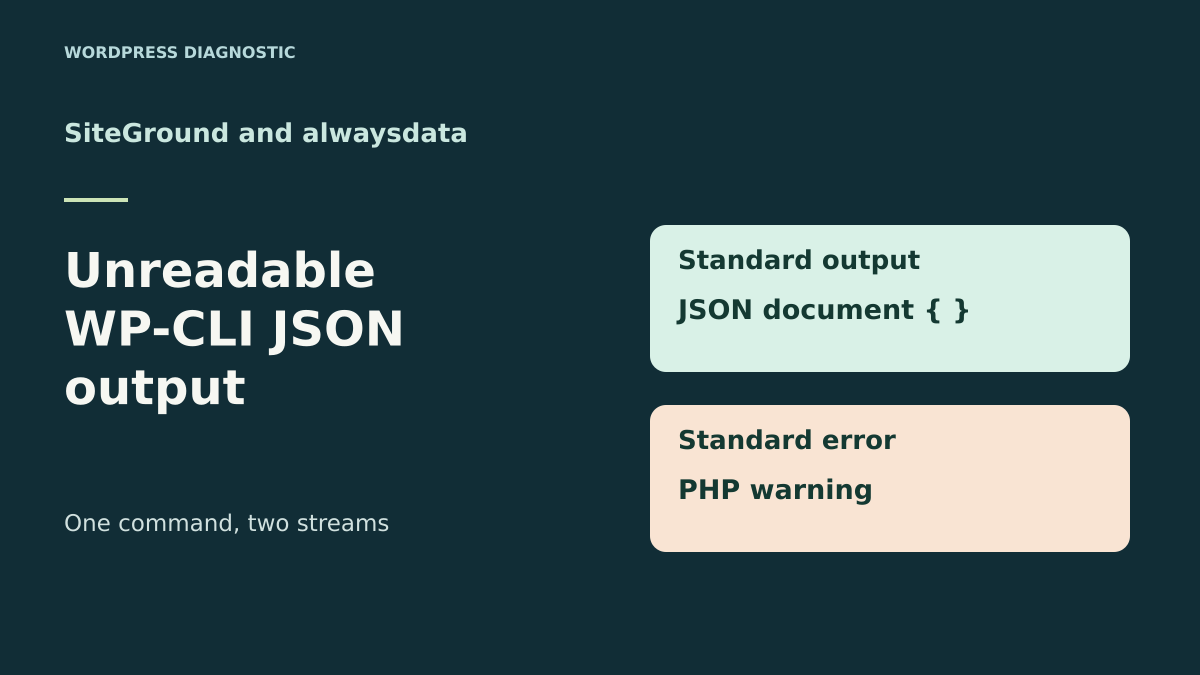
A command succeeds and its JSON file remains unreadable
JSON output mixed with a warning must be corrected and parsed before transmission. Choosing between SiteGround and alwaysdata concerns access to PHP, WP-CLI and the scheduler, not a guarantee that every command will produce a valid document. If these access options already exist, check the launcher and raw output before considering another host.
A WordPress task runs a WP-CLI command, writes its output to a JSON file and passes that file to another process. The task records a zero exit code. Yet the next step fails at the very beginning of the document. Opening the raw output reveals a PHP warning before the JSON’s first character. The command finished and produced its data, but the transmitted file mixes the result with a diagnostic.
The case can be reproduced with a real read-only command, wp cli info --format=json. This command runs before WordPress loads and lets you examine the WP-CLI context. In the acceptance test, a deliberate PHP startup warning appears on standard output. WP-CLI continues and returns zero. If the consumer checks only that code, it accepts a file it cannot parse. Both checks must therefore run before publishing or transmitting the result.
SiteGround and alwaysdata document workflows for locating the PHP executable, command and scheduled task. The comparison shows where to record this information and how to distinguish a PHP startup problem from mixing introduced by the launcher. The test runs in an isolated local folder with a fictional warning and without access to a WordPress installation.
Compare before you choose
The offers at a glance
Find the use case and budget that fit, then read the details to see the limitations and any components you may need.
On smaller screens, the table scrolls horizontally. With a keyboard, press Tab to focus the table, then use the left and right arrow keys.
| Offer | Best for | Pricing and billing | Renewal and support |
|---|---|---|---|
 SiteGround StartUpRead the details | A team monitoring a task and its command through Site Tools. | €23.88 excluding VAT for the first twelve months, equivalent to €1.99 excluding VAT/month. Payment over twelve months at the quoted rate Prices exclude tax; tax-inclusive total at checkout | €191.88 excluding VAT over twelve months at the displayed rate, equivalent to €15.99 excluding VAT/month. |
 alwaysdata Cloud Public Plus SmallRead the details | A team checking the scheduled command’s environment. | €60 excluding VAT over twelve months with annual payment, equivalent to €5 excluding VAT/month. €6 excluding VAT with monthly payment. Annual or monthly Prices exclude tax | Check the renewal cycle and amount under Subscriptions → Contracts. |
Record the command, code and two streams separately
Use the authorized task’s exact command, with its working directory, launch user and PHP executable path if the task specifies one. For an initial test, choose a read-only command such as wp cli info --format=json. If the problem occurs only with a command that loads WordPress, keep the same test site and note the plugins or files loaded by that command. The simple control shows whether startup alone already reproduces the problem.
On an SSH terminal using a POSIX-style shell, wp cli info --format=json > info.json 2> diagnostic.log creates two separate files in the chosen working folder. Then record the exit code with printf '%s\n' "$?" before running another command. Parse the entire document with the parser used by the automation. Also check the expected keys, since valid JSON can still represent an incomplete result or one from another command.
If a warning appears in the JSON file, note whether it is before or after the document. If the error log already contains the diagnostic, look for merged streams in the command, launch script or system capturing output. Scheduling tools may show both streams on one screen without changing the files. The point to check is the stream actually handed to the JSON consumer.
- Separate standard output and standard error, then record the exit code.
- Parse the whole JSON file and check the expected result shape.
Identify the layer writing the diagnostic
If the diagnostic also appears when starting a read-only PHP command that does not load WordPress, examine the configuration of the interpreter used. php --ini helps locate configuration files read on the command line. wp cli info also reports the PHP running WP-CLI and the configuration file it sees. Compare the terminal context with the task’s context. They may call two PHP versions or load different files.
If the read-only command produces a clean document and only the site command fails, identify when it loads the application, a plugin or an additional file. A PHP warning, a message printed by code and merged streams require different corrections. An echo writes directly to standard output. Changing PHP’s error display setting does not move that write. The maintainer must then move the diagnostic to the appropriate logging mechanism or correct the command’s output.
Do not filter the document by arbitrarily deleting everything before the first opening character. This method can hide another failure, mistake the wrong line for the document’s beginning or leave a diagnostic after the result. Keep the raw output for the acceptance test, check the exit code and give the parser the complete document. Diagnostics remain available separately.
SiteGround StartUp: locate the command in Site Tools
In Site Tools, select the site running the task. SiteGround documents WP-CLI over SSH and task management under Devs → Cron Jobs. Record the existing command, its interval and the folder it runs from. Over SSH, compare the result of wp cli info with the task’s result. The test command must use the same executable and parameters as the real process to explain an output difference.
SiteGround’s help says a task email may contain command output when the command produces any. For a file intended for a parser, use this channel to monitor execution, then check the file written by the task separately. Identify the redirection creating it and the stream it captures. An emailed record may show a useful diagnostic while leaving the JSON file intact. Conversely, a shared redirection may write that diagnostic into the transmitted file.
Before changing the task on the copy, save the previous command and working directory. If the check shows a specific executable producing a startup warning, record its configuration and correct the cause within the relevant scope. After the change, check the read-only command, then the process consuming its output. Return to the previous command if the change alters the targeted site or business result.
alwaysdata Plus Small: compare task PHP with site PHP
In alwaysdata administration, open Advanced → Scheduled tasks and select the command producing the file. The documentation describes the launch environment and start and end logs. It also says Command-type tasks use the language versions defined for the account unless a task setting overrides them. For PHP, record Environment → PHP and compare the command’s effective version with the site setting if it has been customized.
Check the task log and command redirections. The start and end log indicates that a process started and stopped. To check the file handed to the other process, capture standard output separately, then check the exit code and complete JSON. The error log must remain available even when the file passes validation. It may flag PHP configuration that needs correcting before a future version change.
On the test account, test the command in the same context as the scheduled task. If changing a PHP parameter, choose the appropriate scope and note the value to restore. Account-level configuration may affect other commands. Then reread the output in the process using it. If there is a discrepancy, restore the original configuration or command and resume diagnosis from the two retained streams.
Prices, terms and limits as of November 11, 2026
SiteGround’s French page displays StartUp at a monthly equivalent of €1.99 excluding VAT over twelve months, or €23.88 excluding VAT at the recorded rate. It states renewal at €15.99 excluding VAT per month over twelve months, or €191.88 excluding VAT at that rate. The plan covers one site and advertises 10 GB of storage. Confirm the tax-inclusive total, offer terms and renewal date in your order summary. Storage also holds result files and logs if the task keeps them locally.
alwaysdata Cloud Public Plus Small displays €5 excluding VAT per month with annual billing, or €60 excluding VAT over twelve months. The monthly cycle is shown at €6 excluding VAT per month, or €72 excluding VAT over twelve months at the same rate. The table lists 50 GB at account level, 1 GB RAM and 1 CPU. Confirm the cycle, renewal price and tax total in the record. alwaysdata help says the approved contract is under Subscriptions → Contracts.
Compare the first cycle’s cost and then the next period’s cost, keeping durations and tax-exclusive amounts explicit. For this task, focus on access to the PHP context, launcher settings and logs. A price or storage capacity does not show whether the result file contains only the expected output. Validation uses the command actually run and its consumer.
Separate diagnostics and correct the warning at its source
If the problem comes from a PHP warning, identify its cause in the task’s context. To reproduce it, the exercise asks PHP to load a missing fictional module. In a real environment, check whether a directive loads an extension unavailable for that version or whether the configuration file belongs to another environment. Correct the directive or path for the intended scope, then rerun the read-only command. The process must produce its JSON, and the log must let you determine whether the warning has disappeared.
To isolate behavior in a command-line acceptance test, if using the PHAR file directly, the tested form is php -d display_errors=stderr wp-cli.phar cli info --format=json. Adapt the PHP and PHAR paths to the authorized copy. Then capture the streams separately. The PHP manual describes this value for CLI. It keeps the warning out of standard output during diagnosis. On the public site, retain the usual error-logging policy.
If the command already sends its diagnostic to standard error, check the launcher. A 2>&1 redirection or capture-tool setting may feed that diagnostic back into the file. In the exercise, merging makes the document unreadable again without changing the exit code. Give each file a distinct name and check that the next process reads only standard output. If the file remains unreadable, examine lines added by the command’s own code.
- Compare both streams after correcting the PHP setting or launcher.
- Rerun the process that reads JSON and keep the diagnostic in a separate log.
Check the document before transmitting it
In an automation, let the command finish, then check its exit code and complete document. If a check fails, report the stage’s failure and retain the last validated document for its intended use. For a result that must be recent, also state its age before reusing it. Avoid overwriting the accepted file on every attempt. Prepare the new result in a working file and hand it to the consumer after checks. Write the temporary file in the same folder as the final result so it can replace it after validation.
Check the fields the next stage actually uses. For wp cli info, the control expects an object with a WP-CLI version. For a content list, the check may target an array and expected identifiers. The parser must process all output, including bytes after the last object. If the command fails, keep its exit code and log to distinguish a format problem from a process failure.
During acceptance testing, retain the previous configuration and launcher. If a PHP, WP-CLI or task change produces another result, restore the saved launcher and settings, then rerun the control. Keep logs in the location designated for your team. The shared report can be limited to the version, exit code, parser result and presence of a diagnostic. Detailed paths and settings remain useful in the private context.
Seven checks on a real WP-CLI command
The local exercise runs WP-CLI 2.12.0 under PHP 8.4.8. The control produces valid JSON and code 0. When PHP prints the warning to standard output, the command retains code 0 and the parser rejects the document. When the diagnostic goes to standard error, the JSON becomes usable again and the warning remains available. Merging both streams makes the parser fail again. The last control, an unknown command, returns a nonzero code.
All seven checks passed with Python 3.14.4 from the extracted ZIP. The exercise uses the PHAR file and an isolated configuration. It checks the command wp cli info before WordPress loads. For automation that loads the site, use the same capture protocol on the relevant copy. The local report retains versions and observed states without publishing paths and settings returned by the command.
SiteGround StartUp suits a team that locates the command in Site Tools and monitors execution over SSH. alwaysdata Plus Small suits a team able to compare account and task configuration using the launch log. In both cases, validation relies on the exit code, complete JSON document and diagnostic accessible in a separate stream.
- Extract the ZIP and run
python recette.py --wp-cli CHEMIN_DU_PHAR, replacing the path. - Compare the code, document validation and presence of the diagnostic in each of the five cases.
Further reading
Sources and references
Use these references to check the features, requirements and limitations described. Reading documentation is not a practical test.
View 10 references
- SiteGround StartUp — Starting twelve-month price ↗ — Documentation consulted:
- SiteGround StartUp — WP-CLI and SSH ↗ — Documentation consulted:
- SiteGround StartUp — Scheduled commands and notifications ↗ — Documentation consulted:
- alwaysdata Cloud Public Plus Small — Annual-cycle price ↗ — Documentation consulted:
- alwaysdata Cloud Public Plus Small — Contracts and billing ↗ — Documentation consulted:
- alwaysdata Cloud Public Plus Small — Scheduled task context ↗ — Documentation consulted:
- alwaysdata, account and site PHP ↗ — Documentation consulted:
- WordPress, wp cli info and JSON format ↗ — Documentation consulted:
- PHP, displaying and logging errors ↗ — Documentation consulted:
- WordPress, installing WP-CLI ↗ — Documentation consulted:
Uses, prices and what to check
2 offers in detail
Compare the features you need and the terms of each offer. The order of these entries does not indicate a ranking.
SiteGround StartUp
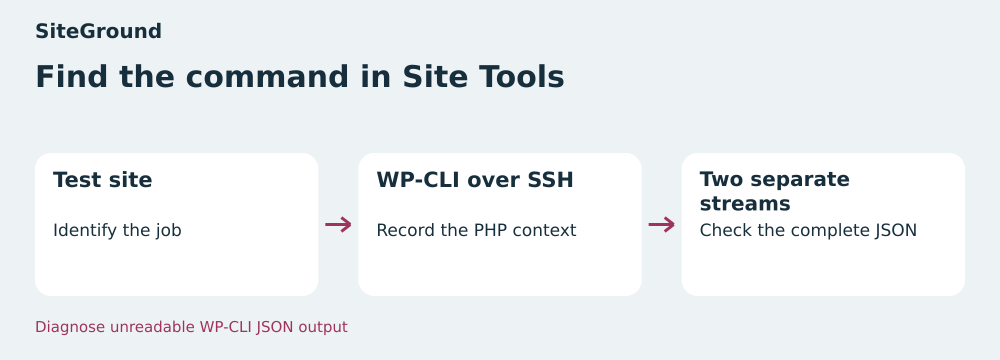 Find the command in Site Tools — BlogPasCher editorial illustration.Open full-size illustration ↗
Best forA team monitoring a task and its command through Site Tools.
Site Tools lets you locate the command under Devs → Cron Jobs. Over SSH, compare the WP-CLI context with the task’s context. Then check which stream the task writes to the file your automation parses.
Offer pricing
€23.88 excluding VAT for the first twelve months, equivalent to €1.99 excluding VAT/month.
Billing: Payment over twelve months at the quoted rate
Renewal and support: €191.88 excluding VAT over twelve months at the displayed rate, equivalent to €15.99 excluding VAT/month.
Prices exclude tax; tax-inclusive total at checkout
Checked on .
Strengths
- WP-CLI over SSH documented
- Task management in Site Tools
What to consider
- One site and 10 GB of storage
- Order cycle and rate to confirm
Pricing terms and compatibility
Understanding the offer
- Price at the time of review
- €23.88 excluding VAT for the first twelve months, equivalent to €1.99 excluding VAT/month.
- Currency
- EUR
- Billing
- Payment over twelve months at the quoted rate
- Renewal and support
- €191.88 excluding VAT over twelve months at the displayed rate, equivalent to €15.99 excluding VAT/month.
- Taxes and fees
- Prices exclude tax; tax-inclusive total at checkout
- Commitment and terms
- Twelve months for the quoted price
- Date checked
Compatibility and components
- WordPress
- WP-CLI
- Site Tools
alwaysdata Cloud Public Plus Small
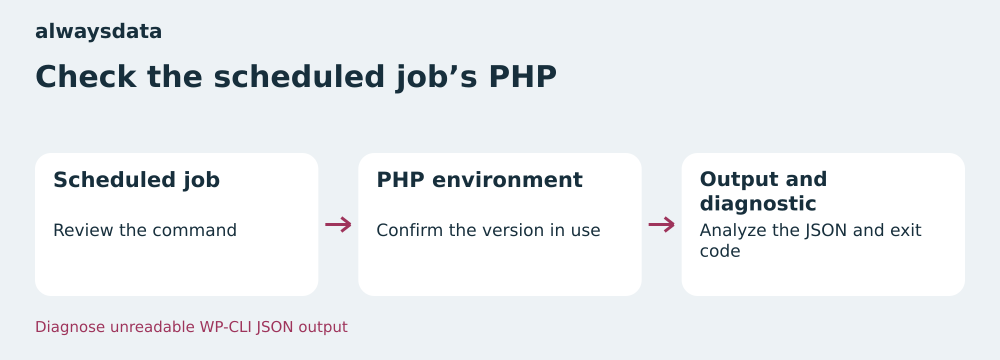 Check the scheduled task’s PHP — BlogPasCher editorial illustration.Open full-size illustration ↗
Best forA team checking the scheduled command’s environment.
Under Advanced → Scheduled tasks, record the command and the PHP version it uses. Reconcile the launch log with the exit code and JSON document read by the next process.
Offer pricing
€60 excluding VAT over twelve months with annual payment, equivalent to €5 excluding VAT/month. €6 excluding VAT with monthly payment.
Billing: Annual or monthly
Renewal and support: Check the renewal cycle and amount under Subscriptions → Contracts.
Prices exclude tax
Checked on .
Strengths
- Scheduled-task log
- PHP configuration documented
What to consider
- Disk space shared between account uses
- Renewal amount to confirm
Pricing terms and compatibility
Understanding the offer
- Price at the time of review
- €60 excluding VAT over twelve months with annual payment, equivalent to €5 excluding VAT/month. €6 excluding VAT with monthly payment.
- Currency
- EUR
- Billing
- Annual or monthly
- Renewal and support
- Check the renewal cycle and amount under Subscriptions → Contracts.
- Taxes and fees
- Prices exclude tax
- Commitment and terms
- Depending on the selected cycle
- Date checked
Compatibility and components
- WordPress
- PHP
- Scheduled tasks