

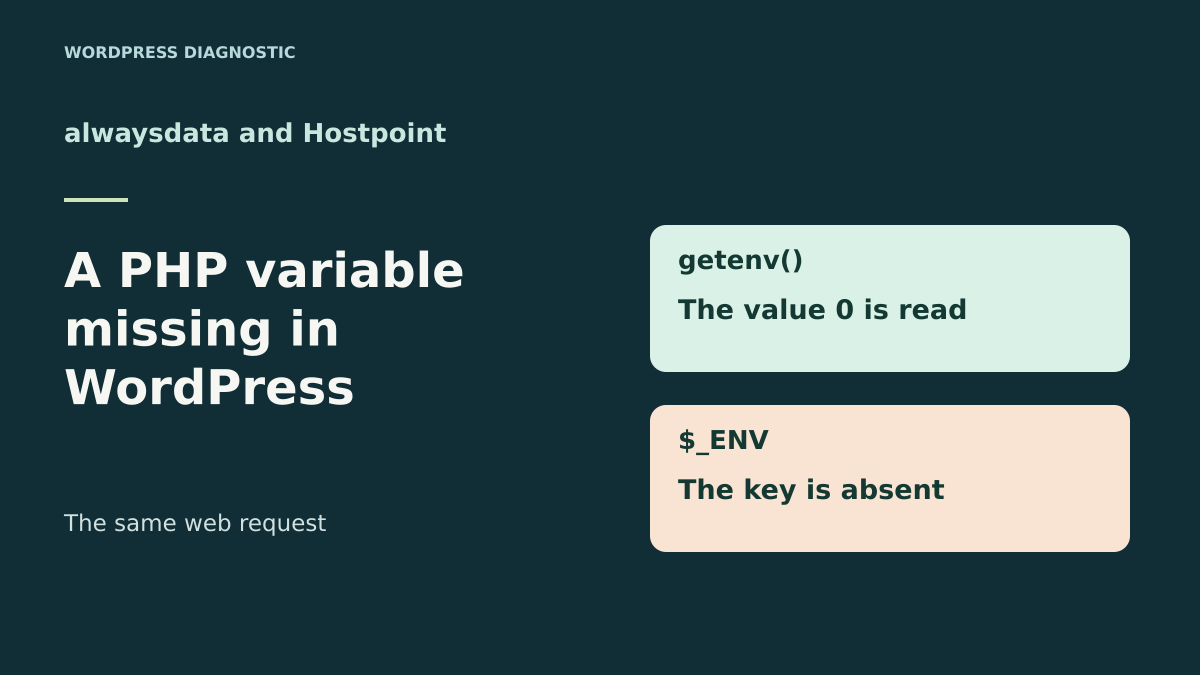
The terminal reads the setting; the WordPress page considers it missing
The first decision is to check the PHP context reading the variable, then handle a missing or invalid value correctly. The alwaysdata–Hostpoint comparison describes access options for this check. It does not mean that changing providers automatically fixes plugin code or makes web and terminal contexts identical.
A custom WordPress plugin reads a synchronization switch. The test command shows the switch is zero, and the team expects synchronization to remain disabled. On the web screen, the plugin says the setting cannot be found. Before moving the configuration file or changing PHP versions, check how the code reads this setting. A value may exist in the process environment even though PHP does not put it in the $_ENV array.
The PHP directive variables_order controls initialization of several request and environment arrays. In the exercise, the server receives the same fictional variable with two values of this directive. With EGPCS, the key is available in $_ENV. With GPCS, the array does not contain the key, although getenv() still reads the value. The letter E concerns the environment. Observing the key in the array therefore depends on PHP configuration as well as the variable’s presence.
The comparison covers one fictional switch and compares the two reading mechanisms. It also distinguishes the text value 0, actual absence and an invalid format. alwaysdata and Hostpoint document PHP settings at site level. The aim is to find the configuration producing the web response and measure the result in that context before modifying the plugin.
Compare before you choose
The offers at a glance
Find the use case and budget that fit, then read the details to see the limitations and any components you may need.
On smaller screens, the table scrolls horizontally. With a keyboard, press Tab to focus the table, then use the left and right arrow keys.
| Offer | Best for | Pricing and billing | Renewal and support |
|---|---|---|---|
 alwaysdata Cloud Public Plus SmallRead the details | A team able to compare account settings with those of the site request. | €60 excluding VAT over twelve months with annual payment, equivalent to €5 excluding VAT/month. €6 excluding VAT with monthly payment. Annual or monthly Prices exclude tax | The record under Subscriptions → Contracts lets you check the cycle and rate applicable at renewal. |
 Hostpoint StandardRead the details | A team wanting to check the domain and PHP configuration from the Control Panel. | CHF 15.90/month including VAT, equivalent to CHF 190.80 at this rate over twelve months. 6, 12 or 24 months depending on the Web contract VAT included in the Swiss catalog | Automatic renewal for the same duration unless canceled no later than 30 days before expiry. Amount to check in the contract. |
Compare both contexts on a private copy
Identify the site, path and function reporting the missing setting. If a WordPress command serves as the reference, first check that it targets the same installation. Then record the PHP version, execution interface, effective variable order and results of two presence checks. In the exercise, the command line reports cli and the development server cli-server. On hosting, labels may differ. The point is to know which process actually produced the record.
To avoid exposing a configuration value, use a control variable without real data and a private test log. Ask the maintainer to compare getenv($nom) !== false and array_key_exists($nom, $_ENV) for this name alone. Also record ini_get('variables_order'). Each test answers a specific question. An inventory of all variables or a public diagnostic page would provide unnecessary information and could expose other site settings.
Compare results in the command and affected screen using the same control variable. If both reads fail on the web side, check how the web process receives the variable. If getenv() succeeds and the key is missing from the array, examine the effective order and reading method. A terminal may receive variables from its own launch. Its success is evidence about that terminal; the web request then provides evidence concerning the screen.
- Record the site identifier, PHP version, context and effective order.
- Test the same fictional key by both methods, in the terminal and web process.
Treat zero, absence and an invalid value as three different cases
For a switch whose expected format is 0 or 1, compare the exact string. PHP documents that getenv() returns false when the variable does not exist. A generic truthiness test would confuse the string 0 with a false value. In the acceptance test, a variable present as 0 retains a state distinct from a missing variable. A value outside the expected format also produces a separate state. The plugin can then tell the maintainer the cause without displaying the value.
Specify the intended behavior for each state. The test control indicates that only the string 1 allows the simulation. The string 0 indicates explicit disabling. Absence and an invalid value also disable the simulation, with two distinct diagnostics. For a real module, follow the convention agreed by its maintainer and also check values already used in production before changing behavior.
Check the setting’s scope. A switch used by the plugin may belong to an account, site or task. A test copy reusing the main site’s configuration risks behaving differently from what is intended. Use the fictional name and observe only the decision result during the exercise. If the setting is supplied by an official plugin mechanism, document that mechanism before choosing another value source.
If tracing the setting, separate the configuration value from incoming data. The control variable is supplied to the process. URL parameters, form fields and cookies follow their own paths. Changing request_order, which governs construction of $_REQUEST, does not restore this key in $_ENV. This distinction avoids attributing to a form a problem that occurs before the plugin reads its parameter.
alwaysdata Plus Small: separate account configuration from site configuration
In alwaysdata administration, open Web → Sites and select the copy producing the result. The PHP documentation describes account configuration under Environment → PHP and the option to customize PHP at site level. It also says the account’s default version is used when you run the command php. Record both scopes and check variable order from the web request. Reading the account configuration file helps prepare the test. It must be reconciled with the site’s additional settings.
If the control variable’s value is available through getenv() and the plugin depends on $_ENV, try a correction on the copy. Record the current directive and save the site setting. In the specific case of order GPCS, adding E gives EGPCS. Preserve the other letters and their order when your configuration differs. Repeat both reads. If the result does not change, check the effective context and restore the previous setting before continuing.
If the variable is also missing for getenv(), examine the mechanism used to supply it to the site process. A PHP directive requesting an array to be populated does not supply the missing value. If the plugin offers a site setting instead of an environment variable, compare that path’s result on the copy. The choice depends on the source the module expects and the installation’s scope.
Hostpoint Standard: check the domain’s PHP settings
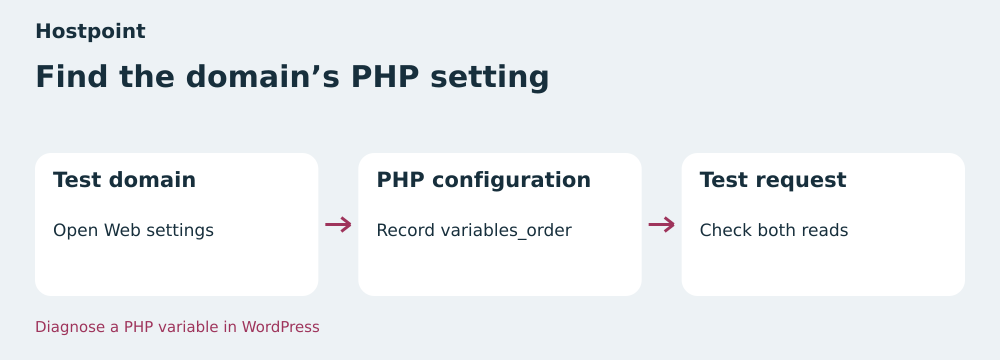
In the Hostpoint Control Panel, open Websites → Web settings, then PHP configuration for the test domain. The help describes settings per site or directory and the ability to add a custom option. It says site settings are written to .user.ini in the document root. Record the folder, version and ini_get() result in the screen using the plugin. For an installation in another directory, also check the settings applying to that URL.
On the copy, if the value is present but absent from the array, you can check whether variables_order is accepted as an option for this site. Save the current configuration and change only one value during the test. Then read the effective order from the same request and rerun the control. This check establishes whether the directive actually took effect. If the account refuses the option or its scope is unsuitable, keep the initial setting and examine explicit reading in the code.
To return to the initial configuration, restore the old value or remove the option you added. Check the state on the test domain and a normal page of the same installation. Changing a PHP array may affect other site components. A correction limited to reading the parameter may therefore be easier to verify when the team maintains the plugin.
Plans and terms checked on November 11, 2026
alwaysdata Cloud Public Plus Small displays €5 excluding VAT per month with annual payment, or €60 excluding VAT over twelve months. For monthly billing, the table displays €6 excluding VAT per month. Twelve monthly payments at the same rate would total €72 excluding VAT. Small advertises 50 GB disk space at account level, 1 GB RAM and 1 CPU. Check the tax total, cycle and renewal rate applicable to your account. The help says approved contracts and those awaiting approval can be viewed under Subscriptions → Contracts. The Plus page also advertises 30 free days. Check at ordering how they relate to the first paid cycle.
Hostpoint Standard is displayed at CHF 15.90 per month, including VAT according to the public Swiss price list. Twelve months at this rate total CHF 190.80. The help states durations of 6, 12 or 24 months for web hosting. It describes automatic renewal for the same duration unless canceled no later than 30 days before expiry. Check the renewal amount and total due for the selected contract. Standard presents 100 GB NVMe, ten domains and ten MariaDB databases. The catalog separately presents a 30-day free trial. Check its scope if choosing the trial route.
Keep currencies and billing durations on separate lines. For the issue studied, focus on how easily the site and its effective PHP context can be located. The resources of both plans size the hosting environment and its test copy. They do not establish whether a variable is injected or whether $_ENV will be populated for a request.
Correct the read as close to the plugin as possible
If you maintain the module and its contract specifies a process variable, read the agreed name explicitly. For example, getenv('ATELIER_SYNCHRO_CATALOGUE') reads the exercise’s control variable. Compare the return value with false, then with the strings 0 and 1. Validate the string before making a business decision. Record only the validation result, such as present, absent or invalid. In a real installation, use the name and values permitted by the module and keep real parameters out of diagnostics.
Depending on PHP’s execution interface, a variable supplied by the server may be treated differently from a process variable. The getenv() manual explains the scope of the local_only parameter for interfaces such as FastCGI. Check the expected source before changing this parameter. In the exercise, the value comes directly from the environment given to the PHP process, and the function is called with the name alone. Repeat the result under your site’s actual interface if its environment differs. PHP classifies variables_order among directives configurable per directory or on the server. An ini_set() call in the plugin cannot modify it.
WordPress core provides wp_get_environment_type() for site environment types such as development, staging or production. This setting has its own reading and precedence rules. For the synchronization switch, define the configuration source intended by the plugin. If its publisher offers an administration option, check precedence between that option and the existing variable. A clearly scoped change must preserve the behavior of other parameters and other sites.
- Read the variable by name and handle
false,0and1separately. - Compare the result in the site, command and deferred process if the module is called there.
Roll back with the same control variable
Keep the previous PHP setting and a restorable version of the module. Test one change at a time. After changing variables_order, reopen the screen and compare effective order and key presence. After a code change, keep the same PHP order and check decision results. This lets you attribute the change to the correct cause. Also check a form or page using the site’s other PHP arrays, especially if you changed their order.
Plan four simple reads in the acceptance test: zero, one, absence and invalid format. Compare the decision with the expected result without running the business process during the test. If restoring the initial configuration, check that order and display have returned to the starting point. If restoring the old code version, repeat the control to see whether the discrepancy returns. Rollback must restore the intended behavior as well as the files or setting.
When acceptance testing is finished, remove the temporary probe and keep only the useful private record. If the real value is missing from the web environment, note the process that needs it and the authorized mechanism to supply it. Check the result after restarting or redeploying the copy, depending on how your hosting works. Another maintainer must be able to reproduce the presence test from the same procedure.
What the eight local PHP checks show
The ZIP runs the same probe on the command line and then over HTTP on loopback. In CLI with EGPCS, the value 0 is read through both paths. With the same value in the web process and order GPCS, getenv() reads 0 and the key is missing from $_ENV. The web scenario with EGPCS restores the key in the array. The other reads separate a genuinely missing variable, an invalid value and the value 1, which enables only the control.
The eight checks passed with Python 3.14.4 and PHP 8.4.8 from the extracted ZIP. The test uses a real PHP process and real local HTTP responses. Plugin code is represented by a fictional probe. PHP settings on the compared plans still need confirmation on the real site. The JSON report lets you check context and presence in each scenario without recording a real configuration value.
alwaysdata Plus Small is suitable if your team distinguishes account and site PHP settings in its administration. Hostpoint Standard suits a team relying on domain settings and options documented in the Control Panel. In both cases, validate the same things: the variable is readable in the relevant process, the string 0 retains disabled behavior and the correction remains verifiable when returning to the previous configuration.
- Extract the ZIP and run
python recette.pywith PHP CLI available. - Compare the fields
getenv_present,env_present,variables_orderandetatin the report.
Further reading
Sources and references
Use these references to check the features, requirements and limitations described. Reading documentation is not a practical test.
View 12 references
- alwaysdata Cloud Public Plus Small — Price for annual payment ↗ — Documentation consulted:
- alwaysdata Cloud Public Plus Small — Contracts and billing ↗ — Documentation consulted:
- alwaysdata Cloud Public Plus Small — Account and site PHP configuration ↗ — Documentation consulted:
- Hostpoint Standard — Monthly list price including VAT ↗ — Documentation consulted:
- Hostpoint Standard — Durations and renewal ↗ — Documentation consulted:
- Hostpoint Standard — Per-domain PHP configuration ↗ — Documentation consulted:
- Hostpoint, WordPress plans ↗ — Documentation consulted:
- PHP, variables_order directive ↗ — Documentation consulted:
- PHP, getenv behavior ↗ — Documentation consulted:
- WordPress, site environment type ↗ — Documentation consulted:
- alwaysdata, Plus Small plan ↗ — Documentation consulted:
- PHP — getenv, missing values and SAPI context ↗
Uses, prices and what to check
2 offers in detail
Compare the features you need and the terms of each offer. The order of these entries does not indicate a ranking.
alwaysdata Cloud Public Plus Small
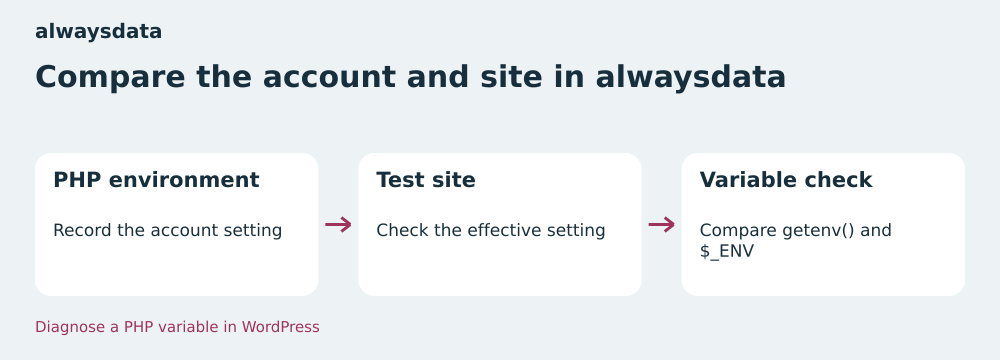 Compare the account and site in alwaysdata — BlogPasCher editorial illustration.Open full-size illustration ↗
Best forA team able to compare account settings with those of the site request.
Under Environment → PHP, record the account setting. Under Web → Sites, check what applies to the test site. The php command uses the account’s default version. Compare its result with the request from the page reading the variable.
Offer pricing
€60 excluding VAT over twelve months with annual payment, equivalent to €5 excluding VAT/month. €6 excluding VAT with monthly payment.
Billing: Annual or monthly
Renewal and support: The record under Subscriptions → Contracts lets you check the cycle and rate applicable at renewal.
Prices exclude tax
Checked on .
Strengths
- Account and site scopes documented
- Two public pricing cycles
What to consider
- Web value to confirm on the site
- Disk shared between account uses
Pricing terms and compatibility
Understanding the offer
- Price at the time of review
- €60 excluding VAT over twelve months with annual payment, equivalent to €5 excluding VAT/month. €6 excluding VAT with monthly payment.
- Currency
- EUR
- Billing
- Annual or monthly
- Renewal and support
- The record under Subscriptions → Contracts lets you check the cycle and rate applicable at renewal.
- Taxes and fees
- Prices exclude tax
- Commitment and terms
- Depending on the selected cycle
- Date checked
Compatibility and components
- WordPress
- PHP
Hostpoint Standard
 Find the domain’s PHP setting — BlogPasCher editorial illustration.Open full-size illustration ↗
Best forA team wanting to check the domain and PHP configuration from the Control Panel.
In the Control Panel, locate PHP configuration for the domain. The help describes options in the document root’s .user.ini file. Record the effective order from the test page before trying a custom directive.
Offer pricing
CHF 15.90/month including VAT, equivalent to CHF 190.80 at this rate over twelve months.
Billing: 6, 12 or 24 months depending on the Web contract
Renewal and support: Automatic renewal for the same duration unless canceled no later than 30 days before expiry. Amount to check in the contract.
VAT included in the Swiss catalog
Checked on .
Strengths
- PHP configuration workflow per domain
- Custom option documented
What to consider
- Directive acceptance to check
- Renewal amount depends on the contract
Pricing terms and compatibility
Understanding the offer
- Price at the time of review
- CHF 15.90/month including VAT, equivalent to CHF 190.80 at this rate over twelve months.
- Currency
- CHF
- Billing
- 6, 12 or 24 months depending on the Web contract
- Renewal and support
- Automatic renewal for the same duration unless canceled no later than 30 days before expiry. Amount to check in the contract.
- Taxes and fees
- VAT included in the Swiss catalog
- Commitment and terms
- Duration and amount depend on the contract
- Date checked
Compatibility and components
- WordPress
- PHP