Web hosting
1984 Hosting for WordPress in Iceland: pricing and backups
1984 Hosting’s WordPress plans in Iceland, initial and renewal terms, migration, the Security Pack and backup limitations.
Read more →

Site appearance
Web hosting
Two shared hosting families in Spain, with different WordPress and restoration workflows depending on the panel.
Source published: · Source updated: · Editorial policy
Visit the official Sered website ↗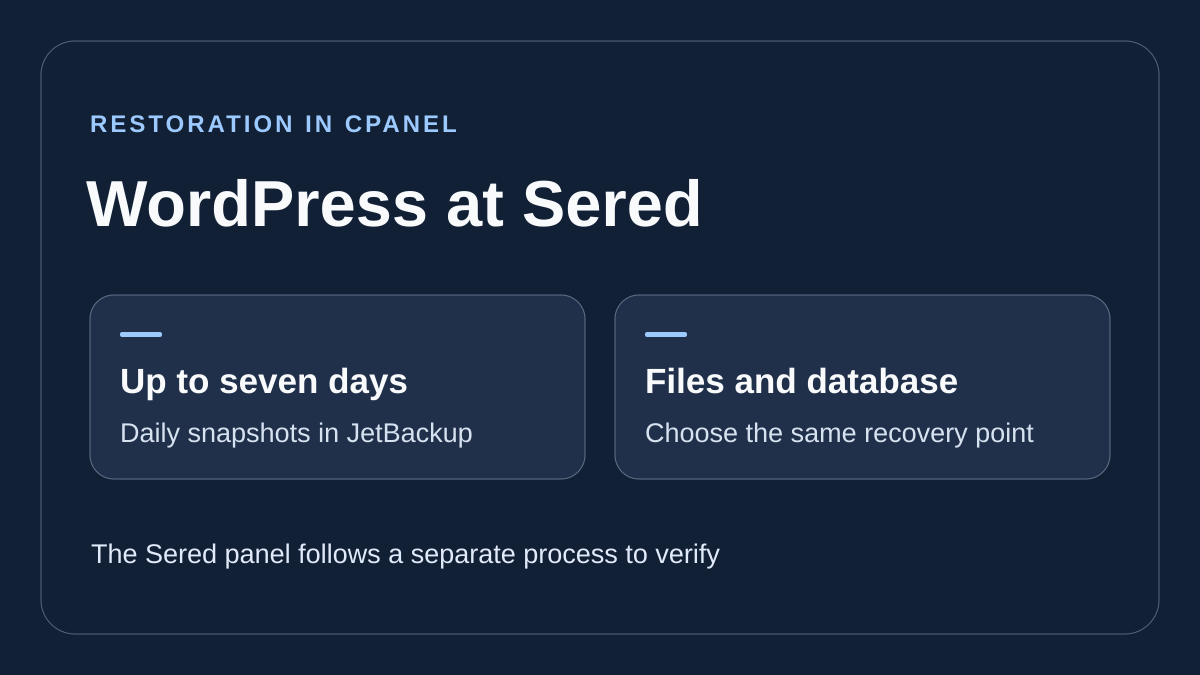
This profile is based on published offers and documentation. No new hosting benchmark or support test was performed for this translation.
Prices retain the market, currency and billing period described in the French source. Translation does not update a commercial quote. Confirm the final price, taxes and options before ordering.
| Plan | Price and billing | Resources and limits |
|---|---|---|
| Sered Inicio | €12 excluding VAT for the first year (Black Friday, recorded November 10, 2026) Renewal: €46.80 excluding VAT per year as the normal reference price. The invoice determines the amount. First cycle only. New subscriptions of at least one year, campaign through November 30, 2026. | 5 GB web, 1 site, 5 GB mail and 5 mailboxes Sered panel. Self-service selective restoration to confirm. |
| Sered Crece | €18 excluding VAT for the first year (Black Friday, recorded November 10, 2026) Renewal: €70.80 excluding VAT per year as the normal reference price. The invoice determines the amount. First cycle only. New subscriptions of at least one year, campaign through November 30, 2026. | 10 GB web, 3 sites, 15 GB mail and 15 mailboxes Sered panel. Self-service selective restoration to confirm. |
| Sered Despega | €24 excluding VAT for the first year (Black Friday, recorded November 10, 2026) Renewal: €94.80 excluding VAT per year as the normal reference price. The invoice determines the amount. First cycle only. New subscriptions of at least one year, campaign through November 30, 2026. | 15 GB web, 5 sites, 25 GB mail and 25 mailboxes Sered panel. Self-service selective restoration to confirm. |
| Sered Escala | €33 excluding VAT for the first year (Black Friday, recorded November 10, 2026) Renewal: €130.80 excluding VAT per year as the normal reference price. The invoice determines the amount. First cycle only. New subscriptions of at least one year, campaign through November 30, 2026. | 25 GB web, 10 sites, 50 GB mail and 50 mailboxes Sered panel. Self-service selective restoration to confirm. |
| cPanel Básico | €27 excluding VAT for the first year (Black Friday, recorded November 10, 2026) Renewal: €106.80 excluding VAT per year as the normal reference price. The invoice determines the amount. First cycle only. New subscriptions of at least one year, campaign through November 30, 2026. | 15 GB web, 5 sites, 25 GB mail and 25 mailboxes Shared account resources. Check available points and components in JetBackup. |
| cPanel Pro | €39 excluding VAT for the first year (Black Friday, recorded November 10, 2026) Renewal: €154.80 excluding VAT per year as the normal reference price. The invoice determines the amount. First cycle only. New subscriptions of at least one year, campaign through November 30, 2026. | 25 GB web, 10 sites, 50 GB mail and 50 mailboxes Shared account resources. Check available points and components in JetBackup. |
| cPanel Plus | €54 excluding VAT for the first year (Black Friday, recorded November 10, 2026) Renewal: €214.80 excluding VAT per year as the normal reference price. The invoice determines the amount. First cycle only. New subscriptions of at least one year, campaign through November 30, 2026. | 50 GB web, 25 sites, 100 GB mail and 100 mailboxes Shared account resources. Check available points and components in JetBackup. |
| cPanel Ultra | €72 excluding VAT for the first year (Black Friday, recorded November 10, 2026) Renewal: €286.80 excluding VAT per year as the normal reference price. The invoice determines the amount. First cycle only. New subscriptions of at least one year, campaign through November 30, 2026. | 100 GB web, 50 sites, 150 GB mail and 150 mailboxes Shared account resources. Check available points and components in JetBackup. |
 Editorial illustration based on the official documentation. — Illustration by BlogPasCher.Open full-size illustration ↗
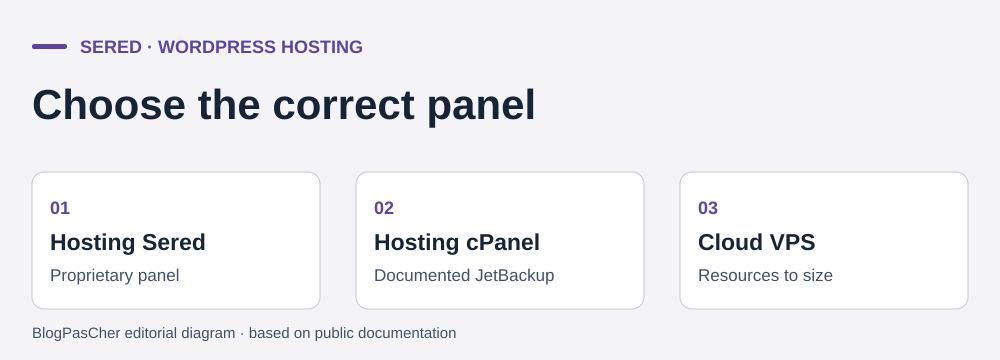
Sered’s WordPress page directs new customers toward three families. Hosting Sered uses the brand’s own panel. Hosting cPanel provides a different environment, particularly for application and backup management. Cloud VPS Elástico requires separate configuration sizing. For a showcase site, the Sered panel may suit if required features are available in the offering. For a team already using Installatron or JetBackup, identify the exact cPanel plan that gives access to the desired workflow. Sered also says older accounts may continue on their plans. Record the account’s product name and panel rather than assuming recent documentation describes its screens.
Inicio, Crece, Despega and Escala list 5, 10, 15 and 25 GB for web, with limits of 1, 3, 5 and 10 sites. Displayed mail capacities are 5, 15, 25 and 50 GB with 5, 15, 25 and 50 accounts. Mail storage is shared among plan mailboxes. A customer with a large historical mailbox should therefore measure its volume before importing. For web, add media, databases, working copies and planned installations. If your site needs a permanent test copy, check whether it consumes a slot and whether the plan allows an extra database.
The cPanel Básico, Pro, Plus and Ultra cards list 5, 10, 25 and 50 sites and 15, 25, 50 and 100 GB for web. They also list 25, 50, 100 and 150 GB for mail, with the same mailbox counts. Sites within a plan share account resources. For an agency, plan who can administer each site and what happens if one client leaves the group. A test copy or account restoration may then affect several sites. Check available space and per-database or per-directory recovery options before centralizing independent projects.
As of November 10, 2026, Sered pages display a Black Friday campaign through November 30. It targets new Hosting Sered or Hosting cPanel subscriptions for at least one year. The footer advertises a 75% discount and renewal at the usual price. General terms state that euro prices exclude VAT or equivalent tax. The invoice defines the amount applicable to the account holder.
On the annual cycle, Hosting Sered cards display €12, €18, €24 and €33 excluding VAT for Inicio, Crece, Despega and Escala. Crossed-out annual references are €46.80, €70.80, €94.80 and €130.80 excluding VAT. For cPanel Básico, Pro, Plus and Ultra, displayed first prices are €27, €39, €54 and €72 excluding VAT. Corresponding references are €106.80, €154.80, €214.80 and €286.80 excluding VAT. The displayed percentage does not reconstruct every amount to the cent. To estimate renewal, start with the card’s normal annual price. The invoice then determines the sum due. The discount applies to the first cycle of eligible orders.
If reference pricing stays unchanged, two years would cost €58.80 excluding VAT for Inicio or €133.80 excluding VAT for cPanel Básico. This calculation adds the displayed first cycle and annual reference. It excludes domain and options. The selector also shows one-, three-, six-, twenty-four- or thirty-six-month cycles. For example, Inicio displays €3 monthly and €12 annually in the campaign. Multiplying the first amount by twelve therefore does not produce the second. Check the term written in full and compare totals for the same cycle.
The terms allow feature and price changes, with notice at least five days before renewal. A support page also mentions a 10% annual reduction for certain offerings outside this campaign presentation. Discount stacking and the net renewal amount are not established by Black Friday cards. Use displayed references to compare, and check currency, period, options and tax on the next invoice.
On cPanel, the Installatron guide supports installation on a domain or subdomain. Open Installatron Applications Installer, choose WordPress, then set the address and directory. For a root installation, leave the path field empty if the screen offers it. If the public site must remain online, choose another target. Configure the administrator user and check the login page, certificate and internal links. On the Sered panel, follow the installer available for the service and verify the same results. Menu names and cPanel-specific actions depend on the panel.
For assisted creation, Sered documents a separate cPanel workflow. Open WordPress Management, choose a new installation and select extendify in the Conjunto de plugins/temas field. After installation, enter WordPress and open Asistente del sitio if the startup screen was closed. Enter the business type and name, then choose the layout and sections. The guide mentions help with writing and generating or importing images. Check rights to use each visual, form contents and business information before reusing pages. Keep a draft or starting copy so generated items can be removed if the result is unsuitable.
This workflow targets a new cPanel installation. For an active account, ask whether the assistant is available on your plan and whether features are supplied in the Sered panel. The guide does not document that second workflow. For an existing installation, retain original themes, templates and media, then evaluate the module on a copy if the license allows. Check whether pages continue displaying and remain editable when the plugin is disabled on that copy. The guide does not specify model, quotas, input retention or assistant availability after departure. Do not put secrets or customer data into descriptions used to create a draft.
If Installatron recognizes the installation, open My Applications, choose the site, then the cloning action. Specify a dedicated domain, subdomain or folder according to the guide and check the target before confirming. The staging guide describes a test-copy creation option in the cloning workflow. If using only a one-time clone, record its address and database so it can be removed without confusion. For an installation absent from Installatron, use its import where appropriate or prepare a manual copy with separate files and database.
Before running a simulation, protect access and check that an anonymous session is blocked. Disable emails, active payments, webhooks and synchronization tasks. A site copy often contains the same plugin settings and secrets. This check is especially important if the store exchanges data with a warehouse or billing tool. Check a page, media and the feature you want to modify. Apply the update on the copy and compare before and after, particularly database writes and logs.
The move to production depends on the change. For an isolated setting, reproduce the validated value and open the corresponding journey on the active site. For a broader deployment, reread what the tool proposes to send. Export production beforehand and identify writes since the copy was made. A synchronization operation must not replace a database containing new orders without a reconciliation plan. If the change fails, restore the previous setting or file version according to scope, then check recent data. If only the test fails, retain the public site and reset the copy after preserving diagnostic evidence.
Sered panel cards advertise automatic copies. The terms describe incremental copies around one in the morning, Spanish time, for hosting offerings and managed servers. They state retention of up to seven days. They point cPanel accounts toward JetBackup. JetBackup help documents seven days of daily points for cPanel. Check the latest point actually present and do not use this duration as a recovery guarantee. For the Sered panel, clarify applicable retention, menu, visible components and possible fees. This JetBackup procedure concerns cPanel.
In cPanel, open Dominios to record the site’s root folder, then check DB_NAME in wp-config.php. Open JetBackup 5, then Restore & Download and Home Directory. Choose a date before the incident. In Change Files Selection, select only the affected WordPress directory and confirm with Select Files. For a deleted file, the detailed guide allows targeting that file or downloading an archive. For full site recovery, run Restore and confirm. Avoid Full Account for this case, since it may overwrite other sites and mail.
To restore the database too, open Databases, select the recorded database and choose the same date as the files. Confirm Restore. In Queue, verify both actions have finished. The current database may be overwritten. Export it before confirming and record orders or accounts created after the chosen date. If only an image is missing, leave the database in place. For an update that changed tables, files and database must correspond to the same state.
After tasks finish, open administration and a page with media, then repeat the action that failed. For a database connection error, check the database and user WordPress uses before starting a second recovery. If the result is unsuitable, return to the files and SQL exported immediately before intervention. Keep exports outside the account and verify readability on an isolated target.
Sered offers free migration for compatible sites and presents the site and mail within that scope. The page also lists a priority migration option at €10 excluding VAT. Confirm recovered data and the date. Confirm site and mailbox count, volume, aliases and access to provide. Clarify who recreates the DNS zone and how the final copy is made. If messages stay with the old provider, leave mail records and change only web addresses. If moving mailboxes, first create the destination and verify sending and receiving. Retain old mailboxes until messages arriving during transition have been recovered.
For self-managed transfer, the Installatron guide describes importing an existing WordPress site. Use the target and access requested by the module, then check the site before changing DNS. With an incompatible source, copy files and export the database, prepare a user at the target and enter credentials in wp-config.php. For a name change, process URLs with a method able to read serialized settings. Check the certificate, a permalink, an image and a business feature from the target. If switching fails, restore recorded DNS values and reconcile writes received on both sides before reopening the old site.
To change the billed term, the guide goes through Área de Clientes, Servicios, Hosting / Productos and Administrar. In Información general, choose Periodo de facturación and check the term before Cambiar. According to help, the new cycle appears on the next invoice. The terms state that for an annual or longer cycle, the invoice falls due thirty days before service expiry. A saved payment method may be charged the day before the invoice due date. Record both dates and check the payment method before deciding to leave. The bank direct debit described in the terms is restricted to Spain.
Before cancellation, export files, databases, email and the zone. The guide specifies Área de Clientes, Servicios, Hosting / Productos, then Solicitar Cancelación. The end-of-period option keeps service until the paid term ends. The immediate option causes data deletion according to the guide. For direct debit, it says to request cancellation at least eight days before the invoice due date. Handle the domain separately. Request its transfer code if keeping it with another registrar.
Sered advertises technical support in Spanish 24 hours a day. The support page distinguishes tickets, telephone and guides among other channels. cPanel, Installatron and JetBackup screens reproduced in articles mix Spanish and English labels. Human replies in French and each channel’s hours remain to be confirmed. For a WordPress incident, provide the domain, panel, time with time zone and last change without sending secret credentials.
If several sites share a cPanel account and one monopolizes resources, start by comparing slowdown times with backup tasks, imports and processing on that site. In the panel, record displayed consumption and, in WordPress, the action producing the error. On a private copy, reschedule a nonurgent task or reduce its batch size, then verify it finishes and its next run remains scheduled. Keep the old value to restore the initial setting. If normal or simultaneous loads from several sites reach the limit, ask for the next offering’s exact resources or price separating them. Moving to a VPS must also specify who administers the server, updates and backups.
On a cPanel account, prepare a file backup and record the suspected plugin’s folder name. In the file manager, open wp-content/plugins for the affected site and rename only that folder by adding a suffix. Reload the dashboard and failing page. If administration returns, leave the plugin disabled and examine a compatible version on a copy before reactivation. If nothing changes, restore the original name and continue with logs. For a security, payment or member-access module, check the effect of disabling it before reopening the site. This action targets an ordinary plugin incident. Must-use components and those running outside the standard directory require another procedure.
Use these references to check the features, requirements and limitations described. Reading documentation is not a practical test.
English translation of the reviewed French edition. Code examples retain their original identifiers, comments and output strings for reproducibility. Linked exercise files and original screenshots may contain French. No new practical tests or price checks are implied by translation.
1984 Hosting’s WordPress plans in Iceland, initial and renewal terms, migration, the Security Pack and backup limitations.
Read more →Compare 34SP.com WordPress containers, shared memory, staging copies, downloadable snapshots and site migration.
Read more →Compare AEserver’s managed WordPress prices and check whether your network must be split into independent installations before migration.
Read more →