Web hosting
1984 Hosting for WordPress in Iceland: pricing and backups
1984 Hosting’s WordPress plans in Iceland, initial and renewal terms, migration, the Security Pack and backup limitations.
Read more →

Site appearance
Web hosting
Four WordPress containers with staging and two recovery methods, sized according to access requirements and the sites to host.
Source published: · Source updated: · Editorial policy
Visit the official 34SP.com website ↗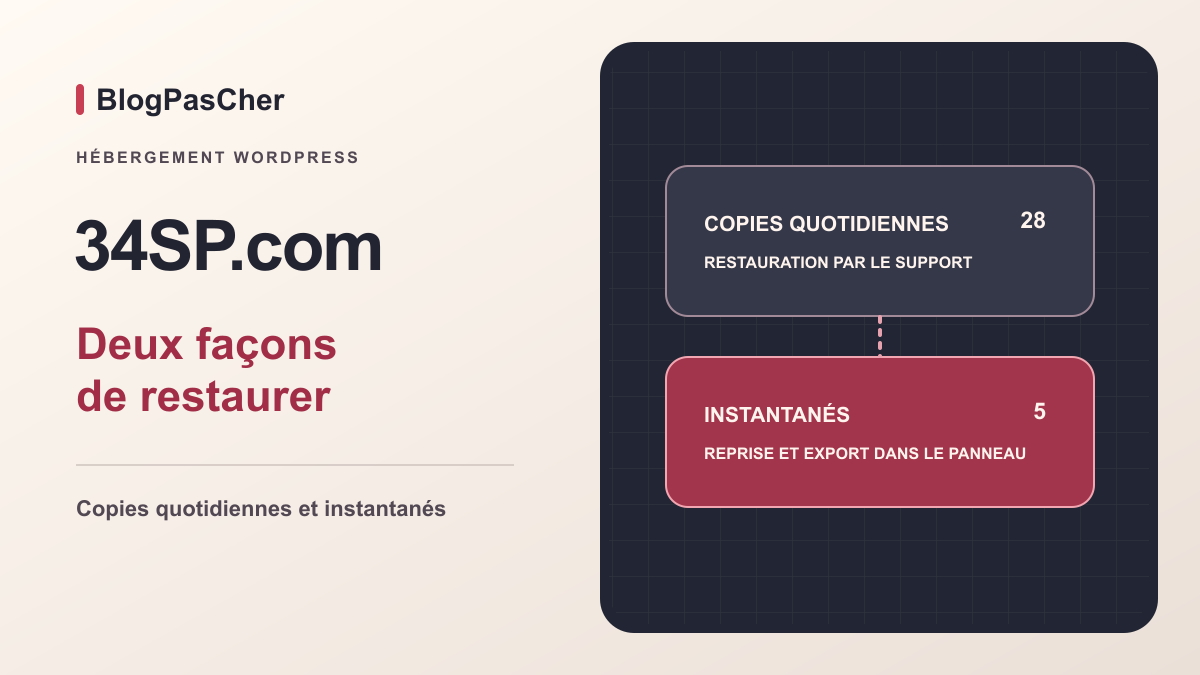
This profile is based on published offers and documentation. No new hosting benchmark or support test was performed for this translation.
Prices retain the market, currency and billing period described in the French source. Translation does not update a commercial quote. Confirm the final price, taxes and options before ordering.
| Plan | Price and billing | Resources and limits |
|---|---|---|
| 1 site | 11.95 GBP/month including VAT according to the pricing table Renewal: A new monthly term. Exceeding storage capacity at renewal may result in a plan change. Monthly payment in advance; automatic renewal by default | 25 GB and 1.25 GB RAM per container Storage and memory are shared by the sites |
| 3 sites | 21.95 GBP/month including VAT according to the pricing table Renewal: A new monthly term. Exceeding storage capacity at renewal may result in a plan change. Monthly payment in advance; automatic renewal by default | 25 GB and 2.00 GB RAM per container Storage and memory are shared by the sites |
| 5 sites | 31.95 GBP/month including VAT according to the pricing table Renewal: A new monthly term. Exceeding storage capacity at renewal may result in a plan change. Monthly payment in advance; automatic renewal by default | 35 GB and 4.10 GB RAM per container Storage and memory are shared by the sites |
| 10 sites | 51.95 GBP/month including VAT according to the pricing table Renewal: A new monthly term. Exceeding storage capacity at renewal may result in a plan change. Monthly payment in advance; automatic renewal by default | 50 GB and 8.13 GB RAM per container Storage and memory are shared by the sites |
 Official 34SP.com symbol (Apple Touch icon). — Image: 34SP.com.
34SP.com sells four WordPress containers in the United Kingdom. The cards show one, three, five or ten sites. The technical table lists 25, 25, 35 and 50 GB of storage and 1.25, 2.00, 4.10 and 8.13 GB of memory. Read these values at container level. Three sites on the three-site plan share the advertised 25 GB of storage. An active shop and two editorial sites do not necessarily have the same requirements. Record each site’s database size, media, scheduled tasks and number of dynamic operations. Then size the group for peaks that may occur simultaneously.
The page advertises bandwidth without a stated ceiling. Memory limits, available space and usage policies still matter. Caching can reduce the work needed for a public page. A customer account, an order or a filtered search may require database access on every request. To decide whether two demanding sites can share a container, ask about execution quotas and upgrade procedures. The sales FAQ presents increasing resources as an option for the single-domain plan. An agency that needs to isolate two clients may prefer separate containers to separate access and incidents, with separate costs and management.
34SP.com also lists WordPress Multisite as compatible. Confirm how the provider counts a network, its subsites and mapped domains against independent site slots. Restoring a network can affect several sites at once. Ask the operating team which data must remain separate and who can approve a full recovery. The specifications mention NGINX, MariaDB, Redis, PHP, phpMyAdmin, WP-CLI and Git. Check available versions and how to enable access before reusing a procedure written for another host.
The four tiers show £11.95, £21.95, £31.95 and £51.95 per month, including VAT in the UK pricing table. The general hosting page describes month-to-month billing with no fixed term, and the WordPress table shows a monthly price for each plan. The terms require payment in advance and automatic renewal for a period of the same length. Disable renewal before the expiry date shown in the account. If you choose manual renewal, payment must arrive before the period ends. The table does not identify an introductory discount. At unchanged prices, twelve periods cost £143.40, £263.40, £383.40 or £623.40. Price the domain, VAT treatment for a French customer and any currency-conversion fees separately.
Storage may change the amount due at renewal. Under clause 32.2, if the account exceeds its capacity at renewal, it may automatically move to the closest plan capable of holding the data and be billed at that plan’s rate. The one-site and three-site tiers both show 25 GB. For three installations together approaching that limit, add up media, databases and other data charged to the container. Check in the panel which areas count, especially before adding a test copy or large files. Allow a margin based on actual volumes and record the renewal date so you can act before it.
The thirty-day hosting guarantee requires the accounting department to receive a request within thirty days of the first payment under the relevant clause. It excludes the domain. The terms also provide for a prorated refund request for early departure from hosting under their termination clause. Before including that in your budget, identify the clause matching your case and check the dates. Disabling renewal concerns the next period. A termination request may close the service sooner. Confirm the end date before moving domains or deleting copies.
The WordPress plan includes staging and daily copies. The Professional plan uses a different schedule: a weekly copy by default and a daily-copy option starting at £2.50 per month. Do not add that option to a WordPress budget, where daily copies are already included. For a maintenance quote, separate infrastructure updates, WordPress update settings and your team’s business-function tests. The provider describes a WordPress toolkit for managing updates. Inventory versions and review the official disallowed-plugin list. If a plugin is essential, check its compatibility before planning migration. Backup, caching or security software used at the previous host may overlap with functions handled by the platform.
In the customer panel, open Manage Sites and choose the installation’s domain. In the product view, identify access to WordPress, databases and files. The specifications indicate that file access uses SFTP after disabling the lock provided in the panel. Open access for the planned intervention, check that the account sees the expected directory and re-enable the lock after transfer if your operations allow it. For a team using WP-CLI, check the working directory and target site before any command that writes to the database. Record the platform-specific configuration path in your operations documentation.
The technical guide separates core and content files. Before importing a site, locate where plugins, themes, media and additional configuration belong. Do not copy an archive prepared for a standard WordPress installation wholesale without understanding this separation. Keep the source archive available. On the destination, check the home page, a page with an image, a deep permalink and an administration login. Also check a workflow using a business-critical plugin. If a plugin is blocked or an absolute path breaks, first reproduce the problem on a copy and identify the relevant file or setting.
The website, guides and panel labels reproduced in the guides are in English. 34SP.com advertises a UK team available 365 days a year. The support page lists telephone hours of 8 a.m. to 6 p.m. on weekdays and 9:30 a.m. to 5:30 p.m. at weekends, UK time. It also offers ticket requests. The specifications describe continuous infrastructure monitoring. Recovery response times and French-speaking assistance still need confirmation. An included generative assistant could not be established for these containers. The documented configuration tools, installation and update automation serve different functions. If your project uses an external assistant, check its permissions, transmitted data and page behavior after disabling its plugin.
In Manage Sites, select the WordPress site and then the Staging tab. The platform creates the copy under staging followed by the domain. The guide says records are added when DNS nameservers are with 34SP.com. If the zone is elsewhere, record the container address and add the required records in that zone. Keep the old values before changing them. The copy retains WordPress credentials and reproduces the database and content files, with documented exclusions such as my-config.php. Check the site’s particular configuration before relying on a test result.
The guide says staging does not count as another public site and operates with its own limits, including a single PHP process and a different cache configuration. Use it to check functionality and updates. Protect access and test that anonymous access is refused. Disable outbound email, live payment methods, webhooks and data synchronization. An instruction to search engines does not prevent access to a copy. For a shop, check a product, the cart and a test payment without a real transaction or customer message.
The panel separates file and database transfers. Pull copies production to staging. Push copies in the opposite direction, and the action begins immediately when triggered according to the guide. Files copied from wp-content include themes, plugins and media. Even a file transfer may affect recent uploads. Check differences before any push. For a CSS change or plugin update, preferably apply the validated change selectively. Avoid pushing an old staging database over one that has recorded orders. The Rollback button can restore the pushed scope to its pre-deployment state. It can also erase changes made since then. Before using it, capture the current state and identify writes that must be retained. Then verify the content and operations of the public site.
34SP.com advertises twenty-eight daily copies for WordPress Hosting. They are retained for twenty-eight days and restored through support. The documentation says copies include SQL exports and the /httpdocs and /wp-content directories, excluding the /wp core directory. Mercury email has an independent schedule, with a copy every six hours over one day and daily copies over thirty days. Specify the domain, date, time zone and affected component when requesting restoration. A deleted message and a damaged database concern different datasets. Confirm the available recovery point and turnaround for your account before proposing a service-restoration date.
To create a self-service snapshot, open Manage Sites, select the site, then Advanced and Snapshots. Click Create New Snapshot and wait for the point to appear. The documentation allows up to five. Panel snapshots are stored by default on the server hosting the site. Download the archive through Download snapshot to independent storage to keep a copy off that server. The WordPress guide specifies that /wp is excluded and staging is included when present. Open the archive to identify its contents and SQL file. If reinstalling elsewhere, prepare a compatible WordPress installation and adapt paths before testing plugins and media.
To recover a point, select Restore from snapshot and tick only the necessary components. The action overwrites the selected scope in production. For a deleted file, prefer extracting that file from the archive. For an update that changed tables, check that the restored database and plugins are consistent in time. Keep a separate copy of the current state before rolling back. Then check login, media and the latest expected business data. If the point does not resolve the incident, return to the state captured before intervention or continue diagnosis on an isolated copy.
34SP.com advertises free assisted inbound migration and a typical turnaround of five working days, depending on complexity and availability. The FAQ offers a preview link before nameserver changes. It says assistance is available for copying IMAP messages. An old POP account may have stored messages on local computers. Inventory those computers and export their local archives if necessary. If you want the service, clarify the sites, mailboxes, aliases, final synchronization of changes and who switches DNS. Provide limited temporary access and arrange its removal after the operation.
For self-service migration, the guide places the transfer plugin in the customer panel, from the destination site in Manage Sites and then Advanced. Preserve any content already present on the destination. Download the migration plugin from this workflow and install it on the source WordPress site through Plugins, Add New Plugin and Upload Plugin. Start copying from the module, then test the result at the preview address. Another method is to prepare an archive of media, themes and plugins plus an SQL export, rebuild a destination installation and import data into a dedicated database. Compare the file structure and configuration constants before publishing.
If you change nameservers, recreate the complete zone before cutover and check email records and DNSSEC. If you keep the existing zone, record the web entries to change and preserve the others. Check HTTPS, administration and a business workflow from the new server. Keep the source active during the transition. If the destination fails, restore the old web values and reconcile orders or forms received on the destination before reopening the source. To leave 34SP.com, first verify that an off-account snapshot and email archives are readable, the domain remains under your control and new mailboxes receive messages. Then disable renewal of the relevant service before the period ends according to the terms, keeping proof of the date.
The documented stack uses NGINX. If the old WordPress site depends on .htaccess rules, record redirects, access restrictions and rewrites before moving files. Compare that behavior on the preview and ask which method is supported for server-level rules. For a few simple application redirects, use the redirect function already validated in your installation, if available. Check status codes and destinations in a private window. Also test a path that must remain inaccessible. Keep the old rules and remove the change if it causes a loop or exposes a protected file.
Use these references to check the features, requirements and limitations described. Reading documentation is not a practical test.
English translation of the reviewed French edition. Code examples retain their original identifiers, comments and output strings for reproducibility. Linked exercise files and original screenshots may contain French. No new practical tests or price checks are implied by translation.
1984 Hosting’s WordPress plans in Iceland, initial and renewal terms, migration, the Security Pack and backup limitations.
Read more →Compare AEserver’s managed WordPress prices and check whether your network must be split into independent installations before migration.
Read more →ALL-INKL.COM for WordPress: free first month, prices including German VAT, European customers, domains, KAS, voluntary backups and German-language support.
Read more →