Web hosting
1984 Hosting for WordPress in Iceland: pricing and backups
1984 Hosting’s WordPress plans in Iceland, initial and renewal terms, migration, the Security Pack and backup limitations.
Read more →

Site appearance
Web hosting
Slovenian cPanel plans with published normal prices and recovery by files or database. The file threshold determines eligibility for free backups.
Source published: · Source updated: · Editorial policy
Visit the official NEOSERV website ↗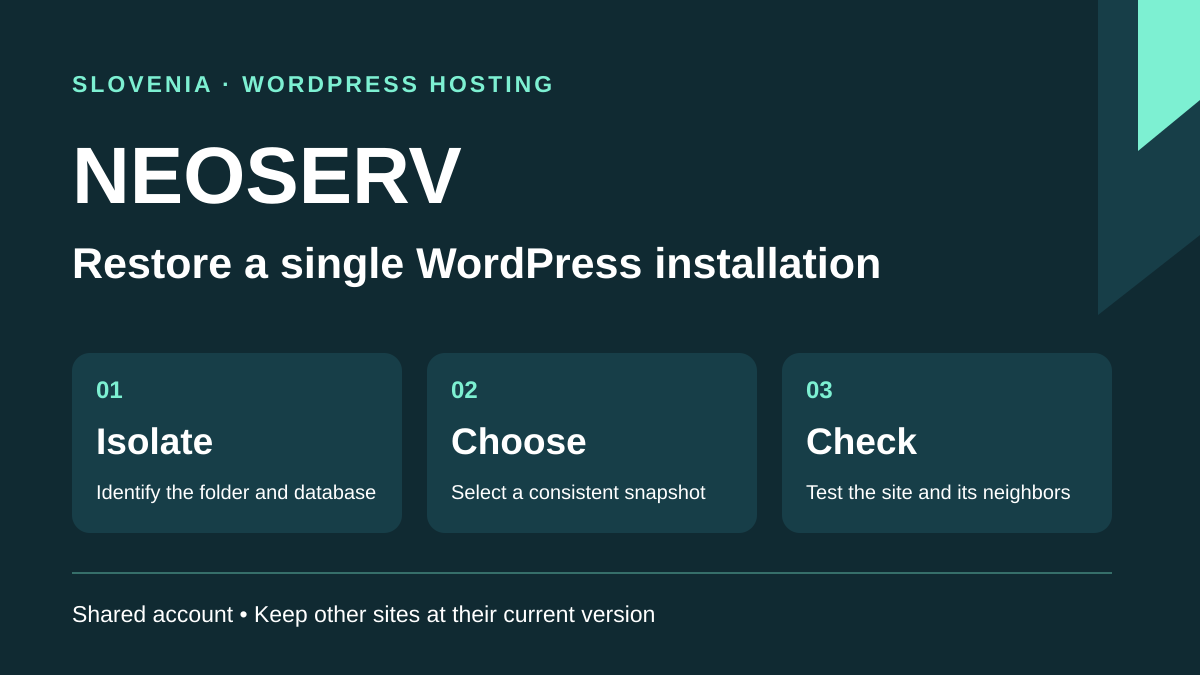
This profile is based on published offers and documentation. No new hosting benchmark or support test was performed for this translation.
Prices retain the market, currency and billing period described in the French source. Translation does not update a commercial quote. Confirm the final price, taxes and options before ordering.
| Plan | Price and billing | Resources and limits |
|---|---|---|
| Oranžni | Offer information corrected: 11.86 € for the first year; 65.66 € for the first two years, recorded on 13 November 2026. Renewal: Normal prices at the review date: 59.78 € for one year; 107.60 € for two years. Totals by cycle; VAT of 22% included in the site display. | 1 site; 5 GB; 2 databases; 20 mailboxes; 512 MB memory. 75,000 files and 1 GB per database. |
| Zeleni | Offer information corrected: 17.86 € for the first year; 93.33 € for the first two years, recorded on 13 November 2026. Renewal: Normal prices at the review date: 83.85 € for one year; 150.93 € for two years. Totals by cycle; VAT of 22% included in the site display. | 5 sites; storage without a numerical cap on the card; 1 GB memory. 150,000 files and 2 GB per database. |
| Modri | Offer information corrected: 35.87 € for the first year; 170.86 € for the first two years, recorded on 13 November 2026. Renewal: Normal prices at the review date: 149.99 € for one year; 269.98 € for two years. Totals by cycle; VAT of 22% included in the site display. | Sites and storage without numerical caps on the card; 2 GB memory. 300,000 files and 2 GB per database. |
| Rdeči | Offer information corrected: Earlier record from 10 November 2026: 144.97 € for one year; 391.43 € for two years. Offer not found in the 13 November comparison; confirm availability. Renewal: Normal prices at the review date: 289.95 € for one year; 521.90 € for two years. Totals by cycle; VAT of 22% included in the site display. | Sites and storage without numerical caps on the card; 4 GB memory. 600,000 files and 2 GB per database. |
NEOSERV presents WordPress-compatible hosting in Slovenian on servers advertised in Slovenia. The WordPress page links to shared hosting plans Oranžni, Zeleni, Modri and Rdeči and also mentions Turbo offers. cPanel and its installer interest an agency administering its sites. The comparison specifies SSH/SFTP from Zeleni upward. If the project depends on WP-CLI, confirm access on the chosen plan. The question is precise: can the agency roll back one client’s WordPress site without reverting the others to the same state?
Consider three independent installations: a practice’s brochure site, a manufacturer’s catalog and a merchant’s small store. They fit one plan if resources and access are appropriate. However, they share an account limit and the scope of certain cPanel actions. A store incident must not erase a week of catalog content. Identify every root directory and database, then verify that available backups allow selecting these elements separately.
This profile examines the standard shared hosting range, from a one-site plan to multiple-site offers. Web-server residency is advertised at range level. Confirm the assigned facility and backup region if a contract requires a specific address or jurisdiction. A CDN, email sent through an external service and independent backup storage each follow their own route. Slovenian hosting does not determine their location. The procedures below describe public documentation.
The public comparison consulted on 13 November 2026 presents Oranžni at 11.86 € for the first year, Zeleni at 17.86 € and Modri at 35.87 €. Normal reference prices remain 59.78 €, 83.85 € and 149.99 € respectively. These are dated amounts, not guaranteed future invoice prices. The site states VAT of 22% is included; request an invoice appropriate to the owner. Rdeči, recorded on 10 November, no longer appears in this comparison: its historical values do not confirm availability.
For two years, the 13 November grid gives 65.66 € then 107.60 € for Oranžni, 93.33 € then 150.93 € for Zeleni and 170.86 € then 269.98 € for Modri. Each pair compares totals for the same duration. For Zeleni, two annual cycles at current reference prices would total 101.71 €, versus 93.33 € for the initial two-year cycle: the difference remains 8.38 €. This projection assumes unchanged rates. Compare cycle totals before deciding how long to commit the budget.
Promotion help normally reserves the discount for entry. The pro forma quote guide states that a document is generated about one month before expiry. Moj NEOSERV allows review of duration, items and owner. A team rebilling clients can therefore note both the discount date and undiscounted amount, then check hosting, domain and added services separately. Document generation alone does not establish automatic charging. Check the payment method and when interruption may occur.
According to the comparison, Oranžni limits space to 5 GB and accepts one site, two databases and twenty mailboxes of at most 1 GB each. The per-mailbox cap does not reserve twenty gigabytes for the account. Shared-hosting terms allocate at most 40% of disk capacity to email. For Oranžni, that is 2 GB of the displayed 5 GB. Measure messages before importing several mailboxes. Zeleni advertises five sites and space without a numerical cap on its card, with 2 GB mailboxes. Modri and Rdeči display uncapped site counts on their cards. All four share account resources between installations: hosting several domains creates neither multiple cPanel accounts nor multiple security environments. A WordPress administrator login per client suffices for editing but does not separate data at the account root.
Usage terms impose 75,000, 150,000, 300,000 and 600,000 files respectively on these four plans. They state that above the threshold, the provider stops free backups for the account. They also cap each database at 1 GB on Oranžni and 2 GB on the other three. Advertised physical memory is 512 MB, 1 GB, 2 GB and 4 GB, with separate concurrent-entry limits. These resources do not translate directly into visits. A test duplication adds files, a database and sometimes many thumbnails even when public traffic does not increase.
Before pricing Zeleni for three projects, record database size and file count for each site. Add files generated by caching, image-processing tasks and staging. On the new account, check cPanel headroom after a media import and scheduled-task run. If headroom is low or every client needs their own hosting access, separate accounts from the outset. Compare the price of two accounts with the cost of an accidental cross-site restoration or rushed recovery, not simply supported domain count.
The storefront, Moj NEOSERV and public guides are in Slovenian. Some commands in cPanel and Softaculous screenshots have English names. Prepare a short mapping list for operators using another language and check the assigned panel locale. NEOSERV contact information states daily email availability; guides show phone support on business days from 8 to 18. Do not extrapolate these hours to other channels or assume French support or a resolution time. Giving support the domain, time and affected function helps diagnosis on a multisite account.
NEOSERV’s Softaculous guide proposes a subdomain with a separate root. In cPanel, open Domains, create the target without sharing the production domain’s root, then select the installation in Softaculous Apps Installer and use Create Staging. A manually installed site may need importing into the installer list. Verify that the proposed database is separate and protect the copy with private access: noindex does not prevent visits. On the target, check the certificate, form and tasks that must not call real systems. A small plan may lack space or available databases: in that case, prepare the copy on a separate test account.
The Push to Live button allows selection of data to transfer. For a store continuing to receive orders, check what the operation would write before confirming. NEOSERV’s WooCommerce guide warns that production data may be overwritten. Copy the current state and deploy only the intended change if the structure permits it. After deployment, the expected result is a working store retaining recent orders, stock and accounts. If faulty, remove the targeted change and inspect new writes before any database rollback. Verify PHP versions and the database engine actually available on the target account.
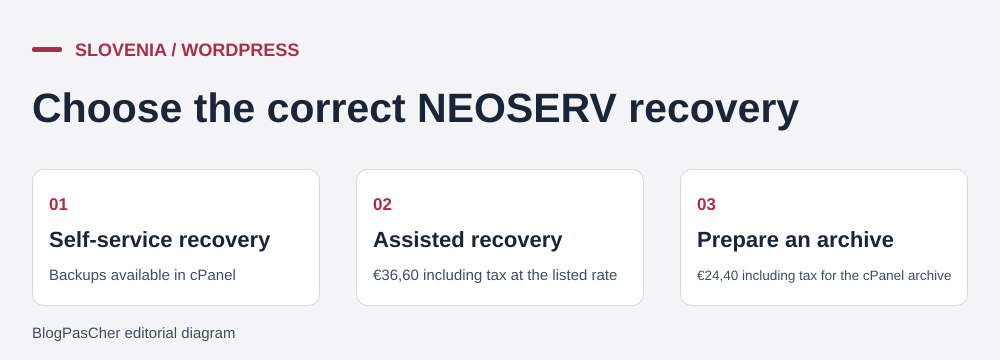 Editorial illustration of the restoration process. — Illustration by BlogPasCher.Open full-size illustration ↗
NEOSERV’s JetBackup guides advertise daily, weekly and monthly backups and separate files, databases and email. Frequency is neither retention duration nor a guaranteed recovery time. Record dates actually visible for the site folder and database, the oldest point and location shown in the panel. The guide distinguishes Local and Remote sources; these labels do not identify the storage country. Check file count after duplication or migration. Above the applicable cap, the provider stops free backups. The price list shows an option for 100,000 additional files at 4.88 € per month including VAT. Before relying on it, ask whether it is available on your plan and which backup threshold will apply.
For an error limited to one file, start from the domain in cPanel’s Domains menu and record its root. In JetBackup 5, open Home Directory, select the point and then Change Files Selection. Show hidden files to locate, for example, .htaccess, and select only affected items. In a root containing other domain folders, exclude those folders. The file-recovery tutorial allows downloading the selection before replacing anything. If only one file is faulty, compare versions first and retain the current one outside the public folder. With Merge backup data with live account data, common files are replaced and files added since the backup remain. Without merging, the guide says files in the selected folder are deleted before recreation from the chosen point. Download elements first and test in a private folder if the scope includes other sites.
For a database, identify DB_NAME in wp-config.php, then use Databases and Choose Other Backup in JetBackup to target a point consistent with the files. NEOSERV’s tutorial describes emptying the database beforehand for in-place restoration. On an account shared by several sites, the first option is to download the database, import it into a separate empty database and test corresponding files on a private target. Before any production replacement, export the current state and obtain approval for losing writes after the chosen point. After recovery, check administration, media and an action writing to the database, then open a page on every other domain. Retain the pre-intervention folder and database until this validation.
Organize exit site by site. In cPanel, locate the actual root under Domains, open File Manager and select site files, including those hidden by default. In parallel, export SQL from the database identified in configuration. The manual-copy guide describes file-manager work and database export. Avoid leaving an archive containing credentials in a web-accessible folder. Download the archive outside the account, note the domain and export time, then check it opens. Remove the temporary server copy after checking. The terms require personal archives to be kept on separate media or a separate service. If server-side compression lacks space, retrieve files through an authorized transfer channel and export the database separately.
A full cPanel archive may help a destination host with WHM that accepts the format. It does not replace portable elements for one site. The price list consulted on 10 November 2026 shows 24.40 € including VAT to prepare a full cPanel archive and 36.60 € including VAT for data recovery requiring manual intervention. Self-service access to available copies through cPanel is free. Verify intervention scope and cost before ordering.
At the target, prepare one folder and database per site. Import SQL into the empty database, connect configuration to its new user and verify rendering through a private URL or temporary local resolution. If the stored URL must change, use a method compatible with WordPress serialized data and retain an intact export. Copy the DNS zone and treat email as a separate migration: mailboxes, aliases, message archives and MX, SPF, DKIM and DMARC records. Before switching, decide how to recover latest writes, especially when the site receives orders. If it fails, restore previous resolution and handle writes arriving at the target before closing it.
The installer and panel give the team tools to act. NEOSERV security documentation separates server protection from CMS precautions. The terms also describe a security-maintenance service with its own obligations, including application administrator access. The shared-hosting WordPress label does not establish that this service is included. During an incident, ask whether support can restore a service or will also identify the responsible plugin, clean the installation and check other account sites. These interventions require different access and approvals.
The WordPress page advertises free inbound migration. The terms provide that, in the described case of withdrawal after completion, migration may be billed. Ask which operations are covered: copying a site, transferring mailboxes, importing a whole account, checking forms or switching DNS. Required credentials should be transmitted through the designated channel and deleted or renewed after acceptance. A quote distinguishing copying from validation helps the agency know who is responsible if the site opens but can no longer send email.
The consulted WordPress profile, comparison and procedures document no generative AI assistant included in the four plans. Softaculous automates installation and staging; that automation does not imply page generation. Likewise, a builder presented elsewhere in the catalog establishes no entitlement for these offers. If a client requests AI, identify the product, quotas, processed data and whether its output can be edited or exported with ordinary WordPress.
Zeleni deserves consideration when one agency manages a few similar WordPress sites, has a Slovenian-speaking contact and can reserve a folder, database and off-account copy per client. The owner must also accept the scope of shared access. Oranžni better suits one small brochure site with a lightweight database. Modri or Rdeči raise documented limits, but an uncapped advertised site count does not turn the account into independent spaces. For clients needing control of their own access or facing different constraints, price separate accounts from the outset.
Before migration, ask for the normal annual rate, backup location, limits stopping backup creation and actual history available for files and database. Then rehearse on one low-impact site: map its root and database, create a private target, retrieve an older version and verify that other sites remain current. Record the team’s observed rehearsal duration and steps requiring support. This local measurement helps plan intervention without assuming an incident would take the same time.
If a site export cannot fit account limits, staging requires shared access or the agency cannot restore files and database separately, reconsider account separation. NEOSERV documents explain selective restoration and provide readable normal prices; the final choice depends on actual file count, access to separate and the loss of writes each client accepts.
Use these references to check the features, requirements and limitations described. Reading documentation is not a practical test.
English translation of the reviewed French edition. Code examples retain their original identifiers, comments and output strings for reproducibility. Linked exercise files and original screenshots may contain French. No new practical tests or price checks are implied by translation.
1984 Hosting’s WordPress plans in Iceland, initial and renewal terms, migration, the Security Pack and backup limitations.
Read more →Compare 34SP.com WordPress containers, shared memory, staging copies, downloadable snapshots and site migration.
Read more →Compare AEserver’s managed WordPress prices and check whether your network must be split into independent installations before migration.
Read more →