

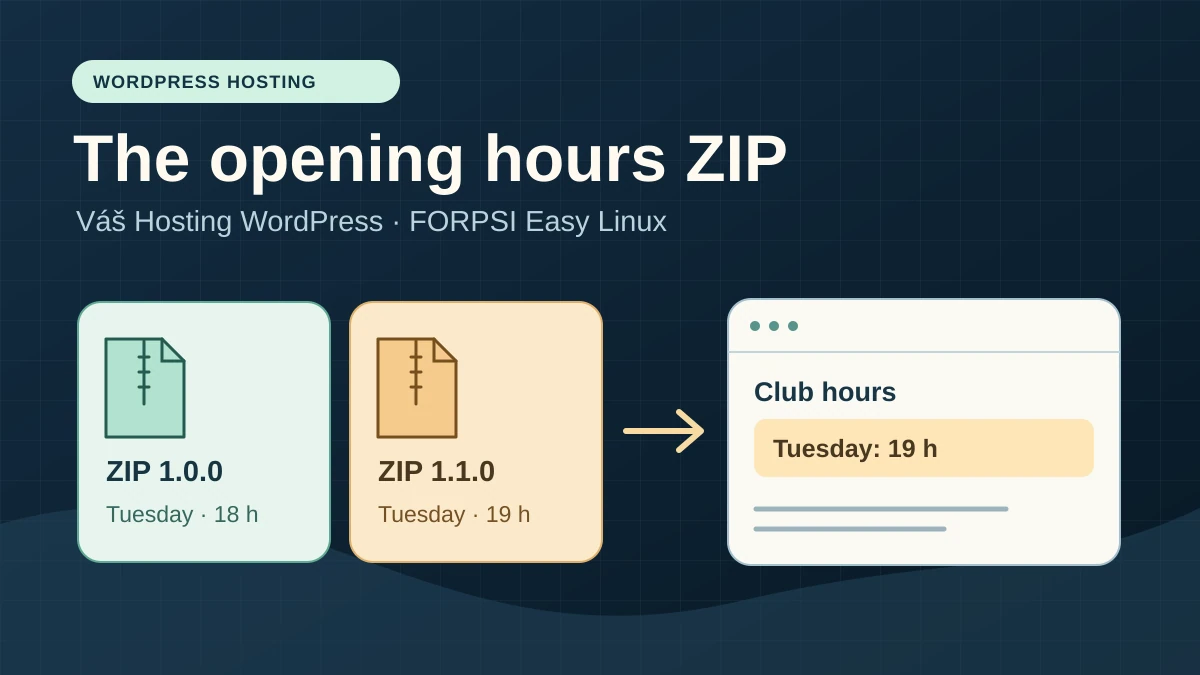
One ZIP to keep schedules independent of the theme
The club publishes its timeslots on a WordPress page. It wants the same box on the homepage and wants its provider to correct the display without touching the theme. The developer delivers a small custom plugin. An authorised person installs it through the browser, then the club manager checks the schedule as a visitor would. The club keeps the source code, archive used and check sheet. The next person must be able to reproduce delivery with these three items.
To distinguish hosts, use a simple case: Tuesday changes from 18 to 19. The rest of the page remains identical, including a control sentence outside the box. The test plugin prints public text through a shortcode. It creates no table, scheduled task or account. Each archive contains its own demonstration schedule. The test verifies the delivery chain; for real daily editing, schedules can remain in WordPress content to avoid a new ZIP for every change.
Both compared plans host one site. The difference lies in setting up WordPress, allocating updates and maintainer access. The result that matters is simple: the same plugin appears under the same name in the dashboard, the page changes in the right place and the person responsible can repeat the operation.
Compare before you choose
The offers at a glance
Find the use case and budget that fit, then read the details to see the limitations and any components you may need.
On smaller screens, the table scrolls horizontally. With a keyboard, press Tab to focus the table, then use the left and right arrow keys.
| Offer | Best for | Pricing and billing | Renewal and support |
|---|---|---|---|
 Váš Hosting WordPressRead the details | A club wanting to delegate core management and deliver its plugin through WordPress. | CZK 49 excluding VAT/month equivalent; CZK 588 excluding VAT for 12 eligible months First cycle prepaid in years; 12-month example. Prices excluding VAT; check VAT-inclusive total and domain. | Reference CZK 99 excluding VAT/month, or CZK 1,188 excluding VAT for 12 months. |
 FORPSI Easy Hosting LinuxRead the details | A team with a maintainer able to install and monitor WordPress. | CZK 32.50 excluding VAT/month in the first year; CZK 390 excluding VAT over 12 eligible months. Monthly references annualised over 12 months; promotional table price reserved for new base orders. Table excluding VAT and displayed VAT-inclusive equivalents; check total, domain and options. | Reference CZK 65 excluding VAT/month afterwards, or CZK 780 excluding VAT over 12 months. |
Two ways to operate the same WordPress installation
Váš Hosting delivers a WordPress installation prepared for one address in the www directory. Documentation assigns core updates to the host. Themes, plugins and translations remain the customer's responsibility. The plan advertises 6 GB for data and excludes SSH access. This model may suffice if the developer prepares the archive elsewhere and the authorised person can install it through WordPress. Verify the latter on the intended copy because a WordPress permission or setting may prevent writing even when the hosting panel works.
FORPSI Easy Linux is general-purpose hosting. Its table lists one site and a 5 GB database. Web space is advertised without a numeric cap in the table; this says nothing about computing capacity or processing limits. File and database access are documented. The team installs WordPress and decides how to monitor updates. Softaculous provides an installation workflow if service and domain prerequisites are met. The club must assign responsibility from the outset even if that person delivers the plugin only twice a year.
FORPSI WP Ready addresses a different need. Its guide describes a prepared WordPress with a creation wizard and no FTP or direct database access. Linux access options cannot be transferred to it by assumption. Nothing in this comparison establishes whether the same ZIP procedure would work there. The examined choice is Easy Linux, where installation and the maintainer's technical access are part of the workflow.
Read twelve-month prices and plan the next cycle
On November 10, 2026, Váš Hosting displays an equivalent of CZK 49 excluding VAT per month for the first eligible cycle and CZK 99 excluding VAT at the regular rate. For twelve months, this gives CZK 588 then CZK 1,188 excluding VAT for hosting alone. The guide describes initial payment in advance in years and renewal in twelve-month periods. Ask for the exact month count of the first cycle and promotion terms before comparing a total. The domain may be held elsewhere; add its cost as applicable.
On FORPSI's Czech page, Easy Linux displays CZK 32.50 excluding VAT per month in the first year for an eligible new base order, then CZK 65 excluding VAT per month. Multiplying these references by twelve gives CZK 390 and CZK 780 excluding VAT. The same page also states VAT-inclusive monthly equivalents of CZK 39.33 then CZK 78.65 under its displayed schedule. Annual calculations excluding VAT provide the common basis. Monthly VAT-inclusive rounding and the account holder's tax regime may change the final amount; use the provider summary for the actual charge.
FORPSI's annualised regular rate is CZK 408 excluding VAT lower on this basis. Then compare time required for installation, core monitoring and plugin-version validation. If a provider maintains the site, request one line for setup and another for maintenance. With a volunteer, designate a second person able to take over the procedure. This small organisational difference may matter more than the price gap without inventing an hourly cost.
Build and verify two archives on your computer
The maintainer must be able to prepare the ZIP on their workstation and deliver a directly installable file. For this test, the internal folder is named atelier09-horaires and contains atelier09-horaires.php. The header's Plugin Name field lets WordPress identify the plugin. Keep the folder name, main filename and shortcode identical between versions. The ZIP filename carries the version number. An archive containing an extra project folder may install at an unexpected path or be rejected.
The protocol's two ZIPs are for testing on a disposable copy. In the first version, the shortcode displays Tuesday at 18; in the second, at 19. There is no server-side download. If your club plugin uses a library, the maintainer must verify it is already packaged with required files. Exclude credentials, local configuration files and development tools that do not belong in the archive. Check the SHA-256 checksum before delivering the ZIP, then have the recipient verify the same value.
A PHP command-line check verifies both files' syntax and the function call using simple substitutes for WordPress functions. It answers a limited question: do both archives contain the correct file, version and expected text? It does not reproduce the installation screen, server write rules or caching. These require a local WordPress installation and, for the commercial decision, a private instance reproducing the examined plan.
What to observe in WordPress before choosing
In a conventional WordPress installation, an administrator with installation rights can use Plugins, Add New Plugin, then Upload Plugin. Page-editor access is insufficient. A network site may reserve installation for the network administrator. DISALLOW_FILE_MODS can also prevent installation and updates through this interface. If the button is missing, record the effective role, installation type and restrictions before treating it as a hosting limitation.
In Tools, Site Health, Info, record the PHP version, visible upload limits and relevant write-access information. Compare them with your plugin's requirements, especially its declared PHP and WordPress versions. The PHP per-file limit alone is insufficient: total request size and a limit in front of PHP may also matter. FORPSI notably lists 128 MB for upload_max_filesize on Easy Linux. This table value does not guarantee WordPress will accept an archive of that size.
Always start with the supplied small archives. If they install but the business ZIP fails, compare structure, size and dependencies. If both fail, note the message and exact stage: missing button, rejected upload, inaccessible temporary file, failed extraction or activation failure. These states lead to different checks. Leaving file permissions too open or disabling a security check would prevent determining whether the ordinary procedure is suitable.
Váš Hosting workflow: use the prepared WordPress
This workflow suits a club with a plugin maintainer that wants to delegate core updates. Request a separate test environment or first test on local WordPress with similar versions. The plan guide describes one installation and an HTTP test URL. That address helps examine a site before a DNS change, but establishes neither a separate clone nor private encrypted administration access. Perform hosted acceptance testing only at a destination whose access you control and that offers HTTPS.
The guide also describes IP-based login protection. Three POST requests to the relevant login endpoints within forty-eight hours can trigger a twenty-four-hour web block even if logins succeed. For a team sharing a connection, plan testing with one person and a stable session. Do not repeatedly log in or reset passwords to verify roles. If the page becomes inaccessible to the team after these attempts, record the event before attributing the incident to the plugin.
- On the isolated instance, open wp-admin and note versions and whether Upload Plugin is present.
- Upload the first ZIP, install and activate it, then open the control page in a separate visitor session. Expect the text Mardi : 18 h and the control sentence.
- Perform the same check with the second version and the return to the first. If the menu is missing or writing fails, record the stage and check the plan's file-access procedure before choosing Váš Hosting.
FORPSI workflow: prepare WordPress on Easy Linux
Easy Linux suits a team with someone able to manage installation and retain file access if the dashboard becomes inaccessible. For a new test site, documentation specifies Webhosting, the service name, then Installer for Softaculous. The offering must run Linux and the selected domain must point to FORPSI for this workflow. If the screen requests a database, use the server, name and user provided for this instance. Never reuse a production database to save time. A local installation fulfils the first part of testing without changing DNS.
The portal and documentation describe Linux file access. FORPSI also documents enabling SSH on the new platform; check that the option is present for the service if it matters to a future project. This protocol does not depend on it. The table refers to terms for the free DV certificate: check the domain, holder and DNS before including it in the budget. An available subdomain in the table alone guarantees neither an extra database, valid certificate nor independent private copy.
- Prepare the test WordPress and record its address, active PHP version and person who will monitor core updates.
- From Plugins, test the same archives in the same order as for Váš Hosting. Keep the theme, control page and expected result identical.
- If the dashboard fails, record the message and verify secure file access and the correct directory on the copy. Installation succeeding only through manual transfer does not validate the club's intended ZIP workflow.
An acceptance test the club can repeat
Download both small test archives from “Further reading”. They contain only the example plugin described here. Prepare them for an isolated WordPress copy using PHP 8 or later, and verify checksums before uploading. The same 1.0.0 file serves for installation and rollback to the first version.
In a disposable single-site WordPress, create a page named Horaires de recette. Add the paragraph “Les inscriptions se font au gymnase” and a Shortcode block containing [atelier09_horaires]. Publish this page only in the already-isolated test environment. Record its address. Installation must render the box at that address without theme changes or further input. Use no real schedule and connect no form, email or third-party service.
Run the same checks after each replacement. The Plugins list must show the expected name and version. A visitor session must display one box and the control sentence at the same address. If administration shows version 1.1.0 but visitors still see 18, first check the address and session. Then inspect the page in a private browser and, if necessary, purge only that page's cache when a tool allows it. Record results before and after. A display corrected only after purging justifies adding that step to the procedure.
Record the date, WordPress and PHP versions, archive checksums, stage, observed text and decision in the log. One screenshot of the visitor page and another of the plugin list suffice for this test. Remove private addresses and access information before sharing the log. Delivery is reproducible if another person obtains the same results with the same archives and instructions without borrowing the first person's account.
SHA-256 checksums of test files: version 1.0.0, f9307d2e2b32cb268947bae76009b52e0ed1f0cae49adecd114413a9e46fa8ce ; version 1.1.0, 20abf98284b0b5e61ac1d487a0d477a0f93e1e8f871e4375a9ff67e09d54df35.
- Install and activate 1.0.0: 18 h, one occurrence only, control present.
- Upload 1.1.0 and confirm replacement if WordPress recognises the same plugin; check active status: 19 h, no occurrence of 18 h in the box, control present.
- Upload 1.0.0 and confirm rollback: 18 h, no occurrence of 19 h in the box, control present. If the interface does not offer replacement, mark the step for verification and do not improvise on the club's site.
Organise future versions and rollback
The provider supplies the version number, date and change to check. The uploader compares the checksum, verifies the test address and stops if WordPress does not recognise the expected plugin. Once testing finishes, the club keeps both archives and the result together. The content manager continues editing pages with their usual role. Assign plugin installation to an identified person able to act during an agreed window.
In this example, reverting to 1.0.0 changes only code displaying text. Do not extrapolate this result to a real plugin that transforms its database, creates tables or changes existing data formats. In that case, document activation and update writes separately, then test rollback with fictional data. An older code archive does not restore converted data. If versions cannot read the same format, rollback needs its own procedure.
If the copy's administration becomes inaccessible after activation, the maintainer can isolate the exact plugin folder through file access by temporarily renaming it, then check that the rest of the site responds. They work on the copy, first identify the correct folder under wp-content/plugins and do not touch other plugins' directories. Once administration returns, they start from a clean installation of the known version and recheck plugin status. This fallback restores the page and administration to an examinable state; it does not turn a failure into validation.
Choose using acceptance-test results
Váš Hosting WordPress makes sense if the club wants a prepared WordPress and delegated core management, uploading works with the intended role and the maintainer has file access to troubleshoot the copy. Also check that the method for testing before updates suits the club's schedule. If private testing requires second hosting, include it in the budget before comparing amounts. If future delivery absolutely requires a server command, this WordPress plan does not meet that need.
FORPSI Easy Linux makes sense if someone accepts installing and maintaining WordPress and wants documented technical access. Observed prices are lower for hosting alone. If the club relies on the provider's installer or certificate, confirm conditions tied to the selected address. Possible SSH access on a compatible platform gives the maintainer an option; for the club, the criterion remains browser-based acceptance testing and controlled rollback to the previous version.
Keep three states on the decision sheet: validated on the copy, reproduced failure or to be verified. The local PHP test validates only archive structure and basic rendering. Both hosts remain to be checked for uploading, permissions, display and replacement within their environments. If both workflows pass, choose the one whose responsibilities best match your team. If neither passes with the intended role and access, change the delivery method before committing the club for a year.
Further reading
Sources and references
Use these references to check the features, requirements and limitations described. Reading documentation is not a practical test.
View 13 references
- Váš Hosting — plans and promotion — Váš Hosting — plans and promotion ↗ — Documentation consulted:
- Váš Hosting — annual prices and VAT — Váš Hosting — annual prices and VAT ↗ — Documentation consulted:
- Váš Hosting — WordPress guide — Váš Hosting — WordPress guide ↗ — Documentation consulted:
- Váš Hosting — billing cycles — Váš Hosting — billing cycles ↗ — Documentation consulted:
- FORPSI — Czech Linux pricing table — FORPSI — Czech Linux pricing table ↗ — Documentation consulted:
- FORPSI — Softaculous — FORPSI — Softaculous ↗ — Documentation consulted:
- FORPSI — SSH access and platform — FORPSI — SSH access and platform ↗ — Documentation consulted:
- FORPSI — Linux FTP directory structure — FORPSI — Linux FTP directory structure ↗ — Documentation consulted:
- FORPSI — DV certificate conditions — FORPSI — DV certificate conditions ↗ — Documentation consulted:
- FORPSI — WP Ready — FORPSI — WP Ready ↗ — Documentation consulted:
- WordPress — managing plugins — WordPress — managing plugins ↗ — Documentation consulted:
- WordPress — plugin headers — WordPress — plugin headers ↗ — Documentation consulted:
- WordPress — advanced settings — WordPress — advanced settings ↗ — Documentation consulted:
Uses, prices and what to check
2 offers in detail
Compare the features you need and the terms of each offer. The order of these entries does not indicate a ranking.
Váš Hosting WordPress
 Official logo of Váš Hosting. — Image: Váš Hosting.
Best forA club wanting to delegate core management and deliver its plugin through WordPress.
A prepared WordPress installation with managed core updates; the team retains plugin maintenance.
Offer pricing
CZK 49 excluding VAT/month equivalent; CZK 588 excluding VAT for 12 eligible months
Billing: First cycle prepaid in years; 12-month example.
Renewal and support: Reference CZK 99 excluding VAT/month, or CZK 1,188 excluding VAT for 12 months.
Prices excluding VAT; check VAT-inclusive total and domain.
Checked on .
Strengths
- Prepared WordPress for one site; managed core.
- 6 GB advertised and file management documented.
What to consider
- No SSH on this plan; one installation.
- ZIP uploading and private-copy availability remain to be checked.
Pricing terms and compatibility
Understanding the offer
- Price at the time of review
- CZK 49 excluding VAT/month equivalent; CZK 588 excluding VAT for 12 eligible months
- Currency
- CZK
- Billing
- First cycle prepaid in years; 12-month example.
- Renewal and support
- Reference CZK 99 excluding VAT/month, or CZK 1,188 excluding VAT for 12 months.
- Taxes and fees
- Prices excluding VAT; check VAT-inclusive total and domain.
- Commitment and terms
- Check initial duration; renewal in 12-month periods.
- Date checked
Compatibility and components
- The club maintains plugins, themes and translations.
FORPSI Easy Hosting Linux
 Official FORPSI logo. Provider identification; no test result or account interface is depicted.
Best forA team with a maintainer able to install and monitor WordPress.
Linux hosting for installing your own WordPress and retaining file and database access.
Offer pricing
CZK 32.50 excluding VAT/month in the first year; CZK 390 excluding VAT over 12 eligible months.
Billing: Monthly references annualised over 12 months; promotional table price reserved for new base orders.
Renewal and support: Reference CZK 65 excluding VAT/month afterwards, or CZK 780 excluding VAT over 12 months.
Table excluding VAT and displayed VAT-inclusive equivalents; check total, domain and options.
Checked on .
Strengths
- Linux file access and one 5 GB database; one site.
- Softaculous installer subject to conditions; SSH documented for the new platform.
What to consider
- Organise installation and update monitoring.
- Check free-certificate terms; ZIP uploading not tested on the plan.
Pricing terms and compatibility
Understanding the offer
- Price at the time of review
- CZK 32.50 excluding VAT/month in the first year; CZK 390 excluding VAT over 12 eligible months.
- Currency
- CZK
- Billing
- Monthly references annualised over 12 months; promotional table price reserved for new base orders.
- Renewal and support
- Reference CZK 65 excluding VAT/month afterwards, or CZK 780 excluding VAT over 12 months.
- Taxes and fees
- Table excluding VAT and displayed VAT-inclusive equivalents; check total, domain and options.
- Commitment and terms
- Introductory price reserved for new base orders without paid options, for the first year.
- Date checked
Compatibility and components
- Easy Hosting Linux scope, separate from WP Ready.