Web hosting
1984 Hosting for WordPress in Iceland: pricing and backups
1984 Hosting’s WordPress plans in Iceland, initial and renewal terms, migration, the Security Pack and backup limitations.
Read more →

Site appearance
Web hosting
The WordPress plan prepares an installation and handles core updates. The initial cycle and backup retention must be confirmed.
Source published: · Source updated: · Editorial policy
Visit the official Váš Hosting website ↗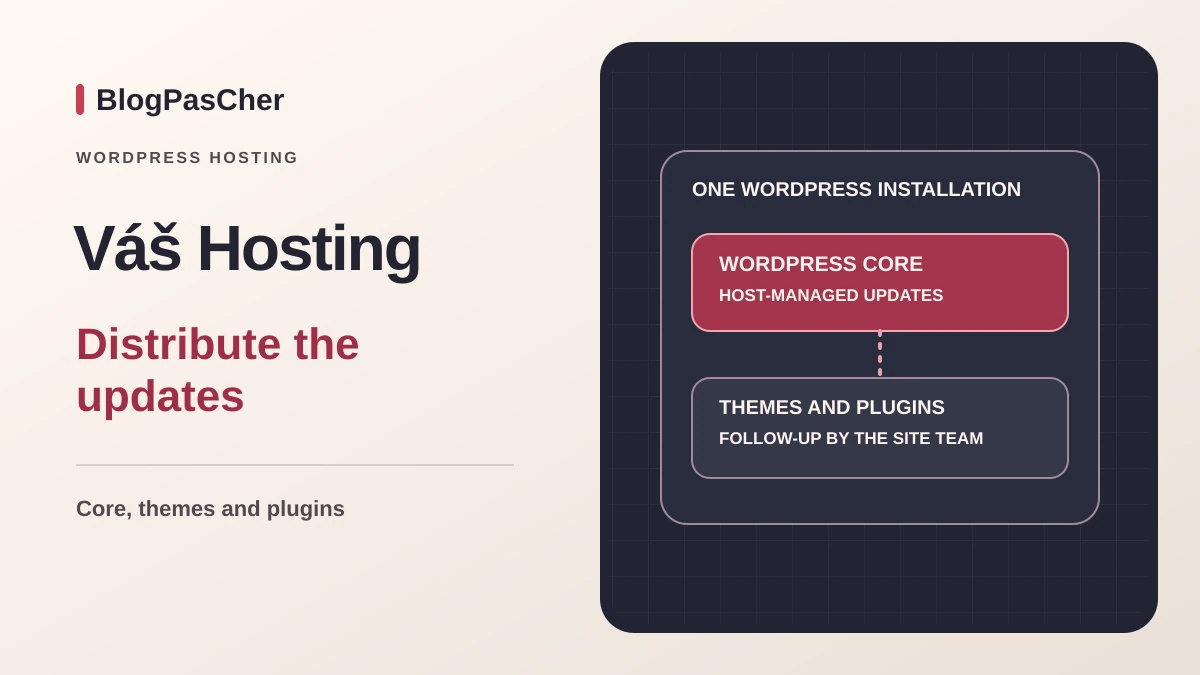
This profile is based on published offers and documentation. No new hosting benchmark or support test was performed for this translation.
Prices retain the market, currency and billing period described in the French source. Translation does not update a commercial quote. Confirm the final price, taxes and options before ordering.
| Plan | Price and billing | Resources and limits |
|---|---|---|
| Lite | 22 CZK excluding tax per equivalent month for the initial period, or 264 CZK excluding tax if it covers twelve months. Renewal: 55 CZK excluding tax per month at the regular reference rate, or 660 CZK excluding tax over twelve months. Initial prepayment in years according to the guide. Twelve-month web hosting renewal. Total, taxes and eligibility must be confirmed. | 3 GB, 20 mailboxes and 5 databases. Domain separate. PHP limits depend on the plan. |
| WordPress | 49 CZK excluding tax per equivalent month for the initial period, or 588 CZK excluding tax if it covers twelve months. Renewal: 99 CZK excluding tax per month at the regular reference rate, or 1,188 CZK excluding tax over twelve months. Initial prepayment in years according to the guide. Twelve-month web hosting renewal. Total, taxes and eligibility must be confirmed. | 6 GB, 40 mailboxes and one prepared installation. No SSH access. The provider updates the core and the customer manages themes, plugins and translations. |
| Profi | 125 CZK excluding tax per equivalent month for the initial period, or 1,500 CZK excluding tax if it covers twelve months. Renewal: 235 CZK excluding tax per month at the regular reference rate, or 2,820 CZK excluding tax over twelve months. Initial prepayment in years according to the guide. Twelve-month web hosting renewal. Total, taxes and eligibility must be confirmed. | 16 GB, 100 mailboxes, database count advertised without a limit. Settings and adjustments must be confirmed with support. |
22 CZK excluding tax per equivalent month for the initial period, or 264 CZK excluding tax if it covers twelve months. Renewal: 44 CZK excluding tax per month at the regular reference rate, or 528 CZK excluding tax over twelve months. Initial prepayment in years according to the guide. Twelve-month web hosting renewal. Total, taxes and eligibility must be confirmed. | 8 GB and 40 mailboxes. Email only. Web hosting and databases belong to the web plans. |
 Official logo of Váš Hosting. — Image: Váš Hosting.
Váš Hosting offers web plans for one domain, email hosting and multihosting or VPS plans. The three web plans reviewed are Lite, WordPress and Profi. They differ in storage, quotas and site preparation. The email plan helps explain the catalog but does not provide the web service required to run WordPress.
The WordPress plan includes an installation in the www directory, a database and access credentials sent after activation. The guide explains that the host updates the core. The owner continues to maintain themes, plugins and translations. This division matters if the project depends on a payment module or a plugin that changes the database during an update.
The documentation review of November 10, 2026 covers Czech shared hosting. VPS Centrum tools and service levels belong to the server offerings. The shared-hosting portal is sufficient for the procedures described here, including export and recovery into a separate folder.
On November 10, 2026, the Czech-koruna cards list Lite at 22 CZK excluding tax per equivalent month for the initial period, then 55 CZK at the regular rate. WordPress lists 49 then 99 CZK, Profi 125 then 235 CZK, and E-mail 22 then 44 CZK. The general 50% claim does not match every displayed pair. For budgeting, use the amounts on the selected card and check eligibility.
The guide describes an initial prepayment with a duration selected in years and a twelve-month hosting renewal. For an initial twelve-month cycle, multiplying the displayed prices gives 264 CZK for Lite, 588 CZK for WordPress and 1,500 CZK for Profi. At regular rates, the corresponding figures are 660, 1,188 and 2,820 CZK excluding tax. For email only, they are 264 and 528 CZK excluding tax. These figures help compare cycles. The invoice depends on the duration, promotion and options actually selected.
The domain is billed separately. The provider gives a .cz example at 99 CZK excluding tax for registration and 184 CZK at renewal. For WordPress and this domain, its annual example gives about 687 CZK excluding tax initially and 1,372 CZK excluding tax at the following reference rate. The selected extension’s price, billed total and VAT for a French account holder must still be confirmed. Use the same currency for the initial cycle and renewal to track cost changes.
Lite advertises 3 GB of space, WordPress 6 GB and Profi 16 GB. The technical table provides five databases for Lite and describes the database count as unlimited on WordPress and Profi. The WordPress guide nevertheless specifies that this plan is intended for a single installation. Database count and the number of usable sites must be considered separately.
For email, the comparison lists twenty mailboxes on Lite, forty on WordPress and one hundred on Profi. The E-mail offering displays 8 GB and forty mailboxes. The commercial blog uses wording without a count limit. To prepare a transfer, treat the table’s numbers as reference values to confirm and count the mailboxes actually used, their volume and archives to recover.
The WordPress documentation notes PHP settings specific to the plan. Editing them yourself in .user.ini or .htaccess is not the supported workflow. For an import or plugin that hits a limit, record the parameter name and required value, then check what the plan allows. Profi provides access to adjustments to discuss with support. An unlimited-traffic claim provides no measure of CPU capacity available to a store.
This workflow begins after activation of the WordPress plan. The startup message provides the administration URL, username and password. From the portal, open Domény, then Přehled domén and Detail for the relevant domain. Under Nastavení, URL pro testování lets you examine the site before switching over. The guide specifies that this temporary URL works over HTTP and that a WordPress site may display incorrectly there.
For an accurate preview before switchover, the guide describes a local mapping between the domain and the IP address specified in the startup message, in the workstation’s hosts file. This method requires workstation administrator rights and changes only its local name resolution. Remove the line after checking. On a copied site, neutralize sending, payments and synchronization, then protect access.
Once the domain points to the hosting account, use Aktivovat Https certifikát in Nastavení if necessary. First check the certificate, then the site addresses in WordPress Settings, General. The expected result is a site and administration accessible over HTTPS without content loaded over HTTP. The offer page describes HTTPS as automatically active, whereas the guide includes this activation step. The panel and domain certificate take precedence when deciding what to do.
The guide notes unusual protection around wp-login.php and xmlrpc.php. Three POST requests from the same IP address within a forty-eight-hour window can trigger a twenty-four-hour web block. Successful logins and reset steps count according to the documentation. The effect may therefore affect multiple users behind the same address. Email and file transfer remain separate services.
If access stops working after several attempts, check the username and situation described in the guide before repeating tests. The document states that the block cannot be lifted on request. To prepare an update, start from an authorized session, back up, then check the site after each significant change. Repeated login tests may interfere with acceptance testing.
The provider manages new core versions on the WordPress plan. Plugins and the theme retain their own cycles. Before an application update, choose a time when rollback is possible and check pages that accept orders or form submissions.
Before an update or departure, open the domain details in the portal and select Zálohy. In the backup selection, choose Úložiště souborů, then Vytvořit zálohu. To preserve the database, repeat the operation by selecting its name. Files and database must represent the same site state. A WordPress content export alone covers neither configuration nor all plugin data.
The database guide describes a maximum of three user backups present simultaneously and an expiry date per archive. Download necessary copies before freeing a slot. Keep files and database outside the account with their date and domain identifier. For email, check the export method and scope to preserve separately. The expected result is a readable, identifiable set that remains accessible after hosting closure.
To examine a web archive, the Možnosti obnovy button opens the choice of domain, scope and behavior toward existing files. Extraction into a new dated folder lets you check the content without overwriting www. For the database, choose an empty test target database when the portal allows it. Direct restoration must be preceded by an export of the current state, which will serve as a rollback if the selected copy is incorrect.
The commercial page lists daily copies over seven days, weekly points over thirty days and manual copies over ninety days. It also mentions a final copy retained for sixty days after closure. The operational guide describes twenty-one days of availability for shared-hosting files and databases, in a separate data center, with recovery by support. These two presentations do not provide the same history. They do not establish which retention applies to your contract. Ask which dates are accessible for your account and which items are covered, particularly email.
For assisted recovery, the guide lets you request direct restoration or a ZIP file placed in a designated folder. Restoration is advertised as free on the relevant shared hosting. To recover a single image or configuration file, first request the archive in a separate folder. Check the date and contents before replacing the site file. Keep an export outside the account before closing the service.
For an active store, take a copy of the current state and record operations arriving after the point you want to use. Examine the backup on a protected target. A full recovery requires reconciling file and database versions. After restoration, check dashboard access, expected orders and the functions that prompted the intervention.
The guide recommends importing the existing site into the prepared WordPress installation using a migration tool. This workflow assumes administrator rights on both sites and a volume compatible with the target plan. First keep an independent copy of the database and files. Support can also perform the transfer under an individual quote. The hosting price does not price this service.
For manual recovery, export SQL at the old host and prepare the target database. Import the file into that database, transfer the site content to the intended directory and adapt the copy’s connection settings. Database values appear in the panel. Check archive sizes, PHP limits and stored URLs before changing DNS.
The expected result is a site whose pages, media, forms and administration work on the target. Run acceptance testing without real transactions or messages. Keep the old service available until email and domain checks are complete. Plan recovery of recent writes before redirecting a store.
The site provides a Czech version and access to an English presentation. Portal guides use Czech labels. The contact page advertises the ability to call or write at any time and presents an authorized portal ticket as the preferred channel. Have human support hours and the possibility of communicating in English or French for the service confirmed.
The site displays a virtual assistant for general DNS, hosting, email and billing questions. It states that the assistant cannot access account data. The provider separately documents an MCP service that connects an external agent to the portal with approved permissions. The guide distinguishes domain and DNS functions available for accounts from server-management actions requiring VPS Centrum V3.
For a team using this connection, define accessible domains and actions, then revoke permissions when the work ends. The reviewed WordPress pages do not establish inclusion of a writer, image generator or model credits with shared hosting. Agent offerings and VPS tools have their own scope.
The billing guide asks you to check domain and hosting dates separately. It states that an invoice is sent at least twenty-five days before expiry and payment must be received by the due date. In the domain details, the Fakturace panel lets you examine Způsob prodloužení and, depending on the setting, renewal paid by credit balance or card. A domain registered elsewhere renews with its registrar.
The domain menu distinguishes Zrušit webhosting and Smazat doménu. The guide describes these actions as immediate and capable of deleting data. The first preserves the domain and its DNS settings. To use hosting until the paid period ends, the guide asks you to deal with the renewal invoice rather than close the service from the domain details. Prepare and verify exports before any action.
Lite suits a small site when its 3 GB and five databases are sufficient. WordPress reduces setup work and assigns the core to the host. Profi adds space and adjustment flexibility to confirm. The choice also depends on the renewal budget, support language and the restore point actually accessible.
The WordPress plan provides access to the portal’s file manager and documented file transfer. The guide excludes SSH access for this plan. If a provider plans to use WP-CLI or a remote deployment script, they must therefore check access before planning the switchover. A panel-based transfer remains possible for a site whose volume and plugins allow it.
Then compare source and target settings. Record the PHP version, database volume and site’s canonical address. Separately check mail delivery, DNS records and external services expecting a production-specific address or key. These checks help you choose the right workflow and preserve a rollback option.
Use these references to check the features, requirements and limitations described. Reading documentation is not a practical test.
English translation of the reviewed French edition. Code examples retain their original identifiers, comments and output strings for reproducibility. Linked exercise files and original screenshots may contain French. No new practical tests or price checks are implied by translation.
1984 Hosting’s WordPress plans in Iceland, initial and renewal terms, migration, the Security Pack and backup limitations.
Read more →Compare 34SP.com WordPress containers, shared memory, staging copies, downloadable snapshots and site migration.
Read more →Compare AEserver’s managed WordPress prices and check whether your network must be split into independent installations before migration.
Read more →