

Choose between an editorial table, a data grid and a chart
A table of three opening times, a filterable catalogue and a trend line do not require the same tool. An editorial table belongs to the page: the main aim is to align information and compare a few rows. A data grid adds sorting, search or pagination. A chart highlights a trend, relationship or distribution but does not always replace exact values. Start by writing the reader's question and the answer they should find. This decision reduces the number of plugins to compare and avoids presentation more complicated than the content.
The 25 selected families cover table and chart construction without counting their free and paid editions separately. Tables of contents, galleries and traffic statistics belong to other dossiers. Some products' connection and automation features are not a second subject covered here. A tool such as Tableberg works mainly in the block editor; TableMaster depends on Elementor and Table for Divi advertises Divi 5. A plugin can therefore suit your team while being useless on a site using another editing method.
Prepare a small fictional dataset you already understand. For three months of activity, use eight, twelve and ten workshops, for example: these values are only diagnostic and describe no real organisation. Note labels, unit and expected result before testing the import or chart. You can then recognise a reversed column or misinterpreted number. This selection's procedures rely on primary documentation; no plugin was installed and no public table, WordPress import or production chart was created for the research.
Compare before you choose
The offers at a glance
Find the use case and budget that fit, then read the details to see the limitations and any components you may need.
On smaller screens, the table scrolls horizontally. With a keyboard, press Tab to focus the table, then use the left and right arrow keys.
| Offer | Best for | Pricing and billing | Renewal and support |
|---|---|---|---|
 TablePressRead the details | Manage reusable tables and their data in WordPress. | Free Basic; Pro listed at $89/year and Max at $189/year for one site. Multisite packages and lifetime plans separate; taxes added according to country and status. annual The page advertises additional VAT/GST according to country and status; no tax-inclusive total calculated. | Annual subscription with automatic renewal; confirm future amount, cancellation available through the account. |
 wpDataTablesRead the details | Assess a table-and-chart offering with appropriate sources and permissions. | Free version on WordPress.org. CodeCanyon lists USD 299 Regular or USD 1,495 Extended, excluding taxes and fees, with six months of support. Direct annual and lifetime plan amounts not established in the collected view. CodeCanyon purchase; direct subscriptions and lifetime plans separate Check taxes and the final total according to country and contract; no tax-inclusive amount assumed. Libraries or builders are separate depending on the product. | FAQ states the product remains functional after expiry; support and updates depend on an active licence. |
 Ninja TablesRead the details | Create interactive tables from structured data. | Free; annual Single Site listed at a promotional $63 instead of $79. Separate Single Site Lifetime at $247 instead of $309. annual Check taxes and the final total according to country and contract; no tax-inclusive amount assumed. Libraries or builders are separate depending on the product. | The annual discount is advertised for the first year only; displayed regular price $79, future amount to confirm. |
 WP Table BuilderRead the details | Compose a visual comparison with several content types per cell. | Free; annual Starter for one site listed at $39, Starter Lifetime at $99. Agency offerings and code-based promotion separate, not deducted in a cart. annual Check taxes and the final total according to country and contract; no tax-inclusive amount assumed. Libraries or builders are separate depending on the product. | Annual term with one year of services; confirm future amount. Lifetime presented without renewal. |
 TablebergRead the details | Create editorial tables directly in the block editor. | Free core; annual Starter for one site listed at $29. Annual Pro for unlimited sites listed at $49 instead of $99, Pro Lifetime at $149 instead of $249. annual Check taxes and the final total according to country and contract; no tax-inclusive amount assumed. Libraries or builders are separate depending on the product. | Confirm promotional amounts and annual renewal; Lifetime is a separate one-time payment. |
 RioVizualRead the details | Format editorial comparisons in Gutenberg. | Free; Personal for one site listed at USD 39.20/year instead of USD 49, with renewal advertised at USD 39.20/year. Separate Personal Lifetime at USD 119.20. annual Prices advertised in USD excluding VAT/taxes; total depends on billing location. | The page advertises Personal renewal at USD 39.20/year and cancellation availability; confirm future terms. |
 Data Tables Generator — SupsysticRead the details | Build data tables, then assess Pro's connected sources. | Free; Personal 1-site card displays $59/year, renewal at $59, or $199 lifetime. Other blocks mention different introductory prices: confirm scope before purchase. annual Check taxes and the final total according to country and contract; no tax-inclusive amount assumed. Libraries or builders are separate depending on the product. | The Personal card advertises renewal at $59/year; confirm the applicable amount given differing sales statements. |
 TablesomeRead the details | Display typed data and examine table-editing permissions. | Free; Pro listed at $49/year for one site, $99 for five and $199 for twenty-five sites according to the table. annual Check taxes and the final total according to country and contract; no tax-inclusive amount assumed. Libraries or builders are separate depending on the product. | Annual price displayed; confirm renewal terms and amount. |
 FlexTable — Google SheetsRead the details | Publish a table fed by an external spreadsheet suitable for publication. | Free core; Personal Lifetime for one site listed at $119 instead of $177 as a one-time payment. Annual price not established in the collected view. Check taxes and the final total according to country and contract; no tax-inclusive amount assumed. Libraries or builders are separate depending on the product. | Observed offering advertises lifetime updates and support; confirm separate annual plans. |
 TableKitRead the details | Build rich-cell tables within the block environment. | Free; Personal 1 site listed at a promotional $26 instead of $29, with 1 year of support and updates. Multi-plugin bundles separate. annual Check taxes and the final total according to country and contract; no tax-inclusive amount assumed. Libraries or builders are separate depending on the product. | Annual offering and promotional amount displayed; confirm applicable renewal price. |
 TableMaster for ElementorRead the details | Create and adjust tables from Elementor. | Free; annual Starter 1 site listed at $19 instead of $39. Starter Lifetime at $49 instead of $99. Advertised renewal discount of 30%; confirm basis and total. annual Check taxes and the final total according to country and contract; no tax-inclusive amount assumed. Libraries or builders are separate depending on the product. | A 30% renewal discount is advertised without a future total established here; do not multiply it by the promotional amount. |
 Data TablesRead the details | Prepare a data table in Gutenberg with navigation controls. | Free core on WordPress.org; no product-specific commercial amount established in accessible sources, and no namesake licence assigned. Check taxes and the final total according to country and contract; no tax-inclusive amount assumed. Libraries or builders are separate depending on the product. | No subscription established for the free core; check any commercial offering separately. |
 VisualizerRead the details | Combine editorial charts and tables with appropriate sources. | Free; Personal displays an introductory 99/year instead of 199, with a dollar/euro selector. Confirm applicable currency, site count and total. annual Check any taxes and total before purchase. | The page advertises full-price renewals; displayed regular amount 199 in the selected currency. |
 M ChartRead the details | Prepare local series and represent them on a WordPress page. | Free core; M Chart Pro listed at $79 per year, with a site selector. Confirm scope and total for the chosen count. annual Check any taxes and total before purchase. | The page states that Pro features continue after expiry; an active subscription is required for future updates and support. |
 ChartifyRead the details | Create a reusable chart with data entry or a selected source. | Free; Business listed at USD 39 instead of USD 75 as a one-time payment for five sites, lifetime use and twelve months of updates/support. Developer separate. Check any taxes and total before purchase. | Business: lifetime use advertised, services limited to twelve months; confirm extension terms. |
 GraphinaRead the details | Embed charts in an existing Elementor editing workflow. | Free core; Pro price not established, linked sales page denied access with HTTP 403. Check editor variants, services and libraries separately. Check any taxes and total before purchase. | Pro term and renewal not established in accessible sources. |
 iChartRead the details | Examine charts and sources without confusing Lite, Pro and bundles. | Free Lite; Personal Pro for one site listed at USD 19 for one year of updates/support, with continued use after expiry. Master for up to 100 sites listed at a promotional lifetime USD 58, a separate offering. annual Check any taxes and total before purchase. | The page states that the plugin continues working without renewal; confirm future services and applicable amount. |
 Comma SenseRead the details | Update a WordPress table from a single media-library CSV. | Free plugin in the WordPress directory. No priced commercial offering in the listing. | Terms for any paid plans were unavailable at the time of review. |
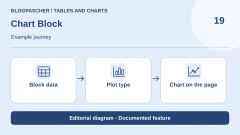 Chart BlockRead the details | Prepare a chart from a Gutenberg block. | Free version and separate Pro edition in the directory. Pro amount unverified. Check any taxes and total before purchase. | No subscription established for the free core. |
 amCharts: Charts and MapsRead the details | Embed an existing amCharts chart with a team able to maintain its code. | Free plugin; libraries advertised as freely usable with visible attribution. Commercial licence, attribution removal and any services separate, amounts not established here. Check any taxes and total before purchase. | Check terms for the libraries and versions used; no plugin subscription established. |
 ChartletRead the details | Embed a chart that travels with the article or shortcode. | Plugin freely available in the WordPress directory. No priced commercial edition in the listing. | Terms for any paid plans were unavailable at the time of review. |
 Flexible Table BlockRead the details | Create an editorial table with merged cells and adjustable mobile behaviour. | Free plugin on WordPress.org; no product-specific Pro licence or recurring billing established in the current listing. Check any taxes and total before purchase. | No plugin subscription established. |
 League TableRead the details | Prepare a ranking or sortable table with already-structured data. | Free version available. Direct DAEXT Personal offering listed at $29/year for one site. Separate CodeCanyon offering: USD 129 Regular with six months of support, excluding taxes and fees. Direct annual subscription or CodeCanyon licence purchase Check any taxes and total before purchase. | Annual renewal for the DAEXT plan; separate support extension at CodeCanyon. Compare the delivered package. |
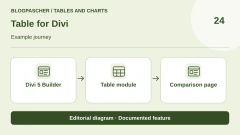 Table for DiviRead the details | Create a table in an already-authorised Divi 5 installation. | Free module; Divi 5 Theme/Builder required according to the listing. Builder access terms and licence separate, not priced here. Check any taxes and total before purchase. | No module subscription established; builder contract separate. |
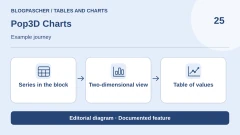 Pop3D ChartsRead the details | Present a series in a block and offer values as a table. | Free block; optional Pro extension for additional templates and styles. Pro price not recorded. | Terms for any paid plans were unavailable at the time of review. |
Compare editions and licences without reusing demonstration prices
The free core may suffice for entering and embedding a table, while external sources, advanced filters or public-editing features require a commercial plan. Compare the exact feature and site count rather than an overall capability list. A manual import does not mean the file will be reread automatically; a chart displayed in a demo does not prove its library is included in your edition. The product notes state their observation date, November 3 or 10, 2026. Amounts in banners or demonstration tables were not used to fill in a hidden pricing table.
Separate initial payment, renewal and service duration. WP Table Builder displays annual Starter at 39 dollars for one site and a separate lifetime Starter at 99 dollars. Ninja Tables presents a discounted first year for its annual licence; that reduction is not the permanent budget. Other sellers distinguish continued use from update rights. For a lifetime plan, check exactly what is lifetime: usage rights, updates, support or several of these. The same marketing word does not guarantee the same contract.
The same plugin may be sold through two channels. League Table and wpDataTables have CodeCanyon offerings with an advertised support period. Do not reuse these amounts for a plan purchased from the publisher. For amCharts, distinguish the WordPress connector from library usage terms. If your project requires standalone rendering, also record resources loaded by the page and data sent off-site. This check helps compare offerings that appear identical in a demo.
Prepare data, its format and publication scope
Each row must represent a clearly defined item and each column information of the same kind. Use short headings with the relevant unit: workshop count, duration in minutes or update date. Avoid mixing a value, commentary and symbol in one cell when the plugin must sort or calculate. Also prepare a zero, missing value and accented label. These cases reveal format errors before they hide in a long list. Always retain the original source file and work on a publication copy.
With CSV, check the column separator, encoding and decimal numbers. A semicolon-separated file may be read as a single column if the import expects commas. A date may be recognised as text or interpreted in another order. Start with a few rows and compare results with the source before replacing a table used on several pages. Test values are deliberately simple; this does not remove the need to check the formats your team actually uses.
A connected sheet must contain only data intended for that display and be accessible through the documented method. Do not make an entire working workbook public to avoid preparing a publication sheet. Hidden columns, sorting and pagination are presentation choices; they do not prove that other data was never sent to visitors. Define who changes the source, when the site rereads it and which version should appear if the connection fails. Table quality depends on this chain as much as cell styling.
For a media-library file, first prepare a CSV intended to be read on the web. Even if a plugin selects displayed rows or columns, the uploaded file may have its own address. Test that address while logged out on the working copy. Keep internal notes in a separate file. The team correcting the table will then know what can be published and what must remain off-site.
Workflow 1: start with the WordPress Table block
This route suits a few rarely changing rows needing neither search nor sorting. It requires only permission to edit a page in the block editor; no additional plugin is needed. Prepare a draft and fictional data for three months: January eight workshops, February twelve, March ten. In Pages > Add New Page, open the block inserter and choose Table. Specify two columns and four rows, including the heading row. The aim is a readable, correct comparison without installing a data system for very simple content.
Enter Mois and Ateliers in the first row, then the three example rows. In block settings, enable the header section. Check that Mois and Ateliers occupy that section and the body retains exactly three observations without a duplicate heading row or empty row; move labels and remove the extra row if necessary. Add a caption identifying fictional working data. Adjust only necessary styles and save the draft. In preview, check accents, each month's value and readability at narrow width. Do not look for a sort button the native block never promised. If the list must become long or interactive, move to the next workflow.
The expected result is a table of three observations preceded by understandable headings, with no column stripped of context. Have another person review the data if your process allows; this proposed review was not performed for this dossier. To change a value, edit the draft cell and compare the preview again. To abandon the prototype, remove the block or restore the working page's previous revision. Keep the source file: deleting the test table must not erase your only data copy.
- Prepare a draft with two columns, a header row and three fictional observations.
- Insert the Table block, enter headings and values, then enable the header section.
- Add a caption and check the preview on desktop and at narrow width.
- Remove the block or restore the revision if its presentation is insufficient.
Workflow 2: import a small CSV into TablePress
This proposed workflow suits a team already holding data in a file and wanting to reuse the table across pages. It requires administrator access on a working copy with TablePress installed and active. Prepare a comma-separated CSV with Mois and Ateliers columns followed by three fictional rows. The first line is “Mois,Ateliers”. The following lines are “Janvier,8”, “Février,12” and “Mars,10”. Save in UTF-8 to preserve the accent. In the TablePress menu, open Import a Table. Choose a local file and creation of a new table to preserve existing tables.
Select the CSV copy and start the import. Examine its content: two columns, a heading row and three observations. In particular, verify that the separator has not turned each row into a single cell. Give the table a working name and save changes. In a draft page, add the TablePress table block and select this table from its list. The insertion links to the table managed in TablePress; it is not an independent copy of all cells within the page. Compare values and, if enabled, sorting and search controls.
The expected result is identical content in the management table and page preview. Change a value only in the working table, save, then check the page to understand this relationship. A standard import is a source snapshot: subsequently changing the original file does not automatically update the site. Periodic synchronisation belongs to other settings or editions. To revert, remove the page block and restore the test value to its initial state; retain the original CSV and do not overwrite a production table to learn the tool.
- Install TablePress on a copy and prepare a small CSV with a known separator.
- Open TablePress > Import a Table, choose the local file and create a new table.
- Check columns, header and values, then save the working table.
- Insert a TablePress table block into a draft and choose this table.
- Verify the management/display link; remove the block and retain the source for rollback.
Workflow 3: represent the same observations with M Chart
This workflow is for a team wanting to show variation in a single series. It requires administrator access on an isolated site copy with the M Chart core active. Open Charts > Add Chart, the publisher's documented path. Give the chart an explicit title and prepare three two-column rows: month on the left, value on the right, without headings for this single-series format. You can enter January eight, February twelve and March ten. Fictional data avoids introducing an external account or confidential file in a first test.
In settings below the preview, choose an appropriate type such as Column, then enter the useful unit or axis title. Check that each month has the correct value and no extra empty cell creates an unexpected category. Save the chart on the working copy. Documentation specifies that only published charts appear in the block selector, so this step must remain on a reliably isolated copy. On a page of that copy, add the M Chart block and choose the chart. The workshop did not publish it for this research.
The expected result is a consistent representation of all three values with a legend or labels explaining the series without guessing its unit. The block also offers a Table display to retrieve data as a table; use it to compare values and prepare a readable alternative. Check the page at narrow width and its reading order. To revert, remove the block from the working page and return the chart to draft. Disable a plugin on a live site only after inventorying content dependent on its charts.
- Prepare an isolated copy and open Charts > Add Chart with M Chart active.
- Enter the three categories and values in the documented single-series format.
- Choose Column and check labels, values and units in preview.
- Make the chart selectable only on the isolated copy, then embed it with an M Chart block.
- Compare with Table display; remove the block and return the chart to draft to revert.
Check sorting, updates and error states
Prepare values with an obvious order: two, ten and one hundred for numbers, then dates from different months. A table may look correct initially but sort values as words if their format is unrecognised. Check ascending and descending order, empty cells and search results. After filtering, visible rows do not necessarily represent the complete dataset; readers must understand what was removed from view. Repeat these checks in the working table before applying complex styling.
For a connected source, choose an easily recognised value and note when it changes. Check when the site displays the new value according to your edition's stated frequency. If the display stays old, distinguish table refresh, caching and a connection problem. Do not fix a delay by making the entire sheet public or granting unnecessarily broad permissions. Define the expected result: current data, last known version or an unavailable message. This list describes tests to perform, not results obtained by the workshop.
Finally, check a page with several tables or charts because resources and settings do not always behave as in an isolated demo. Examine the page with its theme, caching tools and consent system where involved. If a feature stops working, keep the source file, plugin version and steps reproducing the discrepancy. Return to the last correct prototype before publication. Seller-listing promises of thousands of rows or speed are not hosting load tests and are not presented as such here.
Make tables and charts understandable to different readers
Readers must identify the unit, period and meaning of values without interpreting colour alone. Provide a useful title and headings describing columns. For a chart, check axes and legend; a percentage does not compare directly with a headcount. For a trend, keep periods in order. Three-dimensional effects or animations do not compensate for ambiguous labels. Present exact values in a table or another accessible form when the chart does not let readers recover them.
Also examine content at narrow width without assuming responsive means the same thing everywhere. One tool may scroll the table horizontally, another stack cells or hide columns. Check that each heading remains associated with the correct value and essential columns stay available. Try controls with the keyboard and observe their visible state. These proposed checks can reveal reading problems; alone, they are neither a complete accessibility audit nor certification of the theme or plugin.
When publishing data from an external document, retain its provenance, date and transformations in working notes. A chart generated through an AI feature needs the same review as one entered manually: categories, values and unit remain to be checked. No API or AI generation was used to produce a chart in this dossier. If several articles use the same table, assign an update owner. Content must remain explainable after the person who chose the plugin or prepared the first cells leaves.
Prepare maintenance and data recovery before choosing
For a few stable details, start with the native block or a simple editorial builder. For a reused, searchable table, compare a data manager using a small reference file. For a chart, choose representation after understanding the data, not to use the largest advertised type count. If your team already works with Elementor or Divi, a dedicated plugin can reduce changes in habits but retains that dependency. Technical tools such as the amCharts connector require other skills; they are not proposed as a simple no-code entry route.
wpDataTables' CodeCanyon price does not establish the publisher's direct prices. Graphina Pro pricing was not established in the research, and Supsystic's page displays different amounts in different blocks. When choosing, record the edition name, site count, displayed price and support duration. If an element is missing, retain a documented solution as a comparison point and defer purchase until scope is confirmed.
Before replacing a plugin, export or retain data in a usable format and inventory its blocks and shortcodes in pages. Exporting values does not necessarily rebuild styling, filters or editing permissions. Prepare a comparison page on the copy, then verify reference cases before removing the old display. Keep a record of the last correct version and its source file. After choosing a solution, repeat these checks following a major update. Your team must be able to correct a value and trace its origin without depending on a sales demonstration.
Further reading
Sources and references
Use these references to check the features, requirements and limitations described. Reading documentation is not a practical test.
View 47 references
- TablePress — Official listing ↗ — Documentation consulted:
- TablePress — Vendor offering ↗ — Documentation consulted:
- wpDataTables — Official listing ↗ — Documentation consulted:
- wpDataTables — Vendor offering ↗ — Documentation consulted:
- wpDataTables — CodeCanyon offer, distinct from direct plans ↗ — Documentation consulted:
- Ninja Tables — Official listing ↗ — Documentation consulted:
- Ninja Tables — Vendor offering ↗ — Documentation consulted:
- WP Table Builder — Official listing ↗ — Documentation consulted:
- WP Table Builder — Vendor offering ↗ — Documentation consulted:
- Tableberg — Official listing ↗ — Documentation consulted:
- Tableberg — Vendor offering ↗ — Documentation consulted:
- RioVizual — Official listing ↗ — Documentation consulted:
- RioVizual — Vendor offering ↗ — Documentation consulted:
- Data Tables Generator — Supsystic — Official listing ↗ — Documentation consulted:
- Data Tables Generator — Supsystic — Vendor offering ↗ — Documentation consulted:
- Tablesome — Official listing ↗ — Documentation consulted:
- Tablesome — Vendor offering ↗ — Documentation consulted:
- FlexTable — Google Sheets — Official listing ↗ — Documentation consulted:
- FlexTable — Google Sheets — Vendor offering ↗ — Documentation consulted:
- TableKit — Official listing ↗ — Documentation consulted:
- TableKit — Vendor offering ↗ — Documentation consulted:
- TableMaster for Elementor — Official listing ↗ — Documentation consulted:
- TableMaster for Elementor — Vendor offering ↗ — Documentation consulted:
- Data Tables — Official listing ↗ — Documentation consulted:
- Visualizer — Official listing ↗ — Documentation consulted:
- Visualizer — Vendor offering ↗ — Documentation consulted:
- M Chart — Official listing ↗ — Documentation consulted:
- M Chart — Vendor offering ↗ — Documentation consulted:
- Chartify — Official listing ↗ — Documentation consulted:
- Chartify — Vendor offering ↗ — Documentation consulted:
- Graphina — Official listing ↗ — Documentation consulted:
- iChart — Official listing ↗ — Documentation consulted:
- iChart — Vendor offering ↗ — Documentation consulted:
- Comma Sense — Official listing ↗ — Documentation consulted:
- Chart Block — Official listing ↗ — Documentation consulted:
- amCharts: Charts and Maps — Official listing ↗ — Documentation consulted:
- Chartlet — Official listing ↗ — Documentation consulted:
- Flexible Table Block — Official listing ↗ — Documentation consulted:
- League Table — Official listing ↗ — Documentation consulted:
- League Table — DAEXT direct plan and edition comparison ↗ — Documentation consulted:
- League Table — Free edition ↗ — Documentation consulted:
- Table for Divi — Official listing ↗ — Documentation consulted:
- Pop3D Charts — Official listing ↗ — Documentation consulted:
- WordPress core Table block — WordPress core Table block ↗ — Documentation consulted:
- Importing tables into TablePress — Importing tables into TablePress ↗ — Documentation consulted:
- Creating and inserting a table — Creating and inserting a table ↗ — Documentation consulted:
- Official M Chart guide and insertion methods — Official M Chart guide and insertion methods ↗ — Documentation consulted:
Uses, prices and what to check
25 offers in detail
Compare the features you need and the terms of each offer. The order of these entries does not indicate a ranking.
TablePress
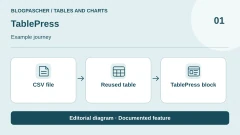
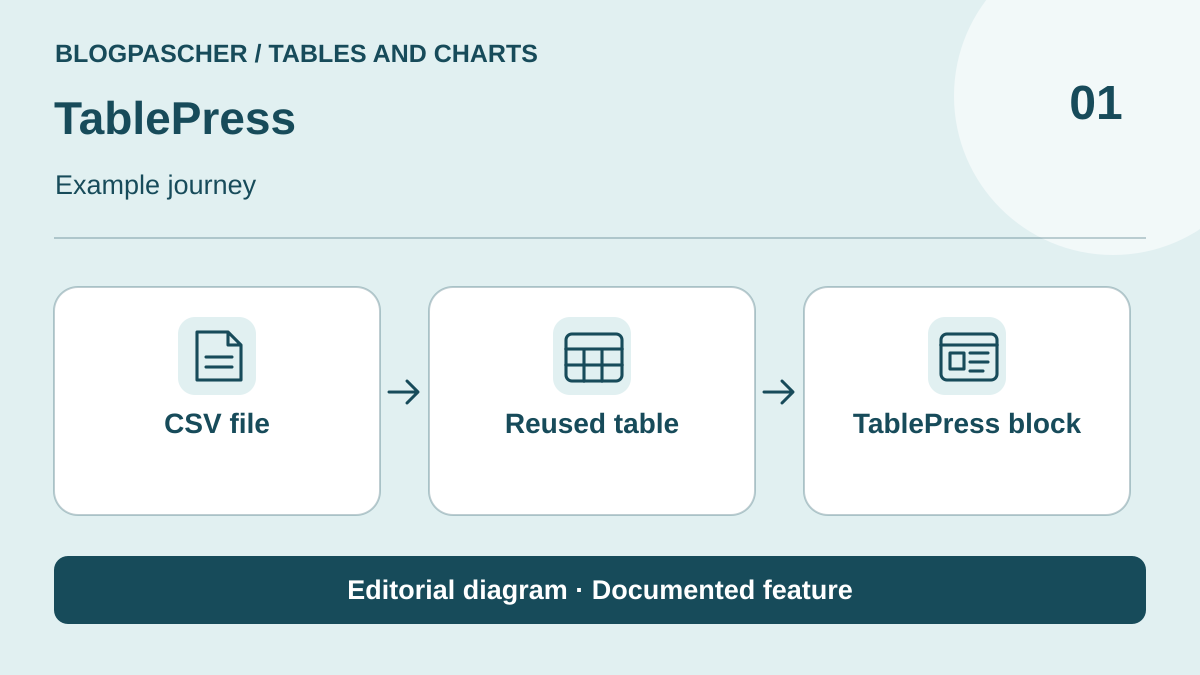 Editorial illustration. Documented feature: CSV file → Reused table → TablePress block. Verify these steps on your site. — BlogPasCher · documented featureOpen full-size illustration ↗
Best forManage reusable tables and their data in WordPress.
TablePress separates table management from page text and lets a table be reused through a block, widget or shortcode. The free core supports data entry, imports and exports. Features such as some advanced filters, adaptive modes and automatic imports are distributed across commercial licences. This candidate suits a publication needing to correct figures in one place. Check column formats and your edition's features before promising synchronisation or identical mobile display in every case.
Offer pricing
Free Basic; Pro listed at $89/year and Max at $189/year for one site. Multisite packages and lifetime plans separate; taxes added according to country and status.
Billing: annual
Renewal and support: Annual subscription with automatic renewal; confirm future amount, cancellation available through the account.
The page advertises additional VAT/GST according to country and status; no tax-inclusive total calculated.
Checked on .
Strengths
- Reusable tables
- Imports and exports in the core
What to consider
- Advanced features depend on Pro or Max
- Automatic refresh is separate from manual import
Pricing terms and compatibility
Understanding the offer
- Price at the time of review
- Free Basic; Pro listed at $89/year and Max at $189/year for one site. Multisite packages and lifetime plans separate; taxes added according to country and status.
- Currency
- Unspecified. Confirm for the offer you choose.
- Billing
- annual
- Renewal and support
- Annual subscription with automatic renewal; confirm future amount, cancellation available through the account.
- Taxes and fees
- The page advertises additional VAT/GST according to country and status; no tax-inclusive total calculated.
- Commitment and terms
- Unspecified. Confirm for the offer you choose.
- Date checked
Compatibility and components
- WordPress.org listing recorded on November 3: version 3.4.1, WordPress reportedly tested up to 7.1.4 et PHP minimal 7.4. Compatibility declared by the publisher.
wpDataTables
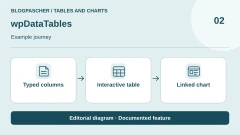
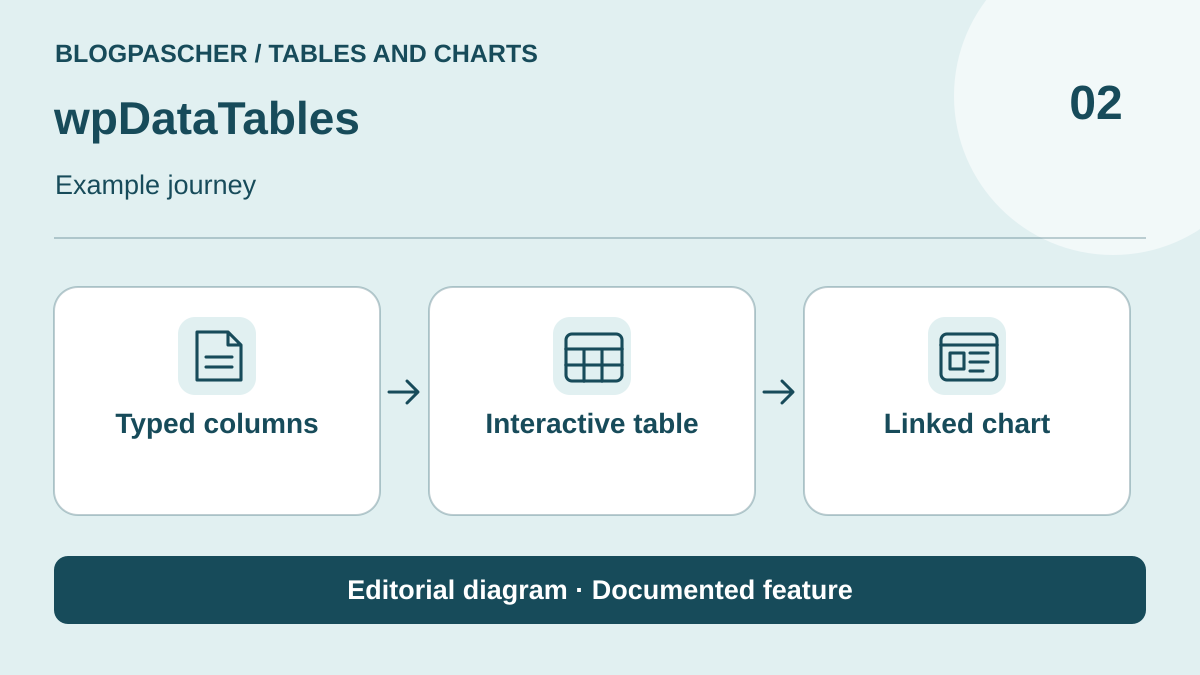 Editorial illustration. Documented feature: Typed columns → Interactive table → Linked chart. Check these steps on your site. — BlogPasCher · documented featureOpen full-size illustration ↗
Best forAssess a table-and-chart offering with appropriate sources and permissions.
wpDataTables offers tables and charts from entered or imported data. Assess the free version and Premium tiers against the sources, filters and public editing actually required. This candidate may suit a project combining several representations of one dataset, but a database or API connection requires a more precise scope than a static table. Amounts for plans sold directly by the publisher are hidden on the consulted page; CodeCanyon pricing is recorded separately in the note. No banner price is treated as a direct-plan price.
Offer pricing
Free version on WordPress.org. CodeCanyon lists USD 299 Regular or USD 1,495 Extended, excluding taxes and fees, with six months of support. Direct annual and lifetime plan amounts not established in the collected view.
Billing: CodeCanyon purchase; direct subscriptions and lifetime plans separate
Renewal and support: FAQ states the product remains functional after expiry; support and updates depend on an active licence.
Check taxes and the final total according to country and contract; no tax-inclusive amount assumed. Libraries or builders are separate depending on the product.
Checked on .
Strengths
- Tables and charts
- Several source types advertised according to edition
What to consider
- Direct-plan amounts not established; CodeCanyon price separate
- Permissions, dynamic sources and features depend on tier
- For an SQL source, limit the account's permissions and select published columns before connecting a public table.
Pricing terms and compatibility
Understanding the offer
- Price at the time of review
- Free version on WordPress.org. CodeCanyon lists USD 299 Regular or USD 1,495 Extended, excluding taxes and fees, with six months of support. Direct annual and lifetime plan amounts not established in the collected view.
- Currency
- USD
- Billing
- CodeCanyon purchase; direct subscriptions and lifetime plans separate
- Renewal and support
- FAQ states the product remains functional after expiry; support and updates depend on an active licence.
- Taxes and fees
- Check taxes and the final total according to country and contract; no tax-inclusive amount assumed. Libraries or builders are separate depending on the product.
- Commitment and terms
- Unspecified. Confirm for the offer you choose.
- Date checked
Compatibility and components
- WordPress.org listing recorded on November 3: version 6.6.1.1, WordPress reportedly tested up to 7.1.4 et PHP minimal 7.4. Compatibility declared by the publisher.
Ninja Tables
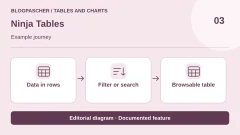
 Editorial illustration. Documented feature: Data in rows → Filter or search → Browsable table. Check these steps on your site. — BlogPasCher · documented featureOpen full-size illustration ↗
Best forCreate interactive tables from structured data.
Ninja Tables builds filterable tables and embeds them in WordPress content. It provides imports and broader commercial capabilities for sources, display and customisation. It may suit a team developing a data table without retaining all its formatting in the article. Prepare a small reference file and check what your edition actually imports or synchronises. Comparison or pricing templates visible in the banner do not represent the plugin's cost.
Offer pricing
Free; annual Single Site listed at a promotional $63 instead of $79. Separate Single Site Lifetime at $247 instead of $309.
Billing: annual
Renewal and support: The annual discount is advertised for the first year only; displayed regular price $79, future amount to confirm.
Check taxes and the final total according to country and contract; no tax-inclusive amount assumed. Libraries or builders are separate depending on the product.
Checked on .
Strengths
- Filterable, reusable tables
- Imports and sources depend on edition
What to consider
- Initial promotion and renewal are separate
- Match free and Pro features to requirements
Pricing terms and compatibility
Understanding the offer
- Price at the time of review
- Free; annual Single Site listed at a promotional $63 instead of $79. Separate Single Site Lifetime at $247 instead of $309.
- Currency
- Unspecified. Confirm for the offer you choose.
- Billing
- annual
- Renewal and support
- The annual discount is advertised for the first year only; displayed regular price $79, future amount to confirm.
- Taxes and fees
- Check taxes and the final total according to country and contract; no tax-inclusive amount assumed. Libraries or builders are separate depending on the product.
- Commitment and terms
- Unspecified. Confirm for the offer you choose.
- Date checked
Compatibility and components
- WordPress.org listing recorded on November 3: version 5.2.18, WordPress reportedly tested up to 7.1.4 et PHP minimal 7.4. Compatibility declared by the publisher.
WP Table Builder
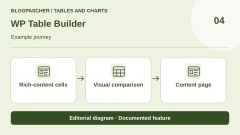
 Editorial illustration. Documented feature: Rich-content cells → Visual comparison → Content page. Check these steps on your site. — BlogPasCher · documented featureOpen full-size illustration ↗
Best forCompose a visual comparison with several content types per cell.
WP Table Builder assembles tables through drag and drop using elements such as text, images, lists or buttons. This scope suits editorial comparisons whose cells are not all simple numbers. The plugin also provides import and export formats, while presentation and navigation features are in Pro. Start with few columns to check mobile readability before multiplying images and buttons. A visual builder simplifies formatting but guarantees neither correct values nor their updating.
Offer pricing
Free; annual Starter for one site listed at $39, Starter Lifetime at $99. Agency offerings and code-based promotion separate, not deducted in a cart.
Billing: annual
Renewal and support: Annual term with one year of services; confirm future amount. Lifetime presented without renewal.
Check taxes and the final total according to country and contract; no tax-inclusive amount assumed. Libraries or builders are separate depending on the product.
Checked on .
Strengths
- Visual cell editing
- Comparisons with text, images and buttons
What to consider
- Check readability on small screens
- Advanced elements and features depend on edition
Pricing terms and compatibility
Understanding the offer
- Price at the time of review
- Free; annual Starter for one site listed at $39, Starter Lifetime at $99. Agency offerings and code-based promotion separate, not deducted in a cart.
- Currency
- Unspecified. Confirm for the offer you choose.
- Billing
- annual
- Renewal and support
- Annual term with one year of services; confirm future amount. Lifetime presented without renewal.
- Taxes and fees
- Check taxes and the final total according to country and contract; no tax-inclusive amount assumed. Libraries or builders are separate depending on the product.
- Commitment and terms
- Unspecified. Confirm for the offer you choose.
- Date checked
Compatibility and components
- WordPress.org listing recorded on November 3: version 2.2.4, WordPress reportedly tested up to 7.1.4 et PHP minimal 7.4. Compatibility declared by the publisher.
Tableberg
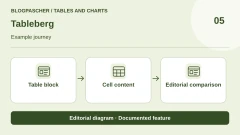
 Editorial illustration. Documented feature: Table block → Cell content → Editorial comparison. Check these steps on your site. — BlogPasCher · documented featureOpen full-size illustration ↗
Best forCreate editorial tables directly in the block editor.
Tableberg extends the block editor with a table composed of sub-blocks. It supports cells containing more than a raw value while keeping work within the page. Some elements, such as icons, ribbons or more advanced content, belong to Pro in the listing. It can address a controlled editorial-table need without turning it into a database. Check cell behaviour, reading order and elements allowed in your edition before recreating a sales-comparison demo.
Offer pricing
Free core; annual Starter for one site listed at $29. Annual Pro for unlimited sites listed at $49 instead of $99, Pro Lifetime at $149 instead of $249.
Billing: annual
Renewal and support: Confirm promotional amounts and annual renewal; Lifetime is a separate one-time payment.
Check taxes and the final total according to country and contract; no tax-inclusive amount assumed. Libraries or builders are separate depending on the product.
Checked on .
Strengths
- Table composed of sub-blocks
- Editing integrated into content
What to consider
- Advanced elements reserved for Pro
- No external refresh inferred merely from a table's presence
Pricing terms and compatibility
Understanding the offer
- Price at the time of review
- Free core; annual Starter for one site listed at $29. Annual Pro for unlimited sites listed at $49 instead of $99, Pro Lifetime at $149 instead of $249.
- Currency
- Unspecified. Confirm for the offer you choose.
- Billing
- annual
- Renewal and support
- Confirm promotional amounts and annual renewal; Lifetime is a separate one-time payment.
- Taxes and fees
- Check taxes and the final total according to country and contract; no tax-inclusive amount assumed. Libraries or builders are separate depending on the product.
- Commitment and terms
- Unspecified. Confirm for the offer you choose.
- Date checked
Compatibility and components
- WordPress.org listing recorded on November 3: version 1.2.0, WordPress reportedly tested up to 7.1.4 et PHP minimal 7.0. Compatibility declared by the publisher.
RioVizual
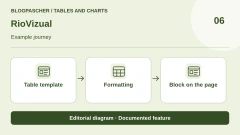
 Editorial illustration. Documented feature: Table template → Formatting → Block on the page. Check these steps on your site. — BlogPasCher · documented featureOpen full-size illustration ↗
Best forFormat editorial comparisons in Gutenberg.
RioVizual builds comparisons, pricing tables and pros-and-cons blocks in Gutenberg. It targets editorial presentation where text, buttons and styling matter as much as values. Its table distinguishes free and Pro elements and also mentions features still in development or planned. Do not treat those as already delivered capabilities. For sortable data or synchronisation, first check the actual table type available rather than choosing solely for a rich visual demo.
Offer pricing
Free; Personal for one site listed at USD 39.20/year instead of USD 49, with renewal advertised at USD 39.20/year. Separate Personal Lifetime at USD 119.20.
Billing: annual
Renewal and support: The page advertises Personal renewal at USD 39.20/year and cancellation availability; confirm future terms.
Prices advertised in USD excluding VAT/taxes; total depends on billing location.
Checked on .
Strengths
- Comparisons and editorial blocks
- Work in Gutenberg
What to consider
- Data Table shown as in development and Product Table as planned
- Future features not counted as delivered
Pricing terms and compatibility
Understanding the offer
- Price at the time of review
- Free; Personal for one site listed at USD 39.20/year instead of USD 49, with renewal advertised at USD 39.20/year. Separate Personal Lifetime at USD 119.20.
- Currency
- USD
- Billing
- annual
- Renewal and support
- The page advertises Personal renewal at USD 39.20/year and cancellation availability; confirm future terms.
- Taxes and fees
- Prices advertised in USD excluding VAT/taxes; total depends on billing location.
- Commitment and terms
- Unspecified. Confirm for the offer you choose.
- Date checked
Compatibility and components
- WordPress.org listing recorded on November 3: version 3.0.2, WordPress reportedly tested up to 7.0.8 et PHP minimal 7.4. Compatibility declared by the publisher.
Data Tables Generator — Supsystic
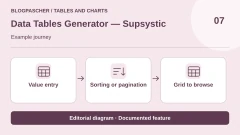
 Editorial illustration. Documented feature: Value entry → Sorting or pagination → Grid to browse. Check these steps on your site. — BlogPasCher · documented featureOpen full-size illustration ↗
Best forBuild data tables, then assess Pro's connected sources.
Supsystic's Data Tables Generator uses a spreadsheet-style interface with sorting, search and pagination. The core accepts entry or pasting, while imports, connected sources, charts and editing permissions are in Pro. This candidate suits a content table whose rows must remain structured and reusable. The sales page gives different amounts in different blocks: use the card for the actual target plan, without turning an introductory price or annual equivalent over three years into a universal one-year price.
Offer pricing
Free; Personal 1-site card displays $59/year, renewal at $59, or $199 lifetime. Other blocks mention different introductory prices: confirm scope before purchase.
Billing: annual
Renewal and support: The Personal card advertises renewal at $59/year; confirm the applicable amount given differing sales statements.
Check taxes and the final total according to country and contract; no tax-inclusive amount assumed. Libraries or builders are separate depending on the product.
Checked on .
Strengths
- Spreadsheet-style entry
- Sorting, search and pagination
What to consider
- Connected imports and public editing depend on Pro
- Introductory prices and licence cards conflict
Pricing terms and compatibility
Understanding the offer
- Price at the time of review
- Free; Personal 1-site card displays $59/year, renewal at $59, or $199 lifetime. Other blocks mention different introductory prices: confirm scope before purchase.
- Currency
- Unspecified. Confirm for the offer you choose.
- Billing
- annual
- Renewal and support
- The Personal card advertises renewal at $59/year; confirm the applicable amount given differing sales statements.
- Taxes and fees
- Check taxes and the final total according to country and contract; no tax-inclusive amount assumed. Libraries or builders are separate depending on the product.
- Commitment and terms
- Unspecified. Confirm for the offer you choose.
- Date checked
Compatibility and components
- WordPress.org listing recorded on November 3: version 1.15.8, WordPress reportedly tested up to 7.1.4 et PHP minimal 7.3. Compatibility declared by the publisher.
Tablesome
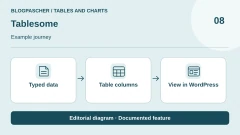
 Editorial illustration. Documented feature: Typed data → Table columns → View in WordPress. Check these steps on your site. — BlogPasCher · documented featureOpen full-size illustration ↗
Best forDisplay typed data and examine table-editing permissions.
Tablesome creates tables with column types and presentation settings. Public-entry and access-control features vary by edition. This selection examines table display and management without repeating an automation or form-connection tutorial. This allows comparison using a neutral dataset. Check reading and editing permissions before displaying submission data: a table being displayable does not mean its contents should become public.
Offer pricing
Free; Pro listed at $49/year for one site, $99 for five and $199 for twenty-five sites according to the table.
Billing: annual
Renewal and support: Annual price displayed; confirm renewal terms and amount.
Check taxes and the final total according to country and contract; no tax-inclusive amount assumed. Libraries or builders are separate depending on the product.
Checked on .
Strengths
- Typed columns and data presentation
- Editing features in Pro
What to consider
- Protect submission data before display
- Automation and integrations outside this dossier's scope
Pricing terms and compatibility
Understanding the offer
- Price at the time of review
- Free; Pro listed at $49/year for one site, $99 for five and $199 for twenty-five sites according to the table.
- Currency
- Unspecified. Confirm for the offer you choose.
- Billing
- annual
- Renewal and support
- Annual price displayed; confirm renewal terms and amount.
- Taxes and fees
- Check taxes and the final total according to country and contract; no tax-inclusive amount assumed. Libraries or builders are separate depending on the product.
- Commitment and terms
- Unspecified. Confirm for the offer you choose.
- Date checked
Compatibility and components
- WordPress.org listing recorded on November 3: version 1.2.15, WordPress reportedly tested up to 6.9.11 et PHP minimal 7.0. Compatibility declared by the publisher.
FlexTable — Google Sheets
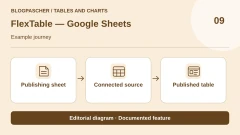
 Editorial illustration. Documented feature: Publishing sheet → Connected source → Published table. Check these steps on your site. — BlogPasCher · documented featureOpen full-size illustration ↗
Best forPublish a table fed by an external spreadsheet suitable for publication.
FlexTable, whose slug retains the name Sheets to WP Table Live Sync, connects an external sheet to a WordPress table. It addresses teams wanting to update data in their usual spreadsheet. The plugin advertises sorting, search, pagination and synchronisation, with free scope and commercial features. Check sheet permissions and contents before connecting it. A column hidden in the display must not be regarded as source protection. The same dataset must remain identifiable after refresh.
Offer pricing
Free core; Personal Lifetime for one site listed at $119 instead of $177 as a one-time payment. Annual price not established in the collected view.
Renewal and support: Observed offering advertises lifetime updates and support; confirm separate annual plans.
Check taxes and the final total according to country and contract; no tax-inclusive amount assumed. Libraries or builders are separate depending on the product.
Checked on .
Strengths
- External-sheet synchronisation
- Shortcode insertion and editors advertised
What to consider
- Check source publication permissions
- Features and limits depend on edition
- Annual price not inferred from lifetime payment
Pricing terms and compatibility
Understanding the offer
- Price at the time of review
- Free core; Personal Lifetime for one site listed at $119 instead of $177 as a one-time payment. Annual price not established in the collected view.
- Currency
- Unspecified. Confirm for the offer you choose.
- Billing
- Unspecified. Confirm for the offer you choose.
- Renewal and support
- Observed offering advertises lifetime updates and support; confirm separate annual plans.
- Taxes and fees
- Check taxes and the final total according to country and contract; no tax-inclusive amount assumed. Libraries or builders are separate depending on the product.
- Commitment and terms
- Unspecified. Confirm for the offer you choose.
- Date checked
Compatibility and components
- WordPress.org listing recorded on November 3: version 3.26.1, WordPress reportedly tested up to 7.1.4 et PHP minimal 7.2. Compatibility declared by the publisher.
TableKit
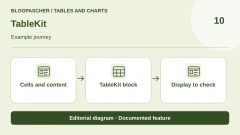
 Editorial illustration. Documented feature: Cells and content → TableKit block → Display to check. Check these steps on your site. — BlogPasCher · documented featureOpen full-size illustration ↗
Best forBuild rich-cell tables within the block environment.
TableKit, previously presented as Table Builder Block, offers tables in the block editor and advertises data integrations. It may suit content whose cells need blocks and richer formatting. Assess commercial features and connected sources against the actual plan selected. The directory listing contains an old GutenKit link: that neighbouring product was not used to assign a price. Amounts visible in demonstration tables are not licence prices either.
Offer pricing
Free; Personal 1 site listed at a promotional $26 instead of $29, with 1 year of support and updates. Multi-plugin bundles separate.
Billing: annual
Renewal and support: Annual offering and promotional amount displayed; confirm applicable renewal price.
Check taxes and the final total according to country and contract; no tax-inclusive amount assumed. Libraries or builders are separate depending on the product.
Checked on .
Strengths
- Block-based cells
- Several table types advertised
What to consider
- GutenKit and bundles not equated with TableKit alone
- Sources and features depend on edition
Pricing terms and compatibility
Understanding the offer
- Price at the time of review
- Free; Personal 1 site listed at a promotional $26 instead of $29, with 1 year of support and updates. Multi-plugin bundles separate.
- Currency
- Unspecified. Confirm for the offer you choose.
- Billing
- annual
- Renewal and support
- Annual offering and promotional amount displayed; confirm applicable renewal price.
- Taxes and fees
- Check taxes and the final total according to country and contract; no tax-inclusive amount assumed. Libraries or builders are separate depending on the product.
- Commitment and terms
- Unspecified. Confirm for the offer you choose.
- Date checked
Compatibility and components
- WordPress.org listing recorded on November 3: version 2.4.0, WordPress reportedly tested up to 7.0.8 et PHP minimal 7.4. Compatibility declared by the publisher.
TableMaster for Elementor
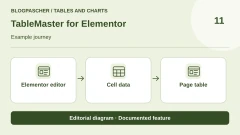
 Editorial illustration. Documented feature: Elementor editor → Cell data → Page table. Check these steps on your site. — BlogPasCher · documented featureOpen full-size illustration ↗
Best forCreate and adjust tables from Elementor.
TableMaster is a table builder for Elementor. It describes content, comparison and data tables, with import and synchronisation capabilities to check by edition. It may be relevant if the team already edits pages in Elementor; that dependency is part of the choice. Start with a few rows and check small-screen reading modes. Promotions, regular rates and renewal discounts are presented separately on the page: do not calculate a future amount from a percentage whose basis remains unconfirmed.
Offer pricing
Free; annual Starter 1 site listed at $19 instead of $39. Starter Lifetime at $49 instead of $99. Advertised renewal discount of 30%; confirm basis and total.
Billing: annual
Renewal and support: A 30% renewal discount is advertised without a future total established here; do not multiply it by the promotional amount.
Check taxes and the final total according to country and contract; no tax-inclusive amount assumed. Libraries or builders are separate depending on the product.
Checked on .
Strengths
- Native Elementor editing
- Content and data tables
What to consider
- Elementor dependency
- Connected sources and features depend on edition
- Confirm promotion and renewal basis
Pricing terms and compatibility
Understanding the offer
- Price at the time of review
- Free; annual Starter 1 site listed at $19 instead of $39. Starter Lifetime at $49 instead of $99. Advertised renewal discount of 30%; confirm basis and total.
- Currency
- Unspecified. Confirm for the offer you choose.
- Billing
- annual
- Renewal and support
- A 30% renewal discount is advertised without a future total established here; do not multiply it by the promotional amount.
- Taxes and fees
- Check taxes and the final total according to country and contract; no tax-inclusive amount assumed. Libraries or builders are separate depending on the product.
- Commitment and terms
- Unspecified. Confirm for the offer you choose.
- Date checked
Compatibility and components
- WordPress.org listing recorded on November 3: version 1.4.7, WordPress reportedly tested up to 7.1.4 et PHP minimal 7.4. Compatibility declared by the publisher.
Data Tables
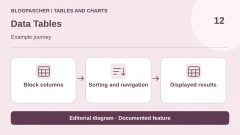
 Editorial illustration. Documented feature: Block columns → Sorting and navigation → Displayed results. Check these steps on your site. — BlogPasCher · documented featureOpen full-size illustration ↗
Best forPrepare a data table in Gutenberg with navigation controls.
bPlugins' Data Tables provides a Gutenberg block and shortcode insertion for sortable, paginated, filterable tables. Distinguish it from wpDataTables, another publisher's product also in this selection. This candidate may suit a table reused across pages without complex external synchronisation. Prepare consistent headings and values, then check controls actually available in the free core. The generic plugin name does not justify assigning features from another similarly named builder.
Offer pricing
Free core on WordPress.org; no product-specific commercial amount established in accessible sources, and no namesake licence assigned.
Renewal and support: No subscription established for the free core; check any commercial offering separately.
Check taxes and the final total according to country and contract; no tax-inclusive amount assumed. Libraries or builders are separate depending on the product.
Checked on .
Strengths
- Block and shortcode
- Sorting, pagination and filtering advertised
What to consider
- Generic name must be distinguished from wpDataTables
- No external connection or commercial feature assumed
Pricing terms and compatibility
Understanding the offer
- Price at the time of review
- Free core on WordPress.org; no product-specific commercial amount established in accessible sources, and no namesake licence assigned.
- Currency
- Unspecified. Confirm for the offer you choose.
- Billing
- Unspecified. Confirm for the offer you choose.
- Renewal and support
- No subscription established for the free core; check any commercial offering separately.
- Taxes and fees
- Check taxes and the final total according to country and contract; no tax-inclusive amount assumed. Libraries or builders are separate depending on the product.
- Commitment and terms
- Unspecified. Confirm for the offer you choose.
- Date checked
Compatibility and components
- WordPress.org listing recorded on November 3: version 1.1.2, WordPress reportedly tested up to 6.8.12 et PHP minimal 7.1. Compatibility declared by the publisher.
Visualizer
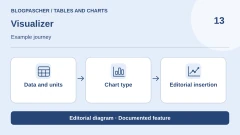
 Editorial illustration. Documented feature: Data and units → Chart type → Editorial insertion. Check these steps on your site. — BlogPasCher · documented featureOpen full-size illustration ↗
Best forCombine editorial charts and tables with appropriate sources.
Themeisle's Visualizer builds charts and tables for posts or pages. It relies on several libraries and offers different sources or features according to plan. It may suit a publication showing a trend or distribution without putting the entire dataset in the foreground. Prepare the series, unit and labels before choosing a chart. Distinguish introductory amounts and the page's currency selector from renewal and services included in each edition.
Offer pricing
Free; Personal displays an introductory 99/year instead of 199, with a dollar/euro selector. Confirm applicable currency, site count and total.
Billing: annual
Renewal and support: The page advertises full-price renewals; displayed regular amount 199 in the selected currency.
Check any taxes and total before purchase.
Checked on .
Strengths
- Embeddable charts and tables
- Several source types according to edition
What to consider
- Check currency selector and tiers
- No promise of identical rendering or refresh across editions
Pricing terms and compatibility
Understanding the offer
- Price at the time of review
- Free; Personal displays an introductory 99/year instead of 199, with a dollar/euro selector. Confirm applicable currency, site count and total.
- Currency
- Unspecified. Confirm for the offer you choose.
- Billing
- annual
- Renewal and support
- The page advertises full-price renewals; displayed regular amount 199 in the selected currency.
- Taxes and fees
- Check any taxes and total before purchase.
- Commitment and terms
- Unspecified. Confirm for the offer you choose.
- Date checked
Compatibility and components
- WordPress.org listing recorded on November 3: version 4.0.10, WordPress reportedly tested up to 7.1.4 et PHP minimal 7.4. Compatibility declared by the publisher.
M Chart
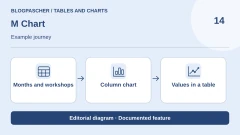
 Editorial illustration. Documented feature: Months and workshops → Column chart → Values in a table. Check these steps on your site. — BlogPasCher · documented featureOpen full-size illustration ↗
Best forPrepare local series and represent them on a WordPress page.
M Chart combines spreadsheet-style data entry, CSV import and chart preview. The current core uses Chart.js and offers block or shortcode insertion. Pro adds external sources, annotations and a theme builder, among other features. This candidate suits a team preferring a few local series to a platform connection. The historical Highcharts library is now advertised as deprecated in this integration; it is not the default recommended route for a new chart.
Offer pricing
Free core; M Chart Pro listed at $79 per year, with a site selector. Confirm scope and total for the chosen count.
Billing: annual
Renewal and support: The page states that Pro features continue after expiry; an active subscription is required for future updates and support.
Check any taxes and total before purchase.
Checked on .
Strengths
- Spreadsheet entry and CSV
- Chart preview and block insertion
What to consider
- External sources and advanced features in Pro
- Old Highcharts integration deprecated
Pricing terms and compatibility
Understanding the offer
- Price at the time of review
- Free core; M Chart Pro listed at $79 per year, with a site selector. Confirm scope and total for the chosen count.
- Currency
- Unspecified. Confirm for the offer you choose.
- Billing
- annual
- Renewal and support
- The page states that Pro features continue after expiry; an active subscription is required for future updates and support.
- Taxes and fees
- Check any taxes and total before purchase.
- Commitment and terms
- Unspecified. Confirm for the offer you choose.
- Date checked
Compatibility and components
- Chart.js supplied; check the selected library on an older installation and its chart rendering.
- WordPress.org listing recorded on November 3: version 2.3.3, WordPress reportedly tested up to 7.1.4 et PHP minimal 8.1. Compatibility declared by the publisher.
Chartify
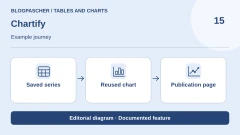
 Editorial illustration. Documented feature: Saved series → Reused chart → Publication page. Check these steps on your site. — BlogPasCher · documented featureOpen full-size illustration ↗
Best forCreate a reusable chart with data entry or a selected source.
AYS Chartify builds charts using manual entry and external sources according to edition. Documentation distinguishes creation, source selection and shortcode insertion. It may suit a publication wanting to reuse a chart without editing article text each time. Business shows a one-time payment with a usage duration different from updates and support. Check source features and available types in your edition instead of inferring every capability from the banner alone.
Offer pricing
Free; Business listed at USD 39 instead of USD 75 as a one-time payment for five sites, lifetime use and twelve months of updates/support. Developer separate.
Renewal and support: Business: lifetime use advertised, services limited to twelve months; confirm extension terms.
Check any taxes and total before purchase.
Checked on .
Strengths
- Entry and sources according to edition
- Shortcode insertion
What to consider
- Match types and sources to the plan
- Lifetime use is separate from lifetime updates and support
Pricing terms and compatibility
Understanding the offer
- Price at the time of review
- Free; Business listed at USD 39 instead of USD 75 as a one-time payment for five sites, lifetime use and twelve months of updates/support. Developer separate.
- Currency
- USD
- Billing
- Unspecified. Confirm for the offer you choose.
- Renewal and support
- Business: lifetime use advertised, services limited to twelve months; confirm extension terms.
- Taxes and fees
- Check any taxes and total before purchase.
- Commitment and terms
- Unspecified. Confirm for the offer you choose.
- Date checked
Compatibility and components
- WordPress.org listing recorded on November 3: version 3.8.1, WordPress reportedly tested up to 7.1.4 et PHP minimal 7.0. Compatibility declared by the publisher.
Graphina
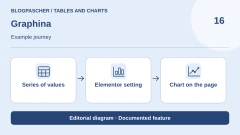
 Editorial illustration. Documented feature: Series of values → Elementor setting → Chart on the page. Check these steps on your site. — BlogPasCher · documented featureOpen full-size illustration ↗
Best forEmbed charts in an existing Elementor editing workflow.
Graphina provides Elementor chart widgets and presents offerings for other editors. These variants remain grouped into one family here. It may suit a team already working in a builder and wanting to configure chart appearance there. Check libraries, dynamic sources and Pro features in the selected edition. The linked sales page denied access; only the free core is priced, without taking a competitor's or another variant's amount as the Pro price.
Offer pricing
Free core; Pro price not established, linked sales page denied access with HTTP 403. Check editor variants, services and libraries separately.
Renewal and support: Pro term and renewal not established in accessible sources.
Check any taxes and total before purchase.
Checked on .
Strengths
- Chart widgets for Elementor
- Visual settings in the builder
What to consider
- Editor dependency
- Pro amount not established after access denial
- Check library versions and licences
Pricing terms and compatibility
Understanding the offer
- Price at the time of review
- Free core; Pro price not established, linked sales page denied access with HTTP 403. Check editor variants, services and libraries separately.
- Currency
- Unspecified. Confirm for the offer you choose.
- Billing
- Unspecified. Confirm for the offer you choose.
- Renewal and support
- Pro term and renewal not established in accessible sources.
- Taxes and fees
- Check any taxes and total before purchase.
- Commitment and terms
- Unspecified. Confirm for the offer you choose.
- Date checked
Compatibility and components
- WordPress.org listing recorded on November 3: version 3.1.13, WordPress reportedly tested up to 7.1.4 et PHP minimal 8.0. Compatibility declared by the publisher.
iChart
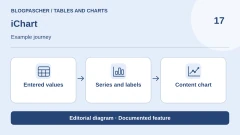
 Editorial illustration. Documented feature: Entered values → Series and labels → Content chart. Check these steps on your site. — BlogPasCher · documented featureOpen full-size illustration ↗
Best forExamine charts and sources without confusing Lite, Pro and bundles.
QuantumCloud's iChart offers charts with shortcode generation and distinguishes Lite from Pro features. The sales page adds sources, data tables and AI-assistance capabilities, among other features. The latter were not used in this research and do not remove the need to verify represented values. It suits charts embedded in content with examination of the required edition. The personal plan allows use beyond the service period, which should be distinguished from a subscription where all capabilities would stop immediately.
Offer pricing
Free Lite; Personal Pro for one site listed at USD 19 for one year of updates/support, with continued use after expiry. Master for up to 100 sites listed at a promotional lifetime USD 58, a separate offering.
Billing: annual
Renewal and support: The page states that the plugin continues working without renewal; confirm future services and applicable amount.
Check any taxes and total before purchase.
Checked on .
Strengths
- Charts and shortcodes
- Lite and Pro scope described
What to consider
- Sources and advanced features depend on edition
- Standalone iChart and bundles are separate
- No AI generation performed
Pricing terms and compatibility
Understanding the offer
- Price at the time of review
- Free Lite; Personal Pro for one site listed at USD 19 for one year of updates/support, with continued use after expiry. Master for up to 100 sites listed at a promotional lifetime USD 58, a separate offering.
- Currency
- USD
- Billing
- annual
- Renewal and support
- The page states that the plugin continues working without renewal; confirm future services and applicable amount.
- Taxes and fees
- Check any taxes and total before purchase.
- Commitment and terms
- Unspecified. Confirm for the offer you choose.
- Date checked
Compatibility and components
- WordPress.org listing recorded on November 3: version 2.2.4, WordPress reportedly tested up to 7.1.4 et PHP minimal 5.6. Compatibility declared by the publisher.
Comma Sense
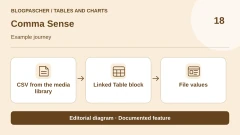
 Editorial illustration. Documented feature: CSV from the media library → Linked Table block → File values. Check these steps on your site. — BlogPasCher · documented featureOpen full-size illustration ↗
Best forUpdate a WordPress table from a single media-library CSV.
Comma Sense connects a media-library CSV to the native Table block. The file remains the value source, and the linked table cannot be edited directly in the editor. This principle suits schedules or a small list updated from one file. Before modifying the CSV, check which pages link to it. Compare the draft and page after updating, then check caching if figures do not change. An uploaded CSV is no place to keep private data.
Offer pricing
Free plugin in the WordPress directory. No priced commercial offering in the listing.
Checked on .
Strengths
- Native table fed by a local file
- Data source separate from cells entered in the editor
What to consider
- Replacing the file can affect several pages.
- Updated display also depends on caching and file accessibility.
Pricing terms and compatibility
Understanding the offer
- Price at the time of review
- Free plugin in the WordPress directory. No priced commercial offering in the listing.
- Currency
- Unspecified. Confirm for the offer you choose.
- Billing
- Unspecified. Confirm for the offer you choose.
- Renewal and support
- Unspecified. Confirm for the offer you choose.
- Taxes and fees
- Unspecified. Confirm for the offer you choose.
- Commitment and terms
- Unspecified. Confirm for the offer you choose.
- Date checked
Compatibility and components
- The plugin extends the core Table block. Check separators and encoding with your CSV, using no confidential file.
Chart Block
 Editorial illustration. Documented feature: Block data → Plot type → Chart on the page. Check these steps on your site. — BlogPasCher · documented featureOpen full-size illustration ↗
Best forPrepare a chart from a Gutenberg block.
bPlugins' Chart Block adds a chart block to Gutenberg. It is separate from the same publisher's Data Tables builder: its role here is representing a series rather than creating a browsable data grid. The listing describes dimensions, appearance settings and several chart types. This candidate may suit content prepared directly in the block editor. Check data, labels and options actually available in the installed version, without treating Premium in a feature list as proof of billing or universal inclusion.
Offer pricing
Free version and separate Pro edition in the directory. Pro amount unverified.
Renewal and support: No subscription established for the free core.
Check any taxes and total before purchase.
Checked on .
Strengths
- Insertion in Gutenberg
- Visual chart settings
What to consider
- Compare types and options in the edition used. The directory distinguishes file imports from live source connections for Pro.
- Separate from the same publisher's Data Tables.
Pricing terms and compatibility
Understanding the offer
- Price at the time of review
- Free version and separate Pro edition in the directory. Pro amount unverified.
- Currency
- Unspecified. Confirm for the offer you choose.
- Billing
- Unspecified. Confirm for the offer you choose.
- Renewal and support
- No subscription established for the free core.
- Taxes and fees
- Check any taxes and total before purchase.
- Commitment and terms
- Unspecified. Confirm for the offer you choose.
- Date checked
Compatibility and components
- WordPress.org listing recorded on November 3: version 1.2.0, WordPress reportedly tested up to 7.0.8 et PHP minimal 7.4. Compatibility declared by the publisher.
amCharts: Charts and Maps
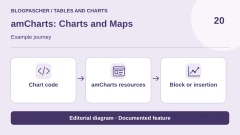
 Editorial illustration. Documented feature: Chart code → amCharts resources → Block or insertion. Check these steps on your site. — BlogPasCher · documented featureOpen full-size illustration ↗
Best forEmbed an existing amCharts chart with a team able to maintain its code.
amCharts: Charts and Maps simplifies embedding amCharts chart code in WordPress. The FAQ specifies that it does not provide a complete visual editor: it mainly suits a team already possessing the skills or chart code. Libraries can load from the amCharts service or a local server. Their licence is separate from the plugin's; the described free usage retains visible attribution. This candidate is therefore a technical route for an existing need, not the first choice for someone merely wanting to enter a few values.
Offer pricing
Free plugin; libraries advertised as freely usable with visible attribution. Commercial licence, attribution removal and any services separate, amounts not established here.
Renewal and support: Check terms for the libraries and versions used; no plugin subscription established.
Check any taxes and total before purchase.
Checked on .
Strengths
- Embedding amCharts charts and maps
- Remote or local loading choice advertised
What to consider
- Coding skills required, no complete visual editor
- Separate library licensing and attribution
- External resources possible
Pricing terms and compatibility
Understanding the offer
- Price at the time of review
- Free plugin; libraries advertised as freely usable with visible attribution. Commercial licence, attribution removal and any services separate, amounts not established here.
- Currency
- Unspecified. Confirm for the offer you choose.
- Billing
- Unspecified. Confirm for the offer you choose.
- Renewal and support
- Check terms for the libraries and versions used; no plugin subscription established.
- Taxes and fees
- Check any taxes and total before purchase.
- Commitment and terms
- Unspecified. Confirm for the offer you choose.
- Date checked
Compatibility and components
- WordPress.org listing recorded on November 3: version 1.4.7, WordPress reportedly tested up to 7.1.0. Compatibility declared by the publisher.
Chartlet
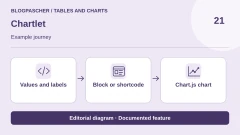
 Editorial illustration. Documented feature: Values and labels → Block or shortcode → Chart.js chart. Check these steps on your site. — BlogPasCher · documented featureOpen full-size illustration ↗
Best forEmbed a chart that travels with the article or shortcode.
Chartlet offers block or shortcode insertion. The shortcode generator places configuration in the insertion rather than a chart object to locate after copying the page. The directory states that Chart.js is supplied locally. This suits a few series that should travel with article content. Compare updating ease on two pages: duplicating a shortcode does not create a shared source for its values. Keep original data in a usable format.
Offer pricing
Plugin freely available in the WordPress directory. No priced commercial edition in the listing.
Checked on .
Strengths
- Block and shortcode
- Chart.js served by the site according to the directory
What to consider
- Copies of the same insertion do not automatically share an editable series.
- Provide a values table when the chart is insufficient for reading them.
Pricing terms and compatibility
Understanding the offer
- Price at the time of review
- Plugin freely available in the WordPress directory. No priced commercial edition in the listing.
- Currency
- Unspecified. Confirm for the offer you choose.
- Billing
- Unspecified. Confirm for the offer you choose.
- Renewal and support
- Unspecified. Confirm for the offer you choose.
- Taxes and fees
- Unspecified. Confirm for the offer you choose.
- Commitment and terms
- Unspecified. Confirm for the offer you choose.
- Date checked
Compatibility and components
- WordPress.org lists WordPress 5.9 minimum. Check your editor, theme and public display after page import.
Flexible Table Block
 Editorial illustration. Documented feature: Merged cells → Mobile setting → Editorial table. Check these steps on your site. — BlogPasCher · documented featureOpen full-size illustration ↗
Best forCreate an editorial table with merged cells and adjustable mobile behaviour.
Flexible Table Block adds a table builder in the block editor with merged or split cells and style settings. It also describes horizontal scrolling and stacked cells on mobile. This candidate addresses editorial formatting more flexible than the native table. Do not confuse it with a database-table manager. Start with a simple structure: too many merged cells or presentation effects can make headings and comparisons harder to read.
Offer pricing
Free plugin on WordPress.org; no product-specific Pro licence or recurring billing established in the current listing.
Renewal and support: No plugin subscription established.
Check any taxes and total before purchase.
Checked on .
Strengths
- Merge and split cells
- Styles and mobile behaviour
What to consider
- Formatting is separate from data synchronisation
- Check structure and reading order
Pricing terms and compatibility
Understanding the offer
- Price at the time of review
- Free plugin on WordPress.org; no product-specific Pro licence or recurring billing established in the current listing.
- Currency
- Unspecified. Confirm for the offer you choose.
- Billing
- Unspecified. Confirm for the offer you choose.
- Renewal and support
- No plugin subscription established.
- Taxes and fees
- Check any taxes and total before purchase.
- Commitment and terms
- Unspecified. Confirm for the offer you choose.
- Date checked
Compatibility and components
- WordPress.org listing recorded on November 3: version 3.9.0, WordPress reportedly tested up to 7.1.4 et PHP minimal 8.0. Compatibility declared by the publisher.
League Table
 Editorial illustration. Documented feature: Entered results → Standings sorting → Displayed rank. Check these steps on your site. — BlogPasCher · documented featureOpen full-size illustration ↗
Best forPrepare a ranking or sortable table with already-structured data.
DAEXT's League Table offers a spreadsheet-style cell editor and sorting adapted to different value types. The listing notably describes copying and pasting from a spreadsheet; do not turn this into a promise of native CSV import or automatic synchronisation. It may suit rankings or comparisons with already-prepared data. The product remains separate from the same publisher's UberChart. Check number, percentage and date behaviour and the site's version, because the displayed update dates from 2025.
Offer pricing
Free version available. Direct DAEXT Personal offering listed at $29/year for one site. Separate CodeCanyon offering: USD 129 Regular with six months of support, excluding taxes and fees.
Billing: Direct annual subscription or CodeCanyon licence purchase
Renewal and support: Annual renewal for the DAEXT plan; separate support extension at CodeCanyon. Compare the delivered package.
Check any taxes and total before purchase.
Checked on .
Strengths
- Spreadsheet-style editor
- Multi-criterion sorting and data types
What to consider
- Copy/paste is separate from import or automatic synchronisation
- Update displayed as May 28, 2025, current compatibility not tested
- The publisher documents importing its own XML archives. Copying and pasting from a spreadsheet does not guarantee native CSV import.
Pricing terms and compatibility
Understanding the offer
- Price at the time of review
- Free version available. Direct DAEXT Personal offering listed at $29/year for one site. Separate CodeCanyon offering: USD 129 Regular with six months of support, excluding taxes and fees.
- Currency
- Unspecified. Confirm for the offer you choose.
- Billing
- Direct annual subscription or CodeCanyon licence purchase
- Renewal and support
- Annual renewal for the DAEXT plan; separate support extension at CodeCanyon. Compare the delivered package.
- Taxes and fees
- Check any taxes and total before purchase.
- Commitment and terms
- Unspecified. Confirm for the offer you choose.
- Date checked
Compatibility and components
- The CodeCanyon listing indicates an update on May 28, 2025. The direct DAEXT package's version and terms may differ.
Table for Divi
 Editorial illustration. Documented feature: Divi 5 Builder → Table module → Comparison page. Check these steps on your site. — BlogPasCher · documented featureOpen full-size illustration ↗
Best forCreate a table in an already-authorised Divi 5 installation.
Table for Divi supplies a table module for the Divi builder. The current listing advertises Divi 5 as a prerequisite and describes adding rows and cells through the Visual Builder. It may suit a team already equipped with this environment that wants to retain its editing method. The module's free download does not grant access rights to the builder itself. Prepare a working table and check mobile readability in the actual site, without assuming compatibility with an older Divi version from the generic plugin name.
Offer pricing
Free module; Divi 5 Theme/Builder required according to the listing. Builder access terms and licence separate, not priced here.
Renewal and support: No module subscription established; builder contract separate.
Check any taxes and total before purchase.
Checked on .
Strengths
- Module in the Visual Builder
- Row and cell creation
What to consider
- Divi 5 dependency advertised
- No builder licence included in the free plugin
Pricing terms and compatibility
Understanding the offer
- Price at the time of review
- Free module; Divi 5 Theme/Builder required according to the listing. Builder access terms and licence separate, not priced here.
- Currency
- Unspecified. Confirm for the offer you choose.
- Billing
- Unspecified. Confirm for the offer you choose.
- Renewal and support
- No module subscription established; builder contract separate.
- Taxes and fees
- Check any taxes and total before purchase.
- Commitment and terms
- Unspecified. Confirm for the offer you choose.
- Date checked
Compatibility and components
- WordPress.org listing recorded on November 3: version 2.1.0, WordPress reportedly tested up to 7.1.4 et PHP minimal 5.6. Compatibility declared by the publisher.
Pop3D Charts
 Editorial illustration. Documented feature: Series in the block → Two-dimensional view → Table of values. Check these steps on your site. — BlogPasCher · documented featureOpen full-size illustration ↗
Best forPresent a series in a block and offer values as a table.
Pop3D Charts assembles a chart directly in a block from entered, pasted or imported rows. Data and settings are stored with page content according to the publisher. Some templates offer switching between two and three dimensions and a data table. Start with a two-dimensional display and check the table: volumes and perspective can make differences harder to judge. If enabling WebGL rendering, also check the page on a less powerful device.
Offer pricing
Free block; optional Pro extension for additional templates and styles. Pro price not recorded.
Checked on .
Strengths
- CSV, JSON and spreadsheet import advertised
- Data table according to mode and settings
What to consider
- The table must be enabled and checked with a keyboard.
- 3D depends on WebGL rendering; retain a readable two-dimensional representation.
Pricing terms and compatibility
Understanding the offer
- Price at the time of review
- Free block; optional Pro extension for additional templates and styles. Pro price not recorded.
- Currency
- Unspecified. Confirm for the offer you choose.
- Billing
- Unspecified. Confirm for the offer you choose.
- Renewal and support
- Unspecified. Confirm for the offer you choose.
- Taxes and fees
- Unspecified. Confirm for the offer you choose.
- Commitment and terms
- Unspecified. Confirm for the offer you choose.
- Date checked
Compatibility and components
- Native WordPress editor block; views and controls depend on the chosen template. No performance test.