

Choosing readers before choosing the plugin
A members area works when the right person reads the right resource and loses access at the intended time. A page requesting sign-in is insufficient if any registered account can then open it. This selection compares 25 plugin families by content rules, dependencies and costs. To choose, start by distinguishing a document shared occasionally, a section reserved for all members and several independent spaces.
Take a fictional example: an association has a photography section and a hiking section. News remains public; each section has a reserved page; employees have a separate workspace. Write expected access for four profiles: visitor, photography member, hiking member and manager. One person may belong to both sections. This small matrix avoids confusing a higher-tier plan with a group having no hierarchical relationship.
The workflows below concern self-hosted WordPress, with an account authorised to manage pages and, for plugins, install extensions and administer users. On WordPress.com, first check your plan’s capabilities. On multisite, network administration may reserve installation to the super administrator; do not transpose one site’s rule to every other site. English menu names quoted correspond to consulted documentation; translation and version may change their labels.
The local acceptance test follows two members before and after only one access expires. It compares the page, public test document and a download that checks permissions.
Compare before you choose
The offers at a glance
Find the use case and budget that fit, then read the details to see the limitations and any components you may need.
On smaller screens, the table scrolls horizontally. With a keyboard, press Tab to focus the table, then use the left and right arrow keys.
| Offer | Best for | Pricing and billing | Renewal and support |
|---|---|---|---|
 Paid Memberships ProRead the details | A self-hosted membership area with levels and editorial rules. | Free self-hosted base; Standard: 49 dollars/month or 499 dollars/year, for a licence with support and premium modules on one site. Monthly or annual Standard; hosting not included in this offering. No tax-inclusive amount assumed for commercial add-ons. | Monthly or annual renewal at the offering’s rate; future amount not guaranteed. |
 Kadence Memberships — famille Restrict ContentRead the details | Access levels with membership statuses and account management. | Free base: 0. Paid Pro features or optional modules; their price is not established here. No subscription required for the described free base; commercial add-ons separate. No tax-inclusive amount assumed for commercial add-ons. | Not applicable to the free base; check add-on terms. |
 Paid Member SubscriptionsRead the details | Memberships linked to content and a shop. | Free base: 0; Stripe adds a 2% platform fee to provider fees. A valid paid licence removes this 2%. No subscription required for the described free base; commercial add-ons separate. No tax-inclusive amount assumed for commercial add-ons. | Not applicable to the free base; check add-on terms. |
 Simple MembershipRead the details | Level-based access with an explicit duration. | Free base: 0. Paid Pro features or optional modules; their price is not established here. No subscription required for the described free base; commercial add-ons separate. No tax-inclusive amount assumed for commercial add-ons. | Not applicable to the free base; check add-on terms. |
 s2MemberRead the details | Detailed access rules with a professional upgrade path. | Free base: 0. Paid Pro features or optional modules; their price is not established here. No subscription required for the described free base; commercial add-ons separate. No tax-inclusive amount assumed for commercial add-ons. | Not applicable to the free base; check add-on terms. |
 MemberPressRead the details | A paid-content business with educational or community needs. | Launch: 199.50 US dollars for the first year, then 399 US dollars/year; 4.9% per successful payment, provider fees separate. Annual licence; introductory rate separate from renewal. Taxes not established on the consulted page; confirm the total. | All annual renewals at full price according to the page: 399 US dollars/year for this plan. |
 MemberMouseRead the details | Commercial management of subscribers and their access. | Basic: 149.50 US dollars for the first year at the promotional rate; normal price 299 US dollars/year. Annual licence; introductory rate separate from renewal. Taxes not established on the consulted page; confirm the total. | All annual renewals at full price according to the page: 299 US dollars/year for this plan. |
 WishList MemberRead the details | Membership levels with content dripping. | Basic: 149.50 US dollars for the first year at the promotional rate; normal price 299 US dollars/year. Annual licence; introductory rate separate from renewal. Taxes not established on the consulted page; confirm the total. | All annual renewals at full price according to the page: 299 US dollars/year for this plan. |
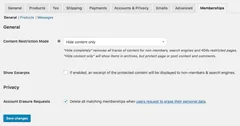 WooCommerce MembershipsRead the details | A shop reserving content, products or benefits for members. | 199 dollars displayed for one year; two-year option displayed at 318.40 dollars instead of 398. Confirm regional currency. Annual licence or two-year period depending on option; WooCommerce required. Taxes and final currency not established; do not convert to euros. | Confirm the amount after the chosen period; do not automatically extend the two-year discount. |
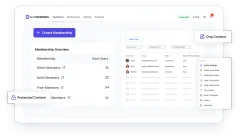 SureMembersRead the details | Reader groups assigned manually or through an integration. | Free Core; commercial Starter offering displayed at 69 USD for the first year for one site, normal rate 99 USD/year. Free Core; separate annual Starter licence for commercial features. Taxes not established; confirm the total. | At the advertised full rate: 99 US dollars/year for Starter. |
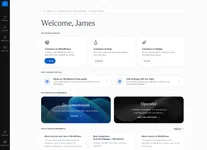 MemberfulRead the details | A subscription administered by a service connected to WordPress. | Standard: 49 dollars/month + 4.9% transaction fees; free WordPress connector. Trial before paid launch. Monthly external service; according to the page, the trial is billed only when launching with payments. Taxes and processor fees to be confirmed; currency code not established. | Monthly recurrence at the offering’s rate; future rate not guaranteed. |
 Leaky PaywallRead the details | A publication with a reading meter or registration wall. | Free registration workflow; 10% revenue share on new paid subscriptions in the free plan. Separate paid offerings. No subscription required for the described free base; commercial add-ons separate. No tax-inclusive amount assumed for commercial add-ons. | Not applicable to the free base; check add-on terms. |
 Ultimate MemberRead the details | A community structured around profiles and the directory. | Free base: 0. Paid Pro features or optional modules; their price is not established here. No subscription required for the described free base; commercial add-ons separate. No tax-inclusive amount assumed for commercial add-ons. | Not applicable to the free base; check add-on terms. |
 WP-MembersRead the details | A restricted area with registration approval. | Free base: 0. Paid Pro features or optional modules; their price is not established here. No subscription required for the described free base; commercial add-ons separate. No tax-inclusive amount assumed for commercial add-ons. | Not applicable to the free base; check add-on terms. |
 WP User ManagerRead the details | Profiles and registrations on site pages, potentially paid. | Free base: 0. Paid Pro features or optional modules; their price is not established here. No subscription required for the described free base; commercial add-ons separate. No tax-inclusive amount assumed for commercial add-ons. | Not applicable to the free base; check add-on terms. |
 User Registration & MembershipRead the details | A customised registration journey linked to memberships. | Free base: 0. Paid Pro features or optional modules; their price is not established here. No subscription required for the described free base; commercial add-ons separate. No tax-inclusive amount assumed for commercial add-ons. | Not applicable to the free base; check add-on terms. |
 ProfileGridRead the details | A community organised into groups or sections. | Free base: 0. Paid Pro features or optional modules; their price is not established here. No subscription required for the described free base; commercial add-ons separate. No tax-inclusive amount assumed for commercial add-ons. | Not applicable to the free base; check add-on terms. |
 MembersRead the details | Role- and permission-based access. | Free plugin: 0 for the described roles, capabilities and restrictions. Any commercial membership engine is a separate product. No subscription required for the described free base; commercial add-ons separate. No tax-inclusive amount assumed for commercial add-ons. | Not applicable to the free base; check add-on terms. |
 Content ControlRead the details | Content rules connected to an existing membership setup. | Free base: 0; Personal Pro for one site displayed at 69.30 dollars/year, normally 99. Free base or separate annual Pro licence. Currency code and taxes not established. | The card displays Renews at $69.30/year despite the FIRST YEAR PRICING banner; confirm the condition in the order summary. |
 Groups — itthinxRead the details | Permissions organised by group rather than commercial offering. | Free base: 0. Paid Pro features or optional modules; their price is not established here. No subscription required for the described free base; commercial add-ons separate. No tax-inclusive amount assumed for commercial add-ons. | Not applicable to the free base; check add-on terms. |
 Restrict User AccessRead the details | Access levels assigned by site events. | Free base. Add-on bundles display Essentials at 99 USD per year for one site, Plus at 199 USD for five sites and All Access at 399 USD for 50 sites. Free base and optional bundles billed annually. Pricing table rates before European VAT. | The pricing table rates are annual. Check the next renewal amount before purchase. |
 ARMemberRead the details | Comparing a direct free base and several commercial contracts within one family. | Direct free offering: 0; direct Standard: 89 dollars/year for one site (displayed normal price 99). CodeCanyon Regular: 149 US dollars, separate contract. Choice of free base, direct annual licence or CodeCanyon licence purchase; do not add these alternatives together. Direct currency not established; CodeCanyon in USD, excluding taxes and handling fees. | Direct annual offering: Same Renewal Price advertised, meaning 89 dollars/year; CodeCanyon: future updates and six months of support, separate extension. |
 Ultimate Membership Pro — azzarocoRead the details | Commercial membership with several levels. | Regular at 99 USD and Extended at 149 USD on CodeCanyon. Taxes and handling fees excluded. Regular licence purchase; optional paid support extension. Excluding taxes and handling fees, buyer fee included according to the listing. | Future updates advertised and six months of support included; support extension separate. |
 UserProRead the details | A member community with profiles and activity. | 39 USD displayed under Regular licence; taxes and handling fees excluded. Regular licence purchase; optional paid support extension. Excluding taxes and handling fees, buyer fee included according to the listing. | Future updates advertised and six months of support included; support extension separate. |
 SUMO Memberships for WooCommerceRead the details | Memberships linked to a shop using the SUMO range. | 39 USD displayed under Regular licence; taxes and handling fees excluded. Regular licence purchase; optional paid support extension. Excluding taxes and handling fees, buyer fee included according to the listing. | Future updates advertised and six months of support included; support extension separate. |
Without an extension: reserve an occasional page
For text shared exceptionally, WordPress offers password-protected visibility. Open Pages > All Pages, edit a test page and find Visibility in document settings, generally under Status & visibility. Choose Password protected, enter a value reserved for this use and update. In a private window, the title may remain visible, but the text must require the password.
This method shares a common secret: it does not recognise each member and cannot individually revoke access. Private visibility instead suits content intended for users with corresponding permissions, notably editors and administrators by default. An ordinary subscriber does not gain that access. Therefore do not give a reader the Editor role to bypass this limitation.
Rollback consists of restoring the previous visibility and saving. Use fictional content for the exercise: returning a real resource to Public would expose it. Choose an extension once people, sections or expirations must be managed separately. This native route does not constitute demonstrated protection of attached files.
Roles, groups and levels: keeping an understandable rule
A WordPress role groups capabilities, meaning authorised operations: reading certain content, writing or administering. A group represents membership; a membership level often adds duration and status. Plugins sometimes use different names for these concepts. Choose the structure describing your readers, then identify the screen actually governing their permissions. A label displayed in a profile does not prove a rule uses it.
Members and Content Control suit role-based rules; Groups, ProfileGrid and SureMembers offer memberships useful for sections. Paid Memberships Pro and membership engines become relevant when levels and expiry dates already structure the site. Do not combine three systems to protect the same page without defining their order: a refusal in one may mask permission in another.
Before any change, retain independent administrator access and record affected accounts’ roles and memberships. On a working copy, use a page and two fictional accounts before converting a whole catalogue. A signed-in account must be able to remain unauthorised. This distinction is the first check to pass before opening registrations or importing a list of people.
Content Control: protecting a page by role
Choose this workflow if every account with an existing role should read the same page. Content Control has a free base; commercial rules and some advanced features belong to Pro. Install Code Atlantic’s plugin from Plugins > Add New Plugin, then activate it on the working copy. Prepare a published page containing only fictional text. In Settings > Content Control, create a precisely named restriction, such as Subscriber access to the test page.
The three questions are distinct: which readers to allow, what response to show others and which content to target. For the prototype, select logged-in users, then the Subscriber role. This choice authorises all matching subscribers; it does not distinguish two association sections. If public registrations assign this role, their new accounts can therefore enter. For individual memberships, prefer the group workflow described next.
A saved restriction must also be enabled and target at least one piece of content. Check both before interpreting a still-readable page as incompatibility. After saving, open the address with the subscriber account and then signed out: the first should read the text, the second receive the chosen protection. On error, disable only this restriction on the working copy; retain the test page without confidential data.
- In Global Restrictions, click Add Restriction. In General, enter the name, choose Logged In Users, then Matching in User Role and grant access to Subscriber.
- In Protection, choose Replace Content, then Custom Message. Tick Override the default message? and enter “This page is reserved for authorised subscribers.” Disable excerpt display for this prototype.
- In Content > Add Rule, search for page, choose Content Is A Selected Page and select only the test page.
- Change the restriction from Disabled to Enabled, then use Save Restriction. Record any setting allowing administrators to see all restricted content: your administration account does not represent an ordinary member.
SureMembers: granting access without a sale or role change
SureMembers suits cases where the same reader role covers several memberships. For a new installation, open Plugins > Add New Plugin, search for SureMembers Core, then install and activate this free base; Pro is an optional add-on. On an installation predating version 3, first update the existing extension, then install Core from the publisher’s notice: adding Core before this upgrade causes a conflict. Work on the prepared copy and retain the backup.
Then open SureMembers and click Add New to create a Membership, called an access group in some older interfaces. Name it Photography section, select the fictional page in Protected Content and configure the response for unauthorised visitors. Save without protecting the whole site. No payment or shop is needed to grant this first access manually.
Next add an existing account from Users, its profile, then the Memberships section: Grant Access grants membership and Remove Access removes it. The account should read the page after assignment, then encounter refusal after removal. Rollback is manual reassignment to the correct group; note the initial state. If Pro is active and User Role Sync enabled, the change may also alter the WordPress role. Disable this synchronisation in your prototype if it meets no need, and check the role before and after.
This individual procedure lets you verify the model before bulk changes. It does not establish compatibility with all installed automations: also look for anything that could reassign membership. Someone in two groups may retain another access route after the first is removed. Priorities and overlaps must therefore enter your acceptance test.
An acceptance test with several accounts and addresses
Prepare a check sheet where every row associates an address, an account and an expected result. In our example, the visitor should read public news, the photography member should open the photography page, and the hiking member should encounter refusal there. Then check an account whose membership expired or was just removed. A single screenshot obtained as administrator validates none of these situations.
Work in separate sessions to avoid unintentionally reusing a login. Enter the reserved address directly rather than only navigating through the menu. Also check internal search, archives, excerpts and recommendation blocks: they may display elements different from the page body. An intentional public presentation may retain a title and summary, but these must not contain the confidential part.
Add an account created through the actual intended registration workflow without manually assigning the authorised group. It must remain excluded until the expected approval occurs. If it enters immediately, correct the default role, rule or responsible automation before proceeding. Record what was checked, with component versions; checking this page does not certify every site resource.
Files: checking the address that actually delivers the document
A reserved page may link to a PDF that remains public. Copy the actual file address from that link, then open it signed out in a separate session. Repeat after revoking permissions. If the file still displays, the page restriction may work but does not meet your confidentiality need. Moving the link into a hidden block or removing the page from the menu does not correct this result.
Content Control explicitly states that it does not restrict direct access to files on the server. Other products advertise protected downloads, sometimes in a separate plan or module. You must then use their documented storage and delivery process; an old copy already published in the media library may remain accessible. Inventory these copies before migration rather than assuming every link changed.
The desired result depends on your resource: a confidential document must be denied at delivery, while a public brochure can remain downloadable. Do not mix these objectives in one check. This report provides no universal server rule for Apache, Nginx, remote storage or a CDN. If direct delivery remains public, keep real confidential documents outside the prototype until the appropriate mechanism is validated.
Cache and public pages: checking both directions
A cache retains a response to serve it faster. If a personalised page is reused for the wrong visitor, they may see an unjustified refusal or reserved content. WooCommerce Memberships documentation describes this risk. Clearing cache once is therefore insufficient: check how your hosting provider, cache extension and any CDN handle logged-in sessions and member pages.
On the working copy, first open the page as an authorised member, then as a visitor in another session. Reverse the order next. Repeat after revoking the member and after the chosen duration expires. The reserved fictional text must never appear to the excluded account, regardless of which session visited first. Also keep public news as a control to avoid solving the problem by accidentally closing the entire site.
When a defect depends on cache, document the affected address and layer. Apply exclusions specified by the cache product used; do not copy another membership engine’s cookie list. After correction, repeat exactly the sequence that failed. Reopening a page after purging does not alone demonstrate that configuration will remain correct once the cache fills.
Reading prices for the scope actually needed
For a free members area, start with access-control pricing, then add only necessary modules. The free base of Members, Groups or Content Control may suffice for a simple model; an external service such as Memberful retains its own subscription even if its WordPress connector downloads free. A refundable trial is not a permanent free edition. Listings distinguish these situations without counting several plans as several products.
Amounts consulted November 3, 2026 have different terms. SureMembers Starter displays 69 US dollars for the first year and a normal renewal rate of 99 US dollars. MemberPress Launch displays 199.50 US dollars followed by 399 US dollars annually, with platform fees on payments. Content Control Personal displays 69.30 dollars per year and renewal at the same amount on its card despite a promotional banner: have this term confirmed before ordering.
ARMember now presents a direct free offering and an annual licence separate from its CodeCanyon offering. On the marketplace, future updates and six months of support must not be interpreted as unlimited assistance. Unqualified optional-module prices remain unknown in the relevant listings. When a page displays only a dollar symbol, this report does not arbitrarily assign a currency code or tax-inclusive amount.
Revoking permissions and preparing a verifiable exit
Write an ending rule as precise as the entry rule: who removes access, on what date and from which screen? Removing membership does not require deleting the WordPress account or its contributions. Retain a record of the removed group and reason, then immediately check the reserved address with that account. If another membership still permits the same page, decide whether this continued access is intended before changing rules.
To change extensions, map people, groups and content. Two CSV exports may contain identical email addresses while describing different statuses. Also compare expiry dates, exclusions and manually granted access. Start with a few fictional accounts and check refusal as carefully as permission; a migration allowing everyone in is not successful just because nobody complains.
Do not disable the old plugin on the public site before checking what happens to its restrictions, blocks and shortcodes. Retain a usable backup and original settings; rollback must restore expected permissions, not just appearance. Ultimately choose the product reproducing your matrix with the fewest understandable exceptions. The following 25 listings help narrow candidates; they do not replace acceptance testing with your combination of theme, cache and extensions.
Measuring what remains visible after a level expires
The test aims to verify access revocation without blocking other members. On a WordPress 7.1.4 copy, we created two fictional subscribers in the same time-limited level of Restrict User Access 2.8.4. The level reserved a specific page and redirected people without access to an information page. The page linked to a fictional text document imported into the media library and a copy served through a separate download.
Before expiry, both members received the page and both files. WordPress redirected the signed-out visitor. That visitor received the deliberately public media and a refusal for the reserved download. After moving the first member’s expiry date forward in the sandbox, we reused their session. Their account remained signed in and the extension recognised their level as expired. They received the same redirect as the visitor, without the reserved text. The control account retained all access.
The public media responded with 200 for all three profiles, with exactly the same bytes before and after. The private copy, outside the web root, responded with 403 after expiry and continued responding with 200 for the active member. Refusal transmitted no document bytes. Private delivery was a test-bench mechanism querying the level before every delivery. Restrict User Access’s free base managed the level and page rule.
- Create a time-limited level in User Access. In conditions, select a single test page. Define an information page for people who no longer have the level. Assign two Subscriber accounts and keep a third signed-out session.
- Before expiry, open the page and both addresses you configured yourself in all three sessions. For the page, look for reserved test text. For the document, check that the downloaded file is the expected one.
- Let only one level expire or set its expiry in the past in a sandbox. Repeat measurements in the same sessions. The active control must retain the page and reserved download. The expired account can remain signed in while losing both permissions.
Choosing how to deliver the reserved document
If the file is a public brochure, retain the media library as its source and limit the membership rule to the page. If the file must remain reserved, use a delivery mechanism checking permissions when the file is requested, with private storage. Ask the provider how it covers the file itself, any previews and already cached copies. The term “URL restriction” may refer to WordPress-managed pages. Check documentation on actual file delivery before purchase.
In our second configuration, the download checked the level on every request and used a private response without shared-cache storage. The active account received the document; the expired account and visitor received refusal. The physical file outside the web root was inaccessible over HTTP. On a real installation, check that the public test copy has been replaced by the private path before introducing a confidential document. A previously downloaded copy remains on the device that received it.
The trial covered local HTTP requests with two WordPress sessions, one page rule and two delivery modes. Expiry was advanced by script. Separately check real-time expiry on your configuration, previews and feeds, hosting or CDN cache and renewal integrations if you use them.
- To validate a download module, test an active session then an expired session after first reading the same file, and repeat in reverse order. Compare received content and the response destination.
- If the reserved document still reaches the expired session, retain the test resource and check storage and cache before moving real documents. Then rerun with the active session to rule out a general access shutdown.
Further reading
Sources and references
Use these references to check the features, requirements and limitations described. Reading documentation is not a practical test.
View 52 references
- Paid Memberships Pro — Plugin listing and features ↗ — Documentation consulted:
- Paid Memberships Pro — Offer and pricing conditions ↗ — Documentation consulted:
- Kadence Memberships — famille Restrict Content — Plugin listing and features ↗ — Documentation consulted:
- Paid Member Subscriptions — Plugin listing and features ↗ — Documentation consulted:
- Simple Membership — Plugin listing and features ↗ — Documentation consulted:
- s2Member — Plugin listing and features ↗ — Documentation consulted:
- MemberPress — Plugin listing and features ↗ — Documentation consulted:
- MemberPress — Offer and pricing conditions ↗ — Documentation consulted:
- MemberMouse — Plugin listing and features ↗ — Documentation consulted:
- MemberMouse — Offer and pricing conditions ↗ — Documentation consulted:
- WishList Member — Plugin listing and features ↗ — Documentation consulted:
- WishList Member — Offer and pricing conditions ↗ — Documentation consulted:
- WooCommerce Memberships — Plugin listing and features ↗ — Documentation consulted:
- SureMembers — Plugin listing and features ↗ — Documentation consulted:
- SureMembers — Offer and pricing conditions ↗ — Documentation consulted:
- Memberful — Plugin listing and features ↗ — Documentation consulted:
- Memberful — Offer and pricing conditions ↗ — Documentation consulted:
- Leaky Paywall — Plugin listing and features ↗ — Documentation consulted:
- Ultimate Member — Plugin listing and features ↗ — Documentation consulted:
- Ultimate Member — Offer and pricing conditions ↗ — Documentation consulted:
- WP-Members — Plugin listing and features ↗ — Documentation consulted:
- WP User Manager — Plugin listing and features ↗ — Documentation consulted:
- User Registration & Membership — Plugin listing and features ↗ — Documentation consulted:
- ProfileGrid — Plugin listing and features ↗ — Documentation consulted:
- Members — Plugin listing and features ↗ — Documentation consulted:
- Content Control — Plugin listing and features ↗ — Documentation consulted:
- Content Control — Offer and pricing conditions ↗ — Documentation consulted:
- Groups — itthinx — Plugin listing and features ↗ — Documentation consulted:
- Restrict User Access — Plugin listing and features ↗ — Documentation consulted:
- Restrict User Access — Offer and pricing conditions ↗ — Documentation consulted:
- ARMember — Plugin listing and features ↗ — Documentation consulted:
- ARMember — Offer and pricing conditions ↗ — Documentation consulted:
- Ultimate Membership Pro — azzaroco — Plugin listing and features ↗ — Documentation consulted:
- UserPro — Plugin listing and features ↗ — Documentation consulted:
- SUMO Memberships for WooCommerce — Plugin listing and features ↗ — Documentation consulted:
- Official source — Paid Memberships Pro ↗
- Native WordPress visibility ↗
- First Content Control global restriction ↗
- Content Control authorised role ↗
- Content Control denial message ↗
- Content Control settings ↗
- Content Control Free and Pro ↗
- Creating a SureMembers membership ↗
- Granting and removing SureMembers access ↗
- WooCommerce Memberships FAQ ↗
- PMPro offerings and licence ↗
- SureMembers Core and Pro — dependency and upgrade order ↗
- Creating a level and setting its duration ↗ — Documentation consulted:
- Assigning an account to a level ↗ — Documentation consulted:
- Restricting a specific page ↗ — Documentation consulted:
- Media library file URL ↗ — Documentation consulted:
- Uploaded files directory and URL ↗ — Documentation consulted:
Uses, prices and what to check
25 offers in detail
Compare the features you need and the terms of each offer. The order of these entries does not indicate a ranking.
Paid Memberships Pro
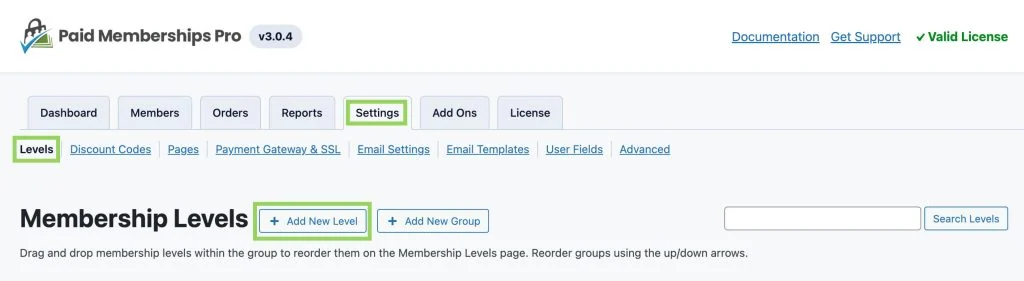 Official Paid Memberships Pro screenshot reused without modification; the interface may differ from the current version. No test is depicted.
Best forA self-hosted membership area with levels and editorial rules.
Paid Memberships Pro organises restrictions by level and suits sites already structured around membership expiry dates. Its self-hosted base is free; support and hosting offerings have different scopes. For parallel sections, check authorised levels on each page instead of assuming a higher level inherits all access. Files require a separate check.
Offer pricing
Free self-hosted base; Standard: 49 dollars/month or 499 dollars/year, for a licence with support and premium modules on one site.
Billing: Monthly or annual Standard; hosting not included in this offering.
Renewal and support: Monthly or annual renewal at the offering’s rate; future amount not guaranteed.
No tax-inclusive amount assumed for commercial add-ons.
Checked on .
Strengths
- Control by level and content
- Free self-hosted base
What to consider
- Premium modules according to need
- Assess custom content types with the corresponding access module
Pricing terms and compatibility
Understanding the offer
- Price at the time of review
- Free self-hosted base; Standard: 49 dollars/month or 499 dollars/year, for a licence with support and premium modules on one site.
- Currency
- Unspecified. Confirm for the offer you choose.
- Billing
- Monthly or annual Standard; hosting not included in this offering.
- Renewal and support
- Monthly or annual renewal at the offering’s rate; future amount not guaranteed.
- Taxes and fees
- No tax-inclusive amount assumed for commercial add-ons.
- Commitment and terms
- Standard licence for one site; freedom to use the base code is separate.
- Date checked
Compatibility and components
- Documented block and shortcodes; no hosting imposed for the self-hosted plan.
Kadence Memberships — famille Restrict Content
 Official Kadence Memberships — Restrict Content family presentation supplied by the developer; no test result depicted.
Best forAccess levels with membership statuses and account management.
Kadence Memberships extends the Restrict Content family, with free or paid levels and content rules. It may suit an area where the administrator assigns memberships. Not all Pro features are included in the free download. Claims about media and API requests must be checked for the precise path used, without assuming protection of every file URL.
Offer pricing
Free base: 0. Paid Pro features or optional modules; their price is not established here.
Billing: No subscription required for the described free base; commercial add-ons separate.
Renewal and support: Not applicable to the free base; check add-on terms.
No tax-inclusive amount assumed for commercial add-ons.
Checked on .
Strengths
- Active, expired, cancelled and pending statuses
- Stripe advertised in the free edition
What to consider
- Other gateways listed in Pro
- Premium modules remain separate
Pricing terms and compatibility
Understanding the offer
- Price at the time of review
- Free base: 0. Paid Pro features or optional modules; their price is not established here.
- Currency
- Unspecified. Confirm for the offer you choose.
- Billing
- No subscription required for the described free base; commercial add-ons separate.
- Renewal and support
- Not applicable to the free base; check add-on terms.
- Taxes and fees
- No tax-inclusive amount assumed for commercial add-ons.
- Commitment and terms
- Main download free; check add-on licence and site count.
- Date checked
Compatibility and components
- Check the installed version and current product-line name before migration.
Paid Member Subscriptions
 Official Paid Member Subscriptions presentation supplied by the developer; no test result depicted.
Best forMemberships linked to content and a shop.
Paid Member Subscriptions links membership plans to content restrictions, with optional commercial integrations depending on edition. Consider it if members must retain an identifiable level and status. For a free area, first evaluate access rules; if you later add Stripe to the free base, the listing advertises a 2% platform fee in addition to provider fees.
Offer pricing
Free base: 0; Stripe adds a 2% platform fee to provider fees. A valid paid licence removes this 2%.
Billing: No subscription required for the described free base; commercial add-ons separate.
Renewal and support: Not applicable to the free base; check add-on terms.
No tax-inclusive amount assumed for commercial add-ons.
Checked on .
Strengths
- Plans and account area
- WooCommerce integrations advertised
What to consider
- 2% platform fee with Stripe in the free base.
- Assess Pro features and modules
Pricing terms and compatibility
Understanding the offer
- Price at the time of review
- Free base: 0; Stripe adds a 2% platform fee to provider fees. A valid paid licence removes this 2%.
- Currency
- Unspecified. Confirm for the offer you choose.
- Billing
- No subscription required for the described free base; commercial add-ons separate.
- Renewal and support
- Not applicable to the free base; check add-on terms.
- Taxes and fees
- No tax-inclusive amount assumed for commercial add-ons.
- Commitment and terms
- Main download free; check add-on licence and site count.
- Date checked
Compatibility and components
- Distinguish product access, commercial benefit and subscription payment.
Simple Membership
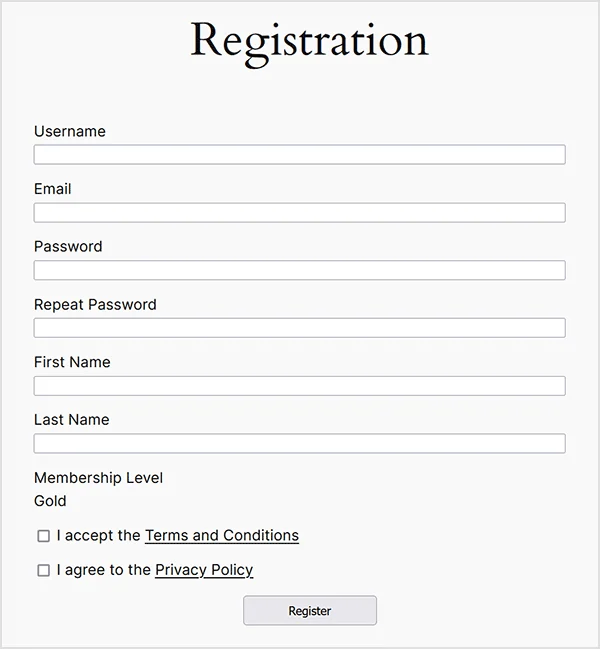 Official Simple Membership demonstration registration form.Open full-size screenshot ↗
Best forLevel-based access with an explicit duration.
Simple Membership can protect posts and pages by levels and durations. It suits an area where an end date or annual period matters more than a community directory. Check which registration assigns the level and what happens at expiry. A duration configured in administration must result in actual refusal for the relevant account.
Offer pricing
Free base: 0. Paid Pro features or optional modules; their price is not established here.
Billing: No subscription required for the described free base; commercial add-ons separate.
Renewal and support: Not applicable to the free base; check add-on terms.
No tax-inclusive amount assumed for commercial add-ons.
Checked on .
Strengths
- Levels and post or page restriction.
- Several duration models.
What to consider
- Prepare member import and reconciliation.
- Assess any additional modules.
Pricing terms and compatibility
Understanding the offer
- Price at the time of review
- Free base: 0. Paid Pro features or optional modules; their price is not established here.
- Currency
- Unspecified. Confirm for the offer you choose.
- Billing
- No subscription required for the described free base; commercial add-ons separate.
- Renewal and support
- Not applicable to the free base; check add-on terms.
- Taxes and fees
- No tax-inclusive amount assumed for commercial add-ons.
- Commitment and terms
- Main download free; check add-on licence and site count.
- Date checked
Compatibility and components
- Reconciliation of existing members and WordPress accounts must be prepared.
s2Member
 Official s2Member presentation supplied by the developer; no test result depicted.
Best forDetailed access rules with a professional upgrade path.
s2Member offers a free access-management base with levels and permissions, complemented by a Pro edition. It remains a candidate for an organisation already familiar with this model. Its numerous options require distinguishing reader permissions from file-delivery rules. Pro features, including some gateways or content dripping, are not assumed free.
Offer pricing
Free base: 0. Paid Pro features or optional modules; their price is not established here.
Billing: No subscription required for the described free base; commercial add-ons separate.
Renewal and support: Not applicable to the free base; check add-on terms.
No tax-inclusive amount assumed for commercial add-ons.
Checked on .
Strengths
- Permissions and levels
- File protection advertised in the product line
What to consider
- Stripe and content dripping in Pro
- Multisite documented with Pro Unlimited Sites
Pricing terms and compatibility
Understanding the offer
- Price at the time of review
- Free base: 0. Paid Pro features or optional modules; their price is not established here.
- Currency
- Unspecified. Confirm for the offer you choose.
- Billing
- No subscription required for the described free base; commercial add-ons separate.
- Renewal and support
- Not applicable to the free base; check add-on terms.
- Taxes and fees
- No tax-inclusive amount assumed for commercial add-ons.
- Commitment and terms
- Main download free; check add-on licence and site count.
- Date checked
Compatibility and components
- Do not equate the Framework base with all Pro features.
MemberPress
 Official MemberPress presentation supplied by the developer; no test result is depicted.
Best forA paid-content business with educational or community needs.
MemberPress brings levels, rules and membership journeys together in a paid offering. It suits cases where these features should remain in one engine. Compare the exact plan: advanced file and download protection appears in a higher offering, and Launch has platform fees on payments. An entry-level licence must not be described as including the entire range.
Offer pricing
Launch: 199.50 US dollars for the first year, then 399 US dollars/year; 4.9% per successful payment, provider fees separate.
Billing: Annual licence; introductory rate separate from renewal.
Renewal and support: All annual renewals at full price according to the page: 399 US dollars/year for this plan.
Taxes not established on the consulted page; confirm the total.
Checked on .
Strengths
- Separate commercial levels
- Course and community ecosystem
What to consider
- Launch adds 4.9% fees
- Features and integrations depend on plan
Pricing terms and compatibility
Understanding the offer
- Price at the time of review
- Launch: 199.50 US dollars for the first year, then 399 US dollars/year; 4.9% per successful payment, provider fees separate.
- Currency
- USD
- Billing
- Annual licence; introductory rate separate from renewal.
- Renewal and support
- All annual renewals at full price according to the page: 399 US dollars/year for this plan.
- Taxes and fees
- Taxes not established on the consulted page; confirm the total.
- Commitment and terms
- Check site count and exact plan features before purchase.
- Date checked
Compatibility and components
- Plan selection required before drawing conclusions about gateways and files.
MemberMouse
 Official MemberMouse logo supplied on its website.
Best forCommercial management of subscribers and their access.
MemberMouse is a commercial engine for member and restricted-content management. It interests sites wanting to centralise statuses and content dripping rather than connect several small plugins. The starting price is annual and promotional; renewal is at the normal rate. Check the chosen contract’s limits and data recovery options before migrating existing memberships.
Offer pricing
Basic: 149.50 US dollars for the first year at the promotional rate; normal price 299 US dollars/year.
Billing: Annual licence; introductory rate separate from renewal.
Renewal and support: All annual renewals at full price according to the page: 299 US dollars/year for this plan.
Taxes not established on the consulted page; confirm the total.
Checked on .
Strengths
- Member tracking
- Content dripping advertised
What to consider
- Gateways depend on offering
- Advanced reporting features depend on plan
Pricing terms and compatibility
Understanding the offer
- Price at the time of review
- Basic: 149.50 US dollars for the first year at the promotional rate; normal price 299 US dollars/year.
- Currency
- USD
- Billing
- Annual licence; introductory rate separate from renewal.
- Renewal and support
- All annual renewals at full price according to the page: 299 US dollars/year for this plan.
- Taxes and fees
- Taxes not established on the consulted page; confirm the total.
- Commitment and terms
- Check site count and exact plan features before purchase.
- Date checked
Compatibility and components
- Staging licence advertised in the plans; actual configuration not tested.
WishList Member
 Official light WishList Member logo, to be displayed on a dark background.
Best forMembership levels with content dripping.
WishList Member offers levels and content rules in a paid range. It may suit several membership journeys within one tool. Compare the selected offering’s integrations and features, particularly downloadable resources, rather than extending the higher plan’s capabilities to Basic. The reduced introductory price does not represent annual renewal.
Offer pricing
Basic: 149.50 US dollars for the first year at the promotional rate; normal price 299 US dollars/year.
Billing: Annual licence; introductory rate separate from renewal.
Renewal and support: All annual renewals at full price according to the page: 299 US dollars/year for this plan.
Taxes not established on the consulted page; confirm the total.
Checked on .
Strengths
- Member-managed accounts
- Several levels and rules advertised
What to consider
- Files and folders in Pro
- Site count and integrations depend on plan
Pricing terms and compatibility
Understanding the offer
- Price at the time of review
- Basic: 149.50 US dollars for the first year at the promotional rate; normal price 299 US dollars/year.
- Currency
- USD
- Billing
- Annual licence; introductory rate separate from renewal.
- Renewal and support
- All annual renewals at full price according to the page: 299 US dollars/year for this plan.
- Taxes and fees
- Taxes not established on the consulted page; confirm the total.
- Commitment and terms
- Check site count and exact plan features before purchase.
- Date checked
Compatibility and components
- Basic for one site, Plus for two, Pro for five according to the pricing page.
WooCommerce Memberships
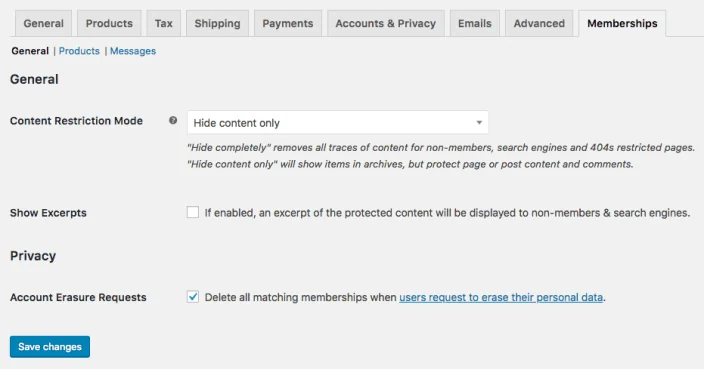 Official WooCommerce Memberships presentation supplied by the developer; no test result is depicted.
Best forA shop reserving content, products or benefits for members.
WooCommerce Memberships reserves content and benefits through account-linked memberships. It mainly suits a site already using WooCommerce, which is required. Manual assignment does not necessarily require a sale. Recurring collection belongs to the separate WooCommerce Subscriptions; this dependency must not be added to the budget for simple manual access that does not use it.
Offer pricing
199 dollars displayed for one year; two-year option displayed at 318.40 dollars instead of 398. Confirm regional currency.
Billing: Annual licence or two-year period depending on option; WooCommerce required.
Renewal and support: Confirm the amount after the chosen period; do not automatically extend the two-year discount.
Taxes and final currency not established; do not convert to euros.
Checked on .
Strengths
- Access granted through purchase or manually
- Member benefits and discounts
What to consider
- WooCommerce required
- Separate Subscriptions for the described recurring billing
Pricing terms and compatibility
Understanding the offer
- Price at the time of review
- 199 dollars displayed for one year; two-year option displayed at 318.40 dollars instead of 398. Confirm regional currency.
- Currency
- Unspecified. Confirm for the offer you choose.
- Billing
- Annual licence or two-year period depending on option; WooCommerce required.
- Renewal and support
- Confirm the amount after the chosen period; do not automatically extend the two-year discount.
- Taxes and fees
- Taxes and final currency not established; do not convert to euros.
- Commitment and terms
- WooCommerce Subscriptions separate if recurring collection is needed.
- Date checked
Compatibility and components
- HPOS and cart/checkout blocks indicated in the listing; no practical check here.
SureMembers
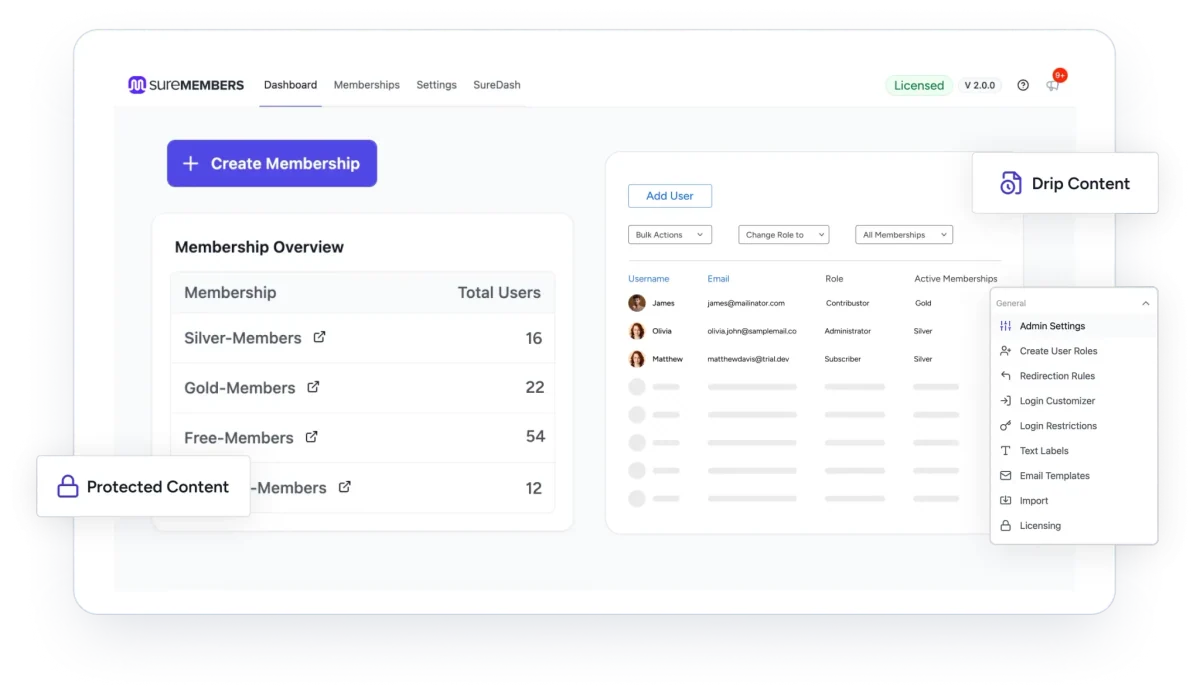 Official presentation of the SureMembers range; advanced features shown, including drip content, may require Pro.
Best forReader groups assigned manually or through an integration.
SureMembers organises memberships independently of WordPress roles. Since version 3, Core provides the base free, while Pro notably adds content dripping and download protection. This family suits manually assigned access without a shop. Check overlapping groups: removing one membership does not necessarily remove all the person’s permissions.
Offer pricing
Free Core; commercial Starter offering displayed at 69 USD for the first year for one site, normal rate 99 USD/year.
Billing: Free Core; separate annual Starter licence for commercial features.
Renewal and support: At the advertised full rate: 99 US dollars/year for Starter.
Taxes not established; confirm the total.
Checked on .
Strengths
- Multiple memberships and restricted content in Core
- Individual assignment and removal without mandatory sale
What to consider
- Role synchronisation, content dripping and download protection reserved for Pro
- Pro requires active Core; upgrade older installations in the documented order
Pricing terms and compatibility
Understanding the offer
- Price at the time of review
- Free Core; commercial Starter offering displayed at 69 USD for the first year for one site, normal rate 99 USD/year.
- Currency
- USD
- Billing
- Free Core; separate annual Starter licence for commercial features.
- Renewal and support
- At the advertised full rate: 99 US dollars/year for Starter.
- Taxes and fees
- Taxes not established; confirm the total.
- Commitment and terms
- One site; other plans and the lifetime offering have different contracts.
- Date checked
Compatibility and components
- SureCart and WooCommerce integrations advertised.
Memberful
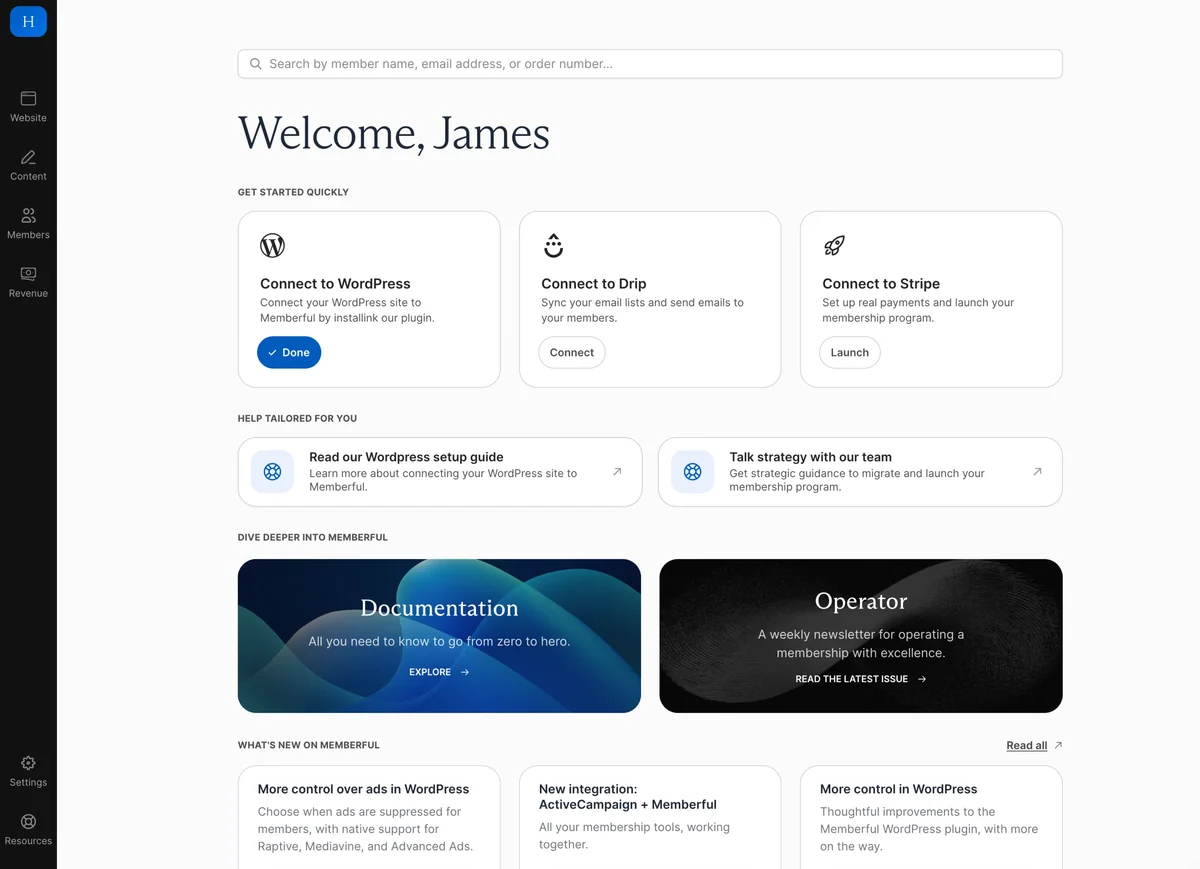 Official Memberful demonstration dashboard, with no real account used.Open full-size screenshot ↗
Best forA subscription administered by a service connected to WordPress.
Memberful pairs an external service with a free WordPress connector to apply restrictions. This model suits organisations accepting the dependency and wanting to manage subscribers in the service. According to the pricing page, the trial has no imposed duration before paid launch; it does not prove permanently free production use. Plan an exit for data and permissions.
Offer pricing
Standard: 49 dollars/month + 4.9% transaction fees; free WordPress connector. Trial before paid launch.
Billing: Monthly external service; according to the page, the trial is billed only when launching with payments.
Renewal and support: Monthly recurrence at the offering’s rate; future rate not guaranteed.
Taxes and processor fees to be confirmed; currency code not established.
Checked on .
Strengths
- Server-side protection advertised
- Member synchronisation
What to consider
- External service required
- Commission and subscription separate from the connector
Pricing terms and compatibility
Understanding the offer
- Price at the time of review
- Standard: 49 dollars/month + 4.9% transaction fees; free WordPress connector. Trial before paid launch.
- Currency
- Unspecified. Confirm for the offer you choose.
- Billing
- Monthly external service; according to the page, the trial is billed only when launching with payments.
- Renewal and support
- Monthly recurrence at the offering’s rate; future rate not guaranteed.
- Taxes and fees
- Taxes and processor fees to be confirmed; currency code not established.
- Commitment and terms
- Dependency on the Memberful service; do not equate the free connector with a free production offering.
- Date checked
Compatibility and components
- Stripe payment and external integrations according to the service.
Leaky Paywall
 Official Leaky Paywall presentation supplied by the developer; no test result depicted.
Best forA publication with a reading meter or registration wall.
Leaky Paywall targets publications wanting limited reading or access after registration. A reading meter has a different purpose from an area strictly closed to designated sections. The free offering supports the registration workflow; new paid subscriptions incur an advertised 10% revenue share. Compare the desired restriction before selecting this editorial model.
Offer pricing
Free registration workflow; 10% revenue share on new paid subscriptions in the free plan. Separate paid offerings.
Billing: No subscription required for the described free base; commercial add-ons separate.
Renewal and support: Not applicable to the free base; check add-on terms.
No tax-inclusive amount assumed for commercial add-ons.
Checked on .
Strengths
- Several paywall models
- Subscriber data in WordPress according to the publisher
What to consider
- 10% revenue sharing in the free entry offering
- Reduction or removal of these fees in paid offerings
Pricing terms and compatibility
Understanding the offer
- Price at the time of review
- Free registration workflow; 10% revenue share on new paid subscriptions in the free plan. Separate paid offerings.
- Currency
- Unspecified. Confirm for the offer you choose.
- Billing
- No subscription required for the described free base; commercial add-ons separate.
- Renewal and support
- Not applicable to the free base; check add-on terms.
- Taxes and fees
- No tax-inclusive amount assumed for commercial add-ons.
- Commitment and terms
- Main download free; check add-on licence and site count.
- Date checked
Compatibility and components
- Stripe and product-line modules depending on offering.
Ultimate Member
 Official Ultimate Member presentation supplied by the developer; no test result depicted.
Best forA community structured around profiles and the directory.
Ultimate Member combines profiles, directories and content restrictions in a free base, with commercial extensions. It suits a community where members’ visible identity matters as much as reserved pages. Check profile visibility, roles and content rules separately. Successful registration must not automatically grant every permission you intended to require approval for.
Offer pricing
Free base: 0. Paid Pro features or optional modules; their price is not established here.
Billing: No subscription required for the described free base; commercial add-ons separate.
Renewal and support: Not applicable to the free base; check add-on terms.
No tax-inclusive amount assumed for commercial add-ons.
Checked on .
Strengths
- Public-facing fields and profiles
- Documented restriction rules
What to consider
- Stripe in a paid extension
- Check rule priority
Pricing terms and compatibility
Understanding the offer
- Price at the time of review
- Free base: 0. Paid Pro features or optional modules; their price is not established here.
- Currency
- Unspecified. Confirm for the offer you choose.
- Billing
- No subscription required for the described free base; commercial add-ons separate.
- Renewal and support
- Not applicable to the free base; check add-on terms.
- Taxes and fees
- No tax-inclusive amount assumed for commercial add-ons.
- Commitment and terms
- Main download free; check add-on licence and site count.
- Date checked
Compatibility and components
- Evaluate public directory data and selected extensions.
WP-Members
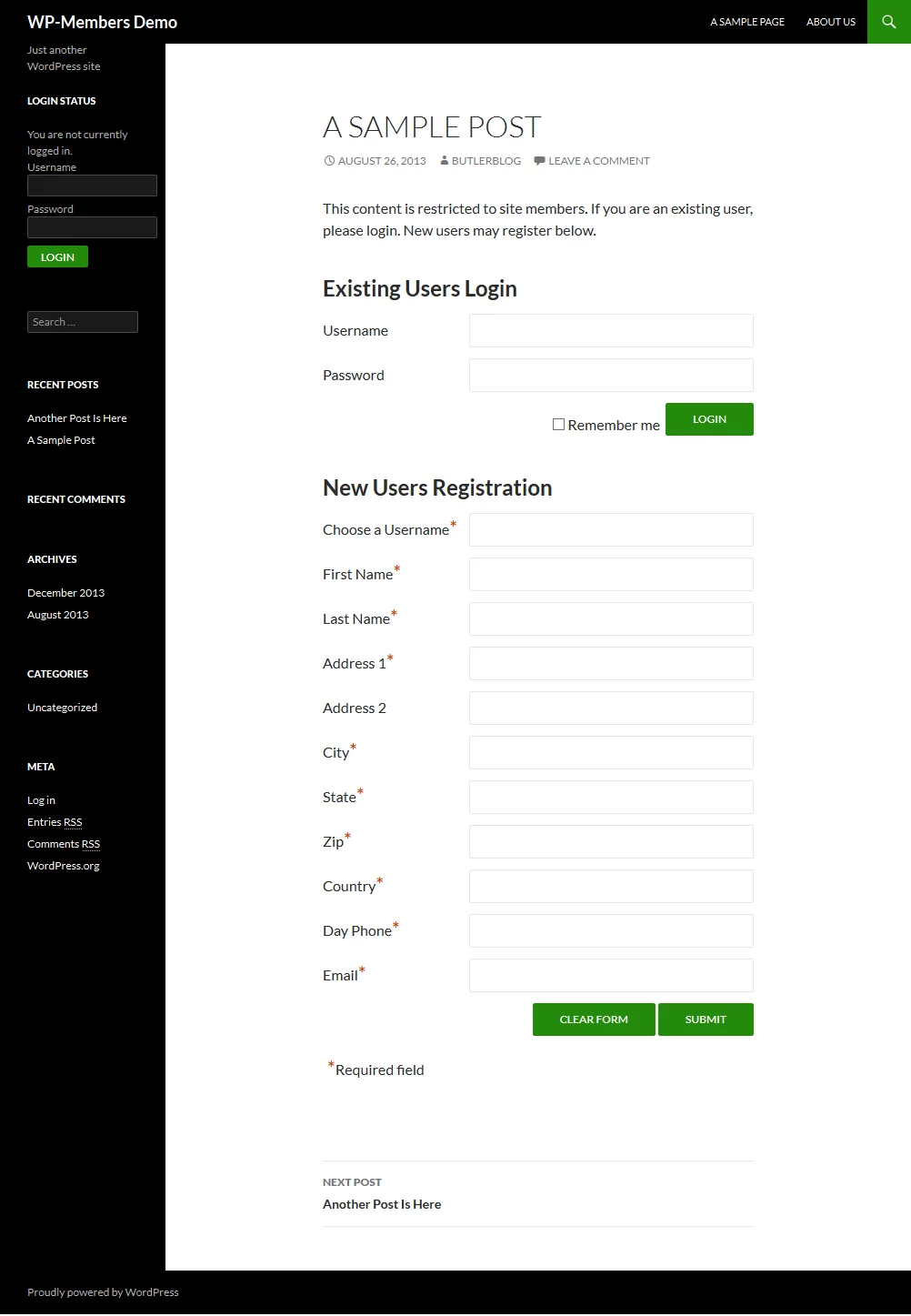 Official WP-Members screenshot reused unchanged; the interface may differ from the current version. No test depicted.Open full-size screenshot ↗
Best forA restricted area with registration approval.
WP-Members can restrict or hide content and require approval for new registrations. It suits an area where a manager approves readers. Check behaviour before approval and after removal, not only the form. Commercial modules complement the free base; their costs and licence are not included in the main download’s zero price.
Offer pricing
Free base: 0. Paid Pro features or optional modules; their price is not established here.
Billing: No subscription required for the described free base; commercial add-ons separate.
Renewal and support: Not applicable to the free base; check add-on terms.
No tax-inclusive amount assumed for commercial add-ons.
Checked on .
Strengths
- Administrative approval advertised
- Custom registration fields
What to consider
- Assess payment and extensions separately
- WooCommerce field integration limited to the described shortcode pages
Pricing terms and compatibility
Understanding the offer
- Price at the time of review
- Free base: 0. Paid Pro features or optional modules; their price is not established here.
- Currency
- Unspecified. Confirm for the offer you choose.
- Billing
- No subscription required for the described free base; commercial add-ons separate.
- Renewal and support
- Not applicable to the free base; check add-on terms.
- Taxes and fees
- No tax-inclusive amount assumed for commercial add-ons.
- Commitment and terms
- Main download free; check add-on licence and site count.
- Date checked
Compatibility and components
- Do not generalise WooCommerce integration to cart and checkout blocks.
WP User Manager
 Official WP User Manager presentation supplied by the developer; no test result depicted.
Best forProfiles and registrations on site pages, potentially paid.
WP User Manager provides accounts, profiles and restrictions based on roles or login. It suits sites already centred on these account pages. The directory and public profiles must be configured independently of reserved resources. Stripe-related features and fees or its extensions become relevant only if you actually add a commercial workflow.
Offer pricing
Free base: 0. Paid Pro features or optional modules; their price is not established here.
Billing: No subscription required for the described free base; commercial add-ons separate.
Renewal and support: Not applicable to the free base; check add-on terms.
No tax-inclusive amount assumed for commercial add-ons.
Checked on .
Strengths
- Elementor blocks and widgets advertised
- Restriction by role or login
What to consider
- Stripe platform fees in the free edition, amount not established
- Confirm the complete plan-change lifecycle
Pricing terms and compatibility
Understanding the offer
- Price at the time of review
- Free base: 0. Paid Pro features or optional modules; their price is not established here.
- Currency
- Unspecified. Confirm for the offer you choose.
- Billing
- No subscription required for the described free base; commercial add-ons separate.
- Renewal and support
- Not applicable to the free base; check add-on terms.
- Taxes and fees
- No tax-inclusive amount assumed for commercial add-ons.
- Commitment and terms
- Main download free; check add-on licence and site count.
- Date checked
Compatibility and components
- Distinguish paid registration from a complete membership billing engine.
User Registration & Membership
 Official User Registration & Membership presentation supplied by the developer; no test result depicted.
Best forA customised registration journey linked to memberships.
User Registration & Membership links account management, plans and reserved content. This candidate interests a site wanting registration and membership to correspond within one tool. Its listing mixes product-range presentation and Pro extensions: file protection and advanced permissions must be tied to the required edition. Do not choose solely because a form is present.
Offer pricing
Free base: 0. Paid Pro features or optional modules; their price is not established here.
Billing: No subscription required for the described free base; commercial add-ons separate.
Renewal and support: Not applicable to the free base; check add-on terms.
No tax-inclusive amount assumed for commercial add-ons.
Checked on .
Strengths
- Connected plans and account journeys.
- Content restrictions in the product range.
What to consider
- Files and advanced restrictions in Pro
- Confirm the precise plan breakdown
Pricing terms and compatibility
Understanding the offer
- Price at the time of review
- Free base: 0. Paid Pro features or optional modules; their price is not established here.
- Currency
- Unspecified. Confirm for the offer you choose.
- Billing
- No subscription required for the described free base; commercial add-ons separate.
- Renewal and support
- Not applicable to the free base; check add-on terms.
- Taxes and fees
- No tax-inclusive amount assumed for commercial add-ons.
- Commitment and terms
- Main download free; check add-on licence and site count.
- Date checked
Compatibility and components
- Membership blocks advertised; integrations and pricing depend on edition.
ProfileGrid
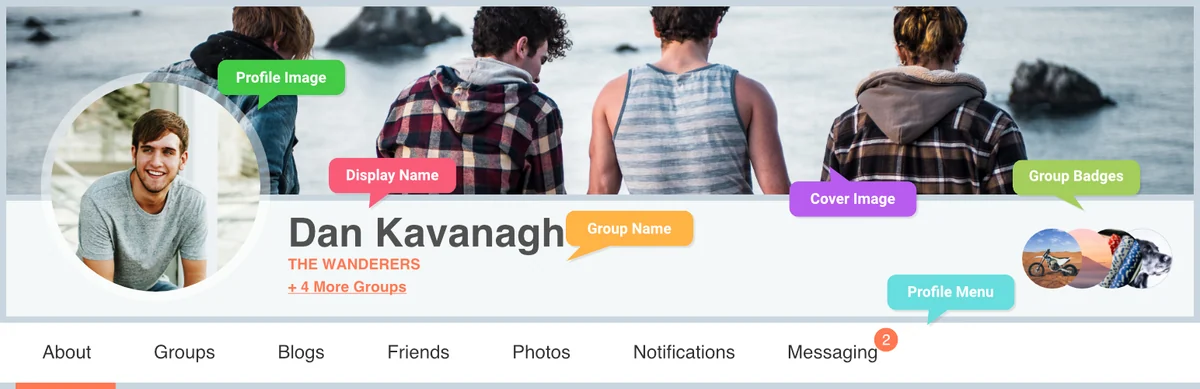 Official ProfileGrid presentation supplied by the developer; no test result depicted.
Best forA community organised into groups or sections.
ProfileGrid organises members into groups, with profiles and fields suited to each membership. Open or closed groups interest association sections and communities. Check entry approval, public directory data and the group owner. Paid extensions and integrations remain separate; closing a group does not demonstrate confidentiality of all its files.
Offer pricing
Free base: 0. Paid Pro features or optional modules; their price is not established here.
Billing: No subscription required for the described free base; commercial add-ons separate.
Renewal and support: Not applicable to the free base; check add-on terms.
No tax-inclusive amount assumed for commercial add-ons.
Checked on .
Strengths
- Several groups per user
- Closed groups with approval
What to consider
- Assess payment and extensions
- Check the directory and visible data
Pricing terms and compatibility
Understanding the offer
- Price at the time of review
- Free base: 0. Paid Pro features or optional modules; their price is not established here.
- Currency
- Unspecified. Confirm for the offer you choose.
- Billing
- No subscription required for the described free base; commercial add-ons separate.
- Renewal and support
- Not applicable to the free base; check add-on terms.
- Taxes and fees
- No tax-inclusive amount assumed for commercial add-ons.
- Commitment and terms
- Main download free; check add-on licence and site count.
- Date checked
Compatibility and components
- Groups can be associated with WordPress roles according to the listing.
Members
 Official Members presentation supplied by the developer; no test result depicted.
Best forRole- and permission-based access.
Members is a WordPress role and capability tool with content restrictions. It suits permissions assigned through roles that are already understandable and controlled. This product is separate from MemberPress; it is not MemberPress’s free billing edition. A capability change may affect everyone with the role, so document original values before applying it.
Offer pricing
Free plugin: 0 for the described roles, capabilities and restrictions. Any commercial membership engine is a separate product.
Billing: No subscription required for the described free base; commercial add-ons separate.
Renewal and support: Not applicable to the free base; check add-on terms.
No tax-inclusive amount assumed for commercial add-ons.
Checked on .
Strengths
- Role and permission editor
- Page and block restrictions advertised
What to consider
- No recurring billing assessed here
- A role change may affect the whole site
Pricing terms and compatibility
Understanding the offer
- Price at the time of review
- Free plugin: 0 for the described roles, capabilities and restrictions. Any commercial membership engine is a separate product.
- Currency
- Unspecified. Confirm for the offer you choose.
- Billing
- No subscription required for the described free base; commercial add-ons separate.
- Renewal and support
- Not applicable to the free base; check add-on terms.
- Taxes and fees
- No tax-inclusive amount assumed for commercial add-ons.
- Commitment and terms
- Plugin separate from MemberPress; do not infer included billing.
- Date checked
Compatibility and components
- Relies on WordPress roles and capabilities; preserve an independent administrator account.
Content Control
 Official Content Control presentation supplied by the developer; no test result is depicted.
Best forContent rules connected to an existing membership setup.
Content Control applies role- or login-based restrictions to pages and blocks. It suits cases where permissions already exist and the relevant content needs selecting. The free base suffices for the role prototype presented above; advanced integrations belong to Pro. The publisher specifies that the plugin does not block direct access to server files.
Offer pricing
Free base: 0; Personal Pro for one site displayed at 69.30 dollars/year, normally 99.
Billing: Free base or separate annual Pro licence.
Renewal and support: The card displays Renews at $69.30/year despite the FIRST YEAR PRICING banner; confirm the condition in the order summary.
Currency code and taxes not established.
Checked on .
Strengths
- Conditions by role or login
- Block and page control advertised
What to consider
- Advanced rules and integrations in Pro.
- Does not block direct access to server files according to the publisher.
Pricing terms and compatibility
Understanding the offer
- Price at the time of review
- Free base: 0; Personal Pro for one site displayed at 69.30 dollars/year, normally 99.
- Currency
- Unspecified. Confirm for the offer you choose.
- Billing
- Free base or separate annual Pro licence.
- Renewal and support
- The card displays Renews at $69.30/year despite the FIRST YEAR PRICING banner; confirm the condition in the order summary.
- Taxes and fees
- Currency code and taxes not established.
- Commitment and terms
- Personal for one site; Plus modules separate.
- Date checked
Compatibility and components
- Gutenberg and Site Editor advertised; advanced commercial rules in Pro.
Groups — itthinx
 Official Groups — itthinx presentation supplied by the developer; no test result is depicted.
Best forPermissions organised by group rather than commercial offering.
Groups, by itthinx, organises memberships and permissions without creating a WordPress role for every section. It suits overlapping sets of readers. Identify who adds and removes members, then check a page and a content portion. Commercial integrations and file modules have their own scope: their mere existence does not mean inclusion in the base.
Offer pricing
Free base: 0. Paid Pro features or optional modules; their price is not established here.
Billing: No subscription required for the described free base; commercial add-ons separate.
Renewal and support: Not applicable to the free base; check add-on terms.
No tax-inclusive amount assumed for commercial add-ons.
Checked on .
Strengths
- Group-based permissions
- Protection of pages or content portions
What to consider
- Separate commercial extensions
- Define revocation of permissions after membership ends
Pricing terms and compatibility
Understanding the offer
- Price at the time of review
- Free base: 0. Paid Pro features or optional modules; their price is not established here.
- Currency
- Unspecified. Confirm for the offer you choose.
- Billing
- No subscription required for the described free base; commercial add-ons separate.
- Renewal and support
- Not applicable to the free base; check add-on terms.
- Taxes and fees
- No tax-inclusive amount assumed for commercial add-ons.
- Commitment and terms
- Main download free; check add-on licence and site count.
- Date checked
Compatibility and components
- WooCommerce connections documented; assess exact modules.
Restrict User Access
 Official Restrict User Access presentation supplied by the developer; no test result depicted.
Best forAccess levels assigned by site events.
Restrict User Access can assign time-limited levels. On the WordPress copy, free extension 2.8.4 redirected the expired member to the information page while retaining the other member’s access. The fictional file in the public media library remained available. Refusal of the reserved download was achieved with a private delivery mechanism added to the acceptance test. Check page rules and file access separately.
Offer pricing
Free base. Add-on bundles display Essentials at 99 USD per year for one site, Plus at 199 USD for five sites and All Access at 399 USD for 50 sites.
Billing: Free base and optional bundles billed annually.
Renewal and support: The pricing table rates are annual. Check the next renewal amount before purchase.
Pricing table rates before European VAT.
Checked on .
Strengths
- Multiple levels and durations
- WooCommerce and EDD triggers advertised
What to consider
- Conditions not applied to list content according to the listing
- No standalone payment gateway assessed
- The FAQ excludes protection of direct file links.
Pricing terms and compatibility
Understanding the offer
- Price at the time of review
- Free base. Add-on bundles display Essentials at 99 USD per year for one site, Plus at 199 USD for five sites and All Access at 399 USD for 50 sites.
- Currency
- USD
- Billing
- Free base and optional bundles billed annually.
- Renewal and support
- The pricing table rates are annual. Check the next renewal amount before purchase.
- Taxes and fees
- Pricing table rates before European VAT.
- Commitment and terms
- Site count depends on bundle. The paid module is not required for the expiring-page trial.
- Date checked
Compatibility and components
- Free version 2.8.4 tested with WordPress 7.1.4, PHP 8.4.8 and SQLite in an HTTP sandbox.
- The directory advertises minimum WordPress 6.1 and PHP 8.2. Check the account’s effective capabilities and the page and file-delivery rules.
ARMember
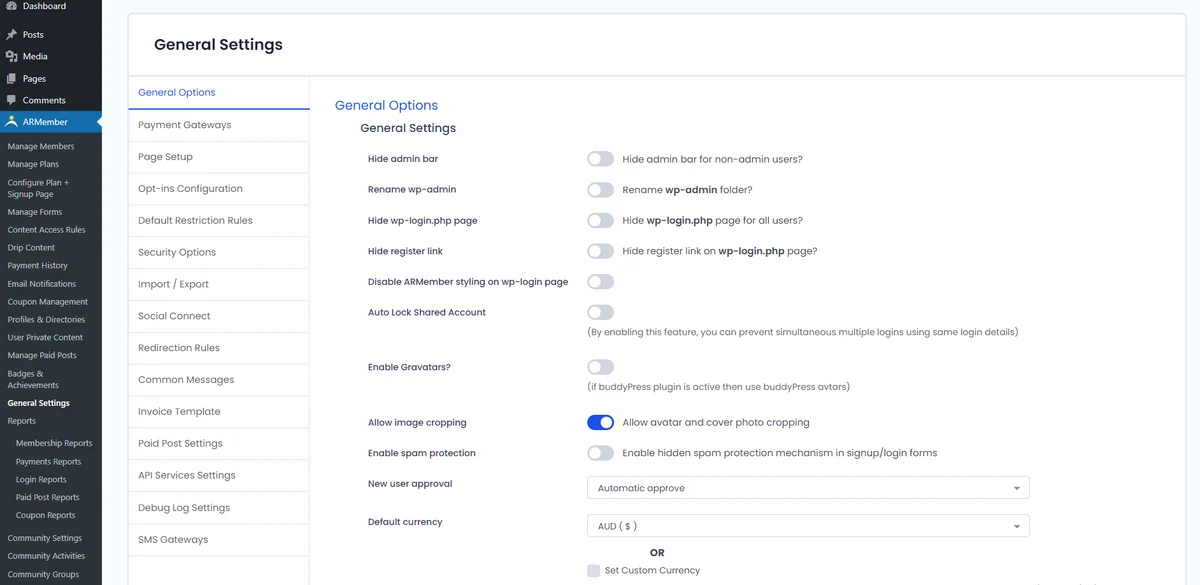 Official ARMember screenshot reused without modification; the interface may differ from the current version. No test is depicted.
Best forComparing a direct free base and several commercial contracts within one family.
ARMember presents plans and restrictions through several licensing channels. A free offering is currently available on the publisher’s site despite closure of the former WordPress.org download. Compare this offering, the direct annual licence and the CodeCanyon licence separately. Advanced features and included modules differ; this documentary comparison certifies no access protection for confidential files.
Offer pricing
Direct free offering: 0; direct Standard: 89 dollars/year for one site (displayed normal price 99). CodeCanyon Regular: 149 US dollars, separate contract.
Billing: Choice of free base, direct annual licence or CodeCanyon licence purchase; do not add these alternatives together.
Renewal and support: Direct annual offering: Same Renewal Price advertised, meaning 89 dollars/year; CodeCanyon: future updates and six months of support, separate extension.
Direct currency not established; CodeCanyon in USD, excluding taxes and handling fees.
Checked on .
Strengths
- Plans with durations and recurrence
- Content dripping advertised
What to consider
- Former WordPress.org listing closed; current free offering supplied directly by the publisher.
- Module scope varies by licence; no file protection certified here.
Pricing terms and compatibility
Understanding the offer
- Price at the time of review
- Direct free offering: 0; direct Standard: 89 dollars/year for one site (displayed normal price 99). CodeCanyon Regular: 149 US dollars, separate contract.
- Currency
- Unspecified. Confirm for the offer you choose.
- Billing
- Choice of free base, direct annual licence or CodeCanyon licence purchase; do not add these alternatives together.
- Renewal and support
- Direct annual offering: Same Renewal Price advertised, meaning 89 dollars/year; CodeCanyon: future updates and six months of support, separate extension.
- Taxes and fees
- Direct currency not established; CodeCanyon in USD, excluding taxes and handling fees.
- Commitment and terms
- One family; compare features and rights for each licensing channel.
- Date checked
Compatibility and components
- The CodeCanyon listing lists WordPress up to 7.0.x but WooCommerce up to 6.x.x; these declarations do not validate a newer combination.
Ultimate Membership Pro — azzaroco
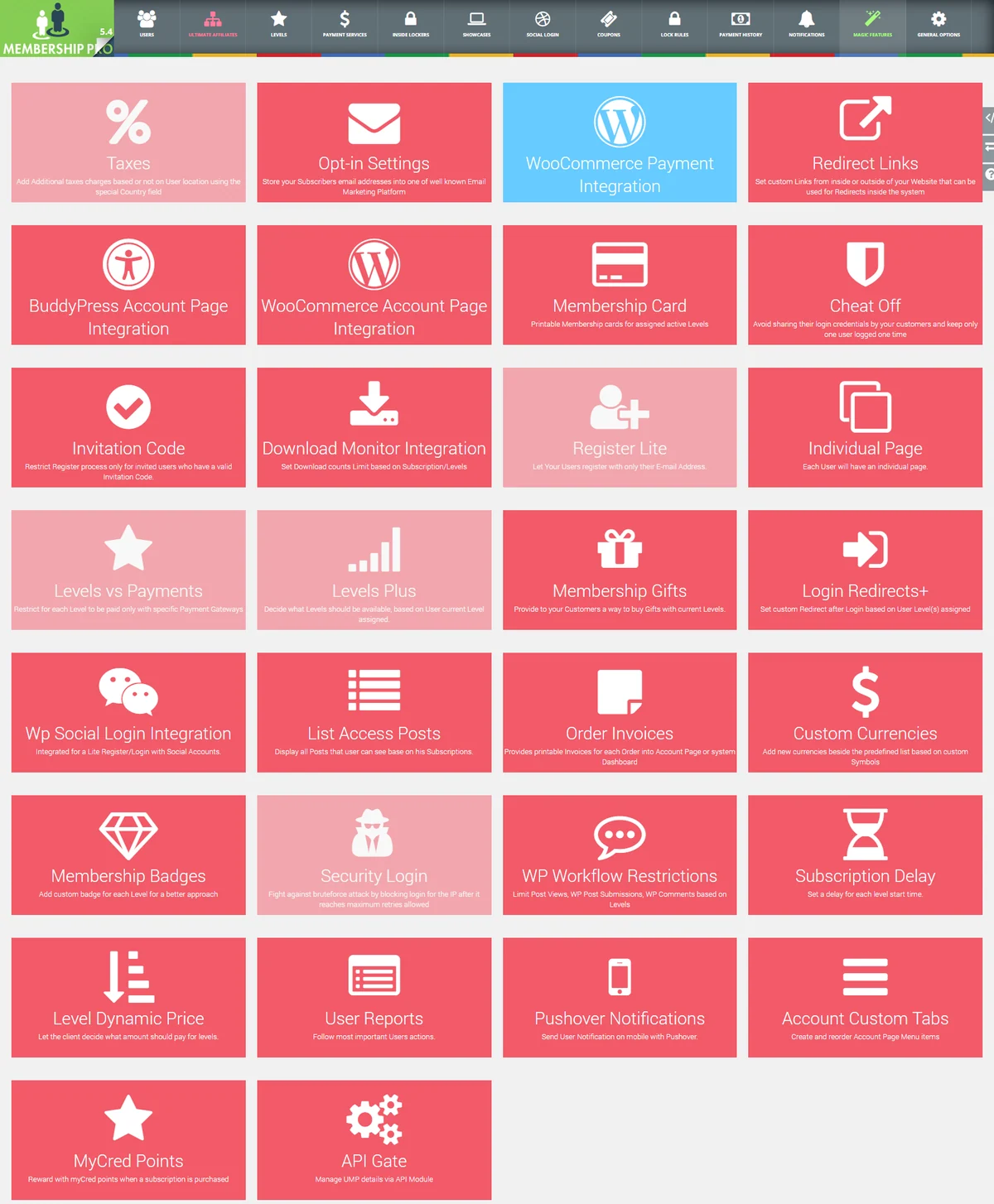 Official screenshot of an older Ultimate Membership Pro interface; modules presented by the developer.Open full-size screenshot ↗
Best forCommercial membership with several levels.
Ultimate Membership Pro, by azzaroco, offers several levels and content rules in a commercial offering. Do not confuse it with Ultimate Member, which belongs to another family. Identify modules required for your restrictions and the appropriate licence. The Regular price includes limited support terms; it does not mean every site integration is guaranteed.
Offer pricing
Regular at 99 USD and Extended at 149 USD on CodeCanyon. Taxes and handling fees excluded.
Billing: Regular licence purchase; optional paid support extension.
Renewal and support: Future updates advertised and six months of support included; support extension separate.
Excluding taxes and handling fees, buyer fee included according to the listing.
Checked on .
Strengths
- Levels and subscriptions advertised
- Restricted-content management
What to consider
- Product separate from Ultimate Member
- Confirm module features in the selected offering
Pricing terms and compatibility
Understanding the offer
- Price at the time of review
- Regular at 99 USD and Extended at 149 USD on CodeCanyon. Taxes and handling fees excluded.
- Currency
- USD
- Billing
- Regular licence purchase; optional paid support extension.
- Renewal and support
- Future updates advertised and six months of support included; support extension separate.
- Taxes and fees
- Excluding taxes and handling fees, buyer fee included according to the listing.
- Commitment and terms
- One end product. Regular if end users do not pay for access, Extended if they may be charged for access according to the listing.
- Date checked
Compatibility and components
- Listing updated October 28, 2026. WordPress 7.1.x and WooCommerce 6.x.x are the highest displayed versions. The listing advertises a Download Monitor module. Check its terms and file delivery on a copy before using it.
UserPro
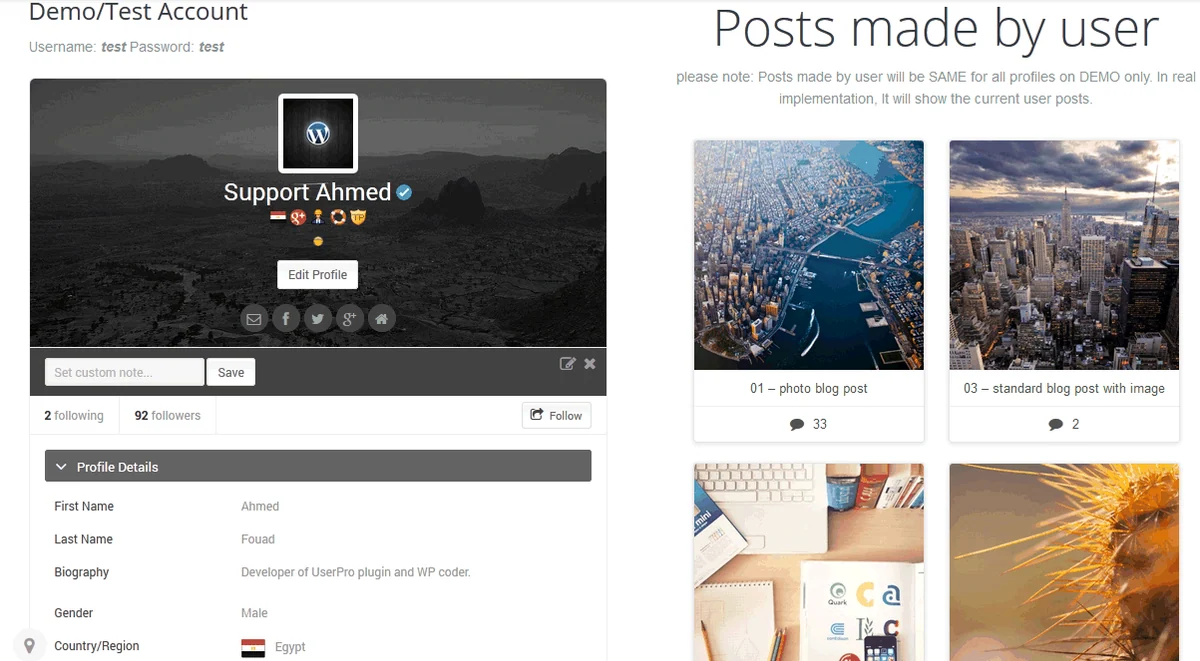 Official UserPro presentation supplied by the developer; no test result is depicted.
Best forA member community with profiles and activity.
UserPro combines public profiles, a directory and community activity with role- or login-based restrictions. It suits a community wanting to show its contributions and members. Check each visible item in profiles and feeds: a reserved page does not make the directory private. Recurring billing is not assessed as a standalone feature in this report.
Offer pricing
39 USD displayed under Regular licence; taxes and handling fees excluded.
Billing: Regular licence purchase; optional paid support extension.
Renewal and support: Future updates advertised and six months of support included; support extension separate.
Excluding taxes and handling fees, buyer fee included according to the listing.
Checked on .
Strengths
- Directory and profiles
- Restrictions by role or login
What to consider
- Recurring billing not assessed
- Examine public data and feeds
Pricing terms and compatibility
Understanding the offer
- Price at the time of review
- 39 USD displayed under Regular licence; taxes and handling fees excluded.
- Currency
- USD
- Billing
- Regular licence purchase; optional paid support extension.
- Renewal and support
- Future updates advertised and six months of support included; support extension separate.
- Taxes and fees
- Excluding taxes and handling fees, buyer fee included according to the listing.
- Commitment and terms
- Displayed licence for one end product; check the licence appropriate to the business model before purchase.
- Date checked
Compatibility and components
- The listing notably lists bbPress, WPML and WooCommerce up to 9.x.x; no installation or newer combination checked.
SUMO Memberships for WooCommerce
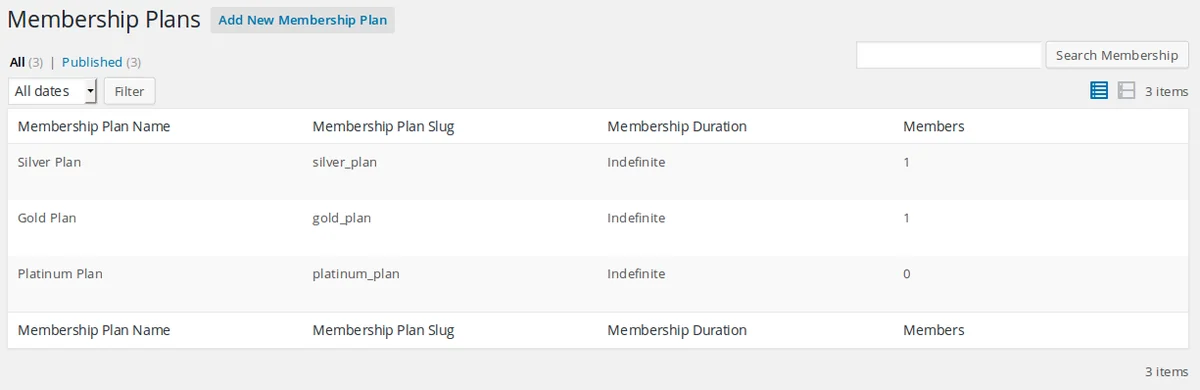 Official SUMO Memberships for WooCommerce screenshot reused without modification; the interface may differ from the current version. No test is depicted.
Best forMemberships linked to a shop using the SUMO range.
SUMO Memberships organises plans and restrictions around WooCommerce. It suits a site already committed to this ecosystem rather than a simple shared document. WooCommerce is required; SUMO Subscriptions is separate for the recurring workflow described by the publisher. Check permission revocation after cancellation and each component’s licence scope before calculating total cost.
Offer pricing
39 USD displayed under Regular licence; taxes and handling fees excluded.
Billing: Regular licence purchase; optional paid support extension.
Renewal and support: Future updates advertised and six months of support included; support extension separate.
Excluding taxes and handling fees, buyer fee included according to the listing.
Checked on .
Strengths
- Restrictions on content and products
- Several restriction types advertised
What to consider
- WooCommerce required
- Separate SUMO Subscriptions for the described subscription
Pricing terms and compatibility
Understanding the offer
- Price at the time of review
- 39 USD displayed under Regular licence; taxes and handling fees excluded.
- Currency
- USD
- Billing
- Regular licence purchase; optional paid support extension.
- Renewal and support
- Future updates advertised and six months of support included; support extension separate.
- Taxes and fees
- Excluding taxes and handling fees, buyer fee included according to the listing.
- Commitment and terms
- Displayed licence for one end product; check the licence appropriate to the business model before purchase.
- Date checked
Compatibility and components
- The CodeCanyon listing lists WordPress up to 6.9.x and WooCommerce up to 9.x.x; Gutenberg Optimized: No. Compatibility with a newer version not established here.