

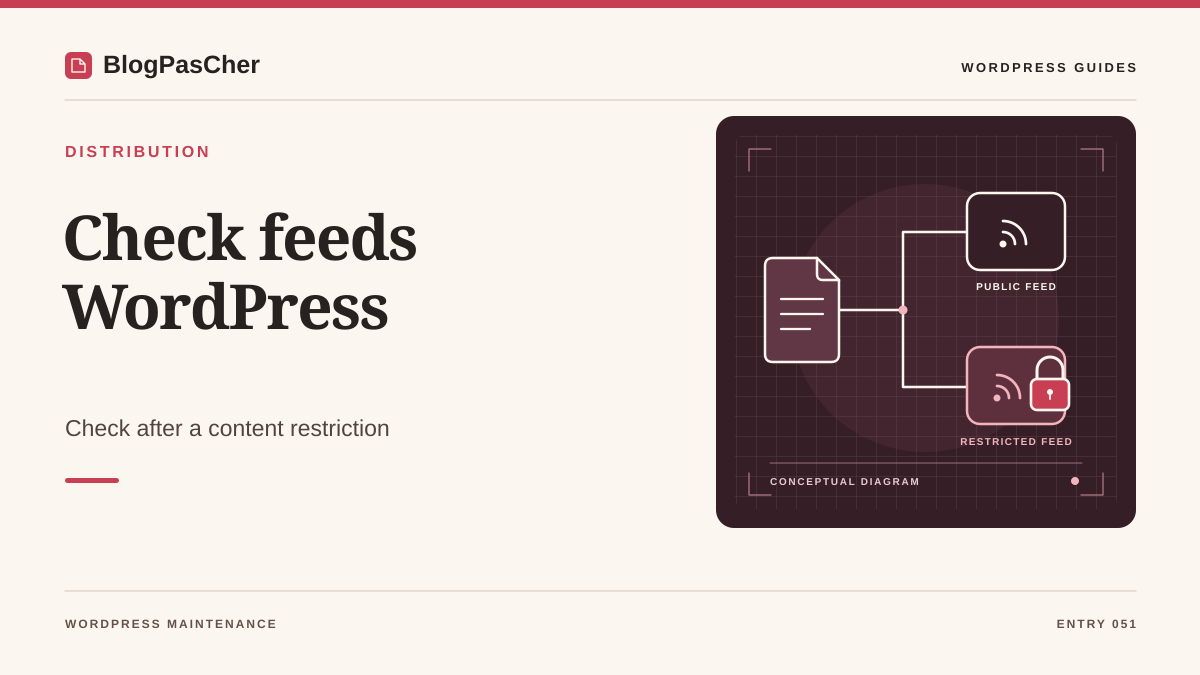
Define what information the feed may publish
A content restriction may cover a post’s full text, its excerpt, its title, or even its existence. A membership site may allow public titles while reserving the body text for members. An intranet may require everything to remain inaccessible to visitors. Before testing feeds, write down this policy with the owner and identify the mechanism that applies it. A page displaying a login invitation is not enough to describe all the site’s responses.
WordPress can produce post and comment feeds. Plugins may add formats or routes of their own. Feed readers consume responses without necessarily displaying the page theme. A check must therefore examine the content received from the feed route in the intended contexts, as well as copies that may have been stored elsewhere.
Choose the scope. For a restricted post, check its text and the metadata protected by the policy. For an entire area, have the relevant content types and comments inventoried. Avoid turning a targeted check into the removal of every feed if legitimate subscribers still use them.
Prepare fictional content that reveals the result
On an isolated copy, create demonstration content with the owner that suits the restriction mechanism. Use a title and a short body containing separate markers, without customer data. A manual excerpt and a fictional comment can help test additional surfaces when the site exposes them. Record exactly which markers must be absent for a guest and which may remain public.
Also prepare a public control item. It lets you check that the feed response obtained really belongs to the copy and contains the expected items. If the feed is empty or the test content falls outside its publication window, the absence of a protected marker does not demonstrate that the restriction works. Record the site’s reading settings and the date of the demonstration content.
For membership rules, use representative test accounts and a separate guest context. Keep browser sessions separate. If you test only the core’s native private status, state that explicitly. A plugin rule that hides content in a template may behave differently from native WordPress visibility.
Inventory relevant feeds before requesting them
Find the feed addresses actually published in the site’s links and documentation. The main feed often uses a feed route on an installation with readable permalinks, but the structure may vary. Also examine comment feeds and feeds associated with a relevant archive when your scope includes them. A category or author may offer a different feed from the main one. Plugins may add their own links.
For each address, record the domain, protocol, expected final destination, and content type. The staging copy must be identified independently of the site title, which may be identical to production. If access to the copy requires HTTP protection, ask how to check the application as a guest behind that barrier using authorized tools. A refusal from the barrier does not describe the response WordPress would give a visitor.
Avoid large-scale route exploration. Start with known feeds and formats actually used by subscribers. A list assigned to the owner keeps the check within scope and helps you choose which caches to examine next.
Retrieve a response without a WordPress session
In a private local directory prepared for the test, the following command saves the headers and body of an authorized route. Replace the address and file names. It adds no WordPress cookie and does not follow redirects. Check the received status before reading the body. An HTML login page or a protection refusal may explain the absence of markers without establishing the result of the feed route you intended to access.
If a redirect leads to another address, identify that destination and check it separately when it falls within scope. Record cache headers and the response date. The client may receive a copy retained by a frontend. A command without cookies represents a request in that context, but does not override the policy of a cache between the workstation and WordPress.
Open the response file in a local editor and search for the demonstration markers. Handle these files according to the retention policy, especially if you had to observe a site containing other real information. A fictional example makes it easier to share evidence without sending an entire feed to support.
The -q option, placed first, prevents loading the local curlrc file: that file could otherwise add cookies, authentication, or redirect following. Use the identified curl executable without an alias that adds options. Environment proxy settings still apply and must be known. Also check transfer completion and the file produced at that moment: a timeout may leave a partial response. A zero curl exit code does not mean the HTTP status is 200. Record both values and classify an interrupted transfer as inconclusive.
curl -q --silent --show-error --max-time 15 \
  --dump-header entetes-essai.txt --output flux-essai.xml \
  'https://recette.example/feed/'
Examine the title, excerpt, and body separately
In the response obtained, locate the entries corresponding to the public control and restricted content. Examine fields carrying the title, description, content, address, and metadata relevant to your policy. A feed may omit the full text while revealing a manual excerpt or confidential title. Compare each marker with the initial decision. The presence of a link does not prove that its page is accessible, but the link itself may be information the owner wanted to keep private.
Content may be represented with entities or within a data section. Use a local tool that lets you read the actual value when searching. A literal search in an encoded file may miss text present in another representation. If the response is not what you expected, check its type before drawing a conclusion.
Repeat this for the relevant feeds on your list. Content being absent from the main feed does not prove it is absent from an archive feed or a format added by a plugin. Keep one result row for each address and information type.
Compare guest and member access against the policy
If the site provides a personalized member feed, use the reader or authentication workflow documented by its publisher. Avoid copying a browser cookie into a command or sending a private feed URL in a ticket. Some integrations use a link containing a token. Treat that link as an access reference and keep only its description in the shared record.
For each test account, compare the response received with what it should be allowed to read. A member being logged in to the browser does not mean their feed reader uses the same session. An empty result may come from missing authentication in the reader. Conversely, a reader that retains an old response may still display text the server no longer provides.
Also check the result after logging out or removing the test account’s permissions when this scenario is part of the requirement. A private feed mechanism may have its own revocation procedure and validity period. Have the plugin owner confirm this scope instead of inferring that access is closed solely from logging out of the dashboard.
Attribute a leak to the component producing the response
If a protected marker appears in the guest response, record the route, time, affected fields, and cache context. Check whether the restriction is applied by native visibility, by a plugin, or only by theme rendering. A mechanism that acts on page display may not cover the feed generator. Ask the maintainer for the rule that should filter this response and the documentation for its version.
Keep a redacted copy with the fictional markers. Compare behavior on the copy with the restriction mechanism enabled and then with the planned public control scenario. Avoid disabling protection in production to discover its role. An isolated staging environment lets you check a change without making real content public.
If the problem affects only a feed added by a plugin, have that feed corrected or removed according to subscribers’ needs. If it concerns an intentionally public excerpt or title, ask the owner to confirm the policy. The technical result must be compared with the information that was actually supposed to remain hidden.
Check cached copies after correction
A response corrected at the origin may coexist with a copy still accessible in a shared cache. Identify the layer storing the feed and ask for its targeted purge method. Check the exact route after refreshing it according to the provider’s procedure. Adding a random parameter may create another cache key without removing the old response from the address subscribers use. Therefore, also check the canonical feed URL.
For a feed that varies by permissions, ask how the cache distinguishes contexts and prevents a private response from being distributed to a guest. A rule that omits cookies or a token may create a component-specific problem. Have the headers and effective configuration examined. A marker being absent after a single pass does not validate every variant.
External readers may retain content received before the correction. Purging the server does not delete those copies. If real data was distributed, follow the owner’s incident and communication procedure. Verification of the correction concerns current responses, while distribution history requires a separate review.
Preserve legitimate subscriptions during the change
If some feeds must remain available, prepare a rule for each scope. For example, the public announcements feed may continue while an internal document archive must deny guest access. Confirm the addresses used by syndication tools, subscribers, and publishing services before removing a route. A feed may supply a legitimate service unknown to the editorial team.
On the copy, check the guest and authorized results after correction, along with the public control that must keep working. Record statuses and relevant content. A general refusal may protect data while interrupting an approved need. The owner must accept the decision, accompanied by a replacement workflow if one exists.
Avoid using an indexing setting as access control. A directive for search engines or removal of a link from the theme does not guarantee that a known address will be refused. The test must request the route in the context being checked and read the response actually received.
Return to a safe configuration after a failure
If a correction breaks a necessary public feed, restore the previous staging component version and compare results. In production, rollback must take confidentiality into account. A version that exposed protected information is not automatically an acceptable state. The owner may prefer temporarily refusing the route while a targeted correction is prepared.
Keep visibility settings, versions, and demonstration responses from before and after the change. A full database restoration may restore an old publication status or erase recent content. Start at the level that changed, such as a plugin rule or frontend configuration. Have data handled separately if the change modified it.
After rollback or another correction, repeat the checks with a session-free request and authorized access. Check the cache for the official address and subscriptions within scope. If a reader uses a private link, confirm its renewal procedure instead of republishing the link in a support document.
Hand over the feed and permissions matrix
The final record must list the routes examined, environment type, test accounts, and information allowed in each context. Add the status, response type, observed markers, and check time. State which caches were refreshed and which external readers remain outside your visibility. Evidence produced with fictional content must be identified as such.
Built-in feeds are part of WordPress. Their protection through a membership plugin depends on the product and its version. The recording method requires no new subscription when staging access and an HTTP client are already available. Check the limits and pricing of the tool actually used if a private feed feature belongs to a separate offering.
Keep the matrix as an acceptance test when the theme, restriction, or cache changes. The owner can reuse the same addresses and information categories to check the policy without consulting real data.
The WordPress Workshop.
Free native option: remove a post from the public feed
If the requirement is to reserve a post for WordPress accounts authorized to read private content, start with native visibility. On the copy, create a demonstration post with a marked title and body, then open its publication settings and choose Private. Confirm the update. This workflow changes who is authorized to view the post; it does not replicate a subscription plan or automatically grant ordinary subscribers access.
In a guest window, check the post address and then the official feed using the command in this guide. The public control content’s marker should appear, and those of the private post should be absent. Also check with an account whose permissions allow private reading, following the intended workflow. If the guest feed retains the old content, examine the cache for the official URL before concluding that visibility was ignored.
For an already published post containing sensitive information, switching to private does not remove previously retrieved copies. Do not return it to Public merely to undo a test on real data. For a membership site, retain the plugin’s protection and have its feed coverage checked: a simple “excerpt” setting under Reading reduces the amount of text without providing access control.
Related comparisons
25 WordPress plugins for membership areas and content restriction
Compare content restriction solutions and the checks needed to protect your feeds.
Sources and references
Use these references to check the features, requirements and limitations described. Reading documentation is not a practical test.