

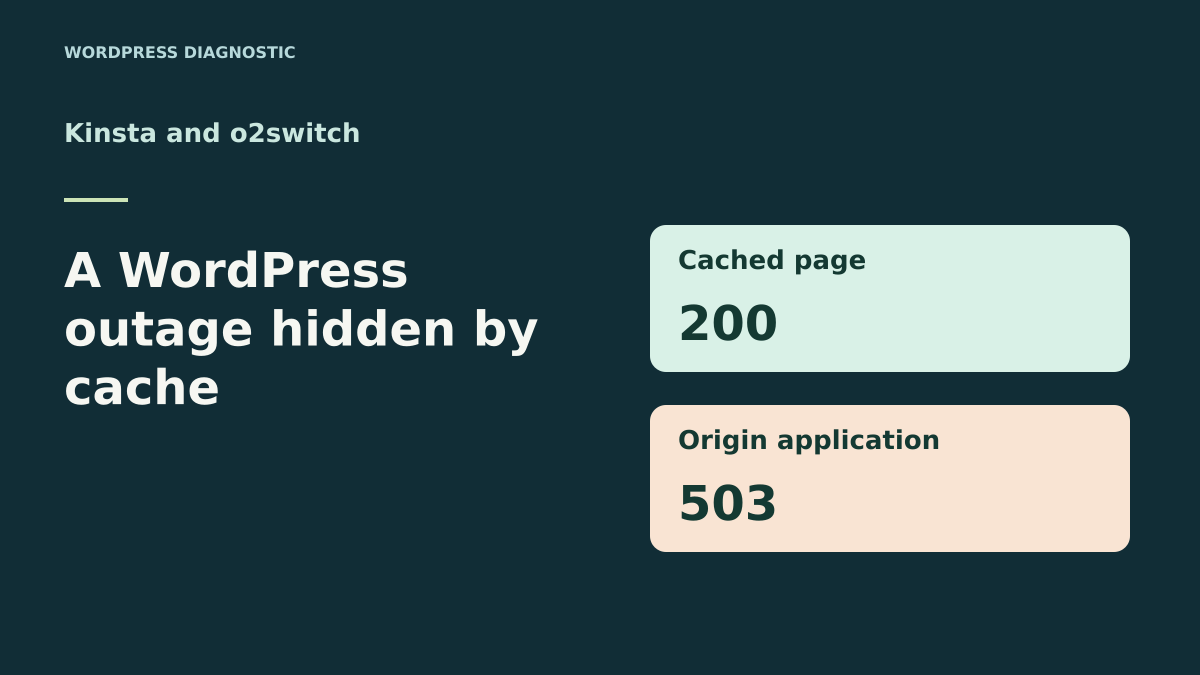
A WordPress page can return 200 during an origin outage
Your home page opens and the external check reports HTTP 200. Meanwhile, a request reaching the WordPress application receives HTTP 503. Both observations may be correct. A page already stored in an intermediate cache can sometimes remain readable while the server that must generate new responses is unavailable. Monitoring the public page then describes what some visitors see. A second measurement is needed to know the state of origin processing.
The first case is a copy that is still fresh. A cache can return it without calling the origin. The second case occurs after freshness expires. The HTTP directive stale-if-error, when supported and allowed by the effective cache policy, permits serving an old response after certain origin errors. In both cases, visitors can receive HTTP 200 and exactly the same bytes. The mechanism producing this result differs, which can be checked by comparing request traces and response age.
The comparison examines documented ways to locate these traces at Kinsta and o2switch. The local exercise uses an origin server and simplified cache communicating over HTTP. It lets you observe the public result, origin response and end of the fallback window in a reproducible timeline. The two hosts’ actual policies must be checked for the site concerned.
Compare before you choose
The offers at a glance
Find the use case and budget that fit, then read the details to see the limitations and any components you may need.
On smaller screens, the table scrolls horizontally. With a keyboard, press Tab to focus the table, then use the left and right arrow keys.
| Offer | Best for | Pricing and billing | Renewal and support |
|---|---|---|---|
 Kinsta Launch, monthly billingRead the details | A team analyzing the public response and application traces in MyKinsta. | 0 USD for the first month, 17.50 USD excluding tax per month for three months, then 35 USD excluding tax per month Monthly billing in the cited campaign Prices in US dollars excluding tax | 35 USD excluding tax per month after the discounted months |
 o2switch GrowRead the details | A team able to check the domain’s path and probe from cPanel. | Equivalent to €7 excluding VAT/month; €84 excluding VAT paid for twelve months Annual payment Prices exclude VAT; tax-inclusive total depends on billing | €84 excluding VAT for annual renewal at the recorded rate |
Capture the public response before touching the cache
Choose a representative public page without a user session. Note the domain, full address, time with time zone and region from which the check starts. Make a GET request and record the status, Age if present, Cache-Control and cache-layer-specific headers. Also keep a small version marker or body hash if the page supports stable comparison. In PowerShell, a request can be saved with curl.exe -sS -D entetes.txt -o page-recue.html "$url" after placing the test address in $url.
An age header helps date the copy. By itself, it does not prove that the origin was just queried or that the fallback policy is active. Provider diagnostics and logs complete the measurement. An initial response that looks old may come from the page cache, a content delivery network or an added site layer. Record evidence from each layer before purging, because a purge can remove the evidence of the outage.
If the page redirects, identify the final response and check that the public check and test measurement target the same application. For a page varying by session or language, document the variant tested. A private browser window removes some local effects while still potentially receiving a shared copy. The test must therefore retain what the response and logs reveal across the whole path.
- Record the URL, time, HTTP status and cache headers before any purge.
- Compare the public response’s hash or version marker with that of the expected version.
Add a measurement that actually executes the application
Choose a lightweight read-only check that passes through WordPress or the component you want to monitor. A static image or text file can respond while PHP is stopped. In an authorized test environment, use a dedicated diagnostic path or an existing application check. Check that it follows the same application, creates neither orders nor content, and can return an error when a service it depends on becomes unavailable.
Configure this path so the response is not stored, then check its handling in every active cache. Cache-Control: no-store is a standard response signal. A rule that nevertheless caches this address, or a copy saved before the change, can make the measurement misleading. Confirm passage to the origin using logs and check several reads. Adding a random parameter is insufficient if the cache ignores it or processing takes another path.
Keep both measurements during the incident. The public page reports display continuity. The application check reports what the server executes. If the page returns 200 and the check 503, correlate the time with the PHP or server log. If only the check fails, also check its own dependencies before attributing the outage to all of WordPress. A health check must remain limited and interpretable.
Kinsta Launch: compare headers with MyKinsta logs
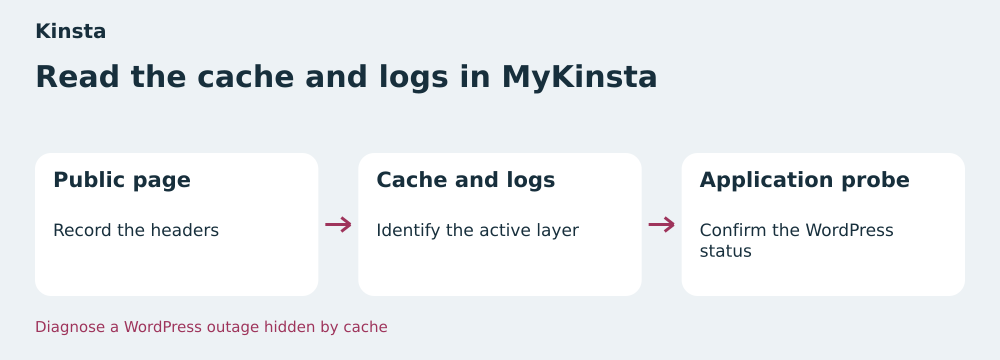
In MyKinsta, open Sites and select the site. The documentation distinguishes the site’s page cache from edge cache. To identify the layer serving a page, Kinsta documents X-Kinsta-Cache for site cache and Ki-CF-Cache-Status with ki-cache-type for edge cache. Record values from the response actually received. A cache indicator identifies the layer and its state. To understand why the origin is inaccessible, correlate it with the log matching the test time.
In the site’s Logs tab, find the probe request and errors from the same period. Documented logs include access.log, error.log and kinsta-cache-perf.log. A line showing a cache response and another showing an application error provide complementary evidence. Edge cache relies on the response already cached at site level. During acceptance testing, therefore check the probe’s exclusion on the layers applying to the domain, using supported settings.
Kinsta says edge caching is unavailable in the standard staging environment and incompatible with password protection. The private copy can test the probe’s application behavior. To check edge headers, use the approved access and scope for the environment concerned. On the public site, observe existing responses and logs. Trigger the outage only in the local acceptance test.
o2switch Grow: find the cache actually active on the domain
In cPanel, confirm the domain concerned and the cache tool applying to it. o2switch documents enabling LiteSpeed LSCache per domain with the corresponding WordPress plugin when this workflow is chosen. LiteSpeed documentation lists X-LiteSpeed-Cache among diagnostic headers. Record it if available in your response and check whether another layer answered. Start with existing settings so the measurement matches the observed incident.
From cPanel’s metrics tools, retrieve the domain’s access log and find the test check at the recorded time. If you configured exclusion of a diagnostic URI in the cache system, check that it is actually applied. Make two consecutive reads and find both requests in the log proving their passage to the application. A cache or web-server trace may need to be supplemented with a private application log.
The LSCache activation procedure described by o2switch has restrictions for subdomains. A test subdomain may therefore follow a different path from the main domain. Use this copy to check the probe and its dependencies, then record production-domain behavior without changing configuration during collection. If testing introduced a temporary exclusion, remove it after validation and check the affected path’s state.
Plans and terms checked on November 11, 2026
The monthly Kinsta Launch price recorded on the French page is 0 USD for the first month, then 17.50 USD excluding tax per month for three months, then 35 USD excluding tax per month. The displayed campaign is restricted to new customers and ends on December 1, 2026. Twelve months following this sequence total 332.50 USD excluding tax if the rate and scope remain unchanged. Confirm taxes, first charge date and applicable amount in the summary. The offer describes one WordPress installation and 15 GB storage.
o2switch Grow is displayed at a monthly equivalent of €7 excluding VAT, or €84 excluding VAT paid for twelve months. The help page states €84 excluding VAT at the recorded rate for annual renewal. The domain is advertised as free for the first year. Record its price at the next renewal and the account’s tax-inclusive total. The listing presents eight vCPU threads and 16 GB RAM. These resources characterize the plan, while logs and probe behavior verify the origin outage.
Prices retain their original currency and schedule. o2switch’s prepaid period and Kinsta’s sequence of monthly charges must be recorded separately when comparing a budget. For this scenario, also identify who has log-reading permissions, who can check a cache exclusion and how recovery will be confirmed. These factors determine whether the team can diagnose the difference between a public 200 and an origin 503.
Measure fallback duration before concluding recovery
In the exercise, the origin response declares 10 seconds of freshness and 20 seconds of fallback after expiry. At 5 seconds, the cache is five seconds old and no new request is sent to the origin. At 15 seconds, the copy is five seconds beyond freshness. The test cache then queries the origin, receives 503 and serves the old copy. At 31 seconds, the copy is 21 seconds past its freshness period. It falls outside the simulated fallback window and the public result becomes 503.
For a real site, record the duration and rules of the layer serving the response. An Age greater than the observed freshness may be consistent with an old response, but calculation depends on effective policy, headers and intermediate layers. Look for evidence of the origin error before attributing 200 to fallback. If the copy was still fresh, the cache may have responded without detecting the outage. If your plan does not document the fallback policy, treat the reason for 200 as a hypothesis to confirm.
Keep a separate measurement for personalized or transactional paths. A cached public page can remain readable while a form, cart or login no longer works. Validate the probe’s path without triggering a real action. If the measurement confirms an outage, use the log matching the application and test time. After correcting it, check the probe and reread the public page before announcing recovery.
Check the origin’s recovery and the page actually served
When the application responds again, check that the probe receives the expected status and a response marker generated by the application. Also check that the affected user path works again in your test environment. The public page may still display the version cached before the outage. Record its age or version marker and compare it with the response the origin should now produce. This comparison distinguishes actual recovery from simple display continuity.
If a targeted purge is needed after recovery, use the one matching the identified domain, URL and layer. Repeat the public request and wait until the new content is observed, accounting for the cache’s stated application delay. During an active incident, a global purge may remove the copy still readable for some visitors. Preserve the initial record and choose the invalidation time after measuring the origin.
If you added a temporary probe or changed a rule for testing, keep the records and restore the initial configuration on the copy. Reread the affected paths after rollback. A permanent probe must remain minimal, protected if necessary and checked whenever the cache layers change. The expected result is recent evidence of application state alongside the public-page check.
- Confirm that the application probe returns to the expected status.
- Reread the public page and check its version after cache refresh.
Eight local checks to compare both readings
The ZIP launches two servers on loopback and advances a test clock. Initially, the cache records an HTTP 200 page. During the outage, the page receives the same bytes twice, first without calling the origin and then after a 503. The uncached check receives 503. When the fallback window ends, the public page also receives 503. After the application returns, the cache receives a different version and the probe returns to 200.
The eight checks pass from the extracted ZIP with Python 3.14.4. HTTP requests really take place between the two servers. The cache and clock belong to the exercise. Durations and the X-Recette-Cache header make test cases visible. The origin response is simulated on a local server. Plan settings are based on documentation. A record specific to your site is still needed to characterize an incident. If the probe confirms a 503 error, the related guide helps isolate its cause in WordPress or on the server.
Kinsta Launch suits a team using MyKinsta to reconcile page-cache, edge-cache and application traces. o2switch Grow suits a team already monitoring domains, their cache and logs through cPanel. For both plans, validate the same elements: a readable public page, a measurement reaching the monitored process and a recovery record. These results let you keep public 200 in monitoring without making it solely responsible for representing WordPress’s state.
- Extract the ZIP and run
python recette.py. - Compare readings from the cache, origin, probe and recovered page.
Further reading
Sources and references
Use these references to check the features, requirements and limitations described. Reading documentation is not a practical test.
View 11 references
- Kinsta Launch, facturation mensuelle — First month of the campaign ↗ — Documentation consulted:
- Kinsta Launch, facturation mensuelle — Eligibility, campaign end and tax-exclusive pricing ↗ — Documentation consulted:
- Kinsta Launch, facturation mensuelle — Edge cache and staging restrictions ↗ — Documentation consulted:
- o2switch Grow — Displayed twelve-month price ↗ — Documentation consulted:
- o2switch Grow — Annual renewal price ↗ — Documentation consulted:
- o2switch Grow — Per-domain cache activation and restrictions ↗ — Documentation consulted:
- Kinsta, access, cache and error logs ↗ — Documentation consulted:
- o2switch, accessing raw logs ↗ — Documentation consulted:
- LiteSpeed, diagnostic headers ↗ — Documentation consulted:
- IETF, HTTP stale-if-error directive ↗ — Documentation consulted:
- IETF, HTTP caching, age and storage rules ↗ — Documentation consulted:
Uses, prices and what to check
2 offers in detail
Compare the features you need and the terms of each offer. The order of these entries does not indicate a ranking.
Kinsta Launch, monthly billing
 Read cache information and logs in MyKinsta — BlogPasCher editorial illustration.Open full-size illustration ↗
Best forA team analyzing the public response and application traces in MyKinsta.
MyKinsta distinguishes site cache from edge cache and exposes access, cache and error logs. In the relevant environment, check that the probe reaches WordPress and that headers match the expected layer.
Offer pricing
0 USD for the first month, 17.50 USD excluding tax per month for three months, then 35 USD excluding tax per month
Billing: Monthly billing in the cited campaign
Renewal and support: 35 USD excluding tax per month after the discounted months
Prices in US dollars excluding tax
Checked on .
Strengths
- Access, cache and error logs documented
- Cache-layer identification through headers
What to consider
- Edge cache unavailable in standard staging
- Fallback policy to check for the site
Pricing terms and compatibility
Understanding the offer
- Price at the time of review
- 0 USD for the first month, 17.50 USD excluding tax per month for three months, then 35 USD excluding tax per month
- Currency
- USD
- Billing
- Monthly billing in the cited campaign
- Renewal and support
- 35 USD excluding tax per month after the discounted months
- Taxes and fees
- Prices in US dollars excluding tax
- Commitment and terms
- New customers; campaign displayed through December 1, 2026
- Date checked
Compatibility and components
- WordPress
- MyKinsta
o2switch Grow
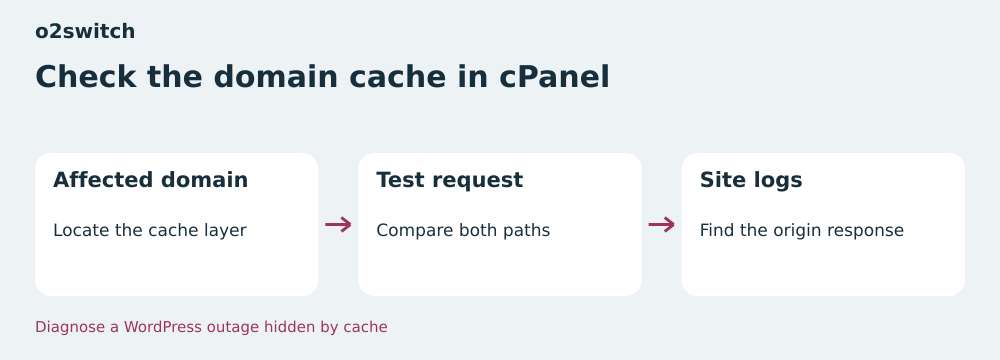 Check the domain’s cache in cPanel — BlogPasCher editorial illustration.Open full-size illustration ↗
Best forA team able to check the domain’s path and probe from cPanel.
In cPanel, check the domain’s cache and compare its headers with raw access logs. The LSCache configuration described by o2switch depends on the domain and cannot be enabled on a subdomain with this tool.
Offer pricing
Equivalent to €7 excluding VAT/month; €84 excluding VAT paid for twelve months
Billing: Annual payment
Renewal and support: €84 excluding VAT for annual renewal at the recorded rate
Prices exclude VAT; tax-inclusive total depends on billing
Checked on .
Strengths
- LSCache activation documented per domain
- Published renewal rate
What to consider
- LSCache tool restrictions for subdomains
- Fallback policy to check for the domain
Pricing terms and compatibility
Understanding the offer
- Price at the time of review
- Equivalent to €7 excluding VAT/month; €84 excluding VAT paid for twelve months
- Currency
- EUR
- Billing
- Annual payment
- Renewal and support
- €84 excluding VAT for annual renewal at the recorded rate
- Taxes and fees
- Prices exclude VAT; tax-inclusive total depends on billing
- Commitment and terms
- Twelve months
- Date checked
Compatibility and components
- WordPress
- cPanel
- LiteSpeed LSCache depending on configuration