Web hosting
1984 Hosting for WordPress in Iceland: pricing and backups
1984 Hosting’s WordPress plans in Iceland, initial and renewal terms, migration, the Security Pack and backup limitations.
Read more →

Site appearance
Web hosting
A managed WordPress platform whose value depends on operational tools and precise bandwidth sizing.
Source published: · Source updated: · Editorial policy
Visit the official Kinsta website ↗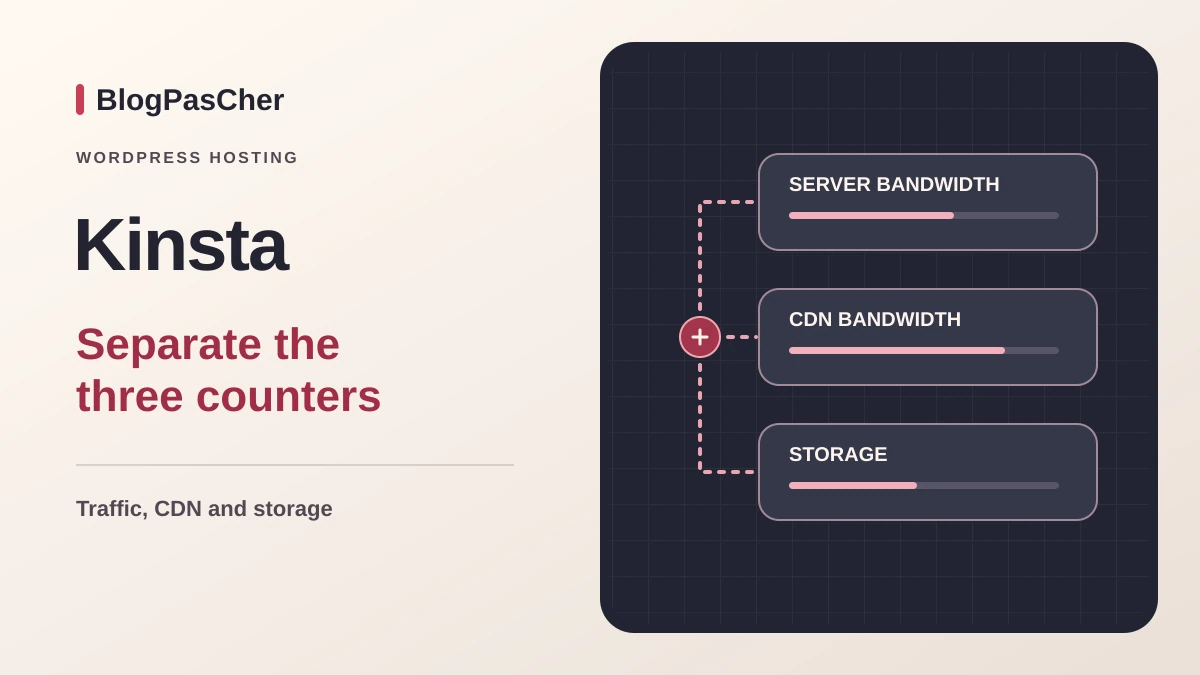
This profile is based on published offers and documentation. No new hosting benchmark or support test was performed for this translation.
Prices retain the market, currency and billing period described in the French source. Translation does not update a commercial quote. Confirm the final price, taxes and options before ordering.
| Plan | Price and billing | Resources and limits |
|---|---|---|
| Launch | Offer information corrected: Campaign as of 13 November 2026. 0 USD for the first month, then 17.50 USD/month before tax for three months, or 315 USD before tax annually after the free month. Renewal: 35 USD/month before tax after the promotional monthly payments. Confirm annual renewal. New customers until 1 December 2026. First annual charge advertised after the free month. | 1 site, 15 GB server bandwidth/month, 15 GB storage, 125 GB CDN/month. Estimated 75,000 monthly visits. The billable quota is server bandwidth. |
| Launch Plus | 29.50 USD/month before tax for three months or 531 USD before tax billed for the first annual cycle during the campaign. Renewal: 59 USD/month before tax as the undiscounted reference rate. Confirm the annual renewal amount. Monthly or annual. New-customer campaign until 1 December 2026. | 1 site, 25 GB server bandwidth/month, 25 GB storage, 250 GB CDN/month. Estimated 125,000 monthly visits. Overages possible. |
| Build | 34.50 USD/month before tax for three months or 621 USD before tax billed for the first annual cycle during the campaign. Renewal: 69 USD/month before tax as the undiscounted reference rate. Confirm the annual renewal amount. Monthly or annual. New-customer campaign until 1 December 2026. | 2 sites, 40 GB server bandwidth/month, 30 GB storage, 250 GB CDN/month. Estimated 200,000 monthly visits. Resources shared between sites. |
 Kinsta logotype from the official press kit. — Image: Kinsta.
Kinsta hosts WordPress sites and handles part of the platform’s operation. MyKinsta brings together resource monitoring, environments, backups and support requests. For a store, the value of these tools depends on how the team protects orders and prepares changes. An agency must also check staff permissions and how resources are shared between sites.
This documentary review dated 10 November 2026 covers the international catalog in US dollars. The campaign pricing grid and help pages describe the service and its public terms. Availability of a specific option depends on the selected plan.
The Launch, Launch Plus, Build, Expand, Scale and Lead plans are presented with a monthly server bandwidth allowance and an estimated visit volume. Kinsta also offers Single and WP variants, including configurations billed by visit quota. Two offers at 35 USD can therefore meet different needs. Single 20GB lists one site, 20 GB of server bandwidth and 10 GB of storage. Launch gives more emphasis to storage here, with 15 GB for each of these two resources.
Launch and Launch Plus each cover one installation. Launch includes 125 GB of CDN bandwidth and an estimate of 75,000 monthly visits. Launch Plus raises server bandwidth and storage allowances to 25 GB each, CDN to 250 GB and the estimate to 125,000 visits. Build covers two installations and advertises 40 GB of server bandwidth, 30 GB of storage, 250 GB of CDN and an estimated 200,000 visits per month. Check the account’s combined site usage before assuming the same volume is available for each installation.
On these three offers, a visit count helps position the plan. Two sites with identical audiences can use very different volumes depending on caching, response sizes and the proportion of logged-in sessions. Record the plan name and billing metric in the proposal, especially if you are taking over a subscription with an older name.
The Black Friday grid checked on 13 November advertises an offer for new customers until 1 December 2026. Prices are in USD before tax. For monthly Launch billing, the card states a first month at 0 USD, then three payments of 17.50 USD and a return to the displayed rate of 35 USD per month. For annual billing, the card states 0 USD initially and 315 USD charged after the free month. The exact annual renewal schedule and amount must be confirmed for this purchase path.
Launch Plus displays 29.50 USD per month for the first three campaign months, with 59 USD as the monthly reference rate, and 531 USD for the first annual cycle. Build displays 34.50 USD per month over the same period, with 69 USD as the monthly reference rate, and 621 USD for the first annual cycle. These two tiers have their own discounts. The grid does not give them Launch’s free first month.
The campaign table shows annual reference amounts of 420, 708 and 828 USD for Launch, Launch Plus and Build. The official grid checked on 13 November 2026 now states 315 USD annually for Launch after the free month. Check the amount and date of the next cycle in the subscription summary: the campaign price alone does not establish the renewal terms.
For budgeting, record the date of the first charge, the end of the discount, the next cycle’s amount and the billing currency. For example, if Launch follows the advertised monthly schedule and remains at 35 USD after the discount, the first twelve calendar months would total 332.50 USD before tax, options and overages. This is an arithmetic projection for the monthly purchase path. The annual payment of 315 USD after the free month follows a different schedule. For a French team, applicable VAT and any currency conversion fees are handled separately.
MyKinsta separates traffic transferred by the server, traffic delivered by the CDN and data storage. A cached page and a logged-in shopping cart do not place the same demands on the origin. Examine busy weeks, WordPress processing and the most requested files. Across several sites, identify the environments responsible for most usage before choosing a higher tier.
The documentation lists 0.50 USD per additional GB of server bandwidth for plans billed on this metric and 0.05 USD per additional GB of CDN. For disk space, it lists 2 USD per GB per month, prorated by the number of days the quota is exceeded. For visit-quota plans, the public rate is 0.50 USD per thousand additional visits. This last rate must be read alongside the chosen plan’s counter. The Launch, Launch Plus and Build estimates remain sizing guidelines.
Example for a bandwidth plan: eight GB of server traffic above the allowance and thirty additional GB of CDN represent 5.50 USD at these rates. Three GB of excess storage present throughout the month would add about 6 USD. If the excess volume remains for only a few days, the daily calculation changes the amount. Also check threshold notifications and advance-billing rules for substantial overages. Moving to another plan after the spike may leave usage that is already billable.
MyKinsta is the hosting management panel. It lets you work on sites and their environments without replacing the WordPress editorial dashboard. Publish posts and manage the catalog in WordPress. Return to MyKinsta for hosting operations.
The panel and commercial website are available in French. For a team, this makes day-to-day operation easier, but plugin names, errors and some technical documentation may remain in English. Keeping the original message is preferable to an approximate translation when asking for help.
Organize access around responsibilities. Someone preparing content does not necessarily need permission to restore a database or delete a site. Conversely, your technical provider must have the required permissions before an urgent intervention. Keep an inventory of account owners and remove access that is no longer needed when the project changes hands.
Kinsta advertises technical chat 24 hours a day in supported languages, including French, for customers with an active paid plan. Open chat from MyKinsta. If you start with the free month, check when this access becomes available. The published phone number is for sales.
French-language sales are advertised Monday to Friday from 14 to 20 UTC. Migration assistance is advertised around the clock on business days. Billing publishes hours of 1 to 23 UTC, Monday to Friday. These hours help you prepare a switch or request confirmation before renewal.
To obtain a useful response, specify the site, environment, time and action causing the problem. Include the error message and recent changes without sharing secrets in a public screenshot. Average response times published by a provider do not guarantee resolution of your particular incident.
Launch, Launch Plus and Build include daily backups retained for fourteen days. Retention varies by range. Kinsta also creates backup points around certain sensitive operations, helping you recover a state from before a change.
In MyKinsta, open the site’s backups and identify the desired recovery point. The Restore to command lets you choose the destination. To inspect data from an older point, first create a staging environment if one does not exist, then select it as the destination and verify that its contents can be replaced. Before restoring production, export the current state and check the chosen point’s date.
A backup that can be restored in MyKinsta and a portable archive cover different scopes. The downloadable archive contains WordPress files and the database. Record MyKinsta settings, redirects and custom server rules separately. Document those items separately if you want to rebuild the site elsewhere.
The documentation allows a downloadable archive to be generated once a week. The link remains available for forty-eight hours. In MyKinsta, open Sites, the relevant site, Backups and then Download to request this archive. This deadline encourages prompt retrieval into private storage. For an active store, estimate how many orders and changes would need to be reconstructed between daily copies before choosing a higher frequency. The documentation lists 20 USD per site per month for a backup every six hours and 100 USD for hourly backups. These additional recovery points are retained for twenty-four hours.
Each installation includes a standard staging environment. Additional or enhanced environments are separate options. Staging is used to verify a change away from visitors. It can also receive a restoration so you can inspect an older version without immediately replacing the public site.
Selective deployment lets you choose files, folders or tables. This precision is useful but does not intelligently merge business transactions. Environment settings, including redirects, PHP and Nginx configurations, are transferred and replace those at the destination even with a selective push. Choosing only files therefore does not guarantee that these settings stay unchanged. Pushing an entire older database to production replaces current data, including orders, registrations or comments received since the copy was created.
For a code change, favor a transfer whose scope matches the change made. If a modification requires configuration data, identify its location and dependencies with the developer. Keep a current backup before deployment, then verify the complete user journey, not just the homepage’s appearance.
Kinsta includes caching and content delivery features, along with diagnostic tools. Their presence can reduce the number of technical tools you need to assemble yourself. However, this does not remove the need to investigate an oversized image, slow external call or poorly designed query.
The platform maintains a list of banned or incompatible plugins. Some duplicate its features; others cause load or operational problems. Before migration, compare your exact plugin list with this documentation. Any feature essential to your business must have an identified compatible solution before you change hosting.
Check compatibility exceptions that apply to the installed caching or backup tool. The documentation itself mentions plugins whose status has changed. Verify the relevant product and version, then check the effects of replacing it on a copy of the site.
Kinsta advertises free migrations for standard WordPress installations. Requests can be made from MyKinsta using details of the previous hosting or a backup. The team needs the necessary access and may request clarification before proceeding.
The documentation schedules migrations Monday to Friday. The expedited option lists 49 USD per site and an eight-hour target within the 9 to 23 UTC window, Monday to Friday. The help pages provide for a refund of the supplement if this target is missed. They identify site size and the source provider’s transfer speed among factors that can prolong transfer. If the site continuously receives orders or contributions, choose a time and method that handle data created during transfer. Copying the site at a given moment is not enough to automatically retain subsequent events.
Before changing DNS, check pages, logins and forms on the copy. For a store, use the payment provider’s test mode and disable real sends. Coordinate the final order transfer and maintenance window. Keep the old hosting during this validation. Inventory the domain registrant and associated services separately before moving WordPress.
Kinsta plans do not include mailbox hosting. If your previous provider bundles the site and business addresses, you must decide where messages will be stored before canceling. An address that still works during testing may stop receiving mail after a poorly prepared DNS change.
Automatic messages sent by WordPress are a separate topic. Kinsta documents transactional sending through MailChannels on production and staging environments, within plan-specific limits. This service can send order confirmations or form messages. Inboxes and newsletter sending are managed separately. Check receipt in business mailboxes and delivery of notifications generated by the site.
Include the email provider’s cost in the total budget, along with retention of message history if needed. Record MX records and relevant authentication settings before any change. The site transfer must preserve existing email or include an explicit email migration.
The current documentation allows Paris to be selected among the available locations. Other European and international regions exist, and a custom contract may restrict the available choice. The data center actually selected for your site matters more than a total region count advertised on an older page.
For a French readership, Paris is a logical option to examine. Loading also depends on page weight, WordPress processing and calls to external services. The CDN also distributes some content from other locations according to how it operates.
Do not confuse the data center, company offices and entity billing your subscription. If your activity requires a specific location or framework, also examine backups, subcontractors and the data processing agreement. A geographic option in a panel does not replace this verification and cannot establish that all processing remains in France.
MyKinsta documents an AI assistant that customers can choose to open in the support interface. It is used to search for an answer in a support context. Chatting with the technical team remains a separate route. The documentation consulted specifies neither an allowance of WordPress writing credits nor a generative builder included in the three plans reviewed.
Kinsta also publishes an example MCP server linking an external assistant to its API. It shows how to expose defined operations, such as listing sites or clearing a cache. This setup requires an integration and a key with permissions matching the authorized operations. The cost of any third-party tool, its data processing and integration costs must be checked separately.
To use this type of connection, start in a working environment with a limited scope. Decide which operations require human approval and how to revoke access. A tool that can change a hosting setting has different effects from writing assistance. For incoming traffic, Kinsta’s documented Bot Protection feature controls access by bots and AI bots. It addresses traffic management, with its own per-environment settings.
A WordPress site hosted at Kinsta can be exported with its files and database. When leaving, retrieve the independent archive and the DNS, redirect, certificate, task and connected-service settings. Platform-specific settings must be recreated differently at the new host.
Check the copy at the destination before deleting the site or closing the account. Backup retention conditions after deletion should not become your normal export procedure. You must possess a readable copy and know the date of the latest data it contains.
The thirty-day money-back guarantee is reserved for new customers and has exclusions, including certain one-off fees and overages. For an offer with a free first month, the documentation starts this guarantee after the free period. The first-month promotion also has specific terms. Keep the accepted offer and confirm the rules applying to your case without assuming the same period covers every option. A successful closure also includes stopping additional services that are no longer needed and keeping invoices.
Kinsta is worth considering when a site needs a working copy, a prepared restoration process, resource diagnostics and differentiated access. The expected benefit must relate to actual activity. A sophisticated tool that nobody knows how to use does not by itself eliminate the risks of a change.
The budget must include the subscription, separate email and the options actually needed. For a store, also compare the cost of a backup frequency suited to business transactions. For multiple sites, check resource allocation and each contributor’s responsibility rather than simply counting permitted installations.
Before subscribing, request a proposal stating the exact plan, its usage unit, overages and exit terms. Then evaluate your own pages and user journeys once the service is in place. This method lets you assess cost against the service delivered without turning commercial documentation into a performance result we have not measured.
Use these references to check the features, requirements and limitations described. Reading documentation is not a practical test.
English translation of the reviewed French edition. Code examples retain their original identifiers, comments and output strings for reproducibility. Linked exercise files and original screenshots may contain French. No new practical tests or price checks are implied by translation.
1984 Hosting’s WordPress plans in Iceland, initial and renewal terms, migration, the Security Pack and backup limitations.
Read more →Compare 34SP.com WordPress containers, shared memory, staging copies, downloadable snapshots and site migration.
Read more →Compare AEserver’s managed WordPress prices and check whether your network must be split into independent installations before migration.
Read more →