

The page opens and the browser displays the fallback font
A magazine moves its WordPress site to a new address. Headings and menus remain readable. At the new address, their widths and line breaks change even though the page is supposed to use the same font. In the Network tab, the font file appears with status 200. The browser may have downloaded the bytes and then refused to use them because the font comes from another origin.
The scenario follows a public font declared by a CSS @font-face rule. A document’s origin is the combination of protocol, host, and port. A file subdomain can therefore be a different origin even if the domain belongs to the same organization. Font-loading rules then require CORS authorization in the file server’s response. The font’s status and console messages provide browser-side evidence.
The comparison is between Infomaniak Web Hosting and Hostpoint Standard Web Hosting. Both allow publishing WordPress files and serving them over HTTPS. Infomaniak documents the authorization header and server settings. Hostpoint documents Apache headers with .htaccess. The choice depends mainly on where the font is actually served and configuration permissions for that route.
Compare before you choose
The offers at a glance
Find the use case and budget that fit, then read the details to see the limitations and any components you may need.
On smaller screens, the table scrolls horizontally. With a keyboard, press Tab to focus the table, then use the left and right arrow keys.
| Offer | Best for | Pricing and billing | Renewal and support |
|---|---|---|---|
 Infomaniak Web HostingRead the details | A team able to identify the file server and check the font header. | From CHF 10.91 per month excluding VAT Annual by default. Other frequencies depend on configuration and amount. Prices exclude VAT according to the features table. | Confirm the cycle amount. First attempt at D−14 if automatic renewal is active. |
 Hostpoint Standard Web HostingRead the details | A team using the panel or file access to check a .htaccess file. | CHF 15.90 per month including VAT at the displayed rate Web-hosting contracts of six, twelve, or twenty-four months according to help. The plans page states that prices include VAT. | Renewal for the same duration at the applicable rate. |
Prices and terms of the two Swiss plans
Infomaniak lists Web Hosting from CHF 10.91 per month. The features table specifies that prices exclude VAT and billing is annual by default. Quarterly or monthly payment depends on the amount and configuration. Over twelve months at this reference rate, the calculation gives CHF 130.92 excluding VAT. Request the next cycle’s amount for the configured product. The plan advertises 250 GB SSD storage and twenty included sites, with shared resources.
Infomaniak help states that automatic renewal can be enabled during an order or renewal with a supported payment method. When active, the first attempt takes place fourteen days before expiry. Check the service status, payment method, and date. If fonts remain on another account, also plan for that account’s expiry and access.
Hostpoint lists Standard at CHF 15.90 per month including VAT according to the plans page, or CHF 190.80 including VAT over twelve months at the same rate. The plan advertises 100 GB web storage, ten domains, and ten MariaDB databases. Help lists six-, twelve-, or twenty-four-month durations for web hosting. It specifies renewal for the same duration and cancellation no later than thirty days before expiry. Check the offered cycle and amount applicable to the next contract.
The November 11, 2026 prices are expressed in the plans’ currency. Annualized amounts retain the tax classification of their source. Correcting a font depends on neither disk volume nor a throughput promise. Use resources to assess site count and coexistence of the copy. For the font, check access to the directory or file server responding to the request.
Find the font the browser requests
On a private copy, open a page where the font should apply. In browser tools, inspect a heading or line of text. Record the computed font, then the font actually rendered if the browser provides that information. Filter the Network panel to fonts and identify the final address after redirects. The link may come from a theme stylesheet, plugin, or generated CSS file.
Note the weight, format, and source of each variant used. A regular font may load while italic or bold remains blocked at an old address. Compare at least two variants actually used and representative text. Accents, punctuation, and navigation characters may be distributed across different files or character ranges.
Record the document’s final origin, the request’s Origin header, and headers received for the file. If the browser reports a content policy, check the document’s font-src directive. If the message concerns CORS, check Access-Control-Allow-Origin on the font response. If the browser reports an invalid format or bytes, compare the received file with the source and check that a redirect has not delivered HTML at a font address.
If no font request is sent, first check that the CSS declaration is loaded, matches the requested weight, and is actually used by an element. Then open the console to see whether the document policy blocked the request before sending. Authorization on the file server does not resolve a page-side block. When the request is sent, record the received file’s type and hash, then compare them with a local copy of known origin. This avoids treating an error page returned with 200 as a font.
Choose the font address before changing headers
If the theme or plugin can load the font from the same host as the page, first try that on the copy. Import a font for which the site holds distribution rights. On a site using WordPress’s Font Library, check installed variants and reassociate them with the relevant styles. On a theme declaring them in a CSS stylesheet, record the stylesheet path and calculated font address. A relative path resolves from the stylesheet.
When another host must continue serving the font, configure authorization on the file’s response. The Access-Control-Allow-Origin header must target the document’s exact origin for the tested flow. Retain the protocol and any port, then check the value at the final address. A header in the WordPress page response does not by itself correct the response of a file hosted elsewhere.
If the server decides authorization from the Origin header, the Fetch standard provides for signaling this variation to caches with Vary: Origin. If only one origin is authorized by a static value, check that this value remains identical on the actual route. Limit the rule to the directory or public files that need it. Also check that an intermediate layer does not add a second competing value.
Infomaniak: identify the layer serving the font
Infomaniak’s table advertises Apache, FTP, and SSH for Web Hosting. Help explains how to create a .htaccess file and describes Access-Control-Allow-Origin in a PHP response. If your font URL is handled by PHP, place the rule in the handler actually serving that response. If the server sends a static file directly, look for the directory or CDN setting. A setting executed only by PHP may be absent from that static response.
On a copy, record the site name, directory, and final font address. Check that you have permissions for that location before changing a configuration file. If Apache and mod_headers support the setting in that directory, the attached example lets you test authorization limited to one file and one origin. Keep the previous file and check that the header appears on the file response, then that the browser uses the font.
If fonts remain on an external service the team cannot configure, run acceptance testing with an authorized copy of the font served from the site. Repeat the pages using that variant and check the address observed in the browser. This approach reduces dependence on file-server configuration. It remains conditional on the right to redistribute the font and availability of the variants used.
Hostpoint: test the Apache rule at file level
Hostpoint’s HTTP-header guide describes a .htaccess configuration with mod_headers. It states that this file can be edited through the panel’s file explorer or file access. On the copy, open the directory serving fonts. Keep its current setting, then try a rule limited to one test file. The Standard page does not prove that a rule is applied on a given domain or route.
Check the HTTP response with the expected origin, then repeat loading in the browser. If the file passes through a redirect or a service responding before Apache, observe the final response and find where to apply the rule. If a 500 response appears after modifying the file, restore the initial setting and check the directory and available directives again.
If the font now loads on the copy, repeat the test on the route actually intended for the public. A test copy may use a different origin. A rule limited to that origin must be adapted and checked before launch. The access and error logs documented in the panel help correlate a server response, while the browser remains the evidence of loading and rendering.
Compare a fresh page and a cached page
After correction, first open the page in a session with neither its old CSS nor the font cached. Record the CSS stylesheet address, font address, and returned header. Then open the same page in a session that has already loaded the old version. If results differ, compare the addresses and CSS content. An old stylesheet may still point to the previous filenames.
Also check the site using the name actually displayed after redirects. The www version, address without www, and staging can constitute different origins. Authorization configured for one does not prove font presence on another. Record the origins the site actually serves and test every necessary variant before closing the migration.
If the browser loads the font but continues displaying another family on an element, inspect the style rules and applied weight. The family may have loaded for another part of the page. Check two representative pages and the areas whose width had changed. Keep a screenshot of the font actually rendered, with the variant name and file address.
Repeat the five cases in a local browser
The ZIP contains a real Barlow font and starts two local HTTP servers. They use the same host and two ports, creating two origins. Chrome loads a page with five @font-face declarations. The script queries loading status and separately records the headers and file hash. The four responses containing the valid font carry the same bytes.
The same-origin font and the font whose header permits the exact origin load. The browser rejects a 200 response without a header and another targeting a different origin. The last case also responds 200 with correct authorization but contains invalid bytes. It fails too. The result isolates the fault without changing the theme or hosting.
The ZIP was extracted and rerun under Chrome in headless mode. Browser requests and decisions are real. Servers, test names, and rules are local. Use the attached sheet to repeat observations on a WordPress copy. The result to check on the site is the font actually rendered, with the expected file and variant.
Choose according to file-server access
Infomaniak Web Hosting suits a team managing the page and its resource directory in the Manager, or able to configure the response of the external service serving fonts. Storage volume and site count provide room for the copy and public site to coexist. Check the exact path and responding layer before choosing a header setting.
Hostpoint Standard suits a team wanting to check the configuration file and site logs through the panel or file access. Check the selected contract duration, quota, and application of the setting on the public path. If an external service handles delivery, its headers determine the result independently of page hosting.
Validate migration when the browser loads the expected files, the variants used are correct, and the page retains its formatting on the intended public origins. Keep addresses, headers, and the previous setting for rollback. If a variant still fails, retain the already validated path and correct the file, its origin, or the rule deciding its delivery.
- Record the rendered font and final address of each variant.
- Compare the page’s origin and the file response’s header.
- Check loading in a fresh session and one that has already opened the site.
- Keep the initial setting and loading evidence.
Further reading
Sources and references
Use these references to check the features, requirements and limitations described. Reading documentation is not a practical test.
View 14 references
- Infomaniak Web Hosting — Web Hosting pricing and resources ↗ — Documentation consulted:
- Infomaniak Web Hosting — Automatic renewal and first attempt ↗ — Documentation consulted:
- Infomaniak Web Hosting — HTTP response and origin authorisation ↗ — Documentation consulted:
- Hostpoint Hébergement Web Standard — Standard pricing and resources ↗ — Documentation consulted:
- Hostpoint Hébergement Web Standard — Contract duration and renewal ↗ — Documentation consulted:
- Hostpoint Hébergement Web Standard — HTTP header settings ↗ — Documentation consulted:
- Infomaniak, Web Hosting ↗ — Documentation consulted:
- Infomaniak, .htaccess file ↗ — Documentation consulted:
- Hostpoint, WordPress Standard ↗ — Documentation consulted:
- Hostpoint, logs by site ↗ — Documentation consulted:
- WordPress, Font Library ↗ — Documentation consulted:
- W3C, CSS font loading ↗ — Documentation consulted:
- WHATWG, Fetch standard ↗ — Documentation consulted:
- Google Fonts, Barlow font ↗ — Documentation consulted:
Uses, prices and what to check
2 offers in detail
Compare the features you need and the terms of each offer. The order of these entries does not indicate a ranking.
Infomaniak Web Hosting
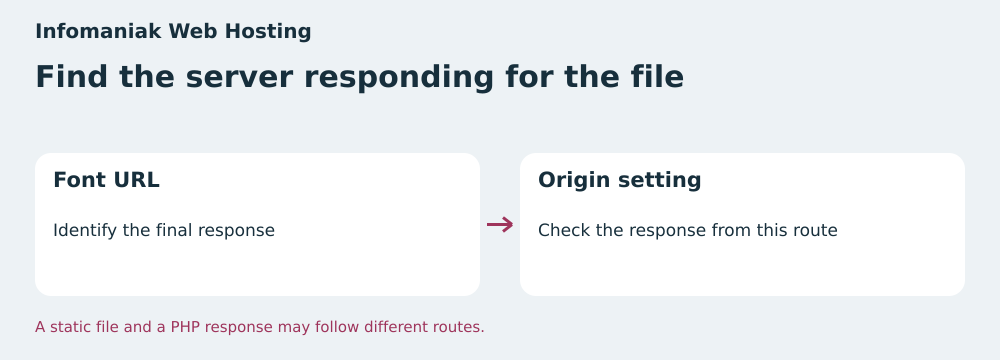 Check the font file’s final response. — BlogPasCher editorial illustration.Open full-size illustration ↗
Best forA team able to identify the file server and check the font header.
Swiss plan with Apache, FTP, and SSH, plus documentation on origin headers.
Offer pricing
From CHF 10.91 per month excluding VAT
Billing: Annual by default. Other frequencies depend on configuration and amount.
Renewal and support: Confirm the cycle amount. First attempt at D−14 if automatic renewal is active.
Prices exclude VAT according to the features table.
Checked on .
Strengths
- 250 GB SSD and twenty sites included
- Apache, FTP, and SSH documented
- Help on origin authorization
What to consider
- Shared resources
- The PHP example covers only responses handled by PHP
- Check the exact renewal price
Pricing terms and compatibility
Understanding the offer
- Price at the time of review
- From CHF 10.91 per month excluding VAT
- Currency
- CHF
- Billing
- Annual by default. Other frequencies depend on configuration and amount.
- Renewal and support
- Confirm the cycle amount. First attempt at D−14 if automatic renewal is active.
- Taxes and fees
- Prices exclude VAT according to the features table.
- Commitment and terms
- Check the frequency and renewal configured for the product.
- Date checked
Compatibility and components
- WordPress
- Apache
- Static font files
Hostpoint Standard Web Hosting
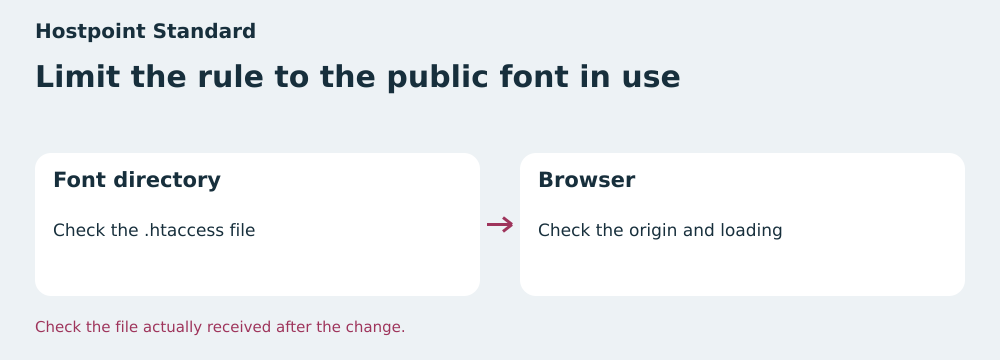 Compare the allowed origin and font loading. — BlogPasCher editorial illustration.Open full-size illustration ↗
Best forA team using the panel or file access to check a .htaccess file.
Swiss plan with 100 GB web storage and a procedure for Apache headers.
Offer pricing
CHF 15.90 per month including VAT at the displayed rate
Billing: Web-hosting contracts of six, twelve, or twenty-four months according to help.
Renewal and support: Renewal for the same duration at the applicable rate.
The plans page states that prices include VAT.
Checked on .
Strengths
- 100 GB web storage, ten domains, and ten MariaDB databases
- Documented .htaccess and mod_headers procedure
- Access to logs by site
What to consider
- The browser must confirm loading on the actual route
- Reconcile the displayed monthly price and contractual period
- Any CDN responds according to its own configuration
Pricing terms and compatibility
Understanding the offer
- Price at the time of review
- CHF 15.90 per month including VAT at the displayed rate
- Currency
- CHF
- Billing
- Web-hosting contracts of six, twelve, or twenty-four months according to help.
- Renewal and support
- Renewal for the same duration at the applicable rate.
- Taxes and fees
- The plans page states that prices include VAT.
- Commitment and terms
- Cancellation no later than thirty days before expiry according to help.
- Date checked
Compatibility and components
- WordPress
- Apache and .htaccess
- Static font files