

Diagnose before adding a plugin
A page may wait for the server, transfer oversized images or execute too many scripts. These symptoms do not call for the same fix. The desired result is a usable, stable user journey, not just a higher number in a report. Start by recording a representative page, the device, the connection context and the action causing trouble. A store and a public article have different constraints.
Before installing anything, examine settings already available in the theme, hosting panel and existing plugins. Reducing an image intended for a small thumbnail or removing an unnecessary template element may be enough. The catalog brings together alternatives and complementary tools by need; it does not recommend activating twenty-five products together. The Autoptimize procedure below describes a functional check to perform on your copy. The reference files, screenshots and logs from the previously described test procedure are not available in this folder, so its results are not retained as evidence. The offerings remain described according to their documentation.
Compare before you choose
The offers at a glance
Find the use case and budget that fit, then read the details to see the limitations and any components you may need.
On smaller screens, the table scrolls horizontally. With a keyboard, press Tab to focus the table, then use the left and right arrow keys.
| Offer | Best for | Pricing and billing | Renewal and support |
|---|---|---|---|
 LiteSpeed CacheRead the details | Identified LiteSpeed or QUIC.cloud infrastructure. | Free plugin. QUIC.cloud announces a new free plan and a Basic plan at $5/month starting December 1, 2026. The new QUIC.cloud pricing is monthly and applies per domain. Final amount and taxes to confirm at checkout. | Before the change, check the quotas visible in your account. For the new plan, confirm the currency and total. |
 W3 Total CacheRead the details | Technical management of several caching layers. | Free base. Pro displayed at $99/year for one site. Annual subscription. Final amount and taxes to confirm at checkout. | Annual subscription renewal, according to BoldGrid. |
 WP Super CacheRead the details | Public pages largely shared by visitors. | Free, open-source plugin; no paid license required for the described features. Free. | No license renewal for the free plugin. |
 WP Fastest CacheRead the details | Page caching with refresh rules. | Free edition in the directory; prices of any add-ons not specified. Taxes and any service fees not checked. | Terms for any paid plans were unavailable at the time of review. |
 Cache EnablerRead the details | Page caching with a limited scope. | Free plugin; any image conversion and CDN remain separate services. Free for page caching. Taxes and any service fees not checked. | No license renewal for the free plugin. |
 WP-OptimizeRead the details | Several needs combined with clearly defined responsibility. | Free base. Starter displayed at $49/year for two sites. Annual subscription. Final amount and taxes to confirm at checkout. | Check the final amount and renewal at checkout. |
 HummingbirdRead the details | Team already using WPMU DEV. | Free edition in the directory; prices of any add-ons not specified. Taxes and any service fees not checked. | Terms for any paid plans were unavailable at the time of review. |
 AutoptimizeRead the details | Resource optimization separate from page caching. | Free base. Pro for one site displayed at 12.99 per month or 89 per year, in EUR or dollars depending on the choice. Monthly or annual subscription. Final amount and taxes to confirm at checkout. | Currency, taxes and renewal to check at checkout. |
 Asset CleanUpRead the details | Targeted disabling of unused resources. | Free edition in the directory; prices of any add-ons not specified. Taxes and any service fees not checked. | Terms for any paid plans were unavailable at the time of review. |
 Redis Object CacheRead the details | Redis available and properly administered. | Free edition in the directory; prices of any add-ons not specified. Taxes and any service fees not checked. | Terms for any paid plans were unavailable at the time of review. |
 Docket CacheRead the details | Object-cache alternative on a compatible environment. | Free, open-source plugin; plan for hosting storage and resource consumption. Free. Taxes and any service fees not checked. | No license renewal for the free plugin. |
 Jetpack BoostRead the details | Resource and page-cache modules chosen separately. | Free edition in the directory; prices of any add-ons not specified. Taxes and any service fees not checked. | Terms for any paid plans were unavailable at the time of review. |
 ShortPixel Image OptimizerRead the details | Image library to optimize in batches. | Free plugin; account with 100 free monthly credits. Paid subscriptions and additional credits. Monthly quota; other offerings use subscriptions or one-time credits. Taxes and any service fees not checked. | Terms for any paid plans were unavailable at the time of review. |
 ImagifyRead the details | Image flow compatible with a measured quota. | Free plan at 20 MB per month, 2 MB per image. Growth displays 500 MB per month. Growth displayed at $5.99 per month before discounts or an annual equivalent of $4.99/month before discounts. Final amount and taxes to confirm at checkout. | The page may offer a discount on the initial billing cycle. Check the currency and renewal amount. |
 EWWW Image OptimizerRead the details | Image optimization with a choice of processing mode. | Free local optimization with no count or size quota imposed by the plugin; actual capacity limited by hosting. Local mode without a subscription; commercial API and Easy IO are separate. Taxes and any service fees not checked. | Terms for any paid plans were unavailable at the time of review. |
 OptimoleRead the details | Images adapted and delivered through an external service. | Free plan up to 2,000 monthly visits according to Optimole's counter; beyond that, choose a paid offering. Quota follows the account period, not necessarily the calendar month. Taxes and any service fees not checked. | Terms for any paid plans were unavailable at the time of review. |
 SmushRead the details | Media optimization within an existing environment. | Free compression: files up to 5 MB; WebP/AVIF and CDN in Pro. Free batches have no longer been limited to 50 images since version 4.0. No quota of 50 images per batch in the current version; format and file limits depend on the edition. Taxes and any service fees not checked. | Terms for any paid plans were unavailable at the time of review. |
 Converter for MediaRead the details | Image-format conversion with actual re-encoding. | Free WebP conversion; AVIF reserved for Pro, whose price is not specified here. Taxes and any service fees not checked. | Terms for any paid plans were unavailable at the time of review. |
 OMGFRead the details | Google Fonts to serve locally. | Free edition in the directory; prices of any add-ons not specified. Taxes and any service fees not checked. | Terms for any paid plans were unavailable at the time of review. |
 Query MonitorRead the details | Technical investigation of the cause of slowness. | Free, open-source plugin; no subscription required for the described features. Free. | No license renewal for the free plugin. |
 Advanced Database CleanerRead the details | Database maintenance with validation of data to remove. | Free edition in the directory; prices of any add-ons not specified. Taxes and any service fees not checked. | Terms for any paid plans were unavailable at the time of review. |
 WP RocketRead the details | Paid caching and resource suite. | Single displayed at a $3/month equivalent for the first year during the promotion consulted. Annual billing for this option. A separate promotion requires three years paid upfront. Final amount and taxes to confirm at checkout. | After the initial period, renewal at the ordinary rate. The pricing displays an equivalent of $5/month before discount. Check the exact amount at checkout. |
 PerfmattersRead the details | Targeted settings and resource control. | Personal at $29.95/year for one site. Annual subscription. Final amount and taxes to confirm at checkout. | The developer advertises automatic renewal that can be canceled and a 15% discount on renewals. |
 FlyingPressRead the details | Paid caching, resource and image suite. | Starter at $59/year for one site. Annual subscription. Final amount and taxes to confirm at checkout. | Automatic renewal unless canceled before the due date. Check the currency and taxes when buying. |
 NitrolRead the details | Technical specialist after confirming compatibility with their WordPress version. | Regular at 50 USD. Extended at 200 USD. License purchase on CodeCanyon. USD price excluding taxes and processing fees. | Six months of support and future updates advertised. Optional support extension. |
Page caching and object caching: two different roles
Page caching avoids rebuilding an identical public response on every visit. Object caching stores results WordPress can reuse. The two can address different needs, but you must know who is responsible for each. Ask your host what is already running before adding an engine that requires Redis or server configuration. A connector does not install that infrastructure by itself.
Choose a single page-caching chain and document any server or CDN layers. A partial purge may make it seem that a fix has not taken effect while an old response is still being served elsewhere. The expected result is an up-to-date page for the right visitor. The cart, checkout, private areas and personal information must not become shared pages in pursuit of speed.
WooCommerce, consent and personalized pages: the decisive checks
Check that the cart, checkout and customer account are excluded from page caching, even when the plugin handles these exclusions automatically. Server and CDN layers must respect the same scope. WooCommerce AJAX and Store API requests must retain their dynamic responses; blocking them or serving a saved response may prevent payment. Do not disable REST globally to try to speed up the site.
Check two genuinely separate sessions, a logged-in then logged-out visitor, product variations and currency or language changes. Also check behavior before and after the consent choice: a JavaScript delay tool must not prevent the choice from being saved or trigger a service before the intended consent. Use a copy without real payments or emails sent to customers.
Define a reproducible comparison without inventing results
Prepare observations before changing a setting. Record the page, context and expected behavior, then choose several genuinely useful journeys: viewing a product page, opening a menu or submitting a test form with live actions disabled, for example. A first load and an already cached load are not an equivalent comparison. Do not turn a commercial demo or testimonial into a result observed on your site.
Loading, responsiveness and stability metrics answer different questions. A gain in one does not demonstrate improvement in the others. Also compare the visible experience and functional errors. If you have not performed these checks, present a documentation-based hypothesis, not an achieved performance result. The entries below therefore assign no stars, percentage gains or universal rankings.
For a tool operating in a remote cloud, check whether a protected copy can be analyzed. FlyingPress documents limitations on localhost and behind HTTP authentication. Do not make private data public to bypass this limitation; choose a copy with live actions disabled and suitable access, or another verification method.
Reduce resource weight without breaking interactions
A tool may defer a script, remove a stylesheet or change loading order. These actions do not have the same effect. A resource that seems unused on the initial screen may become necessary after a click, login or product variation change. Have an authorized copy prepared and keep the previous settings. Enable a single change, check the selected journeys, then decide whether to keep it or roll back.
Options that remove WordPress features should remain exceptional and justified. Do not disable an API, saving mechanisms or a store component globally simply because a panel offers it. If a form, menu or cart stops working, the setting fails even if the technical report looks better. Remove the targeted rule, purge the relevant caches and repeat the check with the original behavior.
Repeat CSS and JavaScript aggregation with Autoptimize
On a copy, choose a page combining a CSS layout and a JavaScript interaction. A button that reveals a text block is suitable. Before enabling an optimization, open the browser's developer tools and record that page's CSS and JavaScript requests. Test the button with a mouse and keyboard. Also select a different page where the plugin might alter resources, such as a product page or form.
To make the check reproducible, record the installed versions, CSS and JavaScript URLs before the change, then the exclusions and options enabled. After aggregation, check that generated files respond correctly, excluded resources remain loaded and the button works with both a mouse and keyboard. Then disable this optimization and verify that the original URLs and behavior return. Keep Network panel screenshots and settings with the report. This procedure checks specific functions; it does not measure a speed improvement.
The choice depends on the observed fault. If the blocker comes from a dependency between two scripts, start with loading order. If the interface is intact and the network shows unused files, remove a file from a page where it is truly unnecessary. For a public page that is slow even before the HTML loads, examine page caching or the hosting response.
- Enable Autoptimize on the copy and start with a single file family. To examine aggregation, record the resources needed for the reference example and keep those that must retain their URL or loading order in the exclusions. If you are checking an excluded resource that should remain unchanged, also disable its minification.
- Check visual details and keyboard use. In the browser's Network tab, check the status of aggregated files and confirm that excluded files remain loaded from their usual URLs. In the console, record any error before changing another setting.
- If an interaction breaks, add the relevant script to the exclusions and retest its dependency and control. If the result remains uncertain, disable the optimization on the copy, clear the cache serving its HTML if necessary and check that the original URLs and user journey have returned.
Images and fonts: preserve quality and the file delivery path
Start by comparing image dimensions with actual use. A thumbnail does not require the same resources as a file offered for printing. Preserve the original and examine a copy, especially small lettering, transparency and useful details. Compression, conversion and CDN delivery tools are alternatives depending on the chosen setup; running several processes on the same media file can complicate quality and recovery.
A remote image service adds an account, quotas and a data path to understand. Check what stays local, what is merely delivered differently and what is actually outsourced. For fonts, check the alphabets and weights used so that you do not break translated text or a special character. Hosting a font locally is not equivalent to certifying the site's overall legal compliance.
Database, diagnostics and budget: do not confuse their effects
A diagnostic panel can help identify an expensive component without directly speeding up the site. It should be used by someone who understands the information and knows how to avoid exposing it publicly. Database cleaning calls for another precaution: deleted data cannot necessarily be rebuilt like a cache. Prepare a recoverable backup and have data identified before deletion. Do not remove unknown tables to obtain a visually tidier dashboard.
The budget may include a license, subscription, processing volume or CDN. A price displayed per month may be billed annually or for several years. Unconfirmed amounts and terms are left unknown; no promotion is treated as a guaranteed renewal price. Compare the scope you need and number of sites, then check the total including taxes before any purchase. No external service account or purchase was initiated here. The Autoptimize procedure proposed above does not validate this selection's commercial services.
To compare caching licenses, record the number of sites, the price of the paid billing cycle and renewal terms. For images, compare monthly volume and the limit per file. A quota in megabytes and an annual per-site license answer different questions.
Choose an approach and check rollback
The first approach keeps existing features and addresses content or media without a new plugin. The second chooses a compatible cache when page generation is the established problem. The third adds a resource-management or diagnostic specialist for a specific gap. Combine these approaches only if their responsibilities remain separate. A site may need a suitable image rather than a second cache.
The person responsible must know the exclusions, changed settings and caches to purge after rollback. On WordPress.com or managed hosting, have restrictions confirmed before installation. On multisite, a network change may affect several sites; do not generalize an isolated observation. If the documentation does not cover your case, send useful configuration details to support without publishing secrets or access credentials. Advertised compatibility is not practical validation of your installation.
The minimum versions and “tested up to” statements below are developer declarations recorded on the review date, not certifications from our team. An old PHP minimum does not recommend returning to that version: keep a maintained, compatible branch. The absence of a declaration for your current version calls for confirmation, particularly for Hummingbird and Nitrol in this review.
Aggregating files: a hypothesis to compare
The Autoptimize procedure provides for reversible aggregation; fewer files do not guarantee a faster page. The official FAQ explains that new installations no longer aggregate CSS and JavaScript by default, notably because HTTP/2 reduces the cost of multiple requests. Compare a setup without aggregation with one using aggregation on the same pages under the same conditions.
Preserve the functioning of menus, forms and variations first. If no reproducible gain is established, keep the simplest setup. Successful loading of an aggregated file validates that request and the interactions tested, not the entire store.
Further reading
Sources and references
Use these references to check the features, requirements and limitations described. Reading documentation is not a practical test.
View 75 references
- LiteSpeed Cache — Internal reference for LiteSpeed Cache ↗ — Documentation consulted:
- LiteSpeed Cache — Internal reference for LiteSpeed Cache ↗ — Documentation consulted:
- LiteSpeed Cache — Internal reference for LiteSpeed Cache ↗ — Documentation consulted:
- LiteSpeed Cache — Internal reference for LiteSpeed Cache ↗ — Documentation consulted:
- LiteSpeed Cache — Internal reference for LiteSpeed Cache ↗ — Documentation consulted:
- LiteSpeed Cache — LiteSpeed Cache pricing and terms ↗ — Documentation consulted:
- W3 Total Cache — Internal reference for W3 Total Cache ↗ — Documentation consulted:
- W3 Total Cache — Internal reference for W3 Total Cache ↗ — Documentation consulted:
- W3 Total Cache — W3 Total Cache pricing and terms ↗ — Documentation consulted:
- WP Super Cache — Internal reference for WP Super Cache ↗ — Documentation consulted:
- WP Super Cache — Internal reference for WP Super Cache ↗ — Documentation consulted:
- WP Fastest Cache — Internal reference for WP Fastest Cache ↗ — Documentation consulted:
- WP Fastest Cache — Internal reference for WP Fastest Cache ↗ — Documentation consulted:
- Cache Enabler — Internal reference for Cache Enabler ↗ — Documentation consulted:
- Cache Enabler — Internal reference for Cache Enabler ↗ — Documentation consulted:
- WP-Optimize — Internal reference for WP-Optimize ↗ — Documentation consulted:
- WP-Optimize — Internal reference for WP-Optimize ↗ — Documentation consulted:
- WP-Optimize — WP-Optimize pricing and terms ↗ — Documentation consulted:
- Hummingbird — Internal reference for Hummingbird ↗ — Documentation consulted:
- Hummingbird — Internal reference for Hummingbird ↗ — Documentation consulted:
- Autoptimize — Internal reference for Autoptimize ↗ — Documentation consulted:
- Autoptimize — Internal reference for Autoptimize ↗ — Documentation consulted:
- Autoptimize — Autoptimize pricing and terms ↗ — Documentation consulted:
- Asset CleanUp — Internal reference for Asset CleanUp ↗ — Documentation consulted:
- Asset CleanUp — Internal reference for Asset CleanUp ↗ — Documentation consulted:
- Redis Object Cache — Internal reference for Redis Object Cache ↗ — Documentation consulted:
- Redis Object Cache — Internal reference for Redis Object Cache ↗ — Documentation consulted:
- Docket Cache — Internal reference for Docket Cache ↗ — Documentation consulted:
- Docket Cache — Internal reference for Docket Cache ↗ — Documentation consulted:
- Jetpack Boost — Internal reference for Jetpack Boost ↗ — Documentation consulted:
- Jetpack Boost — Internal reference for Jetpack Boost ↗ — Documentation consulted:
- ShortPixel Image Optimizer — Internal reference for ShortPixel Image Optimizer ↗ — Documentation consulted:
- ShortPixel Image Optimizer — Internal reference for ShortPixel Image Optimizer ↗ — Documentation consulted:
- ShortPixel Image Optimizer — Internal reference for ShortPixel Image Optimizer ↗ — Documentation consulted:
- ShortPixel Image Optimizer — Internal reference for ShortPixel Image Optimizer ↗ — Documentation consulted:
- Imagify — Internal reference for Imagify ↗ — Documentation consulted:
- Imagify — Internal reference for Imagify ↗ — Documentation consulted:
- Imagify — Imagify pricing and terms ↗ — Documentation consulted:
- EWWW Image Optimizer — Internal reference for EWWW Image Optimizer ↗ — Documentation consulted:
- EWWW Image Optimizer — Internal reference for EWWW Image Optimizer ↗ — Documentation consulted:
- Optimole — Internal reference for Optimole ↗ — Documentation consulted:
- Optimole — Internal reference for Optimole ↗ — Documentation consulted:
- Optimole — Internal reference for Optimole ↗ — Documentation consulted:
- Smush — Internal reference for Smush ↗ — Documentation consulted:
- Smush — Internal reference for Smush ↗ — Documentation consulted:
- Converter for Media — Internal reference for Converter for Media ↗ — Documentation consulted:
- Converter for Media — Internal reference for Converter for Media ↗ — Documentation consulted:
- OMGF — Internal reference for OMGF ↗ — Documentation consulted:
- OMGF — Internal reference for OMGF ↗ — Documentation consulted:
- Query Monitor — Internal reference for Query Monitor ↗ — Documentation consulted:
- Query Monitor — Internal reference for Query Monitor ↗ — Documentation consulted:
- Advanced Database Cleaner — Internal reference for Advanced Database Cleaner ↗ — Documentation consulted:
- Advanced Database Cleaner — Internal reference for Advanced Database Cleaner ↗ — Documentation consulted:
- WP Rocket — Internal reference for WP Rocket ↗ — Documentation consulted:
- WP Rocket — WP Rocket pricing and terms ↗ — Documentation consulted:
- WP Rocket — Internal reference for WP Rocket ↗ — Documentation consulted:
- WP Rocket — Internal reference for WP Rocket ↗ — Documentation consulted:
- Perfmatters — Internal reference for Perfmatters ↗ — Documentation consulted:
- Perfmatters — Internal reference for Perfmatters ↗ — Documentation consulted:
- Perfmatters — Perfmatters pricing and terms ↗ — Documentation consulted:
- Perfmatters — Internal reference for Perfmatters ↗ — Documentation consulted:
- FlyingPress — Internal reference for FlyingPress ↗ — Documentation consulted:
- FlyingPress — FlyingPress pricing and terms ↗ — Documentation consulted:
- FlyingPress — Internal reference for FlyingPress ↗ — Documentation consulted:
- FlyingPress — Internal reference for FlyingPress ↗ — Documentation consulted:
- FlyingPress — Internal reference for FlyingPress ↗ — Documentation consulted:
- Nitrol — Nitrol pricing and terms ↗ — Documentation consulted:
- Nitrol — Internal reference for Nitrol ↗ — Documentation consulted:
- Nitrol — Internal reference for Nitrol ↗ — Documentation consulted:
- Nitrol — Internal reference for Nitrol ↗ — Documentation consulted:
- WordPress — optimization ↗
- Google web.dev — Web Vitals ↗
- WooCommerce: cache exclusions ↗
- WooCommerce: AJAX checkout and Store API ↗
- WP Rocket: cookie-based variants ↗
Uses, prices and what to check
25 offers in detail
Compare the features you need and the terms of each offer. The order of these entries does not indicate a ranking.
LiteSpeed Cache
 Official LiteSpeed Cache banner; brand image, without measured performance results.
Best forIdentified LiteSpeed or QUIC.cloud infrastructure.
LiteSpeed Cache combines resource optimizations with page caching tied to compatible infrastructure. This distinction is decisive: installing the plugin on just any server does not provide every exclusive feature. Start by identifying the available server or QUIC.cloud service. Then select other optimizations separately, without blindly reusing a settings file found elsewhere.
Offer pricing
Free plugin. QUIC.cloud announces a new free plan and a Basic plan at $5/month starting December 1, 2026.
Billing: The new QUIC.cloud pricing is monthly and applies per domain.
Renewal and support: Before the change, check the quotas visible in your account. For the new plan, confirm the currency and total.
Final amount and taxes to confirm at checkout.
Checked on .
Strengths
- Server-level page caching on compatible infrastructure
- CSS/JavaScript optimization and connection to QUIC.cloud services
What to consider
- The plugin does not itself provide a server-side page cache engine.
- The new QUIC.cloud plans are announced for December 1, 2026. November's transitional free quotas remain separate; check the dashboard before processing anything or buying.
Pricing terms and compatibility
Understanding the offer
- Price at the time of review
- Free plugin. QUIC.cloud announces a new free plan and a Basic plan at $5/month starting December 1, 2026.
- Currency
- Unspecified. Confirm for the offer you choose.
- Billing
- The new QUIC.cloud pricing is monthly and applies per domain.
- Renewal and support
- Before the change, check the quotas visible in your account. For the new plan, confirm the currency and total.
- Taxes and fees
- Final amount and taxes to confirm at checkout.
- Commitment and terms
- For November, the documentation indicates 100 images, 20 page optimization requests and 20 LQIP requests. The pricing announced for December switches to a quota of units shared across services.
- Date checked
Compatibility and components
- Directory declarations checked on November 2, 2026: version 7.9.2, updated 2026-10-20.
- Declared minimum WordPress 6.0; tested up to 7.1.4 by the developer; minimum PHP 7.4.
- Page caching: LiteSpeed with the LSCache module, OpenLiteSpeed, Web ADC or QUIC.cloud; general optimizations can work on Apache and Nginx.
W3 Total Cache
 Vendor image
Best forTechnical management of several caching layers.
W3 Total Cache brings together several caching layers and delivery integrations. It is better suited to someone able to relate each setting to the environment provided by the host. A long module list does not oblige you to enable everything. Define the cache already managed by the server and the remaining need before changing the plugin, then check journeys that depend on sessions.
Offer pricing
Free base. Pro displayed at $99/year for one site.
Billing: Annual subscription.
Renewal and support: Annual subscription renewal, according to BoldGrid.
Final amount and taxes to confirm at checkout.
Checked on .
Strengths
- Page, object and database caching with separate settings
- Configurable CDN integration and minification
What to consider
- Do not enable every layer by default, especially database caching on constrained hosting.
- Check session and WooCommerce page exclusions in every layer.
Pricing terms and compatibility
Understanding the offer
- Price at the time of review
- Free base. Pro displayed at $99/year for one site.
- Currency
- Unspecified. Confirm for the offer you choose.
- Billing
- Annual subscription.
- Renewal and support
- Annual subscription renewal, according to BoldGrid.
- Taxes and fees
- Final amount and taxes to confirm at checkout.
- Commitment and terms
- Pro features and conversion limits differ from the free base. Check the feature and currency before paying.
- Date checked
Compatibility and components
- Directory declarations checked on November 2, 2026: version 2.11.0, updated 2026-10-20.
- Declared minimum WordPress 6.0; tested up to 7.1.4 by the developer; minimum PHP 7.4.
- Available caching methods depend on the server; Redis or Memcached require a provided and configured service.
WP Super Cache
 Official WP Super Cache banner; product illustration, without a speed measurement or diagnostic result.
Best forPublic pages largely shared by visitors.
WP Super Cache produces static HTML pages to avoid recalculating public content on every visit. It is an option for a site where a large proportion of pages are shared by readers. Its advanced mode may affect server rules; do not choose it solely because it is presented as faster. Preserve the configuration and favor the approach compatible with your access permissions.
Offer pricing
Free, open-source plugin; no paid license required for the described features.
Billing: Free.
Renewal and support: No license renewal for the free plugin.
Checked on .
Strengths
- HTML file generation for public pages
- Simple and Expert modes depending on server access
What to consider
- Expert mode may modify .htaccess; keep a copy before making changes.
- WooCommerce normally excludes its sensitive pages; check the rules and CDN layers.
Pricing terms and compatibility
Understanding the offer
- Price at the time of review
- Free, open-source plugin; no paid license required for the described features.
- Currency
- Unspecified. Confirm for the offer you choose.
- Billing
- Free.
- Renewal and support
- No license renewal for the free plugin.
- Taxes and fees
- Unspecified. Confirm for the offer you choose.
- Commitment and terms
- Unspecified. Confirm for the offer you choose.
- Date checked
Compatibility and components
- Directory declarations checked on November 2, 2026: version 3.1.5, updated 2026-11-02.
- Declared minimum WordPress 6.8; tested up to 7.1.4 by the developer; minimum PHP 7.4.
- Expert mode: server rewrite rules; Simple mode avoids depending on the same configuration process.
WP Fastest Cache
 Vendor image
Best forPage caching with refresh rules.
WP Fastest Cache offers cache creation and deletion according to different events, along with other optimization options. Its value lies in defining when a page should be rebuilt. Examine exclusions and expiration rather than checking every box. Content displaying outdated information after a change is a fault to resolve, even if a measurement tool gives a better score.
Offer pricing
Free edition in the directory; prices of any add-ons not specified.
Taxes and any service fees not checked.
Checked on .
Strengths
- HTML caching with purge on publication
- Configurable expiration and page exclusions
What to consider
- JavaScript deferral, image optimization and other advanced modules belong to Premium.
- Do not combine its page cache with another plugin's page cache.
Pricing terms and compatibility
Understanding the offer
- Price at the time of review
- Free edition in the directory; prices of any add-ons not specified.
- Currency
- Unspecified. Confirm for the offer you choose.
- Billing
- Unspecified. Confirm for the offer you choose.
- Renewal and support
- Unspecified. Confirm for the offer you choose.
- Taxes and fees
- Taxes and any service fees not checked.
- Commitment and terms
- Unspecified. Confirm for the offer you choose.
- Date checked
Compatibility and components
- Directory declarations checked on November 2, 2026: version 1.5.4, updated 2026-11-02.
- Declared minimum WordPress 5.7; tested up to 7.1.4 by the developer; minimum PHP not indicated in the directory field.
- Nginx does not read .htaccess: compression and browser caching must then be configured at server level.
Cache Enabler
 Vendor image
Best forPage caching with a limited scope.
Cache Enabler focuses on static HTML files stored on disk. Its narrow scope may suit a setup where another component already handles resources. The presence of an option for an image format does not mean it creates the necessary variants itself. Check the entire path from generation to delivery, then keep a single responsible component for each site function.
Offer pricing
Free plugin; any image conversion and CDN remain separate services.
Billing: Free for page caching.
Renewal and support: No license renewal for the free plugin.
Taxes and any service fees not checked.
Checked on .
Strengths
- HTML caching on disk with expiration
- Manual, automatic and WP-CLI purging
What to consider
- Does not produce WebP variants itself.
- Monitor cache size and personalized pages.
Pricing terms and compatibility
Understanding the offer
- Price at the time of review
- Free plugin; any image conversion and CDN remain separate services.
- Currency
- Unspecified. Confirm for the offer you choose.
- Billing
- Free for page caching.
- Renewal and support
- No license renewal for the free plugin.
- Taxes and fees
- Taxes and any service fees not checked.
- Commitment and terms
- Unspecified. Confirm for the offer you choose.
- Date checked
Compatibility and components
- Directory declarations checked on November 2, 2026: version 1.8.17, updated 2026-09-27.
- Declared minimum WordPress 5.1; tested up to 7.1.4 by the developer; minimum PHP 5.6.
- Accessible storage for cache files; another tool remains responsible for creating WebP images.
WP-Optimize
 Vendor image
Best forSeveral needs combined with clearly defined responsibility.
WP-Optimize groups caching, image compression, minification and database maintenance. This may simplify a setup, but not all its effects are reversible in the same way. Clearing a cache is not equivalent to deleting revisions or data. Separate presentation operations from those affecting the database, and plan a usable backup before considering deletion.
Offer pricing
Free base. Starter displayed at $49/year for two sites.
Billing: Annual subscription.
Renewal and support: Check the final amount and renewal at checkout.
Final amount and taxes to confirm at checkout.
Checked on .
Strengths
- Separate modules for caching, images and minification
- Database data review and maintenance
What to consider
- Deleting data differs from a purge: a recoverable database copy is necessary.
- Grouping features does not justify automatic global cleaning.
Pricing terms and compatibility
Understanding the offer
- Price at the time of review
- Free base. Starter displayed at $49/year for two sites.
- Currency
- Unspecified. Confirm for the offer you choose.
- Billing
- Annual subscription.
- Renewal and support
- Check the final amount and renewal at checkout.
- Taxes and fees
- Final amount and taxes to confirm at checkout.
- Commitment and terms
- Starter covers up to two sites. The page offers a choice of EUR, GBP and USD.
- Date checked
Compatibility and components
- Directory declarations checked on November 2, 2026: version 4.7.0, updated 2026-09-21.
- Declared minimum WordPress 4.9; tested up to 7.1.4 by the developer; minimum PHP 7.2.
- Choose modules according to those already provided by the theme, server or other plugins.
Hummingbird
 Vendor image
Best forTeam already using WPMU DEV.
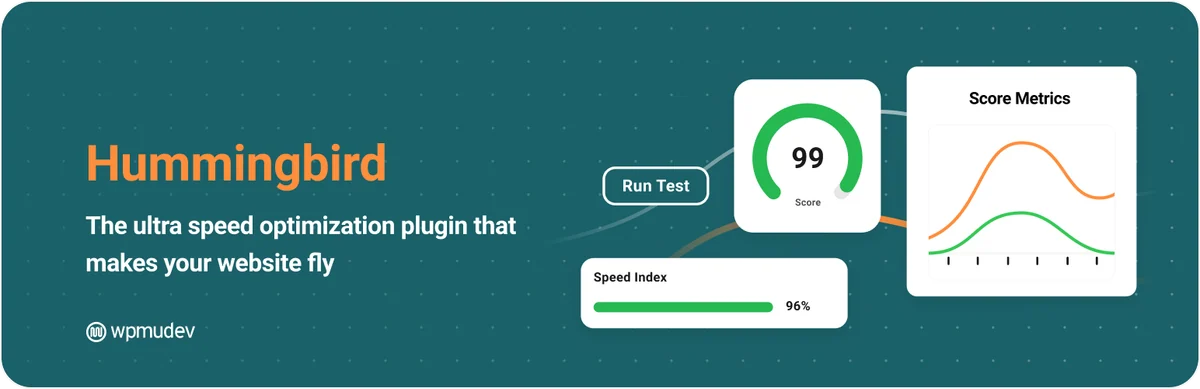
Hummingbird combines caching and resource control in the WPMU DEV environment. It may interest a team already organized around that dashboard. The listing distinguishes Pro features, including certain CSS and JavaScript automations. Decide based on the observed problem rather than subscription availability: a loading change may require exclusions and interaction checks.
Offer pricing
Free edition in the directory; prices of any add-ons not specified.
Taxes and any service fees not checked.
Checked on .
Strengths
- Page caching and CSS/JavaScript resource management
- Analysis and settings integrated into the WPMU DEV environment
What to consider
- Automatic critical CSS, JavaScript delay and advanced CDN advertised in Pro.
- Disable modules that duplicate another suite's functions.
Pricing terms and compatibility
Understanding the offer
- Price at the time of review
- Free edition in the directory; prices of any add-ons not specified.
- Currency
- Unspecified. Confirm for the offer you choose.
- Billing
- Unspecified. Confirm for the offer you choose.
- Renewal and support
- Unspecified. Confirm for the offer you choose.
- Taxes and fees
- Taxes and any service fees not checked.
- Commitment and terms
- Unspecified. Confirm for the offer you choose.
- Date checked
Compatibility and components
- Directory declarations checked on November 2, 2026: version 3.21.2, updated 2026-09-01.
- Declared minimum WordPress 6.4; tested up to 7.0.8 by the developer; minimum PHP 7.4.
- The directory still declares testing up to WordPress 7.0.8; this field does not attest to WordPress 7.1 as of the review date.
Autoptimize
 Vendor image
Best forResource optimization separate from page caching.
Autoptimize primarily works on organizing and delivering HTML, CSS and JavaScript. This role differs from basic page caching, even though a Pro offering may broaden the scope. It can therefore complement an existing setup when responsibilities are separate. Pay particular attention to dependent scripts and layout after changes; a smaller file does not guarantee a functioning user journey.
Offer pricing
Free base. Pro for one site displayed at 12.99 per month or 89 per year, in EUR or dollars depending on the choice.
Billing: Monthly or annual subscription.
Renewal and support: Currency, taxes and renewal to check at checkout.
Final amount and taxes to confirm at checkout.
Checked on .
Strengths
- Minification and organization of CSS, JavaScript and HTML
- Can complement page caching with separate responsibilities
What to consider
- A deferred or aggregated script may change dependency order.
- Do not duplicate the same optimizations provided by the existing cache.
Pricing terms and compatibility
Understanding the offer
- Price at the time of review
- Free base. Pro for one site displayed at 12.99 per month or 89 per year, in EUR or dollars depending on the choice.
- Currency
- Unspecified. Confirm for the offer you choose.
- Billing
- Monthly or annual subscription.
- Renewal and support
- Currency, taxes and renewal to check at checkout.
- Taxes and fees
- Final amount and taxes to confirm at checkout.
- Commitment and terms
- One site. Pro advertises CDN, image optimization, page caching and automatic critical CSS calculation. The CSS/JS aggregation described is available in the free plugin.
- Date checked
Compatibility and components
- Directory declarations checked on November 2, 2026: version 3.1.17, updated 2026-10-25.
- Declared minimum WordPress 5.3; tested up to 7.1.4 by the developer; minimum PHP 7.4.
- Free edition focused on resources; Pro notably adds page caching and remote services.
Asset CleanUp
 Vendor image
Best forTargeted disabling of unused resources.
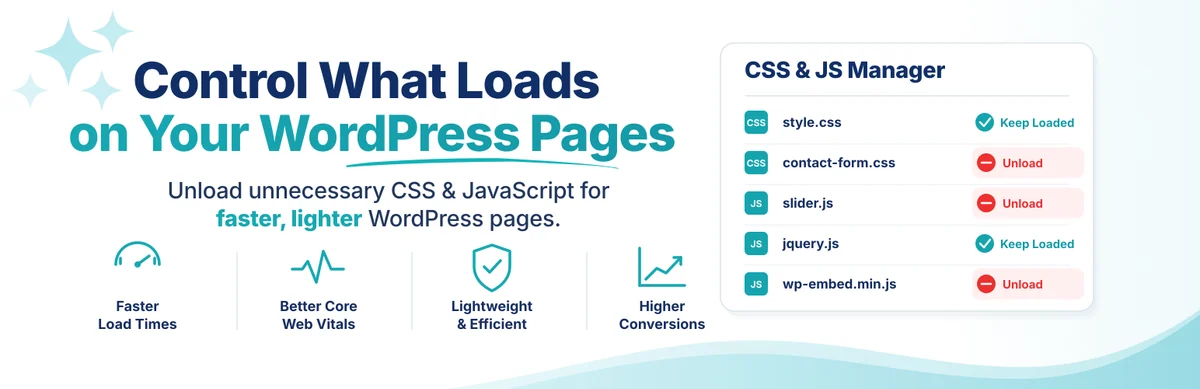
Asset CleanUp helps identify files loaded by a page and avoid those not needed there. Its documented test mode lets you examine rules before they affect visitors. This visibility does not replace knowledge of the features: a script may be needed only after a click or in a particular state. Establish exclusions with the technical lead before applying them widely.
Offer pricing
Free edition in the directory; prices of any add-ons not specified.
Taxes and any service fees not checked.
Checked on .
Strengths
- Inventory of CSS and JavaScript loaded per page
- Test Mode to examine rules before applying them to visitors
What to consider
- Test elements after interaction, not just the initial screen.
- This resource control does not replace page caching.
Pricing terms and compatibility
Understanding the offer
- Price at the time of review
- Free edition in the directory; prices of any add-ons not specified.
- Currency
- Unspecified. Confirm for the offer you choose.
- Billing
- Unspecified. Confirm for the offer you choose.
- Renewal and support
- Unspecified. Confirm for the offer you choose.
- Taxes and fees
- Taxes and any service fees not checked.
- Commitment and terms
- Unspecified. Confirm for the offer you choose.
- Date checked
Compatibility and components
- Directory declarations checked on November 2, 2026: version 1.4.0.6, updated 2026-09-16.
- Declared minimum WordPress 4.7; tested up to 7.1.4 by the developer; minimum PHP 5.6.
- The administrator decides which resources to remove; the tool does not automatically detect all unused CSS.
Redis Object Cache
 Official Redis Object Cache plugin banner; brand image, not a screenshot of a successful connection.
Best forRedis available and properly administered.
Redis Object Cache connects WordPress to a persistent object cache based on Redis. It does not by itself turn a public response into a static HTML file or create a missing server service. Check access, isolation and configuration with your host. The choice is relevant when an object-cache need is established, not as a universal remedy for an oversized image.
Offer pricing
Free edition in the directory; prices of any add-ons not specified.
Taxes and any service fees not checked.
Checked on .
Strengths
- Persistent object caching through Redis
- Connection settings and support for several Redis clients
What to consider
- The connector does not install Redis or replace HTML caching.
- Do not enable another object-cache engine in parallel.
Pricing terms and compatibility
Understanding the offer
- Price at the time of review
- Free edition in the directory; prices of any add-ons not specified.
- Currency
- Unspecified. Confirm for the offer you choose.
- Billing
- Unspecified. Confirm for the offer you choose.
- Renewal and support
- Unspecified. Confirm for the offer you choose.
- Taxes and fees
- Taxes and any service fees not checked.
- Commitment and terms
- Unspecified. Confirm for the offer you choose.
- Date checked
Compatibility and components
- Directory declarations checked on November 2, 2026: version 3.0.0, updated 2026-09-18.
- Declared minimum WordPress 4.6; tested up to 7.1.4 by the developer; minimum PHP 7.2.
- Reachable Redis server, connection configuration and key isolation between sites; a single manager for object-cache.php.
Docket Cache
 Vendor image
Best forObject-cache alternative on a compatible environment.
Docket Cache stores WordPress objects in files containing PHP code, without requiring a Redis or Memcached service. Zend OPcache is recommended but not mandatory. This choice warrants a discussion about disk resources and permissions available from the host. Do not enable it alongside another object-cache engine. Prepare its deactivation and check the return to original behavior before general use.
Offer pricing
Free, open-source plugin; plan for hosting storage and resource consumption.
Billing: Free.
Renewal and support: No license renewal for the free plugin.
Taxes and any service fees not checked.
Checked on .
Strengths
- Object cache stored as PHP code
- Alternative without a Redis or Memcached service
What to consider
- This cache uses hosting resources and must be monitored.
- Only one persistent object-cache manager at a time.
Pricing terms and compatibility
Understanding the offer
- Price at the time of review
- Free, open-source plugin; plan for hosting storage and resource consumption.
- Currency
- Unspecified. Confirm for the offer you choose.
- Billing
- Free.
- Renewal and support
- No license renewal for the free plugin.
- Taxes and fees
- Taxes and any service fees not checked.
- Commitment and terms
- Unspecified. Confirm for the offer you choose.
- Date checked
Compatibility and components
- Directory declarations checked on November 2, 2026: version 26.04.12, updated 2026-10-31.
- Declared minimum WordPress 5.4; tested up to 7.1.4 by the developer; minimum PHP 7.2.5.
- Accessible disk; Zend OPcache recommended by the developer but not required for operation.
Jetpack Boost
 Vendor image
Best forResource and page-cache modules chosen separately.
Jetpack Boost groups loading modules, including critical CSS, and now offers HTML page caching. Identify this latter feature before adding it to a site that is already cached: leave a single active component responsible for that layer. Choose modules separately according to the symptom. Check different page templates and distinguish critical CSS generation from its automation in a paid offering.
Offer pricing
Free edition in the directory; prices of any add-ons not specified.
Taxes and any service fees not checked.
Checked on .
Strengths
- Critical CSS and resource-deferral modules
- HTML page-cache module that can be enabled separately
What to consider
- Automatic critical CSS regeneration and dedicated support depend on the paid edition.
- Product separate from other Jetpack features; check all modules already active.
Pricing terms and compatibility
Understanding the offer
- Price at the time of review
- Free edition in the directory; prices of any add-ons not specified.
- Currency
- Unspecified. Confirm for the offer you choose.
- Billing
- Unspecified. Confirm for the offer you choose.
- Renewal and support
- Unspecified. Confirm for the offer you choose.
- Taxes and fees
- Taxes and any service fees not checked.
- Commitment and terms
- Unspecified. Confirm for the offer you choose.
- Date checked
Compatibility and components
- Directory declarations checked on November 2, 2026: version 4.8.1, updated 2026-10-08.
- Declared minimum WordPress 7.0; tested up to 7.1.4 by the developer; minimum PHP 7.4.
- The Page Cache module must remain disabled if another component already handles this function.
ShortPixel Image Optimizer
 Vendor image
Best forImage library to optimize in batches.
ShortPixel Image Optimizer compresses and resizes images and offers modern formats. It addresses media weight rather than page generation. Work on copies or with a policy for preserving originals, and examine useful details, especially small lettering. Credits and generated variants must enter the budget before processing an entire library.
Offer pricing
Free plugin; account with 100 free monthly credits. Paid subscriptions and additional credits.
Billing: Monthly quota; other offerings use subscriptions or one-time credits.
Taxes and any service fees not checked.
Checked on .
Strengths
- Compression, resizing and WebP/AVIF conversion
- Batch processing with originals retained according to settings
What to consider
- 100 free credits per month; thumbnails may consume credits, so 100 complete media items are not guaranteed.
- Check retained originals and credits before bulk processing.
Pricing terms and compatibility
Understanding the offer
- Price at the time of review
- Free plugin; account with 100 free monthly credits. Paid subscriptions and additional credits.
- Currency
- Unspecified. Confirm for the offer you choose.
- Billing
- Monthly quota; other offerings use subscriptions or one-time credits.
- Renewal and support
- Unspecified. Confirm for the offer you choose.
- Taxes and fees
- Taxes and any service fees not checked.
- Commitment and terms
- Unspecified. Confirm for the offer you choose.
- Date checked
Compatibility and components
- Directory declarations checked on November 2, 2026: version 6.6.1, updated 2026-10-14.
- Declared minimum WordPress 5.9.0; tested up to 7.1.4 by the developer; minimum PHP 7.4.
- ShortPixel account and API key; files sent to the processing service, quotas shared according to the account.
Imagify
 Vendor image
Best forImage flow compatible with a measured quota.
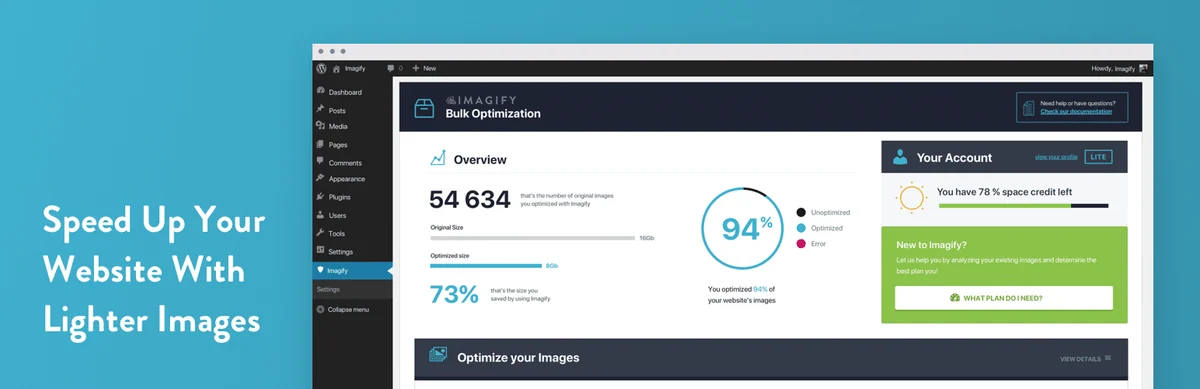
Imagify offers image compression, resizing and conversion with an advertised free monthly volume. This quota-based approach suits a small flow, but must be compared with the actual volume of new files and their variants. Do not choose compression solely by final file size: check text, edges and transparency. Improving a media file does not remove the need to check its display on the page.
Offer pricing
Free plan at 20 MB per month, 2 MB per image. Growth displays 500 MB per month.
Billing: Growth displayed at $5.99 per month before discounts or an annual equivalent of $4.99/month before discounts.
Renewal and support: The page may offer a discount on the initial billing cycle. Check the currency and renewal amount.
Final amount and taxes to confirm at checkout.
Checked on .
Strengths
- Media compression and resizing
- WebP and AVIF offered with a free quota
What to consider
- Free plan: 20 MB per month and a maximum file size of 2 MB according to the pricing consulted.
- Preserve originals; paid volumes and overages are separate.
Pricing terms and compatibility
Understanding the offer
- Price at the time of review
- Free plan at 20 MB per month, 2 MB per image. Growth displays 500 MB per month.
- Currency
- Unspecified. Confirm for the offer you choose.
- Billing
- Growth displayed at $5.99 per month before discounts or an annual equivalent of $4.99/month before discounts.
- Renewal and support
- The page may offer a discount on the initial billing cycle. Check the currency and renewal amount.
- Taxes and fees
- Final amount and taxes to confirm at checkout.
- Commitment and terms
- Quota consumption depends on image file size. The Unlimited offering and additional volumes have their own terms.
- Date checked
Compatibility and components
- Directory declarations checked on November 2, 2026: version 2.3.4, updated 2026-09-07.
- Declared minimum WordPress 5.3; tested up to 7.1.4 by the developer; minimum PHP 7.4.
- Service account and API key; images and variants must be included in the volume to process.
EWWW Image Optimizer
 Vendor image
Best forImage optimization with a choice of processing mode.
EWWW Image Optimizer documents a local optimization mode and complementary solutions. It may suit those wanting to examine what can be done on their hosting rather than sending everything to a remote service. This choice nevertheless depends on permitted tools and available resources. Identify the mode actually used and check retained originals before processing media that cannot be recreated.
Offer pricing
Free local optimization with no count or size quota imposed by the plugin; actual capacity limited by hosting.
Billing: Local mode without a subscription; commercial API and Easy IO are separate.
Taxes and any service fees not checked.
Checked on .
Strengths
- Local optimization possible on a compatible server
- Control of image dimensions, formats and variants
What to consider
- API services, Easy IO and commercial features are separate from local mode.
- Local processing consumes resources; check backups of originals.
Pricing terms and compatibility
Understanding the offer
- Price at the time of review
- Free local optimization with no count or size quota imposed by the plugin; actual capacity limited by hosting.
- Currency
- Unspecified. Confirm for the offer you choose.
- Billing
- Local mode without a subscription; commercial API and Easy IO are separate.
- Renewal and support
- Unspecified. Confirm for the offer you choose.
- Taxes and fees
- Taxes and any service fees not checked.
- Commitment and terms
- Unspecified. Confirm for the offer you choose.
- Date checked
Compatibility and components
- Directory declarations checked on November 2, 2026: version 8.9.1, updated 2026-10-29.
- Declared minimum WordPress 6.8; tested up to 7.1.4 by the developer; minimum PHP 7.4.
- Local mode: compatible executables and PHP exec() permitted by the host; do not relax a security policy on your own.
Optimole
 Vendor image
Best forImages adapted and delivered through an external service.
Optimole combines dimension adaptation, modern formats and CDN delivery. It suits a setup that accepts a service participating in the image delivery path. Its advertised quota depends on visits, so it cannot be compared directly with an offering billed per compressed file. Distinguish delivering variants from fully offloading the media library, which is presented as a Pro feature.
Offer pricing
Free plan up to 2,000 monthly visits according to Optimole's counter; beyond that, choose a paid offering.
Billing: Quota follows the account period, not necessarily the calendar month.
Taxes and any service fees not checked.
Checked on .
Strengths
- Dimensions and formats adapted for image delivery
- CDN delivery and local retention or offloading depending on the option
What to consider
- Free up to 2,000 visits according to Optimole's counting, which differs from an analytics tool.
- Full media-library offloading presented as Pro; plan for media recovery.
Pricing terms and compatibility
Understanding the offer
- Price at the time of review
- Free plan up to 2,000 monthly visits according to Optimole's counter; beyond that, choose a paid offering.
- Currency
- Unspecified. Confirm for the offer you choose.
- Billing
- Quota follows the account period, not necessarily the calendar month.
- Renewal and support
- Unspecified. Confirm for the offer you choose.
- Taxes and fees
- Taxes and any service fees not checked.
- Commitment and terms
- Unspecified. Confirm for the offer you choose.
- Date checked
Compatibility and components
- Directory declarations checked on November 2, 2026: version 4.2.18, updated 2026-11-02.
- Declared minimum WordPress 5.5; tested up to 7.1.4 by the developer; minimum PHP 7.4.
- Optimole account and access to its service; CDN delivery and fully transferring originals are not the same operation.
Smush
 Vendor image
Best forMedia optimization within an existing environment.
Smush groups compression, lazy loading and format or delivery options depending on the edition. It can be considered by a team already using the WPMU DEV family, without that familiarity justifying adding every product. Check what the theme does before enabling a second lazy-loading system. Also examine variants and originals, because media maintenance involves more than the single visible file.
Offer pricing
Free compression: files up to 5 MB; WebP/AVIF and CDN in Pro. Free batches have no longer been limited to 50 images since version 4.0.
Billing: No quota of 50 images per batch in the current version; format and file limits depend on the edition.
Taxes and any service fees not checked.
Checked on .
Strengths
- Batch processing without the old 50-image limit and background execution
- Free Super Compression with a WPMU DEV Hub account connection
What to consider
- Compression of the full-size original image remains advertised in Pro; the free version processes resized versions.
- Files over 5 MB are skipped in the free version; avoid duplicating its lazy loading with another tool.
Pricing terms and compatibility
Understanding the offer
- Price at the time of review
- Free compression: files up to 5 MB; WebP/AVIF and CDN in Pro. Free batches have no longer been limited to 50 images since version 4.0.
- Currency
- Unspecified. Confirm for the offer you choose.
- Billing
- No quota of 50 images per batch in the current version; format and file limits depend on the edition.
- Renewal and support
- Unspecified. Confirm for the offer you choose.
- Taxes and fees
- Taxes and any service fees not checked.
- Commitment and terms
- Unspecified. Confirm for the offer you choose.
- Date checked
Compatibility and components
- Directory declarations checked on November 2, 2026: version 4.3.6, updated 2026-11-02.
- Declared minimum WordPress 6.4; tested up to 7.1.4 by the developer; minimum PHP 7.4.
- WebP, AVIF and CDN are marked Pro in the current listing; do not automatically attribute them to the free version.
Converter for Media
 Vendor image
Best forImage-format conversion with actual re-encoding.
Converter for Media focuses on creating and delivering modern image formats. This need differs from simply changing a filename extension, which does not convert the contents. Check the host's capabilities and variant-delivery mechanism. Available formats and service levels vary by offering; retain a way to return to the previous rendering before bulk processing.
Offer pricing
Free WebP conversion; AVIF reserved for Pro, whose price is not specified here.
Taxes and any service fees not checked.
Checked on .
Strengths
- Creation of WebP variants for existing images
- AVIF offered in the Pro version
What to consider
- The free edition must not be presented as including AVIF.
- Retain originals and check delivery to browsers before a complete batch.
Pricing terms and compatibility
Understanding the offer
- Price at the time of review
- Free WebP conversion; AVIF reserved for Pro, whose price is not specified here.
- Currency
- Unspecified. Confirm for the offer you choose.
- Billing
- Unspecified. Confirm for the offer you choose.
- Renewal and support
- Unspecified. Confirm for the offer you choose.
- Taxes and fees
- Taxes and any service fees not checked.
- Commitment and terms
- Unspecified. Confirm for the offer you choose.
- Date checked
Compatibility and components
- Directory declarations checked on November 2, 2026: version 6.7.1, updated 2026-10-30.
- Declared minimum WordPress 4.9; tested up to 7.1.4 by the developer; minimum PHP 7.4.
- Server capable of producing and delivering variants; Apache/Nginx rules and CDN behavior to confirm.
OMGF
 Vendor image
Best forGoogle Fonts to serve locally.
OMGF handles local hosting of Google Fonts rather than caching an entire page. It can address a need to control font loading if the theme still requests them remotely. Check the weights and alphabets used to avoid losing characters. A change of origin alone is neither a legal audit nor a guarantee of performance or complete compliance.
Offer pricing
Free edition in the directory; prices of any add-ons not specified.
Taxes and any service fees not checked.
Checked on .
Strengths
- Downloading and locally serving detected fonts
- Managing variants and removing associated external connections
What to consider
- Does not certify the site's overall compliance.
- The theme or a third-party tool may still load fonts outside the detected scope.
Pricing terms and compatibility
Understanding the offer
- Price at the time of review
- Free edition in the directory; prices of any add-ons not specified.
- Currency
- Unspecified. Confirm for the offer you choose.
- Billing
- Unspecified. Confirm for the offer you choose.
- Renewal and support
- Unspecified. Confirm for the offer you choose.
- Taxes and fees
- Taxes and any service fees not checked.
- Commitment and terms
- Unspecified. Confirm for the offer you choose.
- Date checked
Compatibility and components
- Directory declarations checked on November 2, 2026: version 6.4.1, updated 2026-11-02.
- Declared minimum WordPress 5.9; tested up to 7.1.4 by the developer; minimum PHP 7.3.
- Check the fonts actually detected, their licenses, alphabets and weights; Pro features are separate.
Query Monitor
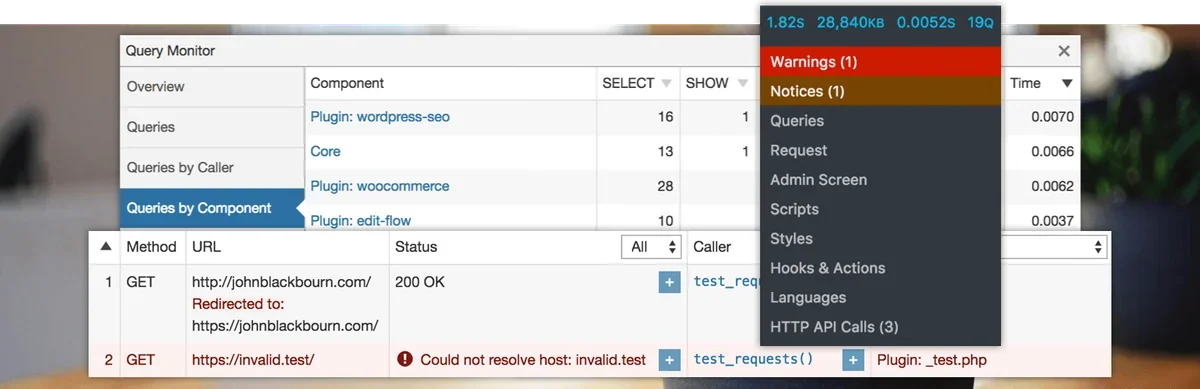 Historical official Query Monitor banner; demonstration interface, queries, errors, and durations, without testing by us.
Best forTechnical investigation of the cause of slowness.
Query Monitor is a diagnostic tool, not an accelerator to enable in the hope of immediate results. It notably presents queries and calls grouped by component to help identify a cause. It suits someone who can interpret this information and share it without sensitive data. Its role may be temporary: once the problem is understood, monitoring and access to this information must remain controlled.
Offer pricing
Free, open-source plugin; no subscription required for the described features.
Billing: Free.
Renewal and support: No license renewal for the free plugin.
Checked on .
Strengths
- Queries and HTTP calls grouped by component
- Diagnosis of PHP errors, scripts and AJAX/REST requests
What to consider
- Adds its own time and memory consumption during diagnosis.
- Neither a cache nor a measurement representative of all visitors.
Pricing terms and compatibility
Understanding the offer
- Price at the time of review
- Free, open-source plugin; no subscription required for the described features.
- Currency
- Unspecified. Confirm for the offer you choose.
- Billing
- Free.
- Renewal and support
- No license renewal for the free plugin.
- Taxes and fees
- Unspecified. Confirm for the offer you choose.
- Commitment and terms
- Unspecified. Confirm for the offer you choose.
- Date checked
Compatibility and components
- Directory declarations checked on November 2, 2026: version 4.1.1, updated 2026-10-27.
- Declared minimum WordPress 6.3; tested up to 7.1.4 by the developer; minimum PHP 7.4.
- Display restricted by default to administrators or super administrators; sharing features must be controlled.
Advanced Database Cleaner
 Vendor image
Best forDatabase maintenance with validation of data to remove.
Advanced Database Cleaner helps examine accumulated data and offers deletions. It deserves separate treatment from caches, because erasing information is not simply asking for it to be rebuilt. It can help after an inventory and a usable database backup. Do not delete a table because it seems old or unfamiliar; establish its role before any irreversible operation.
Offer pricing
Free edition in the directory; prices of any add-ons not specified.
Taxes and any service fees not checked.
Checked on .
Strengths
- Preview and filters for data to clean
- Scheduling maintenance operations defined by the administrator
What to consider
- An unfamiliar table must not be deleted on that basis alone.
- Database backup and restoration procedure required before deletion.
Pricing terms and compatibility
Understanding the offer
- Price at the time of review
- Free edition in the directory; prices of any add-ons not specified.
- Currency
- Unspecified. Confirm for the offer you choose.
- Billing
- Unspecified. Confirm for the offer you choose.
- Renewal and support
- Unspecified. Confirm for the offer you choose.
- Taxes and fees
- Taxes and any service fees not checked.
- Commitment and terms
- Unspecified. Confirm for the offer you choose.
- Date checked
Compatibility and components
- Directory declarations checked on November 2, 2026: version 4.2.0, updated 2026-08-20.
- Declared minimum WordPress 5.0.0; tested up to 7.1.4 by the developer; minimum PHP 7.0.
- Identify data before deletion; expanded orphan-detection features in Premium.
WP Rocket
 Vendor image
Best forPaid caching and resource suite.
WP Rocket combines page caching and resource optimizations in a paid offering. It may be considered when you want to centralize these functions with associated support. Automatic capabilities do not remove the need to check personalized pages and deferred scripts. Current pricing distinguishes several commitment periods: an amount expressed as a monthly equivalent does not mean you can pay for only one month.
Offer pricing
Single displayed at a $3/month equivalent for the first year during the promotion consulted.
Billing: Annual billing for this option. A separate promotion requires three years paid upfront.
Renewal and support: After the initial period, renewal at the ordinary rate. The pricing displays an equivalent of $5/month before discount. Check the exact amount at checkout.
Final amount and taxes to confirm at checkout.
Checked on .
Strengths
- WooCommerce detection with exclusions for the cart, account, checkout and its REST API
- Purge when products change, including after import through the API
What to consider
- Personalized content rendered in PHP may require a cookie-based exclusion or component adaptation.
- Preloading does not cover the parameterized URLs used by WooCommerce geolocation.
Pricing terms and compatibility
Understanding the offer
- Price at the time of review
- Single displayed at a $3/month equivalent for the first year during the promotion consulted.
- Currency
- Unspecified. Confirm for the offer you choose.
- Billing
- Annual billing for this option. A separate promotion requires three years paid upfront.
- Renewal and support
- After the initial period, renewal at the ordinary rate. The pricing displays an equivalent of $5/month before discount. Check the exact amount at checkout.
- Taxes and fees
- Final amount and taxes to confirm at checkout.
- Commitment and terms
- Single covers one site. Check the chosen term, currency and taxes for the country.
- Date checked
Compatibility and components
- Minimum PHP 7 advertised on the pricing page; nevertheless choose a PHP version that is still maintained and compatible.
- Pretty permalinks required; Apache, Nginx, LiteSpeed or Windows advertised as compatible.
- WooCommerce exclusions and cookie-based variants to check, including at CDN level.
Perfmatters
 Vendor image
Best forTargeted settings and resource control.
Perfmatters aims to control features and resources that are not useful everywhere. The developer presents it as a possible complement to caching, not a requirement to replace the cache already in place. It mainly suits someone who understands page dependencies and can establish exclusions. A rarely visible feature may still be needed for payment, a form or a conditional display.
Offer pricing
Personal at $29.95/year for one site.
Billing: Annual subscription.
Renewal and support: The developer advertises automatic renewal that can be canceled and a 15% discount on renewals.
Final amount and taxes to confirm at checkout.
Checked on .
Strengths
- Script Manager: rules by page, device and logged-in or logged-out state
- Testing Mode to examine rules before applying them to visitors
What to consider
- MU mode can disable an entire plugin, beyond its CSS and JavaScript files.
- Options for removing cart fragments or REST require preserving the journeys that depend on them.
Pricing terms and compatibility
Understanding the offer
- Price at the time of review
- Personal at $29.95/year for one site.
- Currency
- Unspecified. Confirm for the offer you choose.
- Billing
- Annual subscription.
- Renewal and support
- The developer advertises automatic renewal that can be canceled and a 15% discount on renewals.
- Taxes and fees
- Final amount and taxes to confirm at checkout.
- Commitment and terms
- Support and updates during the paid period. Check the currency and total.
- Date checked
Compatibility and components
- Technical documentation: PHP 7.0+ declared; this historical minimum does not recommend an unmaintained PHP version.
- Check page dependencies and resources already processed by the existing cache.
- The Unlimited license advertises multisite; do not infer that right from the Personal or Business plans.
FlyingPress
 Vendor image
Best forPaid caching, resource and image suite.
FlyingPress brings together page caching, image and resource optimization with advertised cloud processing. Its scope may reduce the number of tools needed, provided you identify functions already handled by hosting. The Redis cache presented still depends on a compatible environment. Also examine the data and services involved in remote optimization before choosing a suite simply for its module count.
Offer pricing
Starter at $59/year for one site.
Billing: Annual subscription.
Renewal and support: Automatic renewal unless canceled before the due date. Check the currency and taxes when buying.
Final amount and taxes to confirm at checkout.
Checked on .
Strengths
- JPG/PNG compression and WebP/AVIF generation through cloud services
- Page caching and a Redis object-cache connector from the same panel
What to consider
- Cloud access, preloading queue and staging restrictions to examine.
- Redis and its PHP extension are not supplied merely by installing the plugin.
Pricing terms and compatibility
Understanding the offer
- Price at the time of review
- Starter at $59/year for one site.
- Currency
- Unspecified. Confirm for the offer you choose.
- Billing
- Annual subscription.
- Renewal and support
- Automatic renewal unless canceled before the due date. Check the currency and taxes when buying.
- Taxes and fees
- Final amount and taxes to confirm at checkout.
- Commitment and terms
- One site. Redis object caching requires an accessible Redis server and the corresponding PHP extension.
- Date checked
Compatibility and components
- Declared requirements: WordPress 4.7+, PHP 7.4+, MySQL 5.6+ or MariaDB 10.0+; maintained versions recommended.
- Cloud optimization requires an accessible site; limited operation on localhost or behind HTTP authentication. Do not expose a copy containing private data for this reason.
- Object caching: reachable Redis server, phpredis PHP extension and permissions on object-cache.php; a single manager for this file.
- Standard WordPress structure expected; Bitnami explicitly unsupported in the documentation.
Nitrol
 Vendor image
Best forTechnical specialist after confirming compatibility with their WordPress version.
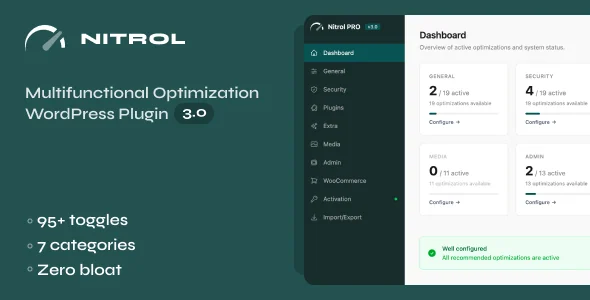
Nitrol groups resource and behavior settings in a technical panel. Version 3.0 requires at least WordPress 6.0 and PHP 8.1, so old CodeCanyon tags are not enough to choose an environment. Reserve it for someone capable of validating every setting. Do not disable REST, Heartbeat, updates or payment scripts to improve a score. WordPress 7.1 compatibility remains to be confirmed before purchase.
Offer pricing
Regular at 50 USD. Extended at 200 USD.
Billing: License purchase on CodeCanyon.
Renewal and support: Six months of support and future updates advertised. Optional support extension.
USD price excluding taxes and processing fees.
Checked on .
Strengths
- JSON configuration export and import to preserve previous settings
- Choice of generated thumbnail sizes and progressive JPEG option
What to consider
- REST, Heartbeat, update and cart settings may cause disruption.
- Removing an image size may prevent its creation for future theme uses; retain the sizes needed.
- Adding uploadable formats, notably SVG, is not a performance fix.
Pricing terms and compatibility
Understanding the offer
- Price at the time of review
- Regular at 50 USD. Extended at 200 USD.
- Currency
- USD
- Billing
- License purchase on CodeCanyon.
- Renewal and support
- Six months of support and future updates advertised. Optional support extension.
- Taxes and fees
- USD price excluding taxes and processing fees.
- Commitment and terms
- One end product for you or a client. Check the applicable license if users pay to access the end product.
- Date checked
Compatibility and components
- Version 3.0 released on March 30, 2026 according to the official changelog.
- Current changelog requirements: WordPress 6.0+ and PHP 8.1+; older historical CodeCanyon tags not used as the minimum.
- The listing displays WordPress up to 6.9.x and WooCommerce up to 9.x; no specific attestation for 7.1 or recent WooCommerce established here.