

When five uploaded photos produce only three media items
The number of files per request and the PHP limit must be checked before comparing plans. This article uses Hostpoint and o2switch to illustrate two configuration access routes; it does not conclude that another host will automatically recover files the importer did not receive.
You open a WordPress gallery importer and select five photos. The progress screen finishes processing. Three new photos appear in the gallery and the other two are missing. The same account can upload them separately. To understand this result, start by counting the files in each request. Selecting five files in the browser can produce five individual requests or a single multipart form with five file parts. The second case is the one of interest here.
PHP applies a per-request file limit, max_file_uploads, before the importer’s code receives the data. In the local acceptance test, the limit is set to three and the server receives a request containing five small images. The PHP script obtains only the first three in $_FILES. The three available entries have error code zero. If an importer counts only what it sees in that array, its report can announce three successful operations and omit the two files it lacks.
The comparison covers two paths: understanding the actual number of files transmitted by your plugin and checking the target site’s PHP setting. Hostpoint documents configuration at site or directory level. o2switch describes PHP environment selection in cPanel. In both cases, an acceptance test at the importer’s URL is necessary to observe what your plan and PHP version apply.
Compare before you choose
The offers at a glance
Find the use case and budget that fit, then read the details to see the limitations and any components you may need.
On smaller screens, the table scrolls horizontally. With a keyboard, press Tab to focus the table, then use the left and right arrow keys.
| Offer | Best for | Pricing and billing | Renewal and support |
|---|---|---|---|
 Hostpoint StandardRead the details | A team wanting to identify the staging site before checking its PHP configuration. | CHF 15.90/month including VAT, or CHF 190.80 over twelve months 6, 12 or 24 months depending on the hosting contract VAT included in the Swiss catalog | Renewal for the same duration by default. Confirm the applicable amount. |
 o2switch GrowRead the details | A team using cPanel and identifying the sites affected by a PHP profile. | Equivalent to €7/month excluding VAT, or €84 excluding VAT paid for twelve months Annual payment Prices exclude VAT; tax-inclusive total depends on billing | €84 excluding VAT for one year at the consulted rate |
Identify the limit that acts before WordPress
The most visible import limits concern file size or request size. upload_max_filesize applies to an individual file’s size. post_max_size caps the request body, including multipart separators and fields. max_file_uploads counts files in the request, even when they take very little space. Empty file fields do not count toward this last limit according to the PHP manual. The figure of twenty given in that manual is PHP’s default. Record the effective value on your site.
To isolate the problem, use fictional files of comparable size and first send a small batch. In browser developer tools, open Network, find the importer’s request, and inspect the form in the request details. Note the number of file parts, the response, and the number of media items created. Then try the larger batch on the same screen. HTTP status 200 describes the application’s response. By itself, it does not give the number of files reaching processing.
Specific files may also be rejected after receipt, for example because the importer filters the format or WordPress could not generate a thumbnail. Reverse the order of the same files and repeat on the staging copy. If the missing files change and are always at the end of the request, this is evidence suggesting a limit. Comparing it with the PHP value and log at the test time helps refine the diagnosis.
- Check that the observed request actually contains several file parts.
- Compare selected names, processed names, and the identifiers of created media items.
- Repeat with the same files in reverse order and record the time to locate the log.
Prepare a test that does not create duplicates
Work on a private copy of the installation with a staging gallery. Keep the gallery’s initial state and existing media count. Use images with distinct names, such as photo-01.png through photo-05.png. After each attempt, record the identifiers of media actually created by that test. Names visible in the media library may receive a suffix when they already exist. Identifiers make comparison more reliable when resuming.
For an interrupted or incomplete real import, create a register with one row per expected file. Add its WordPress identifier if the file was accepted, or an indication of the reason if the plugin supplies one. Also check association with the gallery or product. A photo may exist in the media library without appearing in the gallery you are checking. This distinction avoids reimporting an image simply because the association stage failed.
If the tool reuses an identifier supplied by your catalog, prioritize that reference. If you have only names and an incomplete report, locate the received items in the media library and confirm their connection with the test before sending the remaining files. To restart from scratch on the staging copy, remove only media created during the test, after checking that no other gallery references them. Restoring the staging copy provides another starting point if the import produced effects that are difficult to isolate.
Hostpoint Standard: check the staging site’s configuration
In the Hostpoint Control Panel, select the hosting account, then Websites → Web Settings for the staging domain. Open PHP Configuration. Hostpoint documents adding a custom option and saving it in the document root’s .user.ini file. Subdirectories may inherit this configuration. For WordPress installed in a subdirectory or staging using another domain, check which directory and PHP environment serve the importer’s URL.
Start by recording the version and effective limit. If your team maintains the importer, it can record (int) ini_get('max_file_uploads') in request processing and write only the number to the private staging log. For a third-party importer, reproduce the result from its screen, then have the effective configuration confirmed for the test URL and time. A PHP command run through SSH may read another configuration. It then describes the command context, while the import request passes through the web server.
If the requirement calls for a larger request, save the existing setting before testing max_file_uploads as a custom option, if accepted. For a five-file requirement on the copy, try five and check the effective value, log, and five identifiers. Also check another WordPress screen on that domain. If the value does not take effect or the copy is disrupted, restore the old value or remove the newly added option. Then reread the value and repeat the small reference batch.
o2switch Grow: check options and their scope in cPanel
In cPanel, go to Software → Select PHP Version. First record the selected version and sites served in this account. The o2switch documentation states that this tool’s Options tab is accessible with a customizable version, outside the native profile. It also states that the selector acts at hosting-account level. If several sites share the staging account, first choose testing with smaller batches. Changing the PHP profile requires checking that other affected sites and their modules remain compatible.
If max_file_uploads appears among the options of your environment, note the previous value and apply a single change on the copy. Rerun the import and compare the PHP reading taken in the web context, then the obtained identifiers. Check visible options and the value actually applied in the account. The documented procedure for common options is not enough to guarantee that this field is editable in every environment. If it is absent, use split batches and ask support to confirm the configuration scope corresponding to the site.
After acceptance testing, restore the initial value if the test was temporary. If you changed PHP profiles, restore the previously recorded profile and settings, then validate with the same staging form and a representative page from every affected site. Returning the whole profile to defaults can erase other choices. To reverse only this test, use the record made before starting it.
Public prices as of November 11, 2026
Hostpoint Standard is listed at CHF 15.90 per month. The public pricing table states that prices include VAT. Twelve months at the displayed price amount to CHF 190.80. The displayed monthly amount is the calculation basis. The selected duration and amount due initially appear in the order summary. Hostpoint help mentions hosting contracts of 6, 12, or 24 months and automatic renewal for the same duration unless cancelled within the notice period of 30 days before expiry. The public price serves as a reference for budgeting renewal. Check the rate applicable to your contract. The plan presents 100 GB NVMe storage, ten domains, and ten MariaDB databases. For a gallery, estimate space used by originals and generated sizes, along with a staging copy if hosted in the same space.
o2switch Grow costs the equivalent of €7 excluding VAT per month, or €84 excluding VAT paid for twelve months. The help page lists €84 excluding VAT at the current rate for a one-year renewal. The domain is free for one year according to the plan page. Record its renewal price separately and confirm the total including VAT appropriate to your billing. The plan advertises eight vCPU threads and 16 GB RAM. These resources affect gallery processing, but checking the upload limit remains a PHP configuration check.
Both amounts remain in their original currency and tax regime. To budget for a year, compare the same duration, initial cost, domain, applicable VAT, and renewal on each summary. For technical diagnosis, instead confirm the scope of a change. A documented setting in the site panel or account selector matters more here than a difference in advertised capacity. The price establishes no max_file_uploads value for your project.
Split uploads and retry only missing items
If the importer accepts successive additions, start by splitting. In a scenario where a request can receive three files, send a first batch of three and wait for the importer to confirm the three creations. Then send the remaining two and check that all five are in the gallery. Use the Network tab to verify that the first and second selections do trigger two separate requests. If the importer already manages a queue, measure its actual per-request size before trying to reduce it.
Then check how the importer handles an existing gallery’s content. Some tools add items to a gallery, while others rebuild its list at each confirmation. On the copy, observe the item count after the first and second batches. If the second confirmation replaces the first items, see whether the tool lets you upload media separately and then associate all five identifiers in one operation. If the plugin requires a single complete batch to process associations, checking the PHP limit becomes the priority.
If you maintain the plugin, compare the expected count with the count actually received before announcing the import’s completion. Include created identifiers and missing files in the report. A new attempt should resume missing files using the original identifier or import register. If you change the limit to process an indivisible batch, measure the effective value after the change and check a representative batch with the usual image sizes and count. Success with five small files validates the counting diagnosis. It does not measure image-size generation time on a real catalog.
The result observed with PHP 8.4.8
The attached exercise starts PHP’s development server on loopback and sends it real multipart requests. Each file is 68 bytes. The complete five-file body is 1,068 bytes. Size limits are set to 256 KiB per file and 1 MiB for the body. The file-count limit is initially set to three. The script receives the first three names, each with error code zero, and responds HTTP 200. The PHP log records a warning indicating that the limit was exceeded.
When the five files are reversed, PHP provides the first three in that new order. The missing group therefore changes with upload order. Keeping the limit at three and sending batches of three followed by two makes all files appear in the responses. Finally, the same 1,068-byte request is sent to a second process set to five. It provides all five names in one response, and that process’s log does not contain the limit-exceeded warning.
The ZIP contains the PHP receiving server, Python test client, and instructions. The JSON report gives, for each request, sent and received names, the effective value, error codes for received entries, and body size. The nine checks pass from the extracted archive with Python 3.14.4 and PHP 8.4.8. The development server actually parses the requests. WordPress importer integration and hosting values still need checking in your own acceptance test.
- Extract the ZIP and run
python recette.pyfrom the extracted directory with PHP available in PATH. - Compare
limite_trois,ordre_inverse,lots_decoupes, andlimite_cinqin the JSON output.
Choose the scope that makes regular imports easier
Hostpoint Standard suits a scenario where the team locates site configuration from the domain and prefers checking settings there. Confirm the option’s scope and acceptance on the copy before deploying to production. The plan is billed in Swiss francs, and its contractual duration may differ from twelve months. For a small gallery updated occasionally, first check that two successive batches preserve the expected associations.
o2switch Grow suits a scenario where the team already uses cPanel and can dedicate a staging account to PHP tests. If several sites coexist there, inventory affected sites before changing a profile. The published annual cost of €84 excluding VAT provides a reference for hosting and annual renewal at the consulted rate. If the desired option is absent, validate splitting in the importer and attach the precise result to the staging record.
Whatever the panel, a usable acceptance test must show requested files, created identifiers, and their final associations. Note the web context, batch size, test time, and old PHP value if you changed it. A reference import is complete when every expected file is associated with the gallery exactly once. Keep the register before the first production upload so you can retry missing items after an interruption.
Further reading
Sources and references
Use these references to check the features, requirements and limitations described. Reading documentation is not a practical test.
View 11 references
- Hostpoint Standard — Public Standard price in CHF ↗ — Documentation consulted:
- Hostpoint Standard — Price list including VAT ↗ — Documentation consulted:
- Hostpoint Standard — Contract duration and renewal ↗ — Documentation consulted:
- Hostpoint Standard — Per-site PHP configuration ↗ — Documentation consulted:
- o2switch Grow — Grow price over twelve months ↗ — Documentation consulted:
- o2switch Grow — Grow annual renewal ↗ — Documentation consulted:
- o2switch Grow — Version selector and options ↗ — Documentation consulted:
- o2switch Grow — Selector scope ↗ — Documentation consulted:
- PHP, upload directives ↗ — Documentation consulted:
- PHP 8.4.8, max_file_uploads declaration ↗ — Documentation consulted:
- PHP — max_file_uploads ↗
Uses, prices and what to check
2 offers in detail
Compare the features you need and the terms of each offer. The order of these entries does not indicate a ranking.
Hostpoint Standard
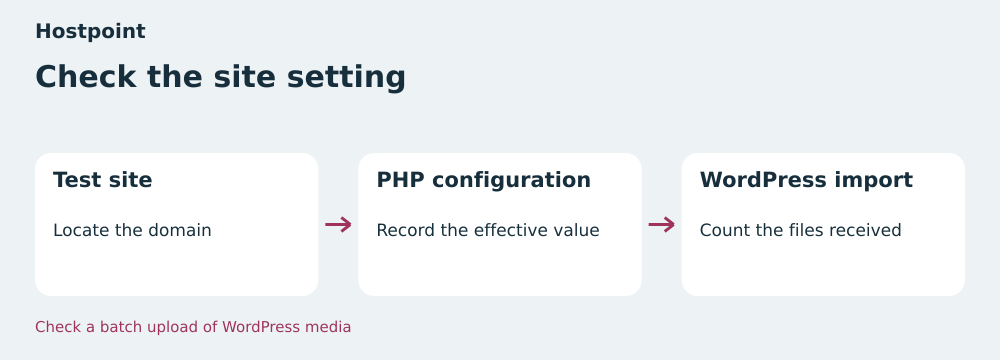 Check the site’s setting — BlogPasCher editorial illustration.Open full-size illustration ↗
Best forA team wanting to identify the staging site before checking its PHP configuration.
PHP settings located by site in the Control Panel.
Offer pricing
CHF 15.90/month including VAT, or CHF 190.80 over twelve months
Billing: 6, 12 or 24 months depending on the hosting contract
Renewal and support: Renewal for the same duration by default. Confirm the applicable amount.
VAT included in the Swiss catalog
Checked on .
Strengths
- PHP configuration accessible by site
- 100 GB NVMe advertised
What to consider
- Check the effective value and acceptance of the option on the site
- Billing in CHF
Pricing terms and compatibility
Understanding the offer
- Price at the time of review
- CHF 15.90/month including VAT, or CHF 190.80 over twelve months
- Currency
- CHF
- Billing
- 6, 12 or 24 months depending on the hosting contract
- Renewal and support
- Renewal for the same duration by default. Confirm the applicable amount.
- Taxes and fees
- VAT included in the Swiss catalog
- Commitment and terms
- Check the selected duration and total at checkout
- Date checked
Compatibility and components
- WordPress
- PHP
o2switch Grow
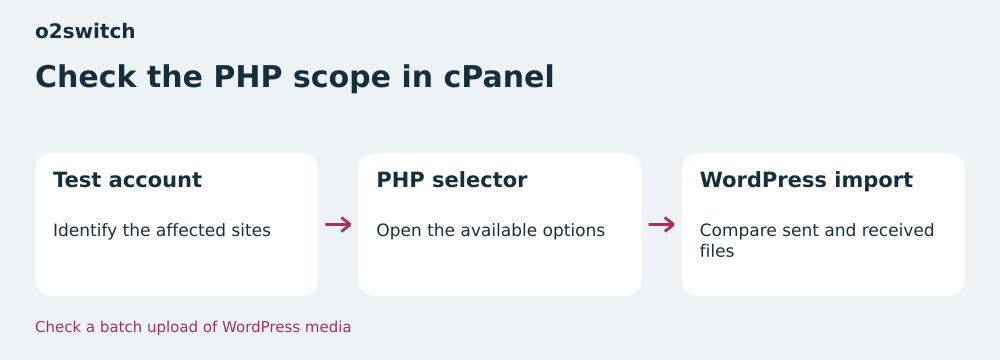 Check the PHP scope in cPanel — BlogPasCher editorial illustration.Open full-size illustration ↗
Best forA team using cPanel and identifying the sites affected by a PHP profile.
PHP environment options in the cPanel selector.
Offer pricing
Equivalent to €7/month excluding VAT, or €84 excluding VAT paid for twelve months
Billing: Annual payment
Renewal and support: €84 excluding VAT for one year at the consulted rate
Prices exclude VAT; tax-inclusive total depends on billing
Checked on .
Strengths
- PHP selector documented for Grow
- Published annual renewal rate
What to consider
- The selector can affect several sites in the account
- Check setting availability
Pricing terms and compatibility
Understanding the offer
- Price at the time of review
- Equivalent to €7/month excluding VAT, or €84 excluding VAT paid for twelve months
- Currency
- EUR
- Billing
- Annual payment
- Renewal and support
- €84 excluding VAT for one year at the consulted rate
- Taxes and fees
- Prices exclude VAT; tax-inclusive total depends on billing
- Commitment and terms
- Twelve months
- Date checked
Compatibility and components
- WordPress
- PHP
- cPanel