

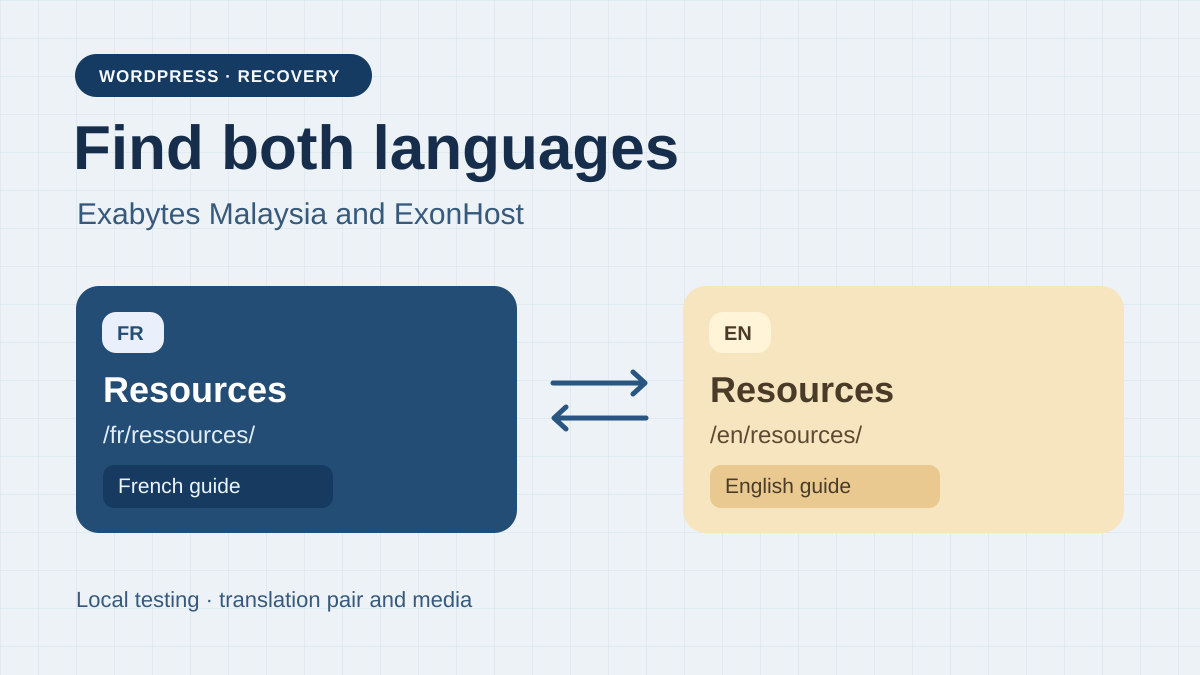
Recover both versions of the same content
A small organisation must recover its French and English WordPress site from an archive stored outside its former hosting account. The team has the files and a database export taken at the same time. It wants to reopen the site at a private destination, check that a post and its translation are still associated, then decide whether this copy can bring the site back into service. Both languages reside in subdirectories of the same site. This scope avoids assuming that multiple language domains, multisite or a remote translation service would work the same way.
The most important check begins after the homepage opens. WordPress can respond correctly while having lost a translation-plugin table, language settings or some media. Open an older post whose two versions have different addresses. Follow the language switcher in both directions. Check that each link reaches the corresponding content. Always returning to the English homepage can conceal lost relationships between content items.
Exabytes Malaysia WP 17 AI Beginner and ExonHost Web Hosting Starter are two starting points for this recovery. The first presents Plesk and the second cPanel. The useful difference concerns accepted archive formats, access for importing files and the database, and the space required at a separate destination. Preserving translations depends on the data supplied and checks after import. The panel alone cannot certify that integrity.
Compare before you choose
The offers at a glance
Find the use case and budget that fit, then read the details to see the limitations and any components you may need.
On smaller screens, the table scrolls horizontally. With a keyboard, press Tab to focus the table, then use the left and right arrow keys.
| Offer | Best for | Pricing and billing | Renewal and support |
|---|---|---|---|
 Exabytes Malaisie WP 17 AI BeginnerRead the details | A team familiar with Plesk that can check the workflow compatible with its archive format. | MYR 108.99 for one month. Calculated MYR 467.88 for twelve months and MYR 791.64 for thirty-six months. Separate selectors for one, twelve or thirty-six months. Confirm SST and the registrant's tax treatment in the summary. | Annual and three-year renewal not priced in the evidence. The crossed-out price also corresponds to the one-month cycle. |
 ExonHost Web Hosting StarterRead the details | A team familiar with cPanel whose site and temporary files fit within the plan. | Campaign reviewed at BDT 5,399.64 excluding VAT for 36 months, equivalent to BDT 149.99 per month. First 36-month cycle prepaid in the campaign version reviewed. Campaign amounts excluding VAT. Check taxes and the total for the registrant. | Reference price of BDT 299.98 excluding VAT/month. BDT 10,799.28 if 36 months at the same rate. Confirm the billed cycle. |
Inventory files and relationships before importing
Identify the archive date, the site it belongs to and the person who created it. Keep the original outside the account and work on a copy. Note the historical domain, PHP and WordPress versions, and the translation plugin's name and version. Gather the plugin files, theme and any add-ons, the media directory and the site's complete SQL export. A WordPress content export can help reread posts, but it cannot recover all settings and plugin-specific data on its own.
Before transferring files, open the archive locally and check for the SQL export and expected directories. Distinguish compressed size, decompressed volume and imported database size. If the destination must keep the compressed file and extracted files simultaneously, add them together along with space reserved for temporary files. If an import fails near the limit, record files already created before retrying. A partial copy may remain on disk.
Prepare an inventory independent of the archive being tested. Use already-known addresses and titles, a linked pair of posts, a different media file for each language and a deliberately untranslated page. State what should happen in each case. If you build the list from the copy after restoration, a missing page will appear nowhere in the checks. Publication lists, internal screenshots and an old sitemap can supplement the record.
Open a private copy before changing the public domain
Reserve an empty destination and a dedicated database. Protect access from creation and disable the copy's sending, payments and synchronisations. If the site is already unavailable, the same method prevents publishing an incomplete version during recovery. Prepare the table prefix, database name and destination access settings. Once the files and database are in place, check that the copy connects to that database and that configuration settings do not point to an installation still in service.
On a copy using another origin, identify domain settings and URLs persisted by the plugin. Raw replacement in SQL can break serialised PHP values. If WP-CLI is available and the team already uses it, its search-replace command provides a preview with --dry-run and handles serialised values. Check the target database and tables used by the plugin before writing anything. Exclude GUID identifiers from URL substitution. If WP-CLI access is unavailable, use the plugin's documented migration mechanism or ask the host to specify the method.
The test address and production address have different roles. In the exercise, canonical addresses and language alternatives point to a single fictional origin to make errors easy to detect. On your private copy, choose and record the expected policy for tags. Public-site acceptance must repeat the check using public addresses, after confirming that the private version receives no normal traffic.
Check a sound archive and an incomplete archive
The downloadable exercise contains a small acceptance contract, two archives and a Python command. Each archive contains fictional translation data and two representative HTML outputs. The program reads the ZIPs without extracting or executing their contents. It compares the relationship between the two posts, each page's language and title, canonical addresses, hreflang links, the switcher and media files. The .test origin belongs to the scenario. No request leaves the computer.
The sound archive passes all twelve checks. The incomplete archive reports three discrepancies. The English post belongs to a separate translation group. The hreflang published on the French page still points to the old domain for the English version. The English HTML does reference its guide, but the corresponding file is missing. In this model, the switcher can still appear correct while the translation relationship is broken.
Both ZIPs pass the CRC check. This check indicates whether stored members are readable without an error detected by ZIP verification. A missing file or wrong domain can belong to a perfectly readable archive. The result provides three concrete rejection reasons to include in your acceptance test. A real recovery must additionally verify that WordPress executes the theme and plugin, translations are editable and media are served with the correct status.
- Download the bilingual recovery acceptance test in “Further reading”, then extract the ZIP and run python exercice.py from the resulting folder.
- Compare the report with attendu.json. The incomplete archive's three discrepancies must appear.
- Run python exercice.py archive-incomplete.zip to check exit code 1 when the contract is not met.
Exabytes Malaysia and the distinction between a Plesk archive and a WordPress export
WP 17 AI Beginner presents Plesk, WordPress Toolkit, 40 GB of storage and a weekly backup on its storefront. Exabytes' recovery guide describes a backup already available in Backup Manager and restoration of all objects. It mentions a 2 GB upload limit in that workflow. This documented value is not the plan's disk quota and does not establish the limit for every WP 17 AI import method. Ask which format and size the selected account accepts.
If you have a portable export containing files and SQL, prepare the private domain in Plesk. In Websites & Domains, locate that destination's document folder and the Databases section. Create a dedicated database and user, then import the SQL file with Import Dump if permissions and size allow it. Transfer files into the intended folder using the method authorised on the account. Update connection settings in wp-config.php and check permissions and the prefix before opening WordPress.
If the archive is a native Plesk file, identify its origin, the objects it contains and the target subscription before uploading it to Backup Manager. Avoid a global restoration onto an already-used subscription. If the panel rejects the file or a permission is missing, confirm the import route or intervention cost for an isolated destination. The expected result remains the same regardless of the method. Both languages must open the same content as before, and each language's media must be present.
ExonHost and the limits of restoring through cPanel
The Web Starter pricing table advertises 5 GB of storage and two sites. The scenario's two languages make up a single WordPress installation. A second installation for acceptance testing nevertheless consumes space if created on an already-occupied account. Before uploading a compressed archive, check the available margin after decompression and database import. Check the quota separately from any upload or SQL-import limits.
A full file produced by cPanel can contain the site directory, databases and other account components. cPanel's documentation reserves automatic restoration of this full file for WHM. The customer panel can restore certain partial backups when the feature is available. For a portable archive, create a database and user for the destination, select that database in phpMyAdmin and import the SQL if its size is accepted. Upload the site files into the private copy's directory using File Manager or the method authorised on the account.
ExonHost documents downloading a copy from the panel. Its terms list USD 10 for a backup-restoration service in the corresponding clause. That mention is not enough to price recovery from your independent archive. Ask whether the provider can import it onto the correct domain, at what price and which elements will be replaced. The presence of a host-provided JetBackup backup does not prove that it will accept your file or check relationships between translations.
Compare the initial commitment and renewal cost
Exabytes' public selector presents Beginner at MYR 108.99 for the one-month cycle, MYR 38.99 per month equivalent for twelve months and MYR 21.99 per month equivalent for thirty-six months. Multiplication gives MYR 467.88 and MYR 791.64 respectively for the two long cycles. The crossed-out amount also corresponds to the one-month cycle. The exact amount at annual or three-year renewal remains to be confirmed. Exabytes' SST notice concerns applicable invoices. Check whether tax is included in the displayed amounts and which treatment applies to your registrant.
The Web Hosting Starter card in ExonHost's Black Friday campaign, reviewed again on November 10, shows BDT 5,399.64 excluding VAT paid for thirty-six months, equivalent to BDT 149.99 per month. It then lists BDT 299.98 per month at renewal. If renewal again covers thirty-six months at this rate, the calculation gives BDT 10,799.28 excluding VAT. The future charge's cycle and actual amount remain to be confirmed. The individual profile retains another twelve-month campaign observation with different initial-payment and renewal reference amounts. Use the duration and total displayed together in your order summary.
First compare the amount payable upfront for your actual duration in each currency. If you only need a test destination for one month, a thirty-six-month monthly equivalent does not describe that initial charge. Also request a separate price for support-assisted import and domain renewal if needed. The campaign and provider terms may describe different services. Clarify recovery from a customer-held file, including the database, destination folder and timing.
Run acceptance checks for each language on the restored copy
Start with both addresses from the inventory. From the French page, click the switcher and check the English title, then return to French through the other page's link. In administration, check the language assigned to each post and its relationship with its counterpart. Also open the page intended to remain untranslated and compare its behaviour with the contract. This step shows whether the plugin can read and modify the data beyond rendering a previously cached page.
In the browser, check the canonical addresses and hreflang alternatives your site is expected to produce. Open links from an authorised visitor session on the copy. Check their final destination and correct content after redirects. Check each language's images and documents in the Network tab, with their actual address and status. An image loaded from the old server can conceal a file missing from the archive. Once verification is complete, repeat the same journeys with public paths when the copy becomes the authorised destination.
Record defects by type before repairing them. A missing relationship points to the plugin's data and version. A single outdated address may come from an SEO setting or a link retained in content. A missing media item requires finding the file and its association. Handle one type at a time, record the result and repeat the full list. If you change all three simultaneously, it becomes difficult to understand which setting fixed a page or introduced a regression elsewhere.
Choose the destination and retain a rollback path
Exabytes Beginner is worth examining if the team wants to use Plesk and the selected import workflow accepts the file's size and format. Its 40 GB provides more space for the scenario than the 5 GB advertised for ExonHost Starter. This does not remove a per-file limit or missing permission. On ExonHost Starter, a team familiar with cPanel can investigate recovery through files and the database when the volume fits. In either case, a native bundle from another panel requires compatibility confirmation or extraction into portable formats.
Suppose the team uploads a 1.8 GB archive, it occupies 3.4 GB once extracted and the database consumes 0.25 GB. If all these items count towards the same quota and coexist, the peak already reaches 5.45 GB before temporary files. Measure this peak for your bundle and check what the quota counts. Decompressing on a workstation, then transferring files and importing SQL separately can reduce server space usage. This route still requires enough space for the active site and import writes.
Keep the original archive and a backup of the copy before adjusting addresses. If a discrepancy blocks acceptance, keep the copy private, recreate only its identified database and folder from the preserved point, then start again. If you must restore service, wait for the checks to pass and retain the procedure for redirecting the domain. Reverting the destination does not transfer changes received in the meantime. The supplied local verification is limited to the model. The final choice rests on the accepted format, cycle budget and validation of the restored site.
Further reading
Sources and references
Use these references to check the features, requirements and limitations described. Reading documentation is not a practical test.
View 11 references
- Exabytes Malaisie WP 17 AI Beginner — Monthly selector price, 1 month ↗ — Documentation consulted:
- Exabytes Malaisie WP 17 AI Beginner — WP 17 AI Beginner resources and Plesk ↗ — Documentation consulted:
- Exabytes Malaisie WP 17 AI Beginner — Restoration in Backup Manager ↗ — Documentation consulted:
- Exabytes Malaisie WP 17 AI Beginner — SST treatment for applicable invoices ↗ — Documentation consulted:
- Exabytes Malaisie WP 17 AI Beginner — SQL import in Plesk ↗ — Documentation consulted:
- Exabytes Malaisie WP 17 AI Beginner — URL replacement dry run with WP-CLI ↗ — Documentation consulted:
- ExonHost Web Hosting Starter — Black Friday Starter Web price, first 36-month cycle paid upfront ↗ — Documentation consulted:
- ExonHost Web Hosting Starter — Web Hosting Starter resources and compatibility ↗ — Documentation consulted:
- ExonHost Web Hosting Starter — Backup restoration scope ↗ — Documentation consulted:
- ExonHost Web Hosting Starter — Downloading a cPanel backup ↗ — Documentation consulted:
- ExonHost Web Hosting Starter — Partial restoration in cPanel and full restoration through WHM ↗ — Documentation consulted:
Uses, prices and what to check
2 offers in detail
Compare the features you need and the terms of each offer. The order of these entries does not indicate a ranking.
Exabytes Malaisie WP 17 AI Beginner
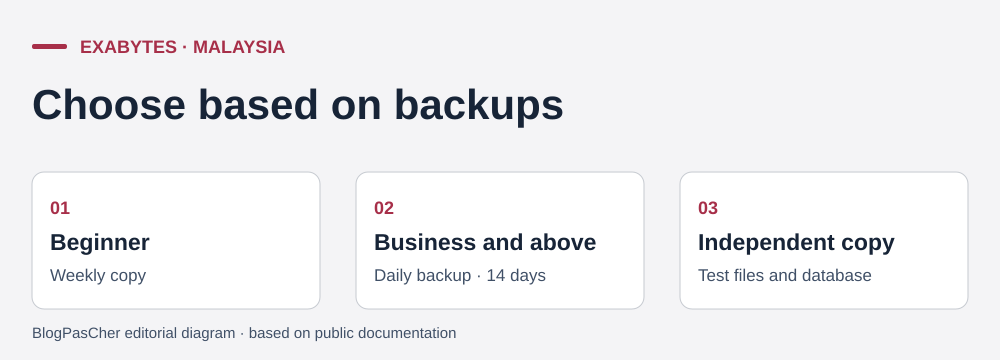 Editorial illustration based on the official documentation. — Illustration by BlogPasCher.Open full-size illustration ↗
Best forA team familiar with Plesk that can check the workflow compatible with its archive format.
WordPress plan in MYR with Plesk, 40 GB and advertised weekly backups.
Offer pricing
MYR 108.99 for one month. Calculated MYR 467.88 for twelve months and MYR 791.64 for thirty-six months.
Billing: Separate selectors for one, twelve or thirty-six months.
Renewal and support: Annual and three-year renewal not priced in the evidence. The crossed-out price also corresponds to the one-month cycle.
Confirm SST and the registrant's tax treatment in the summary.
Checked on .
Strengths
- 40 GB advertised on Beginner.
- Plesk documents a workflow for importing an SQL file.
What to consider
- Recovery help mentions 2 GB in its upload workflow. Confirm the account limit and format.
- Long-term renewal price not established.
Pricing terms and compatibility
Understanding the offer
- Price at the time of review
- MYR 108.99 for one month. Calculated MYR 467.88 for twelve months and MYR 791.64 for thirty-six months.
- Currency
- MYR
- Billing
- Separate selectors for one, twelve or thirty-six months.
- Renewal and support
- Annual and three-year renewal not priced in the evidence. The crossed-out price also corresponds to the one-month cycle.
- Taxes and fees
- Confirm SST and the registrant's tax treatment in the summary.
- Commitment and terms
- Selected cycle paid in advance. Check eligibility for the Malaysian portal.
- Date checked
Compatibility and components
- WordPress and Plesk. An archive from another panel may require recovery through files and the database.
ExonHost Web Hosting Starter
 Official logo of ExonHost — Image: ExonHost.
Best forA team familiar with cPanel whose site and temporary files fit within the plan.
Shared Web hosting in Bangladesh with 5 GB, cPanel and the option to investigate recovery through files and the database.
Offer pricing
Campaign reviewed at BDT 5,399.64 excluding VAT for 36 months, equivalent to BDT 149.99 per month.
Billing: First 36-month cycle prepaid in the campaign version reviewed.
Renewal and support: Reference price of BDT 299.98 excluding VAT/month. BDT 10,799.28 if 36 months at the same rate. Confirm the billed cycle.
Campaign amounts excluding VAT. Check taxes and the total for the registrant.
Checked on .
Strengths
- Partial cPanel backups possible according to account permissions.
- Campaign card with initial total and monthly renewal reference.
What to consider
- Automatic restoration of a full account reserved for WHM.
- Measure 5 GB storage and import limits. Intervention on an independent archive not priced.
Pricing terms and compatibility
Understanding the offer
- Price at the time of review
- Campaign reviewed at BDT 5,399.64 excluding VAT for 36 months, equivalent to BDT 149.99 per month.
- Currency
- BDT
- Billing
- First 36-month cycle prepaid in the campaign version reviewed.
- Renewal and support
- Reference price of BDT 299.98 excluding VAT/month. BDT 10,799.28 if 36 months at the same rate. Confirm the billed cycle.
- Taxes and fees
- Campaign amounts excluding VAT. Check taxes and the total for the registrant.
- Commitment and terms
- Campaign advertised for new orders. Confirm duration and availability in the summary.
- Date checked
Compatibility and components
- WordPress on Web Starter hosting with cPanel.