Web hosting
1984 Hosting for WordPress in Iceland: pricing and backups
1984 Hosting’s WordPress plans in Iceland, initial and renewal terms, migration, the Security Pack and backup limitations.
Read more →

Site appearance
Web hosting
Web and BDIX plans compared using campaign prices in taka, dollar references and restoration limits under cPanel.
Source published: · Source updated: · Editorial policy
Visit the official ExonHost website ↗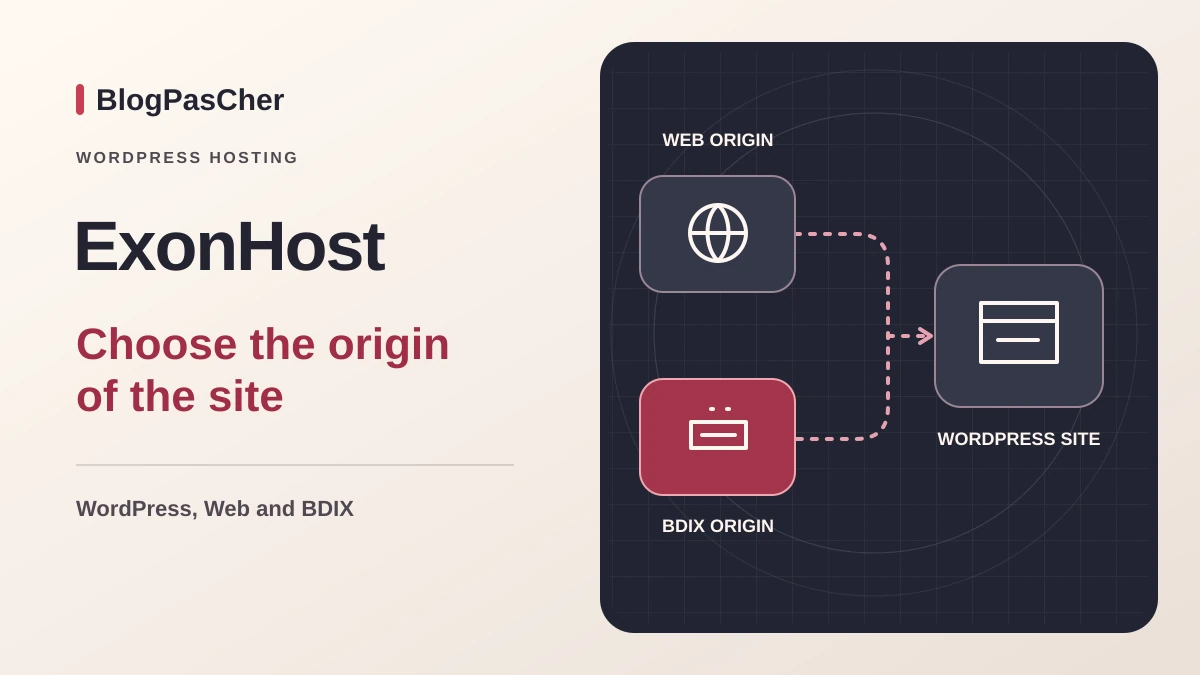
This profile is based on published offers and documentation. No new hosting benchmark or support test was performed for this translation.
Prices retain the market, currency and billing period described in the French source. Translation does not update a commercial quote. Confirm the final price, taxes and options before ordering.
| Plan | Price and billing | Resources and limits |
|---|---|---|
| Starter | 2,388 BDT excluding VAT for the first annual cycle, or 199 BDT/month. Campaign reviewed on November 10, 2026. Renewal: 398.56 BDT excluding VAT/month displayed as a post-campaign reference. Contractual amount and cycle to be confirmed. First prepaid 12-month cycle for new subscriptions. Advertised end date December 1, 2026. | 5 GB, 250 GB traffic and 2 sites in the Web table 700 MB RAM and 20 entry connections in the Web table |
| Standard | 4,788 BDT excluding VAT for the first annual cycle, or 399 BDT/month. Campaign reviewed on November 10, 2026. Renewal: 799.24 BDT excluding VAT/month displayed as a post-campaign reference. Contractual amount and cycle to be confirmed. First prepaid 12-month cycle for new subscriptions. Advertised end date December 1, 2026. | 10 GB, 500 GB traffic and 5 sites in the Web table 1 GB RAM and 20 entry connections in the Web table |
| Advanced | 7,788 BDT excluding VAT for the first annual cycle, or 649 BDT/month. Campaign reviewed on November 10, 2026. Renewal: 1,298.50 BDT excluding VAT/month displayed as a post-campaign reference. Contractual amount and cycle to be confirmed. First prepaid 12-month cycle for new subscriptions. Advertised end date December 1, 2026. | 20 GB, 1,000 GB traffic and 10 sites in the Web table 2 GB RAM and 50 entry connections in the Web table |
 Official logo of ExonHost — Image: ExonHost.
ExonHost presents shared Web hosting and a BDIX range hosted in Bangladesh. Both use the Starter, Standard and Advanced names. In the Web table, the plans display 5, 10 and 20 GB of NVMe storage respectively, with 250, 500 and 1,000 GB of traffic. The resource table specifies 700 MB, 1 GB and 2 GB of memory, plus 20, 20 and 50 entry connections. It displays one hundred processes per account for all three tiers. Read each quota with its definition. An entry-connection limit can hinder concurrent tasks even if the site uses little storage.
BDIX refers to the local exchange network mentioned by the provider. For a site whose primary audience is in Bangladesh, ask which origin is offered and check the actual route from networks your visitors use. If the audience is split between Bangladesh and Europe, do not infer behavior in both regions from a test on one connection. The data-center page also presents locations such as Dallas, Germany and Singapore. Ask which are available on the Web plan and where copies are located. A billing address or support location is not enough to establish the site’s origin.
Before choosing a package, measure database, media and mailbox space, then identify import or heavy-processing hours. Sites sharing an account consume its resources together. For a store, check scheduled tasks, personalized pages and database writes. Leave enough room for temporary files and archives that must be downloaded. If your first test reveals a limit, identify which one before changing the package or location.
Two reviews inform budget preparation. On November 10, 2026, the Black Friday campaign page displays the same references for Web and BDIX. Starter costs 2,388 BDT excluding VAT for the first twelve months paid in advance, Standard 4,788 BDT excluding VAT and Advanced 7,788 BDT excluding VAT. Displayed equivalents are 199, 399 and 649 BDT per month. The page advertises an offer for new subscriptions until December 1, 2026. The end time, account eligibility and total after VAT remain to be confirmed.
The same campaign then displays 398.56, 799.24 and 1,298.50 BDT per month as renewal references. Over twelve months at these amounts, projections would be 4,782.72, 9,590.88 and 15,582 BDT excluding VAT. These arithmetic products help gauge the difference from the first cycle. The amount and duration actually billed at renewal must be checked in the contract. Do not mix the campaign’s monthly values with an annual reference from another table.
The public review on November 3 concerned the Web and BDIX tables and their price catalog, separate from this campaign. It gave references of 3.76, 7.54 and 12.25 USD for one month and 33.96, 66.03 and 122.63 USD for one year. The public calculation of the 25% ExonLove discount gave 25.47, 49.52 and 91.97 USD over one year. The Web page consulted on November 10 still mentions this coupon. Its applicable amount and USD renewal were not confirmed during this revision. The taka campaign is a separate review. Figures in one currency do not establish the contractual price in the other.
Before selecting a price, record the product, currency, first total including VAT, amount at expiry, renewal method and domain fees. The campaign page advertises a thirty-day guarantee, while the general terms exclude accounts bought on promotion, with or without a code. Ask which clause applies to your subscription and retain written confirmation. Until then, budget for the full expense.
The shared hosting presents cPanel, Softaculous and a WordPress manager. In the account, open cPanel and Softaculous, choose WordPress and check the domain and destination directory. On an empty destination, enter the administrative address and intended user. If the site should occupy the root, check the path field before installation. Keep the old WordPress accessible if preparing a replacement. Verify HTTPS access, an internal URL and the dashboard. If another installation appears, fix the destination and resolution before transferring data or publishing content.
A commercial page mentions an old PHP version in its sales text. Check which version is actually available in the panel and which modules your plugins require. For migration, record the old site’s version and any errors after moving to the destination. Also check tasks and permissions before assigning maintenance. The installer does not guarantee compatibility with your theme, store or business module. No included generative WordPress assistant was established in the examined sources. An installer and instance manager facilitate technical operations. If you add a creation plugin, assess its costs and processing separately and retain media outside the assistant.
For an existing site, capture a point before changing automatic updates. Test on a copy and verify an administrative action and a visitor-facing operation. If it fails, record the message and restore the affected scope. If an update is interrupted, first check that it is no longer running before touching its temporary files. Compare plugin and database states before restarting an update. A maintenance screen may disappear while the cause remains.
Check the features available in the plan’s WordPress manager. The presence of Softaculous does not establish a staging and publishing license. If the account offers cloning, check the domain, directory and database name before confirming. Otherwise, create a subdomain and separate database in cPanel. Export the source files and SQL, then import them into the destination. Modify wp-config.php only on this copy. If the domain changes, use a tool that handles serialized values. Check an internal URL and a page using theme settings.
Protect subdomain access and verify that an anonymous session is denied. Disable outgoing email, real payments, webhooks and synchronization. Check keys and external-service addresses. A backup or synchronization task may run independently of public traffic. Before applying a change, identify the starting version and record the copy creation time. Follow the same workflow before and after the change. If the test fails, return to the copy point or reinstall only this destination. Keep the logs needed to explain the failure.
To publish a validated setting, reproduce it on the active site and verify the latest writes. If a full transfer is planned, define the freeze window and handling of new orders or registrations. After changing it, check administration and the business function. If returning to an earlier file version, make sure it remains compatible with the database. If in doubt, compare on another copy before restoring an older database to production.
As of November 10, the Web FAQ advertises daily JetBackup copies with seven points. The BDIX page displays five points in a box and seven in its FAQ. The campaign advertises seven. On BDIX, point count and covered duration remain to be confirmed in the account. Also ask which data is included and where copies are stored.
The general terms describe copies intended for the host’s needs, with no availability guarantee and a 10 USD restoration charge. Ask support to distinguish operations available in JetBackup from provider interventions to which the charge may apply. Before switchover, record the dates actually available in cPanel and, if the panel allows it, download a copy to verify readability on a private destination.
If JetBackup is present, open the component matching the incident and select an earlier point. Record the path or database name in wp-config.php. For a deleted file, favor targeted recovery from a copy or downloading if the screen allows it. For database recovery, export the current state before any replacement. If the failure follows an update that changes tables, choose files and database from the same time. Then check administration and business data. If the point did not fix the incident, return to the captured export and continue on a protected copy.
The cPanel guide explains how to generate a full backup in Backup Wizard and download the archive. Also keep a separate SQL export and domain and mailbox list. The contract limits personal backup storage in the account to seven days. Download them to an independent location and verify readability. For a full account export, ask who can restore it and in which environment. To validate independent recovery, test files and SQL on a private destination before an important deadline.
The page highlights assisted migrations and a WordPress tool. The terms restrict free assisted transfer to cPanel-to-cPanel cases and display 10 USD for a manual transfer by the provider. Have your case’s price and mailbox, alias and database scope confirmed. A site from a closed builder may require rebuilding. Agree on the destination, preview time and final copy. Use temporary credentials when they can be restricted to the relevant account, then remove them after validation.
For an independent transfer, export files and SQL, then import them into an independent destination. Adapt database settings, check the PHP version and open an internal page and a business function. Before switchover, record DNS entries and email addresses. If mailboxes stay elsewhere, keep MX records and validation policies. If the domain also changes registrar, retain zone access during transition. After switchover, compare the certificate and observed origin from two connections. For BDIX, include a local-audience connection in the checks if possible. If the destination fails, restore previous web values and reconcile new writes before reopening the source.
The consulted guides are mainly in English. The campaign page advertises Bengali and English support, with continuous technical service and separate sales hours. French and hours applicable to the contract remain to be confirmed. A useful request states the product, domain, date and reproduced message, without a password in the body. After transfer, also check email and external-system responses. Keep a record of the last copy and confirmed origin before closing the old service.
The terms provide for a request from the customer area by opening the package, then Request Cancellation. They require submission before the invoice becomes due and state that a request cannot be filed if an invoice is due. Immediate termination is described as occurring within twenty-four hours. Verify the selected option and date, along with handling of an active PayPal subscription. The domain may remain a separate service. Check its holder, access and renewal before closing hosting.
Download files, database, email and the zone before opening the request. Open archives outside the account and test administration and features at the new destination. Ask the email administrator to check mailboxes and aliases. If an external service still uses an address in the old account, change its destination before closure. After confirmation, record the date, relevant service and items you continue paying for. If you must reverse the transfer, use the verified archive and saved zone.
If errors appear during an import or scheduled task, record the time and operation. In cPanel, open the resource-usage report if available and compare the period with the table’s limits. Check whether errors coincide with entry connections or memory rather than disk. On a copy, reduce batch size or reschedule a competing task, then verify that the import finishes and expected data is present. Retain the previous value to restore the original setting. If the problem persists, send the graph and corresponding log to support. Ask which limit was reached before choosing a higher package. Advanced increases some displayed resources while retaining the same total process limit in the Web table.
Starter may fit a small site if disk space accommodates its media and concurrent work remains modest. Standard or Advanced provide more space and more site slots. A site depending on a long import or heavily used form requires verification of per-account limits. For a team in Bangladesh, BDIX should be assessed against the actually allocated origin and visitors’ networks. Add the independent copy, domain and email recovery to total cost. Also plan who can handle technical follow-up in English or Bengali during an intervention.
Use these references to check the features, requirements and limitations described. Reading documentation is not a practical test.
English translation of the reviewed French edition. Code examples retain their original identifiers, comments and output strings for reproducibility. Linked exercise files and original screenshots may contain French. No new practical tests or price checks are implied by translation.
1984 Hosting’s WordPress plans in Iceland, initial and renewal terms, migration, the Security Pack and backup limitations.
Read more →Compare 34SP.com WordPress containers, shared memory, staging copies, downloadable snapshots and site migration.
Read more →Compare AEserver’s managed WordPress prices and check whether your network must be split into independent installations before migration.
Read more →