Web hosting
1984 Hosting for WordPress in Iceland: pricing and backups
1984 Hosting’s WordPress plans in Iceland, initial and renewal terms, migration, the Security Pack and backup limitations.
Read more →

Site appearance
Web hosting
Three shared plans with My Zone and Zone+, distinct capacities and two recovery paths. The WordPress assistant is advertised as included.
Source published: · Source updated: · Editorial policy
Visit the official Zone.ee website ↗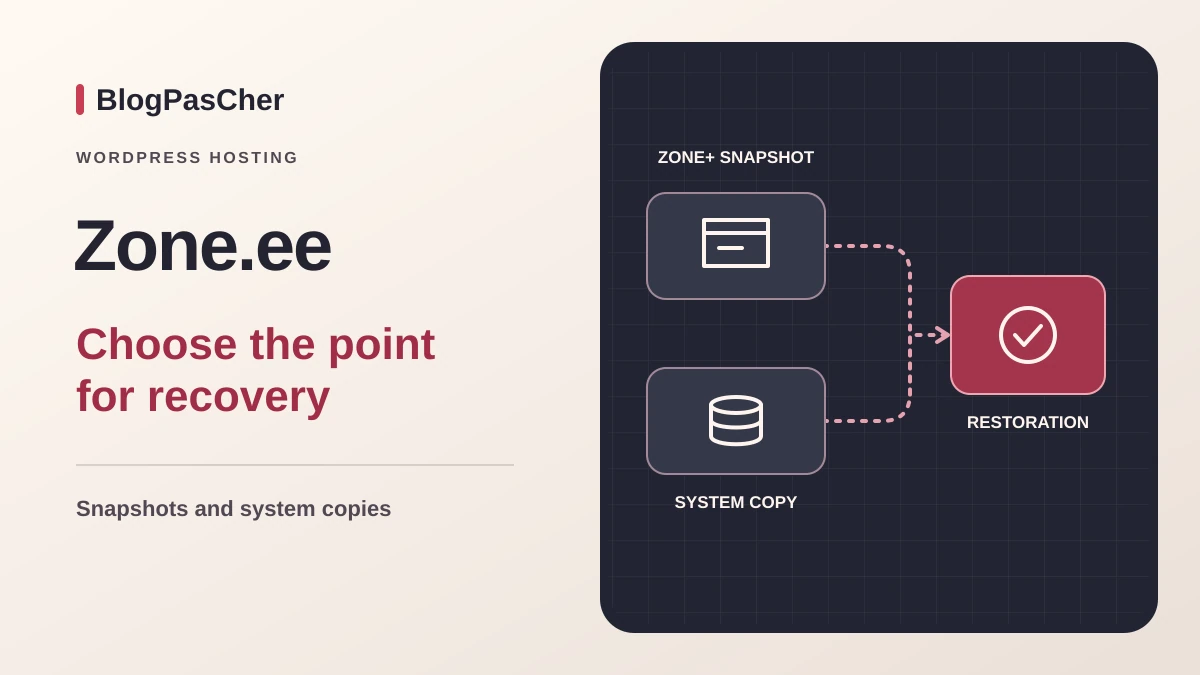
This profile is based on published offers and documentation. No new hosting benchmark or support test was performed for this translation.
Prices retain the market, currency and billing period described in the French source. Translation does not update a commercial quote. Confirm the final price, taxes and options before ordering.
| Plan | Price and billing | Resources and limits |
|---|---|---|
| Starter | €9.95 excluding VAT per month equivalent paid annually, or approximately €119.40 excluding VAT. Monthly payment at €11.95 excluding VAT. Renewal: Same cycle-based pricing as of November 10. Future rate and renewal total to confirm. Prepaid monthly or annual cycles. First invoice schedule and VAT according to the contract. | 256 GiB disk, 8 GiB mailbox, 16 databases totaling 4 GiB, 256,000 inodes, 2 scheduled tasks. No Redis. Manual snapshots retained for 14 days. |
| Business | €16.90 excluding VAT per month equivalent paid annually, or approximately €202.80 excluding VAT. Monthly payment at €18.90 excluding VAT. Renewal: Same cycle-based pricing as of November 10. Future rate and renewal total to confirm. Prepaid monthly or annual cycles. First invoice schedule and VAT according to the contract. | 512 GiB disk, 12 GiB mailbox, 32 databases totaling 6 GiB, 384,000 inodes, 5 scheduled tasks and 256 MiB Redis. Memory for persistent applications is separate from PHP memory. |
| PRO | €30 excluding VAT per month equivalent paid annually, or approximately €360 excluding VAT. Monthly payment at €33 excluding VAT. Renewal: Same cycle-based pricing as of November 10. Future rate and renewal total to confirm. Prepaid monthly or annual cycles. First invoice schedule and VAT according to the contract. | 1,024 GiB disk, 16 GiB mailbox, 64 databases totaling 12 GiB, 512,000 inodes, 10 scheduled tasks and 512 MiB Redis. Extended retention up to 30 days depending on settings and copy type. Manual snapshots for 14 days. |
 Official logo of Zone.ee. — Image: Zone.ee.
Zone Media OÜ, based in Tallinn, markets Starter, Business and PRO hosting under the Zone.ee brand. My Zone manages services and Zone+ installs, copies and maintains supported applications. The documentary review of November 10, 2026 covers the Estonian catalog and its English help.
Shared hosting combines web hosting, databases and mail. It advertises SSH, WP-CLI and Let’s Encrypt certificates. The choice depends on database volume, file count and how the team will prepare for recovery. Account and backup locations should be confirmed separately from the operator’s address.
The comparison advertises 256 GiB of storage for Starter, 512 GiB for Business and 1,024 GiB for PRO. Each mailbox can reach 8, 12 or 16 GiB respectively. The number of MariaDB databases is 16, 32 or 64, with a cumulative size limit of 4, 6 or 12 GiB. For a team hosting several sites, add production databases and working copies together before choosing the tier.
Inodes, which count files and folders, are capped at 256,000, 384,000 and 512,000. A catalog generating many thumbnails and retaining several copies may reach this limit while disk space remains. Scheduled tasks are limited to two, five and ten. The comparison lists Redis from Business onward, with 256 MiB at that tier and 512 MiB on PRO.
The 512, 768 or 1,024 MiB memory figures apply to persistent applications, including Node.js. Check the site’s specific PHP limits and the share of resources heavy tasks may consume simultaneously. PRO adds a dedicated IP address. For sites belonging to different clients, the operator recommends separate accounts to limit an incident’s effects. Include access and the cost of these accounts in the budget.
The November 10 comparison shows €9.95, €16.90 and €30 excluding VAT per month equivalent for Starter, Business and PRO paid annually. Monthly references are €11.95, €18.90 and €33 excluding VAT. Over twelve months, the annual equivalents correspond to €119.40, €202.80 and €360 excluding VAT. Twelve payments at the displayed monthly rate would total €143.40, €226.80 and €396 excluding VAT. These calculations exclude options and taxes.
The cycle discount corresponds to choosing annual payment. The consulted table does not establish a first-year-only price. The first cycle and renewal therefore use the same calculation reference while rates remain unchanged. Confirm the amount actually charged and the rate at the next due date. The terms allow price changes.
The table compares offers excluding VAT. The website also offers a view with local VAT. Treatment depends on tax residence and account holder information under the terms. For a French customer, confirm taxation, schedule and first total. The FAQ describes a first invoice covering thirty days followed by an adjustment at the next due date. Its application to annual payment remains to be clarified.
The comparison notably lists €5 per month for 1 GiB of additional MariaDB capacity, €10 for 50 GiB of storage and €3 for five extra scheduled tasks. Certain older PHP versions also have their own price. Check whether updating the site’s plugins can remove this expense. Try the new version on a copy before modifying production.
A team approaching the database limit can compare an add-on with a tier upgrade. Starter with 1 GiB of extra MariaDB would represent approximately €179.40 excluding VAT over twelve months at the annual hosting price and with the option at the same price throughout the year. Business represents approximately €202.80 excluding VAT over the same cycle and adds other resources. Check the option’s invoiced price and expected database growth before choosing.
The website advertises a refund option during the first month. The terms distinguish discounts tied to duration or volume and provide for possible recalculation on early departure. Ask how fees and options are treated under the selected contract and retain the due date.
Zone+ offers WordPress with automatic updates and AI-assisted installation. The product describes help choosing design, pages and plugins, as well as writing and editing text in the editor. The assistant can also guide navigation through WordPress menus. The product page states that it is included in hosting.
The pages examined do not quantify a generation quota or specify the model or terms for assistant continuity after transfer. Before recurring use, clarify the scope and data transmitted. During creation, review contact details, prices, commitments and media intended for publication. Retain content and licenses required for an independent export.
Zone+ describes automatic updates for supported installations and a point created before certain provider updates. Define who checks private plugins, licenses and important site functions after each intervention. A working copy allows the site to be checked before changing the public journey.
For a new site, the guide requires My Zone access and an available destination. Open Zone+, then +Add Web Application, choose the application and Install now. Select the destination and Install Application. Leave the /Path field empty for a root installation. Fill it in for a subdirectory.
For a copy, open Webhosting, Web applications, My installs, then Settings and Copy. Check that the destination root directory is empty and that source and destination PHP versions match. The expected result is a second instance at another address, with production unchanged. The test must fit within storage, file and database limits.
Protect the copy and disable real messages, payments and synchronizations before testing. A development copy must not receive customer orders. If it fails, keep production as the reference and remove only the identified test after backing it up.
Zone+ creates application snapshots containing files and database together. Manual copies are retained for fourteen days in the service’s filesystem and also disappear when the application is uninstalled. Their restoration is available free in the panel. They are useful before a change, but do not replace a copy independent of the account.
System backups are performed nightly and retained for fourteen days by default. The guide includes files, databases and email. PRO can extend retention of automatic snapshots and system backups to thirty days depending on the setting. Manual snapshots remain limited to fourteen days. Check the enabled setting and available dates before relying on this extension.
The documentation also distinguishes recovery costs. Restoring a system backup through support costs 28 euros excluding VAT per site, rising to 56 euros outside business hours and on weekends according to the guide. Mail recovery is advertised at €28 excluding VAT per mailbox for recoverable data. An included automatic backup therefore does not mean every human-assisted restoration is free.
The workflow suits the manager of an application recognized in Zone+. In My Zone, open Webhosting, then Backups, select the application and create a manual copy. The manager guide also presents the Snapshots view and Take snapshot button. Adding a label, such as before update, helps identify the right state.
Wait until the copy is available before changing the site. To return to that state, choose the snapshot and Restore. The guide specifies that files and database will be restored to the copy’s date and time. This can therefore delete subsequent orders or registrations. Preserve the current state and organize writes before confirming on a store.
Then check administration, pages and the affected journey. To return to the previous state, use the copy prepared before replacement. Reconcile operations occurring since the restored point separately. Local snapshots consume service resources and expire at the end of their retention period. Do not uninstall the application to try to fix it without retaining independent data.
The guide provides two support-assisted restoration modes. The first replaces files and database at the requested date, losing data received since then. The second places files in a separate directory and the database in a separate database, which must be created empty beforehand and identified in the request. This second option allows an old version to be examined without immediately replacing the public site.
To prepare a request, record the service, backup date and desired mode, then check disk and database quotas. Prices and turnaround must be confirmed before intervention. The comparison advertises restoration within forty-eight hours. Confirm the timing for the chosen service and restoration mode.
A mailbox and a WordPress site contain different content. Identify the exact mailbox and messages sought before requesting recovery. Keeping an independent copy of useful mail avoids relying solely on backup rotation.
The website advertises web and mail migration. The transfer guide specifies that assistance is free when transfer and configuration take less than half an hour. It cites a simple site with up to five mailboxes as a typical case. A longer migration may be billed. Ask for pricing and scope for redirects, tasks, licenses and data to move.
For self-managed migration, My Zone offers Web Applications, then Import WordPress. Enter the site address and run Prepare Import. The guide describes using authorized WordPress credentials or FTP or SSH access. After transfer, check the destination, files, database and administrative access. Revoke temporary access and retain settings needed for the site to function.
For the switch, check media, forms, certificates and mail. A store requires a final, consistent recovery of orders. Retain the old service, old DNS records and an independent copy during checks. A DNS rollback redirects the domain. New writes must also be reconciled before reopening the old installation.
To leave, export files, database and mail, and document tasks, redirects and licenses. Verify restoration at the destination before closing the account. Panel snapshots and assistant features require examination separately from the WordPress export.
The website and help are available in Estonian, English and Russian. Panel language and availability of a French-speaking technician remain to be confirmed for the account. The contact page lists telephone support on business days from 9 h to 17 h, in EET or EEST depending on the season. It distinguishes this availability from continuous system monitoring and incident handling.
Email and chat are offered on commercial pages, but their presence does not demonstrate the same response time at every hour. Technical intervention may have a separate rate depending on the time window. A French manager should check the practical follow-up arrangements and required language before relying on assistance during an outage.
The terms state a best-efforts service unless a specific service-level agreement applies. Availability statistics and commercial capacity estimates are therefore not replaced here by a universal promise. Precisely describing the service, error, time and preceding action helps with a request, without sending passwords or payment data.
The closure guide lists My Zone, Webhosting, Package and billing period, then Cancel the service and the closure form. For an indefinite-term service, the general terms require notice at least thirty days before the end unless a longer period is agreed. Compare this notice with the service, prepaid cycle and conditional discounts before choosing a date.
A pause with archiving is offered separately at 25 euros excluding VAT for up to one year. Data remains with the provider during the pause. Also keep a copy you can retrieve independently of the account. Manage domain renewal separately and check file and message transfers before closing hosting.
Download the data, test recovery and retain the service termination confirmation. Keep the recovery address, domain access and licenses independent of the closed account. Zone.ee may suit an Estonian project seeking English documentation and accessible technical tools, provided quotas are monitored and recovery is budgeted.
Use these references to check the features, requirements and limitations described. Reading documentation is not a practical test.
English translation of the reviewed French edition. Code examples retain their original identifiers, comments and output strings for reproducibility. Linked exercise files and original screenshots may contain French. No new practical tests or price checks are implied by translation.
1984 Hosting’s WordPress plans in Iceland, initial and renewal terms, migration, the Security Pack and backup limitations.
Read more →Compare 34SP.com WordPress containers, shared memory, staging copies, downloadable snapshots and site migration.
Read more →Compare AEserver’s managed WordPress prices and check whether your network must be split into independent installations before migration.
Read more →