Web hosting
1984 Hosting for WordPress in Iceland: pricing and backups
1984 Hosting’s WordPress plans in Iceland, initial and renewal terms, migration, the Security Pack and backup limitations.
Read more →

Site appearance
Web hosting
Pumo publishes four WordPress plans with Plesk and Chinese-language support. The comparison describes restoration costs. Renewal price and account location must be confirmed.
Source published: · Source updated: · Editorial policy
Visit the official Pumo website ↗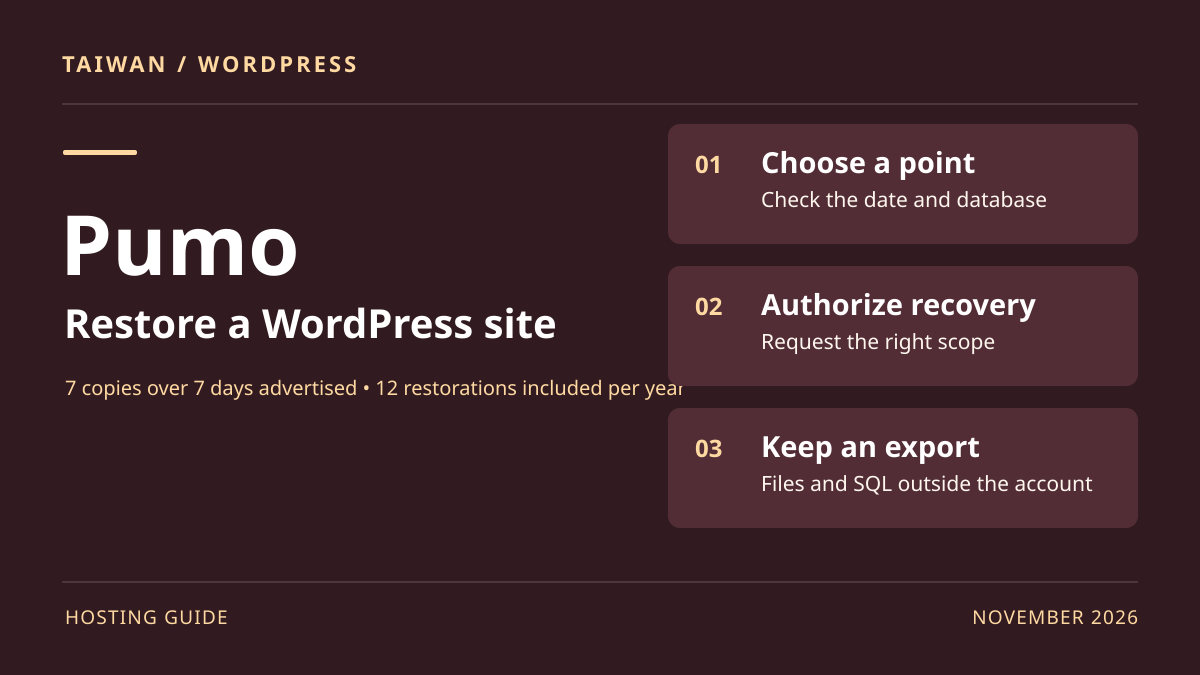
This profile is based on published offers and documentation. No new hosting benchmark or support test was performed for this translation.
Prices retain the market, currency and billing period described in the French source. Translation does not update a commercial quote. Confirm the final price, taxes and options before ordering.
| Plan | Price and billing | Resources and limits |
|---|---|---|
| WordPress A | 7,500 TWD / 1 year; 13,500 TWD / 2 years; 18,000 TWD / 3 years Renewal: General price list as a dated reference; account price and taxes to confirm on the renewal notice. TWD prices recorded on November 10, 2026. Prepaid total for 1, 2 or 3 years; taxes to confirm. | 10 GB web and email; 1,000 GB monthly traffic; 2 GB RAM; 5 MySQL databases. 2 business mailboxes according to the comparison; check the chosen email option and space shared with the web. |
| WordPress B | 10,000 TWD / 1 year; 18,000 TWD / 2 years; 24,000 TWD / 3 years Renewal: General price list as a dated reference; account price and taxes to confirm on the renewal notice. TWD prices recorded on November 10, 2026. Prepaid total for 1, 2 or 3 years; taxes to confirm. | 15 GB web and email; 1,500 GB monthly traffic; 3 GB RAM; 20 MySQL databases. 3 business mailboxes according to the comparison; check the chosen email option and space shared with the web. |
| WordPress C | 18,500 TWD / 1 year; 33,500 TWD / 2 years; 45,000 TWD / 3 years Renewal: General price list as a dated reference; account price and taxes to confirm on the renewal notice. TWD prices recorded on November 10, 2026. Prepaid total for 1, 2 or 3 years; taxes to confirm. | 20 GB web and email; 1,800 GB monthly traffic; 4 GB RAM; 50 MySQL databases. 5 business mailboxes according to the comparison; check the chosen email option and space shared with the web. |
| WordPress D | 33,500 TWD / 1 year; 60,000 TWD / 2 years; 81,000 TWD / 3 years Renewal: General price list as a dated reference; account price and taxes to confirm on the renewal notice. TWD prices recorded on November 10, 2026. Prepaid total for 1, 2 or 3 years; taxes to confirm. | 30 GB web and email; 2,000 GB monthly traffic; 5 GB RAM; 100 MySQL databases. 10 business mailboxes according to the comparison; check the chosen email option and space shared with the web. |
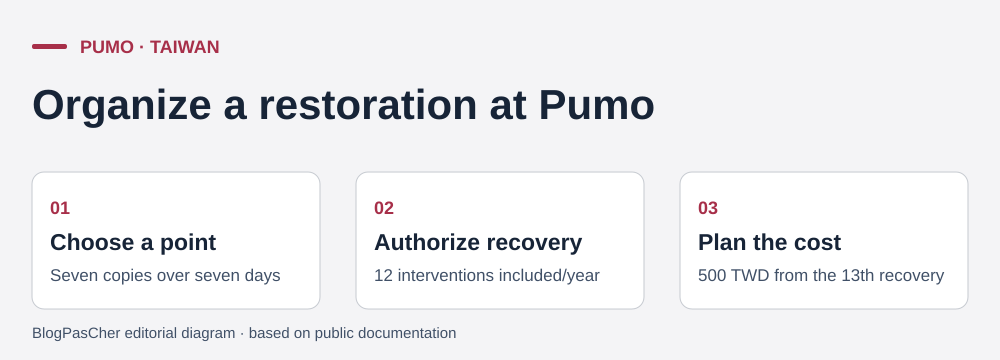 Editorial illustration based on the official documentation. — Illustration by BlogPasCher.Open full-size illustration ↗
Pumo, also presented as 捕夢網, markets a WordPress A-to-D family in Taiwan. Its appeal to a local business lies in a specific combination: a Chinese Plesk panel, domain-linked email, advertised Chinese technical support and a restoration procedure with a stated annual intervention count. The product page presents CMS-suitable hosting and an installation workflow through Plesk. A team also wanting to delegate updates, code maintenance and acceptance testing needs a separate scope of work.
The specification sheet is the starting point for quotas. The site also presents a security-enhanced range with its own price list. Standard-range prices examined here must not be transferred to those offers. The storefront highlights several generations of cache and server environment; confirm what is available for a newly opened account and an existing account before planning technical migration.
The range’s quote locates the provider in New Taipei, and the technical sheet cites Taiwanese operators. The business address and network describe local context; they do not identify the facility hosting a site, email or recovery copy. If a client contract imposes location requirements, clarify all three locations and transfer rules before moving the database. For a brochure site with forms, also record where messages arrive and who can access them. A good region choice starts with this inventory, then is verified on the intended service rather than from the provider’s domain name alone.
The price list effective October 1, 2025, still published when recorded on November 10, 2026, gives totals in new Taiwan dollars. For WordPress A, budget 7,500 TWD for one year, 13,500 for two years or 18,000 for three years. For B, amounts are 10,000, 18,000 and 24,000 TWD. For C, they are 18,500, 33,500 and 45,000 TWD. For D, they are 33,500, 60,000 and 81,000 TWD. The WordPress B quote confirms these are sums prepaid for each term. The standard comparison states no setup fee. Consulted documentation does not resolve tax treatment for every holder; do not present these sums as verified tax-inclusive totals.
The pricing notice shows renewals can be affected by the price list: only renewals completed before October 1, 2025 benefited from the temporary retention of old prices announced in that notice. Therefore use the general list as a reference without presenting it as a guaranteed future price or certain renewal for an old account. Older PDF quotes describe prepayment and resources. For prices, start with the dated list; request an updated quote if the PDF or customer area displays another total. Check amount, cycle, tax breakdown and renewal method on the due notice.
On A, two annual payments at the same list rate would represent 15,000 TWD versus 13,500 TWD prepaid for two years. The 1,500 TWD difference is a saving only if the business remains on the same offer and the first scenario’s price does not change. Also price the domain and email: the catalog lists some options separately, and an already registered address retains its own schedule. For migration, ask whether the proposed commercial discount is compatible with transfer service; the page presents those benefits as alternatives. Confirm the reference budget before comparing with a welcome price.
The A-to-D comparison capacities are 10, 15, 20 and 30 GB for web and email together. Advertised monthly traffic is 1,000, 1,500, 1,800 and 2,000 GB. Memory allowances are 2, 3, 4 and 5 GB, and MySQL database counts are 5, 20, 50 and 100. Pumo also states CPU values in GHz and I/O limits. These units describe the plan without establishing dedicated core counts, simultaneous visits or WordPress-cart throughput. Check per-process thresholds if a plugin handles large imports or generates files on demand.
The A quote distinguishes two business mailboxes from up to sixty ordinary 100 MB mailboxes, as two alternative arrangements. The C quote presents the same principle with five business or one hundred ordinary mailboxes. Do not add both counts. Ask about quota per mailbox, message-recovery access and space left for the web after import. For a three-person team, comparing a higher plan with independent email may be more useful than choosing ordinary mailboxes too small for attachments. Storage must also leave room for transformed media, logs and temporary archives.
Displayed aliases and subdomains do not prove that separate hosting can be resold or clients isolated in independent subscriptions. For an agency, inventory sites and databases sharing Plesk access, then estimate a restoration’s effect on other projects. For a business, monthly consumption says nothing about writes during a promotion. On a copy, check the cart, test-mode payments and scheduled jobs after a PHP update. Increased capacity should first follow a measured need.
The Pumo tutorial shows installation in Plesk 12: in the left menu, open Applications (應用程式), choose WordPress and the offered version, then check path and administration account. The guide presents the root as the default destination. On a domain already serving a site, do not inadvertently confirm that destination. For a trial, reserve a subdomain or account with its own folder and database. Because the tutorial illustrates an older panel version, find equivalent functions in the current account before any operation; this profile does not assume identical screens.
Before installing or copying an existing site, record the database engine, exact PHP version and required extensions. The comparison cites PHP 7.x through PHP 8 while some quotes also mention PHP 5. Ask for the version actually available and maintained for the plan, then check theme and plugin compatibility with a supported version. Documents mention both LiteSpeed and Nginx Helper depending on the page; confirm the account stack and who manages cache before enabling a second mechanism.
After installation, check the certificate, administration access, internal links and ability to update content. On a site copy, prevent public indexing through access control and disable email sending, webhooks and active payments. If an update fails, return to the previous version or setting on the copy and record the error message. Do not automatically push an entire test database onto production that has received new writes. The catalog does not promise staging with integrated deployment on these four plans.
The technical sheet advertises seven site copies over a seven-day cycle. It provides twelve file or database restorations free per year, then 500 TWD per intervention from the thirteenth onward. It promises neither an intervention timeframe nor restoration of email or all account settings in the same operation. Check whether a request combining folder and database counts as one or two interventions, and whether a copy can be delivered separately. On a site recording inquiries hourly, the latest point’s date and granularity matter more than the number of free recoveries.
The LINE guide documents authorization: in personalized services, open Hosting, then Shared Hosting, select the domain, open authorization-letter templates and choose site restoration. The template arrives at the holder’s address. This prepares a request; it is not an immediate restoration button. Before authorizing the operation, supply desired local time, exact database, folder and destination. Export the current state, even if partially broken, and retain elements that help identify writes after the recovery point. After intervention, check media, administration access and the affected function.
To prepare independent recovery, download files through the account’s transfer access and the database separately. The Plesk guide explains finding the phpMyAdmin address and selecting the database. In phpMyAdmin, export SQL from the database named by DB_NAME in wp-config.php. For recovery, create a separate database in Plesk, import SQL into that empty database, then connect the working copy to it by adapting its configuration. Keep copies outside the account with restricted access and verify recovery without the original provider’s address or password. For a large database, validate another method if browser import reaches size or time limits. For file transfer, prefer the encrypted mode Pumo confirms for the account and check permissions before copying. An archive must contain files and an SQL export from the same state. Record date and PHP version in an accompanying file, then practice restoration on a protected subdomain. For a site receiving orders, ask which transaction interval would be lost by returning to the latest point, and agree on a reconciliation plan before intervention.
The WordPress page links to a moving offer and mentions proof of payment at the previous provider. The moving page describes a workflow for Linux and Windows plans: hosting and database transfer, DNS configuration, then customer testing. It also presents alternative commercial benefits and fees in certain refund cases. Those terms alone do not prove that the discount and complete scope apply to every WordPress A-to-D plan. Confirm the offer reference, migration cost, email-import scope and treatment of archives.
To define the transfer, record the domain and its records, media size, database name, CMS and PHP versions, mailbox list and forwarding rules. Assign each component a target and responsible person. Test the copy through private access before DNS changes and verify that plugin activation does not depend on the old server name. At cutover, disable processes that would create the same order or notification twice. Retain the old account during verification and decide in advance where new writes will remain if rollback is needed.
At exit, also back up email and contacts, the zone file or its record, license elements and domain-registrar access. The iMail guide specifies that in its described Plesk-to-iMail workflow, address books do not follow automatically. This is an example of data to export separately even when messages transfer correctly. Before closure, verify external receipt, an outgoing reply and opening a sample of archives. Leave DNS pointing at the target only if this acceptance test passes. Post-closure access and retention duration have not been established for these offers.
The comparison promises Chinese technical support around the clock; the guides and presented panel use Traditional Chinese. Telephone, email and online support are listed, with LINE on support pages. English- or French-speaking availability and resolution times have not been verified. For a team working in several languages, designate who opens the ticket and who approves recovery. Prepare technical folder and database names independently of interface translation. This facilitates coordination when service is inaccessible and several sites share the account.
The offer advertises a theme selected from a collection. The guide requires replying within the week after activation and describes receiving the file, to be installed by the customer or provider. Confirm benefit availability, updates, the right to continue using the theme elsewhere and supplied support. An older Pumo article also mentions automatic WordPress updates; it does not establish current configuration or exceptions. Ask who triggers and checks core, theme and plugin updates. If a site uses a child theme or custom payment code, designate the maintainer responsible for compatibility.
No generative AI function included in A-to-D plans was identified in the consulted sources. Cache automation and templates establish neither an AI model, quota nor export rights. If a customer requests an assistant in the editor, verify its provider, billing and team permissions separately. Prefer a private copy when trying a tool and retain an editable page version before modification. For a Traditional Chinese site, review text and verify contact details and local phrasing before publishing generated content.
Plan A merits comparison for a corporate site with low email volume if its shared 10 GB and mailbox count fit. B or C are useful when media, email and databases actually require more space. Plan D alone does not solve the need to isolate several clients or retain long-term copies. A business requiring an hourly recovery point must plan more frequent exports and a restoration exercise; the seven advertised points follow another cadence. If the main need is code intervention, compare a separate maintenance service.
Before deciding, collect three elements: contract reference and totals for the current and following cycles; assigned locations for web, email and copies; and the restoration workflow with any fees. Also ask about certificate, PHP and plugin support levels. The enterprise infrastructure page cites Banqiao, Nangang and Zhonghe in Taiwan, plus locations in China and the United States within its IDC scope. It does not give a center selection for WordPress A to D. The migration lead must obtain the intended account location if it determines the purchase.
At commissioning, perform acceptance testing along a complete workflow: open a page, send a form, locate the message, publish a correction and restart the site on a private copy from an export. Assign an owner and frequency to each action. The plan is suitable if the team can repeat this exercise without improvising access, losing email or assuming a recovery request will be handled within an unestablished timeframe.
Use these references to check the features, requirements and limitations described. Reading documentation is not a practical test.
English translation of the reviewed French edition. Code examples retain their original identifiers, comments and output strings for reproducibility. Linked exercise files and original screenshots may contain French. No new practical tests or price checks are implied by translation.
1984 Hosting’s WordPress plans in Iceland, initial and renewal terms, migration, the Security Pack and backup limitations.
Read more →Compare 34SP.com WordPress containers, shared memory, staging copies, downloadable snapshots and site migration.
Read more →Compare AEserver’s managed WordPress prices and check whether your network must be split into independent installations before migration.
Read more →