Web hosting
1984 Hosting for WordPress in Iceland: pricing and backups
1984 Hosting’s WordPress plans in Iceland, initial and renewal terms, migration, the Security Pack and backup limitations.
Read more →

Site appearance
Web hosting
Three Business plans for WordPress brochure sites in SGD. This profile details the retention discrepancy between the sales page and cPanel guide, then explains where the Managed WordPress range fits.
Source published: · Source updated: · Editorial policy
Visit the official Oryon website ↗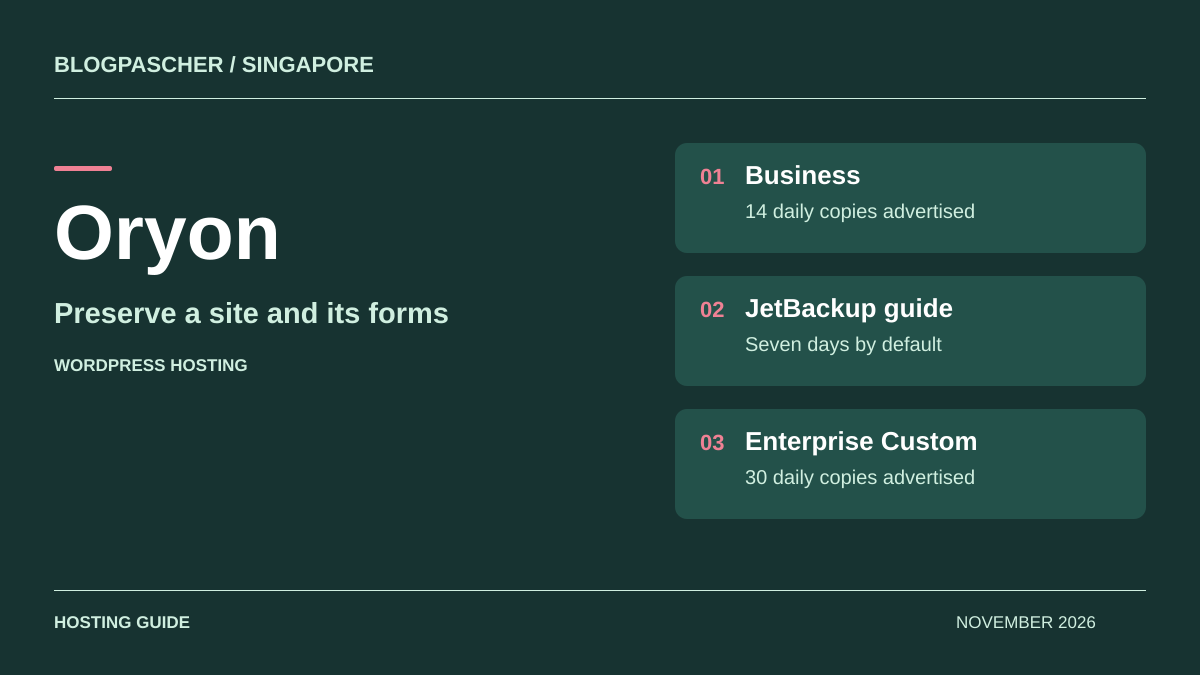
This profile is based on published offers and documentation. No new hosting benchmark or support test was performed for this translation.
Prices retain the market, currency and billing period described in the French source. Translation does not update a commercial quote. Confirm the final price, taxes and options before ordering.
| Plan | Price and billing | Resources and limits |
|---|---|---|
| BizValue | 265 SGD excluding tax for the first year, 288.85 SGD including GST displayed. Renewal: 288 SGD excluding tax per year, 313.92 SGD including GST. Confirm the next cycle’s price on the invoice. Annual cycle recorded on November 10, 2026. Multiyear variants indicated. | 3 sites, 30 cPanel mailboxes, 30 GB NVMe, 1 CPU, 2 GB memory and SSL. Shopping cart applications excluded. MailChannels advertised for one domain. |
| BizPro | 356 SGD excluding tax for the first year, 388.04 SGD including GST displayed. Renewal: 588 SGD excluding tax per year, 640.92 SGD including GST. Confirm the next cycle’s price on the invoice. Annual cycle recorded on November 10, 2026. Multiyear variants indicated. | 5 sites, 80 cPanel mailboxes, 80 GB NVMe, 1 CPU, 4 GB memory and SSL. Shopping cart applications excluded. MailChannels advertised for one domain. |
| BizMax | 723 SGD excluding tax for the first year, 788.07 SGD including GST displayed. Renewal: 1,088 SGD excluding tax per year, 1,185.92 SGD including GST. Confirm the next cycle’s price on the invoice. Annual cycle recorded on November 10, 2026. Multiyear variants indicated. | 8 sites, 150 cPanel mailboxes, 150 GB NVMe, 2 CPUs, 4 GB memory and SSL. Shopping cart applications excluded. MailChannels advertised for one domain. |
Oryon’s Business Web Hosting plans combine hosting resources, cPanel mailboxes and provider support in Singapore. They may suit a company publishing service pages, news and a contact form. However, the catalog imposes a restriction that changes the decision from the outset. Shopping cart applications and plugins such as WooCommerce are excluded from all three BizValue, BizPro and BizMax cards. Increasing RAM within this range leaves that restriction in place. The catalog directs store projects to a suitable cloud product.
For a customer presenting a catalog without taking payments, describe the intended function to the host. Specify whether the form merely records an inquiry or whether a plugin creates a cart, orders and payments. A project may also include an external link to a payment provider. In that case, ask whether the intended integration is allowed, especially if a plugin stores transactions in WordPress. Have the scope recorded before building the site.
For a services SME receiving online inquiries, check the domain, mailbox count and the route from a form to an external address. The sales profile and help are in English. Oryon advertises access to technicians by chat and email 24 hours a day. Confirm other languages and response times. The help distinguishes server and cPanel interventions from the plugin updates and rollback described for Managed WordPress.
As recorded on November 10, 2026, BizValue displays 265 SGD excluding GST initially and 288 on annual renewal. GST-inclusive amounts are 288.85 and 313.92 SGD. BizPro displays 356 SGD excluding GST for the first year and 588 on renewal, equivalent to 388.04 and 640.92 SGD including GST. BizMax displays 723 and 1,088 SGD excluding GST, equivalent to 788.07 and 1,185.92 SGD including GST.
Over two years at the displayed prices, GST-inclusive totals would be 602.77 SGD for BizValue, 1,028.96 for BizPro and 1,973.99 for BizMax. These calculations use one year at the initial price followed by one year at the published renewal rate. Add the domain and options according to the invoice. For a multiyear term, request the prepaid amount and the rate applicable at expiry.
The Managed WordPress range displays Power Basic at 360 SGD excluding GST per year and Enterprise Custom at 299 SGD excluding GST per month. The cards give no separate renewal price. Power Basic displays one WordPress installation and 10 GB storage. Ask which range a quote covers if you need help with updates or longer retention.
BizValue advertises up to three sites, thirty cPanel mailboxes, 30 GB NVMe, one CPU and 2 GB memory. BizPro increases this to five sites, eighty mailboxes, 80 GB NVMe and 4 GB memory, also with one advertised CPU. For a small group hosting several sites, compare the growth of each media library and mailbox usage after a year of activity. Published resources belong to the plan. Clarify how space is allocated among files, databases and email, and check space needed for a temporary operation such as compression.
All three cards mention MailChannels for one domain. BizMax advertises up to eight sites, 150 mailboxes and 150 GB storage. Clarify its scope if several brands need to send email. If company email already resides on Microsoft 365 or another provider, the team can keep that service by separating the site’s DNS cutover from the mailboxes’ cutover. Record the expected records with the provider and test form submissions from the new WordPress site.
A portfolio may include a documentation site, a corporate site and an old redirected site. Record which ones actually consume a slot in the plan, including a temporary validation destination. If each client must regain control of hosting at the end of the engagement, plan that separation in the account organization.
The Oryon guide opens Softaculous from cPanel, then selects WordPress from the catalog. First check the domain configured in cPanel and its certificate. On the installation screen, select HTTPS when the certificate works and specify the required domain or subdomain. For a root installation, leave the directory field blank. Before confirming, check the path and existing files. If an older site responds on the domain, build the working copy elsewhere and plan its cutover after acceptance testing.
Create a site-specific administrator account and use a recovery address you control. If preparing a multilingual site, WordPress’s initial language choice can be adjusted later to suit the project. Check access to administration, the public page and the PHP version selected for this site. When handing over to an editor, create a separate account without cPanel access.
For a project taken over from a previous provider, first retain the files, database and DNS plan. The installer is useful for an empty site. For a site already in service, plan a consistent import, then have the management tool recognize the instance if that workflow is available.
The Oryon catalog advertises daily copies and mentions a fourteen-day window in its explanatory text. The help includes a JetBackup workflow for downloading a database. Check that this menu exists, the actual displayed retention and the categories available on the subscription. Downloading an export and restoring it directly to the account require distinct permissions. To retrieve a state after an incident, identify the actual database in the WordPress configuration and match the backup date to the last known state.
In JetBackup, select the database category and required row, choose the offered point and request a download. Depending on the panel, creation may appear in a queue before the file is accessible. A downloaded export lets you compare data in a separate database. If the fault involves a plugin that changed the SQL structure, retain the corresponding versions of its files to reproduce the problem.
A full account rollback can affect data the site shares with other domains. Check the details of selected items before using a restore command. If no suitable point is visible, ask support what is available, how long it will take and what fees apply.
Oryon describes manually copying files through the cPanel manager, then exporting the database in phpMyAdmin. First identify the installation directory and database name. When creating an archive, work outside a web-accessible directory. WordPress files may contain credentials, and a database may contain user accounts and contact inquiries. Download the archive and SQL export to a space restricted to those responsible for recovery. Record the domain, path, date, PHP version and any excluded folders.
If Softaculous manages the instance, its backup tool may produce an application point depending on the functions exposed to the account. Check scope checkboxes before copying. An application backup and a full cPanel export cover different elements. Mailboxes, the DNS zone or account forwarding rules may require dedicated exports. For each retained file, record where to find the information needed for restoration.
For a documentation site changed on Fridays, take a point after content approval. For a site receiving continuous inquiries, shorten the database-copy interval according to the number of entries the team could reconstruct.
Create a separate verification space with its own database and, if possible, its own access credentials. Extract files into that target’s directory and import the database into an empty schema. Check the WordPress configuration before the first request, particularly the database name and prefix. If the address changes, use a method compatible with serialized settings. Block public access and disable tasks that would send messages to real recipients.
Then check an old page, recent media and a form that writes to the database. For a multilingual site, also compare a page’s permalinks in each language. For a portfolio of sites, record which domain each database belongs to and ensure opening the target does not depend on a shared production file. An isolated restoration measures the time needed to restart a single service without confusing it with the time for an entire account.
If a return to production becomes necessary, keep an export of the current state and prepare changes to reintroduce. Use a time slot suited to business activity. After recovery, compare pages and notifications, and record data received between the backup point’s date and actual recovery.
For a site whose mailboxes move with hosting, inventory active addresses, aliases, forwarding rules and shared mailboxes. Test new outgoing and incoming email before cutover. Keep a list of mail settings and ask how to export useful messages if cPanel account access becomes unavailable. During propagation, senders may still reach the old platform. Plan a final synchronization or per-mailbox check according to the chosen method.
If only one domain benefits from the advertised filter, determine which carries the main email. Another domain may have its own provider. WordPress forms need a separate test, using an authorized sender and a message sent to an external mailbox. Check receipt, the spam folder and the reply address. For a small team, these checks matter more during migration than simply opening the homepage.
In the operations file, record renewal dates for the plan, domain and any third-party services. Have the person responsible for payment verify the expected amount. Add the time observed in the recovery exercise and the reference to written confirmation about carts and server copies.
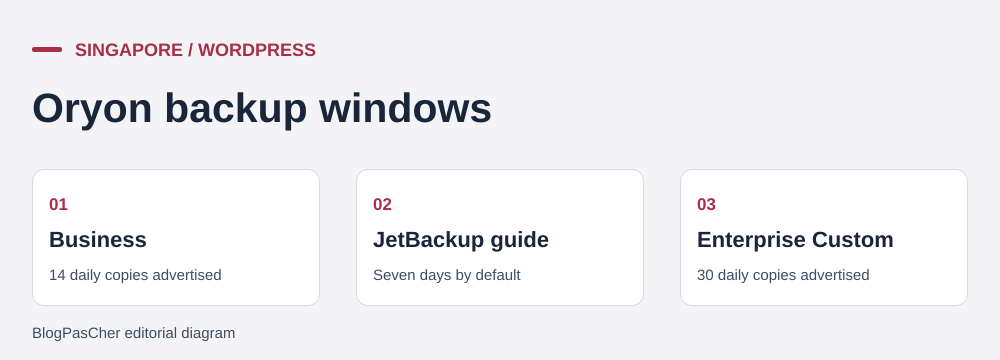 Editorial illustration of the restoration process. — Illustration by BlogPasCher.Open full-size illustration ↗
Oryon’s article on downloading databases in JetBackup states that the daily cPanel account copy covers files, databases and email. It mentions default retention of the last seven days. The Business page advertises fourteen daily copies. The Managed WordPress page also advertises fourteen copies in its general presentation and thirty on the Enterprise Custom card. Confirm retention for the intended plan and accessible categories. The cPanel tutorial states a default setting. Managed WordPress account capabilities must be checked separately. Ask which days are available, whether dates are consecutive and how backup interruptions are reported. For Business, the non-renewal help states up to seven days of retention before deleting the account and its copy. Download a usable export before expiry and verify recovery on a target you control.
For a corporate site with changes approved weekly, keep a point at publication and an older tested copy. For a business receiving inquiries daily, simulate losing a day’s data as an exercise. Determine whether those entries still exist in a mailbox, tracking tool or integration log. A backup date alone does not determine what the team can reconstruct.
The test must involve both the site operator and the account holder. If an extraction must be requested from Oryon, identify the channel and information to provide. Confirm timeframes and fees before building a recovery commitment.
On a plan allowing several sites, create a record for each domain with its database, directory, responsible person and technical contact address. Identify domains sharing an email service or FTP access. During an incident, this record lets you request a precise database and verify that the destination site is the one that lost data. Update it after a migration or removal of a plugin that maintained dedicated tables.
To test capacity, choose a scenario that uses files and the database, such as generating thumbnails after an import or publishing a feature with several attachments. Record site behavior when another domain on the account also performs a task. Catalog quotas do not provide a guaranteed visitor count. Measuring the real workflow may reveal whether the first limiting factor is memory, CPU or temporary space.
If the team needs to add a store later, treat the change as a separate hosting project. Establish payment rules, order-backup rules and migration before installing a cart on a Business account. For the current editorial site, keep evidence of the selected plan and price in the handover file.
Use these references to check the features, requirements and limitations described. Reading documentation is not a practical test.
English translation of the reviewed French edition. Code examples retain their original identifiers, comments and output strings for reproducibility. Linked exercise files and original screenshots may contain French. No new practical tests or price checks are implied by translation.
1984 Hosting’s WordPress plans in Iceland, initial and renewal terms, migration, the Security Pack and backup limitations.
Read more →Compare 34SP.com WordPress containers, shared memory, staging copies, downloadable snapshots and site migration.
Read more →Compare AEserver’s managed WordPress prices and check whether your network must be split into independent installations before migration.
Read more →