Web hosting
1984 Hosting for WordPress in Iceland: pricing and backups
1984 Hosting’s WordPress plans in Iceland, initial and renewal terms, migration, the Security Pack and backup limitations.
Read more →

Site appearance
Web hosting
Shared hosting and WordPress plans with Plesk. Billing durations and backup scope require confirmation for each service.
Source published: · Source updated: · Editorial policy
Visit the official GARMTECH website ↗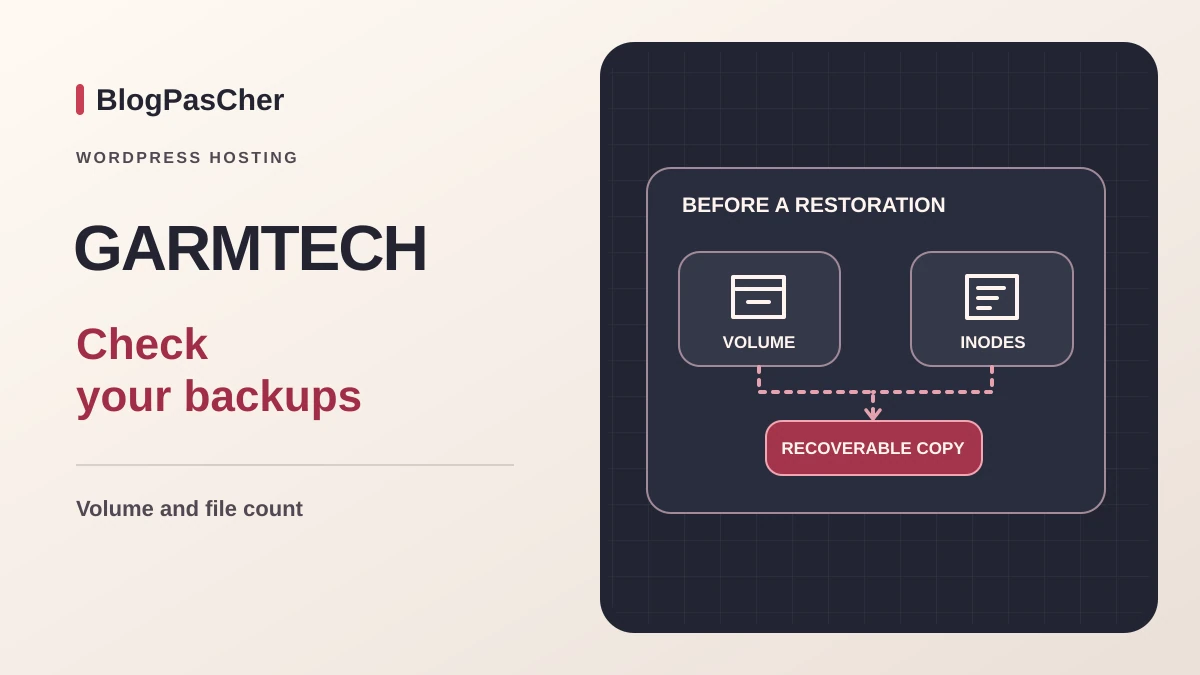
This profile is based on published offers and documentation. No new hosting benchmark or support test was performed for this translation.
Prices retain the market, currency and billing period described in the French source. Translation does not update a commercial quote. Confirm the final price, taxes and options before ordering.
| Plan | Price and billing | Resources and limits |
|---|---|---|
| Sigma | From 1.70 EUR excluding tax/month displayed. Renewal: Recurring price without discount and renewal date to be confirmed. Terms restrict coupons to the initial purchase. Starting price. Eligible cycle, first charge and taxes to be confirmed. | 5 GB NVMe, 2 domains, 1 database, email, SSH/SFTP, Plesk, SSL. General-purpose copies advertised for up to 28 days. Terms provide for volume and inode exclusions. |
| Beta | From 3.90 EUR excluding tax/month displayed. Renewal: Recurring price without discount and renewal date to be confirmed. Terms restrict coupons to the initial purchase. Starting price. Eligible cycle, first charge and taxes to be confirmed. | 50 GB NVMe, 5 domains, advertised unlimited database count, email, SSH/SFTP, Plesk, SSL. General-purpose copies advertised for up to 28 days. Terms provide for volume and inode exclusions. |
| Gamma | From 15 EUR excluding tax/month displayed. Renewal: Recurring price without discount and renewal date to be confirmed. Terms restrict coupons to the initial purchase. Starting price. Eligible cycle, first charge and taxes to be confirmed. | 200 GB NVMe, 10 domains, advertised unlimited database count, email, SSH/SFTP, Plesk, SSL. General-purpose copies advertised for up to 28 days. Terms provide for volume and inode exclusions. |
| Turbo | From 29 EUR excluding tax/month displayed. Renewal: Recurring price without discount and renewal date to be confirmed. Terms restrict coupons to the initial purchase. Starting price. Eligible cycle, first charge and taxes to be confirmed. | 250 GB NVMe, 20 domains, advertised unlimited database count, email, SSH/SFTP, Plesk, SSL. General-purpose copies advertised for up to 28 days. Terms provide for volume and inode exclusions. |
| WP Beginner | From 5.90 EUR excluding tax/month. Renewal: Recurring price without discount and renewal date to be confirmed. Terms restrict coupons to the initial purchase. Starting price. Eligible cycle, first charge and taxes to be confirmed. | 50 GB NVMe, 1 domain, copies advertised for 5 days, WordPress Toolkit, LSCache and security updates. Cards advertise 5 days of backups. Relationship with contractual exclusions to be confirmed. |
| WP Expert | From 7.90 EUR excluding tax/month. Renewal: Recurring price without discount and renewal date to be confirmed. Terms restrict coupons to the initial purchase. Starting price. Eligible cycle, first charge and taxes to be confirmed. | 100 GB NVMe, 3 domains, copies advertised for 10 days, WordPress Toolkit, LSCache and security updates. Cards advertise 10 days of backups. Relationship with contractual exclusions to be confirmed. |
| WP Monster | From 15 EUR excluding tax/month. Renewal: Recurring price without discount and renewal date to be confirmed. Terms restrict coupons to the initial purchase. Starting price. Eligible cycle, first charge and taxes to be confirmed. | 200 GB NVMe, 5 domains, copies advertised for 14 days, WordPress Toolkit, LSCache and security updates. Cards advertise 14 days of backups. Relationship with contractual exclusions to be confirmed. |
 Official logo of GARMTECH. — Image: GARMTECH.
GARMTECH is a Latvian host advertising a data center in Riga. Its catalog distinguishes general-purpose shared hosting from WordPress plans. This profile uses English pages and public help consulted on November 10, 2026. The package choice depends on tools to use, domain count and data to recover after an incident. For a location requirement, ask for the site region and copy region for the selected service.
General-purpose shared hosting presents NVMe storage, email and administration features. The WordPress range highlights Plesk WordPress Toolkit, LiteSpeed caching and security updates. For an editorial site, check the maintenance scope your team can handle. For a store, also compare media volume, database activity and the number of operations to reconstruct after rollback.
On November 10, 2026, the table displays Sigma from €1.70, Beta at €3.90, Gamma at €15 and Turbo at €29 per month. The terms add taxes to displayed fees. The table advertises duration-related discounts of 10%, 15%, 20% and 30% respectively. The minimum cycle needed for these prices and the first prepaid total remain to be confirmed.
Twelve times these amounts gives references of €20.40, €46.80, €180 and €348 excluding tax. The calculation assumes a constant price for twelve months and compares approximate costs. The cards show starting prices. To assess the actual budget, ask for billing duration and first charge, then the rate applicable to the next cycle.
The terms specify that coupons and discounts apply to the initial purchase. The undiscounted renewal rate remains to be confirmed for the configuration. Prices can change and the tax-inclusive total depends on the holder. Record hosting, domain, any options and recovery services separately.
Sigma offers 5 GB NVMe storage, two domains and one database. Beta increases this to 50 GB and five domains, Gamma to 200 GB and ten domains, and Turbo to 250 GB and twenty domains. The latter three advertise unlimited database counts. Email, subdomains and traffic are also presented without numerical or volume limits in the table but remain subject to service usage rules.
The table mentions SSH/SFTP, DNS management, Git and a preparation environment. It also displays a Private CPU row. Without reserved processor or memory values, this wording does not establish a dedicated server or quantify how many concurrent requests the package will support. An administrator must record scheduled-task, import, search and image-processing needs before choosing.
A free domain is advertised from Beta upward, with at least one year of hosting and eligible extensions. The offered extension, transfer and renewal conditions must be specified. A free domain does not remove the need to retain ownership or manage renewal separately from hosting.
The range displays WP Beginner from €5.90, WP Expert at €7.90 and WP Monster at €15 per month. The page advertises a 50% discount with long-term billing. It does not establish which cycle applies to each price or the renewal amount. Twelve times the references gives €70.80, €94.80 and €180 excluding tax for an arithmetic comparison. Check the first total and renewal for the selected package and duration.
The three plans advertise 50, 100 and 200 GB NVMe respectively, for one, three and five domains. The cards associate these tiers with five, ten and fourteen backup days. The general-purpose review indicates up to twenty-eight days. Ask about history actually accessible on the WordPress account and treatment of contractual exclusions.
WordPress Toolkit centralizes installation and maintenance operations. LiteSpeed Cache handles site caching. Check who tests plugins, the theme, forms and payment after an update. Preparation and cloning features depend on account permissions and the chosen package.
The general-purpose page advertises daily copies and up to twenty-eight days of access. WordPress cards display five, ten and fourteen days by tier. One passage in the terms describes a daily cycle with one week of retention. Verify in writing which history applies to the service and which objects are included in available points.
The terms state that an account exceeding 100,000 inodes leaves the backup system. Another clause allows a shared account above 20 GB to be removed from the backup server. A passage describes retaining database copies and duplicating data to another disk in this latter case. Ask which clause applies and whether files, email and SQL remain exportable. Disk duplication and a dated restorable point cover different incidents.
The catalog displays tiers well above 20 GB. Before choosing by storage alone, also count files, thumbnails and messages. The terms associate the 250,000 inode threshold with a warning and possible restrictions. The team must check quotas before creating working copies and arrange an independent export for the site and email.
A site with 17 GB of data may already exceed the inode threshold if cache directories, thumbnails and mailboxes contain many small files. Conversely, a small number of large media files may exceed the volume threshold. Before a change, record both counters and check that a recent point is visible. Then prepare an external export of the elements to recover.
The WordPress page confirms Plesk WordPress Toolkit. GARMTECH’s detailed workflow appeared in the November 3 review. This help page returned an HTTP 406 refusal on November 10. Exact labels and license options remain to be confirmed in the account.
For a new installation, prepare an empty domain or subdomain. Record the PHP version and database access before launching the Toolkit installer. Check the selected domain and path, then configure the administrative address and site-specific credentials. Next check HTTPS access and the WordPress dashboard.
To take over an existing site, prepare the destination and its access separately. Keep the public site’s files and database before modifying an installation. If the new location differs from the intended one, fix the destination configuration before changing DNS.
The Backup Manager guide describes Plesk, Websites & Domains, the relevant domain, Backup Manager, then Back Up. Retain domain configuration and select User files and databases. If email must also be kept and the subscription allows it, add Mail configuration and content. Name the copy, start the job and wait for Completed. Check available space. Then download the copy stored in the subscription.
In Backup Manager, select the copy, then Download, and keep it outside hosting. The result to verify is a completed, downloaded archive matching the correct scope. Its passwords, configurations and data require protected storage. Check that the archive can be restored in an isolated environment.
To restore, the guide suggests selecting a copy, then relevant sites, databases or mailboxes before Restore. Preserve the current state first and restrict restoration to the intended resource. It may replace data. On a test copy, protect access and disable email, payments and synchronization. To return to the previous state, use the prepared current copy. Handle orders received after the restored point separately.
The manual guide provides another way to retrieve the site. In Plesk, open Files, locate the root generally named httpdocs, select the files and create an archive with Add to Archive, then download it. Hidden files, including .htaccess, and WordPress elements wp-content and wp-config.php must be included. For large volumes, the guide suggests FTP-SSL transfer with account credentials.
For the database, open Databases, select the correct database, then phpMyAdmin and Export. The guide distinguishes Quick for small databases from Custom with compression for larger volumes. Download the SQL or compressed SQL file and associate its date with the files’ date. A file-only export preserves neither articles nor orders stored in the database.
This route documents technical portability without adding a WordPress plugin. It does not alone resolve contractual backup-system restrictions or the consistency of a store receiving new data during export. Before changing configuration or closing the service, verify that files and database can be reassembled at an authorized destination.
The general-purpose page advertises site and email migration, while its box specifies the first site free. The home page describes a coordinated transfer after reviewing the installation and volume. Therefore, do not promise that all package domains or every application operation will be migrated without extra charges. Mailbox counts, sizes and potential difficulties must be defined.
Prepare a list of files, databases, domains and mailboxes, plus an independent copy. Temporary credentials are shared only through an authorized channel. Check pages, media, administration, forms, certificates and email before changing DNS. Tests on a copy must produce neither real payments nor real sends.
Keep the old service until validation and record previous entries to prepare rollback. For a store, arrange a write freeze or final transfer of new data. If reverting DNS, reconcile orders received at the destination before reopening the source.
The website and support advertise Latvian, Russian and English. Documentation used here is in English. French availability and languages actually selectable in a private session have not been established. Documented tools are My.GARMTECH for the account and Plesk for technical services.
The home page distinguishes continuously available tickets and email from phone support, advertised on business days from 8 to 19 GMT+2. Use the provider’s stated time zone without assuming these hours always match French time. A technical incident and a sales question may also follow different routes.
The terms mention a 99.9% availability guarantee for certain shared services, with exclusions and a credit procedure. This does not promise automatic refunds or freedom from outages. Response and resolution times applicable to a particular WordPress site have not been measured. A critical project must compare these commitments with its contract.
GARMTECH’s policy describes AI use for request triage, diagnostic assistance and response preparation. It states that customer-facing decisions and actions remain under human responsibility. The provider separately presents agent integration and hosting services, including a VPS offer.
The WordPress packages consulted describe Toolkit, updates and cache. Inclusion of a writing assistant, model or generation credits is not established there. For a project using a separate AI service, determine connected models, transmitted data, permissions and usage costs. Check how to remove access and retain content when changing providers.
The terms provide for recurring billing until the customer requests termination. The distance contract reproduced on the same page describes an annual duration with one month’s notice. The current cancellation guide specifies My.GARMTECH, Services, My Services, the relevant service, then Request Cancellation. The customer chooses End of billing period or Immediate. These possibilities must be compared with the applicable contract before setting a departure date.
The fifteen-day commercial guarantee concerns eligible first accounts in shared hosting, VPS or WordPress, with exclusions. The terms distinguish hosting, domain, license and additional-service fees. Certain payment methods result in credit. Outside the guarantee, a refund for remaining whole months is described as discretionary, after deductions. Do not turn this clause into an automatic prorated refund.
Before requesting termination, retrieve the site, databases and messages, verify the destination and handle the domain separately. The terms warn of possible deletion after processing. Guidance on advance domain renewal differs. Confirm domain expiry separately. GARMTECH may suit a team using Plesk and its exports. Billing cycles and backup exclusions determine the budget and recovery procedure.
Use these references to check the features, requirements and limitations described. Reading documentation is not a practical test.
English translation of the reviewed French edition. Code examples retain their original identifiers, comments and output strings for reproducibility. Linked exercise files and original screenshots may contain French. No new practical tests or price checks are implied by translation.
1984 Hosting’s WordPress plans in Iceland, initial and renewal terms, migration, the Security Pack and backup limitations.
Read more →Compare 34SP.com WordPress containers, shared memory, staging copies, downloadable snapshots and site migration.
Read more →Compare AEserver’s managed WordPress prices and check whether your network must be split into independent installations before migration.
Read more →