Web hosting
1984 Hosting for WordPress in Iceland: pricing and backups
1984 Hosting’s WordPress plans in Iceland, initial and renewal terms, migration, the Security Pack and backup limitations.
Read more →

Site appearance
Web hosting
Six New Managed WordPress plans in won, with setup fees when opening the account, seven days of DATA and DB copies, and one month of staging.
Source published: · Source updated: · Editorial policy
Visit the official Cafe24 website ↗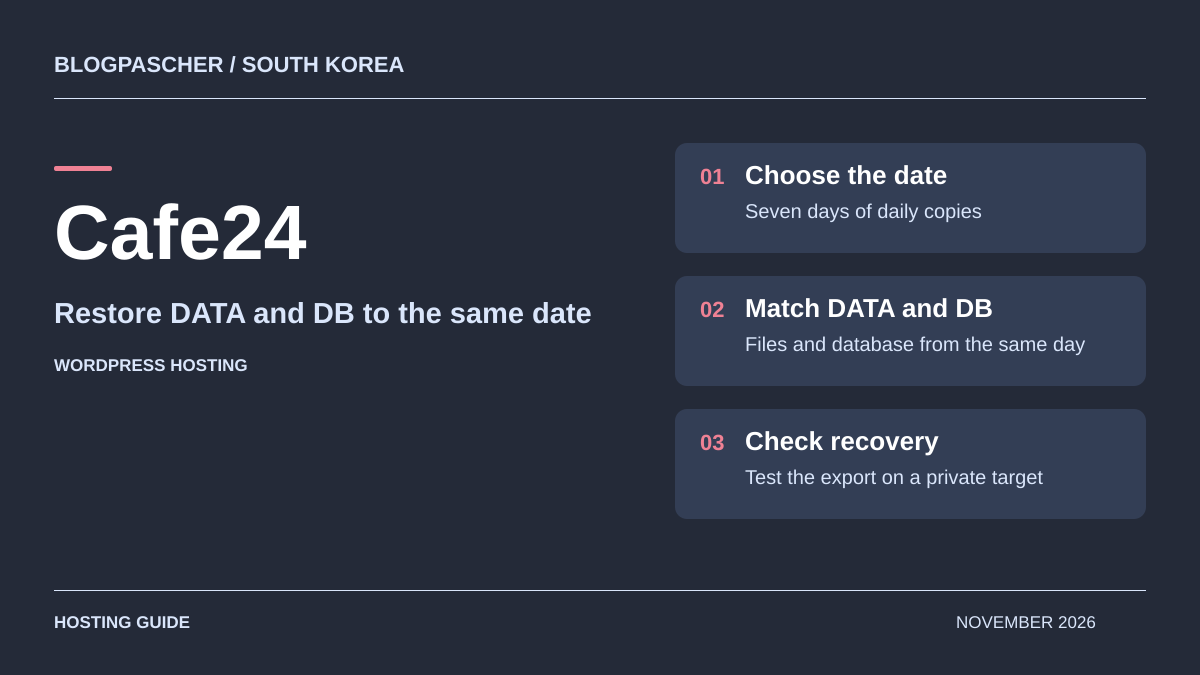
This profile is based on published offers and documentation. No new hosting benchmark or support test was performed for this translation.
Prices retain the market, currency and billing period described in the French source. Translation does not update a commercial quote. Confirm the final price, taxes and options before ordering.
| Plan | Price and billing | Resources and limits |
|---|---|---|
| Startup | 10,400 KRW including VAT for the first 12 months. Usage 5,400 KRW and setup 5,000 KRW. Renewal: No setup fee. Reference usage charge of 5,400 KRW over 12 months if the tariff and term discount apply. Check the invoice. Total for 12 prepaid months, including VAT according to the FAQ recorded on November 10, 2026. | 700 MB SSD, 1.6 GB/day traffic, 1 additional connectable domain. Daily traffic ceiling. One staging copy per account for one month. |
| Build-up | 27,200 KRW including VAT for the first 12 months. Usage 16,200 KRW and setup 11,000 KRW. Renewal: No setup fee. Reference usage charge of 16,200 KRW over 12 months if the tariff and term discount apply. Check the invoice. Total for 12 prepaid months, including VAT according to the FAQ recorded on November 10, 2026. | 1.4 GB SSD, 4 GB/day traffic, 2 additional connectable domains. Daily traffic ceiling. One staging copy per account for one month. |
| Business | 86,600 KRW including VAT for the first 12 months. Usage 75,600 KRW and setup 11,000 KRW. Renewal: No setup fee. Reference usage charge of 75,600 KRW over 12 months if the tariff and term discount apply. Check the invoice. Total for 12 prepaid months, including VAT according to the FAQ recorded on November 10, 2026. | 4 GB SSD, 10 GB/day traffic, 5 additional connectable domains. Daily traffic ceiling. One staging copy per account for one month. |
| First Class | 140,600 KRW including VAT for the first 12 months. Usage 129,600 KRW and setup 11,000 KRW. Renewal: No setup fee. Reference usage charge of 129,600 KRW over 12 months if the tariff and term discount apply. Check the invoice. Total for 12 prepaid months, including VAT according to the FAQ recorded on November 10, 2026. | 8 GB SSD, 20 GB/day traffic, 8 additional connectable domains. Daily traffic ceiling. One staging copy per account for one month. |
| Growth-up | 270,200 KRW including VAT for the first 12 months. Usage 259,200 KRW and setup 11,000 KRW. Renewal: No setup fee. Reference usage charge of 259,200 KRW over 12 months if the tariff and term discount apply. Check the invoice. Total for 12 prepaid months, including VAT according to the FAQ recorded on November 10, 2026. | 14 GB SSD, 40 GB/day traffic, 10 additional connectable domains. Daily traffic ceiling. One staging copy per account for one month. |
| Scale-up | 443,000 KRW including VAT for the first 12 months. Usage 432,000 KRW and setup 11,000 KRW. Renewal: No setup fee. Reference usage charge of 432,000 KRW over 12 months if the tariff and term discount apply. Check the invoice. Total for 12 prepaid months, including VAT according to the FAQ recorded on November 10, 2026. | 18 GB SSD, 1.2 TB/month traffic, 20 additional connectable domains. Monthly traffic. Advertised overage of 165 KRW including VAT per GB. One month of staging. |
Cafe24 offers several ranges that must be distinguished before comparing prices. This profile covers New Managed WordPress, a shared offer that installs WordPress automatically and provides administration tools. It does not describe the e-commerce platform, WordPress VPS or AI SPACE. These products’ permissions, backups and prices are not interchangeable.
The local appeal mainly concerns an activity targeting South Korea, with an owner able to read the panel and help in Korean. A French organization or business with a local team may examine this solution. A very low price in won alone does not make it suitable for a team unable to understand notifications or traffic rules. The exact location of the instance and all its copies remains to be confirmed; no latency from France was measured.
Small plans require particular attention to site size and traffic spikes. They can provide a starting point for a lightweight site, but the daily quota changes campaign preparation. Reasonable average traffic over the month does not guarantee that launch day will remain within the allocation.
On November 10, 2026, Startup is displayed at a standard rate of 500 KRW per month and 450 KRW per month over twelve months. The first annual payment is 10,400 KRW, comprising 5,400 for usage and 5,000 for setup. Build-up rises to a standard rate of 1,500 KRW and 1,350 over twelve months. The illustrated first invoice is 27,200 KRW, comprising 16,200 for usage and 11,000 for setup. The FAQ prices include VAT.
For the other four plans, apply the twelve-month usage price, then add the 11,000 KRW setup fee. Totals calculated from this table are 86,600 KRW for Business, 140,600 for First Class, 270,200 for Growth-up and 443,000 for Scale-up. A custom domain or separate service may increase the amount. Record the cycle and proposed total before comparing with a monthly price.
For a local publication, start with the photo library and database size. Startup offers 700 MB SSD and 1.6 GB of daily traffic. Build-up increases to 1.4 GB and 4 GB per day. A widely shared announcement can exhaust a daily quota even if traffic during the rest of the month is low. Run acceptance tests with a gallery comparable to those you will publish.
The documentation states that setup fees are not charged when extending service. Discounts depend on the chosen term: the currently presented annual commitment reduces usage charges by 10%. The FAQ also lists term discounts of 5% at six months, 12% at twenty-four months, 15% at thirty-six months and 20% at one hundred and twenty months. Ask for the price and discount applicable to the next invoice. Check the next due date and applicable amount in the actual account holder’s area.
Amounts are advertised including VAT in the Korean commercial context. That alone does not determine tax treatment for a French business or its bank’s conversion fees. Avoid converting the small monthly equivalent into euros as though it represented the whole expense: setup, the prepaid cycle and separate services also count.
Cafe24 documents a foreigner sign-up category with identity verification, including by passport. This published possibility does not prove that every French entity and payment method will be accepted. Clarify the workflow corresponding to the individual or business concerned and the current document-submission channel before sending anything. Document validation, billing and technical access are three different issues; access to the commercial website does not automatically resolve the first two.
The panel examined is Cafe24’s, with documentation in Korean. It provides access to the service, settings and recovery operations. WordPress administration remains separate. Do not assume that cPanel or Plesk and their familiar menus will be available on this range. The WordPress FAQ lists telephone service on weekdays from 9 to 18 and individual online requests. The help center distinguishes the after-hours server emergency channel from handling traffic overages or expiry. Check with support whether a reply in English or French is possible.
The account holder must retain control of the main account and service-specific credentials. For a team, record who receives renewal notices, who controls the domain and who holds technical access. A writer can work with an appropriate WordPress role without access to hosting settings. This separation is useful when an agency builds a site and then hands management to its client.
For access from France, the help highlights an additional point: wp-admin access is restricted to Korean IP addresses by default. A 403 refusal may therefore reflect an intended access rule rather than a WordPress outage. Before changing plugins, check this policy in the panel. The owner must also plan for changes to the office or connection IP address; allowing a temporary address does not guarantee permanent access from all devices.
Installation is automatic when the service is created. With panel access, open 나의 서비스 관리, then 호스팅관리 and 서비스 사용현황 to find the administration address and username. Check the correct installation on the selected service before importing a site. For a custom domain, the documented path goes through 기본관리 then 도메인 연결관리; check pointing and the certificate before considering the final domain ready.
To authorize an administrator outside Korea, the guide describes a targeted change to the directory rule. Keep its initial setting. The goal is to let the authorized administrator connect without unnecessarily opening administration to every address.
The key distinction is daily traffic. On Startup through Growth-up, exhausting the allocation can block the site until the advertised midnight reset. Displayed monthly equivalents are reference figures; they are not a monthly credit that can freely be spent in a single day. Scale-up displays 1.2 TB of traffic per month, then 165 KRW including VAT per additional GB, billed the following month according to the FAQ.
Storage must also accommodate temporary files and recovery operations. A database described as unlimited within server space is not additional unlimited space. RAM and CPU quantities reserved for each small account are not established in the pages consulted. They cannot be inferred from the performance of a separate VPS.
Finally, connecting several domain names is not the same as having several independent installations. The help presents adding a service per site as one possible arrangement and distinguishes a multisite network. In the latter, sites share components and a restore may affect the whole network. For a beginner wanting two separate projects, check the number of services required and their cost before using domain count as the sole criterion.
Automatic backups cover files and database, with daily generation advertised at 5 o’clock and seven-day retention. They are presented as a supplement: the customer must also keep independent copies elsewhere. An error discovered after the retention window may therefore no longer have a healthy point available in the panel.
Before a major change, the manual workflow uses 나의 서비스 관리, 호스팅관리, 계정관리, then 백업받기/올리기. Generate DATA and DB backups, then download the files by FTP to store them off the server. The guide specifies that database backup requires the corresponding password; keep that secret in the account holder’s password manager without including it in a support screenshot.
Check that both files exist, carry an identifiable date and correspond to the same site state. Investigate a tiny or missing archive before intervening. Also retain information useful for recovery: domain, required version and paid components. Import the SQL and files into a separate private environment to verify the copy. The portal advertises one staging environment per account, automatically deleted after one month. Also keep both files in external storage and check links after updating the WordPress address. The described operations were not performed on a Cafe24 account for this profile.
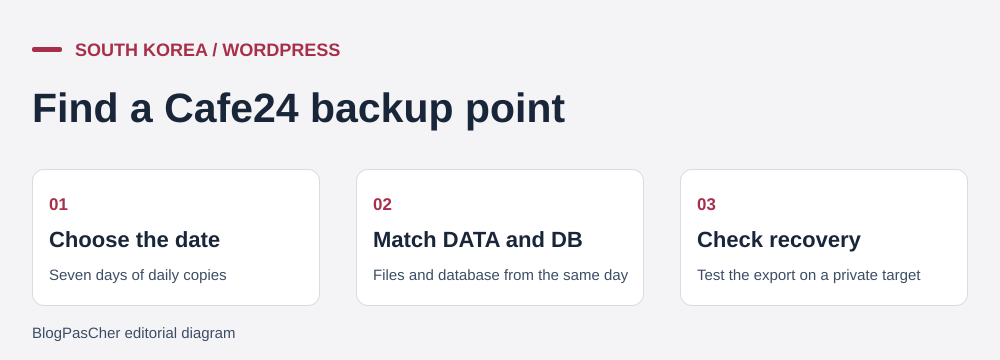 Editorial illustration of the restoration process. — Illustration by BlogPasCher.Open full-size illustration ↗
To recover a recent version with service permissions, open 나의 서비스 관리, 호스팅관리, 워드프레스관리, then DATA&DB 복원/백업. In the 일일 정기 백업분 tab, choose a point before the problem. The guide allows DATA or DB to be restored separately. When both are needed, use the same date to keep files and database consistent.
Scope matters: recovering a deleted image does not necessarily justify replacing all recent data. Conversely, restoring an older plugin version with a modified database can leave an incompatible state. Preserve the current state before a full restoration and record items added since the selected date.
After the task, open affected pages, administration and media, then compare the latest useful data. For a trading business, inventory orders placed after the selected point before overwriting the database. If recovery fails, do not try dates at random; examine the independent copy and explain the discrepancy in a 1:1 request. For file volumes over 20 GB or a database over 2 GB, the FAQ says to request restoration through the individual support channel. Confirm the intervention’s timing and scope. An accessible homepage alone is insufficient to declare all data recovered.
Before importing, estimate workspace in addition to the final site size. The Cafe24 guide requires at least twice the archive size in free space to upload and then extract it. On Startup or Build-up, this requirement may make a plan insufficient even if the final content seems close to its capacity. Also check versions and licenses tied to the domain name.
The manual route requires someone familiar with files, databases and WordPress configuration. It allows control over transferred items, but uploading files alone does not automatically reconnect the database. Technical access must belong to the account holder or be delegated in a controlled way. For a beginner, have the transfer assessed before starting an operation they could not recover from.
Prepare the destination while keeping the source active and retaining its old settings. Define how new data will be handled during transfer. Then compare content, links, media and administrator access before changing the public destination. If a check fails, postpone the switchover and retain the initial copy. Returning to the source after new orders arrive would require merging that data; changing pointing does not perform the merge.
For a multisite network, assess recovery of each address and content permissions before importing. Also confirm the archive upload limit: increasing storage does not automatically raise that limit.
The New Managed WordPress page links to AI SPACE for AI-driven operations. AI SPACE is presented as deployment infrastructure connected to external tools, with its own offer starting at 4,900 KRW per month and a fourteen-day trial when recorded. That price does not become an included option in the small WordPress plan simply because the link appears on its page.
The product FAQ explicitly distinguishes infrastructure from generation: content or code is produced in the external AI service used by the customer. Examine that tool’s billing, capabilities and terms separately. A documented connection proves neither a number of free texts in WordPress nor complete site management without human oversight.
To decide, describe the desired action: drafting text, editing existing content and deploying an application are different needs. In production, examine permissions granted to an agent and retain a copy before allowing modifications. Check text, business data and generated components before publishing. No AI SPACE account, deployment or generation result was tested here. Other AI products from the brand are not treated as features of this range.
Staging is a working copy separate from the public site. Cafe24 allows one to be created through 나의 서비스 관리, 호스팅관리, 기본관리, then 서비스 사용현황. Advertised free use covers one site per account for one month after creation; it is then deleted automatically. Set an end date and retrieve useful work before that deadline.
Before working on it, check that the address starts with wp- and corresponds to the expected copy. Restrict access to the copy and disable its outgoing email, payments, scheduled tasks and synchronizations with real services before testing. Use the payment provider’s test mode; changing the site address does not disable these connections. Also prevent indexing without confusing that setting with access protection. When copying DATA or DB between environments, the provider requires connection addresses to be updated. Check URLs and settings of components storing their own addresses. Copying a staging database onto a site receiving data can overwrite recent additions; reread the copy direction before confirming.
Another precaution concerns PHP: the guide describes changing versions as resetting files, the database and backups present on the server. Do not treat this menu as a simple reversible selector. Download copies and plan restoration before making such a request.
The help lists telephone service on weekdays from 9 to 18 and 1:1 requests. This does not establish continuous human resolution even if infrastructure is monitored. Keep the domain, time and error message for an actionable request.
To leave the service, assemble a complete copy outside Cafe24 and the information needed by the next administrator. Files and database must be usable together. Add the list of connected domains, any network sites and licenses rather than treating an archive of a single page as an adequate handover.
Temporary staging space is not a retention location after departure. Its data may disappear at its own deadline. Nor should seven-day automatic copies be treated as an archive guarantee after closure. Keep necessary data in storage controlled by the account holder before requesting the service’s end.
Plan an overlap period with destination hosting. The new administrator must check media, pages and functions needed by the activity. Domain and email access must remain available during this transition even if those services are managed by another provider. For a multisite network, define what will be transferred together and what must be separated.
The final check concerns due dates and ownership of access. Record the service date, the amount quoted for a possible extension and options still active. Hosting savings do not justify closing the source before data is received and checked. Keep proof of the request and separately verify termination of the relevant services.
Use these references to check the features, requirements and limitations described. Reading documentation is not a practical test.
English translation of the reviewed French edition. Code examples retain their original identifiers, comments and output strings for reproducibility. Linked exercise files and original screenshots may contain French. No new practical tests or price checks are implied by translation.
1984 Hosting’s WordPress plans in Iceland, initial and renewal terms, migration, the Security Pack and backup limitations.
Read more →Compare 34SP.com WordPress containers, shared memory, staging copies, downloadable snapshots and site migration.
Read more →Compare AEserver’s managed WordPress prices and check whether your network must be split into independent installations before migration.
Read more →