Web hosting
1984 Hosting for WordPress in Iceland: pricing and backups
1984 Hosting’s WordPress plans in Iceland, initial and renewal terms, migration, the Security Pack and backup limitations.
Read more →

Site appearance
Web hosting
Six Pro Hosting plans in dong, with cPanel and seven advertised backup points. Check the store configuration, taxes and invoice before moving your site.
Source published: · Source updated: · Editorial policy
Visit the official AZDIGI website ↗
This profile is based on published offers and documentation. No new hosting benchmark or support test was performed for this translation.
Prices retain the market, currency and billing period described in the French source. Translation does not update a commercial quote. Confirm the final price, taxes and options before ordering.
| Plan | Price and billing | Resources and limits |
|---|---|---|
| AZ Pro 1 | 348,000 VND excluding VAT for 12 months (equivalent to 29,000 VND/month). Renewal: No separate amount published in the table. Check the invoice and options at renewal. Total for the 12-month cycle excluding VAT, recorded on November 10, 2026. | 2 vCPU according to the annual table, 1 GB RAM, 3 GB RAID-10 SSD, 1 site, cPanel. The monthly store lists one core. Confirm the CPU limit of the specific plan you purchase. |
| AZ Pro 2 | 540,000 VND excluding VAT for 12 months (equivalent to 45,000 VND/month). Renewal: No separate amount published in the table. Check the invoice and options at renewal. Total for the 12-month cycle excluding VAT, recorded on November 10, 2026. | 2 vCPU according to the annual table, 2 GB RAM, 6 GB RAID-10 SSD, 2 sites, cPanel. Account resources are shared between its sites. Check file and process quotas. |
| AZ Pro 3 | 780,000 VND excluding VAT for 12 months (equivalent to 65,000 VND/month). Renewal: No separate amount published in the table. Check the invoice and options at renewal. Total for the 12-month cycle excluding VAT, recorded on November 10, 2026. | 2 vCPU according to the annual table, 3 GB RAM, 10 GB RAID-10 SSD, 3 sites, cPanel. Account resources are shared between its sites. Check file and process quotas. |
| AZ Pro 4 | 1,140,000 VND excluding VAT for 12 months (equivalent to 95,000 VND/month). Renewal: No separate amount published in the table. Check the invoice and options at renewal. Total for the 12-month cycle excluding VAT, recorded on November 10, 2026. | 4 vCPU according to the annual table, 3 GB RAM, 20 GB RAID-10 SSD, 4 sites, cPanel. Account resources are shared between its sites. Check file and process quotas. |
| AZ Pro 5 | 1,440,000 VND excluding VAT for 12 months (equivalent to 120,000 VND/month). Renewal: No separate amount published in the table. Check the invoice and options at renewal. Total for the 12-month cycle excluding VAT, recorded on November 10, 2026. | 4 vCPU according to the annual table, 4 GB RAM, 30 GB RAID-10 SSD, 5 sites, cPanel. Account resources are shared between its sites. Check file and process quotas. |
| AZ Pro 6 | 2,388,000 VND excluding VAT for 12 months (equivalent to 199,000 VND/month). Renewal: No separate amount published in the table. Check the invoice and options at renewal. Total for the 12-month cycle excluding VAT, recorded on November 10, 2026. | 6 vCPU according to the annual table, 6 GB RAM, 45 GB RAID-10 SSD, 7 sites, cPanel. Account resources are shared between its sites. Check file and process quotas. |
A Vietnamese small business wants to move a WordPress brochure site in Vietnamese and English. Quote requests arrive in a mailbox attached to its domain. Its choice depends on storage needs, the cost over twelve months and the ability to test recovery without interrupting the forms.
AZDIGI presents several hosting ranges for WordPress. The six plans examined here belong to Pro Hosting and share a cPanel control panel. Measure the size of the site, database and email separately. For a single site, Pro 1 may be enough if its 3 GB leaves room for logs, updates and media. Pro 2 can host two sites, which then share the same memory and storage.
Assign someone to check messages and the invoice, and someone to carry out technical acceptance testing. The public website and some help content are available in Vietnamese and English. Ask which language a technician can use to handle your incident and where the site, email and copies will be hosted if those locations affect the project. For a store with frequent imports or synchronizations, measure the work done by the cart and background tasks before making your choice.
On November 10, 2026, the Vietnamese Pro Hosting table lists 348,000 VND excluding VAT for twelve months on AZ Pro 1 and 540,000 on AZ Pro 2. The equivalents are 29,000 and 45,000 VND per month. VND stands for the Vietnamese dong. The same table lists 780,000 VND excluding VAT for Pro 3, 1,140,000 for Pro 4, 1,440,000 for Pro 5 and 2,388,000 for Pro 6, all for twelve months.
The small-plan page also lists 23,200 VND per month for Pro 1 over thirty-six months, or 835,200 VND prepaid before VAT. Compare the total commitment and flexibility when leaving. The Pro Hosting V2 store separately lists 34,800 VND per month for Pro 1 and 54,000 for Pro 2. These monthly prices apply to another billing cycle. Check the plan details, term, currency and tax before using an amount as your budget baseline.
The annual table states two vCPU for Pro 1. The monthly store lists one core under the same plan name. Ask which allocation applies to the specific option you are considering, and record the actual limit after activation. The English version presents dollar amounts and summaries that differ from the Vietnamese plan cards. To budget in dong, start with the local table and check the invoice total.
The public table dated November 10 does not distinguish a renewal rate for each plan. Ask for the amount applicable to the same plan and term at the next renewal. The general terms require advance payment for the chosen cycle and an extension before expiry to maintain service.
The customer account guide allows you to change the service term and then generate a renewal invoice. This does not mean an old discount will apply to the new cycle. Before confirming, record the total and due date and check which options remain attached to the service. Track the domain and additional services under their own terms.
Vietnamese prices are listed excluding VAT. The final rate and treatment of a French subscription have not been determined. The payment methods mentioned, including cards and local solutions, do not prove acceptance of every foreign address or identity. Confirm your actual circumstances and required documentation before paying. Currency conversion fees are also specific to the payment, separate from the plan price. A page accessible from France and an invoice actually eligible for a French account holder remain two different things.
The hosting is documented under cPanel. The my.azdigi.com customer account lets you select the service and provides Login to cPanel; the activation email also contains access details. Help is available in Vietnamese, with some articles in English. Match the panel labels cited in procedures to those actually displayed, since the panel generation and tools on an account may differ from an older screenshot.
Distinguishing access types avoids granting excessive permissions. The account holder keeps the billing account and recovery methods. A technical operator can receive suitable cPanel permissions, while an editorial contributor works in WordPress. Keys or tokens authorizing automated operations are another form of access to manage; do not store them in a document shared with all writers.
Before delegating, record the service’s domains, databases and mailboxes. With AZ Pro 2, two sites can belong to different projects while depending on the same account. Anyone closing, restoring or changing that account must understand its scope. After granting access, verify that the recipient reaches the correct site, then remove temporary permissions when the work is complete.
The WordPress page states that the software is not preinstalled by default on every account. The help content describes installation through WordPress Manager by Softaculous in cPanel. This workflow suits a new site when the tool is actually available on the service; do not use it to accidentally replace a site awaiting migration.
Obtain cPanel permissions and access to the target domain before starting. Make a backup first if the directory already contains data. If the advertised tool does not appear, confirm access for your plan instead of following a procedure intended for another range.
In the annual table, AZ Pro 2 doubles Pro 1’s RAM and storage and advertises the same two vCPU. Tasks on one site can consume the account’s allocation while the other needs to respond. Size your sites using the confirmed account limits rather than figures from another range.
The Pro Hosting table lists RAID-10 SSD storage from 3 to 45 GB depending on the plan. The NVMe mention elsewhere in the WordPress selection applies to certain ranges; it should not replace the disk type stated on the selected plan’s row. RAID describes a disk arrangement and does not replace a backup that lets you recover an earlier version.
The precise inode, input/output and concurrent process limits have not been established here for the actual account. Before a large import or an active store, ask for the limits relevant to your intended operation. An advertised unlimited number of databases or email accounts does not remove these resource constraints. The terms also limit email sending and distinguish the email bundled with hosting from a dedicated service. The terms state a sending limit of 100 messages per hour per domain. For critical forms or regular sending volume, check the account limit and cost email separately.
The Pro Hosting plan advertises daily backups and seven recent restore points. The terms reiterate the customer’s responsibility and the need for an independent copy. This system allows recovery within a short window; it does not provide unlimited history for posts, media or orders. Always compare the restore point’s date with the time when the site was still healthy.
The JetBackup 5 help distinguishes Restore and Download within Restore & Download. To keep an available copy, open the tool from cPanel, select the dated point and choose download, then monitor the task and retrieve the prepared data. Downloading an existing point does not automatically create a fresh backup of the current state. The older guide shows a different layout; check the version actually displayed before adapting its menus.
Keep the files and database corresponding to the same WordPress state, along with the information needed to reuse them. Check what was downloaded, its date and its scope before modifying the site. If the point is too old or incomplete, prepare a suitable copy before proceeding. Recovery to a separate installation should verify that the copy works without overwriting production.
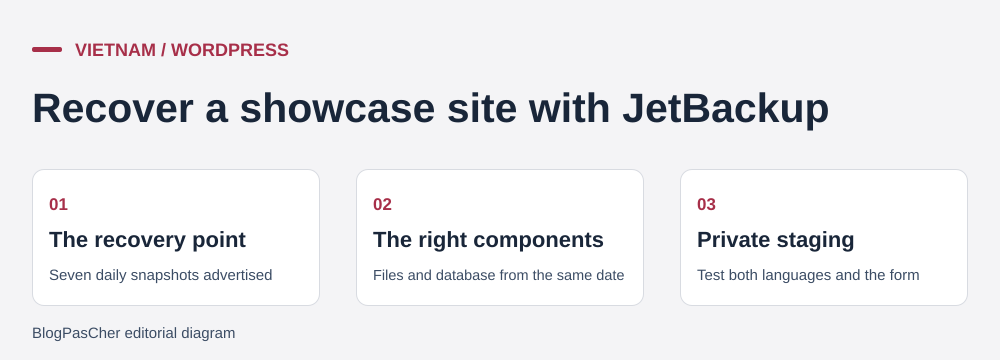 Editorial illustration of the restoration process. — Illustration by BlogPasCher.Open full-size illustration ↗
Targeted selection avoids restoring the entire account for a single file. For an account displaying the documented JetBackup 5 interface, open Restore & Download, choose the dated point, then Show advanced settings. The guide then uses Home Dir and Change Files Selection for files, or DB for a database. Read the selected items before Restore Selected Items and monitor Queue after starting.
The scope must match the need. For an individual file, verify that the final selection contains no other categories. For a full recovery, export the current state and schedule the maintenance window. The guide states that the account may be inaccessible during replacement. Confirm the price and timing of an assisted recovery before authorizing it. Consider recent activity across every site in the account.
For the bilingual brochure site, check both versions, language-switching links and one test submission per version. On a private copy, first disable real sending and route these tests to an acceptance-testing mailbox. Check successful receipt before switching over. At the end, check recovered items, pages, media and administration. For a database, also compare data added since the selected point. A completed task does not establish that the correct date or database was selected. If the result is unsuitable, retain the task details and examine the prior copy before attempting another restore. The older JetBackup interface must not be confused with this workflow; none of these steps was performed on an account for this profile.
AZDIGI advertises help transferring WordPress from another provider following technical assessment and schedule confirmation. Current pages specify that complex sites, code errors or certain internal moves may require a different scope. The advertised free service must therefore be assessed against the actual source, available access and what the team agrees to transfer.
Prepare an inventory of sites, volumes, databases and email. Confirm included items and the checking method by ticket. Keep the old destination active and retain an independent copy before the transfer. Do not change the domain’s destination simply because the new account is open: data recovery must be checked first.
Then compare pages, media, administration and business functions at the destination using the agreed preview method. Plan how to handle new orders or edits between copying and switching over. For email, record the necessary DNS records and check that messages continue arriving at the intended location. Migrating a site does not guarantee migration of every mailbox.
If a check fails, postpone the destination change and have the discrepancy corrected. After switching over and receiving new data, returning to the old server without merging it can lose those additions. Close the source only after account-holder approval and verification of any services still needed.
The official blog describes hosting_ai_skills, an open project developed to let an external AI agent perform cPanel operations using an API token. The documentation mentions log inspection, database and domain management, and WordPress tasks. This approach differs from a writing button provided within the site administration area.
The existence of this project demonstrates a documented connection method, without establishing that the Pro plan includes an agent subscription, generation credits or guaranteed results. Review the external tool and its data processing separately. The functions and permissions actually available also depend on the cPanel account.
Automation that changes files or databases affects the site’s operation. Before authorizing it, define a limited task, retain the necessary copies and check the result at a suitable destination. Keep tokens out of screenshots and editorial documents, then remove temporary access when no longer needed. No token, agent or automatic change was tested here.
Finally, the paid themes and plugins mentioned in the WordPress selection have their own terms. The license policy notably limits Elementor Pro to one site per service. A plan accepting two sites therefore does not establish two identical activations or included AI features for each.
The technical help distinguishes channels and topics. The published workflow uses my.azdigi.com, Hỗ trợ, then Tạo ticket. Ticket support is presented as suitable for complex problems and available at all times, while billing and sales teams have their own hours. No response speed or quality was measured for this profile.
The policy describes assistance with infrastructure, service use and backup recovery when a backup is available. It specifically excludes programming and fixing customer code. A slow WordPress page therefore cannot automatically be treated as an included comprehensive intervention on queries from every plugin.
To track an incident, record the affected site, time, exact message and last action. A restore task should also be identified by its date and scope. This information helps distinguish a service outage, an account setting and an application defect.
WordPress maintenance still needs to be organized: keep a copy, check versions and try changes on a working copy when their impact warrants it. The license catalogue advertises WP Staging Pro, but activation conditions and plan eligibility must be confirmed before building a process around it. Keep real email sending and payments disabled on a working copy.
Before leaving, retrieve the files, a consistent database and useful information about domains, email and scheduled tasks. Review rights to complimentary components alongside their usage period and updates: ownership of your content does not guarantee continuity of an activation supplied by the provider.
The Hosting terms describe possible service termination if it is not renewed, and limited retention after cancellation followed by deletion. This mechanism does not replace an export before the deadline and should not become the project’s fallback plan. Prepare recovery while the account is accessible and check that it works at the destination.
The refund policy states a thirty-day period for hosting, subject to conditions and exclusions, followed by no refund after that deadline. A successfully registered domain falls under a separate non-refund rule. Reread the scope of the payment and request before treating this period as a free trial without commitment.
To finish the transfer, compare the sites’ latest data and check where messages arrive. Then confirm that the account holder has taken over access and check the status of any subscriptions that may continue. An old account still being paid for, a license to replace and a domain kept elsewhere are separate items to track; changing the public destination does not automatically close them.
Use these references to check the features, requirements and limitations described. Reading documentation is not a practical test.
English translation of the reviewed French edition. Code examples retain their original identifiers, comments and output strings for reproducibility. Linked exercise files and original screenshots may contain French. No new practical tests or price checks are implied by translation.
1984 Hosting’s WordPress plans in Iceland, initial and renewal terms, migration, the Security Pack and backup limitations.
Read more →Compare 34SP.com WordPress containers, shared memory, staging copies, downloadable snapshots and site migration.
Read more →Compare AEserver’s managed WordPress prices and check whether your network must be split into independent installations before migration.
Read more →