

Identify the step blocking your team
A calendar does not replace approval, and an activity log does not decide who may publish. Before choosing a plugin, describe an article’s journey: idea, writing, review, correction, approval and scheduling. Assign a responsible person and a verifiable result to each step. This selection distinguishes tools that organise work, prepare a new version and record decisions. Installing several solutions without defining these responsibilities mainly risks multiplying conflicting states.
The scope is an editorial team using self-hosted WordPress. An administrator installs the tools; authors, contributors and editors then work with suitable capabilities. On WordPress.com or multisite, check plan capabilities and network permissions. Training tools, reader access and newsletters are not the topic. The various PublishPress modules are grouped into one family to compare distinct solutions rather than twenty-five commercial variants.
To choose quickly, start with one need: visualise deadlines with Editorial Calendar, prepare an update with Yoast Duplicate Post, share a preview with Public Post Preview, or organise decisions with Oasis Workflow and a suitable review tool. Logs and page organisation are complementary. The twenty-five families below are therefore not twenty-five interchangeable replacements. A small team can stay with native features; a larger editorial team primarily needs visible responsibilities and the version that received approval.
The local acceptance test illustrates three separate actions on the same draft. Assign a review, hand over to the person making corrections, then check the saved version.
Compare before you choose
The offers at a glance
Find the use case and budget that fit, then read the details to see the limitations and any components you may need.
On smaller screens, the table scrolls horizontally. With a keyboard, press Tab to focus the table, then use the left and right arrow keys.
| Offer | Best for | Pricing and billing | Renewal and support |
|---|---|---|---|
 PublishPress — editorial suiteRead the details | An editorial team wanting several consistent features. | Free Planner; Business suite 129 USD/year for 1 website, Agency 249 USD/year for 5 websites, Unlimited 599 USD/year. Annual subscription to the suite of 14 Pro plugins. VAT and other taxes not established on the page consulted; check the final amount before payment. | Cancellable annual renewal; any discounts apply only to the first year. After expiry: usage retained, updates and support stopped. |
 Edit FlowRead the details | A modular editorial process. | Free extension: 0, without an advertised software subscription. No billing for the extension distributed on WordPress.org. No paid price for this extension; hosting and optional services remain separate. | No paid renewal advertised for this extension. |
 Editorial CalendarRead the details | View and reorganise post dates. | Free extension: 0, without an advertised software subscription. No billing for the extension distributed on WordPress.org. No paid price for this extension; hosting and optional services remain separate. | No paid renewal advertised for this extension. |
 SchedulePressRead the details | Regular content planning. | Free; Individual displayed at 37 USD/year instead of 49 for 1 website. Business 104 USD/year instead of 149, unlimited websites; Lifetime 259 USD instead of 399. Individual and Business: annual payment; Lifetime: one-time payment. VAT and other taxes not established on the page consulted; check the final amount before payment. | Renewal price not established; do not consider the initial discount guaranteed every year. |
 Strive Content CalendarRead the details | Track article preparation and maintenance. | Free Lite; Pro from 9 USD/month. Starting monthly price; confirm billing schedule details and website count for the chosen plan. VAT and other taxes not established on the page consulted; check the final amount before payment. | Cancellable subscription; running Pro and Pro updates require an active licence. |
 Nelio ContentRead the details | Coordinate the calendar and preparation tasks. | Free Starter; paid Basic, Standard and Plus, but no usable amount displayed during consultation. Monthly or annual choice displayed; confirm plan amount and currency. The page states VAT included, but amounts remain replaced by dashes. No tax-inclusive total can be calculated from this record. | Automatic renewal until cancellation; cancelling prevents the next renewal, while the licence remains active until expiry. |
 MulticollabRead the details | A team prepared to fund advanced collaboration in Gutenberg. | Free version available but advertised as unmaintained; Lite 299 USD/year, Pro 599 USD/year. Annual subscription; advertised 14-day trial, distinct from the free download. VAT and other taxes not established on the page consulted; check the final amount before payment. | The page advertises renewal at the normal rate. Promotional amounts hidden in HTML are not retained; check the contractual amount before purchase. |
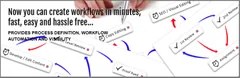 Oasis WorkflowRead the details | A structured review process. | Free Lite; Pro 119 USD/year for 2 websites, Business 299 USD/year for 6 websites, Business Plus 899 USD/year for unlimited websites. Annual payment until cancellation; 1 year of updates and support. VAT and other taxes not established on the page consulted; check the final amount before payment. | Renewal discounts advertised for a limited time; their future amount is not guaranteed. |
 Co-Authors PlusRead the details | Give an article multiple bylines. | Free extension: 0, without an advertised software subscription. No billing for the extension distributed on WordPress.org. No paid price for this extension; hosting and optional services remain separate. | No paid renewal advertised for this extension. |
 Public Post PreviewRead the details | Show a draft to an external person. | Free extension: 0, without an advertised software subscription. No billing for the extension distributed on WordPress.org. No paid price for this extension; hosting and optional services remain separate. | No paid renewal advertised for this extension. |
 Post Status NotifierRead the details | Notify targeted editorial changes. | 25 USD displayed for the Regular licence; Extended 115 USD. CodeCanyon licence purchase for one end product. Prices advertised excluding taxes and handling fees; buyer fee included in the displayed price. | Future updates and six months of support stated in the listing. Optional extension offered at purchase. |
 WP Revisions ControlRead the details | Define version retention. | Free extension: 0, without an advertised software subscription. No billing for the extension distributed on WordPress.org. No paid price for this extension; hosting and optional services remain separate. | No paid renewal advertised for this extension. |
 Yoast Duplicate PostRead the details | Prepare a new article version. | Free extension: 0, without an advertised software subscription. No billing for the extension distributed on WordPress.org. No paid price for this extension; hosting and optional services remain separate. | No paid renewal advertised for this extension. |
 Revision Manager TMCRead the details | Have a change to a published article accepted. | Free for posts; Pro Engineer displayed at 39 dollars instead of 59 for 1 activation, Captain 99 instead of 199 for 10, Major 199 instead of 299 for 50. Prices displayed with 1 year of updates and support; confirm dollar-symbol currency and billing mechanism. VAT and other taxes not established on the page consulted; check the final amount before payment. | The Pro plugin remains usable after the update year; renewal price and automatic behaviour not established. |
 Simple HistoryRead the details | Understand website changes. | Free core; Premium 79 dollars/year for 1 website, 199 for 5 websites, 299 for 10. Annual billing; dollar symbol displayed, without an established currency code in the retained material. VAT and other taxes not established on the page consulted; check the final amount before payment. | One year of Premium updates; confirm future amount and renewal terms. |
 Activity LogRead the details | Track editorial actions and changes. | Free extension: 0, without an advertised software subscription. No billing for the extension distributed on WordPress.org. No paid price for this extension; hosting and optional services remain separate. | No paid renewal advertised for this extension. |
 Simple Page OrderingRead the details | Reorder pages in their list. | Free extension: 0, without an advertised software subscription. No billing for the extension distributed on WordPress.org. No paid price for this extension; hosting and optional services remain separate. | No paid renewal advertised for this extension. |
 Admin ColumnsRead the details | Editorial lists with the right criteria. | Free; Single Pro 79 USD/year for 1 website, Business 159 for 5 websites, Agency 299 for unlimited websites. Annual licence including support and updates. VAT and other taxes not established on the page consulted; check the final amount before payment. | Automatic renewal after one year, disableable in the account. The plugin remains usable at expiry, without Premium updates or support. |
 Nested PagesRead the details | Manage a page tree. | Free extension: 0, without an advertised software subscription. No billing for the extension distributed on WordPress.org. No paid price for this extension; hosting and optional services remain separate. | No paid renewal advertised for this extension. |
 WP Document RevisionsRead the details | Collaborate on documents and their versions. | Free extension: 0, without an advertised software subscription. No billing for the extension distributed on WordPress.org. No paid price for this extension; hosting and optional services remain separate. | No paid renewal advertised for this extension. |
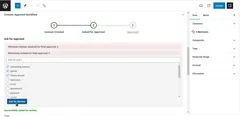 Content Approval WorkflowRead the details | Assign a simple content review. | Free extension: 0, without an advertised software subscription. No billing for the extension distributed on WordPress.org. No paid price for this extension; hosting and optional services remain separate. | No paid renewal advertised for this extension. |
 Content Flow ManagerRead the details | A focused review and correction process. | Free extension: 0, without an advertised software subscription. No billing for the extension distributed on WordPress.org. No paid price for this extension; hosting and optional services remain separate. | No paid renewal advertised for this extension. |
 EditantRead the details | External review with recorded decisions. | Free Core is free; separate Pro, price unverified because the pricing page did not respond. Pro cycle, currency and website count not established. VAT and other taxes not established on the page consulted; check the final amount before payment. | Pro renewal terms unknown. |
 Jumplinks FlowRead the details | Collect feedback on the rendered page. | Free; Pro 49 USD/year for 1 website, 89 for 10 websites, 199 for unlimited websites. Monthly entry at 4.99 USD or lifetime 1-website licence at 149 USD. Annual or monthly subscription, or lifetime one-time payment; annual cards are not monthly prices. VAT and other taxes not established on the page consulted; check the final amount before payment. | At subscription end, data retained and Pro features locked until renewal; free core maintained. Future price not guaranteed. |
 SapphireIT Editorial WorkflowRead the details | Precisely defined editorial transitions. | Free extension: 0, without an advertised software subscription. No billing for the extension distributed on WordPress.org. No paid price for this extension; hosting and optional services remain separate. | No paid renewal advertised for this extension. |
Start with native roles, drafts and notes
A small team can already separate writing from publication with WordPress roles: a contributor prepares texts without being able to publish them, while an editor has broader editorial capabilities. Under Posts > All Posts, first work on a draft explicitly identified as a test. Ask the writer to submit it for review, then check from the reviewer’s account that they can find and examine the text before publication. Do not assign an administrator account merely to review an article.
Since WordPress 6.9, native notes allow feedback on blocks. Open the article in the block editor, select a block, then its three-dot menu and Add Note. Save a concrete comment and resolve it after correction. Notes remain internal to people able to edit that content. WordPress 7.1 notably adds notes on selected text and mentions. A subscriber cannot access these exchanges; a resolved note is not formal approval. Notes are unavailable in the site template editor.
Current documentation provides for emails when another user adds a note to an author’s text and when someone is mentioned. The setting is under Settings > Discussion, in the email notification section, option Anyone posts a note. On a training copy, block outgoing messages first. Deleting the note afterwards does not recall an already delivered message. To reopen a resolved topic, find it in the Notes view and use Reopen and reply.
Calendar: check the date and responsible person
Editorial Calendar, SchedulePress, Strive and Nelio Content provide a view of content over time. This choice suits a team that misses deadlines or prepares too many topics for the same day. Before using the calendar, check the timezone under Settings > General and define whether a date represents an internal deadline or public publication. These can be different moments. Keep a view of undated drafts so they do not disappear from tracking when you look at only one week.
In your test copy, prepare two drafts and move only one item in the plugin calendar. Then open the article: check its date, status and author. Dragging can change an actual schedule, not merely a visual card. Also check scheduled tasks: WP-Cron triggers on page loads, which may delay an action on a low-traffic website. To reverse the change, restore the draft and its date before disabling the tool; uninstalling must not be your undo procedure.
- Open Posts > Calendar with Editorial Calendar; find a test draft in the unscheduled content drawer.
- Move it to a future date on the website copy, then open its record to reread date, time, timezone and status. Do not rely solely on its position in the grid.
- Compare the result with the need: a writing deadline must remain distinct from actually scheduled content. Restore the draft and original date at the end of the exercise.
Organise explicit approval
Oasis Workflow, Edit Flow and more focused approval tools offer different journeys. Start with a short process: writer, reviewer, possible corrections, then the person authorised to publish. Define what Approved means and whether a later change invalidates that approval. A green colour or custom label does not prove that direct publication is actually prevented. That check depends on capabilities, transitions and editing routes supported by each solution.
On demonstration content, have a first version rejected with a precise reason. Correct it, resubmit for review and check the decision history. Also try an absent reviewer: transfer, reassignment and deadline must remain understandable. Emails are notifications, not necessarily the authoritative record. After abandonment, remove content from the process using the documented command and check its WordPress state; do not delete tracking tables to erase a failed trial.
SapphireIT illustrates a common trap: its Published state means the internal process is complete, but does not publish the WordPress article. Edit Flow organises statuses and exchanges without alone proving a global lock. Conversely, Jumplinks advertises first-publication control with Mandatory review. Also examine administrator accounts, schedules already in place and REST or agent access. An AI-connected tool may authorise real actions; a step named Review does not guarantee that a person executed it.
- In Oasis Workflow, start with the Single Level Review Workflow template on the website copy. In the designer, distinguish Assignment, Review and Publish, then check success and failure paths.
- Assign a test writer and reviewer. In Inbox, an Assignment task offered to several people must be taken with Claim; a Review step may collect several opinions according to the configured threshold.
- For a first review, use Reject with a comment explaining the expected correction. Send the content back through writing, then check its return to review and the history.
- At the Publish step, the assigned person may publish or schedule: on the isolated copy only, check this distinction and the resulting status. If abandoning, stop the workflow, then confirm the article has remained a draft.
Review already published content without losing the correct version
An existing article raises a different question from a new draft. You want to prepare a correction while keeping the currently approved version online. Yoast Duplicate Post and revision tools address this need with specific mechanisms. A simple independent copy can help with work, but may also create a second article if published without understanding its link to the original. Note the identifier and URL of the content to replace before preparing its new version.
Use a website copy to check title, content, custom fields, categories, media and builder information. A correct body preview is insufficient if the tool omits a business field. Check the public version during preparation, then the result of the intended merge. Keep the approved text and an appropriate backup before switching. The number of retained revisions is a separate topic: reducing retention does not establish an approval process and may limit rollback possibilities.
The delicate point is concurrency: if someone corrects the original while you revise a copy, republishing may replace their change. Yoast documentation specifically displays this warning on the original when a Rewrite & Republish copy exists. Decide who owns the working version and direct corrections into that copy, or transfer them after comparison. A backup enables targeted recovery, but restoring the entire database to recover a sentence could overwrite other website content and activity.
- Under Posts > All Posts, hover over the relevant content and choose Rewrite & Republish rather than Clone or New Draft.
- Edit the copy, save it as a draft and preview it. Reopen the original only to check what remains public and identify possible concurrent corrections.
- When the revision is ready, Republish opens the checks; Save changes and compare lets you compare both states. Return to the copy if an unexpected difference appears.
- Then choose immediate republication or the desired date, and check the original URL, fields and rendering. To abandon before merging, keep the original and remove only the rewrite copy, checking its identifier.
Have someone without a WordPress account review content
Public Post Preview gives a preview link; Editant and Jumplinks Flow add feedback or approval features according to their scope. This choice suits a client who needs to read the rendering but must not administer the website. Before sending, determine whether the link merely grants content access or also records a decision. Check its duration, revocation and visible information. A link usable without login can be forwarded: avoid exposing data that must not circulate.
With Public Post Preview, first save a draft, enable Enable public preview in document settings and open the link in a logged-out window. The advertised default duration is 48 hours; it is now configured under Settings > Reading > Public Post Preview. Then untick the option and check that access ceases. This tool provides read-only access: do not look for a decision button or discussion the plugin does not offer.
With Editant, the block editor sidebar icon opens review-link creation. On test content without outgoing notifications, check rendering, a correction request and history, then use Revoke in the link table: documentation specifies a 404 response after revocation. If a new link already returns 404, first check for non-plain permalinks; documentation asks you to resave Settings > Permalinks without changing the structure to refresh rules. This step does not justify arbitrary website URL changes.
Distinguish visibility, attribution and activity evidence
Co-Authors Plus handles multiple bylines; Admin Columns makes lists more informative; Simple History and Activity Log record events. These tools can complement a process, but none automatically fulfils the other two roles. In Co-Authors Plus, a guest without an account remains a byline, while a co-author with an account can edit associated texts within their role’s limits. A status column helps locate texts without imposing a transition. A change log does not prove quality approval.
Choose information that answers a daily decision: owner, deadline, review status and last useful change. Then check who can view the log and how long it remains available. Internal notes may contain contact details, client remarks or unpublishable texts. Export what must be retained before changing plugins, limiting exported data to the actual need. WP Document Revisions instead concerns collaborative documents and version tracking; it complements an editorial team also needing attachment approval.
For restructuring, separately note page order and parent. With Simple Page Ordering, changing menu_order does not necessarily change theme display. With Nested Pages, moving a page under another may change its path; Nested Pages menu synchronisation is enabled by default. Untick Sync Menu if you want to examine the tree before synchronising. After moving, check old and new URLs, the visible menu and internal links; restore the original parent if the result is not as expected.
Prepare notifications and rollback without disrupting the team
Before acceptance testing, back up and prepare an isolated website copy with outgoing emails disabled. Do not copy active social network, webhook or Slack workspace connections if they could trigger a publication or alert. Work with two demonstration accounts with different capabilities, then an account that must not access the content. The useful check is the observed result for these roles, not merely the settings screen viewed as administrator. Only the Oasis test described below used fictitious sandbox accounts and intercepted an email attempt; no production account or real recipient was involved.
In Oasis Workflow, assignment and reminder messages are configured per step; reminders depend on deadlines. In PublishPress, choose tracked content and recipient groups. In Post Status Notifier, distinguish the active rule, logging and email delivery. If a message is missing, first look for the task or transition in history: it may not have occurred or matched the filter. Then check the destination and message transport; enabling several notification systems may merely create duplicates.
Before removing a tool, cancel its test schedules, revoke links and record content still in custom states. Export necessary decisions through a documented function where available; do not assume a standard WordPress export includes every plugin’s private tables. Check drafts in the native list before deactivation. Keep the backup and parameters to return to the previous configuration without indiscriminately restoring an old database on a website that has continued receiving articles, users or orders.
Read licences and deploy one process at a time
Prices dated November 3, 2026 distinguish the free plugin, suite and services. PublishPress Business covers fourteen Pro modules for 129 USD per year and one website; Oasis Pro displays 119 USD per year for up to two websites. Admin Columns Single costs 79 USD per year for one website, with automatic renewal that can be disabled. Nelio Premium’s public price is unreadable on the consulted page and Editant Pro’s could not be confirmed. These unknowns remain explicit instead of repeating an old amount found elsewhere.
Promotions and AI features must remain separate from the editorial decision. Do not pay for a suite to replace a simple native note; do not choose a calendar if you need blocking approval. First deploy the process on a few pieces of content, document the exit, then train the people concerned. Recent products and declared compatibility require local acceptance testing. The official illustrations in this article describe products; they are neither a performance test nor proof that your theme, editor and extension combination will work without adaptation.
Read maintenance at edition level. Multicollab retains a free distribution but states that it is no longer maintained; a recent listing update is therefore insufficient to make it the recommended choice. Conversely, version 1.0.0 is not automatically unusable: it requires more edge-case checks. For Content Approval Workflow, the last declared change dates to February 2025. Publishers’ compatibility statements remain documentary declarations. The Oasis exception is described separately: a local test of internal routes and Heartbeat, without a browser or validation of the entire process.
Assign a review while the writer still has the draft open
A contributor prepares an article and asks an editor to check its second paragraph. Another editor can also modify the article. To determine whether the process is clear, check three elements separately. The lock owner is the person editing the content. The person designated in the process owns the review task. The article’s visible byline remains its author’s.
With WordPress alone, we created a draft belonging to the contributor. Server-side Heartbeat processing reported the lock to the editor, even though her role permitted editing the draft. WordPress did not assign her a new lock while the writer held theirs. The status remained Draft.
In the same sandbox, Oasis Workflow 6.5.5 offered the extension’s supplied multi-level review template. We selected its first review step and chose only one person among the two eligible editors, with a deadline and the instruction “Vérifier le deuxième paragraphe.” The reviewer’s task inbox found one assignment. The other editor’s inbox remained empty, although he retained WordPress permission to edit the draft. The only email attempted during the trial targeted the fictitious reviewer and was intercepted. WordPress still reported the writer’s lock.
- On a copy, create a Contributor account for writing and two Editor accounts. Use two browser profiles to open the same draft under two identities. Keep the first editor open and check the message received in the second before continuing.
- In Oasis Workflow, open draft submission, choose a review step and designate only one person. Add the deadline and expected check. From each of the two Editor accounts, check the task inbox. An email alone does not establish which task remains open.
- Let the writer finish saving and leave the editor. From the reviewer account, reload the draft to start from the latest saved version. If a message invites you to take over, first confirm with the writer that their work is saved.
Hand over and check the saved version
In the local test, we simulated lock expiry after the writer saved by dating the lock beyond the window used by WordPress. This window was 150 seconds in the copy. The reviewer then obtained the lock during the Heartbeat check and the writer’s account identified her as the new holder. On a real website, prefer saving and then closing the editor, and verify handover in both sessions.
Before adding her correction, the reviewer reread the latest paragraph saved by the writer. After she saved, both passages appeared in the same draft. The author was still the contributor and the Oasis task remained open. The decision step is therefore separate from correcting the text. To check a complete process, next test rejection with return to the writer, then approval by the authorised person on another fictitious draft.
Both roles were used successively on the same WordPress 7.1.4 database to reproduce overlapping locks. The trial executed Oasis routes and server-side Heartbeat processing. The editor dialogue, network cadence, unsaved changes, reminders and final approval remain to be tried under your conditions. If two people need to work in parallel, ask one to use a note or comment on the passage while the other saves the text. If a passage is missing after handover, consult revisions before saving new changes.
- Compare the last version saved before handover with the first version opened for review. Note the starting paragraph, then confirm its presence after correction.
- Record the lock holder, task owner and displayed author. Check these three details after each role change before moving to the next case.
Further reading
Sources and references
Use these references to check the features, requirements and limitations described. Reading documentation is not a practical test.
View 48 references
- PublishPress — suite éditoriale — Plugin listing and features ↗ — Documentation consulted:
- PublishPress — suite éditoriale — Offer and pricing conditions ↗ — Documentation consulted:
- Edit Flow — Plugin listing and features ↗ — Documentation consulted:
- Editorial Calendar — Plugin listing and features ↗ — Documentation consulted:
- SchedulePress — Plugin listing and features ↗ — Documentation consulted:
- SchedulePress — Offer and pricing conditions ↗ — Documentation consulted:
- Strive Content Calendar — Plugin listing and features ↗ — Documentation consulted:
- Strive Content Calendar — Offer and pricing conditions ↗ — Documentation consulted:
- Nelio Content — Plugin listing and features ↗ — Documentation consulted:
- Nelio Content — Offer and pricing conditions ↗ — Documentation consulted:
- Multicollab — Plugin listing and features ↗ — Documentation consulted:
- Multicollab — Offer and pricing conditions ↗ — Documentation consulted:
- Oasis Workflow — Plugin listing and features ↗ — Documentation consulted:
- Oasis Workflow — Offer and pricing conditions ↗ — Documentation consulted:
- Co-Authors Plus — Plugin listing and features ↗ — Documentation consulted:
- Public Post Preview — Plugin listing and features ↗ — Documentation consulted:
- Post Status Notifier — Plugin listing and features ↗ — Documentation consulted:
- WP Revisions Control — Plugin listing and features ↗ — Documentation consulted:
- Yoast Duplicate Post — Plugin listing and features ↗ — Documentation consulted:
- Revision Manager TMC — Plugin listing and features ↗ — Documentation consulted:
- Simple History — Plugin listing and features ↗ — Documentation consulted:
- Simple History — Offer and pricing conditions ↗ — Documentation consulted:
- Activity Log — Plugin listing and features ↗ — Documentation consulted:
- Simple Page Ordering — Plugin listing and features ↗ — Documentation consulted:
- Admin Columns — Plugin listing and features ↗ — Documentation consulted:
- Admin Columns — Offer and pricing conditions ↗ — Documentation consulted:
- Nested Pages — Plugin listing and features ↗ — Documentation consulted:
- WP Document Revisions — Plugin listing and features ↗ — Documentation consulted:
- Content Approval Workflow — Plugin listing and features ↗ — Documentation consulted:
- Content Flow Manager — Plugin listing and features ↗ — Documentation consulted:
- Editant — Plugin listing and features ↗ — Documentation consulted:
- Jumplinks Flow — Plugin listing and features ↗ — Documentation consulted:
- SapphireIT Editorial Workflow — Plugin listing and features ↗ — Documentation consulted:
- Official listing or offering ↗ — Documentation consulted:
- WordPress — native notes ↗ — Documentation consulted:
- WordPress — roles and capabilities ↗ — Documentation consulted:
- WordPress — WP-Cron ↗ — Documentation consulted:
- Oasis Workflow review steps ↗ — Documentation consulted:
- Oasis Workflow notifications and deadlines ↗ — Documentation consulted:
- Yoast — rewrite and republish ↗ — Documentation consulted:
- Yoast — free product ↗ — Documentation consulted:
- Simple History — Premium ↗ — Documentation consulted:
- Revision Manager TMC — author offering ↗ — Documentation consulted:
- Jumplinks Flow — offerings ↗ — Documentation consulted:
- Editant — pricing, unsuccessful consultation ↗ — Documentation consulted:
- Detecting a WordPress post lock ↗ — Documentation consulted:
- Renewing the lock through Heartbeat ↗ — Documentation consulted:
- Editorial lock handover ↗ — Documentation consulted:
Uses, prices and what to check
25 offers in detail
Compare the features you need and the terms of each offer. The order of these entries does not indicate a ranking.
PublishPress — editorial suite
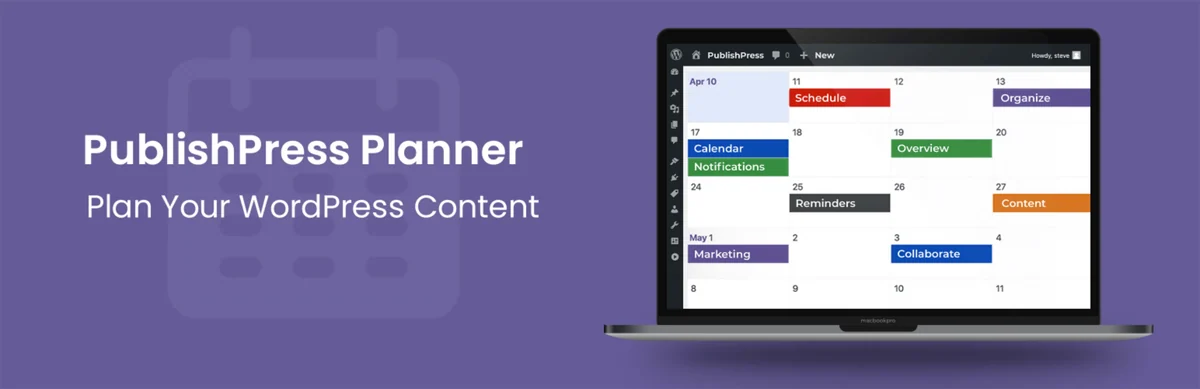 Official PublishPress Planner banner, a module in the suite; calendar demonstration.
Best forAn editorial team wanting several consistent features.
PublishPress combines several modules chosen according to the problem: Planner for the calendar, content board and notifications, Revisions for pending corrections, Authors for bylines, Capabilities and Permissions for access rights. The linked listing is for free Planner; installing that module alone does not provide the whole suite. Planner Pro notably adds Slack and reminders before or after publication. This family suits an editorial team wanting to build a progressive process, provided a responsible module is assigned to each transition.
Offer pricing
Free Planner; Business suite 129 USD/year for 1 website, Agency 249 USD/year for 5 websites, Unlimited 599 USD/year.
Billing: Annual subscription to the suite of 14 Pro plugins.
Renewal and support: Cancellable annual renewal; any discounts apply only to the first year. After expiry: usage retained, updates and support stopped.
VAT and other taxes not established on the page consulted; check the final amount before payment.
Checked on .
Strengths
- Planner: filterable calendar, board by status and notifications by content or group.
- Pro suite: separate modules for revisions, checklists, roles and permissions.
What to consider
- Planner Slack and timed reminders require Pro.
- Do not install every module without a need; avoid competing engines for the same status.
Pricing terms and compatibility
Understanding the offer
- Price at the time of review
- Free Planner; Business suite 129 USD/year for 1 website, Agency 249 USD/year for 5 websites, Unlimited 599 USD/year.
- Currency
- USD
- Billing
- Annual subscription to the suite of 14 Pro plugins.
- Renewal and support
- Cancellable annual renewal; any discounts apply only to the first year. After expiry: usage retained, updates and support stopped.
- Taxes and fees
- VAT and other taxes not established on the page consulted; check the final amount before payment.
- Commitment and terms
- Business: 1 person authorised to request support; Agency: 5; Unlimited: 10. These quotas concern support, not the website’s author count.
- Date checked
Compatibility and components
- Version 4.8.2; testing declared up to WordPress 7.1.4. Displayed update: 2026-10-14 6:59pm GMT. Declared requirements: WordPress 5.5, PHP 7.2.5. No practical trial performed.
Edit Flow
 Historical official Edit Flow calendar screenshot; the current interface may differ.Open full-size screenshot ↗
Best forA modular editorial process.
Edit Flow organises a calendar, custom states, internal comments and editorial metadata. It suits an editorial team wanting to define its own stages rather than a simple Written status. Its modularity lets you retain the necessary features. Check how states combine with publishing capabilities and other extensions: a visible label alone is not an approval rule.
Offer pricing
Free extension: 0, without an advertised software subscription.
Billing: No billing for the extension distributed on WordPress.org.
Renewal and support: No paid renewal advertised for this extension.
No paid price for this extension; hosting and optional services remain separate.
Checked on .
Strengths
- Separately activatable modules: calendar, custom statuses, comments and editorial metadata.
- User groups, story budget and notifications for tracked content.
What to consider
- A custom status is insufficient to demonstrate blocking all direct publication.
- Define who follows each article; an editorial group does not replace WordPress capabilities.
Pricing terms and compatibility
Understanding the offer
- Price at the time of review
- Free extension: 0, without an advertised software subscription.
- Currency
- Unspecified. Confirm for the offer you choose.
- Billing
- No billing for the extension distributed on WordPress.org.
- Renewal and support
- No paid renewal advertised for this extension.
- Taxes and fees
- No paid price for this extension; hosting and optional services remain separate.
- Commitment and terms
- No commercial website or seat quota advertised in the free distribution.
- Date checked
Compatibility and components
- Version 0.11.1; testing declared up to WordPress 7.1.4. Displayed update: 2026-08-18 10:36pm GMT. Declared requirements: WordPress 6.4, PHP 7.4. No practical trial performed.
Editorial Calendar
 Official Editorial Calendar presentation image; no installation or performance measurement performed.Open full-size screenshot ↗
Best forView and reorganise post dates.
Editorial Calendar gives a view of posts over time and lets you move their schedule. It suits a blog whose main problem is visibility of upcoming publications. It does not replace substantive discussion or multi-level approval. Check undated draft behaviour and the effects of a move on the actually saved date. Its screen is under Posts > Calendar. The unscheduled draft drawer and quick editing suffice for simple planning; they do not distribute an approval task among several owners.
Offer pricing
Free extension: 0, without an advertised software subscription.
Billing: No billing for the extension distributed on WordPress.org.
Renewal and support: No paid renewal advertised for this extension.
No paid price for this extension; hosting and optional services remain separate.
Checked on .
Strengths
- Calendar view.
- Move and quickly access posts.
What to consider
- No formal approval inferred from the calendar.
- Check actual scheduling after a move.
Pricing terms and compatibility
Understanding the offer
- Price at the time of review
- Free extension: 0, without an advertised software subscription.
- Currency
- Unspecified. Confirm for the offer you choose.
- Billing
- No billing for the extension distributed on WordPress.org.
- Renewal and support
- No paid renewal advertised for this extension.
- Taxes and fees
- No paid price for this extension; hosting and optional services remain separate.
- Commitment and terms
- No commercial website or seat quota advertised in the free distribution.
- Date checked
Compatibility and components
- Version 3.9.4; testing declared up to WordPress 7.0.8. Displayed update: 2026-05-26 3:20pm GMT. Declared requirements: WordPress 5.6, PHP 7.4. No practical trial performed.
SchedulePress
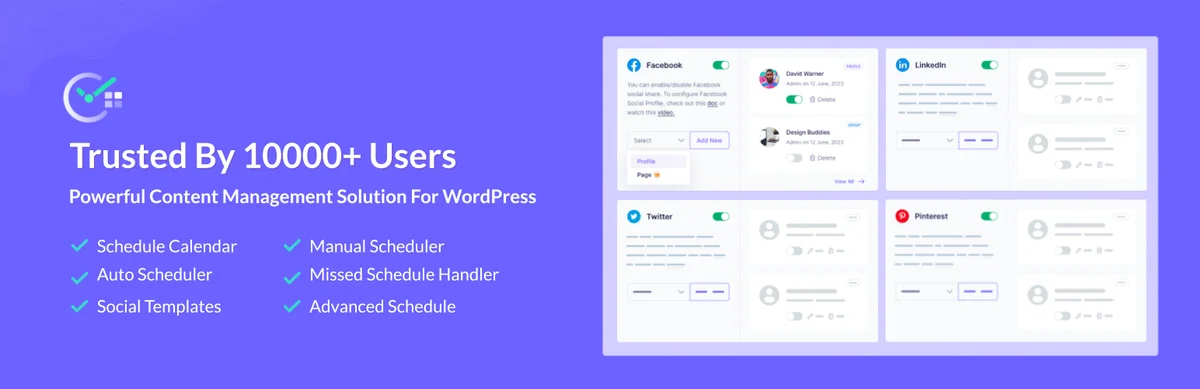 Official SchedulePress banner with free and Pro features; promotional figure not verified as a current statistic.
Best forRegular content planning.
SchedulePress combines a publication calendar and social sharing. It suits a recurring schedule: free organises drafts and notifies status changes, while Pro notably adds scheduling rules and handling missed deadlines. This automation must concern already approved content. Define roles authorised to schedule, then decide separately whether an article should be shared on social networks. No social account is needed merely to prepare the WordPress schedule.
Offer pricing
Free; Individual displayed at 37 USD/year instead of 49 for 1 website. Business 104 USD/year instead of 149, unlimited websites; Lifetime 259 USD instead of 399.
Billing: Individual and Business: annual payment; Lifetime: one-time payment.
Renewal and support: Renewal price not established; do not consider the initial discount guaranteed every year.
VAT and other taxes not established on the page consulted; check the final amount before payment.
Checked on .
Strengths
- Free: calendar, drafts, status notifications and one profile per supported social network.
- Pro: handling missed publications, scheduling rules, multiple profiles and scheduled updates.
What to consider
- Publishing automation does not replace review; check roles authorised to schedule.
- Social networks, OAuth and the AI caption tool are separate connections; enable them only for the chosen need.
Pricing terms and compatibility
Understanding the offer
- Price at the time of review
- Free; Individual displayed at 37 USD/year instead of 49 for 1 website. Business 104 USD/year instead of 149, unlimited websites; Lifetime 259 USD instead of 399.
- Currency
- USD
- Billing
- Individual and Business: annual payment; Lifetime: one-time payment.
- Renewal and support
- Renewal price not established; do not consider the initial discount guaranteed every year.
- Taxes and fees
- VAT and other taxes not established on the page consulted; check the final amount before payment.
- Commitment and terms
- Individual: 1 active website, support and updates for 1 year; Business: unlimited active websites for 1 year; Lifetime: unlimited websites and advertised lifetime duration.
- Date checked
Compatibility and components
- Version 5.3.6; testing declared up to WordPress 7.1.4. Displayed update: 2026-10-28 12:44pm GMT. Declared requirements: WordPress 6.4, PHP 7.4. No practical trial performed.
Strive Content Calendar
 Official Strive Content Calendar presentation image; no installation or performance measurement performed.
Best forTrack article preparation and maintenance.
Strive now offers free Lite with a calendar, states, checklists and notes, then Pro for article maintenance. It suits a team tracking text progress as well as its date. Documentation limits the scope to native WordPress posts. AI features are optional and use a compatible connection; they do not decide publication.
Offer pricing
Free Lite; Pro from 9 USD/month.
Billing: Starting monthly price; confirm billing schedule details and website count for the chosen plan.
Renewal and support: Cancellable subscription; running Pro and Pro updates require an active licence.
VAT and other taxes not established on the page consulted; check the final amount before payment.
Checked on .
Strengths
- Lite: calendar, workflow board and list, four statuses, reusable checklists and notes.
- Pro: revisions of published posts, briefs, internal link suggestions and tracking content to update.
What to consider
- Advertised scope: native WordPress posts, not every custom content type.
- Optional AI through the compatible WordPress connection; active subscription required to run Pro features.
Pricing terms and compatibility
Understanding the offer
- Price at the time of review
- Free Lite; Pro from 9 USD/month.
- Currency
- USD
- Billing
- Starting monthly price; confirm billing schedule details and website count for the chosen plan.
- Renewal and support
- Cancellable subscription; running Pro and Pro updates require an active licence.
- Taxes and fees
- VAT and other taxes not established on the page consulted; check the final amount before payment.
- Commitment and terms
- Lite without an advertised account, licence, expiry or usage quota; Pro adds no Strive-specific AI credit quota. The connected AI provider may charge for usage.
- Date checked
Compatibility and components
- Version 2.0.0; testing declared up to WordPress 7.0.8. Displayed update: 2026-08-12 9:20pm GMT. Declared requirements: WordPress 6.5, PHP 7.4. No practical trial performed.
Nelio Content
 Official Nelio Content presentation image; no installation or performance measurement performed.
Best forCoordinate the calendar and preparation tasks.
Nelio Content links an editorial calendar with social promotion. Free allows moving publications, preparing messages and following a checklist; assigned tasks, editorial comments, a content board and user notifications are Premium. It is relevant when writing and distribution are managed together, less so if you seek only internal approval. Before connecting a network, choose a demonstration profile and disable sending during preparation: moving an article may also affect its promotion.
Offer pricing
Free Starter; paid Basic, Standard and Plus, but no usable amount displayed during consultation.
Billing: Monthly or annual choice displayed; confirm plan amount and currency.
Renewal and support: Automatic renewal until cancellation; cancelling prevents the next renewal, while the licence remains active until expiry.
The page states VAT included, but amounts remain replaced by dashes. No tax-inclusive total can be calculated from this record.
Checked on .
Strengths
- Calendar and social scheduling in WordPress.
- Premium: tasks, comments, task templates and change notifications.
What to consider
- Advanced collaboration features are not all free.
- Premium price unreadable when recorded; social accounts and platform permissions remain necessary.
Pricing terms and compatibility
Understanding the offer
- Price at the time of review
- Free Starter; paid Basic, Standard and Plus, but no usable amount displayed during consultation.
- Currency
- Unspecified. Confirm for the offer you choose.
- Billing
- Monthly or annual choice displayed; confirm plan amount and currency.
- Renewal and support
- Automatic renewal until cancellation; cancelling prevents the next renewal, while the licence remains active until expiry.
- Taxes and fees
- The page states VAT included, but amounts remain replaced by dashes. No tax-inclusive total can be calculated from this record.
- Commitment and terms
- Basic: 1 website and 1 automation group; Standard: 3 websites and 5 groups; Plus: 10 websites and 10 groups. Paid: 15 social profiles per website; free: 7 profiles, at most 1 per network according to the current table.
- Date checked
Compatibility and components
- Version 4.5.2; testing declared up to WordPress 7.1.4. Displayed update: 2026-10-21 9:53am GMT. Declared requirements: WordPress 6.7, PHP 7.4. No practical trial performed.
Multicollab
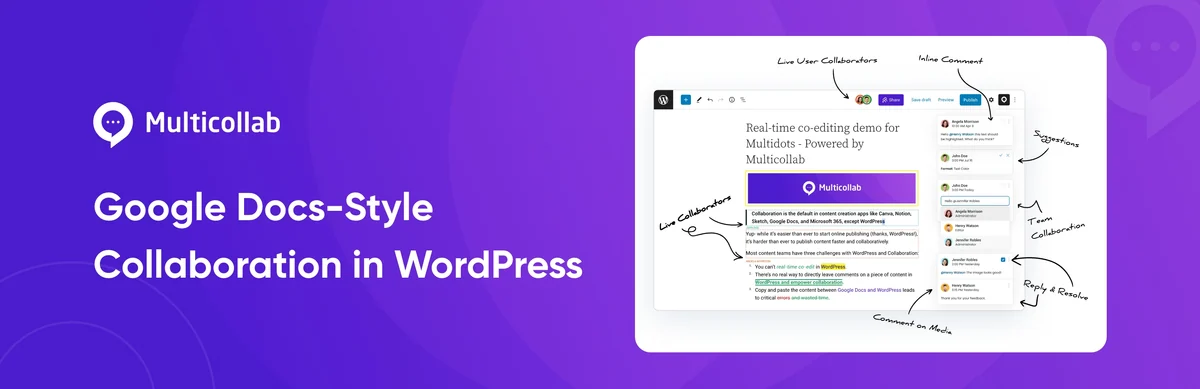 Official Multicollab demo; the illustrated features are not all included in the free edition, which is stated to be unmaintained.
Best forA team prepared to fund advanced collaboration in Gutenberg.
Multicollab places comments and discussions in the block editor. Its free version still advertises comments, permissions, activity and emails, but the publisher states it no longer maintains it. It is therefore not our starting choice for a new installation. Examine native notes first, then Lite or Pro if guests, suggestions, integrations or advanced processes justify the cost. A recent directory date does not contradict this explicit end to free maintenance; check the edition actually installed.
Offer pricing
Free version available but advertised as unmaintained; Lite 299 USD/year, Pro 599 USD/year.
Billing: Annual subscription; advertised 14-day trial, distinct from the free download.
Renewal and support: The page advertises renewal at the normal rate. Promotional amounts hidden in HTML are not retained; check the contractual amount before purchase.
VAT and other taxes not established on the page consulted; check the final amount before payment.
Checked on .
Strengths
- Paid Lite: comments, guest collaboration, custom permissions and comment attachments.
- Pro: advanced revision and editorial process features, with Slack notifications advertised.
What to consider
- Free version officially advertised as unmaintained despite a recently updated listing.
- Gutenberg required; do not assume identical features in a builder or classic editor.
- The listing declares communications with Multicollab, Gravatar and IP-API during certain journeys; do not present the product as entirely offline.
Pricing terms and compatibility
Understanding the offer
- Price at the time of review
- Free version available but advertised as unmaintained; Lite 299 USD/year, Pro 599 USD/year.
- Currency
- USD
- Billing
- Annual subscription; advertised 14-day trial, distinct from the free download.
- Renewal and support
- The page advertises renewal at the normal rate. Promotional amounts hidden in HTML are not retained; check the contractual amount before purchase.
- Taxes and fees
- VAT and other taxes not established on the page consulted; check the final amount before payment.
- Commitment and terms
- Lite: 1 production website + 2 staging websites; Pro: 1 production website + 4 staging websites. Do not equate these quotas with reviewer seats.
- Date checked
Compatibility and components
- Version 5.5; testing declared up to WordPress 7.1.4. Displayed update: 2026-09-18 7:28am GMT. Declared requirements: WordPress 6.5, PHP unspecified. No practical trial performed.
- The publisher explicitly announces the end of free maintenance; this metadata is not a support promise.
Oasis Workflow
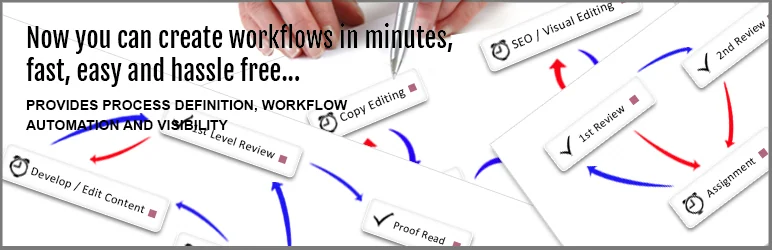 Official Oasis Workflow presentation image; no installation or performance measurement performed.
Best forA structured review process.
Oasis Workflow organises writing and review into stages. In the local example, Lite 6.5.5 registered a task for only the selected reviewer, with a deadline and instruction. The WordPress lock still belonged to the writer and the second editor could edit the draft according to his permissions without receiving the task. After handover, correcting the text left the task open. Pro notably adds revision of already published content and automatic submission.
Offer pricing
Free Lite; Pro 119 USD/year for 2 websites, Business 299 USD/year for 6 websites, Business Plus 899 USD/year for unlimited websites.
Billing: Annual payment until cancellation; 1 year of updates and support.
Renewal and support: Renewal discounts advertised for a limited time; their future amount is not guaranteed.
VAT and other taxes not established on the page consulted; check the final amount before payment.
Checked on .
Strengths
- Visual designer, Inbox, role-based assignment and decision history.
- Task notifications, deadline-related reminders and reassignment documented.
What to consider
- Distinguish revisions of published posts and automatic submission from the free core.
- Documented AI/MCP features can approve and complete a process: they do not guarantee human validation if these permissions are granted.
Pricing terms and compatibility
Understanding the offer
- Price at the time of review
- Free Lite; Pro 119 USD/year for 2 websites, Business 299 USD/year for 6 websites, Business Plus 899 USD/year for unlimited websites.
- Currency
- USD
- Billing
- Annual payment until cancellation; 1 year of updates and support.
- Renewal and support
- Renewal discounts advertised for a limited time; their future amount is not guaranteed.
- Taxes and fees
- VAT and other taxes not established on the page consulted; check the final amount before payment.
- Commitment and terms
- Each multisite subsite consumes a licence. Additional modules to cost separately.
- Date checked
Compatibility and components
- Oasis Workflow Lite 6.5.5 tried on a WordPress 7.1.4, PHP 8.4.8 and SQLite copy through internal routes and server-side Heartbeat processing.
- The directory advertises minimum WordPress 5.0 and PHP 7.4. Check roles, editor and the complete process on your installation.
Co-Authors Plus
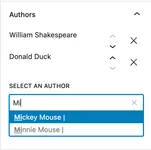
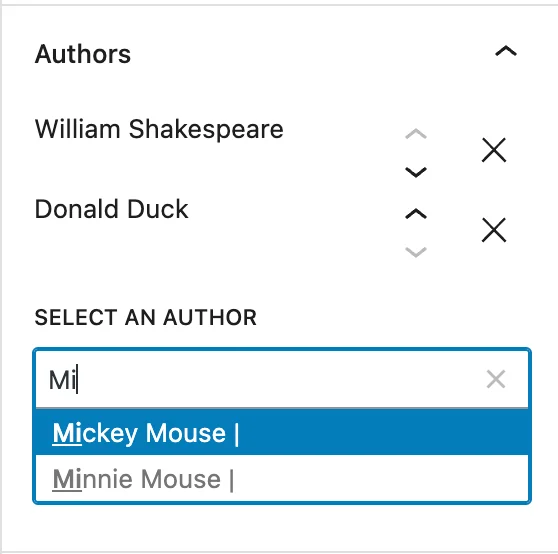 Co-Authors Plus Authors panel with fictional demonstration names, supplied by the developer.Open full-size screenshot ↗
Best forGive an article multiple bylines.
Co-Authors Plus assigns multiple bylines to a post, page or custom type, with guest authors without accounts. It suits a publication needing to credit collective writing. Be aware: a co-author with an account may also gain permission to edit associated content; a contributor remains limited to unpublished texts. Therefore distinguish guest bylines from collaborator access. Theme blocks or tags must display these authors: seeing them in administration does not guarantee their presence on the website.
Offer pricing
Free extension: 0, without an advertised software subscription.
Billing: No billing for the extension distributed on WordPress.org.
Renewal and support: No paid renewal advertised for this extension.
No paid price for this extension; hosting and optional services remain separate.
Checked on .
Strengths
- Multiple bylines and guest profiles without WordPress credentials.
- Author archives and dedicated display functions.
What to consider
- Assigning co-authors requires the capability to edit others’ content by default.
- Guest management is reserved by default for accounts able to list users; check theme integration.
Pricing terms and compatibility
Understanding the offer
- Price at the time of review
- Free extension: 0, without an advertised software subscription.
- Currency
- Unspecified. Confirm for the offer you choose.
- Billing
- No billing for the extension distributed on WordPress.org.
- Renewal and support
- No paid renewal advertised for this extension.
- Taxes and fees
- No paid price for this extension; hosting and optional services remain separate.
- Commitment and terms
- No commercial website or seat quota advertised in the free distribution.
- Date checked
Compatibility and components
- Version 4.2.0; testing declared up to WordPress 7.1.4. Displayed update: 2026-10-30 12:24pm GMT. Declared requirements: WordPress 6.4, PHP 7.4. No practical trial performed.
Public Post Preview
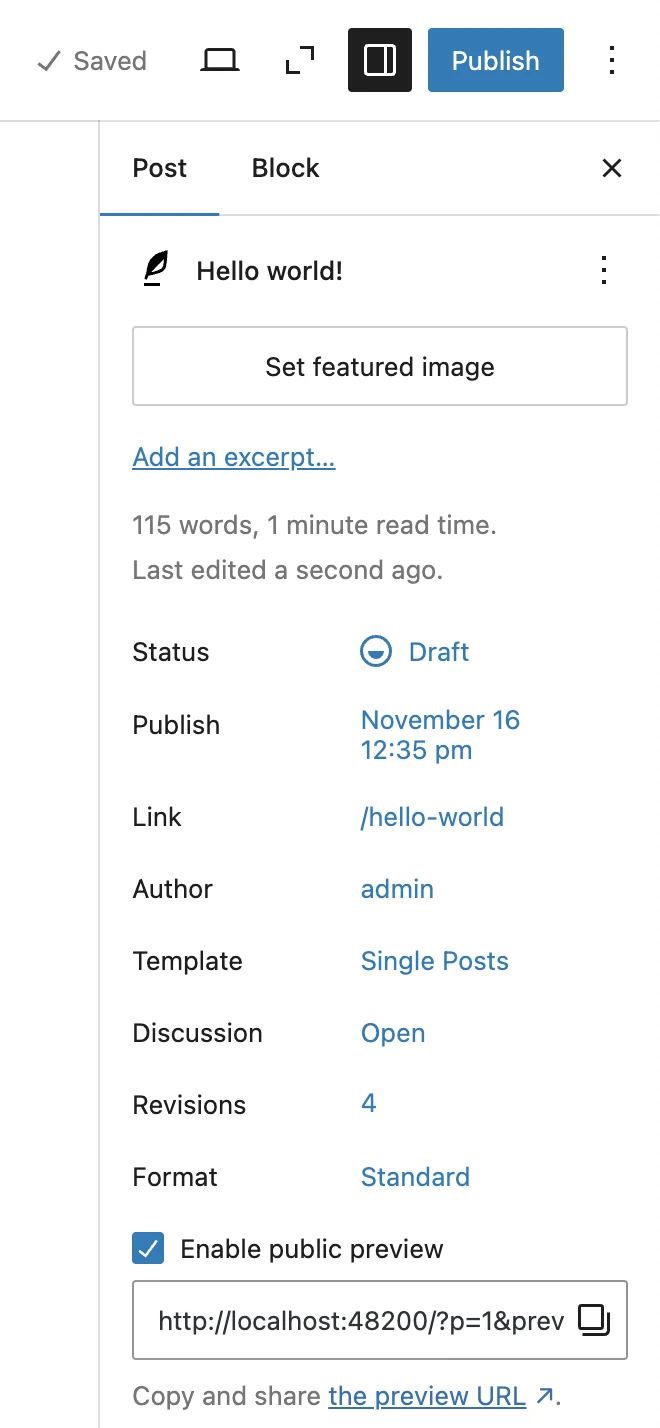 Official Public Post Preview screenshot in the block editor; local demonstration URL unrelated to our site.Open full-size screenshot ↗
Best forShow a draft to an external person.
Public Post Preview supplies a temporary link to read a draft without an account. First save the content, tick Enable public preview in document settings and copy the URL. The documented default duration is 48 hours; the current setting is under Settings > Reading > Public Post Preview. Untick the option to stop access. The tool records neither editorial comments nor approvals: collect the decision through a separate process, identifying the reviewed version.
Offer pricing
Free extension: 0, without an advertised software subscription.
Billing: No billing for the extension distributed on WordPress.org.
Renewal and support: No paid renewal advertised for this extension.
No paid price for this extension; hosting and optional services remain separate.
Checked on .
Strengths
- Preview without an account.
- Link with advertised expiry.
What to consider
- Anyone holding the link can access the preview; it does not identify the reviewer.
- Misconfigured caches may retain an old version: exclude URLs containing the _ppp parameter if necessary.
Pricing terms and compatibility
Understanding the offer
- Price at the time of review
- Free extension: 0, without an advertised software subscription.
- Currency
- Unspecified. Confirm for the offer you choose.
- Billing
- No billing for the extension distributed on WordPress.org.
- Renewal and support
- No paid renewal advertised for this extension.
- Taxes and fees
- No paid price for this extension; hosting and optional services remain separate.
- Commitment and terms
- No commercial website or seat quota advertised in the free distribution.
- Date checked
Compatibility and components
- Version 3.1.2; testing declared up to WordPress 7.0.8. Displayed update: 2026-10-29 3:28pm GMT. Declared requirements: WordPress 6.6, PHP 8.0. No practical trial performed.
Post Status Notifier
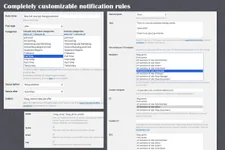
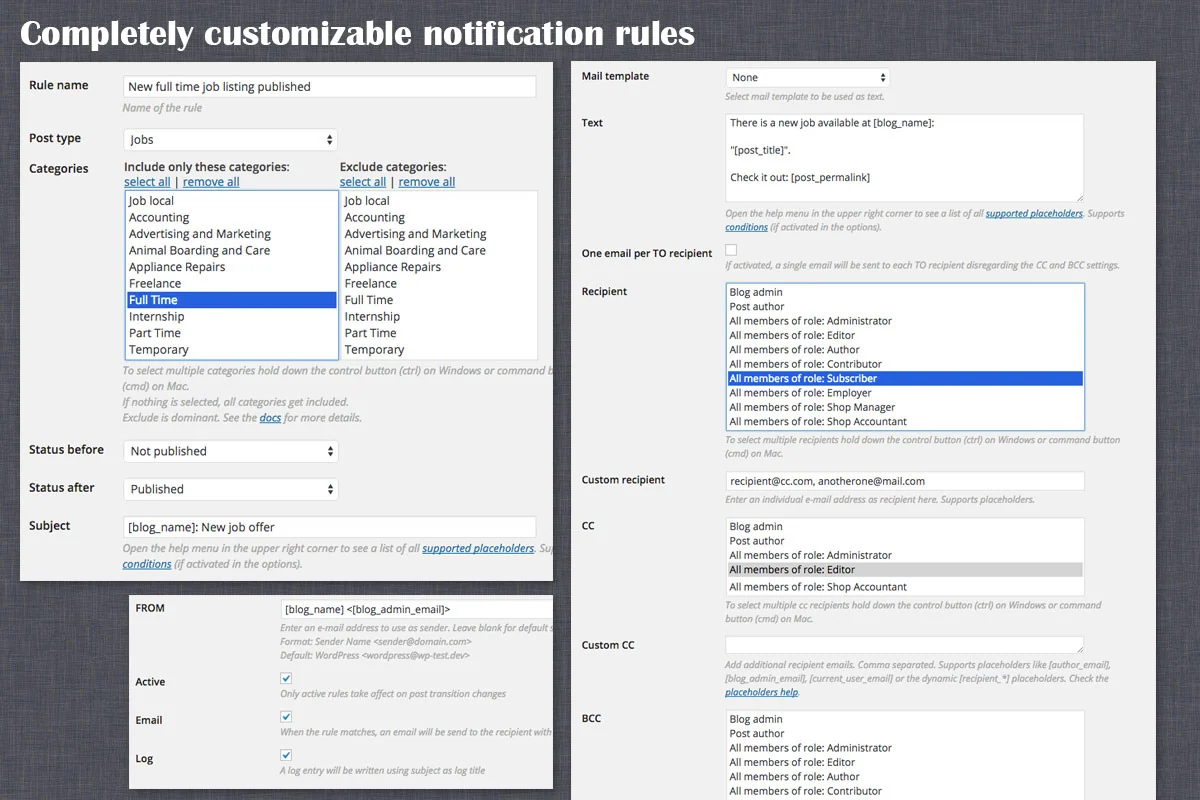 Historical official screenshot of notification configuration; no rule or sending operation was executed.Open full-size screenshot ↗
Best forNotify targeted editorial changes.
Post Status Notifier creates alert rules from status changes: for example, a draft submitted for review or a published article. The official visual shows filters for content type, categories, before/after states and recipients. It addresses the precise need to notify the right people without becoming an approval system. To prepare a rule, start on a test website with logging and sending disabled; check state matching before choosing real addresses.
Offer pricing
25 USD displayed for the Regular licence; Extended 115 USD.
Billing: CodeCanyon licence purchase for one end product.
Renewal and support: Future updates and six months of support stated in the listing. Optional extension offered at purchase.
Prices advertised excluding taxes and handling fees; buyer fee included in the displayed price.
Checked on .
Strengths
- Conditional rules and recipients.
- Message templates and sending queue advertised.
What to consider
- Alert only: does not block publication or prove reading.
- Confirm current compatibility and support terms on the listing before purchase; no practical trial performed.
Pricing terms and compatibility
Understanding the offer
- Price at the time of review
- 25 USD displayed for the Regular licence; Extended 115 USD.
- Currency
- USD
- Billing
- CodeCanyon licence purchase for one end product.
- Renewal and support
- Future updates and six months of support stated in the listing. Optional extension offered at purchase.
- Taxes and fees
- Prices advertised excluding taxes and handling fees; buyer fee included in the displayed price.
- Commitment and terms
- Regular: one end product whose users do not pay for access; examine the Extended licence if access is charged.
- Date checked
Compatibility and components
- The CodeCanyon listing displays an update dated October 12, 2026 and WordPress 7.0.x as the highest version. The publisher’s changelog states minimum WordPress 5.5 and PHP 8.1. Check installation and sending on a copy of your website.
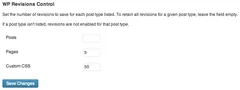
WP Revisions Control
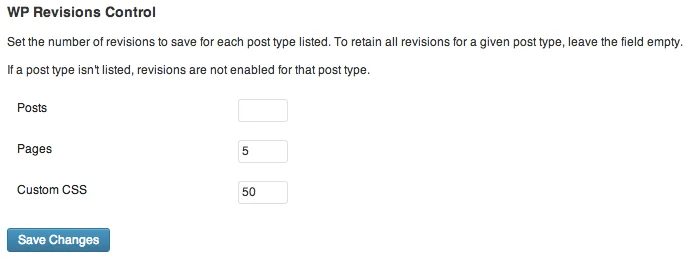 Official illustrated WP Revisions Control settings; the displayed numbers are examples.Open full-size screenshot ↗
Best forDefine version retention.
WP Revisions Control sets the number of versions retained per content type under Settings > Writing. It suits a retention policy, separate from approval. Enter the desired quantity for each type; leaving the field empty retains all its revisions according to the interface. Reducing the limit may trigger a purge on subsequent saves: preserve necessary versions first. The plugin does not restore already missing revisions and does not replace an independent website backup.
Offer pricing
Free extension: 0, without an advertised software subscription.
Billing: No billing for the extension distributed on WordPress.org.
Renewal and support: No paid renewal advertised for this extension.
No paid price for this extension; hosting and optional services remain separate.
Checked on .
Strengths
- Settings per content type.
- Interface in WordPress settings.
What to consider
- Does not manage approval.
- Prepare reduced retention with a backup.
Pricing terms and compatibility
Understanding the offer
- Price at the time of review
- Free extension: 0, without an advertised software subscription.
- Currency
- Unspecified. Confirm for the offer you choose.
- Billing
- No billing for the extension distributed on WordPress.org.
- Renewal and support
- No paid renewal advertised for this extension.
- Taxes and fees
- No paid price for this extension; hosting and optional services remain separate.
- Commitment and terms
- No commercial website or seat quota advertised in the free distribution.
- Date checked
Compatibility and components
- Version 1.4.4; testing declared up to WordPress 6.8.12. Displayed update: 2025-07-03 10:39pm GMT. Declared requirements: WordPress 3.6, PHP 5.6. No practical trial performed.
Yoast Duplicate Post
 Vendor image
Best forPrepare a new article version.
Yoast Duplicate Post offers two uses to distinguish. Clone and New Draft create an independent copy; Rewrite & Republish prepares a change linked to an existing article whose URL will be retained after republication. It is a free choice for updating a page without removing the public version during writing. Configure permitted roles and types under Settings > Duplicate Post > Permissions. The copy must not overwrite corrections meanwhile added to the original: compare both versions before merging.
Offer pricing
Free extension: 0, without an advertised software subscription.
Billing: No billing for the extension distributed on WordPress.org.
Renewal and support: No paid renewal advertised for this extension.
No paid price for this extension; hosting and optional services remain separate.
Checked on .
Strengths
- Cloning and new draft.
- Rewrite/republish journey.
What to consider
- No assumed built-in mandatory approval chain.
- Yoast SEO Premium is another product and is not required; check fields to copy and concurrent changes.
Pricing terms and compatibility
Understanding the offer
- Price at the time of review
- Free extension: 0, without an advertised software subscription.
- Currency
- Unspecified. Confirm for the offer you choose.
- Billing
- No billing for the extension distributed on WordPress.org.
- Renewal and support
- No paid renewal advertised for this extension.
- Taxes and fees
- No paid price for this extension; hosting and optional services remain separate.
- Commitment and terms
- No commercial website or seat quota advertised in the free distribution.
- Date checked
Compatibility and components
- Version 4.7; testing declared up to WordPress 7.1.4. Displayed update: 2026-10-06 1:22pm GMT. Declared requirements: WordPress 7.0, PHP 7.4. No practical trial performed.
Revision Manager TMC
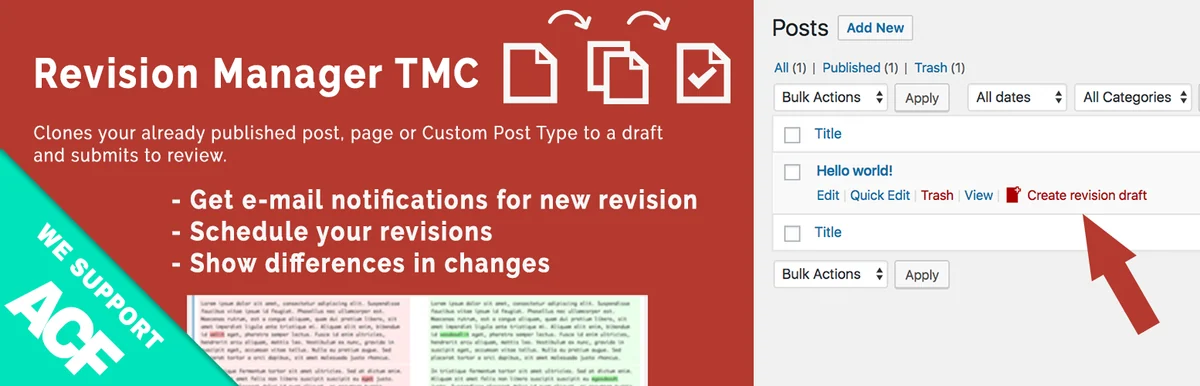 Official Revision Manager TMC banner; pages and custom post types are reserved for Pro.
Best forHave a change to a published article accepted.
Revision Manager TMC prepares a copy of a published article for acceptance while retaining the online text. It suits an author proposing a correction without immediately replacing the original. Free targets posts; Pro extends types and further customises notifications. Separately choose the capability to create a revision, accept it and the email recipient role. Check retained fields and do not use global revision deletion to cancel a single proposal.
Offer pricing
Free for posts; Pro Engineer displayed at 39 dollars instead of 59 for 1 activation, Captain 99 instead of 199 for 10, Major 199 instead of 299 for 50.
Billing: Prices displayed with 1 year of updates and support; confirm dollar-symbol currency and billing mechanism.
Renewal and support: The Pro plugin remains usable after the update year; renewal price and automatic behaviour not established.
VAT and other taxes not established on the page consulted; check the final amount before payment.
Checked on .
Strengths
- Revision separate from the original.
- Notification when placed pending.
What to consider
- Pages and custom types reserved for Pro in the documented offerings.
- Testing declared up to WordPress 6.9.11; confirm behaviour of your fields and builder before adoption.
Pricing terms and compatibility
Understanding the offer
- Price at the time of review
- Free for posts; Pro Engineer displayed at 39 dollars instead of 59 for 1 activation, Captain 99 instead of 199 for 10, Major 199 instead of 299 for 50.
- Currency
- Unspecified. Confirm for the offer you choose.
- Billing
- Prices displayed with 1 year of updates and support; confirm dollar-symbol currency and billing mechanism.
- Renewal and support
- The Pro plugin remains usable after the update year; renewal price and automatic behaviour not established.
- Taxes and fees
- VAT and other taxes not established on the page consulted; check the final amount before payment.
- Commitment and terms
- Pro notably adds pages and custom types, templates and advanced email settings. An activation is not a writer seat.
- Date checked
Compatibility and components
- Version 2.8.24; testing declared up to WordPress 6.9.11. Displayed update: 2026-04-27 11:33pm GMT. Declared requirements: WordPress 6.0.0, PHP 7.1. No practical trial performed.
Simple History
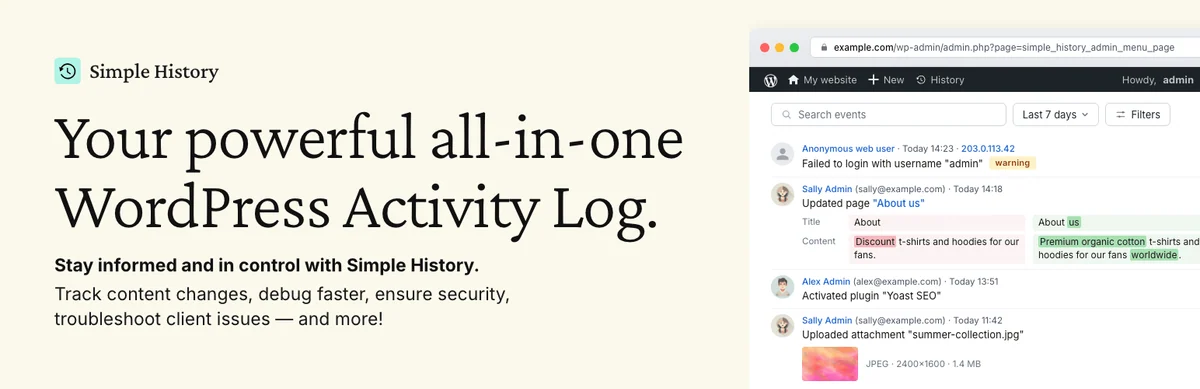 Official Simple History banner supplied by the developer; promotional content.
Best forUnderstand website changes.
Simple History lets you find who edited a post, deleted a page or changed a setting. Use its filters to understand an editorial incident, not to claim a text was approved. Free retention is 30 days on a recent installation; websites installed before version 5.25.0 retain their 60-day value. Premium notably adds alerts, an activity panel in the editor, retention settings and filtered result export. Set the useful duration before needing an event already deleted.
Offer pricing
Free core; Premium 79 dollars/year for 1 website, 199 for 5 websites, 299 for 10.
Billing: Annual billing; dollar symbol displayed, without an established currency code in the retained material.
Renewal and support: One year of Premium updates; confirm future amount and renewal terms.
VAT and other taxes not established on the page consulted; check the final amount before payment.
Checked on .
Strengths
- Searchable history and filters to find changes.
- Premium: Email/Slack/Discord/Telegram alerts and CSV/JSON export of filtered results.
What to consider
- Activity log, without an approval procedure or complete content backup.
- History imported from existing content does not reconstruct old actions that were never logged.
Pricing terms and compatibility
Understanding the offer
- Price at the time of review
- Free core; Premium 79 dollars/year for 1 website, 199 for 5 websites, 299 for 10.
- Currency
- Unspecified. Confirm for the offer you choose.
- Billing
- Annual billing; dollar symbol displayed, without an established currency code in the retained material.
- Renewal and support
- One year of Premium updates; confirm future amount and renewal terms.
- Taxes and fees
- VAT and other taxes not established on the page consulted; check the final amount before payment.
- Commitment and terms
- Premium also offers 50 websites at 499 dollars/year and 500 at 1,199 dollars/year. Events remain dependent on available storage.
- Date checked
Compatibility and components
- Version 5.36.0; testing declared up to WordPress 7.1.4. Displayed update: 2026-10-17 11:18am GMT. Declared requirements: WordPress 6.3, PHP 7.4. No practical trial performed.
Activity Log
 Historical official Activity Log screenshot with demonstration data from 2014; not a current test screenshot.Open full-size screenshot ↗
Best forTrack editorial actions and changes.
Activity Log retains events in its own log and distinguishes their origin, such as administration, REST, WP-CLI or scheduled tasks. It suits a small team wanting to identify who made a change without adding an approval process. Default retention is 30 days and can be adjusted; filtered results can be exported. To limit data, Visitor IP Detected can be set to Do not collect IP. This choice affects future collection, not automatic deletion of old rows.
Offer pricing
Free extension: 0, without an advertised software subscription.
Billing: No billing for the extension distributed on WordPress.org.
Renewal and support: No paid renewal advertised for this extension.
No paid price for this extension; hosting and optional services remain separate.
Checked on .
Strengths
- Filters by user, role, event and request origin.
- Filtered export, adjustable retention and stopping IP collection.
What to consider
- Detailed values may be truncated and some secrets masked; not a complete database snapshot.
- A record is neither editorial approval nor a reliable productivity measure.
Pricing terms and compatibility
Understanding the offer
- Price at the time of review
- Free extension: 0, without an advertised software subscription.
- Currency
- Unspecified. Confirm for the offer you choose.
- Billing
- No billing for the extension distributed on WordPress.org.
- Renewal and support
- No paid renewal advertised for this extension.
- Taxes and fees
- No paid price for this extension; hosting and optional services remain separate.
- Commitment and terms
- No commercial website or seat quota advertised in the free distribution.
- Date checked
Compatibility and components
- Version 2.18.0; testing declared up to WordPress 7.1.4. Displayed update: 2026-10-28 11:26am GMT. Declared requirements: WordPress 6.2, PHP 7.4. No practical trial performed.
Simple Page Ordering
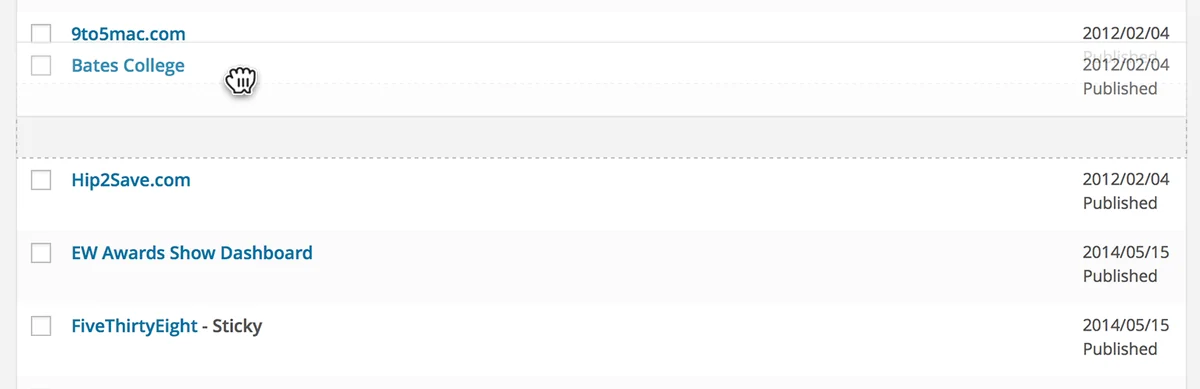 Official historical screenshot of the page rankings; demonstration dates and content.Open full-size screenshot ↗
Best forReorder pages in their list.
Simple Page Ordering adds drag-and-drop to the native page list and hierarchical or page-attributes-compatible types. It is an ordering tool, not a calendar. Only users able to edit others’ pages may reorder. The plugin changes menu_order without imposing that order on website lists: the theme or query must use it. If your problem is public navigation, therefore check how it is built before moving an entire tree.
Offer pricing
Free extension: 0, without an advertised software subscription.
Billing: No billing for the extension distributed on WordPress.org.
Renewal and support: No paid renewal advertised for this extension.
No paid price for this extension; hosting and optional services remain separate.
Checked on .
Strengths
- Drag-and-drop in the native screen.
- Respects editing capabilities.
What to consider
- Check supported content types.
- Theme menus potentially independent.
Pricing terms and compatibility
Understanding the offer
- Price at the time of review
- Free extension: 0, without an advertised software subscription.
- Currency
- Unspecified. Confirm for the offer you choose.
- Billing
- No billing for the extension distributed on WordPress.org.
- Renewal and support
- No paid renewal advertised for this extension.
- Taxes and fees
- No paid price for this extension; hosting and optional services remain separate.
- Commitment and terms
- No commercial website or seat quota advertised in the free distribution.
- Date checked
Compatibility and components
- Version 2.8.1; testing declared up to WordPress 7.1.4. Displayed update: 2026-09-24 6:55pm GMT. Declared requirements: WordPress 6.9, PHP 7.4. No practical trial performed.
Admin Columns
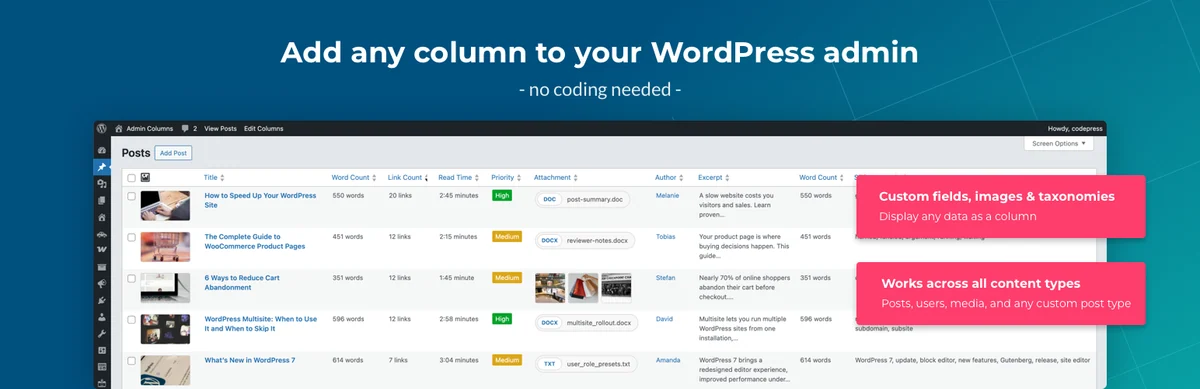 Official Admin Columns presentation; some editing and filtering features require Pro.
Best forEditorial lists with the right criteria.
Admin Columns adapts list columns to show information useful to the editorial team. It suits finding content by metadata or preparing a working table. Advanced sorting, filtering and editing belong to Pro according to the feature. An edit from the list remains an actual content change: limit editable columns to team needs.
Offer pricing
Free; Single Pro 79 USD/year for 1 website, Business 159 for 5 websites, Agency 299 for unlimited websites.
Billing: Annual licence including support and updates.
Renewal and support: Automatic renewal after one year, disableable in the account. The plugin remains usable at expiry, without Premium updates or support.
VAT and other taxes not established on the page consulted; check the final amount before payment.
Checked on .
Strengths
- Customisable columns.
- Sorting, filters and editing in Pro.
What to consider
- Free column display; examine advanced sorting, filters, editing and export in Pro.
- Editing from a list actually changes data; retain minimum capabilities for each role.
Pricing terms and compatibility
Understanding the offer
- Price at the time of review
- Free; Single Pro 79 USD/year for 1 website, Business 159 for 5 websites, Agency 299 for unlimited websites.
- Currency
- USD
- Billing
- Annual licence including support and updates.
- Renewal and support
- Automatic renewal after one year, disableable in the account. The plugin remains usable at expiry, without Premium updates or support.
- Taxes and fees
- VAT and other taxes not established on the page consulted; check the final amount before payment.
- Commitment and terms
- Website quota of the chosen licence; unlimited columns advertised. Column count does not replace editing permission checks.
- Date checked
Compatibility and components
- Version 7.1.8; testing declared up to WordPress 7.1.4. Displayed update: 2026-10-27 12:11pm GMT. Declared requirements: WordPress 6.2, PHP 7.4. No practical trial performed.
Nested Pages
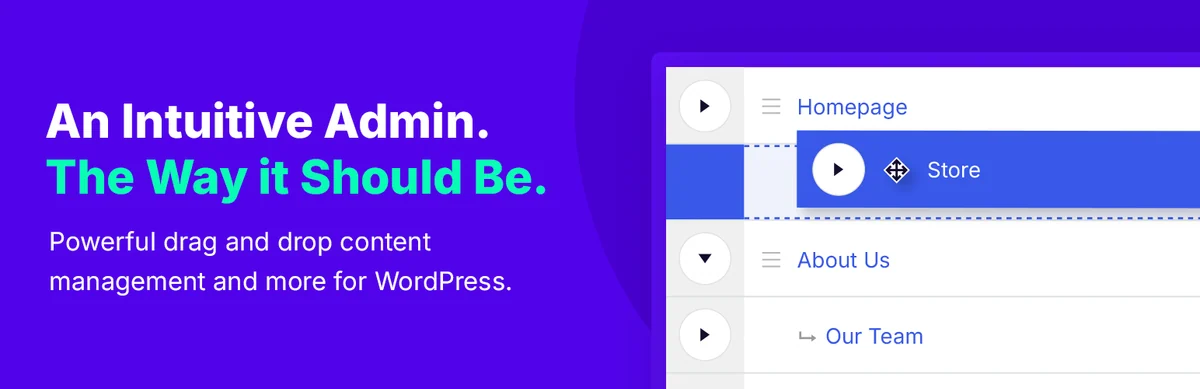 Official Nested Pages presentation image; no installation or performance measurement performed.
Best forManage a page tree.
Nested Pages replaces the native page list with a tree and quick editing. It helps restructure parent and child pages but does not replace text review. Its Nested Pages menu synchronisation is enabled by default: untick Sync Menu before a trial if you do not want synchronisation. Retain original parents and order, then check URLs and navigation after every move. Default Pages returns you to the usual WordPress screen.
Offer pricing
Free extension: 0, without an advertised software subscription.
Billing: No billing for the extension distributed on WordPress.org.
Renewal and support: No paid renewal advertised for this extension.
No paid price for this extension; hosting and optional services remain separate.
Checked on .
Strengths
- Tree view.
- Quick editing and page sorting.
What to consider
- A new parent/child relationship may change a page path; check links.
- Menu synchronisation limited to pages; handling additional languages with WPML uses its own tools.
Pricing terms and compatibility
Understanding the offer
- Price at the time of review
- Free extension: 0, without an advertised software subscription.
- Currency
- Unspecified. Confirm for the offer you choose.
- Billing
- No billing for the extension distributed on WordPress.org.
- Renewal and support
- No paid renewal advertised for this extension.
- Taxes and fees
- No paid price for this extension; hosting and optional services remain separate.
- Commitment and terms
- No commercial website or seat quota advertised in the free distribution.
- Date checked
Compatibility and components
- Version 3.3.3; testing declared up to WordPress 7.1.4. Displayed update: 2026-09-25 6:58pm GMT. Declared requirements: WordPress 3.8, PHP 8.0. No practical trial performed.
WP Document Revisions
 Official WP Document Revisions presentation image; no installation or performance measurement performed.Open full-size screenshot ↗
Best forCollaborate on documents and their versions.
WP Document Revisions tracks file versions and progress in collaborative work. It suits an editorial team also approving downloadable documents, with responsibilities and history. This need differs from sorting media into folders. Define visibility and the reference document; change summaries produced with any AI assistance must remain verified.
Offer pricing
Free extension: 0, without an advertised software subscription.
Billing: No billing for the extension distributed on WordPress.org.
Renewal and support: No paid renewal advertised for this extension.
No paid price for this extension; hosting and optional services remain separate.
Checked on .
Strengths
- File versions and a persistent document URL pointing to the current version.
- Private, password-protected or public visibility; revision history.
What to consider
- File management, separate from correcting an already published article.
- Optional AI summary through WordPress 7.0: check provider, costs and content transmitted before enabling; do not send sensitive documents by default.
Pricing terms and compatibility
Understanding the offer
- Price at the time of review
- Free extension: 0, without an advertised software subscription.
- Currency
- Unspecified. Confirm for the offer you choose.
- Billing
- No billing for the extension distributed on WordPress.org.
- Renewal and support
- No paid renewal advertised for this extension.
- Taxes and fees
- No paid price for this extension; hosting and optional services remain separate.
- Commitment and terms
- No commercial website or seat quota advertised in the free distribution.
- Date checked
Compatibility and components
- Version 5.8.2; testing declared up to WordPress 7.1.4. Displayed update: 2026-10-27 8:29pm GMT. Declared requirements: WordPress 5.9, PHP 8.0. No practical trial performed.
Content Approval Workflow
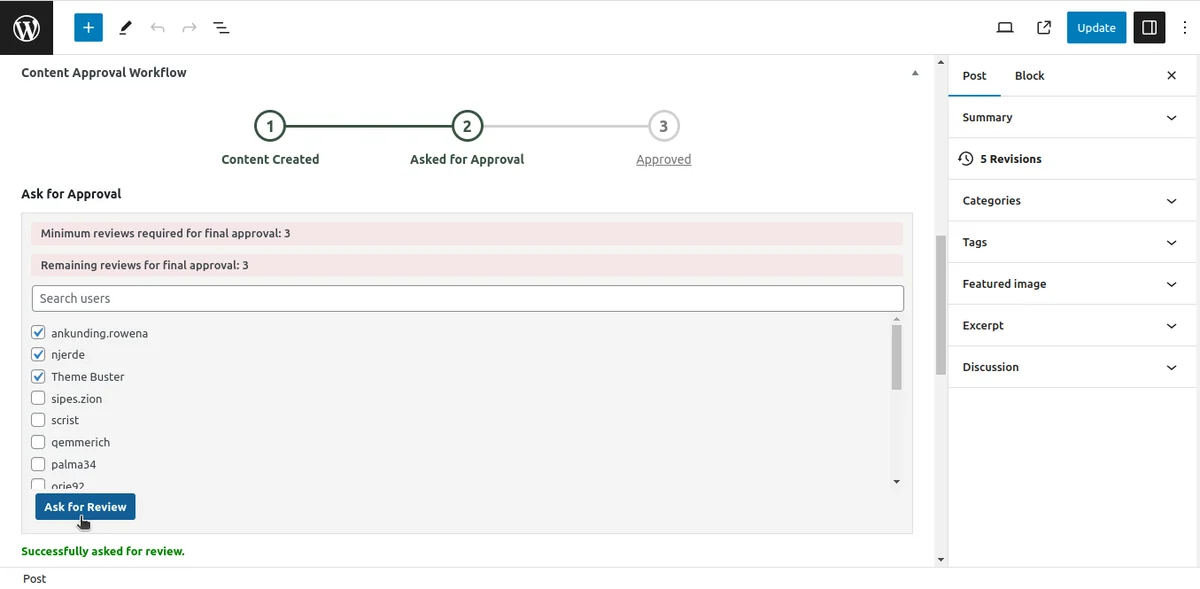 Official example of reviewer selection in Gutenberg; no real account or request created.Open full-size screenshot ↗
Best forAssign a simple content review.
Content Approval Workflow lets you choose several reviewers in the editor, request their opinion and track comments, approval and history. It may suffice for a team with a simple process and internal accounts. Its listing also offers publishing certain content without review: control this exception if approval is mandatory. With a displayed February 2025 update and compatibility declared up to WordPress 6.7.11, this candidate deserves prior compatibility validation rather than immediate adoption on a recent website.
Offer pricing
Free extension: 0, without an advertised software subscription.
Billing: No billing for the extension distributed on WordPress.org.
Renewal and support: No paid renewal advertised for this extension.
No paid price for this extension; hosting and optional services remain separate.
Checked on .
Strengths
- Choose several reviewers, discuss in the editor and retain approval history.
- Assignment emails, adjustable reminders and status columns.
What to consider
- Recent maintenance not established beyond February 2025; WordPress 7.x not covered by the tested field.
- Publication-without-review exception advertised: do not promise an absolute lock.
Pricing terms and compatibility
Understanding the offer
- Price at the time of review
- Free extension: 0, without an advertised software subscription.
- Currency
- Unspecified. Confirm for the offer you choose.
- Billing
- No billing for the extension distributed on WordPress.org.
- Renewal and support
- No paid renewal advertised for this extension.
- Taxes and fees
- No paid price for this extension; hosting and optional services remain separate.
- Commitment and terms
- No commercial website or seat quota advertised in the free distribution.
- Date checked
Compatibility and components
- Version 1.1.6; testing declared up to WordPress 6.7.11. Displayed update: 2025-02-24 11:48am GMT. Declared requirements: WordPress 3.0.1, PHP unspecified. No practical trial performed.
Content Flow Manager
 Official Content Flow Manager presentation image; no installation or performance measurement performed.Open full-size screenshot ↗
Best forA focused review and correction process.
Content Flow Manager adds review with approval or rejection and comments. The described journey starts at Pending Review, then an editor or administrator decides with a note; the author finds feedback in their dashboard. It suits a small blog wanting to retain correction reasons. Version 1.0.2 and declared compatibility require prior acceptance testing in your environment. Cron-based reminders are advertised: check their configuration and recipients before putting the process into service.
Offer pricing
Free extension: 0, without an advertised software subscription.
Billing: No billing for the extension distributed on WordPress.org.
Renewal and support: No paid renewal advertised for this extension.
No paid price for this extension; hosting and optional services remain separate.
Checked on .
Strengths
- Approval and rejection documented.
- Tracking editorial requests.
What to consider
- Version 1.0.2 and testing declared up to WordPress 6.9.11: limited track record and current compatibility.
- Check reminder destinations, capabilities and the record before entrusting a mandatory process to it.
Pricing terms and compatibility
Understanding the offer
- Price at the time of review
- Free extension: 0, without an advertised software subscription.
- Currency
- Unspecified. Confirm for the offer you choose.
- Billing
- No billing for the extension distributed on WordPress.org.
- Renewal and support
- No paid renewal advertised for this extension.
- Taxes and fees
- No paid price for this extension; hosting and optional services remain separate.
- Commitment and terms
- No commercial website or seat quota advertised in the free distribution.
- Date checked
Compatibility and components
- Version 1.0.2; testing declared up to WordPress 6.9.11. Displayed update: 2026-02-07 9:11pm GMT. Declared requirements: WordPress 6.0, PHP 8.0. No practical trial performed.
Editant
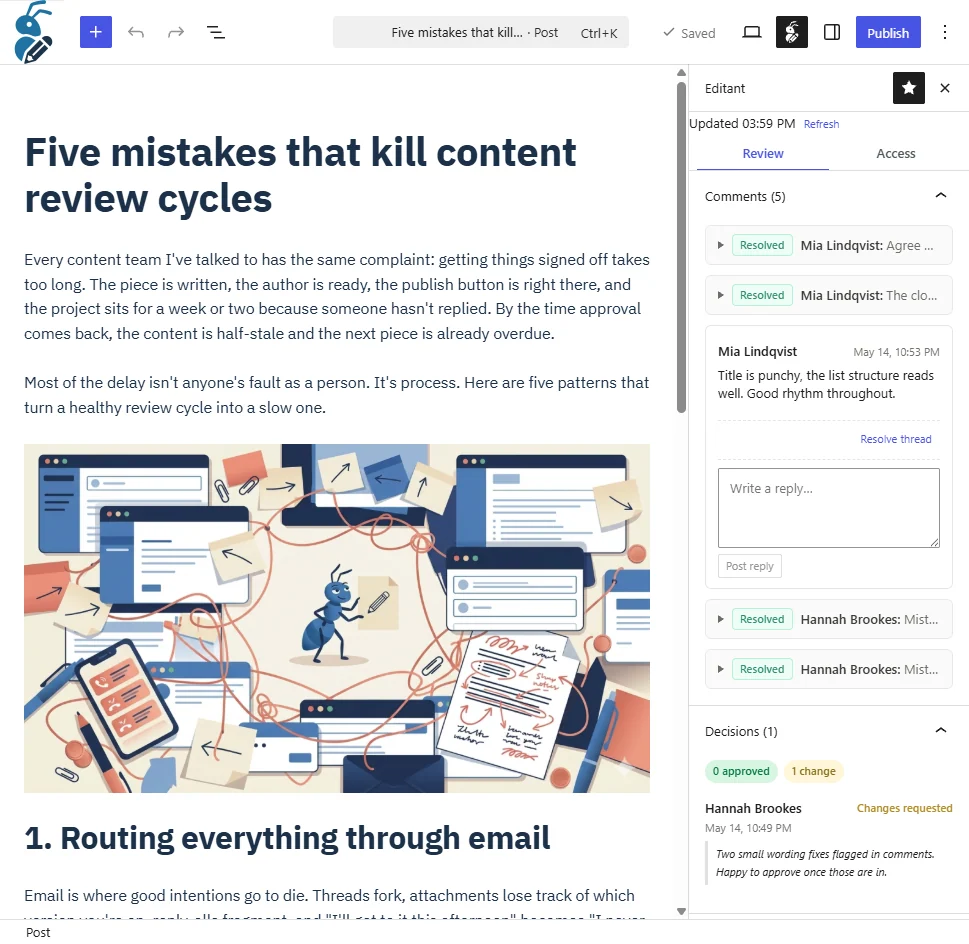 Official Editant screenshot: comments and decisions in the Gutenberg sidebar on demonstration content.Open full-size screenshot ↗
Best forExternal review with recorded decisions.
Editant gives an external reviewer an expiring, revocable link with comment threads and decisions retained in WordPress. Free covers this journey without a reviewer account; Pro notably adds in-text suggestions, a quorum of several approvers and per-link access restrictions. The product suits client approval, provided the block editor and non-plain permalinks are used. A recorded decision alone does not prove that every publication method is blocked.
Offer pricing
Free Core is free; separate Pro, price unverified because the pricing page did not respond.
Billing: Pro cycle, currency and website count not established.
Renewal and support: Pro renewal terms unknown.
VAT and other taxes not established on the page consulted; check the final amount before payment.
Checked on .
Strengths
- Free core: comments, Approve/Request Changes, history, emails and immediate link revocation.
- Pro: anchored suggestions, quorum, deadlines and additional access controls.
What to consider
- Classic editor unsupported; public types with REST and non-plain permalinks required.
- Pro price unverified; Pro AI uses a provider key chosen by the website, never required for the free core.
Pricing terms and compatibility
Understanding the offer
- Price at the time of review
- Free Core is free; separate Pro, price unverified because the pricing page did not respond.
- Currency
- Unspecified. Confirm for the offer you choose.
- Billing
- Pro cycle, currency and website count not established.
- Renewal and support
- Pro renewal terms unknown.
- Taxes and fees
- VAT and other taxes not established on the page consulted; check the final amount before payment.
- Commitment and terms
- The free core advertises no per-reviewer billing; do not infer Pro licence quotas from this.
- Date checked
Compatibility and components
- Version 1.2.2; testing declared up to WordPress 7.1.4. Displayed update: 2026-09-13 3:41pm GMT. Declared requirements: WordPress 6.6, PHP 8.1. No practical trial performed.
Jumplinks Flow
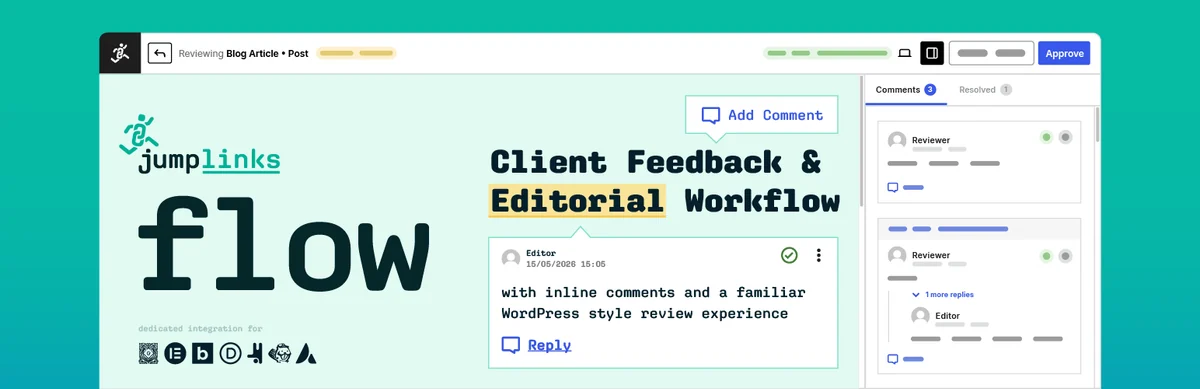 Official Jumplinks Flow banner; free/Pro features and quotas are distinguished in the description.
Best forCollect feedback on the rendered page.
Jumplinks Flow collects comments on a page’s actual rendering, including from an external reviewer invited by email. Free limits assignment to one reviewer per content item; Pro provides multiple reviewers, a minimum approval count, public or whole-website review. Mandatory review advertises blocking first publication or scheduling, including through REST. Choose types and permissions under Flow > Settings, then check exceptions and what happens to content changed after approval on a website copy.
Offer pricing
Free; Pro 49 USD/year for 1 website, 89 for 10 websites, 199 for unlimited websites. Monthly entry at 4.99 USD or lifetime 1-website licence at 149 USD.
Billing: Annual or monthly subscription, or lifetime one-time payment; annual cards are not monthly prices.
Renewal and support: At subscription end, data retained and Pro features locked until renewal; free core maintained. Future price not guaranteed.
VAT and other taxes not established on the page consulted; check the final amount before payment.
Checked on .
Strengths
- Comments positioned on text or images.
- Decisions and mandatory review option advertised.
What to consider
- Only one assigned reviewer per content item in free; public sharing without invitation and quorum require Pro.
- Do not assume every change to already published content follows the same lock as first publication.
- Notifications, Slack and webhooks must remain disabled during a trial without sending.
Pricing terms and compatibility
Understanding the offer
- Price at the time of review
- Free; Pro 49 USD/year for 1 website, 89 for 10 websites, 199 for unlimited websites. Monthly entry at 4.99 USD or lifetime 1-website licence at 149 USD.
- Currency
- USD
- Billing
- Annual or monthly subscription, or lifetime one-time payment; annual cards are not monthly prices.
- Renewal and support
- At subscription end, data retained and Pro features locked until renewal; free core maintained. Future price not guaranteed.
- Taxes and fees
- VAT and other taxes not established on the page consulted; check the final amount before payment.
- Commitment and terms
- Free: 1 assigned reviewer per content item; Pro: unlimited reviewers and approval threshold. The page gives conflicting explanations about staging/multisite: confirm how these installations are counted before purchase.
- Date checked
Compatibility and components
- Version 2.7.1; testing declared up to WordPress 7.1.4. Displayed update: 2026-10-28 8:25am GMT. Declared requirements: WordPress 6.0, PHP 7.4. No practical trial performed.
SapphireIT Editorial Workflow
 Official SapphireIT banner; the workflow’s Published status does not publish the WordPress post.
Best forPrecisely defined editorial transitions.
SapphireIT Editorial Workflow assigns a state, reviewer and deadline, with internal comments and history. Its transition machine is checked server-side according to capabilities, but its Published state does not perform WordPress publication: the fields are separate. Version 1.0.0 sends no email, even when a reviewer is designated. This candidate suits a team deliberately consulting its tracking board; do not choose it assuming it will publish, notify people or block all native publication.
Offer pricing
Free extension: 0, without an advertised software subscription.
Billing: No billing for the extension distributed on WordPress.org.
Renewal and support: No paid renewal advertised for this extension.
No paid price for this extension; hosting and optional services remain separate.
Checked on .
Strengths
- Explicit transitions, six dedicated capabilities and internal history.
- State-change conflict checking advertised, filters by reviewer and deadline.
What to consider
- Version 1.0.0: no email, calendar or automatic publication.
- Workflow statuses remain separate from WordPress status; no general publication lock demonstrated.
Pricing terms and compatibility
Understanding the offer
- Price at the time of review
- Free extension: 0, without an advertised software subscription.
- Currency
- Unspecified. Confirm for the offer you choose.
- Billing
- No billing for the extension distributed on WordPress.org.
- Renewal and support
- No paid renewal advertised for this extension.
- Taxes and fees
- No paid price for this extension; hosting and optional services remain separate.
- Commitment and terms
- No commercial website or seat quota advertised in the free distribution.
- Date checked
Compatibility and components
- Version 1.0.0; testing declared up to WordPress 7.1.4. Displayed update: 2026-10-18 8:02am GMT. Declared requirements: WordPress 6.8, PHP 7.4. No practical trial performed.