

Choose where the team will handle enquiries
Follow an enquiry from arrival to closure. Who receives it, where do you reply and how does a colleague find the exchange if they must take over? A ticket portal installed in WordPress suits a team wanting to manage enquiries in site administration. With a chat or shared-inbox connector, handling generally happens in the associated service. Compare both routes with the same enquiry and record where history is retained.
The twenty-five offerings include local extensions, connectors and specialised solutions. Free and Pro editions of the same tool appear in one entry. To estimate the budget, distinguish a free extension, a free connector that may require a subscription and a trial whose access expires. Amounts and terms correspond to the November 3, 2026 record. Check the price applicable to your account before subscribing. The procedures below are tests to perform.
- Describe the typical enquiry, the person handling it and the response time.
- Shortlist two solutions and compare handling of the same enquiry.
Compare before you choose
The offers at a glance
Find the use case and budget that fit, then read the details to see the limitations and any components you may need.
On smaller screens, the table scrolls horizontally. With a keyboard, press Tab to focus the table, then use the left and right arrow keys.
| Offer | Best for | Pricing and billing | Renewal and support |
|---|---|---|---|
 Fluent SupportRead the details | A private enquiry portal in WordPress. | Free core: 0. One-domain Pro displayed at a promotional 90 dollars/year, normal price 129. Annual Pro licence; email collection and integrations vary by offering. Taxes and currency code not established unless explicitly stated; do not assume a tax-inclusive price. | Due date according to the chosen plan; discount and future amount not guaranteed by this record. |
 SupportCandyRead the details | A team wanting to organise tickets locally. | Free core: 0; annual Personal displayed at a promotional 39.50 dollars, normal price 79, for one site. Annual offering or separate lifetime licence. Taxes and currency code not established unless explicitly stated; do not assume a tax-inclusive price. | Due date according to the chosen plan; discount and future amount not guaranteed by this record. |
 Awesome SupportRead the details | WordPress tickets with modules chosen according to need. | Free core: 0; Standard bundle displayed at 149 dollars/year. Annual bundle with one year of support and updates. Taxes and currency code not established unless explicitly stated; do not assume a tax-inclusive price. | Due date according to the chosen plan; discount and future amount not guaranteed by this record. |
 JS Help DeskRead the details | Local tracking distributed by agents and departments. | Free core: 0; Pro 99 dollars/year for one site, Business 149 dollars/year for five. Annual licence; staging and development sites distinguished in the offering. Taxes and currency code not established unless explicitly stated; do not assume a tax-inclusive price. | Automatic renewal cancellable from Subscriptions; confirm future amount. |
 WSDeskRead the details | Local enquiries with messaging and store needs. | Free edition: 0; premium rate not established in the selected pages. Permanent free core; separate premium edition. Taxes and currency code not established unless explicitly stated; do not assume a tax-inclusive price. | No expiry for the free edition; premium renewal not established. |
 Support GenixRead the details | Local tracking with documentation and multiple agents. | Free core: 0. Developer offering: 1 US dollar for 30 days, then 99 US dollars/year for five sites according to the consulted promotion. Recurring Developer offering; separate promotions and lifetime licences. Taxes and currency code not established unless explicitly stated; do not assume a tax-inclusive price. | After 30 days: 99 US dollars/year advertised; check the promotion before committing. |
 tawk.toRead the details | External human chat with a free base offering. | Free basic chat. November 3, 2026 record for Remove Branding: USD 39/month with monthly billing or USD 348/year, equivalent to USD 29/month, per property. Remove Branding per property, monthly or annual according to the detailed record. Taxes and currency code not established unless explicitly stated; do not assume a tax-inclusive price. | Due date according to the chosen plan; discount and future amount not guaranteed by this record. |
 TidioRead the details | Conversations with several explicitly tracked service counters. | Free plan available; Starter displayed at 24.17 dollars/month for 100 billable conversations. Confirm payment schedule in the calculator. Volume-based service; reconcile displayed monthly amount with billing duration. Taxes and currency code not established unless explicitly stated; do not assume a tax-inclusive price. | Due date according to the chosen plan; discount and future amount not guaranteed by this record. |
 CrispRead the details | A shared inbox priced per workspace. | Free: 0 for two agents; Mini displayed at 45 dollars/month per workspace, four seats included. Service per workspace; additional seats and credits vary by plan. Taxes and currency code not established unless explicitly stated; do not assume a tax-inclusive price. | Due date according to the chosen plan; discount and future amount not guaranteed by this record. |
 ChatraRead the details | A small team alternating live presence and deferred replies. | Free: 0 for one agent. Messenger page: 31 dollars/agent/month with monthly billing or 25 with annual billing. Per-agent service; annual separate from monthly. Taxes and currency code not established unless explicitly stated; do not assume a tax-inclusive price. | Due date according to the chosen plan; discount and future amount not guaranteed by this record. |
 SmartsuppRead the details | Chat for a small store with tracked history and volumes. | Free: 0, one operator, 14-day history. Solo displayed at 14 euros/month, billed annually. Service; Solo paid annually, displayed amount as a monthly equivalent. Taxes and currency code not established unless explicitly stated; do not assume a tax-inclusive price. | Due date according to the chosen plan; discount and future amount not guaranteed by this record. |
 JivoChatRead the details | A team already using JivoChat, after checking the connector. | Free offering presented; Basic displayed at 28 dollars/agent/month when billed annually. Per-agent service, annual for the quoted price. Taxes and currency code not established unless explicitly stated; do not assume a tax-inclusive price. | Due date according to the chosen plan; discount and future amount not guaranteed by this record. |
 LiveChatRead the details | Commercial chat administered in the Text/LiveChat ecosystem. | Text Essential displayed at 19 dollars/user/month, billed annually; 25 dollars monthly. Separate trial. Per-user service; annual prepayment for 19 dollars/month. Taxes and currency code not established unless explicitly stated; do not assume a tax-inclusive price. | Due date according to the chosen plan; discount and future amount not guaranteed by this record. |
 FormillaRead the details | A solo agent seeking free chat with an upgrade path. | Free Standard: 0 for one agent. Premium: 13.99 dollars/month with the annual term paid in full. Service; monthly equivalent for an annual commitment. Taxes and currency code not established unless explicitly stated; do not assume a tax-inclusive price. | Due date according to the chosen plan; discount and future amount not guaranteed by this record. |
 ChatwayRead the details | Simple external chat, then a team with identified seats. | Free: 0 for one seat. Business: 31 dollars/month billed annually or 39 dollars monthly, two seats included. Service by plan and seats; annual separate from monthly. Taxes and currency code not established unless explicitly stated; do not assume a tax-inclusive price. | Due date according to the chosen plan; discount and future amount not guaranteed by this record. |
 HelpCrunchRead the details | A team wanting chat, shared inbox and documentation. | Basic from 15 dollars/month per person according to billing documentation; 14-day trial. Monthly or annual paid in advance; check team size and email volume. Taxes and currency code not established unless explicitly stated; do not assume a tax-inclusive price. | Due date according to the chosen plan; discount and future amount not guaranteed by this record. |
 ThriveDeskRead the details | A small support team connected to WordPress or WooCommerce. | Basic: 29 dollars/month billed annually, two people and one inbox. Separate trial. Annual service for the quoted amount; paid additional inboxes. Taxes and currency code not established unless explicitly stated; do not assume a tax-inclusive price. | Due date according to the chosen plan; discount and future amount not guaranteed by this record. |
 LiveAgentRead the details | Multichannel support with identified agents and external services. | Starter displayed at 11 dollars/agent/month annually, normal price 15; monthly 15, normal price 19. Confirm promotion. Per-agent service, monthly or annual; team limits vary by offering. Permanent free plan unconfirmed in the record; discrepancy with connector FAQ. Taxes and currency code not established unless explicitly stated; do not assume a tax-inclusive price. | Due date according to the chosen plan; discount and future amount not guaranteed by this record. |
 WPHelpDeskRead the details | An already-equipped site or evaluation with maintenance confirmation. | Standard: 99 dollars/year, one site. Professional: 199 dollars/year with all advertised modules. Annual licence with one year of updates and support. Taxes and currency code not established unless explicitly stated; do not assume a tax-inclusive price. | Due date according to the chosen plan; discount and future amount not guaranteed by this record. |
 OlarkRead the details | An existing user team, with verification of recent integration. | Human chat: 29 dollars/agent/month. Separate AI offering: 400 dollars/month billed annually, or 4,800 per year. Service; annual AI offering separate from human chat. Taxes and currency code not established unless explicitly stated; do not assume a tax-inclusive price. | Due date according to the chosen plan; discount and future amount not guaranteed by this record. |
 Lime Connect — famille UserlikeRead the details | A team assessing the Userlike family, now Lime Connect. | Free plan available after trial; the WordPress listing advertises Pro from 87 euros/month. Confirm payment schedule and total. External service; limited free plan and separate team offerings. Taxes and currency code not established unless explicitly stated; do not assume a tax-inclusive price. | Due date according to the chosen plan; discount and future amount not guaranteed by this record. |
 Help Scout — connecteur BoldGridRead the details | A site already using Help Scout and wanting Beacon. | Free connector; Free service with five users, one inbox and one Docs site. Standard displayed at 25 dollars/user/month; confirm payment schedule. External service; form API according to paid plan, Beacon accessible free according to the FAQ. Taxes and currency code not established unless explicitly stated; do not assume a tax-inclusive price. | Due date according to the chosen plan; discount and future amount not guaranteed by this record. |
 TotalDeskRead the details | An existing installation to assess with maintenance reservations. | CodeCanyon Regular: 79 US dollars. Direct offering: 79.95 dollars/year or 9.95 dollars/month, separate contract. Marketplace licence and direct subscription are alternatives. CodeCanyon in US dollars, excluding taxes and handling fees; direct-contract currency code and taxes not established. | CodeCanyon: future updates and six months of support; separate extension. Direct: annual or monthly due date. |
 Support Board — WordPressRead the details | Chat installed in WordPress with selected modules and channels. | WordPress version CodeCanyon Regular: 59 US dollars; Extended: 499 US dollars, different licence. WordPress licence; separate applications and external providers. CodeCanyon excluding taxes and handling fees; confirm direct-contract taxes. | Future updates and six months of support included; separate paid extension. |
 WooCommerce Support Ticket SystemRead the details | Order-linked tickets with sufficient technical independence. | CodeCanyon Regular: 39 US dollars; Extended: 155 US dollars, different licence. Licence purchase; WooCommerce required. CodeCanyon excluding taxes and handling fees; confirm direct-contract taxes. | Future updates advertised; no support provided by the author according to the listing. |
Prepare a test site and separate access
Use an authorised test site and record initial settings. Install directory extensions through Plugins → Add New and activate only one solution at a time. For a commercial product, use the installation file and licence you have. If the connector requests an external account, choose a workspace authorised for trials. Without that access, prepare pages and local settings, then defer verification of the service's widget, messages and permissions.
Create two fictional customer accounts and one agent account. Prepare an open enquiry, then have another agent take over if your team works in shifts. Record the ticket ID, status and next action. Check what each account sees and open direct ticket and attachment addresses in a logged-out session. Also try an attachment address with the other customer. A hidden link may remain accessible to anyone knowing its address.
Use fictional data and a system intercepting outgoing emails. You can read notification recipients, text and links without contacting a real customer. To check external delivery or incoming reply collection, arrange separate trials with an authorised mailbox and corresponding feature. Adapt steps to the installed edition, then remove only tickets, files and accounts created for the test.
- Record starting settings and prepare test accounts.
- Check ticket and file access, then separately test outgoing and incoming messages.
Cost the service and plan its removal
For a local extension, count the licence, email-collection modules and hosting maintenance. For an external service, record seat count, billed unit and history-retention duration. A displayed monthly price may correspond to an annually paid commitment. Specify currency, taxes, renewal and amount due for the chosen edition.
Locate portal pages, access rules and script locations. Remove one insertion at a time and check that replacement contact works, both logged in and out. Handle open conversations and any service cancellation separately. Record the owner and next action of every enquiry in the original inbox, then export necessary data if the offering permits. To undo removal, restore the page or script and settings. A complete database restoration could erase enquiries arriving since the backup.
- Compare costs of the licences, seats, modules and volumes you need.
- Remove the widget or portal and check replacement contact.
Fluent Support
For a small team primarily receiving written enquiries, start with the customer portal and ticket handling in WordPress. Tracking must remain understandable when another agent takes over. Open a ticket through the portal, reply in administration and check that the customer finds the message and case status. If your team wants to receive replies by email, assess that feature separately in the edition offering it.
In Fluent Support → Settings, locate the customer portal page. The [fluent_support_portal] shortcode displays this portal on a test page. Keep registration closed and use prepared accounts. The registration form depends on the WordPress setting. Give the second customer the direct address of the first customer's fictional ticket to check access denial.
- Submit a ticket and find it in administration.
- Reply as an agent, then reopen the portal with the customer account.
- Check both customers' permissions before assessing incoming collection.
SupportCandy
SupportCandy suits a team defining its own fields and statuses. Add an internal reference field and two statuses corresponding to concrete actions, such as an enquiry awaiting handling and one awaiting the customer. Assign the same ticket to two agents successively. The second must find the exchange and understand who should act next. Check the customer-side result. If replies must also arrive by email, reserve a mailbox for this trial and check which edition covers incoming collection.
- Configure the field and two statuses in the test portal.
- Have another agent take over the enquiry and check what the customer sees.
- Check incoming-collection scope before connecting a mailbox.
Awesome Support
If you want to add automations gradually, start with submission and reply. Keep one open and one closed ticket to compare their display before and after a theme change. This shows whether form presentation changes while history stays accessible. Also check the message received by the requester when the agent replies.
Installation creates the My Tickets and Submit ticket pages. Add their links to the test-site menu and submit an enquiry with the customer account. Then compare My Tickets access with another customer's access. The commercial public-ticket module serves a different use from this private portal.
- Locate submission and tracking pages in the installed version.
- Compare viewing the same ticket with both customer accounts and while logged out.
- Read the intercepted notification and check display with the theme used.
JS Help Desk
JS Help Desk suits enquiries distributed between several departments. Create two fictional departments, for example registrations and billing, and assign agents. Submit an enquiry to the wrong department to check rerouting and permissions after transfer. If you accept enquiries without an account, check how requesters find their conversation and what information is requested.
Open Help Desk to complete page, sending-address and agent settings. The [jssupportticket_addticket] shortcode handles entry and [jssupportticket_mytickets] tracking. [jssupportticket] brings the portal together. Reserve these calls for test pages to identify which screen is involved if access fails.
- Configure two departments and check their agents' permissions.
- Submit an enquiry to the wrong department, then reassign it.
- Check tracking according to the selected guest or logged-in mode.
WSDesk
For store-related support, start with the free edition and an enquiry citing a fictional order. Check which order data the agent can view from the ticket. Mailbox connection and automatic rules depend on the offering. Finish the web-form test first. If incoming collection is needed, then check the corresponding module and test mailbox. The form and email reply must produce outcomes you can check separately.
- Create a ticket from the store's web form.
- Record order information visible to the agent.
- Check the required edition before testing email collection.
Support Genix
Support Genix may suit a team wanting to manage tickets and reference answers in one place. Create a help article on a fictional subject, then open a ticket on that subject. Check that the agent finds the enquiry and can reply with the article link. Use this human workflow as a comparison point for deciding whether an AI feature adds value to the service.
The Support Genix menu lets you find created tickets. If considering an AI feature, record the required provider, consumption terms and licence coverage. The banner's “AI” label does not provide that information.
- Prepare a help article and submit an enquiry related to its subject.
- Reply as an agent with the link and verify receipt.
- Separately price the licence, integrations and any AI-provider use.
tawk.to
For a support shift ending at noon, check the transition from chat to the offline form. Choose the timezone and a short window. Leave a message after closing and find it in the operator interface. A contact link must remain accessible if the widget is unavailable. The November 3, 2026 record distinguishes 39 dollars per month and 348 dollars per year for branding removal, per property.
In Settings → Tawk.to, select the test property and widget, set their visibility, then save with Save Changes. Widget hours and content are configured in the service dashboard. If a message appears missing, compare the displayed ID with the selected property's ID.
- Connect the test property and check that only one widget appears.
- Schedule a break and open the offline form without an administrator login.
- Pick up the message on reopening and check the reply address.
Tidio
Tidio merits a trial if you need to budget for conversations of varying duration. Connect an authorised workspace, then simulate a short human conversation, an interrupted exchange and resumption the following day. Compare what the service counts in each case. Flows and Lyro quotas concern different uses. Check their units in the intended plan and retain human handling as a reference for later assessing the value of an automated flow.
- Open the widget from the contact page.
- Handle a message, interrupt the exchange, then resume the following day.
- Reconcile observed counters with units billed in the offering.
Crisp
Crisp suits a team where two people cover different shifts. Connect the test workspace and schedule availability using the offering's options. Observe the widget when only one operator remains, then when the whole team is absent. Compare hiding the widget with the journey allowing visitors to leave a message. Before choosing the latter, check how the reply address is collected and which seats or modules are required for handover.
- Test availability with one operator, then with the entire team offline.
- Leave a message and check that the operator can reply after the browser closes.
- Check cost per workspace and the offering required for an advanced absence flow.
Chatra
Chatra may suit an operator alternating live coverage and deferred replies. Compare information given to visitors when the operator is available or absent. Then leave two messages, one with a reply address and one without. Check when the team can continue the exchange after the page closes. The November 3, 2026 record distinguishes the WordPress listing from the Messenger grid. For budgeting, check the latter's price for the selected agent count and payment schedule.
In the service, open Chat Widget and copy the authorised workspace's code. Paste it into Settings → Chatra chat, then save. Disable the old insertion if the theme or a tag manager already adds the widget. You can then attribute observed behaviour to the correct connector.
- Connect the widget to the authorised workspace and check insertion.
- Compare resuming a message with and without a reply address.
- Record agent count and monthly or annual billing.
Smartsupp
Smartsupp merits a trial if the team must find a conversation several days after closure. Create two recognisable exchanges, close one and ask the person on duty to find it. Compare plan retention duration with the usual follow-up interval. If available history is too short, plan other tracking or choose a suitable offering. Price Mira separately. Also check that the page's contact link remains accessible when the widget is closed.
- Identify the chosen plan's history duration.
- Find a closed exchange and examine resumption options.
- Compare the team's follow-up interval with terms in the November 3 record.
JivoChat
If your team already uses JivoChat, record how the widget is inserted and which connector version is active. The entry indicates the last update and WordPress version up to which the publisher declares testing. For a newer installation, confirm support before selecting the connector. Then check display, notifications and widget removal with the insertion method used. For a new site, examine this maintenance point before comparing per-agent prices.
- Identify connector version and widget insertion point.
- Open an exchange, check the notification, then verify widget removal.
- Confirm compatibility with the target version before choosing the tool.
LiveChat
The LiveChat connector may suit a team planning to handle enquiries in the Text platform. Connect the authorised workspace, have one user reply, then ask a colleague to take over the conversation. Count seats needed for this handover. Read the new-customer grid separately from terms for existing LiveChat accounts. Identify which applies to your workspace before calculating cost. If considering an AI feature, also record billed units and limits.
- Identify the contract attached to the workspace used.
- Have two users handle a conversation successively.
- Compare seats and quotas with the applicable offering.
Formilla
For single-person coverage, open then close an exchange and observe what visitors see when the operator leaves their station. If the team wants to send files, identify the offering covering this feature. Then test a fictional document and check who can open it. The equivalent monthly price in the entry corresponds to an annual term paid in full.
In the Formilla Chat menu, open Get Started. The operator's presence in the web dashboard makes chat online. Log them out to examine offline state. If the fifteen-day Premium trial is running, record which features remain in the permanent free plan before choosing.
- Observe chat with the operator logged in, then offline.
- Check access rights to the fictional document if file sharing is needed.
- Record total annual payment and features remaining after the trial.
Chatway
Chatway may support coverage by one person, then shared with a colleague. Identify the workspace shown in settings and check which account occupies the available seat. Ask the second agent to take over a conversation. The recorded Business plan provides two seats with annual or monthly billing. Compare this scope with the number of people needing to act simultaneously, including during cover, before comparing it with a per-agent rate.
- Connect the authorised workspace and check the account administering it.
- Have an enquiry handed over and record permissions needed by the second agent.
- Compare included seat count with coverage needs.
HelpCrunch
If the team wants to manage the inbox and documentation in the same service, prepare a help page with a chat link. Send an enquiry from that page and check what context arrives in the inbox. To estimate cost, count users, emails and AI conversations separately. Note the temporary trial's end date and the day the team will decide to continue or remove the widget.
In HelpCrunch, open Settings → Channels → Website Widgets. Record the widget name and workspace before changing display. If abandoning the trial, remove the WordPress connector and separately close the trial in the management workspace.
- Check the journey from help page to inbox.
- Record user count and billed volumes.
- Plan connector removal and trial closure if abandoning the offering.
ThriveDesk
To test the shared inbox, open an enquiry citing a fictional order and have a second agent take over. Record order information visible and actions offered to each. Limit verification to viewing permitted by the role. Read shared-inbox cost separately from connector cost. Check whether the agent taking over has context without searching for the order elsewhere.
In ThriveDesk → Overview, check the connected account. The Integrations tab distinguishes WooCommerce from other integrations. The portal can be placed with [thrivedesk_portal] on a test page. Compare this journey with the Support tab in WooCommerce My Account when enabled, then check that another customer cannot view the enquiry.
- Create an enquiry linked to a fictional order.
- Check commercial information accessible to each agent.
- Have the enquiry handed over in the shared inbox and count required seats.
LiveAgent
LiveAgent merits a trial if you want to handle several channels in one inbox. Start with a chat exchange and check where the service classifies it and whom it assigns. Add telephony only if your need and offering cover it. Associate every promotional price with its payment schedule. If an AI feature requires a provider key, identify that dependency and terms before deciding to activate it.
In the LiveAgent menu, choose the chat button and save. Agents reply in the external dashboard. On November 3, 2026, the WordPress FAQ mentioned a free plan with seven days' history, while the commercial grid presented a trial and paid offerings. Confirm the plan offered to a new account before relying on permanent free use.
- Check classification of an exchange and deferred resumption if the offering permits.
- Find the owner and status in the service inbox.
- Separately price the plan, channels and any external-provider use.
WPHelpDesk
If WPHelpDesk is already installed, record version and active modules. Submit a fictional ticket and follow its reply, notification and closure. If your team must handle replies received by email, identify the module adding this feature to the commercial core. Maintenance information available on November 3, 2026 leaves compatibility with your environment to be confirmed. Before committing to a new installation or history migration, check supported versions and support terms.
- Record version and active modules.
- Have a ticket handled and closed, checking the outgoing notification.
- Confirm maintenance and identify the offering covering incoming collection.
Olark
If your team already uses Olark, start by locating how the widget loads. Check that only one insertion operates, then observe a human exchange, closure and resumption when the operator becomes available again. Compare versions declared in the entry with your installation. Price human-chat per-agent cost and the AI offering separately. Chat and its history suffice for an initial test.
In Settings → Olark Settings, check Site ID and chatbox activation. Compare the ID with the authorised workspace's and keep it out of public reports. If the theme already inserts a script, remove only that insertion from the test site before trying the connector.
- Locate the script or connector and check that it loads the widget only once.
- Test opening, closing and resuming an exchange.
- Check connector maintenance before comparing AI offerings.
Lime Connect — Userlike family
Lime Connect and Userlike designate the same family here. Check the displayed service name when connecting the connector to the existing workspace. Send a message from the site and track its channel and status after closing. If several channels are needed, check each path to the inbox and plan terms. Also confirm what the account allows after the trial ends.
In the service, retrieve Widget Secret under Install → Javascript widget code. Enter it in the authorised test-site settings and keep it out of the page and shared screenshots. The Userlike name may remain visible in this same connector's settings.
- Match the Userlike name with the Lime Connect account used.
- Send a message and check which channel it arrives through.
- Confirm the plan and channels available after the trial.
Help Scout — BoldGrid connector
The BoldGrid connector can display Beacon on a help page. Connect the authorised workspace and check that display first. Then test enquiry entry and arrival if you plan to use the form. According to the connector FAQ, this feature requires a plan granting service API access. Check this condition even if your account has a free plan and Beacon already appears.
The [hsd_form] form uses Application ID, App Secret and Mailbox ID in connector settings. Check API permission and the associated mailbox before test submission. Keep these identifiers in connector configuration, outside page content.
- Check Beacon display with the BoldGrid connector.
- Confirm API access intended for the form and destination mailbox.
- Send a fictional enquiry, find it in the inbox and check the reply link.
TotalDesk
TotalDesk may suit taking over an installation already combining tickets, chat and documentation. Identify the installed edition and licensing channel. Then check enquiry submission, reply and opening a documentation link. The WordPress version indicated and update date appear in the entry. Confirm maintenance and support for your target installation before deciding. The direct contract and CodeCanyon licence have different payment schedules to include in the budget.
- Identify the edition and contract already used.
- Test submission, reply and documentation link.
- Confirm compatibility and support for the target installation.
Support Board — WordPress
Identify the WordPress edition and licence before installing Support Board. The PHP-script edition follows another route. Start with human chat using the available WordPress version and follow an exchange from widget opening through pickup in the handling interface. Then list necessary channels, additional applications and any model providers. For every addition, check the required licence or service, then test the relevant channel.
- Identify the WordPress installation file and licence type.
- Handle a human exchange before adding other channels.
- Check applications, providers and terms needed for each extension of the journey.
WooCommerce Support Ticket System
This plugin targets stores wanting to attach an enquiry to an order. With the version already available, prepare a fictional order and have the customer open a ticket. The agent must find the link to the correct order and check where replies appear. Then try viewing the enquiry with another customer account. The recorded listing indicates the author provides no support for this item. Assess your ability to handle a conflict or WooCommerce update before selecting the tool.
- Check the licence and support condition in the entry.
- Create an enquiry linked to a test order and check the other customer's rights.
- Remove the module and check how ongoing enquiries remain accessible before deciding.
Further reading
Sources and references
Use these references to check the features, requirements and limitations described. Reading documentation is not a practical test.
View 56 references
- Fluent Support — Developer documentation ↗ — Documentation consulted:
- Fluent Support — Commercial terms ↗ — Documentation consulted:
- SupportCandy — Developer documentation ↗ — Documentation consulted:
- SupportCandy — Commercial terms ↗ — Documentation consulted:
- Awesome Support — Developer documentation ↗ — Documentation consulted:
- Awesome Support — Commercial terms ↗ — Documentation consulted:
- JS Help Desk — Developer documentation ↗ — Documentation consulted:
- JS Help Desk — Commercial terms ↗ — Documentation consulted:
- WSDesk — Developer documentation ↗ — Documentation consulted:
- WSDesk — Commercial terms ↗ — Documentation consulted:
- WSDesk — Developer documentation ↗ — Documentation consulted:
- Support Genix — Developer documentation ↗ — Documentation consulted:
- Support Genix — Commercial terms ↗ — Documentation consulted:
- tawk.to — Developer documentation ↗ — Documentation consulted:
- tawk.to — Commercial terms ↗ — Documentation consulted:
- Tidio — Developer documentation ↗ — Documentation consulted:
- Tidio — Commercial terms ↗ — Documentation consulted:
- Crisp — Developer documentation ↗ — Documentation consulted:
- Crisp — Commercial terms ↗ — Documentation consulted:
- Chatra — Developer documentation ↗ — Documentation consulted:
- Chatra — Commercial terms ↗ — Documentation consulted:
- Smartsupp — Developer documentation ↗ — Documentation consulted:
- Smartsupp — Commercial terms ↗ — Documentation consulted:
- JivoChat — Developer documentation ↗ — Documentation consulted:
- JivoChat — Commercial terms ↗ — Documentation consulted:
- LiveChat — Developer documentation ↗ — Documentation consulted:
- LiveChat — Commercial terms ↗ — Documentation consulted:
- Formilla — Developer documentation ↗ — Documentation consulted:
- Formilla — Commercial terms ↗ — Documentation consulted:
- Chatway — Developer documentation ↗ — Documentation consulted:
- Chatway — Commercial terms ↗ — Documentation consulted:
- HelpCrunch — Developer documentation ↗ — Documentation consulted:
- HelpCrunch — Commercial terms ↗ — Documentation consulted:
- ThriveDesk — Developer documentation ↗ — Documentation consulted:
- ThriveDesk — Commercial terms ↗ — Documentation consulted:
- LiveAgent — Developer documentation ↗ — Documentation consulted:
- LiveAgent — Commercial terms ↗ — Documentation consulted:
- WPHelpDesk — Developer documentation ↗ — Documentation consulted:
- WPHelpDesk — Commercial terms ↗ — Documentation consulted:
- Olark — Developer documentation ↗ — Documentation consulted:
- Olark — Commercial terms ↗ — Documentation consulted:
- Lime Connect — famille Userlike — Developer documentation ↗ — Documentation consulted:
- Lime Connect — famille Userlike — Commercial terms ↗ — Documentation consulted:
- Help Scout — connecteur BoldGrid — Developer documentation ↗ — Documentation consulted:
- Help Scout — connecteur BoldGrid — Commercial terms ↗ — Documentation consulted:
- TotalDesk — Commercial terms ↗ — Documentation consulted:
- TotalDesk — Developer documentation ↗ — Documentation consulted:
- TotalDesk — Developer documentation ↗ — Documentation consulted:
- Support Board — WordPress — Commercial terms ↗ — Documentation consulted:
- WooCommerce Support Ticket System — Commercial terms ↗ — Documentation consulted:
- Primary workflow documentation ↗
- Primary workflow documentation ↗
- Primary workflow documentation ↗
- Primary workflow documentation ↗
- WordPress link and mailto protocol check ↗
- help.tawk.to/article/purchasing-the-remove-branding-and-white-label-add-on ↗ — Documentation consulted:
Uses, prices and what to check
25 offers in detail
Compare the features you need and the terms of each offer. The order of these entries does not indicate a ranking.
Fluent Support
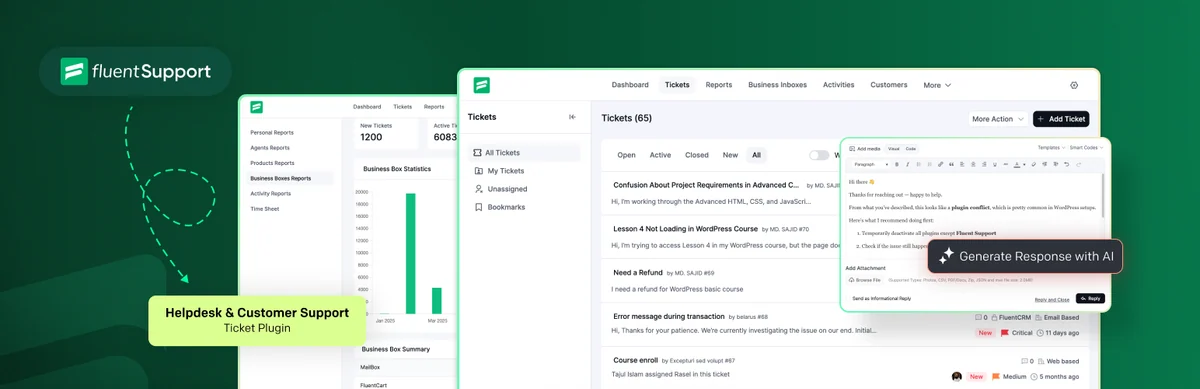 Preview of tickets and an AI-assisted reply. — Image: Fluent Support.
Best forA private enquiry portal in WordPress.
Fluent Support suits a ticket portal administered in WordPress, with enquiry tracking and customer access. Its free core lets you verify the web journey before adding email collection or Pro integrations. Choose it if your team wants to work in this environment; the customer portal and front-end agent portal are not the same feature.
Offer pricing
Free core: 0. One-domain Pro displayed at a promotional 90 dollars/year, normal price 129.
Billing: Annual Pro licence; email collection and integrations vary by offering.
Renewal and support: Due date according to the chosen plan; discount and future amount not guaranteed by this record.
Taxes and currency code not established unless explicitly stated; do not assume a tax-inclusive price.
Checked on .
Strengths
- Customer portal and enquiry history.
- Handling in WordPress administration.
What to consider
- Distinguish email receipt and Pro features from the web portal.
- Renewal of the discount not established.
Pricing terms and compatibility
Understanding the offer
- Price at the time of review
- Free core: 0. One-domain Pro displayed at a promotional 90 dollars/year, normal price 129.
- Currency
- Unspecified. Confirm for the offer you choose.
- Billing
- Annual Pro licence; email collection and integrations vary by offering.
- Renewal and support
- Due date according to the chosen plan; discount and future amount not guaranteed by this record.
- Taxes and fees
- Taxes and currency code not established unless explicitly stated; do not assume a tax-inclusive price.
- Commitment and terms
- WordPress installation; site count and modules vary by edition.
- Date checked
Compatibility and components
- Connector 2.5.0, declared tested up to WordPress 7.1.4, last update 2026-11-02 2:32pm GMT. Publisher data, no practical test performed.
- Requirements declared in the listing archived November 3, 2026: minimum WordPress 5.6 minimum ; PHP 7.4. They do not replace a trial on the target version.
SupportCandy
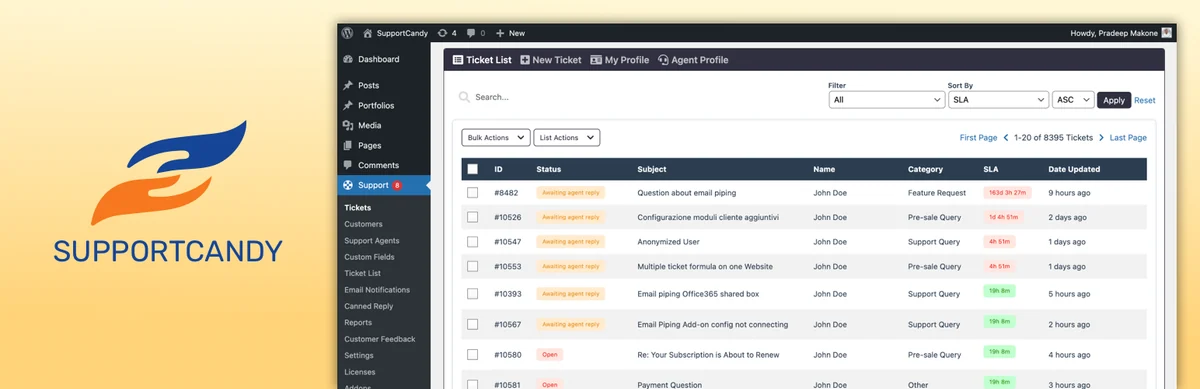 WordPress ticket table and SupportCandy logo. — Image: SupportCandy.
Best forA team wanting to organise tickets locally.
SupportCandy organises enquiries with agents, statuses and fields without moving the ticket engine to a mandatory SaaS service. It suits a team wanting to define procedures in WordPress. The premium page gathers extensions and integrations; check the actual need for email collection and automation before purchase. Advertised AI features do not prove an unlimited model budget.
Offer pricing
Free core: 0; annual Personal displayed at a promotional 39.50 dollars, normal price 79, for one site.
Billing: Annual offering or separate lifetime licence.
Renewal and support: Due date according to the chosen plan; discount and future amount not guaranteed by this record.
Taxes and currency code not established unless explicitly stated; do not assume a tax-inclusive price.
Checked on .
Strengths
- Agents and tickets without an advertised commercial quota in the core.
- Extensions and integrations grouped in premium offerings.
What to consider
- Promotional renewal terms not established.
- Assess AI-service costs and terms separately.
Pricing terms and compatibility
Understanding the offer
- Price at the time of review
- Free core: 0; annual Personal displayed at a promotional 39.50 dollars, normal price 79, for one site.
- Currency
- Unspecified. Confirm for the offer you choose.
- Billing
- Annual offering or separate lifetime licence.
- Renewal and support
- Due date according to the chosen plan; discount and future amount not guaranteed by this record.
- Taxes and fees
- Taxes and currency code not established unless explicitly stated; do not assume a tax-inclusive price.
- Commitment and terms
- WordPress installation; site count and modules vary by edition.
- Date checked
Compatibility and components
- Connector 3.5.4, declared tested up to WordPress 7.1.4, last update 2026-09-29 5:00am GMT. Publisher data, no practical test performed.
- Requirements declared in the listing archived November 3, 2026: minimum WordPress 5.6 minimum ; PHP 7.4. They do not replace a trial on the target version.
Awesome Support
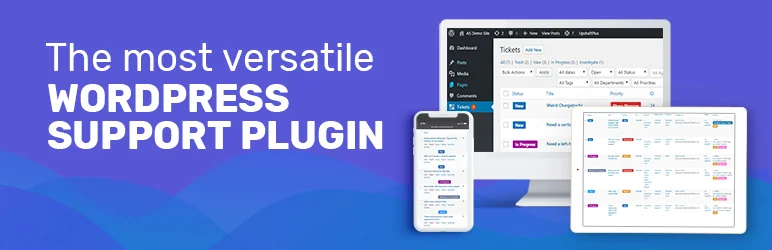 Awesome Support presentation on several devices. — Image: Awesome Support.
Best forWordPress tickets with modules chosen according to need.
Awesome Support offers a WordPress enquiry engine supplemented by extensions. It suits starting with tickets and adding only necessary automations. Compare the free edition and commercial bundles feature by feature, particularly emails and processing rules. A range-wide feature list does not necessarily describe your base installation.
Offer pricing
Free core: 0; Standard bundle displayed at 149 dollars/year.
Billing: Annual bundle with one year of support and updates.
Renewal and support: Due date according to the chosen plan; discount and future amount not guaranteed by this record.
Taxes and currency code not established unless explicitly stated; do not assume a tax-inclusive price.
Checked on .
Strengths
- Local ticket engine.
- Ecosystem of specialised extensions.
What to consider
- Check distribution of modules between bundles.
- No future renewal amount guaranteed here.
Pricing terms and compatibility
Understanding the offer
- Price at the time of review
- Free core: 0; Standard bundle displayed at 149 dollars/year.
- Currency
- Unspecified. Confirm for the offer you choose.
- Billing
- Annual bundle with one year of support and updates.
- Renewal and support
- Due date according to the chosen plan; discount and future amount not guaranteed by this record.
- Taxes and fees
- Taxes and currency code not established unless explicitly stated; do not assume a tax-inclusive price.
- Commitment and terms
- WordPress installation; site count and modules vary by edition.
- Date checked
Compatibility and components
- Connector 6.4.2, declared tested up to WordPress 7.1.4, last update 2026-10-16 2:05am GMT. Publisher data, no practical test performed.
- Requirements declared in the listing archived November 3, 2026: minimum WordPress 5.6 minimum ; PHP 7.4. They do not replace a trial on the target version.
JS Help Desk
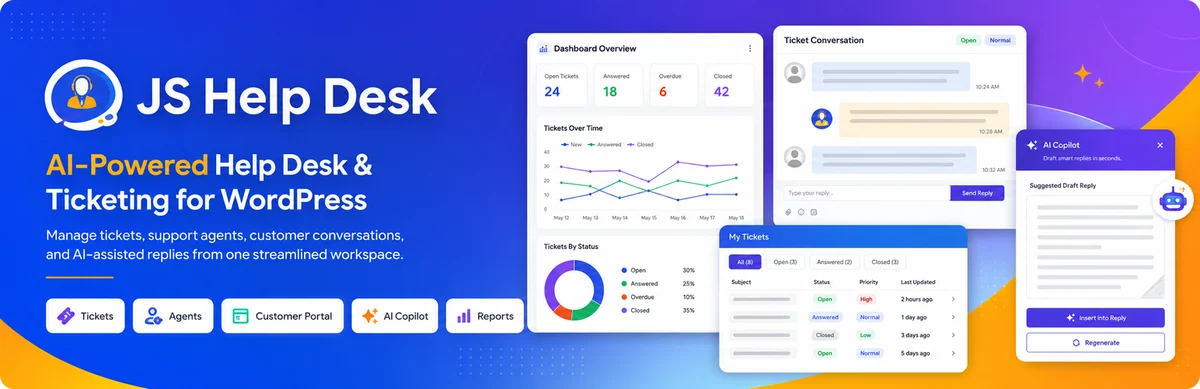 Dashboard and support conversation. — Image: JS Help Desk.
Best forLocal tracking distributed by agents and departments.
JS Help Desk retains tickets, replies and customer data in the WordPress database according to its listing. It suits local tracking with several agents and departments, without per-agent pricing. The new Pro range groups nine modules and is licensed by site count. Check guest enquiries and permissions before migrating data from an existing service.
Offer pricing
Free core: 0; Pro 99 dollars/year for one site, Business 149 dollars/year for five.
Billing: Annual licence; staging and development sites distinguished in the offering.
Renewal and support: Automatic renewal cancellable from Subscriptions; confirm future amount.
Taxes and currency code not established unless explicitly stated; do not assume a tax-inclusive price.
Checked on .
Strengths
- Tickets and agents without an advertised quota in the core.
- Paid plans based on sites.
What to consider
- Features of the nine Pro modules separate from the free edition.
- Define guest enquiries according to your privacy requirements.
Pricing terms and compatibility
Understanding the offer
- Price at the time of review
- Free core: 0; Pro 99 dollars/year for one site, Business 149 dollars/year for five.
- Currency
- Unspecified. Confirm for the offer you choose.
- Billing
- Annual licence; staging and development sites distinguished in the offering.
- Renewal and support
- Automatic renewal cancellable from Subscriptions; confirm future amount.
- Taxes and fees
- Taxes and currency code not established unless explicitly stated; do not assume a tax-inclusive price.
- Commitment and terms
- WordPress installation; site count and modules vary by edition.
- Date checked
Compatibility and components
- Connector 5.0.3, declared tested up to WordPress 7.1.4, last update 2026-10-30 4:56am GMT. Publisher data, no practical test performed.
- Requirements declared in the listing archived November 3, 2026: minimum WordPress 5.5 minimum ; PHP 7.4. They do not replace a trial on the target version.
WSDesk
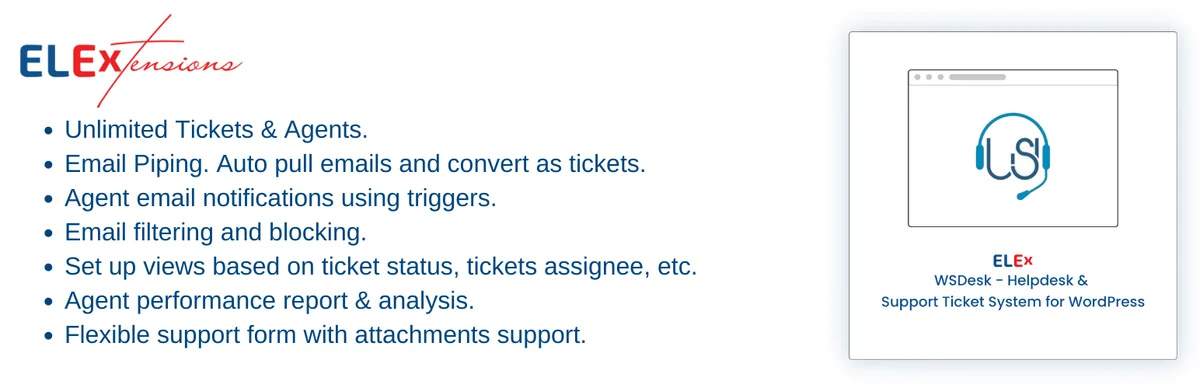 Presentation of WSDesk and its collection of requests by email. — Image: WSDesk.
Best forLocal enquiries with messaging and store needs.
WSDesk by ELEX brings tickets and email features together in WordPress. The family includes free and premium editions whose automations must be distinguished. It interests a site seeking to connect enquiries with store data. Commercial presentations sometimes mix these editions: do not infer every illustrated feature is included free.
Offer pricing
Free edition: 0; premium rate not established in the selected pages.
Billing: Permanent free core; separate premium edition.
Renewal and support: No expiry for the free edition; premium renewal not established.
Taxes and currency code not established unless explicitly stated; do not assume a tax-inclusive price.
Checked on .
Strengths
- Local storage advertised.
- Tickets and agents without an advertised commercial limit.
What to consider
- Distinguish premium features from images on the free page.
- Do not use prices quoted in reviews as current rates.
Pricing terms and compatibility
Understanding the offer
- Price at the time of review
- Free edition: 0; premium rate not established in the selected pages.
- Currency
- Unspecified. Confirm for the offer you choose.
- Billing
- Permanent free core; separate premium edition.
- Renewal and support
- No expiry for the free edition; premium renewal not established.
- Taxes and fees
- Taxes and currency code not established unless explicitly stated; do not assume a tax-inclusive price.
- Commitment and terms
- WordPress installation; site count and modules vary by edition.
- Date checked
Compatibility and components
- Connector 3.3.9, declared tested up to WordPress 7.1.4, last update 2026-10-30 5:20pm GMT. Publisher data, no practical test performed.
- Requirements declared in the listing archived November 3, 2026: minimum WordPress 3.0.1 minimum ; PHP 7.1.8. They do not replace a trial on the target version.
Support Genix
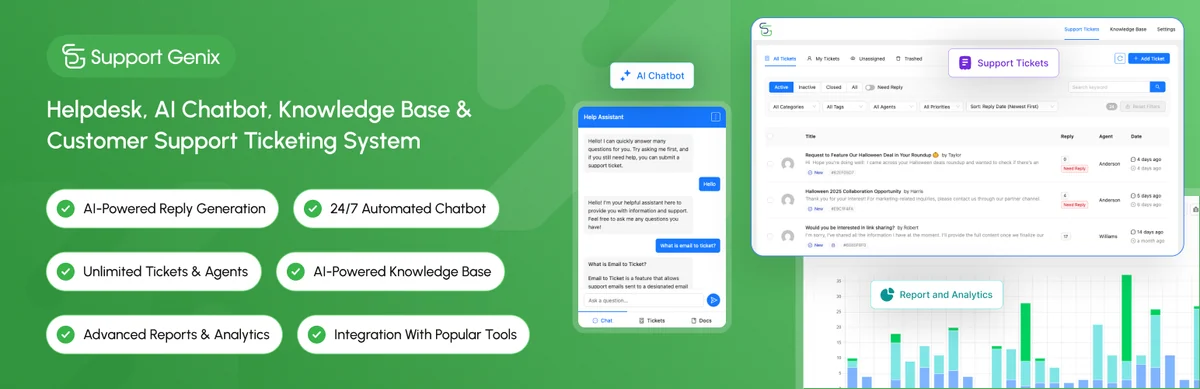 Presentation of Support Genix tickets and support tools. — Image: Support Genix.
Best forLocal tracking with documentation and multiple agents.
Support Genix combines tickets, agent roles and a knowledge base, with a free edition and commercial offerings. It suits a team seeking to bring these components together in WordPress. Its history indicates the phased ending of Support Genix AI and use of an OpenAI or Claude key for relevant features. Consumption cost is separate from the licence.
Offer pricing
Free core: 0. Developer offering: 1 US dollar for 30 days, then 99 US dollars/year for five sites according to the consulted promotion.
Billing: Recurring Developer offering; separate promotions and lifetime licences.
Renewal and support: After 30 days: 99 US dollars/year advertised; check the promotion before committing.
Taxes and currency code not established unless explicitly stated; do not assume a tax-inclusive price.
Checked on .
Strengths
- Tickets, agents and customers without an advertised quota in the core.
- Knowledge base and agent rights.
What to consider
- Temporary promotions; compare the contract summary.
- Model consumption external to plugin features.
Pricing terms and compatibility
Understanding the offer
- Price at the time of review
- Free core: 0. Developer offering: 1 US dollar for 30 days, then 99 US dollars/year for five sites according to the consulted promotion.
- Currency
- USD
- Billing
- Recurring Developer offering; separate promotions and lifetime licences.
- Renewal and support
- After 30 days: 99 US dollars/year advertised; check the promotion before committing.
- Taxes and fees
- Taxes and currency code not established unless explicitly stated; do not assume a tax-inclusive price.
- Commitment and terms
- WordPress installation; site count and modules vary by edition.
- Date checked
Compatibility and components
- Connector 1.4.57, declared tested up to WordPress 7.1.4, last update 2026-11-02 6:43am GMT. Publisher data, no practical test performed.
- Requirements declared in the listing archived November 3, 2026: minimum WordPress 6.0 minimum ; PHP 7.4. They do not replace a trial on the target version.
tawk.to
 Characters, phones and conversation bubbles. — Image: tawk.to.
Best forExternal human chat with a free base offering.
Tawk.to connects WordPress to a free branded chat, ticketing and documentation application. It suits human chat without a base subscription if your team actually monitors the service. The connector does not store all tracking in WordPress. Branding removal, provider-supplied human assistance and AI are separate offerings.
Offer pricing
Free basic chat. November 3, 2026 record for Remove Branding: USD 39/month with monthly billing or USD 348/year, equivalent to USD 29/month, per property.
Billing: Remove Branding per property, monthly or annual according to the detailed record.
Renewal and support: Due date according to the chosen plan; discount and future amount not guaranteed by this record.
Taxes and currency code not established unless explicitly stated; do not assume a tax-inclusive price.
Checked on .
Strengths
- Messaging and tickets in the same service.
- Property choice and address exclusions.
What to consider
- External account required.
- Connector tested up to WordPress 6.9.11 according to the listing, not every newer version.
Pricing terms and compatibility
Understanding the offer
- Price at the time of review
- Free basic chat. November 3, 2026 record for Remove Branding: USD 39/month with monthly billing or USD 348/year, equivalent to USD 29/month, per property.
- Currency
- USD
- Billing
- Remove Branding per property, monthly or annual according to the detailed record.
- Renewal and support
- Due date according to the chosen plan; discount and future amount not guaranteed by this record.
- Taxes and fees
- Taxes and currency code not established unless explicitly stated; do not assume a tax-inclusive price.
- Commitment and terms
- External account required; compare seats, volumes, history and exit terms.
- Date checked
Compatibility and components
- Connector 0.9.3, declared tested up to WordPress 6.9.11, last update 2026-01-14 9:32am GMT. Publisher data, no practical test performed.
- Requirements declared in the listing archived November 3, 2026: minimum WordPress 2.7 minimum ; PHP 5.6. They do not replace a trial on the target version.
Tidio
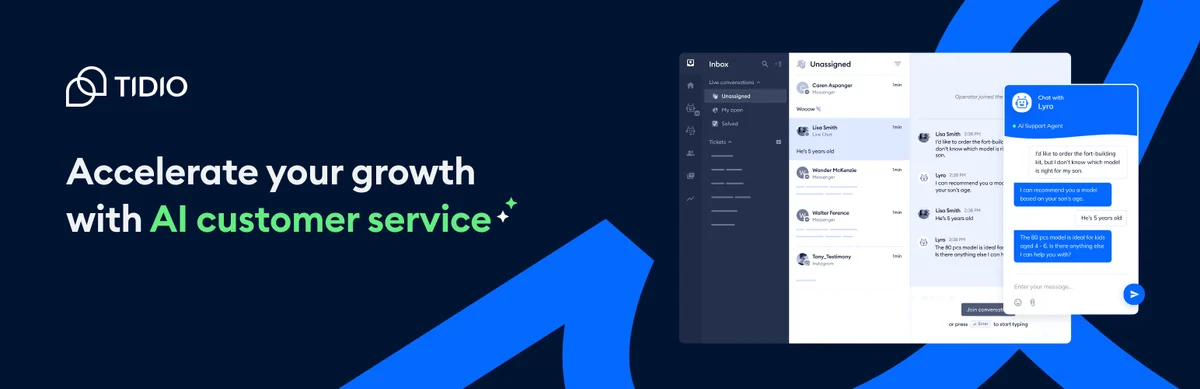 Illustrated chat box on a midnight blue background. — Image: Tidio.
Best forConversations with several explicitly tracked service counters.
Tidio connects human chat, tickets and automations in an external service. It suits tracking conversations and billable volume together. Distinguish team-handled exchanges, visitors reached by Flows and Lyro conversations: their quotas are not interchangeable. A one-off trial allowance must not be presented as a permanent monthly reserve.
Offer pricing
Free plan available; Starter displayed at 24.17 dollars/month for 100 billable conversations. Confirm payment schedule in the calculator.
Billing: Volume-based service; reconcile displayed monthly amount with billing duration.
Renewal and support: Due date according to the chosen plan; discount and future amount not guaranteed by this record.
Taxes and currency code not established unless explicitly stated; do not assume a tax-inclusive price.
Checked on .
Strengths
- Chat and tickets in a service interface.
- Optional automations with separate counters.
What to consider
- Separate quotas for team, Lyro and Flows.
- Do not extend trial limits to the permanent free plan.
Pricing terms and compatibility
Understanding the offer
- Price at the time of review
- Free plan available; Starter displayed at 24.17 dollars/month for 100 billable conversations. Confirm payment schedule in the calculator.
- Currency
- Unspecified. Confirm for the offer you choose.
- Billing
- Volume-based service; reconcile displayed monthly amount with billing duration.
- Renewal and support
- Due date according to the chosen plan; discount and future amount not guaranteed by this record.
- Taxes and fees
- Taxes and currency code not established unless explicitly stated; do not assume a tax-inclusive price.
- Commitment and terms
- External account required; compare seats, volumes, history and exit terms.
- Date checked
Compatibility and components
- Connector 8.0.1, declared tested up to WordPress 7.1.4, last update 2026-09-01 8:09am GMT. Publisher data, no practical test performed.
- Requirements declared in the listing archived November 3, 2026: minimum WordPress 4.7 minimum ; PHP 7.4. They do not replace a trial on the target version.
Crisp
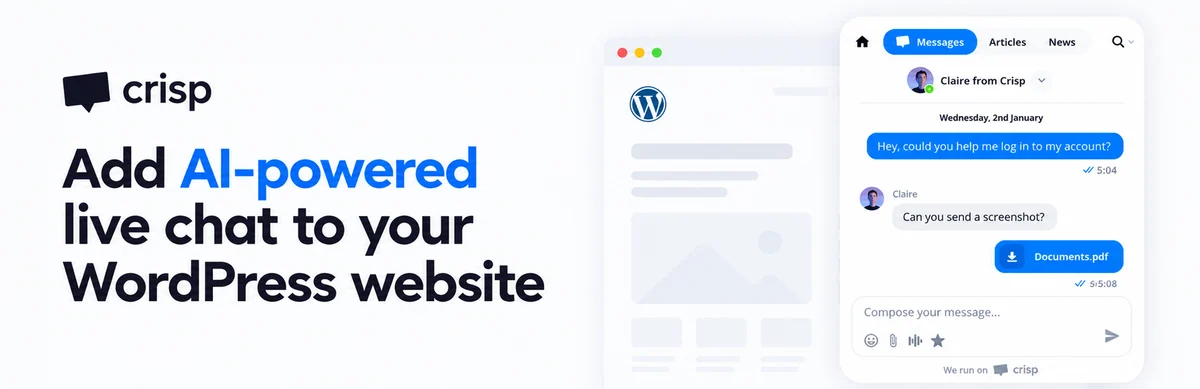 Conversation and attachment in a Crisp presentation. — Image: Crisp.
Best forA shared inbox priced per workspace.
Crisp offers an external conversation inbox, with a free offering for two agents and workspace-based plans. It suits a small team comparing a shared package with individual pricing. Additional seats, customer profiles and AI credits have their own limits. Check actually included volume before choosing an offering for a growing team.
Offer pricing
Free: 0 for two agents; Mini displayed at 45 dollars/month per workspace, four seats included.
Billing: Service per workspace; additional seats and credits vary by plan.
Renewal and support: Due date according to the chosen plan; discount and future amount not guaranteed by this record.
Taxes and currency code not established unless explicitly stated; do not assume a tax-inclusive price.
Checked on .
Strengths
- Two agents in the free offering.
- Plans including several seats.
What to consider
- Free limited in profiles and features.
- Distinguish AI credits and seats from the base package.
Pricing terms and compatibility
Understanding the offer
- Price at the time of review
- Free: 0 for two agents; Mini displayed at 45 dollars/month per workspace, four seats included.
- Currency
- Unspecified. Confirm for the offer you choose.
- Billing
- Service per workspace; additional seats and credits vary by plan.
- Renewal and support
- Due date according to the chosen plan; discount and future amount not guaranteed by this record.
- Taxes and fees
- Taxes and currency code not established unless explicitly stated; do not assume a tax-inclusive price.
- Commitment and terms
- External account required; compare seats, volumes, history and exit terms.
- Date checked
Compatibility and components
- Connector 0.49, declared tested up to WordPress 7.1.4, last update 2026-10-21 7:19am GMT. Publisher data, no practical test performed.
- Requirements declared in the listing archived November 3, 2026: minimum WordPress 3.0.1 minimum ; PHP 5.3. They do not replace a trial on the target version.
Chatra
 Colorful illustration of chat on several devices. — Image: Chatra.
Best forA small team alternating live presence and deferred replies.
Chatra combines direct exchanges and deferred messaging, interesting a team unable to answer every enquiry immediately. The service offers a free plan for one agent. The Messenger page displays a price recorded November 3, 2026 different from the amount still quoted in the WordPress listing: use the service rate, then check the exact plan before multiplying seats.
Offer pricing
Free: 0 for one agent. Messenger page: 31 dollars/agent/month with monthly billing or 25 with annual billing.
Billing: Per-agent service; annual separate from monthly.
Renewal and support: Due date according to the chosen plan; discount and future amount not guaranteed by this record.
Taxes and currency code not established unless explicitly stated; do not assume a tax-inclusive price.
Checked on .
Strengths
- Deferred messaging mode.
- Free offering for one agent.
What to consider
- Old 15-dollar rate still quoted in the WordPress listing, not used.
- Check features of the plan actually chosen.
Pricing terms and compatibility
Understanding the offer
- Price at the time of review
- Free: 0 for one agent. Messenger page: 31 dollars/agent/month with monthly billing or 25 with annual billing.
- Currency
- Unspecified. Confirm for the offer you choose.
- Billing
- Per-agent service; annual separate from monthly.
- Renewal and support
- Due date according to the chosen plan; discount and future amount not guaranteed by this record.
- Taxes and fees
- Taxes and currency code not established unless explicitly stated; do not assume a tax-inclusive price.
- Commitment and terms
- External account required; compare seats, volumes, history and exit terms.
- Date checked
Compatibility and components
- Connector 1.0.13, declared tested up to WordPress 7.0.8, last update 2026-07-09 4:22pm GMT. Publisher data, no practical test performed.
- Requirements declared in the listing archived November 3, 2026: minimum WordPress 4.5 minimum ; PHP 5.6. They do not replace a trial on the target version.
Smartsupp
 Smartsupp chat presentation in blue and green. — Image: Smartsupp.
Best forChat for a small store with tracked history and volumes.
Smartsupp connects a store or site to a chat and automation service. The free plan lets you start alone, but its history is limited: an older conversation may no longer be viewable within the same scope. The Mira assistant and its conversations have separate terms. First check whether included history covers your usual customer follow-up intervals.
Offer pricing
Free: 0, one operator, 14-day history. Solo displayed at 14 euros/month, billed annually.
Billing: Service; Solo paid annually, displayed amount as a monthly equivalent.
Renewal and support: Due date according to the chosen plan; discount and future amount not guaranteed by this record.
Taxes and currency code not established unless explicitly stated; do not assume a tax-inclusive price.
Checked on .
Strengths
- Free offering for one operator.
- Separate plans and AI assistant on the pricing page.
What to consider
- 14-day history in Free.
- Separate Mira AI and additional volumes.
Pricing terms and compatibility
Understanding the offer
- Price at the time of review
- Free: 0, one operator, 14-day history. Solo displayed at 14 euros/month, billed annually.
- Currency
- EUR
- Billing
- Service; Solo paid annually, displayed amount as a monthly equivalent.
- Renewal and support
- Due date according to the chosen plan; discount and future amount not guaranteed by this record.
- Taxes and fees
- Taxes and currency code not established unless explicitly stated; do not assume a tax-inclusive price.
- Commitment and terms
- External account required; compare seats, volumes, history and exit terms.
- Date checked
Compatibility and components
- Connector 3.10, declared tested up to WordPress 7.1.4, last update 2026-10-04 11:17pm GMT. Publisher data, no practical test performed.
- Requirements declared in the listing archived November 3, 2026: minimum WordPress 3.0 minimum ; PHP 5.6. They do not replace a trial on the target version.
JivoChat
 Inbox and communication channel icons. — Image: JivoChat.
Best forA team already using JivoChat, after checking the connector.
JivoChat brings site chat and other channels together in its application, with customer-tracking tools. It may interest a team already using the service. However, the WordPress connector consulted is old: last updated in October 2023 and declared compatible up to 6.4.14. Verify a maintained integration method before choosing it for a new installation.
Offer pricing
Free offering presented; Basic displayed at 28 dollars/agent/month when billed annually.
Billing: Per-agent service, annual for the quoted price.
Renewal and support: Due date according to the chosen plan; discount and future amount not guaranteed by this record.
Taxes and currency code not established unless explicitly stated; do not assume a tax-inclusive price.
Checked on .
Strengths
- Several channels in the application.
- Conversation tracking and customer features.
What to consider
- Old WordPress connector: October 2023.
- Compatibility with recent WordPress not established.
Pricing terms and compatibility
Understanding the offer
- Price at the time of review
- Free offering presented; Basic displayed at 28 dollars/agent/month when billed annually.
- Currency
- Unspecified. Confirm for the offer you choose.
- Billing
- Per-agent service, annual for the quoted price.
- Renewal and support
- Due date according to the chosen plan; discount and future amount not guaranteed by this record.
- Taxes and fees
- Taxes and currency code not established unless explicitly stated; do not assume a tax-inclusive price.
- Commitment and terms
- External account required; compare seats, volumes, history and exit terms.
- Date checked
Compatibility and components
- Connector 1.3.6.1, declared tested up to WordPress 6.4.14, last update 2023-10-25 2:49pm GMT. Publisher data, no practical test performed.
- Requirements declared in the listing archived November 3, 2026: minimum WordPress 3.0.1. They do not replace a trial on the target version.
LiveChat
 Presentation of Text/LiveChat and its inbox. — Image: LiveChat.
Best forCommercial chat administered in the Text/LiveChat ecosystem.
The LiveChat connector installs the Text service widget on WordPress. It suits a team accepting a per-user subscription and wanting to handle exchanges in this platform. The page distinguishes current Text rates from terms for existing LiveChat customers. Do not apply an old grid to a new contract; also examine AI-resolution quotas.
Offer pricing
Text Essential displayed at 19 dollars/user/month, billed annually; 25 dollars monthly. Separate trial.
Billing: Per-user service; annual prepayment for 19 dollars/month.
Renewal and support: Due date according to the chosen plan; discount and future amount not guaranteed by this record.
Taxes and currency code not established unless explicitly stated; do not assume a tax-inclusive price.
Checked on .
Strengths
- Chat, inbox and tickets within the service.
- Offline messages and team tools.
What to consider
- Distinguish new Text plans from existing LiveChat customers.
- Connector declared tested up to WordPress 6.9.11.
Pricing terms and compatibility
Understanding the offer
- Price at the time of review
- Text Essential displayed at 19 dollars/user/month, billed annually; 25 dollars monthly. Separate trial.
- Currency
- Unspecified. Confirm for the offer you choose.
- Billing
- Per-user service; annual prepayment for 19 dollars/month.
- Renewal and support
- Due date according to the chosen plan; discount and future amount not guaranteed by this record.
- Taxes and fees
- Taxes and currency code not established unless explicitly stated; do not assume a tax-inclusive price.
- Commitment and terms
- External account required; compare seats, volumes, history and exit terms.
- Date checked
Compatibility and components
- Connector 5.0.12, declared tested up to WordPress 6.9.11, last update 2026-05-25 10:33am GMT. Publisher data, no practical test performed.
- Requirements declared in the listing archived November 3, 2026: minimum WordPress 4.4 minimum ; PHP 7.2. They do not replace a trial on the target version.
Formilla
 Chat window in the Formilla presentation. — Image: Formilla.
Best forA solo agent seeking free chat with an upgrade path.
Formilla offers external chat with a free plan for one agent, then additional features and seats. It suits someone wanting to verify a human workflow before adding automations. The page archived November 3, 2026 clearly distinguishes chat, file sharing and AI offerings: a seat price must not be interpreted as including every professional feature.
Offer pricing
Free Standard: 0 for one agent. Premium: 13.99 dollars/month with the annual term paid in full.
Billing: Service; monthly equivalent for an annual commitment.
Renewal and support: Due date according to the chosen plan; discount and future amount not guaranteed by this record.
Taxes and currency code not established unless explicitly stated; do not assume a tax-inclusive price.
Checked on .
Strengths
- Free for one agent.
- Reply applications and separate plans.
What to consider
- File sharing in a higher offering on the consulted page.
- Bots and additional agents according to terms.
Pricing terms and compatibility
Understanding the offer
- Price at the time of review
- Free Standard: 0 for one agent. Premium: 13.99 dollars/month with the annual term paid in full.
- Currency
- Unspecified. Confirm for the offer you choose.
- Billing
- Service; monthly equivalent for an annual commitment.
- Renewal and support
- Due date according to the chosen plan; discount and future amount not guaranteed by this record.
- Taxes and fees
- Taxes and currency code not established unless explicitly stated; do not assume a tax-inclusive price.
- Commitment and terms
- External account required; compare seats, volumes, history and exit terms.
- Date checked
Compatibility and components
- Connector 1.4, declared tested up to WordPress 7.1.4, last update 2026-08-17 7:11pm GMT. Publisher data, no practical test performed.
- Requirements declared in the listing archived November 3, 2026: minimum WordPress 2.7. They do not replace a trial on the target version.
Chatway
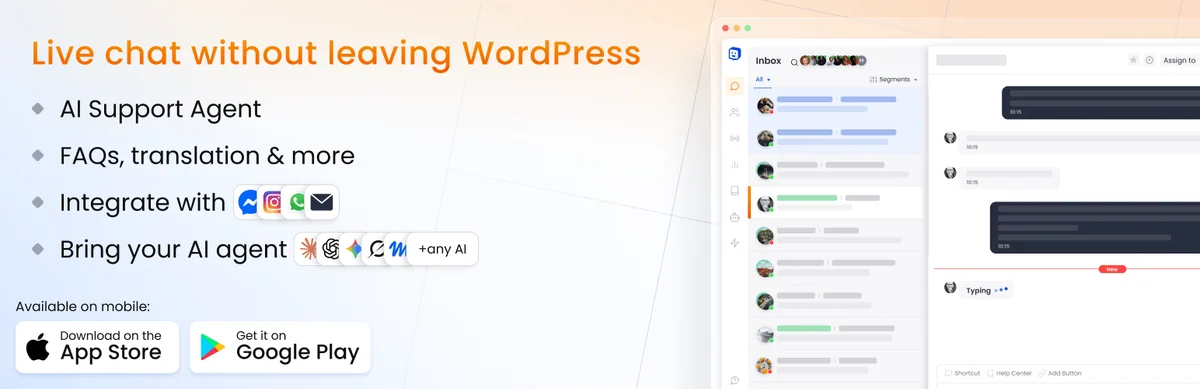 Chatway inbox and communication channels. — Image: Chatway.
Best forSimple external chat, then a team with identified seats.
Chatway adds a widget and conversation inbox connected to its service. The free plan suits a single seat, then offerings add agents and team controls. AI features and integration of other agents must not obscure this distinction. Check who is logged into the seat used and how the team resumes an exchange before multiplying automations.
Offer pricing
Free: 0 for one seat. Business: 31 dollars/month billed annually or 39 dollars monthly, two seats included.
Billing: Service by plan and seats; annual separate from monthly.
Renewal and support: Due date according to the chosen plan; discount and future amount not guaranteed by this record.
Taxes and currency code not established unless explicitly stated; do not assume a tax-inclusive price.
Checked on .
Strengths
- Permanent free plan.
- Messaging and human handover features.
What to consider
- Only one seat in Free.
- Price AI agents and additional seats separately.
Pricing terms and compatibility
Understanding the offer
- Price at the time of review
- Free: 0 for one seat. Business: 31 dollars/month billed annually or 39 dollars monthly, two seats included.
- Currency
- Unspecified. Confirm for the offer you choose.
- Billing
- Service by plan and seats; annual separate from monthly.
- Renewal and support
- Due date according to the chosen plan; discount and future amount not guaranteed by this record.
- Taxes and fees
- Taxes and currency code not established unless explicitly stated; do not assume a tax-inclusive price.
- Commitment and terms
- External account required; compare seats, volumes, history and exit terms.
- Date checked
Compatibility and components
- Connector 1.5.2, declared tested up to WordPress 7.1.4, last update 2026-10-27 7:07am GMT. Publisher data, no practical test performed.
- Requirements declared in the listing archived November 3, 2026: minimum WordPress 4.7. They do not replace a trial on the target version.
HelpCrunch
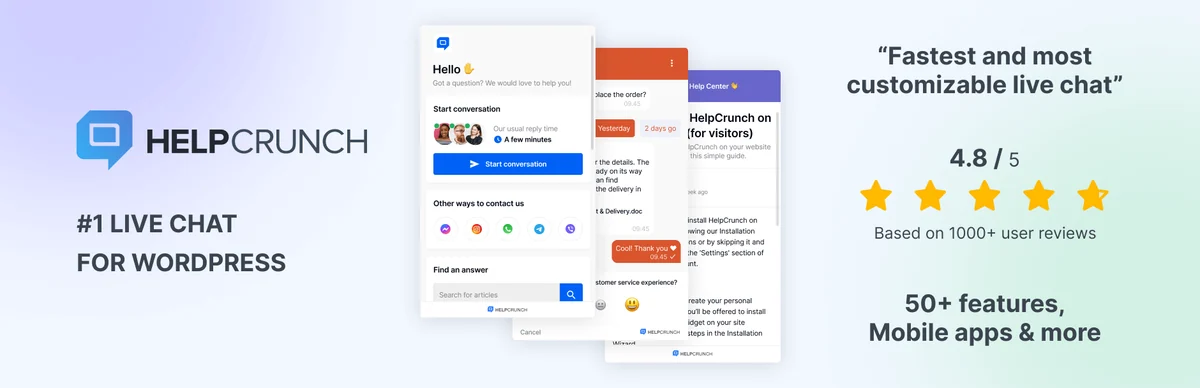 HelpCrunch logo and conversation mockups. — Image: HelpCrunch.
Best forA team wanting chat, shared inbox and documentation.
HelpCrunch groups chat, inbox and documentation in an external service. It suits a team wanting to centralise several channels there. Pricing depends on people and email volume, with additional limits for AI conversations. The fourteen-day trial is not a permanent free plan; compare expected consumption with the selected contract.
Offer pricing
Basic from 15 dollars/month per person according to billing documentation; 14-day trial.
Billing: Monthly or annual paid in advance; check team size and email volume.
Renewal and support: Due date according to the chosen plan; discount and future amount not guaranteed by this record.
Taxes and currency code not established unless explicitly stated; do not assume a tax-inclusive price.
Checked on .
Strengths
- Chat and multichannel intake.
- Knowledge base connected to the service.
What to consider
- No permanent free offering established in selected sources.
- Messages, channels and AI extensions vary by plan.
Pricing terms and compatibility
Understanding the offer
- Price at the time of review
- Basic from 15 dollars/month per person according to billing documentation; 14-day trial.
- Currency
- Unspecified. Confirm for the offer you choose.
- Billing
- Monthly or annual paid in advance; check team size and email volume.
- Renewal and support
- Due date according to the chosen plan; discount and future amount not guaranteed by this record.
- Taxes and fees
- Taxes and currency code not established unless explicitly stated; do not assume a tax-inclusive price.
- Commitment and terms
- External account required; compare seats, volumes, history and exit terms.
- Date checked
Compatibility and components
- Connector 2.0.14, declared tested up to WordPress 7.1.0, last update 2026-08-21 3:05pm GMT. Publisher data, no practical test performed.
- Requirements declared in the listing archived November 3, 2026: minimum WordPress 3.6. They do not replace a trial on the target version.
ThriveDesk
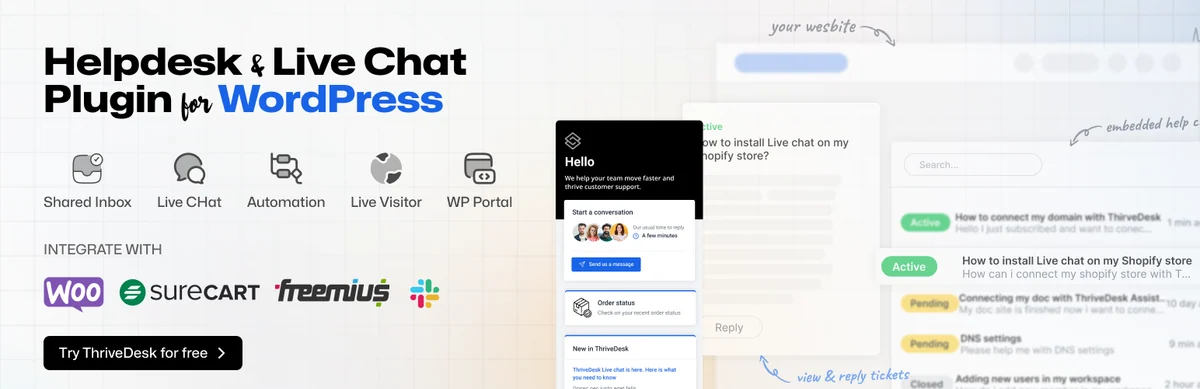 Presentation of the ThriveDesk helpdesk and its integrations. — Image: ThriveDesk.
Best forA small support team connected to WordPress or WooCommerce.
ThriveDesk connects support inbox, chat and store data through a WordPress connector. It suits a team working in the service and wanting order context. Some screens may permit commercial actions: grant permissions needed for each person's actual role. A free connector does not remove the shared-inbox subscription.
Offer pricing
Basic: 29 dollars/month billed annually, two people and one inbox. Separate trial.
Billing: Annual service for the quoted amount; paid additional inboxes.
Renewal and support: Due date according to the chosen plan; discount and future amount not guaranteed by this record.
Taxes and currency code not established unless explicitly stated; do not assume a tax-inclusive price.
Checked on .
Strengths
- Shared inbox and chat.
- WordPress and store context advertised.
What to consider
- Paid external service after trial.
- Define permissions for store data and actions.
Pricing terms and compatibility
Understanding the offer
- Price at the time of review
- Basic: 29 dollars/month billed annually, two people and one inbox. Separate trial.
- Currency
- Unspecified. Confirm for the offer you choose.
- Billing
- Annual service for the quoted amount; paid additional inboxes.
- Renewal and support
- Due date according to the chosen plan; discount and future amount not guaranteed by this record.
- Taxes and fees
- Taxes and currency code not established unless explicitly stated; do not assume a tax-inclusive price.
- Commitment and terms
- External account required; compare seats, volumes, history and exit terms.
- Date checked
Compatibility and components
- Connector 2.7.1, declared tested up to WordPress 7.1.4, last update 2026-09-07 11:13am GMT. Publisher data, no practical test performed.
- Requirements declared in the listing archived November 3, 2026: minimum WordPress 4.9 minimum ; PHP 7.4. They do not replace a trial on the target version.
LiveAgent
 Illustration of a female customer on a cream background. — Image: LiveAgent.
Best forMultichannel support with identified agents and external services.
LiveAgent connects WordPress to a multichannel support inbox including chat and tickets. It suits a team also wanting to compare telephony needs by plan. The page distinguishes the subscription from model-provider keys used for AI. Therefore, check seats and external costs; an included AI feature does not mean the provider is free.
Offer pricing
Starter displayed at 11 dollars/agent/month annually, normal price 15; monthly 15, normal price 19. Confirm promotion.
Billing: Per-agent service, monthly or annual; team limits vary by offering. Permanent free plan unconfirmed in the record; discrepancy with connector FAQ.
Renewal and support: Due date according to the chosen plan; discount and future amount not guaranteed by this record.
Taxes and currency code not established unless explicitly stated; do not assume a tax-inclusive price.
Checked on .
Strengths
- Ticket inbox and chat.
- Multichannel features vary by offering.
What to consider
- Distinguish promotional and normal prices.
- Separate AI-provider keys and consumption.
- Permanent free plan unconfirmed: archived WordPress FAQ and commercial grid diverge. Do not promise a free plan after the trial.
Pricing terms and compatibility
Understanding the offer
- Price at the time of review
- Starter displayed at 11 dollars/agent/month annually, normal price 15; monthly 15, normal price 19. Confirm promotion.
- Currency
- Unspecified. Confirm for the offer you choose.
- Billing
- Per-agent service, monthly or annual; team limits vary by offering. Permanent free plan unconfirmed in the record; discrepancy with connector FAQ.
- Renewal and support
- Due date according to the chosen plan; discount and future amount not guaranteed by this record.
- Taxes and fees
- Taxes and currency code not established unless explicitly stated; do not assume a tax-inclusive price.
- Commitment and terms
- External account required; compare seats, volumes, history and exit terms.
- Date checked
Compatibility and components
- Connector 4.5.3, declared tested up to WordPress 7.1.4, last update 2026-10-06 10:11am GMT. Publisher data, no practical test performed.
- Requirements declared in the listing archived November 3, 2026: minimum WordPress 3.0.1. They do not replace a trial on the target version.
WPHelpDesk
 White WPHelpDesk logo. — Image: WPHelpDesk.
Best forAn already-equipped site or evaluation with maintenance confirmation.
WPHelpDesk is a commercial engine installed in WordPress, with customers, agents and ticket history. Email collection and integrations are in modules, particularly the Professional bundle. It may interest an existing site using this family. The latest displayed release notes date from March 2025; confirm current compatibility before a new purchase.
Offer pricing
Standard: 99 dollars/year, one site. Professional: 199 dollars/year with all advertised modules.
Billing: Annual licence with one year of updates and support.
Renewal and support: Due date according to the chosen plan; discount and future amount not guaranteed by this record.
Taxes and currency code not established unless explicitly stated; do not assume a tax-inclusive price.
Checked on .
Strengths
- Local enquiry management.
- Bundles distinguishing engine and modules.
What to consider
- Latest visible release notes: March 2025.
- Current compatibility not established; email collection in a module.
Pricing terms and compatibility
Understanding the offer
- Price at the time of review
- Standard: 99 dollars/year, one site. Professional: 199 dollars/year with all advertised modules.
- Currency
- Unspecified. Confirm for the offer you choose.
- Billing
- Annual licence with one year of updates and support.
- Renewal and support
- Due date according to the chosen plan; discount and future amount not guaranteed by this record.
- Taxes and fees
- Taxes and currency code not established unless explicitly stated; do not assume a tax-inclusive price.
- Commitment and terms
- WordPress installation; site count and modules vary by edition.
- Date checked
Compatibility and components
- Confirm currently supported versions with the publisher.
Olark
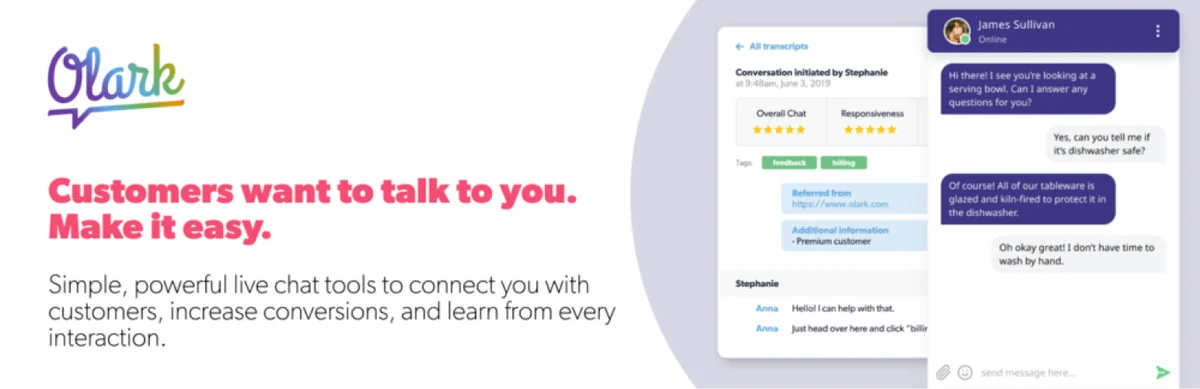 Olark logo, chat bubbles and conversation excerpt. — Image: Olark.
Best forAn existing user team, with verification of recent integration.
Olark offers external human chat and a separate AI offering, with a WordPress connector. It primarily suits an existing user team wanting to compare seat costs. The connector's last update dates from September 2025, with declared testing up to WordPress 6.8.12. The service rate in the November 3, 2026 record does not validate a newer WordPress integration.
Offer pricing
Human chat: 29 dollars/agent/month. Separate AI offering: 400 dollars/month billed annually, or 4,800 per year.
Billing: Service; annual AI offering separate from human chat.
Renewal and support: Due date according to the chosen plan; discount and future amount not guaranteed by this record.
Taxes and currency code not established unless explicitly stated; do not assume a tax-inclusive price.
Checked on .
Strengths
- Human chat offered separately.
- Identified AI offerings and seats.
What to consider
- Old connector: September 2025, tested up to 6.8.12.
- Confirm human-chat payment schedule and required seats.
Pricing terms and compatibility
Understanding the offer
- Price at the time of review
- Human chat: 29 dollars/agent/month. Separate AI offering: 400 dollars/month billed annually, or 4,800 per year.
- Currency
- Unspecified. Confirm for the offer you choose.
- Billing
- Service; annual AI offering separate from human chat.
- Renewal and support
- Due date according to the chosen plan; discount and future amount not guaranteed by this record.
- Taxes and fees
- Taxes and currency code not established unless explicitly stated; do not assume a tax-inclusive price.
- Commitment and terms
- External account required; compare seats, volumes, history and exit terms.
- Date checked
Compatibility and components
- Connector 1.0.10, declared tested up to WordPress 6.8.12, last update 2025-09-25 3:36pm GMT. Publisher data, no practical test performed.
- Requirements declared in the listing archived November 3, 2026: minimum WordPress 3.1 minimum ; PHP 4.3. They do not replace a trial on the target version.
Lime Connect — famille Userlike
 Presentation of the Userlike/Lime Connect family. — Image: Lime Connect — Userlike family.
Best forA team assessing the Userlike family, now Lime Connect.
Lime Connect is the new name of the Userlike family; the connector retains the latter identifier in WordPress. The service centralises conversations and offers a free base after the trial. It suits a team seeking to bring several channels together, provided their specific offerings are compared. The name change does not justify counting two different plugins in the selection.
Offer pricing
Free plan available after trial; the WordPress listing advertises Pro from 87 euros/month. Confirm payment schedule and total.
Billing: External service; limited free plan and separate team offerings.
Renewal and support: Due date according to the chosen plan; discount and future amount not guaranteed by this record.
Taxes and currency code not established unless explicitly stated; do not assume a tax-inclusive price.
Checked on .
Strengths
- Multichannel message centre.
- Basic free plan after the trial.
What to consider
- Match the Lime Connect name with the former Userlike identifier.
- Channels, AI and campaigns have additional terms.
Pricing terms and compatibility
Understanding the offer
- Price at the time of review
- Free plan available after trial; the WordPress listing advertises Pro from 87 euros/month. Confirm payment schedule and total.
- Currency
- EUR
- Billing
- External service; limited free plan and separate team offerings.
- Renewal and support
- Due date according to the chosen plan; discount and future amount not guaranteed by this record.
- Taxes and fees
- Taxes and currency code not established unless explicitly stated; do not assume a tax-inclusive price.
- Commitment and terms
- External account required; compare seats, volumes, history and exit terms.
- Date checked
Compatibility and components
- Connector 2.9, declared tested up to WordPress 7.1.4, last update 2026-10-05 1:06pm GMT. Publisher data, no practical test performed.
- Requirements declared in the listing archived November 3, 2026: minimum WordPress 3.3. They do not replace a trial on the target version.
Help Scout — connecteur BoldGrid
 Help Scout logo and blue illustration. — Image: Help Scout — BoldGrid connector.
Best forA site already using Help Scout and wanting Beacon.
The selected Help Scout plugin is maintained by BoldGrid and connects WordPress to Help Scout. It can add Beacon; its form requires API access, reserved for paid plans according to its FAQ. It suits a team already organised in Help Scout. Do not confuse it with the commercial Help Scout Desk portal, adding a different scope within the same family.
Offer pricing
Free connector; Free service with five users, one inbox and one Docs site. Standard displayed at 25 dollars/user/month; confirm payment schedule.
Billing: External service; form API according to paid plan, Beacon accessible free according to the FAQ.
Renewal and support: Due date according to the chosen plan; discount and future amount not guaranteed by this record.
Taxes and currency code not established unless explicitly stated; do not assume a tax-inclusive price.
Checked on .
Strengths
- Adding the Beacon widget.
- Connection to an existing service inbox.
What to consider
- BoldGrid connector, separate from a plugin published directly by Help Scout.
- API form and Beacon do not have the same plan conditions.
Pricing terms and compatibility
Understanding the offer
- Price at the time of review
- Free connector; Free service with five users, one inbox and one Docs site. Standard displayed at 25 dollars/user/month; confirm payment schedule.
- Currency
- Unspecified. Confirm for the offer you choose.
- Billing
- External service; form API according to paid plan, Beacon accessible free according to the FAQ.
- Renewal and support
- Due date according to the chosen plan; discount and future amount not guaranteed by this record.
- Taxes and fees
- Taxes and currency code not established unless explicitly stated; do not assume a tax-inclusive price.
- Commitment and terms
- External account required; compare seats, volumes, history and exit terms.
- Date checked
Compatibility and components
- Connector 6.5.7, declared tested up to WordPress 7.1.4, last update 2026-08-18 6:56pm GMT. Publisher data, no practical test performed.
- Requirements declared in the listing archived November 3, 2026: minimum WordPress 4.5. They do not replace a trial on the target version.
TotalDesk
 Blue headset logo and presentation of TotalDesk features. — Image: TotalDesk.
Best forAn existing installation to assess with maintenance reservations.
TotalDesk gathers tickets, chat and knowledge base in a local family. It interests a site wanting to keep these workflows together, but its CodeCanyon listing indicates a last update in January 2025 and WordPress up to 6.8.x. The publisher also offers a direct subscription different from the marketplace licence. Check maintenance and compatibility before choosing it for a new site.
Offer pricing
CodeCanyon Regular: 79 US dollars. Direct offering: 79.95 dollars/year or 9.95 dollars/month, separate contract.
Billing: Marketplace licence and direct subscription are alternatives.
Renewal and support: CodeCanyon: future updates and six months of support; separate extension. Direct: annual or monthly due date.
CodeCanyon in US dollars, excluding taxes and handling fees; direct-contract currency code and taxes not established.
Checked on .
Strengths
- Tickets, chat and documentation combined.
- Chats recorded as tickets according to the publisher.
What to consider
- CodeCanyon update displayed in January 2025; WordPress up to 6.8.x.
- Redux Framework required by configuration documentation.
Pricing terms and compatibility
Understanding the offer
- Price at the time of review
- CodeCanyon Regular: 79 US dollars. Direct offering: 79.95 dollars/year or 9.95 dollars/month, separate contract.
- Currency
- Unspecified. Confirm for the offer you choose.
- Billing
- Marketplace licence and direct subscription are alternatives.
- Renewal and support
- CodeCanyon: future updates and six months of support; separate extension. Direct: annual or monthly due date.
- Taxes and fees
- CodeCanyon in US dollars, excluding taxes and handling fees; direct-contract currency code and taxes not established.
- Commitment and terms
- WordPress installation; site count and modules vary by edition.
- Date checked
Compatibility and components
- Marketplace listing: WordPress up to 6.8.x, WooCommerce up to 9.x.x, Gutenberg Optimized No.
Support Board — WordPress
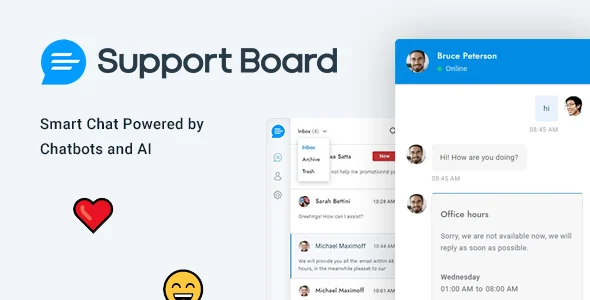 Conversation and emojis on a light blue background. — Image: Support Board — WordPress.
Best forChat installed in WordPress with selected modules and channels.
Support Board exists as a WordPress version and a PHP script; only the WordPress version counts here. It combines chat, tickets and automations, with additional applications for certain channels. It suits those willing to detail this architecture and necessary model services. The main licence price does not automatically cover channels, modules and external consumption.
Offer pricing
WordPress version CodeCanyon Regular: 59 US dollars; Extended: 499 US dollars, different licence.
Billing: WordPress licence; separate applications and external providers.
Renewal and support: Future updates and six months of support included; separate paid extension.
CodeCanyon excluding taxes and handling fees; confirm direct-contract taxes.
Checked on .
Strengths
- Chat and tickets in the WordPress family.
- Messaging connections vary by application.
What to consider
- Do not confuse the PHP script with the WordPress plugin.
- Some channels require paid applications.
Pricing terms and compatibility
Understanding the offer
- Price at the time of review
- WordPress version CodeCanyon Regular: 59 US dollars; Extended: 499 US dollars, different licence.
- Currency
- USD
- Billing
- WordPress licence; separate applications and external providers.
- Renewal and support
- Future updates and six months of support included; separate paid extension.
- Taxes and fees
- CodeCanyon excluding taxes and handling fees; confirm direct-contract taxes.
- Commitment and terms
- WordPress installation; site count and modules vary by edition.
- Date checked
Compatibility and components
- Marketplace listing: WordPress up to 7.0.x, WooCommerce up to 9.x.x; newer compatibility not established.
WooCommerce Support Ticket System
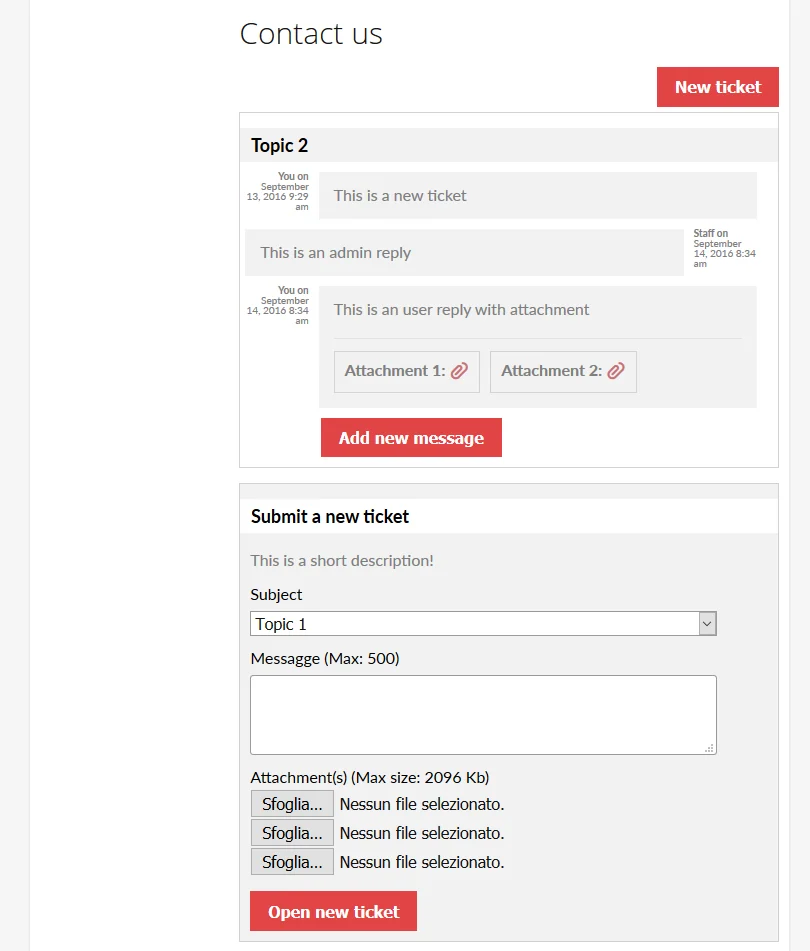 Historical example of tickets, replies and attachments. — Image: WooCommerce Support Ticket System.Open full-size screenshot ↗
Best forOrder-linked tickets with sufficient technical independence.
WooCommerce Support Ticket System adds enquiries linked to orders and users in WooCommerce. It suits a need for precise commercial context, but its listing explicitly states that the author provides no item support. This condition should weigh in a beginner's choice. Advertised future updates do not replace configuration assistance.
Offer pricing
CodeCanyon Regular: 39 US dollars; Extended: 155 US dollars, different licence.
Billing: Licence purchase; WooCommerce required.
Renewal and support: Future updates advertised; no support provided by the author according to the listing.
CodeCanyon excluding taxes and handling fees; confirm direct-contract taxes.
Checked on .
Strengths
- Order and account context.
- Enquiries and replies from the customer area.
What to consider
- The author provides no support for this item.
- WooCommerce required; Gutenberg Optimized: No in the listing.
Pricing terms and compatibility
Understanding the offer
- Price at the time of review
- CodeCanyon Regular: 39 US dollars; Extended: 155 US dollars, different licence.
- Currency
- USD
- Billing
- Licence purchase; WooCommerce required.
- Renewal and support
- Future updates advertised; no support provided by the author according to the listing.
- Taxes and fees
- CodeCanyon excluding taxes and handling fees; confirm direct-contract taxes.
- Commitment and terms
- WordPress installation; site count and modules vary by edition.
- Date checked
Compatibility and components
- Marketplace listing: WordPress up to 7.0.x, WooCommerce up to 10.x.x; check actual configuration.