Web hosting
1984 Hosting for WordPress in Iceland: pricing and backups
1984 Hosting’s WordPress plans in Iceland, initial and renewal terms, migration, the Security Pack and backup limitations.
Read more →

Site appearance
Web hosting
Three cPanel plans in Tanzania and a local exercise for checking addresses in PHP-serialized data.
Source published: · Source updated: · Editorial policy
Visit the official Sakurahost website ↗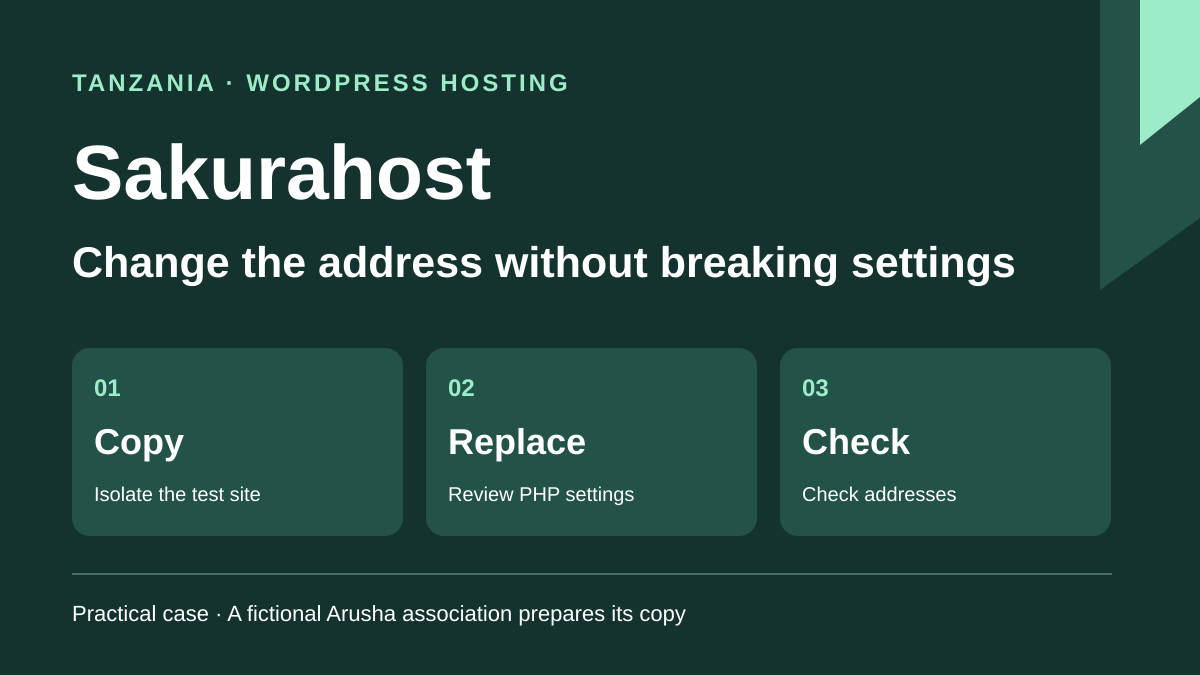
This profile is based on published offers and documentation. No new hosting benchmark or support test was performed for this translation.
Prices retain the market, currency and billing period described in the French source. Translation does not update a commercial quote. Confirm the final price, taxes and options before ordering.
| Plan | Price and billing | Resources and limits |
|---|---|---|
| Start-Up | 55,000 TZS per year and 9,000 TZS per month in the selector data. Renewal: Standard pricing after the promotion, amount by plan reference to confirm. Recorded November 10, 2026. TZS. Applicable taxes included unless otherwise stated under the terms. | 512 MB SSD. 10 databases, 10 mailboxes and one WordPress site. Backup frequency and retention to confirm. |
| Sungura | 159,000 TZS per year and 26,000 TZS per month in the selector data. Renewal: Standard pricing after the promotion, amount by plan reference to confirm. Recorded November 10, 2026. TZS. Applicable taxes included unless otherwise stated under the terms. | 2 GB NVMe. 25 databases, 30 mailboxes and one WordPress site. Daily backup advertised. Retention, space and point contents to confirm. |
| Faru | 229,500 TZS per year and 37,500 TZS per month in the selector data. Renewal: Standard pricing after the promotion, amount by plan reference to confirm. Recorded November 10, 2026. TZS. Applicable taxes included unless otherwise stated under the terms. | 5 GB NVMe. Unlimited site, database and mailbox counts advertised. Daily backups advertised. Site count differs between the WordPress card and Premium FAQ. Retention and installation quota to confirm. |
Sakurahost offers three WordPress plans in Tanzania in Tanzanian shillings, with cPanel and a Softaculous installer. A fictional Arusha association wants to open a test copy at a different address. Its site contains settings saved in the database by a plugin. Some are PHP-serialized, with string lengths recorded within the content. The team must be able to change the address without losing those settings.
The plan choice depends on space available for the copy and the ability to return to a previous export. Method selection depends on the data format. Text replacement may succeed on a standalone address and produce an unreadable setting within a serialized structure. The local exercise compares both cases on sample data. It provides a count of changed values and a readability check on the copy.
The profile separates site migration, domain transfer, backups and mail. It specifies displayed amounts, support arrangements and the scope of location statements. The aim is to identify which plan and workflow allow testing the new address before modifying the public site.
On November 10, 2026, the WordPress table displayed Start-Up at 55,000 TZS per year, Sungura at 159,000 TZS and Faru at 229,500 TZS. Monthly selector data on the same page gives 9,000, 26,000 and 37,500 TZS per month respectively. At a constant monthly rate, twelve months would cost 108,000, 312,000 and 450,000 TZS. The arithmetic differences from annual prices approach 49% across all three references, while the selector advertises up to 30%. The invoice or written summary must confirm amount and period. To compare cycles, use displayed amounts and treat the percentage as an arithmetic difference. Renewal pricing should be checked separately.
The terms state that prices are in Tanzanian shillings and include applicable taxes unless stated otherwise. The table does not break down VAT. In mainland Tanzania, the standard rate is 18%. The law also provides 16% for certain standard-rated sales to nonregistered persons using an approved bank or electronic payment method, subject to eligibility. The payment method alone does not confirm the rate applied by Sakurahost. An association should record the payable amount and breakdown on the invoice. The provider lists several local methods, including M-Pesa and Airtel Money. It distinguishes fees that conversion or a bank may impose on a customer paying from abroad.
The terms generally reserve promotions for the initial period and provide renewal at standard pricing. They advertise at least thirty days’ notice for a price change. Renewal pricing for the three WordPress plans is not separately published in the documents consulted. Check the next cycle amount, renewal status in the account and next invoice date. The FAQ lists 19,500 TZS per year for a .co.tz. It mentions a free domain with Sungura and Faru. Confirm the benefit’s duration and the domain extension invoice.
Start-Up advertises one installation, 512 MB SSD, ten databases and ten mailboxes. Sungura offers one installation, 2 GB NVMe, twenty-five databases and thirty mailboxes. The Faru WordPress card lists 5 GB NVMe and unlimited site, database and mailbox counts. However, the Premium FAQ presents Faru among shared plans intended for one site. Ask for the accepted installation count on the quote before placing a copy there. The Sungura card advertises a CDN, and Faru a CDN with a dedicated IP address. For test data, check which responses pass through the CDN before copying cache settings from the public site. To determine whether a test copy fits the plan, add files, database and retained temporary archives. Allowed installation count and quota actually available for a copy are separate checks. Ask whether staging counts as an installation on Start-Up or Sungura.
The WordPress page presents servers in Tanzania. The privacy policy cites Dar es Salaam as the main center and mentions international centers for redundancy and content delivery. The provider’s log also identifies an Alpha server for new cPanel accounts without establishing in that announcement the precise server location for every WordPress plan. The association should confirm its account assignment and database, backup and mail storage locations if that requirement applies. Commercial contact details and the location of a VPS or SMS product do not establish them.
Free SSL is advertised on all three plans. The test site also needs a certificate covering its own name, followed by verification that the requested address matches the copy’s canonical address. Plan limits affect export volume, media space and site count independently of the certificate’s existence. Sources consulted do not provide all PHP and process limits for the range. Record them before a large import, especially if the method compresses archives within the account.
Softaculous and cPanel are advertised throughout the range. The page presents one-click installation and staging, backup and plugin management features. The provider website also contains instructions for preparing a subdomain. Check the copy’s scope on the selected plan, particularly subdomain and database creation, access to update settings and space used. Easy installation does not transfer responsibility for checking plugins and content after updates.
The sales page and cited guides are in English. The FAQ advertises continuous Swahili and English support by telephone, WhatsApp, email, messaging and tickets. The help center advertises a two-hour response target for tickets and office hours Monday to Friday, 8 h to 18 h East Africa Time. It presents emergencies as a separate channel. Import resolution time and the language of the customer’s assigned cPanel interface remain to be confirmed. For a clone issue, provide the copy name, time with time zone and error message without including database export contents.
The AI Hosting packages concern hosting and deployment of applications already generated with external tools. The page lists AI Launch Pack at 200,000 TZS per year and AI Pro Pack at 450,000 TZS per year. These packages deploy already created web applications, with their own hosting and quotas. The WordPress range studied does not document an included generative builder or generation credits. For the association, the clone decision rests on cPanel, file and database access, and checking existing settings.
The range overview advertises daily copies. Sungura and Faru cards state them explicitly. The Start-Up card does not state a frequency. The cPanel guide describes daily and weekly infrastructure backups intended for incident recovery, whose on-demand availability may vary. Retention by plan, point times and exact content to restore remain to be confirmed. The cancellation guide mentions seven days of copy retention after closure. The terms give fourteen days to request an export after termination, with access disabled. These durations describe different processes. Neither establishes normal retention for an active plan.
In cPanel, the provider describes Files > Backup, then Download a Full Account Backup to produce an account archive. Its guide says restoring this entire archive requires an administrator. To rehearse opening the site elsewhere, also download the separate components needed. The guide specifies Download a MySQL Database Backup for compressed SQL and a separate command for the home directory. Record the database name from site configuration and check its tables and media are present in exports. Retain mail, filters and domain settings according to the chosen scope.
The cancellation guide describes immediate or end-of-period cancellation. Shared hosting terms specify a refund request on the purchase day and exclude prorated refunds for an annual plan stopped mid-period. The help guide mentions thirty days for a new shared subscription and possible credits. Confirm terms applicable to the order before relying on the guide. The record should separate any credit from file access rights and the cost already paid. Open exports before requesting closure, particularly if the same subscription hosts mailboxes containing association confirmations.
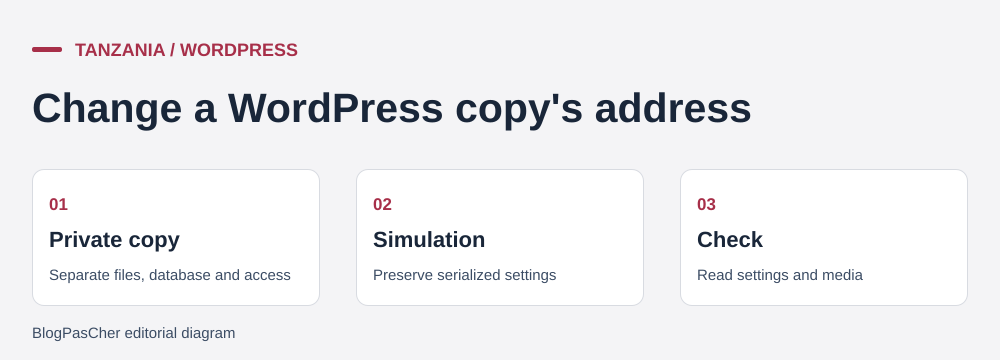 Guidance for preparing a targeted restore. — Illustration by BlogPasCher.Open full-size illustration ↗
The ZIP under “To prepare your site” contains EXERCICE-SAKURAHOST.php, which produces a JSON result. The supplied test uses PHP 8.4.8. Starting data contains an ordinary address, a PHP-serialized array with a logo, accented label, Boolean value and external link, then a sample GUID. Addresses use the reserved .test suffix. The script works in memory. It reads no real database and loads no plugin objects.
The source address occupies 27 bytes and the new one 35. Raw replacement changes the logo address without correcting the length specified inside the serialized string. Reading this value fails and the naive result says refuser. The second workflow decodes the array, replaces the address in its strings and serializes the structure again. The copy becomes readable and finds the logo under the test name. Accented text, external help link and Boolean value remain readable. The GUID stays identical. JSON reports two modified values, the ordinary address and settings. Source fingerprints before and after are equal.
The test demonstrates the risk documented in Sakurahost migration help. It only handles arrays, strings and simple values. WordPress, a real plugin or another format may contain other structures, several URL variants and references stored in custom tables. On a real copy, use a serialization-aware tool, read its per-table report and compare the result with the expected scope. A changed-row count does not replace reading settings in the plugin using those rows.
php .\EXERCICE-SAKURAHOST.phpCreate a separate target with its own database and access control. Sakurahost’s cPanel guide specifies Security > Directory Privacy to password-protect a directory. The rule applies to the protected directory and does not remove the need to check access to the new name and media. Before first loading, disable outputs that would use real contact lists or payment services. Copy files and import the database into the target. Check the copy’s configuration, particularly database credentials and any address constants.
With WP-CLI available and only on the copy, run wp search-replace 'https://kijiji.example.test' 'https://preprod-kijiji.example.test' --skip-columns=guid --dry-run from that copy’s directory. Replace the two example URLs with the actual names and verify the target using wp option get home and wp option get siteurl. Examine tables and counts in the report. Plugin tables not covered by the default selection must be identified separately. Rerun without --dry-run only after reading the report and backing up the copy’s database. Shell access and WP-CLI availability on the plan remain to be confirmed.
Then open pages, widgets and media the plugin should find. Check the test site’s public address, administration address and certificate for that name. If a setting has lost its value, recover the copy’s database from the export before broadening the command. The public version should remain accessible during rehearsal. Keep a list of URLs to check and a record of when files and database were exported.
Start-Up is the cheapest reference for a site whose files and database fit within 512 MB. For the association, the calculation must also include the SQL export and copy space. If both installations must coexist in one account, clarify site counting and actual free space. Sungura and Faru offer more storage and their cards specify daily backups. The choice should be based on a first-invoice amount, renewal rate and a workable download procedure.
The association accepts the method when the replacement report covers the expected tables and plugin settings remain readable in the copy. It checks old links, media, a page displaying a serialized setting and a form that does not leave the test environment. It keeps the original export reference and records the number of modified values. The raw replacement example justifies rejecting that method for an export containing the same setting types.
The public switch occurs only after checking files, database and addresses visitors use. DNS settings and the WordPress address change are two operations the team dates separately. If the public name must change, check which old URLs should redirect and retain the ability to restore the previous destination. If a plugin cannot reread its settings, return to the copy’s export and revisit only the affected tables and columns. Close the old account after checking the site, mail and ability to reopen exports.
Use these references to check the features, requirements and limitations described. Reading documentation is not a practical test.
English translation of the reviewed French edition. Code examples retain their original identifiers, comments and output strings for reproducibility. Linked exercise files and original screenshots may contain French. No new practical tests or price checks are implied by translation.
1984 Hosting’s WordPress plans in Iceland, initial and renewal terms, migration, the Security Pack and backup limitations.
Read more →Compare 34SP.com WordPress containers, shared memory, staging copies, downloadable snapshots and site migration.
Read more →Compare AEserver’s managed WordPress prices and check whether your network must be split into independent installations before migration.
Read more →