Web hosting
1984 Hosting for WordPress in Iceland: pricing and backups
1984 Hosting’s WordPress plans in Iceland, initial and renewal terms, migration, the Security Pack and backup limitations.
Read more →

Site appearance
Web hosting
Managed WordPress on Canadian infrastructure, with a local exercise in targeted permission correction.
Source published: · Source updated: · Editorial policy
Visit the official FullHost website ↗
This profile is based on published offers and documentation. No new hosting benchmark or support test was performed for this translation.
Prices retain the market, currency and billing period described in the French source. Translation does not update a commercial quote. Confirm the final price, taxes and options before ordering.
| Plan | Price and billing | Resources and limits |
|---|---|---|
| Starter-WP | 7.50 CAD per month for the first three months according to the table. Renewal: 15.00 CAD per month at the displayed regular price, subject to duration, taxes and price notices. November 10, 2026 review, monthly CAD table. Taxes according to profile. Other billing periods to be checked separately. | 1 installation, 10 GB SSD and 500 GB transfer. Qualitative CPU and memory descriptions in the table. Separate email. |
| Growth-WP | 12.50 CAD per month for the first three months according to the table. Renewal: 25.00 CAD per month at the displayed regular price, subject to duration, taxes and price notices. November 10, 2026 review, monthly CAD table. Taxes according to profile. Other billing periods to be checked separately. | 3 installations, 25 GB SSD and 1000 GB transfer. Qualitative CPU and memory descriptions in the table. Separate email. |
| Pro-WP | 25.00 CAD per month for the first three months according to the table. Renewal: 50.00 CAD per month at the displayed regular price, subject to duration, taxes and price notices. November 10, 2026 review, monthly CAD table. Taxes according to profile. Other billing periods to be checked separately. | 5 installations, 50 GB SSD and 2000 GB transfer. Qualitative CPU and memory descriptions in the table. Separate email. |
| Elite-WP | 39.95 CAD per month for the first three months according to the table. Renewal: 79.90 CAD per month at the displayed regular price, subject to duration, taxes and price notices. November 10, 2026 review, monthly CAD table. Taxes according to profile. Other billing periods to be checked separately. | 10 installations, 75 GB SSD and 3000 GB transfer. Qualitative CPU and memory descriptions in the table. Separate email. |
| Ultimate-WP | 59.95 CAD per month for the first three months according to the table. Renewal: 119.90 CAD per month at the displayed regular price, subject to duration, taxes and price notices. November 10, 2026 review, monthly CAD table. Taxes according to profile. Other billing periods to be checked separately. | 15 installations, 100 GB SSD and 4000 GB transfer. Qualitative CPU and memory descriptions in the table. Separate email. |
FullHost presents its managed WordPress as a service hosted in Canada. The range associates an installation count, disk space and transfer limit with each plan. It gives a three-month discount period. The chosen case is a fictional nonprofit editorial team in Montreal. A setting changed a WordPress role’s publishing permission while the team continued writing and adding accounts.
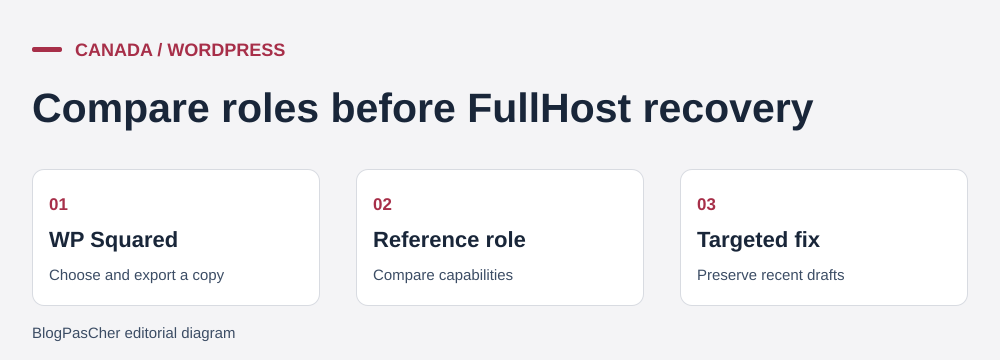
The contributor role must allow draft writing, while publication remains restricted to authorized people. The editorial team needs to recover the expected setting without returning all content to an earlier state. The local exercise compares permissions before the incident, after alteration and after a targeted correction. A draft and account added in the meantime serve as witnesses. The backup supplies a reference state for the decision, and restoration can be prepared on an isolated destination.
The study distinguishes hosting management from user and editorial-process management. It also examines taxes, actual data location, restoration options and access to an export usable outside the service.
In the monthly view reviewed on November 10, 2026, FullHost displays a half-price discount for the first three months. Starter-WP rises from 7.50 CAD to a displayed rate of 15 CAD per month. Displayed promotional and regular-price pairs are 12.50 and 25 CAD for Growth-WP, 25 and 50 CAD for Pro-WP, 39.95 and 79.90 CAD for Elite-WP, and 59.95 and 119.90 CAD for Ultimate-WP. The displayed regular price estimates months after the discount. Duration and total applied to another billing period require separate verification.
For Starter, three introductory monthly payments total 22.50 CAD excluding taxes. If the displayed regular rate applies to the following nine, twelve months of hosting cost 157.50 CAD excluding taxes. This calculation describes neither an annual order nor a total prepaid for the entire year. The terms provide for advance payment, automatic renewal for the same duration and at least 45 days’ notice before a renewal increase. Cancellation goes through the customer area before the term ends. Record duration, currency and billed items when comparing two offers.
The cards display Canadian dollars. FullHost also specifies USD payment arrangements and states that the applicable currency appears on the order. The help center describes collecting GST or HST in Canada by province and mentions provincial tax in British Columbia. For a taxable transaction in Quebec, the Canada Revenue Agency presents 5% GST and 9.975% QST. FullHost help displays only GST in its Quebec row. For the Montreal case, check the quote breakdown and applicable place of supply. The domain and email service are separate costs.
Starter, Growth, Pro, Elite and Ultimate advertise one, three, five, ten and fifteen WordPress installations respectively. Storage rises from 10 to 25, 50, 75 and 100 GB. Displayed transfer quotas are 500, 1,000, 2,000, 3,000 and 4,000 GB. Memory and CPU are described through qualitative tiers. If an import, plugin or large publication depends on a precise allowance, ask for values and measurement methods. The absence of a visitor limit on the card does not remove the transfer limit.
The range advertises Canadian hosting and names Vancouver, Calgary, Toronto and Montreal as data-center locations. The page does not specify the center assigned to each plan or whether a city can be chosen for a particular subscription. The backup policy locates off-site copies at another Canadian location. For an exact residency or proximity requirement, ask for the WordPress center and the location applicable to this offer’s copies. The editorial team being in Montreal does not guarantee Montreal allocation.
The website, help center and tutorials consulted are in English. The cards advertise priority support. FullHost advertises 24-hour technical support through tickets. French support and time frames for restoration or a permission incident remain to be confirmed. For this scenario, the ticket should specify the affected installation, when the permission changed and which recent content must remain. Send this information through the account’s authenticated channel.
The documentation links the WordPress offer to WP Squared and distinguishes it from Elastic Hosting. The workflow goes through My Products & Services, the WordPress product, then Login to WP Squared. The dashboard provides access to the file manager, terminal and WP Admin. Documentation also shows WP-CLI use from the installation directory. Before a recovery operation, check the selected domain and directory to avoid applying a command to another account installation.
FullHost highlights updates and help changing PHP versions. The editorial team remains responsible for its accounts, role assignment and publication approval. Prepare an example for each user type, then verify who can edit and who can publish. A staging panel helps check a change. Deciding to copy files or the database to production remains a choice that can affect content added afterward.
The WordPress profile advertises an AI-assisted site builder and malware detection. The cards detail neither builder quotas nor terms. FullHost also presents AI Studio with its own plans, including a free plan and Start at 19.99 CAD per month. AI Studio inclusion and equivalence of the two builders remain to be confirmed. If a generator is needed, verify its commercial product reference, portability and what happens to features after cancellation. The role-recovery case uses WordPress administration features.
 Guidance for preparing a targeted restore. — Illustration by BlogPasCher.Open full-size illustration ↗
FullHost advertises automatic daily backups and manual creation in its WordPress offer. The current WP Squared guide describes the Backups tab in site details. It allows creation of a copy or scheduling regular copies. Documentation places manual archives in the file manager’s WordPress Backup directory and describes downloading them. Check account permissions, available space and the selected copy’s scope.
The general policy describes different retention periods by product, including Elastic, email and servers. R1Soft documentation specifies seven days in cPanel. Current WordPress uses WP Squared, whose help does not quantify retention of the plan’s automatic points. The panel guide distinguishes customer-created backups and their possible scheduled deletion. For the chosen plan, record actually accessible dates, automatic-point frequency and how to obtain an export usable outside the panel. When publication has continued after a backup, also copy the current state before restoring.
The editorial team first wants to compare permissions. A copy restored in an isolated environment lets it read the role’s previous state. Restoring the entire database would have a broader scope, including drafts, accounts and settings added afterward. Define what must be recovered, record recent changes and verify that the reference role corresponds to the same site version. To compare recovery scopes, consult “25 WordPress backup tools by recovery need.”
The ZIP under “Prepare your site” contains the script that creates a local WordPress installation with a SQLite database and two fictional accounts. It archives contributor-role capabilities before the incident. The contributor can write and the editor can publish. The exercise deliberately adds the publish_posts capability to the contributor role. It then creates a new contributor and a draft under that account, representing work performed since the reference point. The test confirms that publishing capability was actually granted to the original contributor.
The procedure reads the reference file and removes the added capability. After correction, both the original and new contributors recover their role’s scope, and the editor can still publish. The new account remains the draft’s author, with its status and text preserved. The script also checks all role capabilities to ensure they match the reference. The JSON evidence separates checks for the three users. Rerun the script with PowerShell, PHP, PDO SQLite, extracted WordPress and SQLite Database Integration, WP-CLI and a new working directory on D:.
On a copy of a real site, confirm the relevant role and capability. The command wp cap list contributor reads the list. After comparison with a trusted reference, wp cap remove contributor publish_posts removes publishing permission from that role. Also check direct user permissions and plugins that may add them. Keep the previous state so the capability can be restored if it belonged to a legitimate workflow. Test with a demonstration account before applying the correction. If the account hosts multiple installations, first verify the path using “WP-CLI targets the wrong WordPress: check the server, directory and site.”
Before departure, download files and the database, then try restoring them to a destination independent of WP Squared. Check plugin data, theme settings, media and the user list. The panel’s backup is sufficient only if its contents and access conditions are understood. Check a draft, public page and sample role, then record the PHP version and installation settings.
FullHost states that this WordPress offer does not include email hosting. The editorial team must retain responsibility for its email account and domain, record DNS-zone entries and verify access with each service. A zone change can affect notification delivery even when pages work. FullHost’s DNS guide distinguishes the registrar, nameservers and entries managed by WP Squared. Domain transfer needs its own schedule.
Check the exit archive while the service is active. The terms tie renewal to order duration and require notification of termination from the account before the term ends. Keep request confirmation and access to the new instance. To choose between a staging copy, full migration and targeted import, consult “WordPress migration, staging and imports: choose the right tool.”
Starter-WP is the first option to examine for an editorial site fitting within 10 GB and needing only one installation. If testing requires a second complete installation, have staging counting confirmed before choosing Starter or Growth. Storage must also leave room for downloading a copy and media added after the last backup. Official status identifies the WordPress service in all four advertised cities. It confirms that Montreal is part of the declared infrastructure for this service. The editorial team’s allocation and its copies must appear in account information or the quote.
When a permission changes, establish who is supposed to publish and when the change appeared. Compare shared role permissions with any rights added to an individual user. An administration screen may hide the publish command for another reason. To isolate the problem, use a test page, then verify that the contributor can create or edit a draft, cannot publish and that the editor still can. Also check a new account with the same role to ensure the result does not depend only on the original test session. The local exercise follows precisely these three checkpoints.
Before any correction, export current capabilities, back up the site and record the latest draft’s date. If a plugin keeps reassigning the capability, find the setting or activation event that reintroduces it. A manually repeated fix is insufficient if the cause recurs. For a custom role, request a permission list approved by the editorial team before applying a reference from another installation. Rollback consists of restoring the exact legitimate setting and checking affected accounts with the same matrix. Keep change history and the reference archive outside the panel alone.
The hosting decision also includes the regular price and responsibilities the offer leaves to the editorial team. The post-discount budget must include the domain, chosen email service and time spent operating the editorial process. Help distinguishes on-request migration from validation work retained by the editorial team. Check who responds to platform problems, who can change roles and who holds backups. These people must be able to open the incident report and locate the evidence folder even if only one interface works.
The recovery point is accepted when the draft and its author are visible, permissions match the intended process and the role remains stable after a fresh login. If the data state requires broader rollback, prepare database restoration on a copy and inventory subsequent changes before any intervention on the public site. The editorial team can then choose between a capability change and a broader restoration based on observable facts.
Use these references to check the features, requirements and limitations described. Reading documentation is not a practical test.
English translation of the reviewed French edition. Code examples retain their original identifiers, comments and output strings for reproducibility. Linked exercise files and original screenshots may contain French. No new practical tests or price checks are implied by translation.
1984 Hosting’s WordPress plans in Iceland, initial and renewal terms, migration, the Security Pack and backup limitations.
Read more →Compare 34SP.com WordPress containers, shared memory, staging copies, downloadable snapshots and site migration.
Read more →Compare AEserver’s managed WordPress prices and check whether your network must be split into independent installations before migration.
Read more →