

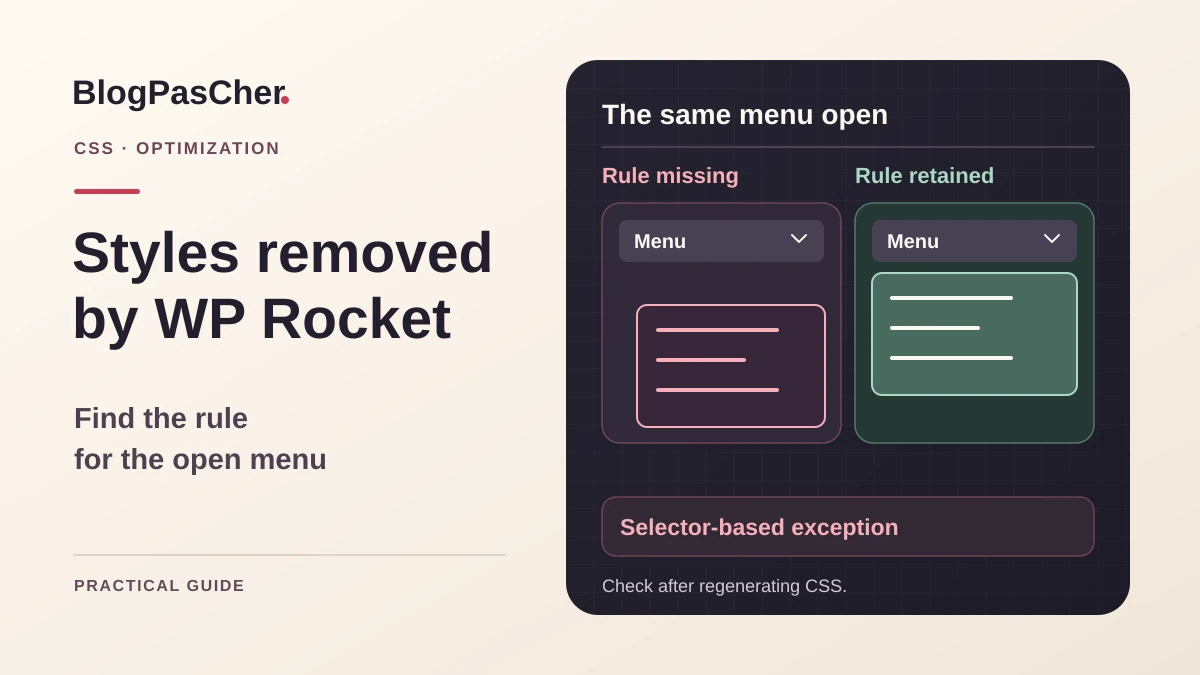
Describe the defect at the moment it appears
After enabling Remove Unused CSS in WP Rocket, an open menu loses its background, a window no longer positions correctly, or buttons change size. The page may look correct on first load and deteriorate later. Choose one address and precise state. Record the device, width, action, and affected area. A screenshot of a closed menu does not check the open menu’s style. Keep an example of the expected state with identical content.
Record optimization options changed at the same time. CSS removal, JavaScript delay, and an old cached page can produce similar symptoms. Start by attributing the defect to one feature on a copy or team-designated test environment. You need permission to modify WP Rocket and inspect styles in the browser. The desired result is complete rendering after generation, with an exception whose role you can explain. Temporary improvement immediately after a purge still needs checking.
Prepare the test according to service constraints
Keep WP Rocket settings and existing exceptions. Choose a control page and scenario reproducing the defect. Used CSS generation relies on a service visiting the page. A private copy protected by HTTP authentication or declared local may not be processed like the public site. Have the owner prepare an authorized test environment respecting these constraints, with data and external effects neutralized. Reading an existing page helps initial recording but does not replace rehearsing the change.
Also record other cache layers serving the page. Prepare targeted invalidation and retain initial rules. Logged-in versions may receive different treatment from visitors. Therefore use a logged-out test profile and known consent state for comparison. Keep identical content, dimensions, and actions during tests. If the interface adds elements after opening, wait until they are present before comparing styles. Record the exact moment expected rendering disappears.
Confirm the responsible feature through comparison
On the test environment, check the page with Remove Unused CSS disabled, then with this feature alone among the suspected transformations. Keep other values so they can be restored. Documentation also suggests the nowprocket parameter for examining a response bypassing WP Rocket effects. This parameter does not necessarily bypass hosting caches or other site tools. Check the received response before drawing a conclusion. Compare the normal public page with this version using the same action.
If the problem also exists with removal disabled, revisit stylesheet loading or the script adding classes. If the defect appears only after used CSS is applied, continue with generation and missing rules. Repeat controlled regeneration to rule out an old file. Keep the address, setting, and result of every comparison. When several options changed together, reintroduce them gradually after isolating removal. A neighboring minification option may also change the result and requires its own test.
Wait for used CSS to be actually applied
In WP Rocket settings, the feature is under File Optimization in the CSS section. Generation is asynchronous. A visit may trigger processing and still receive the previous version or fallback rendering. After changing an exception, wait for the result to be generated and actually integrated into the public page. Documentation identifies the style block with ID wpr-usedcss as a marker of this application. View the response source and compare the result on a new visit.
For a single page, use the action to clear that URL’s used CSS when offered in the administration bar. Keep track of any broader cleanup scope. Record administration notices and generation errors. If the expected marker never appears, check task triggering and the service’s access to the page. Do not judge an exception’s quality at this stage. A correct page while original stylesheets are still used can become incorrect again when the new result is applied.
Find the missing rule in the browser
Open the correct and optimized states side by side. In each, select the defective element, then inspect computed styles and the rules producing them. Look for the property explaining the difference, such as position, display, background, or font. Record the correct rule’s selector and original stylesheet. If the rule also exists in the optimized version but is crossed out, find the rule overriding it. A preservation exception does not correct already different CSS precedence.
Check the element and its parents. The style may depend on a class added to a container when the menu opens. Compare that class in both states. If the class is entirely missing, check the JavaScript meant to add it before changing CSS selection. If present but its corresponding rule is absent from the generated result, you have an exception candidate. Keep a stable selector limited to the component. A random ID generated on every load is not a reliable basis for a permanent preservation rule.
Add a limited exception in CSS Safelist
In the CSS Safelist area associated with Remove Unused CSS, add the identified selector while retaining existing exceptions. Place one entry per line according to your version’s interface. The field accepts classes, IDs, and stylesheet references, among other entries. The example below assumes a menu using a stable menu-ouvert class and menu-panneau panel. Adapt these two names to actually observed values. This line belongs in the preservation list, not the theme’s additional CSS.
Save, then regenerate the result for the control page. Wait for application and check that the useful rule appears in served CSS. Then repeat the opening action. If the defect persists, compare the property again. Broadening the exception to the entire page without identifying the discrepancy may hide a second cause. If the exception works, check another use of the menu and its closed state. Keep the added value with its justification. To undo it, remove only that line, then repeat generation and checking under identical conditions.
.menu-ouvert .menu-panneauCheck dynamic states of the same component
A menu, accordion, or form may use several classes depending on state. After the first correction, test opening, closing, input error, and success through the intended test route. Also check keyboard focus and width variants. For each state still incorrect, compare the useful rule in the reference rendering and the one applying used CSS. Add only confirmed exceptions. A list based on assumed theme classes can become very broad without covering the missing state.
If a class name contains a variable part, find the component’s stable rule or supplying stylesheet. Provider documentation offers preservation alternatives when selectors change or a script depends on a stylesheet’s presence. Have the relevant code maintainer apply these adaptations after a targeted comparison. If the component changes frequently with session data, a page exclusion may better fit the need. Choose based on maintenance cost and functional result, retaining other pages as controls.
Exclude a page requiring complete stylesheets
For a few pages whose states are difficult to cover, open the WordPress editing screen and find WP Rocket Options. Documentation says Remove Unused CSS can be unchecked there for the affected content, followed by updating the page. Record the initial value and verify that you are editing the page actually served. An archive template or generated page without an editable object may require another mechanism. Identify the document type before choosing a rule.
After saving, invalidate the relevant response through the site procedure, then open it as a visitor. Check stylesheet loading and component behavior. Also open another page that should retain optimization and confirm it still receives its generated result. To revert, re-enable the option on this page and verify after new generation. If you retained global exceptions during the test, decide which remain justified for other pages before removing them. A shared component may still depend on an exception after its main page is excluded.
Examine generator access when the defect returns
Unusually short used CSS or severely degraded rendering may come from the page the service actually analyzed. Correlate generation time with protection logs and any challenge pages. WP Rocket documentation identifies this case. If the service receives a block page instead of the document, it may produce a result not matching the expected page. Keep the administration message and evidence of the generator’s received response when the owner can obtain it.
Have an access rule limited to the legitimate service confirmed from current official information. The person managing protection must retain the exception’s scope and justification. A user-agent name alone does not identify a service. Also check the response behind any proxy and documented request parameters. If generation does not progress at all, examine tasks and reachability within the authorized scope. The expected outcome is analysis of the real document followed by generated CSS matching its components.
Restore the original exception list and settings
Keep the original preservation-list contents and options changed during diagnosis. If the new exception causes another defect or produces no result, remove it and regenerate the control page. If you tested page exclusion, restore its original state and wait until the final response matches that state. Reverting a setting without regeneration can leave an old result visible and create the impression that undoing failed.
If rendering is critical and the targeted exception is insufficient, use the documented exclusion for the affected content after verification in the test environment. Record elements still needing provider analysis. For a generator-access-rule correction, also keep the previous protection rule and its owner. The rollback procedure must specify which generated result to remove and which public response to check after the change. This avoids confusing an old retained response with the current setting. Finally check a neighboring page to detect an overly broad change.
Validate the result after fresh generation
Prepare a small set of pages and states. Include the failing page, another use of the component, and a page outside the exclusion. Check in a visitor window at a width representative of the defect. If the issue appeared on a phone, also repeat the action on that device. Keep the same test data.
- Confirm that used CSS has just been generated and is applied in the received response.
- Check the useful rule and rendering of the failing state.
- Test opening, closing, and keyboard interaction with the component.
- Check mobile variants or error messages that add classes.
- Verify exclusion scope and optimization on the control page.
- Repeat after another targeted invalidation to verify that the correction survives generation. Keep original settings with a list of validated states and those still needing examination.
Document exceptions alongside their components
For every CSS Safelist entry, record the component, missing property, and a control address. Specify the action making the rule necessary. During a redesign, verify that the class still exists before retaining the exception. A class added for an old module may become unnecessary after replacement. For a page exclusion, note why dynamic rendering requires this route and under what conditions the team can test again.
WP Rocket is a commercial product. This diagnosis targets an installation already having the feature and a valid license, a condition specified by its documentation. Check the version actually installed when menus differ. Evidence of correction includes the final generated state and tested interactions. Keep sources and technical-check date with the record so verification can resume when the publisher changes the generation mechanism. When the issue affects only one state, retain a precise action description. A check ending at initial load does not cover a class added on first interaction.
Guided example: restore an open menu’s style
This is a fictional case to adapt, not a result measured on your theme. In the correct version, open the menu and inspect its panel. Suppose the rule .menu-ouvert .menu-panneau supplies a white background. In the optimized version, open the same menu: if both classes are present but the rule and its background disappeared, this selector is an exception candidate. If the rule is present and crossed out, first find the winning rule; the safelist does not resolve that precedence conflict.
Add only this selector to CSS Safelist, save, and regenerate the page’s used CSS. On a new logged-out visit, check the wpr-usedcss marker and then the open menu background. Close the menu, reopen it with the keyboard, and check a second page using the same header. Remove the exception if it does not explain the improvement, then regenerate to return to the initial state.
This repair requires no additional purchase if WP Rocket is already installed. Without this commercial feature, free browser tools suffice to identify the rule; retaining original stylesheets is a functional solution. Installing a second optimizer does not necessarily reproduce Remove Unused CSS and may introduce another conflict cause.
Related comparisons
25 WordPress performance plugins to choose according to the cause
Review WP Rocket’s features and the limits to examine before changing your configuration.
Sources and references
Use these references to check the features, requirements and limitations described. Reading documentation is not a practical test.