

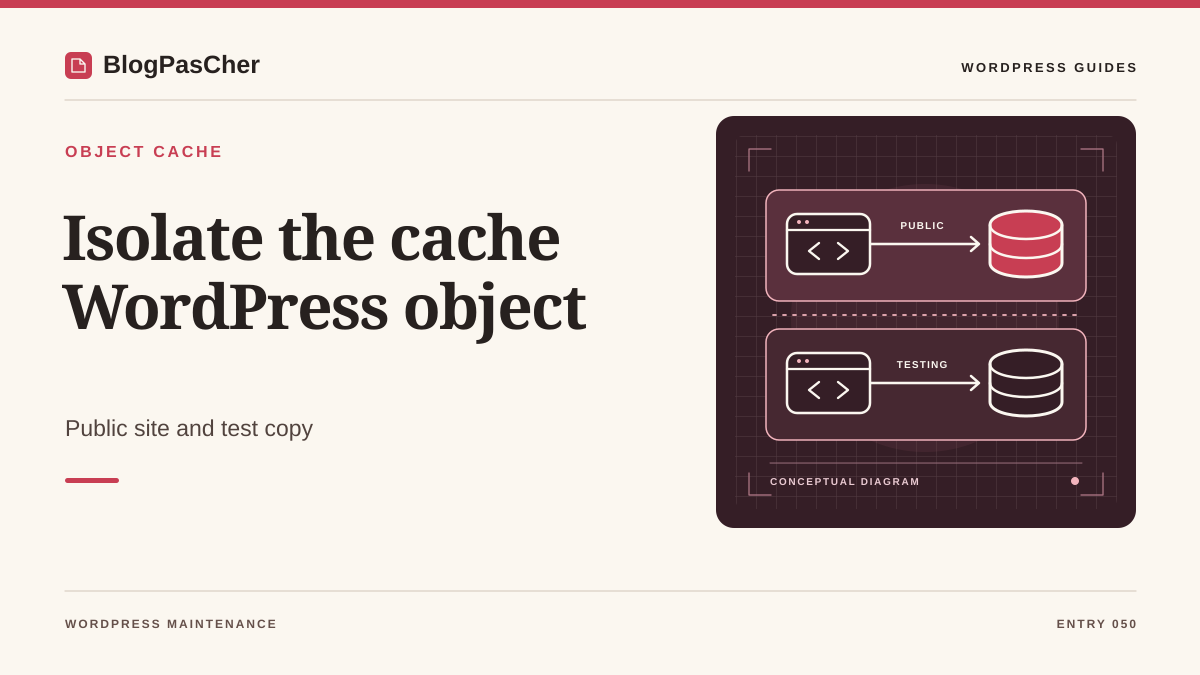
Recognize sharing that produces unexpected effects
Two WordPress installations use the same Redis server. After a purge on the first, the second suddenly slows down. In a more serious case, test data seems to come from the other installation. Record what changed, the time, and the exact operation. A cleared cache explains rebuilding and a temporary load increase. A value belonging to another installation calls for checking key identity. These two effects may arise from different sharing of data or purge commands.
Choose two identified test installations and an example of nonpersonal data. Record each address, environment, and owner. A staging copy may have inherited the active site’s Redis parameters when created. Check this possibility before enabling or clearing its cache. Acting requires WordPress configuration-file access and agreement from the Redis owner on assigned resources. If the platform manages the drop-in, route the change through its usual configuration mechanism. Mere WordPress administration access does not define the authorized scope on a shared service.
Distinguish installations from network subsites
Establish whether you have two independent installations or several subsites in one multisite network. In a network, some cache groups are deliberately shared and others account for the subsite. Configuration happens at installation and drop-in level. Randomly assigning a different database to each subsite can contradict that behavior. For two installations, each must have a controlled cache identity and destination.
For each installation, record the Redis server or socket, PHP client, database number where applicable, and key prefix. Also record who triggers purges, such as a button, deployment command, or automatic task. Add other uses of the Redis service. It may host a separate application cache or data with a different lifetime. Ask the owner for the list of actually reserved databases and instances. A number appearing empty during one inspection does not demonstrate availability. Assignment must precede the WordPress change.
Identify the software providing object-cache.php
Examine object-cache.php in the actual content directory and identify its provider. In Redis Object Cache, open available settings or diagnostics to read effective parameters. Keep the record private and mask connection credentials. Several providers use the same filename. One provider’s constants do not automatically configure another. If hosting generates the file or parameters, find its source of truth before editing a copy that the next deployment would overwrite.
The code approach below concerns Redis Object Cache by Rhubarb Group. Check its version and that of the installed drop-in. Its repository documents WP_REDIS_DATABASE for the database and WP_REDIS_PREFIX for key identity. The older WP_CACHE_KEY_SALT constant still appears on some sites. Compare precedence documented for the installed version and remove duplicate definitions in the maintained file. Keep the original configuration. If the failure is inability to connect rather than data sharing, first resolve reachability using the dedicated guide before testing isolation.
Separate key identity from purge scope
A unique prefix distinguishes key names belonging to two applications. This reduces collisions when data uses the same internal IDs. A purge of the entire Redis database may nevertheless remove keys under every prefix in that database. Behavior depends on the actual command sent and the cache provider’s protections. Record the mechanism used by the button or operations script. “Clear cache” in an interface does not always specify this scope.
On a Redis service allowing several logical databases, one database reserved per installation can separate the effects of a command limited to the selected database. A command targeting the entire instance would still have broader scope. Logical databases also share resources in the same service. They are not complete security or capacity separation. If two teams need independence in these respects, request an appropriate instance or service policy. Keep all three elements in the report: key identity, logical destination, and authorized commands.
Check the Redis architecture’s capabilities
For two independent applications, prefer dedicated Redis destinations. Redis documentation discourages unrelated applications sharing one instance based solely on logical databases. A distinct index is a namespace; databases notably remain saved in the same persistence files. If hosting has already approved a shared architecture, have its scope and purge permissions explicitly confirmed before retaining that arrangement.
Redis allows database selection in certain architectures. Redis Cluster uses only database zero and does not support this selection mechanism. A managed service may also impose its own capabilities. Have the service type confirmed before using a number from an example. For a cluster or stronger isolation need, a dedicated destination may be the right method. The provider must specify the endpoint, credentials, and purge mechanism to use.
If multiple logical databases are available, have a distinct index explicitly reserved for each independent installation. Keep a readable, unique prefix per environment. For a copy, also distinguish production and staging. When the client or platform has an additional local cache, check its recommended switching procedure to avoid retaining old state in processes. The change is not limited to the value written in a file. Diagnostics and new requests must show that the installation reaches the intended destination. Clear assignment approval facilitates this check and any rollback.
Prepare switching without purging the shared destination
On an isolated service copy or assigned test environment, keep the initial configuration and an appropriate site restore point. Have the owner verify availability of the new database or instance. Prepare configuration-file access even if administration slows during cache warming. Record site behavior before the change and choose a window where a temporary load increase is acceptable.
If staging still points to the active cache, use the drop-in’s documented bypass to stop that usage before testing. Check the effects of every activation or deactivation command. Some cache installation operations may themselves trigger a purge. Do not use them merely to reconnect to a database whose usage remains shared. First prepare the independent destination and provider parameters. Switch one installation at a time so you can attribute discrepancies to the changed site and observe the other installation in its normal state.
Set database and prefix in the maintained configuration
In wp-config.php, place recognized constants before wp-settings.php loads, following provider instructions. Find existing definitions and change them at their source. The example assumes a shared architecture already approved by the owner, outside Redis Cluster, with database 4 reserved solely for the relevant staging installation. It does not recommend this sharing for new independent applications. The number and prefix are illustrative. Preserve other already validated connection parameters. Another independent installation must receive its own assignment, such as another database and distinct identity.
After saving on the copy, make a new request and open cache diagnostics. Verify effective database, prefix, and connection state. If values do not change, find the loaded configuration, deployment, or platform-enforced parameters. Do not multiply definitions across several files. Rollback means restoring saved values only if their destination remains authorized and consistent. If the old destination causes confirmed collisions, temporarily keep this copy’s cache bypassed through the provider’s method until corrected.
define('WP_REDIS_DATABASE', 4);
define('WP_REDIS_PREFIX', 'atelier-preproduction:');
Verify separation with a temporary key
On two copies authorized for this test, choose a key name and group unique to the test. The example creates a value in installation A with a short expiration, looks for the same key from B, then removes it from A. Replace example roots and names with your test references. Do not reuse a business group such as users or options. Confirm beforehand that both contexts actually use persistent caching and the intended component.
The read from B must report absence if the namespaces are isolated along this route. Also reread the key from A in a new command before removing it to confirm persistence. If A cannot find it, absence from B proves nothing about isolation. A’s reread must immediately follow B’s, before expiration. If A lost the key through expiration, eviction, or a destination change, the result is inconclusive. Expected absence in B and a connection error are different results. Do not join these lines with &&: the expected nonzero code for an absent key must not prevent the next record or targeted cleanup. Record each result separately. The test may load WordPress code and must respect the copies’ constraints.
Terminal success concerns that context. Web PHP and workers may receive different configuration. Have their effective parameters confirmed and perform a representative check through their authorized maintenance route.
After the commands below, repeat in the opposite direction with a new key: B writes and rereads its value, A must report the key absent, then B must still reread its value before targeted cleanup. A connection error, expired key, or lost value does not constitute a denied read demonstrating isolation. Keep effective parameters and every result. Also verify cleanup in the context that created the key. This check covers only the groups and processes actually used; it does not automatically validate all caches added by plugins.
wp --path=/copie-a cache set test-isolation-unique valeur-a test-maintenance-unique 300
wp --path=/copie-a cache get test-isolation-unique test-maintenance-unique
wp --path=/copie-b cache get test-isolation-unique test-maintenance-unique
wp --path=/copie-a cache get test-isolation-unique test-maintenance-unique
wp --path=/copie-a cache delete test-isolation-unique test-maintenance-unique
Test purging within a disposable scope
Purge verification must use test destinations whose every use is known. For this test, create a new pair of synthetic values on A and B with lifetimes covering the operation, then reread each through a new request before any purge. Both values must still be present; otherwise correct the test before measuring their disappearance or survival. Then use A’s documented purge command. Reread B’s value through a new request. It must remain available if the intended contract guarantees this independence. If it disappeared, first rule out normal expiration or eviction; observations alone cannot then attribute its loss to the purge. On A, verify that the value is absent and the site rebuilds expected data. If B is also cleared, identify the command sent and targeted service before reproducing the operation elsewhere.
Compare administration purges with maintenance scripts. Deployment may use a broader command than the plugin button. Document both mechanisms and remove from normal operations the one whose scope is incompatible with sharing. If a platform manages this operation, have its owner validate the rule. Prefixes do not guarantee survival of a global purge. Service permissions and architecture must match what operations tools can actually execute. Keep evidence of the scope observed in the disposable environment.
Plan rollback and cache warming
If the new destination causes a connection problem, keep the precise message and nonsecret parameters. Use the drop-in’s intended bypass on the copy to keep the site accessible during analysis. Then restore original configuration only when its use is validated. Old keys may retain values from before switching. Before rereading that old namespace, the owner must decide how to invalidate only this installation’s data within an authorized scope.
A new cache database starts with little data. Initial requests may place more demand on the primary database and remote services. Monitor this warming during the prepared window and check that its cost then subsides. If the other site also slows, compare shared resource usage instead of assuming a collision. Logical-database separation retains the same Redis process and sometimes the same machine. Keep before-and-after records to distinguish a cold cache, service saturation, and configuration defect. Each cause requires a different correction.
Validate routine operations on both installations
Check public pages, administration screens, and routine writes in each test environment. For a store, use the isolated ordering methods designated by the team. Cache configuration must follow data updates and expected invalidations. Check an editorial change without reusing personal data for the test.
- Confirm the drop-in provider and each installation’s effective parameters.
- Check that reserved destinations and prefixes differ according to the assignment plan.
- Reread synthetic values through new requests on A and B.
- Test A’s purge only on disposable destinations and observe B’s survival.
- Check the deployment flow, which may use a different purge command.
- Remove test values and record the bypass and parameters to restore in an incident. Keep validation of production usage separate from this test.
Preserve assignments during future site copies
Add the Redis service, database number or dedicated destination, prefix, client, and owner of each installation to the operations record. Record authorized commands and purge scope. When copying to staging, change these parameters before re-enabling the cache. Also check environment variables and deployment templates that could restore active-site parameters. A manually corrected file may be replaced the next time a script runs.
Redis Object Cache provides these settings in its free version. Another integration or managed plan uses its own configuration contract. Keep constant names tied to the identified provider. Beta-product documentation must also be distinguished from documentation for the version in service. The isolation plan is validated through data, purges, and resources. Repeat this small scenario after a client or hosting change, and retain clear assignments to avoid choosing an index that only appears available.
Read diagnostics before comparing two installations
In the Redis Object Cache screen, open diagnostics and separately record client, endpoint, database, and prefix. Compare these effective values with those in wp-config.php: the “staging” name displayed in WordPress is not a Redis parameter. Do not distribute the complete diagnostic report; it may contain connection information.
Consider two fictional installations: A should use the prefix atelier-production: and B atelier-preproduction:. If B still shows the first prefix, correct its maintained configuration before any purge test. If prefixes differ but the database is the same, a key-read test can succeed while a global purge remains shared. If endpoints differ, still verify that they do not identify the same service behind two aliases.
For a beginner, the right action is therefore to send these four masked values to the cache owner without clicking Clear. For the maintainer, this guide’s CLI check supplements the record; it does not replace web PHP diagnostics. The free plugin observes and configures its integration. It does not by itself create a separate Redis instance or server access permissions.
Related comparisons
25 WordPress performance plugins to choose according to the cause
Find Redis Object Cache’s features in our selection of performance tools.
Sources and references
Use these references to check the features, requirements and limitations described. Reading documentation is not a practical test.