

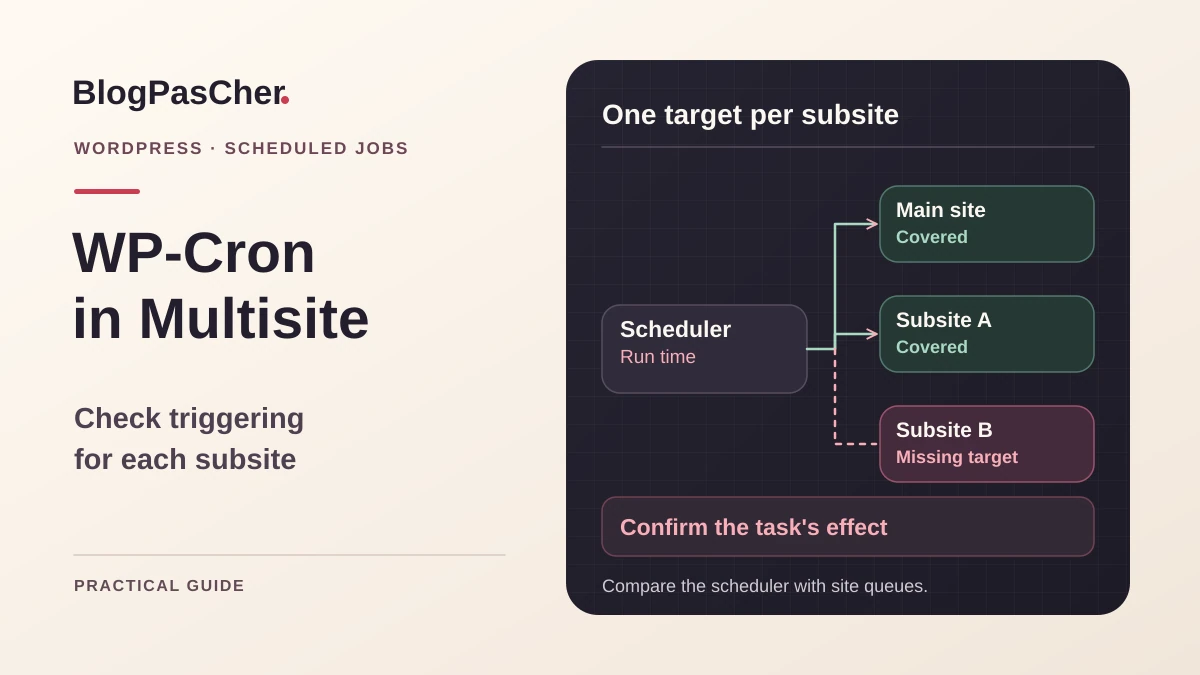
Start with two subsites progressing differently
On a WordPress network, the main site’s automatic tasks run, but a subsite retains overdue events. Record an expected task, its visible effect, and scheduled time. Choose a working subsite and a failing one. Check that the same feature should be available on each. A plugin may be active for only one site or use a queue separate from WP-Cron. An absent task and a pending task require different checks.
WP-Cron stores events in site context. An external scheduler calling only the main site address therefore does not prove that other queues are processed. The goal is to check where triggering arrives and which events progress. You need read access to network sites and the scheduler, or help from its manager. To verify execution, prepare a copy where emails, payments, and external calls are isolated. Start with inventory and logs. These reads often suffice to show a missing target.
Compare the network with scheduler configuration
Record active sites in network administration or the management tool already used. For each, note its ID, effective address, and task owner. Identify archived or out-of-scope sites. A site may have a custom address differing from the expected subdomain or path. Keep that address in the record. If the installation hosts several networks, also verify the target’s network. A global list without context may include sites that should not participate in the same triggering process.
Then open existing scheduler configuration, such as the hosting interface or file maintained by the systems team. Compare addresses or site arguments with the inventory. Record times, commands, and the account used. If the scheduled job produces only one overall result, look for evidence per site in its logs. A general exit code may hide an absent target or intermediate error. The expected result is a list linking each authorized subsite to observable triggering.
Read a targeted subsite’s event list
If WP-CLI is already available, begin by checking the installation path and selected site. The url option selects subsite context in a network. The example below lists events at a fictional address. Replace path and address with verified values. Perform the same read for the control site and delayed site. The proposed columns show event name, next execution in universal time, and recurrence.
Compare next execution time with observation time. If already past, check whether the same row remains at the next observation. If the hook is missing, check component activation and scheduling conditions on that subsite. If time advances but the expected effect does not appear, look for processing results in the business log. For repeated hooks, compare arguments in a private space. One label may describe different operations. The listing is a scheduling read. It does not demonstrate that associated work succeeded.
wp --path=/chemin/verifie/wordpress --url=https://sous-site.exemple.test/ cron event list --fields=hook,next_run_gmt,recurrenceCheck which mechanism starts events
Determine whether the network relies on ordinary visit-triggered execution or an external scheduler. DISABLE_WP_CRON is often used when external triggering takes over. Read its value in maintained configuration. If the external call covers only the network homepage, other subsites may wait indefinitely. If visit-based triggering remains active, compare traffic and how the site responds to visits. A rarely visited subsite may have a different rhythm.
With external configuration, check system time, process user, and result for every address. For an HTTP call, trace the destination to the document actually reached. A redirect, intermediate authentication, or certificate error may prevent the call from reaching the intended site. For a WP-CLI call, check binary, directory, and url argument. These two methods have different access requirements. Choose the one the team can observe and maintain in the relevant environment. Keep a record of the old mechanism before changing frequency or scope.
Handle an absent queue before changing frequency
If the expected hook does not exist on a subsite, open the component creating it. Check whether its feature applies to that subsite and necessary configuration exists. A network-activated component may still condition some work on a local setting. Compare versions and options between the control and failing sites. Also investigate whether the component uses a separate queue. A plugin’s scheduled actions may appear in its own screen and do not all correspond to an individual WP-Cron event.
On the copy, follow the provider’s procedure for triggering event creation when available. Then reread the queue in subsite context. A future row with the intended recurrence confirms that the component created its task. Also check that other sites did not receive an extra occurrence. If the hook appears but remains overdue, return to the scheduler. If the event disappears after execution without renewal, check whether it was meant to recur and whether the function remains loaded.
Test triggering on one test target
Prepare a test subsite with the same relevant parameters and an expected task whose effect can be checked. Examine every due event before using grouped execution. A call running due tasks may start several jobs on that site. If any has unisolated effects, prepare another environment or a narrower test scenario. Preserve the copy’s initial state so the test can be reproduced.
Once the subsite’s due events are controlled, the command below executes those due in the targeted context. Adapt path and address. Record output and reread the queue afterward. Check the expected business effect, such as updating a test draft or an internal trace. If a task is postponed or fails, keep its message. Successful manual execution confirms this target’s operation. It does not yet verify that the scheduler calls it at the correct time.
wp --path=/chemin/verifie/wordpress --url=https://sous-site.exemple.test/ cron event run --due-nowAdd only authorized subsites
If comparison shows a missing target, add its address to the scheduler configuration maintained by the team. Use the same binary and account as the already validated target unless infrastructure requires different access. For a small stable list, an explicit entry per subsite makes scope clear. For a frequently changing network, have an approved target list generated from the team’s inventory and exclusions. Keep the exact addresses to be used.
Avoid triggering every queue from a raw list. A test, archived, or separate site may appear in inventory without belonging to the work plan. A network-wide command also depends on the installed WP-CLI version’s capabilities. Targeted commands let you verify each site’s result. Define how the log displays times, targets, and errors without copying private data. If one subsite fails, other results must remain identifiable. Test one addition before extending the setting to other sites.
Plan frequency and overlapping executions
Record usual execution duration on the copy and task requirements. A frequency too high relative to processing time may start a run while another remains active. The protective mechanism depends on the route and scheduler. Have the team’s method for preventing two concurrent runs on one target checked. A queue failing to progress despite many calls deserves examination of the error and effects already produced.
If several sites process substantial work, choose times spreading load when the scheduler permits. Preserve the frequency required by sensitive tasks. A cleanup task that can wait may tolerate another cadence. Document decisions by work type. If an execution request arrives during maintenance, check how it is postponed or logged. The aim is observable triggering sufficiently regular for the intended feature. A spike after recovery may require first processing the overdue queue in the controlled environment.
Check the effect of a hosting-designated HTTP request
When the host specifies an HTTP call to wp-cron.php, record the subsite-specific address and confirm it reaches the expected installation. Have the post-redirect destination, route result, and run time checked. A 200 response may only mean the entry point responded. Then compare the event list and business effect. If a custom domain recently changed, check that the scheduler still uses the official address and the origin receives this request.
If protection blocks the route, ask the owner to prepare an authorized path for triggering or use the host’s designated local method. Keep rules protecting other paths. If the route reaches another site, correct the address before increasing frequency. On the copy, check that the control site’s queue advances and an out-of-scope site retains expected behavior. Record the selected triggering mode with its owner’s identity and the traces used to verify it.
Prepare scheduler rollback
Before adding a target or changing frequency, keep the previous configuration and event record. To undo it, remove only that target or restore its frequency and previous route. Then check the next expected execution. If you changed the visit-based mechanism, restore its intended value and the old external task consistently. Two active mechanisms may produce additional runs. Stopping both may instead leave every queue pending.
An already executed task may have sent a notification or updated a record. Reverting the scheduler does not undo that effect. Check its state with the receiving system before rerunning. If recovery is needed, choose the task’s documented catch-up mechanism and retain the result. On a copy, restore the starting point when repeating the complete experiment. On the active site, preserve independent operations occurring since the change. Triggering rollback and data rollback require separate decisions.
Validate coverage after two runs
Record an already working target and the added target. For each, keep an expected task and a way to verify its effect. Perform the first read before scheduler time and the next after its run. If the queue renews, also confirm the next time. A manual run may have consumed the test event. Use an event expected during normal execution for final validation.
- Confirm the network and covered subsite addresses.
- Check the target queue using the installation address and path.
- Read the scheduler log and compare its time with the queue change.
- Verify the task’s effect in the intended system.
- Repeat the record at the next run and check the already covered site.
- Keep the target list, exclusions, and rollback configuration. Separately note tasks with their own mechanisms or whose processing still needs diagnosis.
Maintain the list as the network changes
Add scheduler name, configuration, execution account, and people permitted to change targets to the operations record. For every subsite, specify its current address, role, and expected evidence of progress. When adding or archiving a site, check whether this list must change. A domain or path change can also leave an unusable target. Keep a control example on a rarely visited site to detect triggering still dependent on traffic.
WP-CLI is an option when terminal access and the tool already exist. A host-managed HTTP scheduler may suit a team that controls its destination and traces. For each method, check the version and options actually installed. Method choice may vary with access. Network coverage is demonstrated by a target and result for each authorized site. Keep this evidence after updates or migrations to resume diagnosis quickly.
Linux example: a separate launcher for one subsite
For a small stable network, an explicit entry per subsite is clearer than a blind loop. The example assumes Linux, Bash, flock, and WP-CLI are already available. Paths are fictional: have a private directory created for the cron account outside the public directory, then adapt the four values. The lock file must be on local storage supporting locking. The script runs all due events for only that subsite: start on the copy with external effects neutralized.
Save it, for example, as /chemin/prive/cron-boutique.sh. In the scheduler, an illustrative five-minute frequency uses */5 * * * * and the command /bin/bash /chemin/prive/cron-boutique.sh >> /chemin/prive/cron-boutique.log 2>&1. In cPanel, enter the five fields separately from the command. Frequency must suit your load; this is not a mandatory value. Prepare rotation of the private log. Check two normal runs, their final code, and the business effect. Removing only this entry stops future starts without undoing processing already launched.
#!/bin/bash
umask 077
exec 9>/chemin/prive/cron-boutique.lock || exit 1
if ! /usr/bin/flock -n 9; then
  printf 'Passage ignore : verrou deja pris\n' >&2
  exit 75
fi
printf 'Debut UTC : '
date -u
/usr/local/bin/wp --path=/chemin/wordpress   --url=https://boutique.example.test/ cron event run --due-now
statut=$?
printf 'Fin avec code %s\n' "$statut"
exit "$statut"
Related comparisons
WP Crontrol or Advanced Cron Manager before a migration?
Compare two tools for viewing scheduled events and their logs.
Sources and references
Use these references to check the features, requirements and limitations described. Reading documentation is not a practical test.