

Recognize what changed in the post
The translated post looks readable in the editor, but a link leads to the wrong place or a heading has changed level. WordPress may also report an invalid block as soon as you reopen it. The translation may have changed part of the structure as well as the text. First open the same post on a local copy. Record the affected block, its visible text, expected destination and what the page displays to visitors. A difference between the displayed link and the link actually followed is already a lead, even if the editor reports no error.
A block-based post contains text and markup. A tag such as h2 gives the text a role. A link's href attribute indicates its destination, and an id attribute can serve as a section-link target. WordPress also stores block delimiters as HTML comments. These may contain settings such as a heading level or CSS class. Natural-sounding text on screen is therefore insufficient to confirm that content remains correctly structured.
The workflow depends on what was affected. If the post reopens and you know which blocks changed, repair them in the visual editor from a healthy baseline. If an anchor, class or subtle attribute changed, also compare the saved code read-only. If translation replaced a large part of the post and a healthy revision exists, first recover it on the copy for a reliable baseline. This guide's exercise concerns post content. If WordPress opens the wrong post when switching languages, the switcher fails or a string comes from the theme, examine language associations or string translation through another workflow.
Keep two copies and define what can be translated
Keep two local plain-text files. The first contains the last healthy version of the post body, exported or copied from the code editor. The second contains the affected version so you can recover reviewed translated text. Add the post ID, expected language, selected revision name and copy time. If the source and translation are separate posts, label both clearly. Do not treat the French body as the backup of a published English version. Check that the working copy is isolated, notifications and external integrations are disabled, and you can return to a known state before saving anything.
List what you want to keep. Body text, a link's visible label and an image caption can be translated. Alt text or an accessible name such as aria-label may also need translating: it addresses the reader even though invisible on the page. Preserve the attribute's presence and role, then check that its new value still describes the correct object or action. Avoid adding an accessible name merely because it appears in the proposal. Also check that an invisible name does not contradict the visible label.
Preserve structure when the goal is a like-for-like translation: block types and order, heading levels, classes, identifiers and technical settings. Destination addresses require an explicit decision. Keep the old URL if it already points to the correct resource, or replace it with a validated language destination. A PDF file, search parameter and fragment after # are not pieces of prose. Record every expected URL change before comparing. Transfer neither content, code nor the site copy to a service. The following case uses invented text you can translate by hand.
Build a control with a link and anchor
On an isolated local WordPress installation, create a dummy page called “Contact de démonstration” and a dummy post called “Visiter l’atelier”. In the post, add a paragraph with “Voir les horaires” linked to #horaires and “Contacter l’atelier” linked to the control page. For the second link, select the page by title in the link picker. Then add a level-2 Heading block named “Horaires” and a paragraph reading “Samedi à 10 heures”. In the Heading block's advanced settings, enter the HTML anchor horaires. To make another difference detectable, give the paragraph containing the links the additional CSS class fiche-horaires.
Save the French version as a reference. On the local copy, create a separate English post retaining the same blocks and targets. In this initial English state, use “Check the hours”, “Contact us” and the heading “Workshop hours”. Open the local post as a visitor and click both links to check the heading and contact page. Keep this healthy English post version in revisions and in a file. To reproduce the problem without a service, work in a test draft and simulate a new English proposal by changing the labels to “See opening hours” and “Contact the workshop”. Deliberately change the first link to point to #opening-hours without changing its target anchor. Also change the heading from level 2 to 3 and remove the additional class. This creates a control where English is readable yet useful elements have changed.
The expected repair retains both English labels. The hours link points back to #horaires, the English heading “Opening hours” is level 2 with its anchor still horaires, and the paragraph class is restored. The contact link keeps the verified destination. If you genuinely want a new anchor identifier, handle that change separately, update all affected links and check old incoming links you want to preserve. In the control, the original anchor verifies that translation changed only what was intended.
Repair blocks from their healthy version
If you have the healthy version in a revision or local draft, work from its blocks. In the editor, open List View. Select the paragraph containing both links. Retain the complete block and its settings. To replace the label, open link settings and check that the new text remains linked to the intended destination. If the interface does not offer text editing directly in this panel, select the new label and reapply the link to the selection. Check the link's first and last characters: replacing text across its boundary may remove part of the clickable area.
Click the hours link to display its address in the editor and restore #horaires. Perform the same check for the contact-page link. When a link in another language is intended, select its target page on the copy and open it in a tab before retaining it. Compare the reached page and its language, not just a similar-looking path. For an internal anchor, copy the identifier from heading settings or the healthy version, then check that no other block on this page uses that identifier.
In List View, select the heading. Restore its level to H2 from the block toolbar, replace only its text with “Opening hours” and check the anchor under Advanced. In the links paragraph, restore the additional CSS class under Advanced. In a real post, repeat this comparison for affected lists, quotes, buttons or images. For a list, check that every translated item remains in the same block and expected numbering is retained. For a button, also check the configured destination. For an image, separate translated alt text from the source file and any link.
If only one block remains invalid, keep its translated text separately, then recreate the corresponding block in the draft with known settings. Check the new block's rendering before removing the old one on this copy. Returning to the healthy block avoids guessing what automatic recovery will do. If several nested blocks are affected, start from the post's healthy revision and reintroduce translation block by block. In both cases, you must be able to return to the previous draft without touching the source post.
Compare HTML when the fault is invisible
For a finer comparison, open the editor's three-dot menu and choose Code editor when available. Copy the entire body to a local file, then return to the visual editor without saving an inspection change. Compare this file with the healthy backup using your text editor's comparison tool. If Git is already installed, the command below compares two ordinary files without creating a repository. Run it from their folder. Status 1 here indicates differences. No differences does not prove that the destination responds.
The files must correspond to the same post and target language, or serve as explicitly labeled controls. Start with comments opening and closing blocks. A Heading block and Paragraph block do not start with the same comment. Then check tag pairs and attribute values. In the control, a class difference appears both in Paragraph block settings and its HTML. The level may be carried by a block setting and the heading tag. These two representations must remain consistent. Changing only a comment or only a tag can create a discrepancy the editor reports later.
Review every href, then find its id if it links within the page. Also compare media addresses, relevant parameters, button anchors and attributes the site depends on. Spaces, quotes and HTML entities may be written differently while representing the same thing on screen. Treat the diff as a checklist and confirm a difference's meaning in the browser. For someone unfamiliar with block serialization, make the subsequent correction in the visual editor. Do not overwrite an entire post's code by pasting a raw translation proposal.
git diff --no-index -- avant.html a-controler.htmlCheck the published post on the local copy
Save and open the post on local WordPress. If it is already published on this copy, apply the local update; if it is a staging draft, publish it only in the sandbox so you can test without a session. The logged-in preview remains useful for review, but a visitor view loads the local site's public content with the active template and filters. Always use the exact address and ID you recorded. Avoid reaching a conclusion while viewing a duplicate, another language or an old preview.
- Reload the local address in a logged-out window. Check the post title and expected English sentences. Open browser tools and inspect the hours link. The
hrefmust be#horaires, and the “Opening hours” heading must have exactly the attributeid="horaires"in the rendered page. - Click the link. The expected fragment must appear in the address, and the page should move to the heading if its layout allows scrolling. If the page is too short for obvious movement, you can still verify a single element with that identifier and the resulting address.
- Click the contact link. Check the destination page's title and content, and the intended language. Then return to the post and check that the
fiche-horairesclass is present on the paragraph. If the theme adds other classes, focus on the one whose purpose you know. - Reopen the post in the editor. Check that List View shows the same blocks in the same order and none of the affected blocks reports an error. On a longer page, repeat keyboard and phone-width checks for headings, links and translated text that may become longer.
Restore the last healthy version
Rehearse rollback before considering the correction complete. On the copy, leave the corrected post visible, then save a file of that result. In post settings, open Revisions and identify the last healthy version from its time, text and links. The screen differs by WordPress version; check the selected version's content before restoring. For this exercise, the healthy English post displays “Check the hours” and “Workshop hours”. It already retains the link to #horaires and the paragraph class. Rollback aims to recover this combination on the same post.
Restore the selected version on the copy. Open the post again as a visitor at the same address and compare its state with your notes. The healthy version's text should return, the anchor link should work and the contact link should still open the control. If only one block's translation needs undoing and colleagues have edited other passages since the revision, recover only the healthy block in your draft, then check the passages you must preserve. A full restoration may restore other fields revised at the same time.
If the Revisions panel is missing, history was limited or the correct version is no longer present, start from the saved local file. In a staging draft, open the code editor and restore the known body without adding an HTML wrapper. Return to the visual editor and check blocks before applying it to the local post. If the saved version relies on a third-party block the copy no longer loads, first recover the configuration that allowed it to open. Restoring text does not automatically restore multilingual-tool settings, theme files or external resources. These need their own backups.
To finish the exercise, you can reapply the corrected version retained in your working file and repeat the visitor check. You then know how to restore the previous state and reapply the correction without reconstructing it from memory. If either result depends on a click whose effect has not been confirmed in the rendered page, keep the change on the copy until that point is verified.
Prepare future translations
For the next translation, start with a copy of the text to translate and its block context. For a short passage, keeping healthy blocks in WordPress and replacing labels manually reduces the differences to review. For example, make one row for the heading, one for the caption and one for each link label. Keep each link's expected destination alongside it. A new sentence with its designated anchor or URL is easier to transfer and review than a fragment mixing text, settings and addresses.
For a long post, organize review by section. Use internal navigation, a link to another page, an image and a block using a special class or setting as controls. Reserve a separate check for destination language and label accessibility. A link labeled “Hours” must still lead to hours and remain understandable in the post's language. Also keep the file corresponding to the last healthy state and the revision reference for returning to it.
If comparison leaves unexplained differences in block comments or attributes, address them before accepting the result. A post update is ready for the next step when translated text, local targets and useful structure match the agreed choices. The last check takes place after saving, at the address showing what the local visitor actually receives.
Read a small diff before reintegrating the translation
Here is a fictional difference between the healthy version and a proposal. Lines beginning with minus represent the old state; those beginning with plus represent the new state. These are comparison results, not content to paste into WordPress.
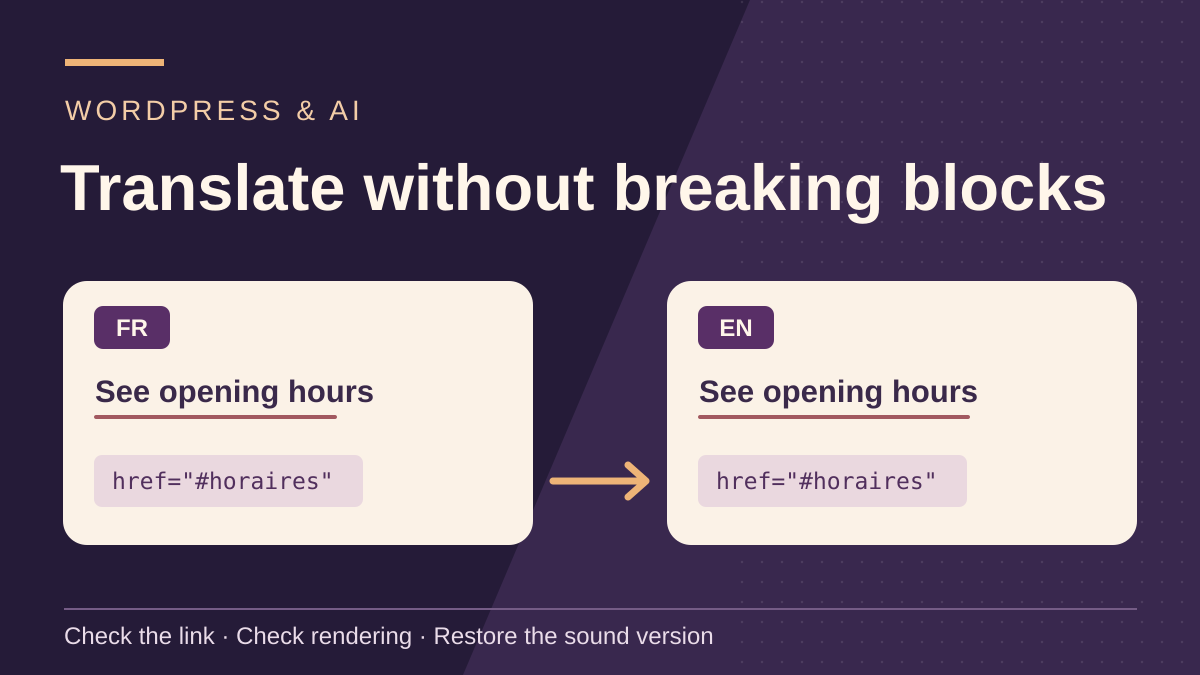
The English label was rephrased as requested. However, the new fragment is acceptable only if a unique id="opening-hours" target exists and this anchor change was decided. In the exercise, the heading retains id="horaires": the correction therefore keeps “See opening hours” and restores href="#horaires".
Repeat the same reading for media: translating alt text may be intended, but changing its src needs a separate justification. For a heading, examine the level in both block settings and its tag. A comparison showing no technical differences still needs actual links opened.
Without Git, use your text editor's local comparison and apply the same decision line by line. The WordPress editor and revisions suffice for transferring a few corrections; an additional translation plugin does not automatically repair already-altered destinations.
-<a href="#horaires">Check the hours</a>
+<a href="#opening-hours">See opening hours</a>
Sources and references
Use these references to check the features, requirements and limitations described. Reading documentation is not a practical test.
View 9 references
- WordPress — A block's HTML representation ↗
- WordPress — Block editor ↗
- WordPress — Revisions ↗
- WordPress — Paragraph block ↗
- WordPress — Restoring a revision in core ↗
- W3C — Accessible name of a link or button ↗
- WordPress — Adding an HTML anchor and section link ↗
- WordPress — Heading block settings ↗
- Git — Comparing two files outside a repository ↗