

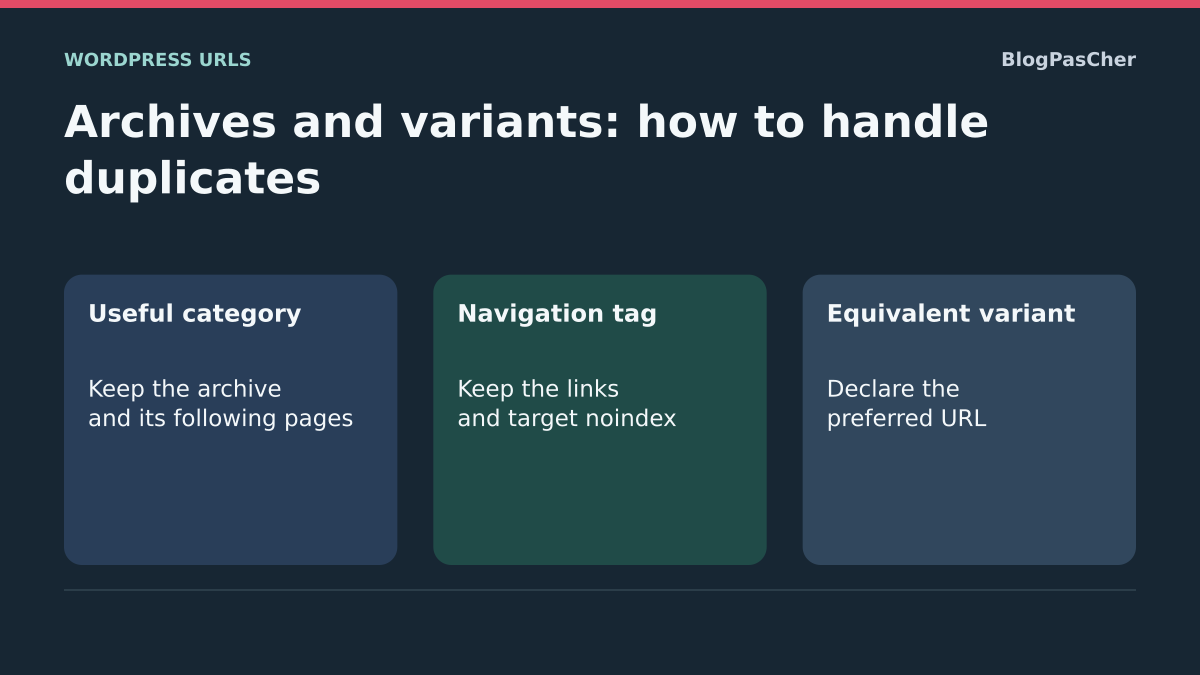
Distinguish a useful archive from an equivalent variant
The same post may appear at its own URL, in a category, a tag or an author archive. This does not automatically make all those pages useless. An archive that organizes a subject and helps readers choose content has a different role from the complete post. The goal is to keep these useful paths and reduce variants with no distinct value.
A URL with a tracking parameter may show exactly the same page as the ordinary address. A paginated archive may show different posts. Before choosing a canonical or an exclusion, compare the content actually received and the purpose of each address. Similar titles or templates are not enough to prove complete equivalence.
This guide offers three choices: improve an archive intended for search, keep a navigation archive while excluding it from the index when justified, or consolidate genuinely equivalent variants. It does not require deleting every category or making every Google report green. Some alternative versions remaining unindexed is expected behavior.
Inventory a few groups before changing the site
Choose examples of category, tag, author or date archives actually used. Add URL variants reported in Search Console or found in links. For each example, note the content displayed, the canonical received, any noindex directive and the page’s place in navigation.
Compare the pages while logged out and at their final addresses. An old cached copy, redirect or protection page may distort your classification. Keep reference examples: an archive to retain, one whose indexing is unwanted and an equivalent variant to consolidate, if these situations exist on your site.
Before a group-wide action, keep the initial settings and an appropriate backup. Prepare template, redirect or code changes on a copy with external effects disabled. In multisite, identify the scope of the site and network components. A change to every category or every parameterized URL must not follow from one example that seemed repetitive.
Decide according to the value provided to readers
A category can be a good entry point to a subject, with a clear selection, an introduction and relevant links. A tag used only once or an author archive that exactly repeats another list may offer less search value while remaining useful for navigation. Evaluate these cases instead of applying the same rule to every group.
Keep an archive indexable when you genuinely want to present it to visitors and improve its visible value. Consider noindex when you want to preserve access to the list without offering it as an entry page from search engines. A redirect is more appropriate for an abandoned address with a true equivalent. A canonical expresses a preference between equivalent content, rather than providing a general way to hide a different page.
Keep the reason for your decision with the example studied. If an archive is an important path to posts, prepare other useful links before changing its treatment. Do not delete terms or their post assignments simply to lower a URL count: this can affect navigation and editorial organization without addressing the responsible variant.
Improve a category with its native description
This first approach requires no new plugin. It suits a category that should remain a useful entry page. With the appropriate permissions, open Posts, Categories, then Edit below the relevant category. Keep its initial description and write an introduction to the subject, the content offered and the choice it helps readers make.
Click Update, then open the public archive. Do not change its slug during this improvement: that would also change its address and require separate handling. The expected result is a useful, actually visible introduction alongside a coherent selection of posts. Repeating the same sentence across all categories does not create a meaningful content difference.
Description display depends on the theme. If the text does not appear, do not conclude that saving failed or that the field automatically counts as content visible to Google. Check the template with its maintainer, or use the native block in the next section if you have the Site Editor. To undo the editorial change, restore only the original description and save.
Display the description in a block theme template
With a block theme and editing permissions, WordPress provides the Term Description block to display the description of a category, tag or other taxonomy on its archive. Use it in the archive template, rather than as a paragraph added to an ordinary post. Prepare this change on a copy and keep the original template.
Under Appearance, Editor, open Templates and find the one actually used by the relevant archive. Using the block inserter, add Term Description where desired, for example before the post list, without repeating it within each loop item. Check the templates offered when saving and save only the one you changed.
Then open two archives using this template: each must display its own description without copying another category’s description. Also check mobile display and pagination. Several archives may share the template; understand its scope before changing it. To undo the test, remove only the added block or restore the saved template. A classic theme needs its own display mechanism, without requiring installation of another theme.
Preserve pagination and links to posts
A second archive page may list different posts from the first. It should therefore not automatically be canonicalized to the initial page. For a paginated sequence, Google recommends a distinct URL and a self-referencing canonical for each page, rather than a systematic preference for the first.
Check pagination links while logged out and follow them to an older page. A display that works only after a JavaScript click does not by itself prove that all content is discoverable. Check the sequence’s real addresses and the presence of usable links. Page numbers must not rely solely on a fragment after #.
Do not change pagination canonicals in bulk in response to a duplication concern. If an archive should not appear in search, address that intention separately and retain other paths to posts. After any template or SEO setting change, check the archive’s first page, a subsequent page and an older post. Rolling back must restore their navigation, not just the first list’s appearance.
Apply noindex to a selected archive in an existing Yoast installation
This approach suits an archive that remains accessible for navigation but is not intended as an entry page from search engines. If Yoast SEO already manages its metadata, the advanced setting can target a specific category or tag. As of November 3, 2026, the directory lists Yoast SEO 28.8, by Yoast, requiring at least WordPress 7.0 and PHP 7.4, tested up to WordPress 7.1.4. This setting is free.
Keep the initial value and verify the individual scope before changing it. The expected result is an archive that remains usable, with a noindex instruction received publicly. This does not make the content private or guarantee its immediate removal from results.
- Open Posts, Categories, or Posts, Tags, then edit the selected term.
- In the Yoast SEO box, open Advanced and the setting allowing this content to appear in results.
- Choose No for this archive only, then update the term.
- Open its archive while logged out and check the links and robots tag.
- To undo the change, restore the initial setting and save; check the public response again.
Limit group-wide settings to groups actually evaluated
A group-wide setting affects every archive in the selected group. If only a few low-value categories are involved, prefer their individual settings. Do not exclude all categories because one isolated tag repeated a post.
In Yoast SEO, Settings, then Categories & tags, select the exact group, Categories or Tags. Under Search appearance, the Show [type] in search results control manages its appearance in search. If the group-wide exclusion has been approved, disable this control and use Save changes. Keep its initial value; to undo the change, restore it on the same screen and save.
Check several examples after the change, including an important archive you wanted to retain. Also examine the sitemap, because Yoast’s visibility choices affect its URL selection. Author and date archives have settings in the advanced sections; do not confuse keeping an archive accessible with disabling it completely. A visibility rule does not justify breaking readers’ links or removing posts’ category assignments.
Consolidate variants only when their content is equivalent
For an address with a tracking parameter, compare the received page with the ordinary URL. If the content and function are identical, a canonical to the preferred address may be appropriate. First check the one the system already generates: there is no need to fill in every field manually when automatic calculation is correct.
In an existing Yoast installation, the Canonical URL field on the Advanced tab can define a preference for the relevant content. It is not a universal setting for every combination of parameters. Use it only if this preference should genuinely apply to the content, with a complete absolute URL and the initial value recorded. A variant managed by a filtering plugin may require its own settings.
If the pages differ in a useful selection, language, pagination or business function, automatically consolidating them may be wrong. Compare their roles before choosing. A canonical does not prevent visitors from using the variant and does not guarantee an immediate reduction in its crawling. For an abandoned address with no remaining distinct use, consider the targeted redirect presented later instead.
Use the preferred address in internal links
A link entered with a tracking parameter or an abandoned variant can continue exposing that address. When it should simply open the ordinary page, align its destination with the preferred URL. Do not remove a parameter if it triggers a function necessary for the reader.
In the editor of a source page, select the link text in its Paragraph block, then use the Link button or Ctrl+K to read its destination. Keep the old value, replace it with the validated final URL and save the update. Then open the public page and follow the link to confirm both the content and the resulting address.
To undo this test, restore the initial destination. If the variant comes from a menu, a filter module or a component that generates links, fix its owning setting instead of manually editing output that will be recreated. A consistent link helps present the right path; it does not make search engines forget every previously known variant. Keep the canonical, sitemap and redirects consistent with this choice.
Test an exact Apache redirect for an abandoned path
This advanced example concerns a self-hosted Apache installation, with authorized access to the domain’s .htaccess and a restorable private copy. It is suitable only if /rubrique-bis/ is an abandoned address whose true equivalent is /rubrique/. The paths and domain below are fictional; do not apply them to an archive that is still necessary.
On a copy, add the rule outside the WordPress block markers without replacing the entire file. It uses an exact path match with an optional trailing slash and a temporary 302 status for testing. It is not a recipe for removing parameters and does not handle all subpaths. Check existing rules, because other processing may intervene.
Open the old address, its target and an unrelated page: only the first should redirect to the correct content, without a loop. After validating the match, a genuinely permanent redirect can use 301 instead of 302. To undo the test, remove only the added line and check; a permanent redirect already cached by clients may persist. On another server or a hosted service, use its own mechanism with its administrator.
RedirectMatch 302 "^/rubrique-bis/?$" "https://exemple.invalid/rubrique/"Preserve parameters that change a function or selection
Some variants involve more than tracking. Parameters can define a search, filter, order, language or cart action. Removing them all through a global redirect may change the expected page or break a function. Identify each group’s owner and purpose before deciding how to handle it.
Faceted navigation can create a very large number of combinations. Determine which have distinct search value and which merely refine a selection. Their crawl policy may require a specific component setting, but a canonical does not guarantee that all fetching of these variants will stop immediately.
Keep functional examples during the test: an applied filter, return to the list, next page and a useful visitor action. Check results without an administrative session and on a copy when the action has an effect. If considering a robots restriction, remember that it may prevent reading the canonical or noindex. Do not combine contradictory mechanisms in the hope of making a duplicate report disappear faster.
Align the sitemap and access with the selected choices
Check the existing generator’s sitemap after changing an archive or canonical. The suggested addresses should match the content you want discovered, without a collection of manually added equivalent variants. In Yoast, search appearance choices help determine this selection; check their actual effect instead of creating a second sitemap.
A noindex archive must be readable by the crawler for that instruction to be observed. Blocking it in robots.txt at the same time may prevent this reading. Do not try to make content private with noindex either: privacy requires separate access control.
After fixing the source, address only cached copies that retain the old HTML or sitemap. Read the public response again once the cache has been rebuilt. Keep a useful archive as a reference to check that an overly broad setting has not excluded it. If the policy does not produce the expected technical results, return to the single changed setting and reexamine its scope before any further group-wide action.
Read Google statuses without trying to index every variant
In Search Console, inspect an important archive and a variant you decided to consolidate. Review the known status, last crawl and declared and selected canonicals when available. An alternate version with a correct canonical may legitimately remain unindexed separately; this is not necessarily a defect to eliminate.
Compare historical data with Test live URL for some current checks. The live test does not predict Google’s final canonical selection. An old exclusion may also remain visible until another crawl. Keep dates and the changes actually made instead of toggling settings whenever the report has not yet changed.
Assess above all the presence and consistency of the pages you wanted to retain, along with navigation to their content. Neither an added description nor a duplicate exclusion guarantees ranking. If a useful archive remains absent after new crawls, examine its own content and links instead of reintroducing every variant to increase the number of known URLs.
Maintain a simple, reversible policy
Document each group’s role and treatment: a useful editorial archive, a navigation list not offered in search or a consolidated old variant. Keep the reasons for exceptions, the responsible person and the initial values. This record prevents a future theme or plugin change from undoing choices without understanding their effects.
Check a small sample again after an SEO generator update, template redesign or filter change. Check the public archive, pagination, older posts and functions that depend on parameters. The number of pages in a report is not a success criterion by itself.
To request targeted help, provide representative URLs, their compared content, canonicals, robots instructions, expected roles and changed settings. Add hosting context if a technical redirect is involved, without sharing credentials. Preserve terms, assignments and original content during analysis. A good correction reduces ambiguity while retaining paths that are genuinely useful to readers.
Keep a paginated category that helps readers find posts
On a copy, open Posts → Categories. In a demonstration category named Vélos, enter a short introduction and assign two different posts. Under Settings → Reading, temporarily limit the number of posts displayed to one on this copy, if its template follows that setting. In the archive, check that the theme displays the description. If it is missing, open the relevant template on the copy and check that the Term Description block appears before the post list.
Open the first page while logged out and follow its link to the second. For each page, record the final URL, the title of the post displayed and the rel="canonical" value in the source. In a test with Yoast SEO, /category/velos/ displayed “Régler les freins” and its page 2 displayed “Entretenir la chaîne”. Each page had its own canonical. If your page 2 points to the first or lists the same post, check the list template and SEO generator before deciding to consolidate the URLs. Restore the original post count after the exercise and check the links again.
Exclude a tag from search while keeping its links
Add the demonstration tag “À lire” to a post in the category. If the team wants to use it for navigation but has decided not to offer its archive in search, start from that tag’s edit screen under Posts → Tags. In the already active SEO manager, note its initial state and change the individual setting described above. Keep the Vélos category as a reference to detect a change with broader scope.
After adding noindex with Yoast on the copy, check that the tag still responds with HTTP 200 and retains its link to the post. Check that the Vélos category retains its links and metadata. Restore the initial setting and verify removal of noindex. If the archive becomes inaccessible, look for disabling of the archive itself and restore the configuration before a broader intervention.
Compare a tracking variant with the ordinary page
Open the post “Régler les freins” from its ordinary link, then open the same address with ?utm_source=fiche. Compare the title, expected content and available actions. The result to verify is an accessible variant and, if it presents the same content, a consistent canonical to the post without the parameter. You can retain the tracking link where useful and point ordinary navigation links to the post’s address.
Separately test a filter that actually changes the selection or another pagination page. The decision depends on what each address lets the reader do. If uncertain, preserve existing behavior and record an example where the function differs. After publishing a correction, compare the declared and selected canonicals in Search Console for a representative URL. Local measurements verify the HTML and links served. They do not show which address Google will retain in its index.
Check variants in a single decision record
For each URL pair, write an explicit decision: same content and function, different but useful content, or abandoned address with an equivalent. Then record the HTTP response, canonical, robots instruction and internal link leading to each variant. This helps identify a contradiction, such as a sitemap offering a URL whose template excludes it.
Handle one group at a time. After a group-wide setting, check a category to retain, an intentionally excluded archive and a second pagination page. Do not require every variant to be indexed to consider the test successful. For a noindex archive, retain the crawler access needed to read that instruction and a stable path to useful posts. Rolling back restores the setting for the affected group without recreating abandoned URLs or changing editorial assignments.
Sources and references
Use these references to check the features, requirements and limitations described. Reading documentation is not a practical test.
View 21 references
- Google: choose the representative URL ↗
- Google: consolidate equivalent URLs ↗
- Google: pagination and separate canonicals ↗
- Google: faceted navigation and URL volume ↗
- WordPress: categories and descriptions ↗
- WordPress: Term Description block ↗
- WordPress: Site Editor and templates ↗
- Yoast: categories and tags ↗
- Yoast: noindex setting for an item ↗
- Yoast: advanced archive settings ↗
- Yoast: canonical field ↗
- Yoast: sitemap and indexable types ↗
- Yoast SEO: author and compatibility ↗
- Google: noindex and crawling ↗
- Google: temporary and permanent redirects ↗
- Apache: targeted RedirectMatch ↗
- Search Console: indexing reasons ↗
- Search Console: inspection and canonical ↗
- WordPress: links in a paragraph ↗
- WordPress: backups ↗
- Google: requirements for reading noindex ↗