

Understand the denial before changing protections
You open a page, save content or start synchronization, then a “429 Too Many Requests” response appears. This status generally indicates that a request limit over a period has been reached. The rule may belong to the hosting provider, a protection service or the called application.
The goal is to let legitimate use succeed at a rate compatible with the service. The number does not provide a universal quantity of requests allowed for WordPress. Identify who counts requests, over what scope and for which operation.
An external service may also attach a detailed code clarifying or qualifying the meaning of its 429. Keep it. Do not increase PHP memory or reinstall WordPress to correct this denial: these interventions do not automatically change a rate rule.
If only an image or remote API fails within a page that remains visible, record that resource. Its domain may identify an owner other than your hosting provider.
Preserve the action and stop repetitions
Copy unsaved text into a private document before closing the editor or logging out. Record the time with its time zone, path, expected action and complete message. Keep any processing reference without tokens or sensitive data.
Stop repeated clicks and tools that immediately repeat the same request. Multiple tabs, automatic refresh or synchronization launched several times can sustain the problem. Coordinate team tests so one person observes while others stop manual retries.
A previous write request may have had an effect even if you later see a denial. Check the draft, order or send status before trying again. Diagnosing 429 does not require creating another real payment.
If an automated job seems involved, have its function identified before suspending it. Globally stopping all jobs or deleting their queue could prevent backups and useful operations without fixing the repeating request.
Respect the indicated retry delay
The response may contain Retry-After, an HTTP indication specifying when to make another request. Its value may be a duration in seconds or a date. Absence of this header does not mean repeated requests are allowed; instead find the duration documented by the service or supplied by support.
Consult information already received before another test. If the tool has a documented retry strategy, let it operate rather than launching a manual retry in parallel. Two retry mechanisms can add their requests together.
Wait the indicated period, then make a single ordinary read when appropriate. If denial persists, record that observation and diagnose its origin. You do not need to guess a rate by successively testing smaller bursts.
For an automated tool, the maintainer must plan spaced, bounded retries suited to the operation. They must not turn a sensitive operation into blind repetition or continue indefinitely while the service keeps refusing.
Locate the request actually denied
In browser tools, open Network and select the request associated with the action. Record its domain, path, method and status, then the response message. Avoid confusing the main page with a remote resource or background request.
A 429 visible in a plugin window may come from an external API, meaning a service with which the tool exchanges data. Conversely, a denial on your domain may be produced before WordPress begins processing. Where the message appears therefore does not automatically identify its issuer.
Keep a request ID when supplied. The hosting provider or service owner can match it against logs. A sanitized screenshot and a few useful fields are often enough; do not publish an export containing cookies, API keys or private content.
Also record whether only one function fails or all reads are refused. This scope helps choose between an overactive client, a shared rule and a limit specific to the called service.
Identify permissions and the correction route
Browser inspection is available to the reader, but firewall or quota settings require the relevant owner’s permissions. Your WordPress administrator role does not automatically authorize changes to a protection service or API account.
Record hosting, intermediate services and versions of components involved in the action. Without this information, ask the maintainer to check rather than installing a new tool. The site owner can involve their provider without sharing credentials.
The first route reduces identified requests in the browser or a tool. The second checks the counter attributing requests to this use. The third examines an integration or job reaching a remote limit.
If the service applying the limit remains unknown, start with the timestamped record and logs. The three routes are not three mandatory changes: observation should identify which one has the means to correct the problem.
Approach 1: reduce unnecessary requests
After preserving work, keep one useful tab and stop automatic reloads you control. If a tool runs repeated checks, record its frequency before pausing it. Wait the announced delay, then resume an ordinary read.
If the issue seems specific to your browser, then compare with a profile without extra extensions. This comparison isolates an extension refreshing or automating requests; it must not become a way to multiply attempts during the block. Do not clear local data before copying your work.
When a tool has a documented frequency or concurrency setting, its owner can reduce only that value. Keep the old configuration and check that its function remains useful. A monitoring tool may become insufficiently responsive if its interval is extended without considering the need.
If 429 returns with ordinary activity and no identified repetition, do not keep closing random tabs. Have the counter and rule that actually triggered denial checked.
Approach 2: find the rule that counted requests
The protection owner searches for the event at the denial time using the available domain, path and ID. A web application firewall examines requests before processing; it may apply a rate rule separate from your WordPress account permissions.
With Cloudflare, the Security Events dashboard enables this search. In the current navigation, open Analytics, then Events for the relevant zone. Filter the useful period and path, then inspect the applied action and service. Displayed logs may be sampled; a missing row is not enough to exclude the service.
Ask which criterion groups requests: address, account or another characteristic depending on the tool. One click may trigger several exchanges; the counter does not necessarily equal visible clicks. Technical subrequests may also contribute in some configurations.
The expected result is a matching rule and event. If that link is missing, continue analysis with the hosting provider or publisher to confirm attribution.
Have an unexpected counter’s scope confirmed
The owner identifies the current rule, counting period, scope and restriction duration. These values may differ. A shared counter can group operations belonging to separate tools or sites. If the log indicates incorrect attribution, pass the case to the configuration owner to verify the criterion on a copy and retain the initial state.
During this analysis, respect the indicated delay and reduce avoidable requests. A client change must be justified by its use. For example, if two jobs perform the same check simultaneously, keep one job or stagger them according to need. Exceeding an external service’s official limit is addressed by adapting usage and consulting the provider about documented options.
Then verify an ordinary cycle and a reference case without provoking a new 429. If attribution was changed and another path’s result becomes inconsistent, ask the owner to return to the previous setting. Keep the limit in place during examination.
Examine a shared address or incorrect grouping
Several users on the same network may appear under one public address. If the rule counts by address, their requests may enter the same group. Have this possibility checked when several legitimate people are affected, without automatically concluding one account is abusive.
A proxy adds another question: which address does the server actually use to identify the client? Incorrect configuration may group visitors under the relay’s address. The technician compares logs and the expected proxy chain without making the origin public.
Correcting the client address must preserve trusted sources. Do not accept as authentic any address a visitor announces in a header. This setting belongs to the server and proxy administrator, with the previous configuration retained.
A limit may also apply to an entire account or shared route. Have the counting key identified before changing user attribution or requesting an individual quota that does not match the real rule.
Approach 3: check an external service’s limits
If denial comes from a remote API, consult the integration log and its official documentation. Record the detailed code, request ID and relevant account context without copying its key. That service’s support can confirm the limit actually applied.
A rate limit and a simultaneous-request limit are different. Reducing parallel operations can help in the second case, while a global quota requires coordinating all tools using the same account. Changing the WordPress firewall does not alter that remote capacity.
Stripe illustrates this distinction: its responses may specify the limit type, and some 429s concern an object lock rather than a rate quota. If you use this integration, have its maintainer interpret the code; do not generalize that meaning to other services.
The correction may reduce unnecessary calls or adapt the documented request rate. Any quota increase must be confirmed by the provider, without promising that a plan change will fix faulty repetition.
Control retries and background jobs
The integration maintainer must examine requests repeating after every denial. A well-designed retry mechanism spaces attempts and respects service indications. It also accounts for the total attempt count and possible effects of the operation.
Some API documentation specifies progressively increasing delays with a random component so multiple clients do not all restart together. Use the strategy intended by the tool and its provider; do not build another retry script to finish the import.
If Action Scheduler is already present, view affected action logs under Tools, Scheduled Actions, or WooCommerce, Status, Scheduled Actions depending on the installation. This library may be integrated into a component; a new plugin is unnecessary solely for this investigation.
Do not empty failed actions or click Run to restart all of them. Identify which already had an effect and which must wait for service recovery. The background-jobs guide details this follow-up.
Account for WordPress.com and shared settings
On WordPress.com, use support and tools available for the affected site. The service may apply its own limits, and a component may also generate excessive calls. Do not transplant a Nginx server or external firewall change into a configuration you do not manage.
On managed self-hosted hosting, the provider may be the only party able to change the rule. Give them the path and legitimate scenario to preserve. A precise request lets them check counting scope and expected rate.
In Multisite, involve the network owner before changing a component active on several sites. An integration or shared quota may combine their requests. Identify affected sites, shared service accounts and launch periods without revealing secrets.
After correcting a shared rate, check other affected sites’ functions. Synchronization slowed to resolve a denial may have delayed a needed update elsewhere in the network.
Verify normal recovery without seeking the threshold
After correction and the necessary delay, resume an ordinary read, then the legitimate journey that failed. Check received status and content. For saving, use a test draft and reopen it. Do not trigger a real payment or send solely to see that denial has disappeared.
Also observe the tool’s rate during its normal cycle. Support should be able to confirm no new denials on that same path without another client silently consuming the entire quota. One success after a pause does not yet explain recurrence.
If several users or sites shared the counter, check their usual use in a coordinated manner. You are not seeking the exact number of clicks that triggers a block; you are checking that the rule and client permit the intended work.
If 429 returns, keep the time and detailed code, then have the correction reviewed. Compare the new event with the previous record and check the actual rate before adjusting another setting.
Return to a validated rate after testing
Keep the frequency and number of active jobs before intervention. If the client becomes too slow or omits data, compare that result with the real need and seek another setting respecting service conditions. For example, have it reuse data already read instead of repeating the same request. Also check other tools using the same account. The result must remain useful over a normal work cycle.
Restore an old frequency only if it is compatible with confirmed capacity and the fault causing repeated requests is resolved. Gradually resume necessary jobs and check what they have already processed to avoid duplicate operations. If a new denial appears, stop manual retries and retain the latest event’s ID and delay.
A conforming cache must not store a 429 response. If an old denial seems to persist after resolution, have the identified cached copy and retention policy checked. The check must also confirm requests no longer arrive at the rate that triggered denial.
Build the case record and prevent another limit overrun
A useful record contains the target service, path, time with time zone, method, 429 code, any detailed code and suggested delay. Add the request ID, requesting component, its version and known frequency. State what still works and tests already performed.
Ask the appropriate owner to confirm counter scope and the chosen correction. If the cause remains unknown, keep that limitation in the report and agree which logs to preserve at the next occurrence. A denial disappearing after a wait may return if the same requests continue.
Going forward, coordinate tools using the same account, stagger nonurgent work and retain documented retry strategies. Before a large operation, check service constraints and the intended continuation method without multiplying manual attempts.
The right result is legitimate use that succeeds sustainably with necessary protections. Keep the validated configuration and counter owner’s contact so a rate change can be corrected without revisiting every hypothesis.
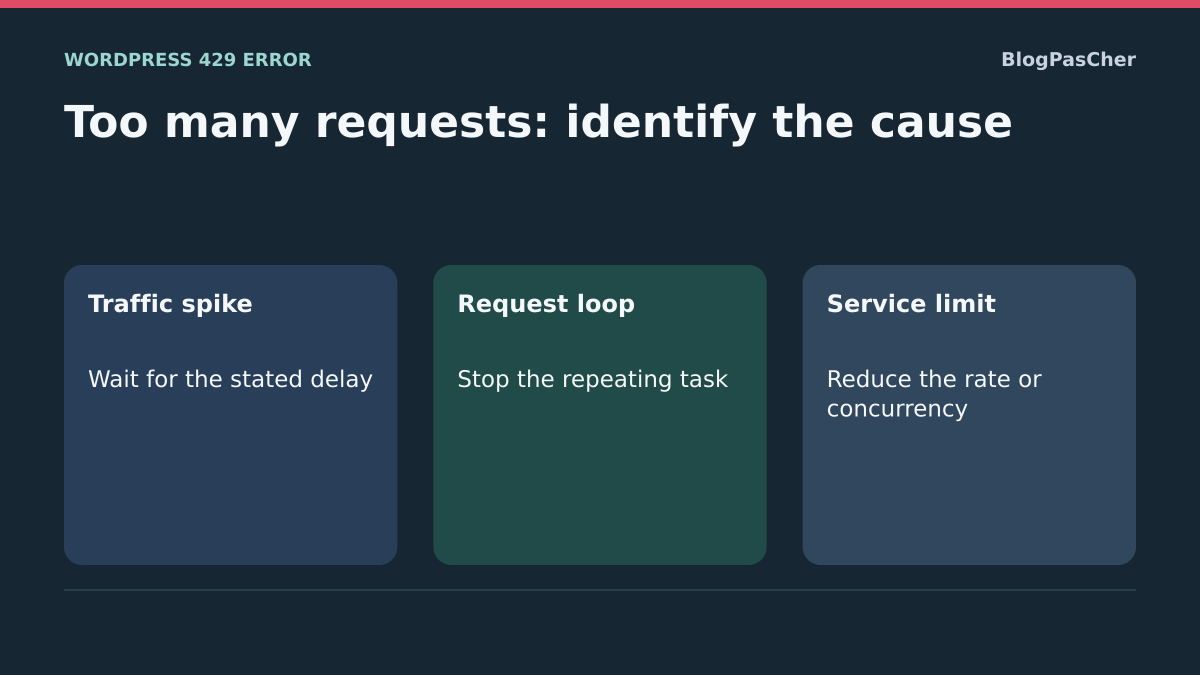
Distinguish a normal spike, a loop and a service limit
Compare a period containing the denial with a usual period. A normal spike may combine distinct visits just after an announcement and then subside. If one tool requests the same path at regular intervals, look for a refresh, duplicated job or retry restarting on every error. If site pages remain available and only a call to another domain receives 429, look for the called service’s guidance. The code alone does not distinguish these cases.
In the fictional responses, the spike and loop are reported by the same protection layer. The spike log describes several visits linked to an announcement. The loop log identifies the same periodic read by a job. The fictional API reports a simultaneous-request limit. In that case, reducing parallelism and consulting service rules addresses a different need from spacing browser refreshes. Check the log or documentation before changing the rate.
Read a relative delay, a date or a missing indication
A Retry-After of 120 asks you to wait at least 120 seconds before any next attempt. A value such as Wed, 11 Nov 2026 10:03:00 GMT designates an absolute time. In the test, the fictional response is received at 10:00 UTC, three minutes before that deadline. Account for the time zone and clock used in calculation. A past date or expired delay does not guarantee the counter has room for all pending operations.
A response without this header or with an unreadable value supplies no usable delay. Consult service policy or support, then keep retries pending under that framework. The test reads only one response per scenario and retries no request. It checks interpretation of the value without measuring a limit or its real window.
Reduce load before resuming a cycle
For a normal spike, postpone secondary jobs you control and avoid manual retries while waiting. For a loop, have the precise job stopped, check operations already processed and correct what triggers retries. For a service limit, use the documented rate and simultaneous-request count. Identical requests can sometimes share an already obtained result. A writing job requires checking its state before relaunch.
On a copy or with fictional responses, compare the planned request count for a cycle before and after correction. The expected result is a function that remains useful with fewer calls and retries respecting the delay. Keep old values to understand the change’s effect. If a new 429 appears during real use, record it and resume evidence gathering rather than seeking the threshold through successive tests.
For technicians: capture a single response with curl
If you already recorded the response in the browser, use it directly. The command below reproduces a simple public read once the service’s delay has elapsed. It is unsuitable for a payment, form submission or authenticated action. In Terminal on macOS/Linux, replace the fictional address with a read-only page you administer. On Windows, use curl.exe in PowerShell and replace /dev/null with NUL. Do not add your cookies or an API key for this exercise.
The --disable option, placed first, ignores options from any personal configuration file. --retry 0 schedules no retry; --max-time 30 bounds the operation’s duration. The command does not follow redirects. If it displays 301 or 302, you measured that redirect, not the final page. A 429 response is a completed HTTP exchange: without --fail, curl may therefore finish with a zero process exit code while displaying HTTP status 429.
Open entetes-429.txt in your editor and search for Retry-After, Date and any request ID. The file may contain cookies: keep it private and remove those values before sharing. Record receipt time, time zone and tested path. If another 429 appears, stop the test and use that response; the goal is not to discover the limit through repeated retries.
In our test on November 13, 2026, a fictional local server returned 429 with Retry-After: 120. The log recorded exactly one GET, curl displayed 429 and the file contained that header. This verifies collection of a response without demonstrating the origin of a limit on your hosting.
curl --disable --silent --show-error --max-time 30 --retry 0 --dump-header entetes-429.txt --output /dev/null --write-out "%{http_code}\n" "https://example.com/page-a-verifier/"Calculate the delay offline with Python
This example is for readers maintaining an integration who want to check interpretation of Retry-After. It sends no request, changes no WordPress setting and triggers no retry. Python 3 must be available on your computer. Download the complete script, or copy the code below into a file named lire_retry_after.py.
The function receives the header value and a receipt time including its time zone. A sequence of digits represents seconds to add to receipt. A recognized date is converted to UTC. An empty, negative, fractional, unusable or computationally overflowing value returns None. A date without a time zone must not be arbitrarily interpreted as server local time. This educational parser handles the cases illustrated here; it does not replace an HTTP client’s documented retry strategy.
"""Lit Retry-After hors ligne. Aucune connexion ni nouvelle tentative HTTP."""

import re
import sys
from datetime import datetime, timedelta, timezone
from email.utils import parsedate_to_datetime


def echeance_retry_after(valeur, reception):
    """Retourne une échéance UTC, ou None si la valeur est inexploitable."""
    if reception.tzinfo is None or reception.utcoffset() is None:
        raise ValueError("L'heure de réception doit contenir son fuseau.")
    texte = valeur.strip()
    if not texte:
        return None
    try:
        if re.fullmatch(r"[0-9]+", texte):
            return reception.astimezone(timezone.utc) + timedelta(seconds=int(texte))
        # Ne pas traiter -1, +120 ou 1.5 comme des dates.
        if not re.search(r"[A-Za-z]", texte):
            return None
        date = parsedate_to_datetime(texte)
        if date.tzinfo is None or date.utcoffset() is None:
            return None
        return date.astimezone(timezone.utc)
    except (ValueError, TypeError, OverflowError):
        return None


if __name__ == "__main__":
    if len(sys.argv) != 3:
        raise SystemExit('Usage : python lire_retry_after.py "VALEUR" "2026-11-13T10:00:00+00:00"')
    try:
        reception = datetime.fromisoformat(sys.argv[2].replace("Z", "+00:00"))
        echeance = echeance_retry_after(sys.argv[1], reception)
    except ValueError as erreur:
        raise SystemExit(str(erreur))
    if echeance is None:
        print("Délai inexploitable : consulter la politique du service. Ne pas relancer automatiquement.")
    elif echeance <= reception:
        print("Échéance déjà atteinte à réception. Cela ne garantit pas qu'une reprise sera acceptée.")
    else:
        print("Ne pas réessayer avant (UTC) :", echeance.isoformat())
    print("Aucune requête HTTP n'a été effectuée.")
Try the calculation and interpret its output
In the folder containing the file, run the following two commands. If your installation uses python3 or the Windows py -3 launcher, simply replace python. Dates are fictional: for your diagnosis, use the actual recorded receipt time. The +00:00 suffix denotes UTC; +01:00 indicates a local time one hour ahead. Do not remove this suffix.
The first output says not to retry before 2026-11-13T10:02:00+00:00. The second says 2026-11-13T10:03:00+00:00. Receipt at 11:00:00+01:00 represents the same instant as 10:00:00+00:00: the result must remain identical. These times are minimum deadlines indicated by fictional responses, not a promise that a payment, synchronization or account will regain quota at that instant.
Seven automated tests were run on this version: relative delay, HTTP date, zero and whitespace, invalid values, a past date, time-zone conversion and rejection of receipt without a time zone. The fictional server test is separate. They measure neither a Cloudflare rule nor commercial API limits. To return to the initial state, simply delete the Python file and header record from your computer: nothing was installed in WordPress.
For a beginner, the browser Network panel and support guidance are often enough. For a store, the existing Action Scheduler log may show which job calls the service. Installing a so-called error-repair plugin will not give WordPress the power to change another provider’s quota. The presented code helps establish diagnosis; correction remains with the client, counter or service identified in the three earlier approaches.
python lire_retry_after.py "120" "2026-11-13T10:00:00+00:00"
python lire_retry_after.py "Fri, 13 Nov 2026 10:03:00 GMT" "2026-11-13T10:00:00+00:00"
Avoid synchronized retries by multiple clients
A wait respected by every job can still cause another spike if all resume at the same instant. For an integration already having a retry mechanism, have the provider’s intended progressive spacing and random component checked. Their role is to distribute attempts without removing limits or allowing infinite repetition.
Also record whether the HTTP library and job queue each apply their own retries: two overlapping mechanisms can multiply actual attempts. The maintainer chooses the responsible layer and sets a maximum count compatible with the operation. Check this behavior with fictional responses, counting planned attempts without calling the real API. For writes, duplicate handling and state verification remain necessary even with sound timing. This guide’s small Python parser calculates a deadline; it does not implement that complete strategy.
Sources and references
Use these references to check the features, requirements and limitations described. Reading documentation is not a practical test.
View 17 references
- RFC 6585: status 429 and request-counting limits ↗
- Cloudflare: 429 response ↗
- Cloudflare: rate-limiting rule settings ↗
- Cloudflare: troubleshooting rate-limiting rules ↗
- Cloudflare: rule best practices ↗
- Nginx: request rate limiting ↗
- Stripe: limit types and detailed codes ↗
- Chrome: viewing network requests ↗
- WordPress.com: inaccessible site and 429 ↗
- Action Scheduler: viewing jobs ↗
- WordPress: backups ↗
- Cloudflare: security events and sampled logs ↗
- Nginx: client address and trusted proxies ↗
- RFC 9110: Retry-After delay format ↗
- curl: diagnostic options and retries ↗
- Python: parsing email and HTTP dates ↗
- Python: timezone-aware dates ↗