

Start with a submission both teams can locate
The Elementor form displays its confirmation message and an entry appears in WordPress. Yet the receiving service shows no corresponding record. Record the page, form name, time, and local entry ID when available. Also verify what “no record” means for the recipient. The request may have been received and rejected by validation, queued, or filed in another workspace. Ask someone familiar with the service where to check these states.
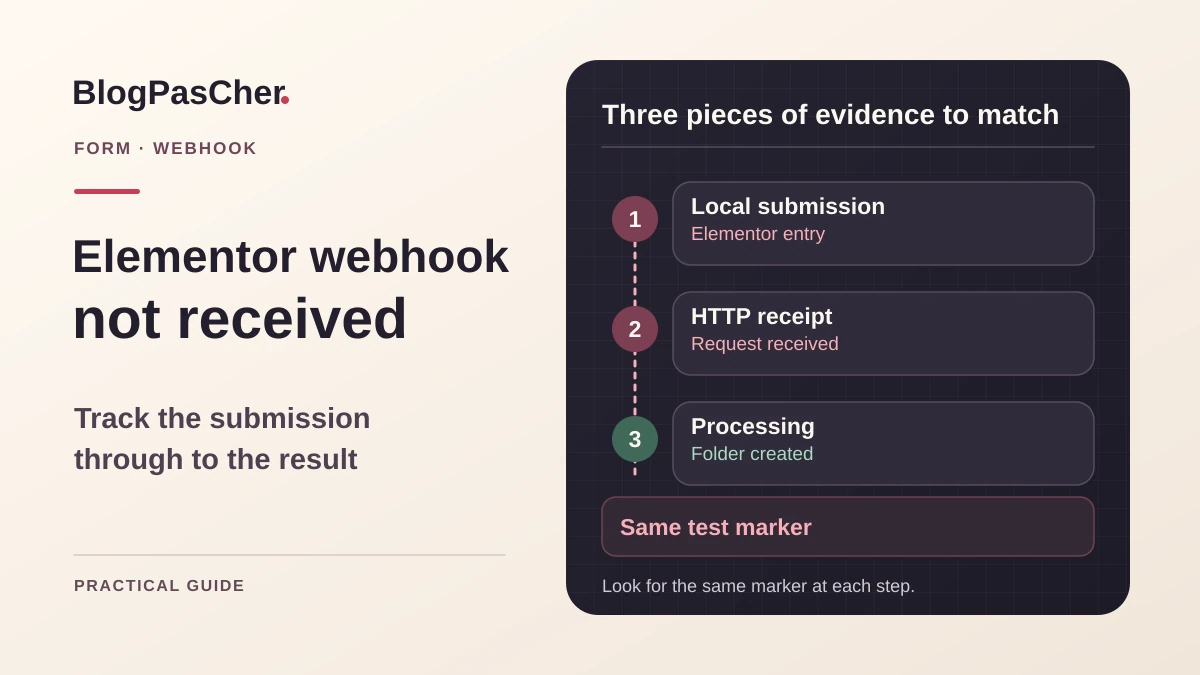
The webhook is an action transmitting data to a configured address. Local submission storage and remote processing are separate stages. A browser confirmation indicates what the visitor received during submission. Verifying the complete route requires locating the test in recipient observations and in the expected business result. Start with one synthetic request and a shared marker. Avoid asking the visitor to resend their data before checking whether the first send already had an effect.
Prepare a test through an isolated route
Use a private copy where you can edit the form and a test recipient belonging to the team. On this copy, disable email sends, record creation, or other external actions outside the intended route. Keep the original configuration in a restricted location. A webhook address may include a secret. Mask it in screenshots and share only the domain or an internal alias when sufficient. Avoid public collectors, since they would receive form fields and might expose their contents.
Choose a unique control value, such as a test marker accompanied by the time. Do not use real visitor data. Check with the recipient owner which fields may contain this marker. Prepare the expected state, such as receipt in the log followed by a test record in the intended workspace. Record each system’s timezone. Two different times may represent the same submission. Keep an observation window long enough for the service’s usual delay if processing is asynchronous.
Check actions on the widget actually used
Open the page in Elementor and select the Form widget. Under Content, examine Actions After Submit. Check that Webhook is among the widget’s actions and open its associated group. Record the destination with sensitive parts masked. Compare it with the test destination confirmed by its owner. If the form comes from a template or popup, open the template actually rendered. Several forms may share a name or similar fields.
The Collect Submissions action can provide a local reference when enabled. In Elementor administration, open Submissions and find the entry matching the test marker. If none exists and collection is disabled, use the test-flow log or enable collection on the copy as needed. When a local record exists but Webhook is absent from actions, add it on the copy and configure the destination. Save, then reopen the document to verify that the action was retained. Perform one new test and compare both systems.
Compare the saved address with the current destination
Check the receiver’s protocol, domain, path, and environment. A service may have replaced a URL following secret rotation or scenario duplication. Production and test addresses may differ by one segment. Compare values without copying the secret into the record. When you have several translated forms, identify which configuration the problematic language uses. A setting corrected on the main template may leave a variant with the old destination.
If the recipient moved its address, enter the approved final HTTPS URL on the copy and check redirects it applies. A transfer after redirection may be handled differently depending on client and response. A login page is not a webhook receiver. Check the route through the service log or authorized hosting observations. When the URL appears in a shared configuration tool, have its owner confirmed before editing a copy that would be overwritten. Keep an approved rollback value if the change must be withdrawn.
Trace the outgoing attempt from WordPress
Submit the copy’s form and record the time and marker. In the browser, observe the submission request to the WordPress site. It confirms that the form was sent to the site. The outgoing request to the service may be made by the server and therefore not appear as a browser request. Ask the WordPress maintainer or hosting owner to locate the outgoing attempt in already authorized tools. The record should contain domain, time, and result, with secrets and fields masked.
If no attempt is observed, check the enabled action, served document, and any error before triggering. If an attempt appears with a resolution, connection, or certificate error, examine that error from the WordPress environment. An address your browser opens may remain inaccessible from hosting. If an HTTP code appears, move to the receiver record. Do not change form and network parameters in the same test. The result should locate the first failing stage.
Observe the HTTP result without logging fields
If usual traces are insufficient and the maintainer confirms use of the WordPress HTTP API, add this diagnostic on an authorized copy. It observes this API’s responses to POSTs targeting the exact configured URL. Any other component POSTing to that same address is included. Therefore use a test receiver and path reserved for this attempt, without a secret in the URL. Identify the PHP log used by web requests and check that only authorized people can access it. The fragment writes a fixed marker, valid HTTP code, or generic failure label there.
On the copy, place the fragment in wp-content/plugins/bpc-webhook-recette/bpc-webhook-recette.php. Replace the example URL with the test receiver’s direct HTTPS address, identical to the one saved in the Webhook action. Check that it does not redirect elsewhere. Activate the plugin only on the test site, without network activation in multisite. Record the time, submit one synthetic value, and search for the marker BPC webhook recette in the web process’s PHP log. Compare time and result with the receiver record.
A WP_Error line indicates a failure returned by the HTTP API without detailed diagnosis. An HTTP code indicates a received response. Even a 2xx requires checking receiver-side processing. With no line, verify the method, exact URL, activation on the correct site, and log destination. An integration may use another client or stop before WordPress triggers this event. After comparison, deactivate the plugin, remove its file from the copy, and keep the marker and result useful for diagnosis.
<?php
/**
 * Plugin Name: BPC Trace webhook de recette
 */

defined('ABSPATH') || exit;

add_action('http_api_debug', static function (
    $response,
    string $context,
    string $_transport,
    array $args,
    string $url
): void {
    $target = 'https://recepteur-recette.example/webhooks/elementor';
    $method = strtoupper((string) ($args['method'] ?? ''));

    if ('response' !== $context || $target !== $url || 'POST' !== $method) {
        return;
    }

    if (is_wp_error($response)) {
        error_log('[BPC webhook recette] WP_Error');
        return;
    }

    $status = (string) wp_remote_retrieve_response_code($response);
    if (preg_match('/^[1-5][0-9]{2}$/D', $status) !== 1) {
        $status = 'absent ou non valide';
    }

    error_log('[BPC webhook recette] HTTP ' . $status);
}, 10, 5);
Interpret the receiver’s response
Correlate the response code with the recipient’s observation. A 401 or 403 may indicate an authentication requirement or filtering rule. Ask the owner for the exact reason. A 404 may come from an old destination or disabled test path. A 429 requires checking request frequency and service-documented limits. A 5xx points toward the receiver or a relay ahead of it. Keep the useful message with form data removed from the record.
An HTTP success may indicate that the service accepted the request. Then check whether processing created the record or merely registered a task. A connection error or lost response may also leave uncertainty about an effect already produced. Before another attempt, ask the recipient to search its traces for the marker. For a recurring timeout, measure where it occurs and consult the receiver’s contract. Simply increasing the timeout guarantees neither correct receipt nor a faster submission for the visitor; it may make submission slower.
Compare form format with the receiver’s contract
When the attempt reaches the service but fails validation, compare fields actually received with those expected. Check form field IDs, required values, and accepted format. A service may require a precise key or structure not supplied as-is by current configuration. Use a synthetic example visible to both teams. Also record the received content type and field names after any transformation. A label shown to visitors may differ from the ID used for mapping.
If the service provides a mapping table, correct it on the test route while retaining the old version. If the required format needs a transformation unavailable in the action, have the integration maintainer prepare a controlled relay or suitable action. Define format, authentication, limits, and response before changing the route. Check a valid value and a deliberately invalid one. The receiver must explain refusal, and a valid submission must produce the expected business result.
Check processing after receipt
In the receiving service, find the request by time and marker. Open its execution state and check the stage where fields are transformed or used. If the service accepts the request and starts a scenario, that scenario may be pending or stopped after a rule. A record may also be created in a workspace different from the one the team views. Compare configured destination with the final destination indicated in the log.
Check filters excluding values. A rule may deliberately ignore requests with an empty field. A field optional in the form may be essential to the scenario. Have the people using the data clarify this need. Then choose whether validation should happen before sending or during recipient processing. On the test route, check the result with and without that value. Rollback must restore the previous rule or mapping without resending already processed entries.
Prepare recovery without replaying every entry
If the incident lasted several hours, define the relevant period and form. Compare local entries with results confirmed by the recipient. Make a record distinguishing received entries, uncertain receipt, and missing entries. Use a stable identifier recognized by the service when available. A name or address may appear in several distinct submissions. When the service accepts an idempotency key, use it only according to its documentation. Otherwise, ask the owner how to recognize an already processed entry before recovery.
Elementor administration allows export of selected submissions. An export contains data visitors entrusted to the form. Keep it in designated storage and limit it to the useful scope. Compare its format with the recipient’s authorized reimport mechanism. Prepare one synthetic recovery entry on the isolated route and check the result. Then process actually missing entries, recording results after each batch. If an entry remains uncertain, isolate it for verification instead of sending it a second time with the confirmed group.
Restore configuration and remove test traces
Keep the previous form version and service mapping parameters. To undo a destination change, restore the owner-approved address and check that it remains valid. A revoked secret requires a new value provided by the service. To undo a format change, restore mutually compatible form and transformation-rule versions. After rollback, check the route with an isolated synthetic request.
Remove control data no longer useful from the test route according to the service procedure. Remove temporary traces containing submission fields or a secret. If a secret was copied somewhere unintended, ask the recipient owner to rotate it and verify the form with the new value. Retain only necessary evidence, such as time, status, and test ID. Successful recovery must remain verifiable without turning the troubleshooting ticket into another copy of contact data.
Validate the chain end to end
Prepare a test reproducing the page variant and fields from the initial flow. Use a test browser and isolated receiver whose logs you can read. Keep the same marker through creation of the expected result.
- Confirm that the widget actually served contains the Webhook action and test destination.
- Submit one synthetic request and record its local ID if collection is active.
- Check the outgoing attempt and result in accessible traces.
- Find the request at the receiver and check scenario state followed by the business result.
- Compare a valid request with one the receiver’s contract should reject.
- Verify the recovery method for an already processed entry. Remove the temporary marker, restore test settings, and record the rollback address in approved storage.
Document the form and its recipient
Record the template supplying the form, language variant, and Webhook action owner. Keep important field IDs and the rule transforming them at the recipient. Specify where to check each stage without displaying sensitive values. During form migration, local collection may still work while the remote service expects another structure. Therefore repeat the test after a template, account, or destination change.
Elementor documentation describes Webhook among the Pro Form widget’s actions. Check access to this feature on the maintained installation and the recipient’s own contract. Another plugin is useful only if it meets an established need, such as transformation or delivery tracking. A success notification must remain connected to the result the team expects. Keep a sample test submission, observed code, and remote-result ID. These three references let investigation resume without copying every form field.
Read a receipt example without confusing transport and processing
Consider this fictional example: at 10:15 UTC, the form sends the marker essai-webhook-01. The WordPress log reports HTTP 202; the receiver has a receipt with this marker, but its task ends with “missing destination field.” Transport reached the service. Correction then concerns mapping or making the field required, not a new URL or increased timeout.
Conversely, a WP_Error line without corresponding receipt initially leaves a communication failure to examine. No line does not prove that the receiver is down: the guide’s diagnostic sees only calls passing through the WordPress HTTP API and exactly matching its filter.
To make the test reproducible, record three lines: submission marker and time; observed HTTP result; recipient ID and final state. Do not record personal fields. After correction, use a new marker for one submission. Check that a unique business result appears, then remove the temporary diagnostic plugin. The free logging tool does not replace Elementor Pro’s Form widget or the receiving service’s contract.
Related comparisons
25 WordPress form plugins to choose according to your needs
Compare submission tracking features and integrations offered by form plugins.
Sources and references
Use these references to check the features, requirements and limitations described. Reading documentation is not a practical test.