

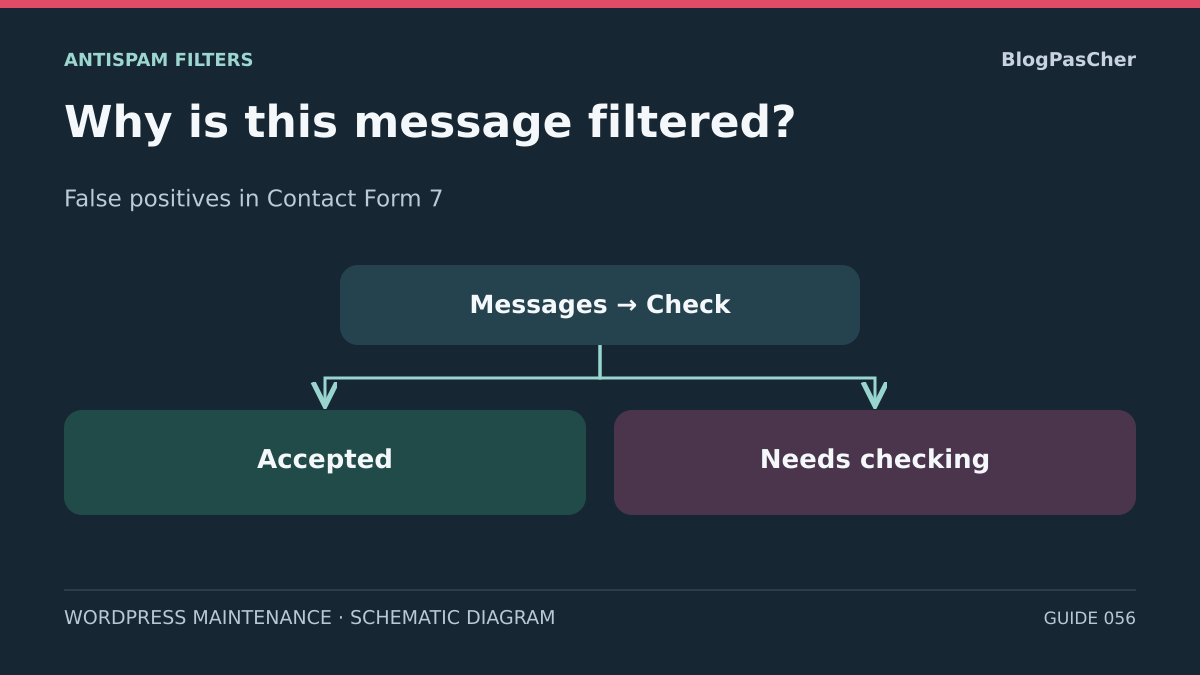
Confirm where the spam classification appears
A legitimate contact request receives an error message. Before correcting a filter, determine whether Contact Form 7 classified the submission as spam, the server blocked the request, or the email arrived in the recipient's Spam folder. These three situations look similar to the visitor and require different interventions.
For an Ajax submission, open the feedback POST response and look for the status field. The value spam indicates that Contact Form 7 returned a spam verdict for this attempt. The HTTP status may still be 200. If the browser receives a 403, an HTML challenge page, or a request that never finishes, first return to diagnosing the network path. You do not yet have a Contact Form 7 verdict.
If the response indicates mail_failed, the form reached the email-failure branch. If it indicates mail_sent, first check whether this was a simulation. For an earlier submission made in normal operation, review existing transport logs. Email classified as spam by the mailbox concerns routing and the mail system's filter. Changing a form protection in this case does not resolve the delivered message's classification.
The developer's documentation shows an orange border for spam and a red one for email failure in the standard style. Themes can change these colors, and the developer uses similar default wording for both failures. In classic mode without Ajax, look for a spam log or Flamingo entry associated with the attempt. Use color only as a clue.
Prepare staging and two control inputs
Work in a private copy with its own domain, database, cache, and test integrations. Match the Contact Form 7 version, form, configuration, and rules that may contribute to the verdict. If the problem depends on reputation calculated by an external service, note from the start the identity, domain, and network differences that may prevent faithful reproduction.
Block email transports, webhooks, and other real outgoing connections before opening the form. Remove production credentials and disable the second mail template if your protocol requires it. To observe processing without email, temporarily use skip_mail: on on the staging form only. This addition lets spam processing run but does not block other plugins and integrations. Keep protections and network controls outside WordPress in place.
Prepare two synthetic datasets. The legitimate control contains the required fields and an ordinary message. The second reproduces only the suspected characteristic or a documented test signature. Avoid text, addresses, IPs, and identifiers taken from a real message. If you need to compare two test profiles or networks, keep all other parameters the same and record the exact change.
Record the starting state, protection list, and test scope. A test closed to external services can demonstrate local blocklist operation or the handling of a simulated response. If observing a remote engine would require opening prohibited access, leave that engine out of scope and use existing traces. Evidence does not require a new real email.
Attribute the verdict to a module using the log
If Flamingo is already present and authorized for staging, open Flamingo → Inbound Messages and the Spam view. Find the entry for the form and test attempt using the time and dummy marker. Open it and look for the spam log. Depending on the module and version, you may be able to record a component name, score, or reason. The public message wording hides this information.
Contact Form 7 alone does not provide a general archive of every submission. If no entry exists, check the channel, date, permitted storage, and presence of the do_not_store setting on the form. Also check that the POST actually reached Contact Form 7. Some edge protections or customizations stop the action earlier. Keep the existing storage policy. The absence of an entry does not prove that there was neither an attempt nor a verdict.
If Flamingo is absent, use the copy's existing traces or a private log already provided by the module. If these traces report only spam without a reason, record “filter not attributed,” then follow the branches for protections actually active. A log may document only the first decisive rule. After a targeted correction, another module may return a verdict in turn.
In your test record, keep the time, form, status, and a redacted reason. Do not transmit message bodies, tokens, keys, or raw network traces. Use reclassification controls carefully. If Akismet is integrated, changing a message from Spam to Not spam in Flamingo may send it a false-positive signal. This action is distinct from simply reading the log.
If a term or IP triggers the local blocklist
On the copy, open Settings → Discussion and find the field for disallowed comment keys or terms. This is the disallow field, separate from the moderation list. Contact Form 7 may use these entries. Keep the initial text in a private location with one entry per line. Changing this list also affects WordPress uses that rely on the same option.
Compare the reason with the entry and the dummy value reproducing the case. CF7 documentation indicates that the list may act on a term present in the message or an IP address. In the WordPress list, an entry may match part of a word. A very general commercial term therefore deserves examination if it appears in an ordinary request. If the reason cites an IP, first check what the copy sees behind its proxy instead of allowing an address range.
Repeat the control and a scenario changing only the suspected value. If the verdict follows the value and the log cites the same rule, adjust only that line on the copy. Prefer a more precise pattern when the original need remains valid. If the rule represents a deliberate address block, have its purpose confirmed before removing it.
After the targeted adjustment, the legitimate message should pass the filter. A synthetic scenario representing the case the rule must still stop should remain filtered. If you do not obtain both results, restore the original line. Also check the impact on the copy's comments if they are part of the site.
If the log identifies Turnstile or reCAPTCHA
Start with the symptom reported by the trace. A missing widget or empty token points toward script loading, initialization, or consent. A server-side rejection calls for checking whether the service responded, then reading the verification result and available error codes. An inconsistent domain or key pair is a configuration issue. A score actually received may point toward a false positive.
In CF7 6.2.4.1, the log may say “score below threshold” whenever verification fails with a nonempty token. If the service returns a body without a score, CF7 uses zero as a fallback value. If the call fails or returns an HTTP status other than 200, the code may return before even reading a score. Consult the redacted record of the same attempt. Check the HTTP status, then success, error-codes, and whether the response contains a numeric score. Without evidence that a successful verification response contains a score, record “reCAPTCHA rejection, cause not attributed” and continue according to the available signals.
For Turnstile, open Contact → Integration on the copy and identify the integration configuration. Check that the widget appears in the right place and the script loads. Compare the token creation time with the POST time without copying its value. The server must validate the token. A widget visibly solved in the browser is not proof of this validation. For reCAPTCHA v3, check the key version and script loading with the consent mechanism intended for this staging environment.
For a missing or expired token, compare normal input with returning after a wait or opening the form in a modal. Observe a new token for each new attempt without replaying request bodies. Turnstile and reCAPTCHA tokens have limited lifetimes and are single-use. If an optimizer or consent prevents loading, adjust only that point on the copy and compare the two states. Do not add a second integration to mask the first one's defect.
If test calls are authorized in your staging environment, use the official dummy Turnstile pairs to obtain controlled success and rejection. These results exercise integration and rendering, with a different scope from a real production score. If the copy must remain offline, use an authorized test double or mark remote validation as not performed. If the service actually returned a score during successful verification, compare it with the effective threshold and current settings. To study the context, use only synthetic human cases in authorized staging. Avoid lowering the global threshold based on a single observation.
If Akismet returns the verdict or another module intervenes
In the staging form, open the Form tab and find the akismet:author, akismet:author_email, and, if used, akismet:author_url options. Check that each option is attached to the field that actually carries the corresponding data. A subject field, fixed value, or incorrectly connected field may give the filter inconsistent context. Save the original configuration before any targeted correction.
If an Akismet sandbox is already authorized, the developer's documentation lists reserved dummy values for triggering a spam verdict in a correctly tagged field. Compare an ordinary scenario and this blocking control using the same form and protections. Without authorized test access, check the configuration and available traces. Keep real messages and production credentials out of the scenario.
In an environment using Flamingo, the reclassification command may send feedback to Akismet. A documentation review does not require sending this feedback. Record the case using dummy examples and, if reporting it is useful, have that handled separately according to the site's permissions and data policy. Moving a message does not prove the next submission will pass or that the original email was delivered to the recipient.
If the log names another component, find its rule and scope. A local add-on or custom mechanism may add its own verdict. Compare only one option or rule in staging, keeping all other protections active. If edge logs indicate rejection before processing, return to the network lead. If CF7 traces remain silent, document the module as suspected and preserve this uncertainty in the report.
Check that an accepted message follows the correct email branch
After the targeted adjustment, repeat the legitimate control. A change from spam to mail_failed shows that the submission passed the filter and a separate problem remains in the email branch. If you requested skip_mail, the mail_sent result validates passage through the simulated scenario. In both cases, avoid presenting the result as delivery to a mailbox.
Check the Mail tab settings separately on the copy. Compare To, From, and Reply-To fields with the domain and form tags. Also check the second template if you use it. In a test environment, a local collector or simulated transport can record the intention to send to a dummy destination. As long as the copy can reach a real recipient, limit yourself to reading the configuration.
If a legitimate message already processed ends up in the mailbox's Spam folder, correlate the CF7 status with existing routing logs. A message ID or transport acceptance trace helps locate the last known step. Mailbox reclassification concerns a different filter. Adjusting Akismet or the form's term list to correct this classification does not affect the mailbox.
Record the three results separately in your report: the network responded or blocked, CF7 returned a verdict, and email was simulated, failed, or left a trace in existing logs. This separation makes the correction verifiable even when remote validation or real delivery is out of scope.
Prove the targeted correction and prepare rollback
A false positive is corrected on the copy when the legitimate control stops being classified as spam, the unwanted control remains blocked by the intended check, and other protections remain active. Repeat this comparison with a new synthetic submission for each test. In a token test, reload the page or follow the normal path that creates a new token. Avoid replaying a token from a trace.
Document before-and-after results. Include the form and its ID, time, module states, single setting changed, server verdict, and redacted reason where available. For a simulated remote filter, indicate the result produced by the test double and the behavior observed in CF7. If the copy does not reproduce the production false positive, mark the staging result as partial and specify the missing signal.
If the unwanted control also passes, another form becomes blocked, or traces contradict the hypothesis, restore the original setting on the copy. Depending on the case, restore only the relevant list line, form tags, or integration test configuration. Do not restore any production secret. Check both controls again and keep the rollback result.
At the end of testing, remove temporary staging parameters according to the rollback point, keep transports isolated, and clean up synthetic entries according to the copy's policy. Prepare a proposal for the site manager naming the module, change, results, and way to restore the previous state. Production deployment, if chosen, is a separate intervention.
Connect the actual fields to Akismet before judging its verdict
If Akismet is the module actually responsible, check tag options under Contact > Contact Forms > Form. They indicate which field represents the author and their email. Here is an example for a staging form; keep your existing field names if they are already used in the Mail tab.
This configuration sends the correct information to the filter; it does not guarantee that a message will be accepted. Do not replace a visitor's real address with the site's address to bypass rejection. If you need to retain a test record, Flamingo, offered free by the author of Contact Form 7, can store submissions. Install it only on the designated copy and verify its collection using dummy values. This plugin being free does not determine the terms of the Akismet service for your activity.
Compare the same synthetic message before and after correcting the tags without changing other protections. Keep the status and the module identified in the log. A single success does not justify global deactivation. To roll back, restore the original tags and remove only staging submissions according to your retention period.
<label>Votre nom
[text* votre-nom akismet:author]</label>
<label>Votre adresse e-mail
[email* votre-email akismet:author_email]</label>
Related comparisons
25 WordPress form plugins to choose according to your needs
Find Contact Form 7’s features and the points to compare with other form plugins.
Sources and references
Use these references to check the features, requirements and limitations described. Reading documentation is not a practical test.
View 22 references
- Contact Form 7 — FAQ and loading diagnostics ↗
- Contact Form 7 — DOM events ↗
- Contact Form 7 6.2.4.1 — Validation, spam filtering, and email in the developer's code ↗
- WordPress — Scope of the wp_mail() result ↗
- WordPress — Prepare a development copy ↗
- Contact Form 7 — Integration privacy notices ↗
- Contact Form 7 — Additional settings ↗
- Contact Form 7 — Spam decision log ↗
- Contact Form 7 — Message storage with Flamingo ↗
- Contact Form 7 — Disallowed terms and IP addresses ↗
- WordPress — Blocklist under Settings → Discussion ↗
- Contact Form 7 — Cloudflare Turnstile integration ↗
- Cloudflare — Turnstile test keys ↗
- Cloudflare — Server verification of Turnstile tokens ↗
- Contact Form 7 — reCAPTCHA v3 integration ↗
- Google — reCAPTCHA token verification and lifetime ↗
- Contact Form 7 — Akismet filtering and false positives ↗
- Akismet — Submission checks and transmitted fields ↗
- Contact Form 7 — Configuration validation ↗
- Contact Form 7 6.2.4.1 — Fallback reason in the reCAPTCHA log ↗
- Contact Form 7 6.2.4.1 — Call failure and fallback score ↗
- Google — reCAPTCHA v3 response fields ↗