

Identify the point where submission stalls
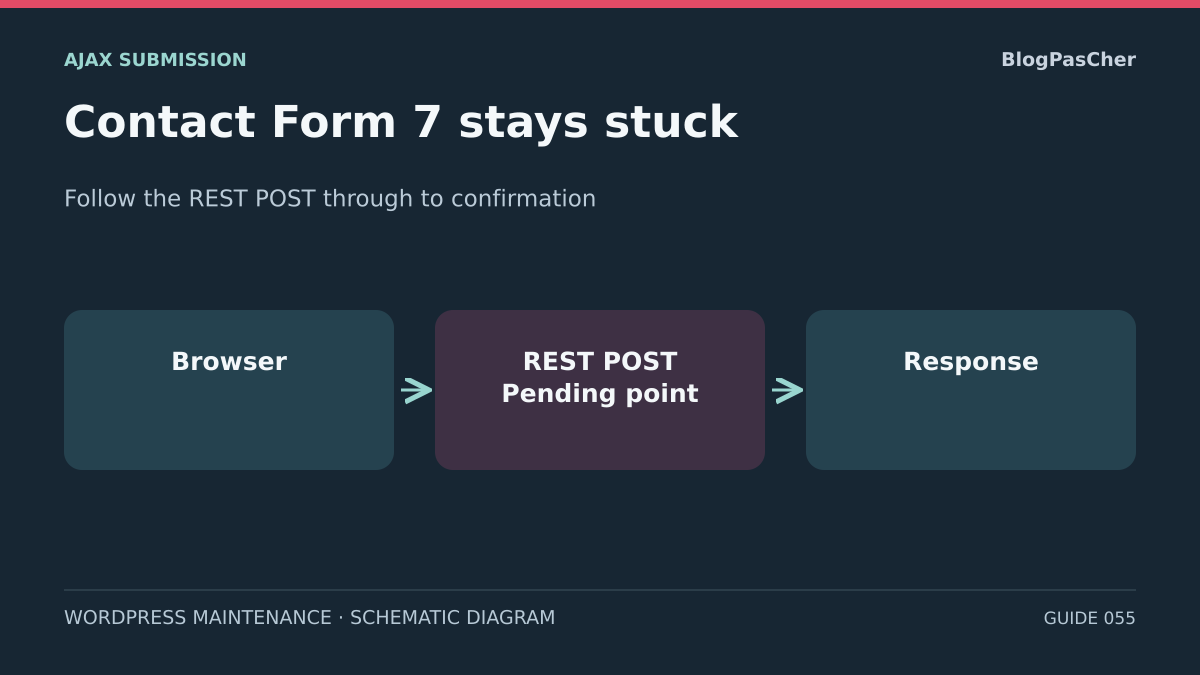
You click Send in Contact Form 7. The indicator stays visible and no result message appears. To find the cause, follow one attempt from the click to the response, then to its display. This path distinguishes a script that never starts the request, a pending request, and a correct response that the page does not show.
In an Ajax submission, the browser sends a POST to the WordPress REST API. The usual path contains contact-form-7/v1/contact-forms, the form's numeric ID, then feedback. Record the exact URL in the browser. It may, for example, include a subdirectory or use the rest_route parameter. A schema request or REST index response does not demonstrate that the submission POST works.
Contact Form 7 returns an application result if the request reaches processing. The HTTP status describes the response at the transport level. The status field in the JSON distinguishes validation_failed, spam, mail_failed, and mail_sent, among others. An HTTP 200 response may carry any of these results. The message color and wording may vary with the theme and translations. The status field and request trace provide better reference points.
If a confirmation appears but the mailbox remains empty, record mail_sent or mail_failed and direct the diagnosis toward email. If the field says spam, isolate the filter that returned that verdict. A stuck indicator with JSON already received also calls for examining the page's JavaScript. Keep these leads separate to avoid changing SMTP when the browser received a firewall HTML page.
Prepare a copy that can receive dummy submissions
Identify a private staging environment with its own URL, database, and cache. Reproduce the configuration and versions needed to reproduce the defect. Record the WordPress, Contact Form 7, PHP, and theme versions, the page builder used, and the form ID. If the problem depends on a CDN or proxy rule absent from staging, include that point among the test's limitations. Existing production traces can supplement the comparison in read-only mode.
Before opening the page, disable real email transports and outgoing calls associated with the form on the copy. Remove production secrets and check the configuration of add-ons, deferred tasks, the CRM, and webhooks. Reserve the browser profile for the copy and also block unnecessary external destinations in the browser. The button may trigger ancillary processing that does not use the WordPress transport.
Under Contact → Contact Forms, open the staging form and keep its settings text in a private location. For a check limited to the browser path and CF7 processing, temporarily add skip_mail: on in Additional Settings. This option asks CF7 to skip email. Extensions and ancillary actions may still run, and a mail_sent status obtained this way represents a simulation. Blocking staging transports and integrations remains necessary.
Use a synthetic name and text along with a test address on a reserved domain, accepted by local validation if the field requires it. Check both mail tabs, including the second template if active. If the environment retains access to real recipients or a third-party system, continue with existing logs and prepare a better-isolated copy before submitting anything.
Capture one POST and its result without multiplying attempts
On the copy, open the form in an anonymous profile separate from your administrator profile. Open the developer tools. In Network, enable Preserve log if you need to observe a redirect. Keep the Console panel visible or record the first JavaScript error at that moment separately. Start without an attachment if the form allows it, then reintroduce a dummy file when the comparison requires one.
Clear the browser log, enter the test data, and click once. Record the time with time zone, method, path, HTTP status, final URL, content type, and observed duration. First filter for feedback. If nothing matches, broaden the view to all requests and look for a document-type navigation. The result may be a classic POST followed by a reload. A button disabled by validation or consent is yet another case.
In the response, look for the status field if the body is a JSON object. For HTML, identify the page type from its title or opening elements, such as a login page, security challenge, or gateway error. Avoid sharing raw network exports. Form data, cookies, CAPTCHA tokens, headers, and signed URLs may be included in the trace.
If the POST remains pending, record it and correlate it with the proxy or hosting log instead of clicking repeatedly. A browser that has stopped waiting does not prove the server abandoned processing. In production, retrying blindly may create duplicates even when no confirmation was visible.
- Open the staging form and record its expected page URL.
- Submit a dummy dataset once. Record whether the POST exists and its destination.
- Record a single observed result class: no POST, pending, HTTP error, unexpected HTML, or application JSON.
- Associate the browser trace with the corresponding server entry if one exists.
No POST: check scripts and form assembly
If clicking produces no request, start with the button and field states. Check required consent, an invalid field, and any overlay intercepting the click. If the page reloads, submission may be taking place in classic mode. This is distinct from a failing REST POST. A browser with JavaScript disabled, a missing script, or a loading error may explain this behavior.
In Network, display JavaScript files and record the failure closest to form loading. A script returned as HTML, a CSP refusal, or a file blocked by a browser extension each calls for a different correction. Compare with an extension-free profile on the copy. In Console, examine the first relevant message and associated file. Later errors may be consequences of a dependency that failed earlier.
On a private page of the copy, insert the Contact Form 7 block or the shortcode supplied by the staging form. Compare this simple setup with the builder-created page, using the same form and fields. If the simple page works, check a nested block, modal window, on-demand loading, or nested form markup. If the same version fails everywhere after an update, compare the installed version's prerequisites and stack versions before changing anything.
If the spinner starts without a POST, also consult the spam-filtering mechanisms or customizations loaded in the installed version. The frontend code examined contains a blocked-submission path that keeps the loading state active before the POST. This case requires checking the component and version producing that behavior. The indicator alone cannot attribute the cause to that branch or establish a server verdict. Keep protections in place and rule out changing the flag in the console.
- Compare the original staging page with a private page containing the form only once.
- If the simple page works, temporarily exclude a single CF7 script from the suspected optimization in staging or restore the previous loading setting on this copy.
- Repeat the same click and check that the script loads, only one POST is sent, and the confirmation is visible.
- If the difference cannot be reproduced, restore the initial setting and examine the next candidate based on the console.
Blocked or diverted POST: examine the route and responding layer
If the POST receives 401 or 403, identify the source from the headers, body type, and logs. CF7's declared public submission route is distinct from administration routes. Deliberate staging authentication, a WAF rule, or a restriction plugin may intervene before processing. If a security rule is suspected, request its rule ID and correlate it with the POST. Keep safeguards in place and test only a targeted staging adjustment authorized by the person responsible for the rule.
A 404 with rest_no_route may reflect an incorrect path or method, an unavailable route, or rerouting. Compare the actual path and method. Check the form ID and subdirectory. A manual GET to feedback does not test the POST, and an accessible REST index does not prove that a rule permits submission. An HTML 404 may originate from a different layer. Record each step of a redirect to login, another domain, or a different form of the URL.
If the server returns 413 with an attachment, compare the same flow without a file when the form allows it. Record the proxy and PHP limits, along with the type and size allowed by the form. A 429 calls for examining rate limits and repeated clicks. A 500, 502, or 504 requires locating the corresponding hosting-side event. If the body is HTML with a 200, look for a challenge page or PHP warnings mixed into the response.
For a pending request, correlate the duration with the browser phase and server traces. Determine whether the origin saw the POST and where the time increases. A spam-verification call, file processing, or an add-on may prolong processing. Do not raise a global timeout based on one attempt. A targeted setting on the copy should restore a usable JSON response while maintaining the rules on other routes.
JSON received: find the hidden or interrupted confirmation
When the response is indeed JSON, record its status, then observe the .wpcf7-response-output area and console. If text exists in the area but remains invisible, inspect computed styles and parent elements. Zero height, a collapsed panel, or a theme display rule may explain the defect. Compare the same response with minimal staging styles. Check using the keyboard and inspect the message associated with the result.
If the JSON contains a response but the area is empty, look for an error after the POST. A redirect, tracking, or modal script may react to the result, replace the form, or try to access an element that has disappeared. On the copy, remove one suspected behavior at a time, then repeat. The correction must leave the message accessible even when validation fails, so the user knows what to fix.
If the network has responded but you do not know whether CF7 processed the result, observe the event in the copy's console. In the inspector, record the ID of the .wpcf7 container surrounding the specific form being examined. Replace ID_DU_CONTENEUR with that ID. The listener removes itself on the first event emitted within this container. On a page with several forms, a listener on document could capture the wrong form's result. Reload the page to remove a listener still waiting. Keep event details out of logs, because they may contain submitted fields.
The wpcf7submit event indicates that the script received an Ajax result. The code triggers it before updating the visible message. It does not prove any email delivery. Its absence may also result from a classic submission or an earlier error. Always review the network response. If you enabled skip_mail, a positive result is expected for the rendering exercise and must remain recorded as a simulation.
const conteneur = document.getElementById('ID_DU_CONTENEUR');
if (conteneur?.matches('.wpcf7')) {
  conteneur.addEventListener('wpcf7submit', (event) => {
    console.info('CF7 — événement reçu', event.type);
  }, { once: true });
}
Check the boundary with spam filtering and email
If the JSON says validation_failed or signals missing acceptance, correct the fields or check the display of validation errors. The server processed the request. If the JSON says spam, record the verdict and time, then look for the spam-filtering rule or module. Avoid changing the sender address to correct that verdict. These results may coexist with an interface defect that prevents them from being displayed.
The mail_failed status points toward WordPress email processing or the configured transport. Consult existing logs and the form configuration validator. Check recipients in both templates, the From address domain, and fields used in Reply-To. Configuration can be examined without triggering email. In staging, a simulated transport can establish that a request was handed to it.
When the status is mail_sent, check whether email was simulated. In normal operation, a positive wp_mail() result does not prove receipt in a mailbox. Search existing logs for a message ID, rejection, delay, or classification by the recipient mail system. This analysis does not require sending another real email. Separate the Contact Form 7 state from the last known transport event in your report.
If the confirmation disappeared but logs indicate processing already completed, avoid retrying on the public site. Identify test results using a synthetic identifier on staging. If the failure appears only with a real integration that you cannot simulate, record the limitation and have the relevant component's logs examined.
Validate the correction and restore the copy's reference state
Prepare two staging inputs. For the positive control without external access, choose a scenario with an active local protection that admits this input, or a simulated response in the authorized staging environment. Keep email simulated. If the verdict depends on an unavailable remote engine and you lack an authorized test double, record “remote validation not performed” and limit conclusions to what was actually observable.
The second input contains an intentional validation error. Where the scenario allows it, check anonymously and, if the defect depended on role, with the relevant staging profile. For each Ajax attempt, the criteria are a single POST, JSON consistent with the chosen input, disappearance of the spinner, and a distinct, visible, accessible message.
Keep minimal evidence. For each test, record the page, form, versions, single change, time, HTTP status, and application result. A rendering test is insufficient to validate email delivery. A valid response on the copy is also insufficient to declare the cause proven in production if its proxy or cache differs.
Undo temporary exceptions and exclusions on the copy that did not explain the defect. Restore staging settings, remove console listeners by reloading, and delete unnecessary detailed traces from the shared folder. To return to the starting state, restore the staging configuration and keep transport blocks active. Remove the skip_mail option only after checking that the copy remains isolated, if its initial configuration did not contain it.
If the defect disappears during testing but returns after restoring the setting, reproduce that contrast once on the copy and pass on the minimal change. If results differ with identical settings, include available observations and describe the diagnosis as intermittent. The selected correction must make the response understandable without weakening the controls that protected the form.
The form fails only when the visitor is logged out
Start by checking the form's intended audience. On a Contact Form 7 copy, open the same page in two separate sessions, logged in and logged out. First check whether fields are present before submitting anything. For this staging exercise, use a case where the form is visible to a member but absent for an anonymous visitor. Keep another members-only page as a control.
Under Contact → Contact Forms, open the form corresponding to the page's block. In Additional Settings, look for this line.
If this restriction is intentional, keep it and check that the page explains how to access the form. If the page is intended for the public, keep a copy of the setting and remove only this line from the affected form. Before making the form public, check that its spam protections work for visitors.
After targeted removal on the copy, check that the form becomes visible in an anonymous session. Submit a single dummy entry with the transport disabled and record the HTTP status and CF7 result; any mail_sent in this context is a simulation. Check that the restricted page remains inaccessible to visitors, then restore the original setting to check the reversal. Record versions and results actually observed: this procedure alone is not evidence of execution.
If fields are already visible to anonymous visitors and the POST fails, examine the response using the previous checks. Compare the page received by the visitor with the member's page and look at cache clues before any exclusion. An old page, a delayed script, and a restricted form require different corrections.
subscribers_only: trueDirect the diagnosis using one observation
After a single submission on the copy, use the first result observed:
The native reference page and free browser tools are enough to start. No SMTP plugin can repair a script that does not send the POST. Keep one line per test with the time, form, and result, without exporting fields or cookies. After a correction, check a valid input and an input that must remain rejected. Undo exceptions that did not explain the difference.
- No POST: check required fields, consent, scripts, and form assembly before email.
- Pending POST: correlate the time with server traces; do not click repeatedly.
- HTML instead of JSON: identify login, firewall, or gateway error pages, even if the HTTP status is 200.
- **JSON
validation_failedorspam**: examine the field or filter respectively; the server supplied an application result. - JSON received but spinner persists: check the console, result area, and redirect scripts.
- **Visible
mail_sentbut missing email**: continue with the transport; this status does not demonstrate mailbox receipt.
Related comparisons
25 WordPress form plugins to choose according to your needs
Find Contact Form 7’s features and the points to compare with other form plugins.
Sources and references
Use these references to check the features, requirements and limitations described. Reading documentation is not a practical test.
View 16 references
- Contact Form 7 — FAQ and loading diagnostics ↗
- Contact Form 7 6.2.4.1 — REST submission route in the developer's code ↗
- Contact Form 7 — DOM events ↗
- WordPress — Prepare a development copy ↗
- Contact Form 7 — Additional settings ↗
- Contact Form 7 — Integration privacy notices ↗
- Contact Form 7 6.2.4.1 — Validation, spam filtering, and email in the developer's code ↗
- Contact Form 7 — Ajax submission troubleshooting ↗
- Chrome DevTools — Inspect a network request ↗
- Contact Form 7 6.2.4.1 — Submission flow in the developer's code ↗
- Contact Form 7 — Listing and changelog ↗
- WordPress — REST routes and methods ↗
- WordPress — Log errors privately ↗
- WordPress — Scope of the wp_mail() result ↗
- Contact Form 7 — Configuration validation ↗
- Contact Form 7 6.2.4.1 — DOM event propagation ↗