

Locate the rejection before changing a limit
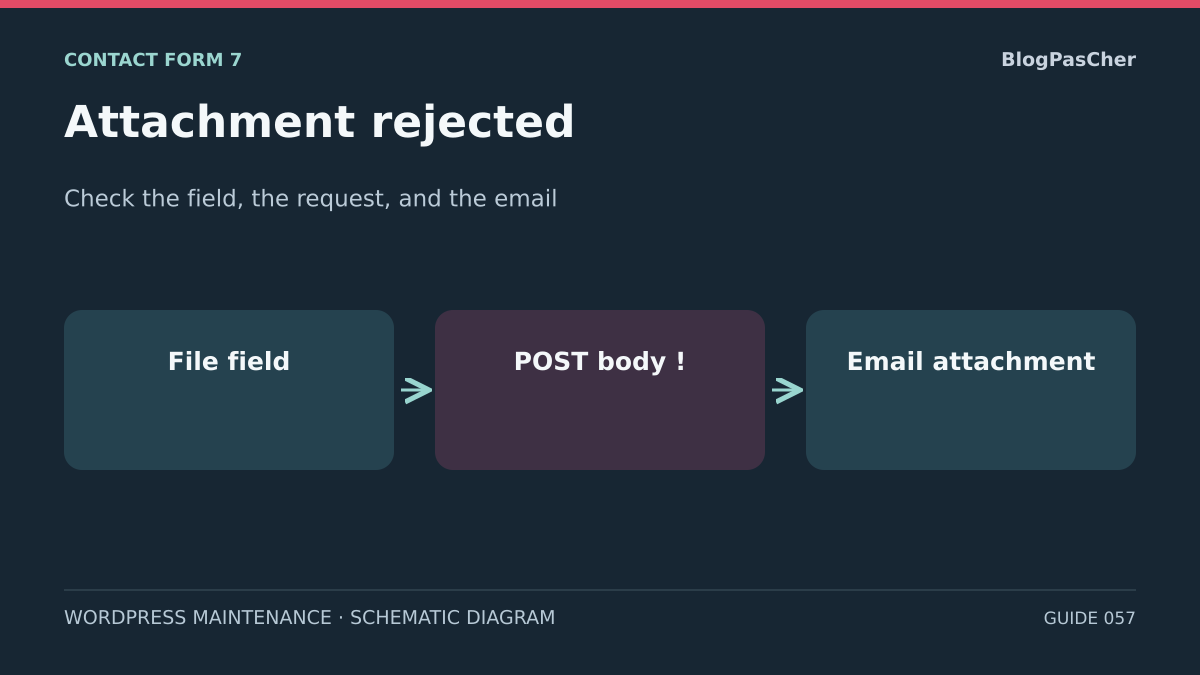
Contact Form 7 may show an error on the file field, receive an HTTP rejection without a form result, or complete processing while the attachment is missing from the email. Start by finding the first observable difference. The same document may meet the field's limit and exceed the body size accepted by the proxy. An accepted form may also have an email template that never references this file.
Retrieve an existing record of the incident. Record the time and time zone, page, form ID, field's technical name, and exact size in bytes. Keep the extension and declared document type without taking the visitor's document. If you have an existing network trace, record only the method, path, HTTP status, and application result. A validation error may arrive in a successful HTTP response.
For an Ajax submission, identify the Contact Form 7 submission POST, whose route generally contains feedback. A validation_failed JSON result with an error associated with the field points toward the form rules or PHP's processing of this file. A 413 response or an HTML gateway page calls for identifying the source of the rejection. A spam result describes different filtering. An email trace without an attachment points toward the email template, an add-on, or the transport.
Use the earliest signal in the chain. If no POST is visible in the record, start with the field, script, or page assembly. If the trace stops after the transfer, locate the layer that received the body. If the attachment is missing only from an email already received, examine the connection between the field name and its mail-tag. This triage avoids a global increase in limits based on a single error message.
Prepare a copy and test documents
Identify a private copy with its own domain, database, and storage. Record the WordPress, Contact Form 7, and PHP versions, along with the theme, page builder, and upload plugins surrounding the form. Compare these elements with the expected configuration in read-only mode. A proxy missing from the copy, a different plugin version, or a recreated temporary folder changes the scope of the result.
Before editing, keep the contents of the Form and Mail tabs in a private location. On staging, configure transport to the local collector provided by your environment and check the destinations of both templates. Remove production secrets and disable real webhooks, CRM connections, and other outgoing integrations. Captured email must remain accessible only to the testing team. An option that skips email lets you observe the form, but does not validate handoff of the attachment to the transport.
Prepare distinct synthetic documents without visitor data. A small valid PDF serves as the accepted control if the form specifies PDF. A genuine text file checks a forbidden type. A pair of PDFs with different sizes, on opposite sides of the chosen limit, lets you verify the cap. Record the exact byte size and a content marker unique to each file. Selecting a document in the field does not prove the server accepts it. If an add-on uploads immediately upon selection, isolation must be ready before opening the picker.
Start with historical traces and the configuration validator to choose the correction. After that correction, run the synthetic tests described below on the authorized staging environment. Do not replay a recorded POST or enable global body logging. If a remote spam-filtering integration is essential, use its staging configuration and authorized test access, or a test double provided by your environment. Without a way to pass this step, the complete transfer remains unverified: record that specific limitation instead of presenting a settings review as a successful test.
Approach 1 — Check the field, file type, and size limit
Under Contact → Contact Forms, open the staging form and find the tag in the Form tab. file denotes an optional field and file* a required field. Check the technical name. On the staging page, compare it with the name of the file-type input element and the form actually displayed. An old shortcode, a cached page template, or two fields with the same name can complicate this comparison.
Specify the required formats with filetypes and the cap with limit. Contact Form 7 accepts extensions or MIME types and separates values with a vertical bar. In CF7 6.2.4.1 code, MIME values are used, among other things, to derive allowed extensions. The accept attribute guides the picker, and the form rules govern accepted types. Use a genuine synthetic document in the desired format. Renaming a file does not change its contents. Keep any content or safety checks required by the site separate.
The example below requires a PDF and sets 2,097,152 bytes, or 2 MiB. Using bytes makes the value unambiguous. The documentation indicates that the suffixed form expects an integer. A decimal value may be ignored. If you omit the options, check the effective values for the version in use instead of assuming the default behavior allows PDF.
If the problem concerns only a legitimate extension, compare the current rule with site policy before adding that format. If the file is too large for the intended need, state the limit on the page or use a smaller document. On the copy, save only the chosen change. The expected state is a valid tag, a unique name, visible help text, and a consistent type restriction. To roll back, restore the saved text in the Form tab.
- Confirm the form actually displayed and the field name.
- Compare the dummy document's extension, format, and byte size with the tag.
- Reload the staging page and check that the generated field matches the configuration.
[file* justificatif filetypes:pdf limit:2097152]Approach 2 — Compare request and PHP limits
Inventory limits in their order along the path. A proxy or web server may reject the body before PHP executes. upload_max_filesize sets a per-file PHP limit. post_max_size applies to all POST data. The Contact Form 7 field limit comes into play when the plugin processes the file. Check the effective settings for the staging site and its web PHP service. Values for PHP run from the command line may differ.
In a multipart form, the body contains files, other fields, and separators. Two files allowed individually may exceed the total cap. For example, two dummy documents of 2,097,152 bytes already occupy 4,194,304 bytes before the rest of the body. A limit exactly equal to that sum is insufficient. Compare values expressed in the same unit and allow room for the rest of the form while following your hosting limit.
If a trace shows a 413 issued by NGINX, the client_max_body_size directive is a lead to confirm in the context of the relevant server or route. If Apache issued the rejection, check LimitRequestBody in the applicable context instead. A CDN or security rule may also produce this status. If the server passed the request to PHP but the body exceeds post_max_size, the field and file arrays may be empty. The error visible in WordPress may then look like a missing field rather than a 413.
Compare the recorded size with each layer's effective limit and find the first one that explains the traces. If an adjustment is justified, make it only on staging and within the agreed scope. Keep the old value and validate the configuration using the host's procedure. Raising PHP's limit locally has no effect if the proxy has already decided to reject the request. Restore the previous setting if the first failing layer is not the one you changed.
Read PHP errors and check both temporary storage areas
An error reported by the field may originate in PHP before CF7 checks size or type. PHP codes distinguish, among other cases, an exceeded file limit, a partial transfer, a missing file, a missing temporary directory, and a write failure. The labels UPLOAD_ERR_INI_SIZE, UPLOAD_ERR_PARTIAL, and UPLOAD_ERR_NO_TMP_DIR distinguish the per-file PHP limit, an incomplete transfer, and a missing temporary directory, respectively. In existing private logs, look for the code or message correlated with the time and route. A generic form message alone cannot attribute the error to the type.
PHP first receives the file in its temporary storage area. After checking, Contact Form 7 moves accepted files into its own working directory. The documentation gives the default location as a wpcf7_uploads folder under the WordPress uploads path, often wp-content/uploads. A custom path may explain a difference. No file remaining in this folder after an old request is expected in normal operation, because the plugin cleans up files at the end.
On the copy, have the free space, quota, resolved path, PHP service account permissions, and any path restrictions checked. The SFTP user and PHP process may have different permissions. Distinguish PHP's temporary folder from CF7's working folder. A folder's existence guarantees neither write access nor the correct owner. Avoid making the directory publicly accessible or writable by everyone.
If a trace confirms an incorrect path or missing permission, correct only the identified staging directory, following the host's rules. Preserve the previous owner and permissions before changing them. Validate the path and the service's capability without placing a visitor file there. A local permissions and quota check provides configuration evidence. The actual transfer still needs separate validation.
Approach 3 — Check the connection to the email template
If existing traces show that the field is accepted and the email arrives without an attachment, open the relevant form's Mail tab. Under File attachments, look for the tag matching the field name exactly. For the justificatif field in the example, this is [justificatif]. Inserting this tag in the message body does not configure the attachment. If the form has several files, associate each required field according to the intended template.
Check which template was used for the email being examined. Mail (2), when enabled, may be an acknowledgment with its own settings. An attachment intended for the team may deliberately be excluded from this second template. Do not automatically copy attachments into a message sent back to the visitor. When the field is optional, a message without an attachment may correspond to a submission without a file.
Even if the tag is correct, check the filter between Contact Form 7 and wp_mail(). In version 6.2.4.1, CF7 resolves the path under the WordPress content directory. It discards an attachment outside the allowed directory, one that is not a file, or one that is unreadable. It also discards an attachment whose addition would exceed a cumulative 25 MiB of files retained for that template. Check the path, readability for the PHP service, total file sizes, and notices already present in private traces.
The email passed to wp_mail() may therefore be accepted even though an attachment has already been discarded. Compare CF7's cumulative limit separately from the POST body limit and the size of the MIME message after encoding. The transport or recipient mail system may apply its own limits. The mail_sent status reports application processing. To attribute the missing attachment, use the last documented step in the traces.
If necessary, apply the minimal correction to the staging template and check the validator's warnings. To restore the previous state, restore the File attachments section of the correct template. The expected result at this step is an exact connection between tag and field, with a recipient intended for this content. Keep the staging transport isolated.
- Identify the email template corresponding to the existing trace.
- Check the tag under File attachments and check Mail (2) separately.
- Record configuration warnings, then check the attachment in the captured email during the staging test described below.
[justificatif]Verify the correction with synthetic files
Keep the change limited to the identified layer: field rule, body limit, temporary path, or email template. Before the first click, check that the transport points to the local collector and ancillary processing remains isolated. If skip_mail: on was used for diagnosis, remove it from the staging form only after this check, so CF7 actually hands the email and attachments to the captured transport. Keep its original value for rollback.
Open the staging page in a separate browser profile, then open the Network panel. The first control must contain all required fields and a small allowed file. Click only once. Record the feedback POST, HTTP status, status field, and visible message. For a mail_sent response, then open the corresponding message in the local collector using its time and synthetic marker. Check the attachment's presence, name, byte count, and dummy contents. This check establishes delivery to the staging collector without promising delivery to a real mailbox.
For a forbidden type or size, make a new attempt with only one parameter changed. Rejection must match the targeted layer: an error associated with the field for the CF7 rule, or the code and trace from the layer limiting the body if that cap is deliberately tested. Check that no message from this rejected attempt appears in the collector. A local restriction in the picker alone does not demonstrate server rejection. Do not broaden limits to let through a control that must remain rejected.
If the email is captured without an attachment despite an accepted field, return to the correct template, tag name, readable path, and cumulative attachments. If the response is mail_failed, inspect the staging transport. If it is spam, handle the filter separately. An ambiguous result remains incomplete: it does not justify raising multiple limits simultaneously. Finally, check that the field's visible help states the formats, units, and limits actually verified.
- Record the form's initial state and the local transport setting; confirm integration isolation.
- Submit the small allowed file once with synthetic data and record the network and CF7 results.
- Find the same attempt in the local collector and open its attachment to compare size and contents.
- Submit a forbidden-type control and a control exceeding the relevant limit separately; observe their rejection and the absence of captured email.
- Return to the allowed file to check that the positive path still works after the rejected controls.
- Record observed results, then restore temporary settings and delete test files and emails according to staging policy.
Document the evidence and prepare rollback
Provide a diagnostic record with the form, field, version, dummy document's byte count, and layer order. For a historical trace, record the time, HTTP code, response type, redacted reason, and responding layer. Do not include a visitor document, multipart content, or raw email. If existing traces give different results, note the discrepancy.
A configuration check is conclusive when the field, cap, and tag are consistent with the requirement. Validating the flow goes further: it must show an allowed document in captured email, forbidden controls rejected by the intended layer, and a message visitors can understand. Record separately what was read, submitted, and received by the collector. If a step could not be performed, state which one and the missing prerequisite. External production transport remains a separate scope.
If a change does not explain the symptom, restore the original Form and Mail text or the previous limit of the targeted layer. Restore the temporary skip_mail setting to its initial state while retaining local transport and staging isolation. Verify that the effective value has reverted, then remove synthetic documents and messages. Keep only the redacted results needed for diagnosis in the designated private location.
For a handoff to the host, provide the staging domain, time, route, and size, then ask which layer rejected the body or prevented writing. For a handoff to the editorial manager, identify the relevant field and template. A single proposed change supported by the observed signal is easier to verify and undo than raising every limit simultaneously.
Install the free workflow and connect the two tags
On a copy that does not yet use Contact Form 7, open Plugins → Add New, search for Contact Form 7, and verify the author Takayuki Miyoshi before installation and activation. If the plugin is already present, simply open Contact → Contact Forms: reinstalling is not useful for diagnosis. Create a staging form and keep its basic fields.
In Form, add the justificatif field described above, accompanied by a visible label saying “PDF only, maximum 2 MiB.” In Mail, add [justificatif] under File attachments, not just in the message body. Configure the test recipient, then insert the form block on a private page of the copy. Check that the visible field belongs to the saved form.
Use a small dummy PDF for the accepted path and a text file for format rejection. The browser picker is insufficient to validate server protection. Check the response and captured email with its attachment. CF7 and this field are free; no upload add-on is needed for this simple case. Hosting and email limits remain independent. Remove the test page and documents after checking.
Related comparisons
25 WordPress form plugins to choose according to your needs
Find Contact Form 7’s features and the points to compare with other form plugins.
Sources and references
Use these references to check the features, requirements and limitations described. Reading documentation is not a practical test.
View 17 references
- Contact Form 7 — File field and attachments ↗
- Contact Form 7 6.2.4.1 — REST submission route in the developer's code ↗
- Contact Form 7 6.2.4.1 — Validation, spam filtering, and email in the developer's code ↗
- Contact Form 7 — Email configuration ↗
- WordPress — Prepare a development copy ↗
- Chrome DevTools — Inspect a network request ↗
- Contact Form 7 — Configuration validation ↗
- Contact Form 7 6.2.4.1 — File field validation module ↗
- PHP — POST size, file size, and temporary directory ↗
- PHP — File upload error codes ↗
- NGINX — Request body limit ↗
- Apache HTTP Server — LimitRequestBody directive ↗
- WordPress — Log errors privately ↗
- WordPress — Scope of the wp_mail() result ↗
- IETF — MIME encoding of binary parts ↗
- Contact Form 7 6.2.4.1 — Mapping MIME types to extensions ↗
- Contact Form 7 6.2.4.1 — Attachment filtering before wp_mail() ↗