

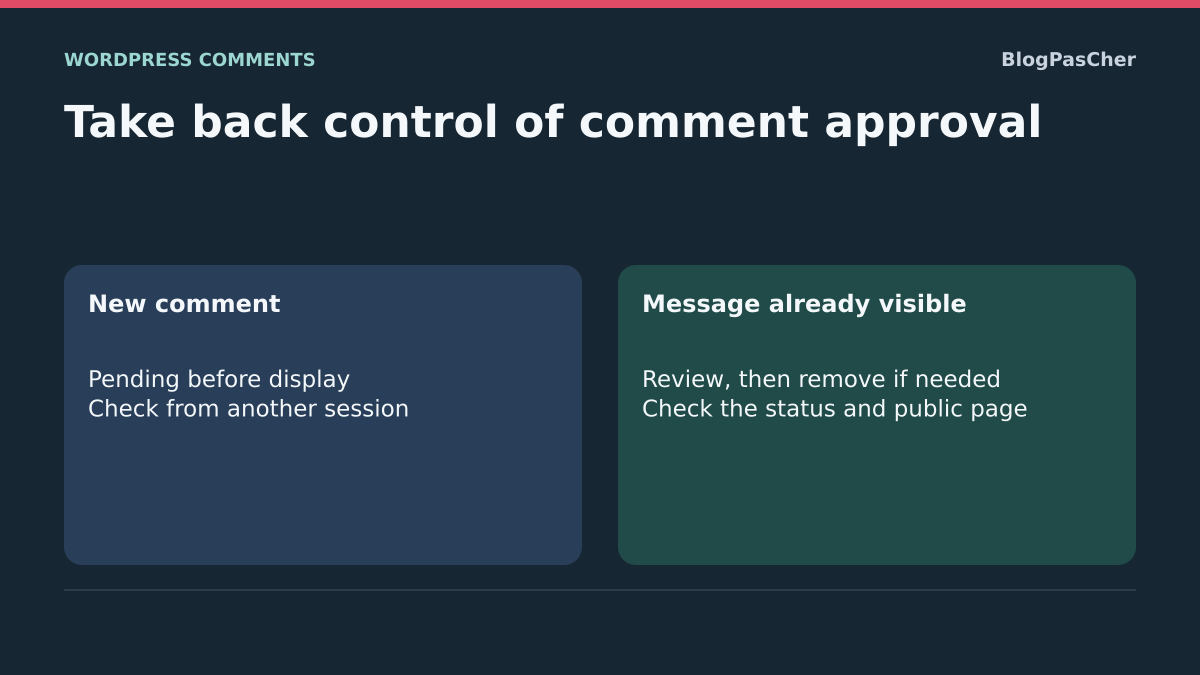
Stop new publications before cleaning up old ones
Advertising or off-topic messages appear directly beneath posts even though the team thought approval was required. The problem concerns their publication status. Receiving fewer notification emails or hiding the form does not remove comments already visible or demonstrate that future ones will be moderated.
The goal has two stages: new ordinary contributions must await the intended decision, then unwanted messages already published must be removed from public view after review. Additional filtering can then reduce the amount of spam to sort. Start with native tools without immediately adding a second protection.
Choose an affected post and record a few specific comments: content, date, displayed author and administrative status. Keep references in a private record without publicly copying commenters’ addresses or technical data. A name resembling a regular commenter’s does not prove identity.
Settings require a site administrator; moderation requires the corresponding Comments permissions. In multisite, act in the affected site’s dashboard. On WordPress.com, use the platform’s Discussion settings; an additional plugin is relevant only if your installation permits it. This guide covers native WordPress comments. An external commenting service may impose its own approval queue and rules.
Approach 1: require manual approval for new comments
Under Settings → Discussion, find Before a comment appears. Enable the option requiring manual approval, then click Save Changes at the bottom. Wording varies by translation, but it means human approval before display, not merely notification of receipt.
Record initial option states before saving. In the ordinary native workflow, this moderation requirement applies before trust granted to an address with a previously approved comment. You do not need to close all comments or require a new account for every reader to make comments await approval.
The setting concerns new contributions passing through this workflow. It does not automatically turn already approved comments into pending ones. An import, moderator action or component forcing a status may also require separate examination. Therefore check the result with a reference contribution instead of concluding from the checked box.
The expected result is a new ordinary contribution in the moderation queue and absent from other visitors’ view. To restore the previous policy, restore the initial option on the same screen and save. Do so only if the team genuinely wants automatic publication again; it is not a mandatory step after diagnosis.
Check with an ordinary visitor and another window
Keep the administrative session open and use a logged-out window or reference account without moderation privileges. Choose a post with comments open and submit a short nonadvertising test text using your own contact details. One contribution is enough to check its status. Do not publish actual spam to see whether the filter blocks it.
A post author or user with moderation permissions may receive direct approval in WordPress core. Testing from your administrator session therefore does not represent a new reader’s workflow. This frequently leads to a misleading conclusion about moderation that is enabled.
After submission, open Comments in administration and find the reference text. Check its status, then open the post in another session that did not submit the message. A commenter may see their own pending contribution; this personal visibility is not publication for everyone. The separate public view and administrative status establish the result.
The expected result is pending approval, or possibly classification by the existing filter, without public publication of the reference comment. Then handle only that test comment according to your cleanup procedure. If an ordinary visitor’s message remains immediately approved, record its origin and comment-managing components: the next step is to identify who assigns that status without randomly changing every option.
Approach 2: remove unwanted comments already visible
Open Comments and the approved-comments view. Find the examples recorded on affected posts. For a questionable message still requiring a decision, Unapprove returns it to pending and removes it from publication. For confirmed spam, use Spam. You are changing its status; you do not need to open advertising links to sort it.
Start with a few identified entries, then check the post publicly. Searching by a text or address fragment may help find a series, but every result must be reviewed before a bulk action. The same word may also occur in a legitimate reply quoting spam. Selecting an entire page does not mean every entry has been examined.
If a bulk action is justified, select only confirmed rows, choose the appropriate action under Bulk actions and click Apply. Keep an appropriate database backup before major cleanup. Avoid buttons that empty all spam or Trash while you are still verifying results.
The expected result is disappearance of targeted messages from public view while legitimate contributions remain. To correct a mistaken unapproval, you can approve the message again after reading it. For erroneous spam classification, find the entry in that view and use the action to remove it from spam, then check its status: do not assume rollback necessarily leaves it pending.
Understand what allowed automatic publication
Under Settings → Discussion, the option concerning authors with a previously approved comment may allow some contributions without new approval when manual approval is not required. The name and address supplied in the form are not proof of identity. An initially acceptable message may also be followed by unwanted ones.
This historical trust explains why sorting old spam and setting future-comment policy must be handled together. Removing visible messages alone does not necessarily change a rule that still recognizes the same address as approved. Therefore keep manual approval until the intended policy and filtering have been checked.
Comment Moderation fields can hold contributions containing certain terms or too many links. They should not become a randomly copied list of very short words. Matches may involve word fragments and information beyond the comment body. An overly broad rule quickly blocks legitimate readers.
If adding a targeted moderation rule, keep the initial list, add one entry corresponding to a confirmed pattern and save. Check its effect on legitimate examples as well as the targeted pattern. To undo, remove only that entry. A rejection or automatic-deletion list is not the best first choice for examining an uncertain cause.
Choose an additional filter only if it usefully reduces sorting
When manual approval prevents publication but the queue still receives much spam, Antispam Bee can help classify new native comments. The plugin is offered free by pluginkollektiv. At the November 3, 2026 check, its version is 2.11.13, with declared minimums of WordPress 4.6/PHP 5.2 and compatibility through WordPress 7.1.4. These minimums do not recommend using an old environment.
First check the form actually used. Documentation targets ordinary WordPress comments. Some external commenting systems or form replacements are incompatible, and custom Ajax submission may require specific integration. The plugin does not protect contact forms or account creation by analogy. If your current protection already serves this role, examine its settings instead of stacking two filters.
Keep manual approval while optionally adding the filter. Its purpose is to reduce entries needing review, not decide without checking that all remaining messages may be published. A filter may produce false positives; the ability to review classified messages is therefore important initially.
If comments are native and no competing filter is involved, open Plugins → Add Plugin, search for Antispam Bee, check its listing and compatibility, then install and activate. The next section configures retention of results. Do not announce the problem solved from the activation message alone.
Approach 3: retain spam classified by Antispam Bee for review
After activation, open Settings → Antispam Bee. Copy initial options before changing them. Under Advanced, check that Mark as spam, do not delete is enabled. This option retains contributions recognized as spam in the corresponding queue instead of eliminating them during processing.
Leave Delete existing spam after... days and Delete comments by spam reasons disabled during the review phase. A deletion rule may remove messages before you examine false positives. Also check that Do not save the spam reason is unchecked if you want to see classification reasons in the list. The wording is negative: checking it removes information useful for diagnosis.
Save settings, then open Comments → Spam to observe new entries during normal use. The reason column, when available, helps identify the filter involved. Do not invent a spam campaign to fill the list or treat a marketing counter as a measure of accuracy on your site.
The expected result is reviewable classification without automatic publication or immediate deletion of cases needing examination. To undo settings, restore copied values. Deactivating the plugin stops future intervention but does not automatically return already classified comments to their previous states. Those need review and targeted action in the list.
Limit exemptions that let a regular commenter’s messages through
In filter settings, Trust approved commenters means an address previously approved may be exempt from checks. If unwanted messages pass under a regular commenter’s apparent identity, uncheck this exemption during investigation, retaining its initial value. Documentation identifies the email address here; it does not describe complete proof of the person’s identity.
Trust commenters with a Gravatar is another exemption when visible and used. An image associated with an address does not establish a comment’s relevance. Do not enable it to artificially improve the accepted-message rate. Keep WordPress manual approval while observing filter effects.
Also avoid immediately restricting contributions to one country or language if your audience does not strictly match that choice. Such rules may exclude legitimate readers. They require a clear need and result checks rather than simply increased spam volume.
Change one exemption at a time, save and observe reasons for subsequent classifications. The expected result is explainable sorting without deleting contributions needing review. To roll back, restore the initial exemption if it ultimately matches the chosen policy. Handle false positives individually; do not allow an entire category to fix one misclassified message.
If new comments remain published despite manual approval
First confirm that the contribution comes from an ordinary visitor and is actually approved under Comments. Check the affected site in multisite and that the setting persists after Save Changes. Another page open on a site copy may lead you to check the wrong configuration.
Then examine the component replacing the form, an import or an integration creating comments. An external tool may assign its own publication status. Record the comment, its time and the route that created it. Do not disable all public plugins to randomly identify which intervenes.
If the team uses custom snippets, ask the maintainer to look for rules concerning pre_comment_approved and comment creation. This filter can change the status decided by native checks. A snippet’s presence does not prove an error; verify its condition and scope before a targeted correction, keeping a copy of the initial state.
Finally, if messages appear under a privileged WordPress account and nobody recognizes them, begin diagnosis of that account and its access. An antispam filter does not replace this check. Keep useful records before deleting; do not treat apparently authorized activity as merely a blocked-word setting.
Check public posts after removing messages
After unapproval or spam classification, open the post in an independent session. Check that targeted messages disappeared and legitimate replies remain readable. If an old copy still appears, compare administrative status with content served by that page’s cache. Purge only the affected page through the existing caching tool once that copy is confirmed.
Then check an ordinary reference contribution’s route as at the beginning: its administrative status must match approval policy, and another visitor must not see it published without a decision. A missing form would be another problem; it does not validate moderation.
Comment notifications may help the team monitor the queue, but receiving them does not decide status. A missing notification email does not mean no contribution arrived. The Comments list remains the reference for processing entries. Correct delivery of those notifications separately if needed.
Note retained settings and cases still needing review. A high spam count does not prove legitimate contributions are preserved. Validation therefore also includes examining false positives and maintaining a usable form for intended readers.
Organize moderation without relying on mass cleanup
Assign queue monitoring to someone with the necessary permissions and keep a simple procedure for approving, unapproving or classifying messages. Pending approval with nobody to process it eventually blocks legitimate exchanges. Policy must be understandable to the team and proportionate to actual volume.
Keep useful settings, then separately decide an appropriate retention period for reviewed spam. Enable automatic deletion only after that decision and verification of its effects. It reduces the ability to revisit old false positives; it is not a mandatory troubleshooting step.
- New comments approved without review: enable manual approval and test with an ordinary visitor.
- Already public spam: unapprove or classify only reviewed messages.
- Too many entries to sort: add a compatible filter while retaining results initially.
- Messages passing as a regular commenter: review address-based exemptions.
- Legitimate contribution misclassified: remove the classification after review and correct its precise cause.
- Privileged account or import responsible: examine that route instead of expanding rejection lists.
Compare an unknown contribution with a fictional regular commenter’s
On a copy with comments open, choose a post and two demonstration addresses. Approve a comment from the first reader, then examine trust settings for previously approved authors and manual approval. Send a new contribution with that fictional identity and another with the second reader. Record their administrative statuses and visibility in an independent session. Keep the form actually used by your visitors.
Repeat the observation while logged out. After submitting, locate the comment under Comments. Then open the page in another session that neither submitted the message nor received its preview link. A redirect after submission does not prove the comment is public. Compare administrative status and display in the independent session.
Check manual approval, then handle messages already visible
Under Settings → Discussion, record the initial value and enable manual approval. Repeat the test on the copy with the same fictional regular commenter. Check that the new contribution remains pending and the already approved message remains visible. The team can therefore first stop unapproved publication, then sort existing messages under Comments.
Mark as spam only the old demonstration message you chose to remove. Reload the post from the other session and check that the legitimate comment remains visible. If uncertain about a real message, unapproval returns it to pending for review. If status and page differ, check the public copy served by the cache before widening cleanup.
Check the exact effect of rollback
On the copy, restore the old demonstration comment from Spam and immediately record its status. A comment approved before spam classification may regain that state and become public again upon restoration. Immediately verify that result on the reference comment. Correcting classification therefore also requires a status check. If real content still needs review before display, verify the chosen action matches that decision and check the page afterward.
To separately check reversal of the setting, restore its initial value only on the copy and submit a new fictional contribution. Compare the new publication with an already pending comment: changing the setting must not lead you to assume old statuses changed. Keep manual approval in production if that is the chosen policy. Observe Antispam Bee’s effect in its own queue when using that filter.
Find and approve a legitimate pending comment
Under Comments, open Pending and search for a distinctive phrase. Check that the entry belongs to the expected post. If you find it under Approved, instead open the exact post in a private window. A nested reply or different comment page can make an approved contribution difficult to locate.
If the comment is pending and you accept publication, reread the text and website link supplied by its author, then choose Approve on that row alone. Check status in the list and open the post in a private window. A session without the submitting reader’s cookies lets you check public visibility.
If the wrong comment was approved, use Unapprove to return it to pending. You can reconsider while preserving its text and post association. If the entry is in no queue, check the commenting system used and what the form displayed during submission. Individual approval assumes a record exists.
Restore a legitimate comment from spam
Under Comments → Spam, find and reread the entry. If a filter provides a classification reason, note it before acting. Then choose Not spam on the relevant row. For an entry in Trash, use Restore. These actions concern the selected comment.
Reload the list and check where the entry returned. WordPress restores the previously saved status when available. A previously pending comment may require Approve. A previously approved comment may become visible immediately. If review remains necessary after restoration, choose Unapprove, then verify absence from the public post.
Prepare two fictional comments: one pending and one approved before spam classification. Restore them separately, then record status and visibility. The previously approved comment may become public immediately; one remaining pending must not be visible to another visitor. Also check an unchanged legitimate comment and spam reference.
Correct a recurring false positive while retaining approval
If several legitimate messages are affected, note their statuses and common characteristics. Under Settings → Discussion, first check the link threshold and moderation or rejection terms. If Antispam Bee is already installed, also compare recorded reasons with the settings described in this guide.
On a copy, perform one test with a fictional comment matching the same criterion. Adjust only the rule explaining classification, then repeat on the same post from an ordinary session. If your policy requires approval, a reference comment now arriving in Pending may confirm correction. Keep the initial value to restore if testing causes unexpected publication.
Distinguish comments from link notifications
In the moderation list, identify whether unwanted items are ordinary comments or link notifications such as pingbacks and trackbacks. Under Settings → Discussion, allowing notifications from other blogs is separate from allowing readers’ comments. Reflexively closing both may remove a legitimate use without explaining the spam source.
If these notifications do not serve the site, disable their permission for new posts, then separately check settings on affected existing posts. Changing the default does not replace cleanup of items already received. Keep a reference post accepting ordinary comments and ensure its form remains usable with intended moderation. To reverse this decision, restore only the recorded permission; permanently deleted notifications are not recreated by this change.
Sources and references
Use these references to check the features, requirements and limitations described. Reading documentation is not a practical test.
View 11 references
- WordPress: Discussion settings ↗
- WordPress: Comments screen ↗
- WordPress: checks and moderation priority ↗
- WordPress: current comment status checks ↗
- WordPress: inserting a comment ↗
- Antispam Bee: official documentation ↗
- Antispam Bee: official directory ↗
- Antispam Bee: archive2.11.13 ↗
- WordPress: visibility of pending comments ↗
- WordPress: native comment submission ↗
- WordPress: restore a comment classified as spam ↗