

The case: twenty projects the studio must maintain
A photography and design studio wants to present twenty public projects. Some galleries mix vertical portraits and horizontal views; three projects require a case study explaining context, the studio’s role and stages. A nontechnical person adds one project per month. No store is initially planned. This scenario is illustrative: the described tests should be performed on your copy and were not conducted by this workshop.
Uncode and Oshine can both frame this portfolio. The useful difference concerns the composition tool, gallery organization and how content can be migrated later. Uncode supplies an enhanced WPBakery version and Wireframes sections. Oshine relies on Tatsu, with one version supplied with the theme and a separate Pro offering. Choosing either product therefore also means choosing a way of working.
Before buying, try building a project page with your current theme, WordPress pages and a Gallery block. For twenty simple projects, this structure may suffice without another plugin. A change becomes useful when you need a consistent catalogue, reusable templates or media presentations difficult to achieve in your environment. A demo full of large photographs does not resolve missing text, credits or authorized files.
This comparison assumes WordPress where you can install the theme and its components. On self-hosted hosting, check resources and versions offered by the host. On WordPress.com, check installation permissions in your current plan and compatibility of required components before buying; an old plan reference on a commercial listing does not establish today’s terms.
Compare before you choose
The offers at a glance
Find the use case and budget that fit, then read the details to see the limitations and any components you may need.
On smaller screens, the table scrolls horizontally. With a keyboard, press Tab to focus the table, then use the left and right arrow keys.
| Offer | Best for | Pricing and billing | Renewal and support |
|---|---|---|---|
 Uncode — ThemeForest offeringRead the details | Studio standardizing case studies and visual layouts. | 59 USD Regular; 2,950 USD Extended displayed Theme purchase; six months of support and future updates advertised. Taxes and processing fees excluded; final checkout not consulted. | Optional support extension, amount not recorded; no compulsory annual theme renewal displayed. |
 Oshine — ThemeForest offeringRead the details | Gallery-focused studio comfortable with Tatsu. | 69 USD Regular; 2,800 USD Extended displayed Theme purchase; six months of support and future updates advertised. ThemeForest taxes and processing fees excluded; Tatsu Pro taxes not established. | Optional support extension; separate Tatsu Pro, Starter advertised at $49/year, exact currency and renewal not established. |
Compare the builder the person will use every month
Uncode supplies an enhanced WPBakery version with backend or on-page composition. Wireframes assemble prepared sections. For the studio, this can suit someone designing a few templates and limiting necessary variations: introduction, gallery, explanation and contact. This adapted environment requires learning; experience with another WPBakery theme does not prove full interchangeability.
Oshine describes Tatsu as its visual builder, with modules and on-page text editing. The ThemeForest listing specifies that Tatsu Pro is purchased separately and adds modules and demos among other features. The first check is therefore whether the preferred template can be made with the supplied version. Do not budget only for the theme while assuming every example in the Tatsu ecosystem is included.
The portfolio owner should be able to replace an image, correct a caption and add a project without touching shared areas. Compare these tasks using the same content. Note whether settings apply to the project, gallery or whole site. An apparently local change can affect several pages when a section is shared; reuse is useful when its scope is understood.
Both choices create dependence on the builder and modules actually used. Do not install another builder to imitate a demo button before checking existing features. If the person already uses Tatsu comfortably, Oshine may avoid relearning. If the studio knows Uncode tools and templates, the opposite change should bring a concrete benefit. Familiarity is measured within the team rather than from a seller’s ease-of-use promise.
Move from an image grid to a project page
The studio catalogue should let visitors recognize a project and then understand it. An image grid helps them choose; the project page explains the work. Prepare a visible title, useful category and short introduction for every project. For the three case studies, add the problem addressed, studio role and important decisions. This information should remain readable without relying on an image containing text.
Uncode documents a Posts module supporting portfolios and galleries with mosaic, metro or justified-gallery layouts. This flexibility can maintain project hierarchy while using reusable templates. Check cropping with your images: a successful demo layout can become confusing if subjects are cut off or titles occupy too many lines.
Oshine also presents multicolumn portfolios, spacing and ratio settings, and galleries. Official demos show several workflows, including carousel and lightbox galleries. These are presentation examples rather than evidence of results with your files. Compare a short series with twenty photographs; the same effect is not necessarily practical as quantity grows.
For our studio, presentation should remain consistent across projects, with a few justified differences for case studies. Test opening a project directly, returning to the list and reading on a phone. Check that the project name is accessible without mouse hover. Animation may accompany exploration but should not be required to understand what is clickable or find a caption.
Prepare images and compare gallery behavior
The studio has large originals also used for printing. Keep them separately and prepare web versions. The theme does not decide how much detail is needed to read a poster or appreciate a photograph. Compare an overview and enlarged detail using identical files for both candidates. Useful pixel dimensions depend on intended display; no universal size is imposed here.
Uncode documents Adaptive Images and a Dynamic Srcset option that create and serve display-appropriate variants. This distinguishes source-file preparation from choosing the variant sent to visitors. Variants also occupy server space. Check behavior in your installation and keep a backup; the system’s existence is neither a speed measurement nor a reason to upload every archival original. Documentation places settings under Uncode > Theme Options > Performance. Record current values and monitor storage before changing generated dimensions; wholesale variant deletion is outside this comparison.
Oshine highlights several gallery modes and ratio settings. For our mixed portrait and landscape series, first check whether previews respect subjects and enlargement shows the full image. Consistent cropping may help the catalogue, while a justified gallery can preserve varied formats. Judge the choice on the studio’s work rather than a demo grid’s elegance alone.
Provide alt text when an image conveys information needing another form of transmission, and put visible credits or explanations in captions or the project page. Check that the template actually displays them. Embedded videos also require suitable hosting or delivery. A protected-gallery option advertised by Oshine does not alone establish confidentiality of every media link; our case remains a public portfolio.
Photographs making a demo attractive are not necessarily delivered with its import. Oshine specifies that licensed demo images are replaced with free-to-use or blurred images in supplied data. Prepare your own series before judging a template. Buying the theme does not transfer usage rights to every work shown by its seller.
Budget: a ten-dollar theme difference and an optional Pro plan to clarify
On November 2, 2026, Uncode’s Regular offering is displayed at 59 USD and Oshine’s at 69 USD, excluding advertised taxes and processing fees. The observed theme-only difference is therefore 10 USD. Both offerings advertise six months of support and future updates. No compulsory annual theme-renewal expense is displayed; support extension remains optional and its price was not recorded.
For the described public portfolio, the three-year theme-licence budget without options or extensions remains the observed purchase: 59 USD or 69 USD. This excludes hosting, backups, fonts and authorized graphic resources. Visible Extended offerings should not automatically be bought for a professional site: terms concern access to the end product among other matters, and our portfolio is free to view.
Oshine supplies Tatsu in a version described as free in the listing. Tatsu Pro is separate; the builder’s site displays a Starter plan at 49 dollars per year for one site at research time. The $ symbol is visible, but the exact currency, taxes and contractual renewal price were not established in the materials consulted. That amount therefore cannot be added as a complete USD quote. For one portfolio, do not select plans covering several sites without another need.
Uncode advertises bundled components including composition tools and several display plugins. Bundling does not automatically supply a standalone licence, the third-party publisher’s full library or direct support. Oshine’s bundled sliders and Tatsu Pro should likewise remain distinct. Before paying for an option, ask which feature essential to your twenty projects is actually missing from the base offering.
Do not confuse a supplied builder with an AI subscription
WPBakery’s presence in Uncode does not prove that WPBakery AI is included in the theme purchase. The builder publisher reserves this feature for direct licences and states 20,000 monthly credits per licence with active support. This quota describes its own offering rather than an automatically granted Uncode-package benefit. Before buying an extra licence, ask the Uncode team to confirm compatibility with its adapted version; do not replace its builder with a generic version solely to obtain AI.
For Oshine and Tatsu, no included AI quota could be established from consulted pages. Tatsu Pro adds identified modules and templates, which is insufficient to attribute a generation service to it. In both cases, the portfolio should remain achievable without this purchase. Writing assistance can prepare a caption, but a commission’s description, credits and photograph rights must be checked against the studio’s actual work.
Prepare project migration and a future exit
Before changing, inventory projects, galleries, categories, addresses and media. Separate case-study text, catalogue structure and builder settings. Back up files and database with a known restoration method. Migration should not begin by importing a complete demo on the live site, where it could add pages or change settings.
On an isolated copy, test what remains of a project when the old presentation environment is no longer used. Data may remain in the database while becoming difficult to edit or display. Builder-specific shortcodes and modules then require targeted rework. Do not delete them globally: preserve content and first rebuild one representative project to measure the work required.
Uncode and Oshine promise no automatic conversion between their layouts here. Reusable sections, gallery settings and content types must be identified separately. If the publisher must change tools in a year, a clear record per project and text retained in a usable format will make transition more understandable. A media export alone does not reconstruct order, credits and project explanations.
- On the copy, disable forms and services that could send real messages. Apply the candidate theme, create a mixed gallery and rebuild one case study before modifying the entire catalogue.
- Check direct addresses, return links, captions, keyboard use and phone images. If a project becomes unfindable or text is no longer usable, stop migration and identify the responsible component.
- To roll back the copy, restore previous versions and settings. On the live site, preserve new projects, messages and changes received since the backup before full restoration; do not blindly replace the entire database.
Which choice suits this studio?
For our studio, we would start with Uncode if the site owner accepts the adapted WPBakery environment and wants to standardize case studies with reusable sections. Documented grid and image tools provide precise criteria to check. This choice requires understanding where image variants and templates are managed and retaining a simple monthly-addition procedure.
We would choose Oshine if the person actually prefers Tatsu and the planned portfolio can be built with the supplied version. Galleries and photographic presentations fit the subject, but the decision should not depend on an effect available only in an unbudgeted Pro offering. The displayed WordPress tag stops at 6.9.x in the consulted listing; confirm the WordPress, PHP and component versions you intend to use before a new purchase.
To distinguish them, give the person the same small assignment on a prepared copy: add a project with eight varied-format images, revise a caption and modify a case-study introduction. Check the result with a keyboard and phone, then ask them to repeat without assistance. The criterion is understanding ordinary work rather than an imaginary duration announced here.
Keep the current theme if this task is already simple and new features address no real difficulty. Choose the candidate best preserving your information, publishing method and restoration ability. No load test, accessibility audit or visual comparison using your photographs was performed for this article; speed promises and demo counts cannot identify a universal winner.
Sources and references
Use these references to check the features, requirements and limitations described. Reading documentation is not a practical test.
View 10 references
- Uncode: offering and compatibility ↗ — Documentation consulted:
- Oshine: offering, supplied Tatsu and image rights ↗ — Documentation consulted:
- Uncode Adaptive Images ↗ — Documentation consulted:
- Uncode Dynamic Srcset and optimization ↗ — Documentation consulted:
- Uncode Posts and galleries ↗ — Documentation consulted:
- Tatsu: annual prices and site count ↗ — Documentation consulted:
- Envato: licences ↗ — Documentation consulted:
- Envato: bundled components ↗ — Documentation consulted:
- WPBakery: direct-licence services ↗ — Documentation consulted:
- WPBakery: AI quota and active support ↗ — Documentation consulted:
Uses, prices and what to check
2 offers in detail
Compare the features you need and the terms of each offer. The order of these entries does not indicate a ranking.
Uncode — ThemeForest offering
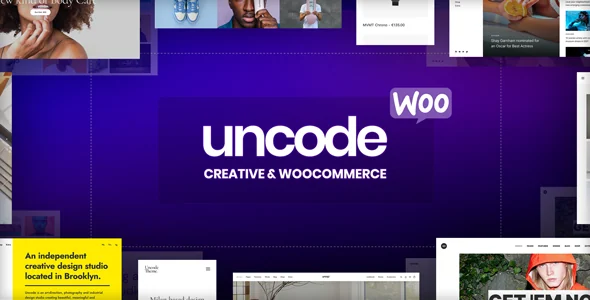 Official preview of Uncode — undsgn supplied by the developer. Visible text, figures and offers belong to the demo.
Best forStudio standardizing case studies and visual layouts.
Uncode suits a studio wanting to organize a few project templates and reuse their sections in a composition environment it understands. Its grids and image system provide concrete options to compare using varied photographs. The benefit does not rest on a speed gain measured here. It depends on the site owner’s ability to add a project without accidentally changing shared elements.
Offer pricing
59 USD Regular; 2,950 USD Extended displayed
Billing: Theme purchase; six months of support and future updates advertised.
Renewal and support: Optional support extension, amount not recorded; no compulsory annual theme renewal displayed.
Taxes and processing fees excluded; final checkout not consulted.
Checked on .
Strengths
- Adapted WPBakery and Wireframes sections for reusable project layouts.
- Posts module for portfolios and galleries, alongside Adaptive Images and Dynamic Srcset variants.
What to consider
- The enhanced builder and Uncode modules must remain consistent during updates or theme changes.
- Adaptive Images variants consume storage; a bundled licence does not guarantee WPBakery AI cloud services.
Pricing terms and compatibility
Understanding the offer
- Price at the time of review
- 59 USD Regular; 2,950 USD Extended displayed
- Currency
- USD
- Billing
- Theme purchase; six months of support and future updates advertised.
- Renewal and support
- Optional support extension, amount not recorded; no compulsory annual theme renewal displayed.
- Taxes and fees
- Taxes and processing fees excluded; final checkout not consulted.
- Commitment and terms
- Match Regular to the freely accessible public portfolio; bundled-component rights are distinct from standalone licences.
- Date checked
Compatibility and components
- Adapted WPBakery, Wireframes and Uncode components; Slider Revolution, LayerSlider and iLightbox advertised as bundled.
- Adaptive Images/Dynamic Srcset according to configuration; variants and storage require checking.
- Last update displayed: October 8, 2026; highest WordPress tag: 7.0.x, a declared compatibility claim.
Oshine — ThemeForest offering
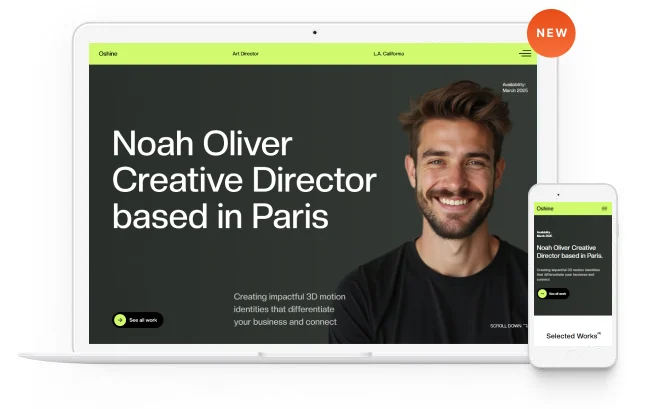 Official preview of Oshine — brandexponents supplied by the developer. Visible text, figures and offers belong to the demo.
Best forGallery-focused studio comfortable with Tatsu.
Oshine concerns a studio that enjoys composing in Tatsu and wants consistent photographic galleries. The theme and Tatsu Pro must be priced separately: a supplied builder does not mean every module in its ecosystem is acquired. For our case, it is relevant if monthly additions can be made with the included version and targeted versions are confirmed by the seller.
Offer pricing
69 USD Regular; 2,800 USD Extended displayed
Billing: Theme purchase; six months of support and future updates advertised.
Renewal and support: Optional support extension; separate Tatsu Pro, Starter advertised at $49/year, exact currency and renewal not established.
ThemeForest taxes and processing fees excluded; Tatsu Pro taxes not established.
Checked on .
Strengths
- One- to five-column portfolios with ratio and spacing settings.
- Supplied Tatsu composes pages; Pro features remain separately identified.
What to consider
- Tatsu Pro is separate; the displayed Starter plan covers one site and exact renewal must be confirmed.
- Licensed demo images are not included; declared compatibility stops at WordPress 6.9.x.
Pricing terms and compatibility
Understanding the offer
- Price at the time of review
- 69 USD Regular; 2,800 USD Extended displayed
- Currency
- USD
- Billing
- Theme purchase; six months of support and future updates advertised.
- Renewal and support
- Optional support extension; separate Tatsu Pro, Starter advertised at $49/year, exact currency and renewal not established.
- Taxes and fees
- ThemeForest taxes and processing fees excluded; Tatsu Pro taxes not established.
- Commitment and terms
- Paid theme; supplied Tatsu version distinct from Tatsu Pro and standalone licences.
- Date checked
Compatibility and components
- Free Tatsu version according to listing; Slider Revolution and Master Slider advertised as bundled.
- WPML listed as compatible and not included; no multilingual need added to the scenario.
- Last update displayed: July 15, 2026; WordPress tag up to 6.9.x, requiring confirmation for the target version.