

Which tool should you choose for your website?
For a blog, the most-read pages and visit sources often suffice to guide upcoming articles. A shop needs to link visits to cart actions; a marketing team is more interested in comparing campaigns. Start with your use case, then examine the cost of the tier that actually provides the necessary reports. Here are the first tools to examine in each case.
- You want to monitor your articles in WordPress without an external analytics account: examine Independent Analytics or Koko Analytics. Their local foundation lets you read pages and referrers; advanced campaigns and events require their paid editions.
- You already use Google Analytics and Search Console: Site Kit brings their indicators into WordPress free of charge. It avoids choosing a reporting subscription before knowing what you lack in Google’s tools.
- You run WooCommerce: the official Google Analytics for WooCommerce integration sends basic events; MonsterInsights Pro adds commercial reports in WordPress. Check which one sends events to avoid counting purchases twice.
- You want to find where readers hesitate on a page: Microsoft Clarity provides click maps and replays. Define the pages to observe and check masking before collection; these traces do not replace conversations with users.
- You want to administer more comprehensive measurement: Matomo for WordPress offers local deployment requiring server resources. Plausible favours a paid external service and concise reporting; its revenue and journey features require the Business tier.
Compare before you choose
The offers at a glance
Find the use case and budget that fit, then read the details to see the limitations and any components you may need.
On smaller screens, the table scrolls horizontally. With a keyboard, press Tab to focus the table, then use the left and right arrow keys.
| Offer | Best for | Pricing and billing | Renewal and support |
|---|---|---|---|
 Site Kit by GoogleRead the details | Combining data from Google services | Free plugin; no Site Kit subscription. Free installation on the relevant WordPress websites. Not applicable to the free plugin. | No paid renewal for the plugin. |
 MonsterInsightsRead the details | Reading Google Analytics from WordPress | Free Lite. Plus: 99.50 USD for the first year for 1 website; Pro: 199.50 USD for 5 websites; Elite: 299.50 USD for 5 websites. Annual licences; promotional amounts for the first term. Taxes not specified in the pricing consulted; total and tax treatment to check before payment. | Renewals at the displayed full price: Plus 199 USD/year, Pro 399 USD/year, Elite 599 USD/year. |
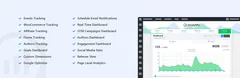 AnalytifyRead the details | GA4 reports at website and content level | Free foundation. StartUp: 99 USD/year for 2 websites; Agency: 199 USD/year, unlimited websites; Developer: 499 USD one-time purchase, unlimited websites. Displayed promotional prices; annual or lifetime licence according to plan. Taxes not specified in the pricing consulted; total and tax treatment to check before payment. | Renewal pricing for annual plans is not explicitly confirmed; displayed reference prices: 199 and 399 USD/year. |
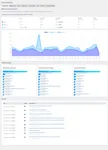 Active AnalyticsRead the details | Local analytics with custom events | CodeCanyon: 29 USD for a Regular License for one end product; six months of support included. Licence purchase, without an annual subscription advertised on CodeCanyon. CodeCanyon: taxes and handling fees excluded; buyer fee included in the displayed price. | Future updates included according to the listing; paid support extension. Separate direct author offering: 39 EUR/year, VAT included, renewed until cancellation; support tied to the subscription. |
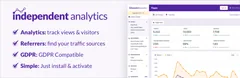 Independent AnalyticsRead the details | Local analytics linked to WordPress content | Free. Pro Standard: 49 $/year for 1 website; Hobbyist: 79 $/year for 3 websites; Agency: 199 $/year, unlimited websites. Annual payment; lifetime licences also displayed at 147 $, 237 $ and 597 $ for the same scopes. Taxes not specified in the pricing consulted; total and tax treatment to check before payment. | Automatic renewal at the advertised initial price, unless cancelled. |
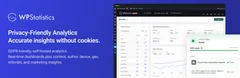 WP StatisticsRead the details | Local measurement with retention settings | Free plugin. Premium: 119 USD/year for 1 website, 249 USD/year for 5 websites, 449 USD/year for the Unlimited plan. Annual licences; Unlimited limited to 100 websites by the fair-use rule. Taxes not specified in the pricing consulted; total and tax treatment to check before payment. | Entry prices; renewal at full price, amount of that full price not established in the table. |
 Koko AnalyticsRead the details | Local overview of viewed content | Free foundation. Pro: 59 EUR/year for 1 website, 99 EUR/year for 5 websites or 249 EUR/year for 25 websites. Annual billing; all Pro features in all three plans. Taxes not specified in the pricing consulted; total and tax treatment to check before payment. | Automatic renewal advertised; future amount not explicitly guaranteed. |
 Burst StatisticsRead the details | Concise local traffic reporting | Free. Creator: 43.61 EUR/year for 1 website; Business: 88.11 EUR/year for 1 website; Agency: 177.11 EUR/year, unlimited websites. EUR view consulted; Creator for 5 websites: 70.31 EUR/year, Business for 5 websites: 105.91 EUR/year. Taxes not specified in the pricing consulted; total and tax treatment to check before payment. | Annual subscription with a reminder advertised two weeks beforehand; future amount not explicitly guaranteed. |
 Matomo AnalyticsRead the details | Matomo measurement in WordPress or connection to an existing instance | Free Matomo for WordPress. Separate Matomo Cloud: public pricing from 22 EUR/month for 50,000 monthly hits. Cloud service paid separately; its pricing does not correspond to the WordPress plugin price. The Cloud pricing explicitly excludes taxes. | Cloud contract price and volume to confirm at renewal. |
 SlimStat AnalyticsRead the details | Local analytics with detailed capabilities | Free. Pro: 33 USD for the first year for 1 website; 103 USD for 5 websites; 183 USD for unlimited websites, promotion advertised until November 4. Annual licence, same Pro feature set. Taxes not specified in the pricing consulted; total and tax treatment to check before payment. | Then 49 USD/year for 1 website, 119 USD/year for 5 websites, 199 USD/year for unlimited websites. |
 StatifyRead the details | Counting views within a limited scope | Free plugin; no paid licence needed for the counter described. Free installation; local statistics per website. Not applicable to the free plugin. | No paid renewal of the foundation. |
 Jetpack StatsRead the details | Statistics integrated with a WordPress.com account | Free foundation for all websites. Paid Stats: 7.95 EUR/month displayed with annual payment, starting at 10,000 monthly views per website. Monthly equivalent billed annually; paid quota expandable according to traffic. Taxes not specified in the pricing consulted; total and tax treatment to check before payment. | The page reserves discounts for the first term and advertises renewal at full price; future EUR amount not established. |
 Clicky AnalyticsRead the details | Connecting a website to the Clicky service | Free connector. Clicky Free: 1 website, 3,000 page views/day. Pro: 9.99 $/month or 79.99 $/year for 10 websites and 30,000 page views/day in total. Pro Plus: 14.99 $/month or 119.99 $/year, same website and traffic limits; Pro Platinum: 19.99 $/month or 159.99 $/year, 30 websites and 100,000 page views/day. Taxes not specified in the pricing consulted; total and tax treatment to check before payment. | Pricing and features remain those of the subscription while it remains active, according to the published policy. |
 StatCounterRead the details | Traffic service with behavioural options | Free Basic: 5,000 sessions/month. Premium: 9 EUR/month for 20,000 sessions; Premium Plus: 19 EUR/month for the same volume. Monthly prices from the EUR view; annual payment advertised with a 10% discount. Exact included website scope to confirm. Taxes not specified in the pricing consulted; total and tax treatment to check before payment. | Renewal and future amount unspecified in the table consulted. |
 Plausible AnalyticsRead the details | Overview through an external analytics service | Hosted service paid after a 30-day trial. At 10,000 page views/month: Starter 9 $/month for 1 website; Growth 14 $ for 3 websites; Business 19 $ for 10 websites. Monthly; annual at ten monthly payments according to the public calculator, or 90/140/190 $ for the tiers cited. Taxes calculated by Paddle according to billing details; check the applicable total at payment. | Future price not guaranteed; cost adapted to page-view and event volume. |
 TWIPLARead the details | Service combining traffic and behavioural analysis | Free: 400 page views/month per website. Starter: 2.39 USD/month for 500 page views; Basic: 10.39 USD for 10,000; Advanced: 19.99 USD for 25,000; Pro: 31.99 USD for 50,000. Monthly equivalents billed annually; each website has its own subscription. Taxes not specified in the pricing consulted; total and tax treatment to check before payment. | Renewal and taxes to confirm for the chosen subscription; no future-price guarantee recorded. |
 Simple AnalyticsRead the details | Overview service with an official connector | Free hobby plan: 5 websites and 1 user. Simple offering: 20 EUR/month at the 100,000-page-view tier, with 1 user and 10 websites. Monthly price from the EUR view; additional user advertised at 20 EUR/month; annual with two free months. Taxes not specified in the pricing consulted; total and tax treatment to check before payment. | Cost adapts to usage; future price not guaranteed. |
 Microsoft ClarityRead the details | Examining interactions and navigation problems | Clarity and its connector are offered free of charge. No paid subscription necessary for the maps and replays described. Not applicable to the service described as free. | No paid renewal for this scope. |
 WP Visitor StatisticsRead the details | Traffic reports administered in WordPress | Free foundation. Pro Basic: 29 USD one-time purchase for 1 domain; Professional: 49 USD for 5 domains; Business: 69 USD for 25 domains. Lifetime licences advertised; Basic without add-ons, Professional and Business with add-ons included. Taxes not specified in the pricing consulted; total and tax treatment to check before payment. | No annual subscription advertised for these licences; check update/support scope in the licence. |
 UsermavenRead the details | Campaign and journey analysis with an external platform | Free connector; Business and Enterprise platform by quotation, without an established public amount. Billing period, included volume and price to establish in the quotation. Taxes not specified in the pricing consulted; total and tax treatment to check before payment. | Renewal terms and amount to specify in the contract. |
 AnalyticsWPRead the details | Integrated analysis with journey reports | Paid licence; applicable price not established because the page displays contradictory amounts. One-time purchase advertised, 1-site or unlimited-site licences; 7-day trial. Taxes not specified in the pricing consulted; total and tax treatment to check before payment. | No subscription advertised; contractual scope of the lifetime licence to confirm. |
 Track The ClickRead the details | Measuring outbound link clicks | Free basic features: outbound click tracking without a service subscription. Free installation on the relevant websites; local storage. Not applicable to the free foundation. | No paid renewal necessary for the free scope described. |
 Beehive AnalyticsRead the details | GA4 for a team or multisite network | Free Beehive. WPMU DEV suite including Beehive Pro: Basic 50 USD/year for 1 website, Standard 75 USD/year for 3 websites, Plus 100 USD/year for 10 websites. Price of the complete suite, not a standalone Beehive licence; annual billing for these three offerings. Taxes not specified in the pricing consulted; total and tax treatment to check before payment. | Future amount not guaranteed by the page consulted. |
 Piwik PRORead the details | An organisation with an analytics platform and governance | Free connector; Business from 36 EUR/month. Enterprise from 366 EUR/month with annual billing. No current permanent free Core plan. Business: cost according to domains and actions, charging frequency to confirm; Enterprise billed annually. Taxes not specified in the pricing consulted; total and tax treatment to check before payment. | Future amount and renewal terms to specify in the contract. |
 Google Analytics for WooCommerceRead the details | Shop events sent to Google Analytics | Free official Google Analytics for WooCommerce integration. No annual licence for this extension; Google Analytics account required. Not applicable to the free plugin. | No paid renewal for the free plugin. |
Start with a measurement question and examine what already exists
You want to know which pages are viewed, where visits come from or whether a form is used. The desired result is information enabling a decision, not the largest number of charts. Simple editorial measurement, campaign analysis and detailed journey observation do not require the same data. The twenty-five families presented cover these roles, with their dependencies and limitations.
Before adding a plugin, identify data already available in the hosting account, an analytics service or website tools. Server logs and search statistics answer some questions without a new plugin, but do not necessarily describe actions performed within a page. Check the definitions used before comparing their totals with another dashboard.
If a service is already configured and meets the need, you can consult its interface directly. A WordPress connector may facilitate reading or installing its collection mechanism, without creating a new independent data source. Identify the owning account and people authorised to access it. An agency installing a tool must not become the sole holder of an essential account.
This article concerns self-hosted WordPress and plans allowing the necessary plugins. On WordPress.com, first check built-in statistics and plan capabilities. In multisite, decide whether reports concern one website or the network and who may read each website’s data. Do not enable global access solely to make a chart visible.
Choose between local analytics, a service and a connector
Local analytics retains its collection within the WordPress environment. It may meet a simple need to read pages and sources, but storage and maintenance use hosting resources. Examine tables, retention and available purge features. Not opening an external account does not remove the need to organise access and data backups.
An external service separates part of collection and reporting from WordPress. The plugin may only install an identifier and display results. Check the account, measured domains and required offering. A connector downloadable free of charge does not make its service free, and a trial does not demonstrate the existence of a lasting free plan.
A Google Analytics connector is not local measurement simply because its dashboard appears in administration. Compare its configuration, reporting and event features with your needs. Installing several interfaces for the same account may duplicate tag placement. Choose someone responsible for the collection mechanism and document other components using it.
Click map and session replay tools answer a more detailed question than page counting. They require examining recorded elements and exclusions for sensitive content. They must not be enabled by default solely because they are included in an offering. An outbound click tool, conversely, may suffice to examine a specific link without claiming to describe the entire audience.
Define data, access and collection conditions
Write down necessary information and data you do not want to collect. Page addresses may contain personal parameters; a form may display content that must not be reproduced in a report. Examine the exclusions and masking actually applied. A setting called anonymisation is not proof that no identifiable data circulates.
In France, consent exemption for certain audience measurement depends on a specific purpose and configuration. It cannot be inferred from the product name, local storage or a commercial phrase. The CNIL describes, among other conditions, measurement exclusively on behalf of the publisher producing anonymous statistics, without global cross-site browsing tracking. Have the configuration and visitor information examined by the competent person before relying on this exemption.
Define who reads reports, who changes settings and who may export or erase data. A viewing account may be preferable to administrator access to the service. For connected offerings, check processing terms, retention and relevant transfers. The entries describe advertised features; they do not certify legal compliance of your use.
Choose a retention period matching useful comparisons. Planning a purge does not authorise deleting history before preserving necessary elements. Person-level or session-level reports require a clearly defined need. If an aggregated overview answers the question, do not automatically choose more detailed tracking.
- Inventory the service, account and collection mechanisms already active before adding a plugin.
- Document useful events, exclusions, retention and authorised people.
- Check the actual behaviour of collection settings before expanding the installation.
Avoid duplicates and misleading interpretations
A page view is not necessarily a person, and one person may view the same page several times. One tool may count sessions while another measures only requests or events. First compare definitions, time zones, exclusions and periods. Two different totals do not in themselves demonstrate that one product is faulty.
Blockers, visitor choices, script limitations and filters influence collection. Do not bypass a privacy preference to obtain a higher chart. An incomplete series remains usable if its scope is understood and stable. Record configuration changes so that an increase caused merely by a new counting method is not attributed to editorial success.
The same mechanism may be added by a theme, plugin, tag manager or another connector. Before installing a new tool for an existing service, identify who sends pages and events. Duplication may inflate results. Prepare targeted removal of the duplicate with the person responsible, without indiscriminately removing every website script.
Visit sources are also limited by available information. A direct or unknown origin does not necessarily identify someone who typed the address. A missing campaign may result from an untagged link or lost information. Define a parameter convention for links you control, without adding personal data or changing public addresses solely to inflate a report.
Check an event and the journey it represents
A clicked button, submitted form and actually received request are different stages. Choose the one answering your question, then check how it is triggered. A click event does not prove the form was accepted. For a shop, also distinguish the transmitted event from an order paid and retained in business tools.
Prepare an isolated copy or suitable test mode to examine sensitive journeys. Disable messages and integrations that could affect real people. A production purchase or form must not serve as an improvised test. Record the time, expected action and report consulted, then check that refreshing the page does not improperly repeat the same event.
Check the result using a representative role. Some plugins exclude administrators or logged-in users; seeing zero in your own session is then insufficient to conclude there is a fault. Cached pages and applications whose address changes without reloading also require checking the mechanism actually used.
If the report stays empty, first examine the account, domain, identifier and collection settings. Then check advertised exclusions and processing delays. Adding a second plugin before identifying this cause may create duplicates without solving the problem. A precise verification log helps support more than an expected number without context.
Prepare retention and a change of tool
For local measurement, check stored volume and cleanup tasks. Back up useful elements before purging or changing plugins, then retain only what meets the defined comparison need. For an external service, identify export options, plan limits and the effects of account closure.
Importing history does not automatically align the definitions of two products. Retain the provenance and period of each series and mark the date the method changed. A before-and-after comparison must explain differences in filtering or indicators. Do not turn a collection discontinuity into a conclusion about visitor behaviour.
Finally, retain the simplest setup answering the initial question: editorial overview, necessary events or limited usability examination. No product in this article was installed, no event actually triggered and no privacy audit performed. Features are based on primary documentation; effectiveness, load and compliance must be checked in your own context.
Amounts and commercial terms not established remain unknown in the entries. Some products require a paid service although their connector is free; others reserve reports for a higher offering. Check total cost, team rights, history and exit before choosing, then retain a single person responsible for collection settings.
First free trial: find two pages in Koko Analytics
On a backed-up private copy, open Plugins > Add New, search for Koko Analytics, then install and activate the official plugin. It starts collecting after activation; its report is under Dashboard > Analytics, depending on the administration language. Before the trial, examine role exclusions and retention settings. Visit two test pages from a session that does not match an excluded role, then find them in the report for the relevant period.
If nothing appears, check the period, exclusions, script loading and collection operation on the copy before multiplying tools. This check does not measure the accuracy of people counts or validate shop conversions. Record your settings; to undo this isolated trial, restore the backed-up copy. This process is proposed to the reader: no installation or test screenshot is claimed here.
Sources and references
Use these references to check the features, requirements and limitations described. Reading documentation is not a practical test.
View 61 references
- Site Kit by Google: official features and terms ↗
- MonsterInsights: official features and terms ↗
- Analytify: official features and terms ↗
- GA Google Analytics: official features and terms ↗
- Independent Analytics: official features and terms ↗
- WP Statistics: official features and terms ↗
- Koko Analytics: official features and terms ↗
- Burst Statistics: official features and terms ↗
- Matomo Analytics: official features and terms ↗
- SlimStat Analytics: official features and terms ↗
- Statify: official features and terms ↗
- Jetpack Stats: official features and terms ↗
- Clicky Analytics: official features and terms ↗
- StatCounter: official features and terms ↗
- Plausible Analytics: official features and terms ↗
- TWIPLA: official features and terms ↗
- Simple Analytics: official features and terms ↗
- Microsoft Clarity: official features and terms ↗
- WP Visitor Statistics: official features and terms ↗
- Usermaven: official features and terms ↗
- AnalyticsWP: official features and terms ↗
- Track The Click: official features and terms ↗
- Beehive Analytics: official features and terms ↗
- Piwik PRO: official features and terms ↗
- Google Analytics for WooCommerce: official features and terms ↗
- CNIL: exemption conditions and absence of general certification ↗
- Simple Analytics: official connector and exclusions ↗
- AnalyticsWP: pricing and trial ↗
- Usermaven: current offering ↗
- Piwik PRO: current commercial offering ↗
- CodeCanyon: WP Visitors Tracker, update and scope ↗
- MonsterInsights — official documentation and terms ↗
- Analytify — official documentation and terms ↗
- GA Google Analytics — official documentation and terms ↗
- GA Google Analytics — official documentation and terms ↗
- Independent Analytics — official documentation and terms ↗
- WP Statistics — official documentation and terms ↗
- WP Statistics — official documentation and terms ↗
- Koko Analytics — official documentation and terms ↗
- Burst Statistics — official documentation and terms ↗
- Matomo Analytics — official documentation and terms ↗
- SlimStat Analytics — official documentation and terms ↗
- Jetpack Stats — official documentation and terms ↗
- Jetpack Stats — official documentation and terms ↗
- Clicky Analytics — official documentation and terms ↗
- Clicky Analytics — official documentation and terms ↗
- StatCounter — official documentation and terms ↗
- Plausible Analytics — official documentation and terms ↗
- Plausible Analytics — official documentation and terms ↗
- Plausible Analytics — official documentation and terms ↗
- TWIPLA — official documentation and terms ↗
- TWIPLA — official documentation and terms ↗
- Simple Analytics — official documentation and terms ↗
- Microsoft Clarity — official documentation and terms ↗
- WP Visitor Statistics — official documentation and terms ↗
- WP Visitor Statistics — official documentation and terms ↗
- Beehive Analytics — official documentation and terms ↗
- Piwik PRO — official documentation and terms ↗
- Piwik PRO — official documentation and terms ↗
- Google Analytics for WooCommerce — official documentation and terms ↗
- Google Analytics for WooCommerce — official documentation and terms ↗
Uses, prices and what to check
25 offers in detail
Compare the features you need and the terms of each offer. The order of these entries does not indicate a ranking.
Site Kit by Google
 Vendor image
Best forCombining data from Google services
Site Kit displays data from Google services, including Analytics and Search Console, in WordPress. It may suit you if these accounts already form your measurement source and you want a shared view. Search impressions and website visits remain different indicators. Check connected accounts and tag placement before adding it to an existing configuration.
Offer pricing
Free plugin; no Site Kit subscription.
Billing: Free installation on the relevant WordPress websites.
Renewal and support: No paid renewal for the plugin.
Not applicable to the free plugin.
Checked on .
Strengths
- Search Console, Analytics, AdSense and PageSpeed Insights reports in WordPress.
- Content-level indicators and viewing permissions per user.
What to consider
- Google Ads expenditure or paid Google services are not included in the free plugin.
Pricing terms and compatibility
Understanding the offer
- Price at the time of review
- Free plugin; no Site Kit subscription.
- Currency
- Unspecified. Confirm for the offer you choose.
- Billing
- Free installation on the relevant WordPress websites.
- Renewal and support
- No paid renewal for the plugin.
- Taxes and fees
- Not applicable to the free plugin.
- Commitment and terms
- Google accounts necessary; connected services subject to their own terms.
- Date checked
Compatibility and components
- Each administrator connects their own Google account; property permissions must match.
MonsterInsights
 Official MonsterInsights banner supplied by the developer; promotional figures and promises unverified.
Best forReading Google Analytics from WordPress
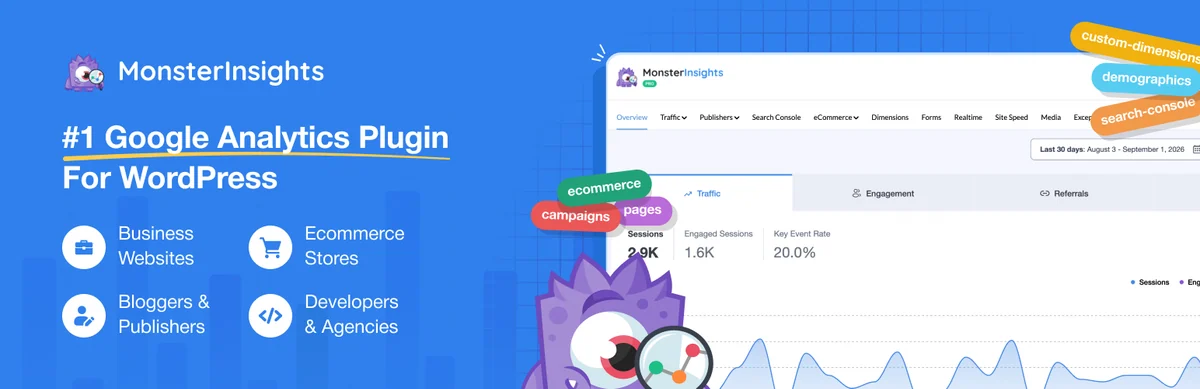
MonsterInsights facilitates connection to Google Analytics and offers reports in WordPress. It serves a team wanting to use this service with a suitable interface and tracking. Plus adds customisable dashboards and campaigns; Pro adds form conversions, sales and WooCommerce journeys. Before purchasing, identify necessary reports and responsibility for collection: installing an additional dashboard does not automatically correct a misconfigured event.
Offer pricing
Free Lite. Plus: 99.50 USD for the first year for 1 website; Pro: 199.50 USD for 5 websites; Elite: 299.50 USD for 5 websites.
Billing: Annual licences; promotional amounts for the first term.
Renewal and support: Renewals at the displayed full price: Plus 199 USD/year, Pro 399 USD/year, Elite 599 USD/year.
Taxes not specified in the pricing consulted; total and tax treatment to check before payment.
Checked on .
Strengths
- Plus: customisable dashboards, campaign reports and PDF export.
- Pro: form conversions, sales reports and WooCommerce journeys; Elite adds UserFeedback Elite among other features.
What to consider
- The e-commerce and form reports cited require Pro or higher.
- The promotional price doubles at renewal at the displayed rates.
Pricing terms and compatibility
Understanding the offer
- Price at the time of review
- Free Lite. Plus: 99.50 USD for the first year for 1 website; Pro: 199.50 USD for 5 websites; Elite: 299.50 USD for 5 websites.
- Currency
- USD
- Billing
- Annual licences; promotional amounts for the first term.
- Renewal and support
- Renewals at the displayed full price: Plus 199 USD/year, Pro 399 USD/year, Elite 599 USD/year.
- Taxes and fees
- Taxes not specified in the pricing consulted; total and tax treatment to check before payment.
- Commitment and terms
- One-year licence; Google services and advertising expenditure remain separate.
- Date checked
Compatibility and components
- Analytics account and tagging to check
Analytify
 Official Analytify banner supplied by the developer; promotional figures and promises unverified.
Best forGA4 reports at website and content level
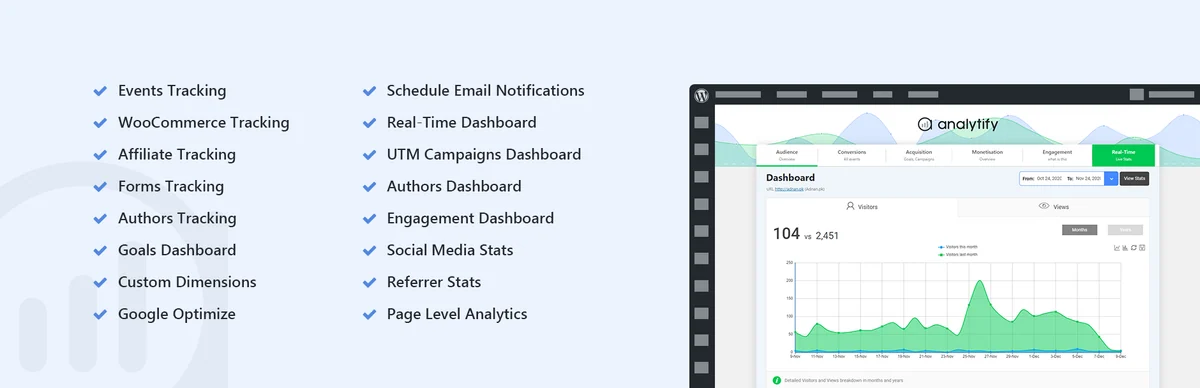
Analytify presents GA4 reports in administration and alongside content. This approach may help an editorial team wanting to consult indicators near the relevant pages. Paid plans include forms, campaigns, WooCommerce and email reporting modules. Check the periods and definitions used; an indicator with a familiar name may differ from one in an older measurement system.
Offer pricing
Free foundation. StartUp: 99 USD/year for 2 websites; Agency: 199 USD/year, unlimited websites; Developer: 499 USD one-time purchase, unlimited websites.
Billing: Displayed promotional prices; annual or lifetime licence according to plan.
Renewal and support: Renewal pricing for annual plans is not explicitly confirmed; displayed reference prices: 199 and 399 USD/year.
Taxes not specified in the pricing consulted; total and tax treatment to check before payment.
Checked on .
Strengths
- All three paid plans list WooCommerce, EDD, form tracking and email reports.
- Content reports, campaigns and key events; Agency and Developer with advertised VIP support.
What to consider
- The crossed-out price is not treated as a renewal promise.
- Collection still depends on GA4 and correct event sending.
Pricing terms and compatibility
Understanding the offer
- Price at the time of review
- Free foundation. StartUp: 99 USD/year for 2 websites; Agency: 199 USD/year, unlimited websites; Developer: 499 USD one-time purchase, unlimited websites.
- Currency
- USD
- Billing
- Displayed promotional prices; annual or lifetime licence according to plan.
- Renewal and support
- Renewal pricing for annual plans is not explicitly confirmed; displayed reference prices: 199 and 399 USD/year.
- Taxes and fees
- Taxes not specified in the pricing consulted; total and tax treatment to check before payment.
- Commitment and terms
- The offerings presented include premium modules; Developer licence advertised as lifetime.
- Date checked
Compatibility and components
- Google Analytics remains the collection service
Active Analytics
 Official developer screenshot showing demonstration data from November 2023; the current interface may differ.Open full-size screenshot ↗
Best forLocal analytics with custom events
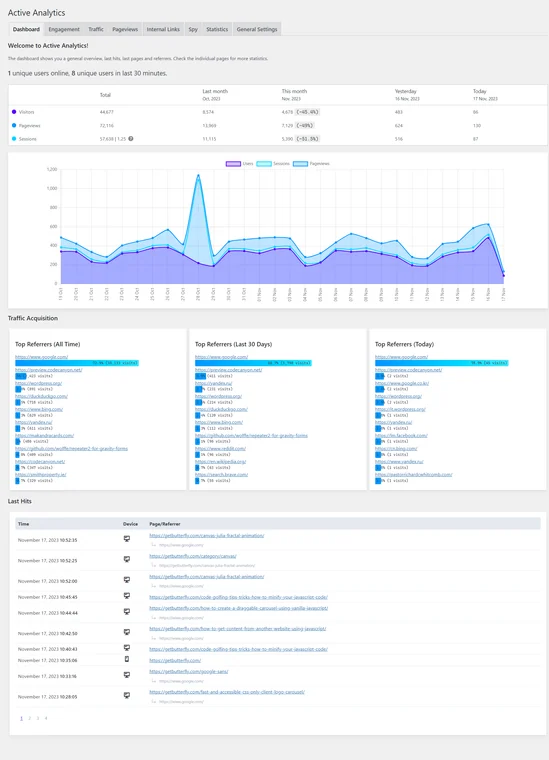
Active Analytics is a paid CodeCanyon option for viewing page views, referrers and recent activity in WordPress while retaining statistics in its own database. Internal searches and custom events extend tracking; these events require configuration and, depending on the need, JavaScript. Choose it if you want to administer this local collection and its retention period. The author publishes a recent version, but CodeCanyon’s version and update indicators are not aligned: have the supplied package confirmed before purchase. No practical trial was performed here.
Offer pricing
CodeCanyon: 29 USD for a Regular License for one end product; six months of support included.
Billing: Licence purchase, without an annual subscription advertised on CodeCanyon.
Renewal and support: Future updates included according to the listing; paid support extension. Separate direct author offering: 39 EUR/year, VAT included, renewed until cancellation; support tied to the subscription.
CodeCanyon: taxes and handling fees excluded; buyer fee included in the displayed price.
Checked on .
Strengths
- Pages, referrers and internal searches in WordPress; local statistics database.
- Custom events documented with the JavaScript function wpaa().
- Adjustable retention period and exclusion of logged-in users provided in the documentation.
What to consider
- The presence of cookieless statistics demonstrates neither consent exemption nor exhaustive collection.
- The documentation provides for Chart.js from a CDN by default: select and verify local loading before promising no external requests.
- Storage and reports consume hosting resources; the documentation flags a possible cost for the dashboard widget.
- Advertised WooCommerce compatibility does not mean revenue and orders are automatically tracked: the documentation presents instrumentation to configure.
Pricing terms and compatibility
Understanding the offer
- Price at the time of review
- CodeCanyon: 29 USD for a Regular License for one end product; six months of support included.
- Currency
- USD
- Billing
- Licence purchase, without an annual subscription advertised on CodeCanyon.
- Renewal and support
- Future updates included according to the listing; paid support extension. Separate direct author offering: 39 EUR/year, VAT included, renewed until cancellation; support tied to the subscription.
- Taxes and fees
- CodeCanyon: taxes and handling fees excluded; buyer fee included in the displayed price.
- Commitment and terms
- Regular License for yourself or one client, in a single end product under Envato terms. Do not confuse this licence with direct-sale terms.
- Date checked
Compatibility and components
- Author: version 3.1.6 dated October 14, 2026; minimum WordPress 6.2 and PHP 8 advertised.
- CodeCanyon: text states testing up to WordPress 7.1.2 and PHP 8.0–8.5; attributes limited to WordPress 7.0.x and Last Update October 10, 2025. Contradiction unresolved without confirmation of the package sold.
- Validation to perform on a copy: collection with cache active, account exclusion, absence of duplicates and purge behaviour. No check executed on an installation.
Independent Analytics
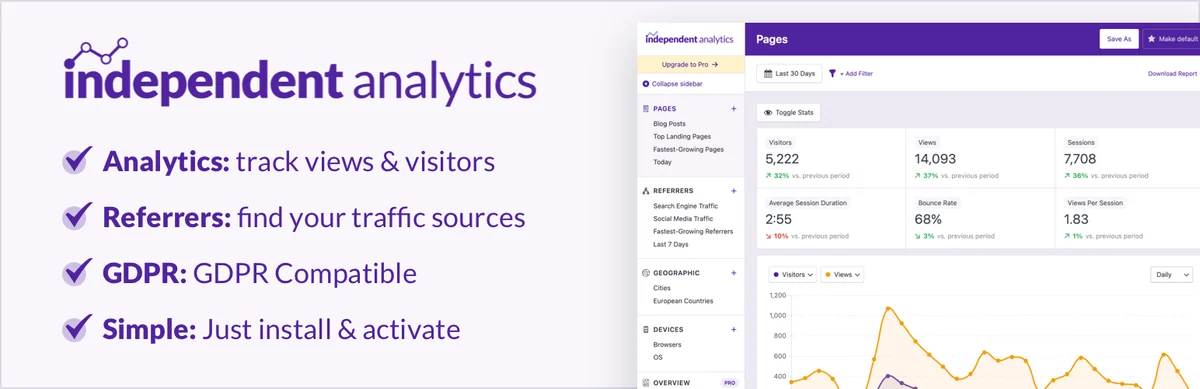 Official Independent Analytics banner supplied by the developer; promotional figures and promises unverified.
Best forLocal analytics linked to WordPress content
Independent Analytics produces reports stored in the WordPress database, without an external analytics account for its foundation. It may suit editorial reading of pages, visits and sources in administration. The foundation covers pages, referrers and devices; Pro adds campaigns, forms, clicks and sales. Local storage describes a processing location; it proves neither absolute accuracy nor automatic compliance for every use.
Offer pricing
Free. Pro Standard: 49 $/year for 1 website; Hobbyist: 79 $/year for 3 websites; Agency: 199 $/year, unlimited websites.
Billing: Annual payment; lifetime licences also displayed at 147 $, 237 $ and 597 $ for the same scopes.
Renewal and support: Automatic renewal at the advertised initial price, unless cancelled.
Taxes not specified in the pricing consulted; total and tax treatment to check before payment.
Checked on .
Strengths
- Free: pages, referrers, geography and devices, without a commercial page-view quota.
- Pro: UTM campaigns, clicks, forms, journeys and WooCommerce, EDD, FluentCart or SureCart sales.
What to consider
- On expiration: installed version and data retained, but no further updates or priority support.
- Each multisite subsite consumes one activation according to the FAQ.
Pricing terms and compatibility
Understanding the offer
- Price at the time of review
- Free. Pro Standard: 49 $/year for 1 website; Hobbyist: 79 $/year for 3 websites; Agency: 199 $/year, unlimited websites.
- Currency
- $ — code monétaire non précisé sur la page consultée
- Billing
- Annual payment; lifetime licences also displayed at 147 $, 237 $ and 597 $ for the same scopes.
- Renewal and support
- Automatic renewal at the advertised initial price, unless cancelled.
- Taxes and fees
- Taxes not specified in the pricing consulted; total and tax treatment to check before payment.
- Commitment and terms
- The same Pro features are included in every plan; only website capacity changes.
- Date checked
Compatibility and components
- Database resources and exclusions to check
WP Statistics
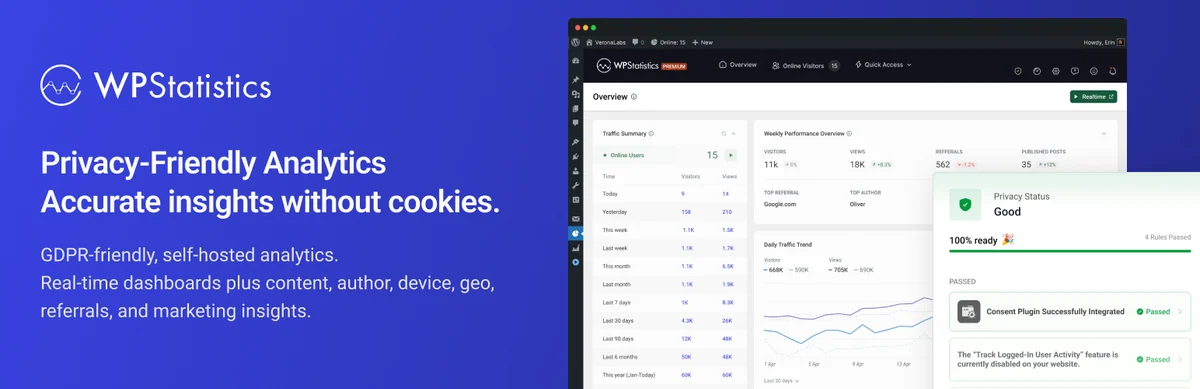 Official WP Statistics banner supplied by the developer; promotional figures and promises unverified.
Best forLocal measurement with retention settings
WP Statistics retains its data in WordPress and offers traffic, content and source reports. It may suit you when you want to administer this storage with the website. Examine privacy options, exclusions and purging before choosing detailed reports. Commercial compliance claims do not replace examination of your configuration and actually recorded data.
Offer pricing
Free plugin. Premium: 119 USD/year for 1 website, 249 USD/year for 5 websites, 449 USD/year for the Unlimited plan.
Billing: Annual licences; Unlimited limited to 100 websites by the fair-use rule.
Renewal and support: Entry prices; renewal at full price, amount of that full price not established in the table.
Taxes not specified in the pricing consulted; total and tax treatment to check before payment.
Checked on .
Strengths
- Foundation: traffic, page and source reports, exclusions and data cleanup.
- Premium: real time, detailed content/author reports, UTM campaigns, REST API and white labelling.
What to consider
- The plan called Unlimited covers at most 100 websites according to the pricing note.
- Local data occupies the WordPress database; purging still needs planning.
Pricing terms and compatibility
Understanding the offer
- Price at the time of review
- Free plugin. Premium: 119 USD/year for 1 website, 249 USD/year for 5 websites, 449 USD/year for the Unlimited plan.
- Currency
- USD
- Billing
- Annual licences; Unlimited limited to 100 websites by the fair-use rule.
- Renewal and support
- Entry prices; renewal at full price, amount of that full price not established in the table.
- Taxes and fees
- Taxes not specified in the pricing consulted; total and tax treatment to check before payment.
- Commitment and terms
- Same premium module set; different website capacity.
- Date checked
Compatibility and components
- Database and maintenance tasks to check
Koko Analytics
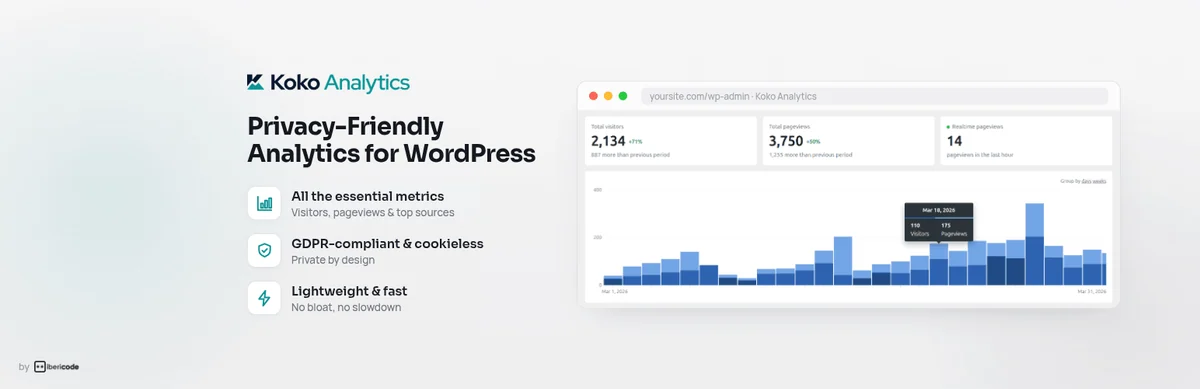 Official Koko Analytics banner supplied by the developer; promotional figures and promises unverified.
Best forLocal overview of viewed content
Koko Analytics offers local measurement focused on pages and their sources, with exclusion rules. It can meet a need for an overview without adopting a complete analytics service. Check selected options and what is counted in your cache context. Deliberately limited measurement is neither an individual reconstruction of every journey nor proof of conversion.
Offer pricing
Free foundation. Pro: 59 EUR/year for 1 website, 99 EUR/year for 5 websites or 249 EUR/year for 25 websites.
Billing: Annual billing; all Pro features in all three plans.
Renewal and support: Automatic renewal advertised; future amount not explicitly guaranteed.
Taxes not specified in the pricing consulted; total and tax treatment to check before payment.
Checked on .
Strengths
- Local foundation focused on pages and referrers.
- Pro: geolocation, devices, events, UTM campaigns and email reports.
What to consider
- Pro dimensions and events are not included in the free counter.
Pricing terms and compatibility
Understanding the offer
- Price at the time of review
- Free foundation. Pro: 59 EUR/year for 1 website, 99 EUR/year for 5 websites or 249 EUR/year for 25 websites.
- Currency
- EUR
- Billing
- Annual billing; all Pro features in all three plans.
- Renewal and support
- Automatic renewal advertised; future amount not explicitly guaranteed.
- Taxes and fees
- Taxes not specified in the pricing consulted; total and tax treatment to check before payment.
- Commitment and terms
- One multisite counts as one activation; staging and development excluded from the quota.
- Date checked
Compatibility and components
- Retain the free plugin: Pro is an add-on.
Burst Statistics
 Official Burst Statistics banner supplied by the developer; promotional figures and promises unverified.
Best forConcise local traffic reporting
Burst Statistics displays main traffic indicators in WordPress and retains statistics on the server. It suits a team seeking straightforward reading of pages and sources. Creator targets campaigns, Business WooCommerce sales and Agency automatic reports. Define exclusions and retention before multiplying dimensions and check the effect of settings on reports.
Offer pricing
Free. Creator: 43.61 EUR/year for 1 website; Business: 88.11 EUR/year for 1 website; Agency: 177.11 EUR/year, unlimited websites.
Billing: EUR view consulted; Creator for 5 websites: 70.31 EUR/year, Business for 5 websites: 105.91 EUR/year.
Renewal and support: Annual subscription with a reminder advertised two weeks beforehand; future amount not explicitly guaranteed.
Taxes not specified in the pricing consulted; total and tax treatment to check before payment.
Checked on .
Strengths
- Free: visitors, sessions, page views, real time and one goal.
- Creator adds UTM and geographical details; Business adds WooCommerce revenue and funnels; Agency adds automatic reports.
What to consider
- The detailed table reserves WooCommerce for Business/Agency and scheduled emails for Agency.
- Without renewal, reverts to the free foundation; history remains on the server.
Pricing terms and compatibility
Understanding the offer
- Price at the time of review
- Free. Creator: 43.61 EUR/year for 1 website; Business: 88.11 EUR/year for 1 website; Agency: 177.11 EUR/year, unlimited websites.
- Currency
- EUR
- Billing
- EUR view consulted; Creator for 5 websites: 70.31 EUR/year, Business for 5 websites: 105.91 EUR/year.
- Renewal and support
- Annual subscription with a reminder advertised two weeks beforehand; future amount not explicitly guaranteed.
- Taxes and fees
- Taxes not specified in the pricing consulted; total and tax treatment to check before payment.
- Commitment and terms
- 14-day trial automatically converted to a subscription if a payment method was supplied and the trial not cancelled.
- Date checked
Compatibility and components
- Server resources and collection mechanism
Matomo Analytics
 Official Matomo Analytics banner supplied by the developer; promotional figures and promises unverified.
Best forMatomo measurement in WordPress or connection to an existing instance
Matomo Analytics for WordPress installs measurement within the website environment. It suits you if you want to administer its data and have the necessary resources. If you already use Matomo Cloud or a separate Matomo installation, documentation directs you to the suitable connector in the same family. These variants are not counted as several products; modules and hosting have separate terms.
Offer pricing
Free Matomo for WordPress. Separate Matomo Cloud: public pricing from 22 EUR/month for 50,000 monthly hits.
Billing: Cloud service paid separately; its pricing does not correspond to the WordPress plugin price.
Renewal and support: Cloud contract price and volume to confirm at renewal.
The Cloud pricing explicitly excludes taxes.
Checked on .
Strengths
- Free: segmentation, campaigns, real time, Tag Manager and WooCommerce/EDD/MemberPress integrations.
- Separate premium modules for heatmaps, replays, forms and funnels.
What to consider
- Local processing uses the server and WordPress database.
- Tag Manager does not work in multisite in the WordPress plugin, according to its listing.
Pricing terms and compatibility
Understanding the offer
- Price at the time of review
- Free Matomo for WordPress. Separate Matomo Cloud: public pricing from 22 EUR/month for 50,000 monthly hits.
- Currency
- EUR
- Billing
- Cloud service paid separately; its pricing does not correspond to the WordPress plugin price.
- Renewal and support
- Cloud contract price and volume to confirm at renewal.
- Taxes and fees
- The Cloud pricing explicitly excludes taxes.
- Commitment and terms
- Cloud Business advertises 30 websites and 30 members; hits include several action types, not only visits.
- Date checked
Compatibility and components
- An existing Cloud or On-Premise instance uses Connect Matomo, not the standalone Matomo Analytics plugin.
SlimStat Analytics
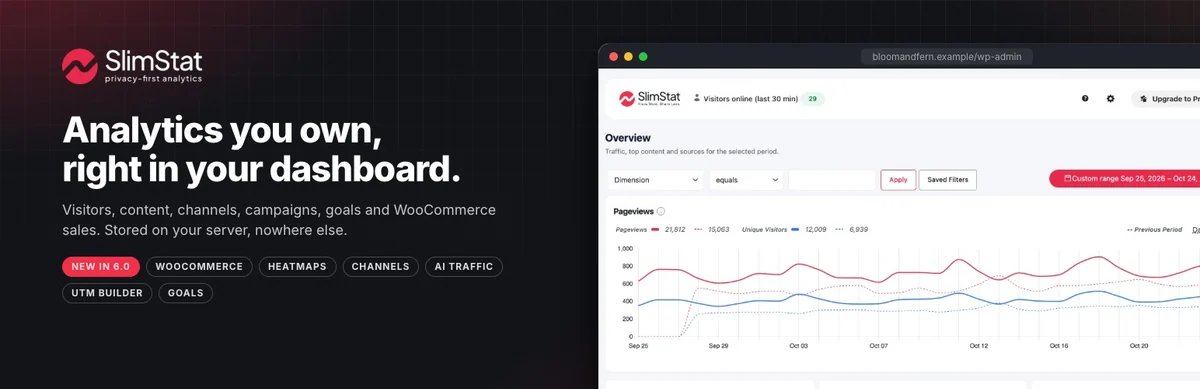 Official SlimStat Analytics banner supplied by the developer; promotional figures and promises unverified.
Best forLocal analytics with detailed capabilities
SlimStat records statistics in the WordPress database and offers reports that can go beyond simple counting. The foundation tracks one goal and WooCommerce sales; Pro adds heatmaps, five goals and three funnels. Check event scope, data and business integrations. A revenue or journey report must not be treated as accurate without checking its collection.
Offer pricing
Free. Pro: 33 USD for the first year for 1 website; 103 USD for 5 websites; 183 USD for unlimited websites, promotion advertised until November 4.
Billing: Annual licence, same Pro feature set.
Renewal and support: Then 49 USD/year for 1 website, 119 USD/year for 5 websites, 199 USD/year for unlimited websites.
Taxes not specified in the pricing consulted; total and tax treatment to check before payment.
Checked on .
Strengths
- Free: traffic reports, WooCommerce sales after configuration and one conversion goal.
- Pro: click/scroll maps, five goals, three funnels, scheduled reports and multisite analysis.
What to consider
- The free foundation shows only the top two channels and campaigns in each report.
- Network reports reserved for multisite with network permissions; a multisite licence does not combine independent installations.
Pricing terms and compatibility
Understanding the offer
- Price at the time of review
- Free. Pro: 33 USD for the first year for 1 website; 103 USD for 5 websites; 183 USD for unlimited websites, promotion advertised until November 4.
- Currency
- USD
- Billing
- Annual licence, same Pro feature set.
- Renewal and support
- Then 49 USD/year for 1 website, 119 USD/year for 5 websites, 199 USD/year for unlimited websites.
- Taxes and fees
- Taxes not specified in the pricing consulted; total and tax treatment to check before payment.
- Commitment and terms
- Pro adds to the free foundation; one year of updates and support.
- Date checked
Compatibility and components
- Pro 3 requires the free SlimStat 6 plugin active; WooCommerce 8.3+ declared for the revenue dashboard.
Statify
 Official Statify illustration: chart on a clipboard, without measured data.
Best forCounting views within a limited scope
Statify counts website views and displays sources and viewed pages in a compact dashboard. Its documentation explicitly distinguishes views from visitors. This choice may suffice to examine which content is requested without seeking an individual profile. Do not interpret the total as a count of unique people and compare only periods and filters whose operation you understand.
Offer pricing
Free plugin; no paid licence needed for the counter described.
Billing: Free installation; local statistics per website.
Renewal and support: No paid renewal of the foundation.
Not applicable to the free plugin.
Checked on .
Strengths
- Views, target pages and referrers; adjustable period and list length.
- Two-week retention by default, daily purge, optional JavaScript tracking for cache.
What to consider
- Counts views, not unique people.
- A referrer may be missing if the originating website or browser does not transmit this information.
Pricing terms and compatibility
Understanding the offer
- Price at the time of review
- Free plugin; no paid licence needed for the counter described.
- Currency
- Unspecified. Confirm for the offer you choose.
- Billing
- Free installation; local statistics per website.
- Renewal and support
- No paid renewal of the foundation.
- Taxes and fees
- Not applicable to the free plugin.
- Commitment and terms
- Storage and maintenance handled by WordPress hosting.
- Date checked
Compatibility and components
- JavaScript tracking requires a theme that calls wp_footer().
Jetpack Stats
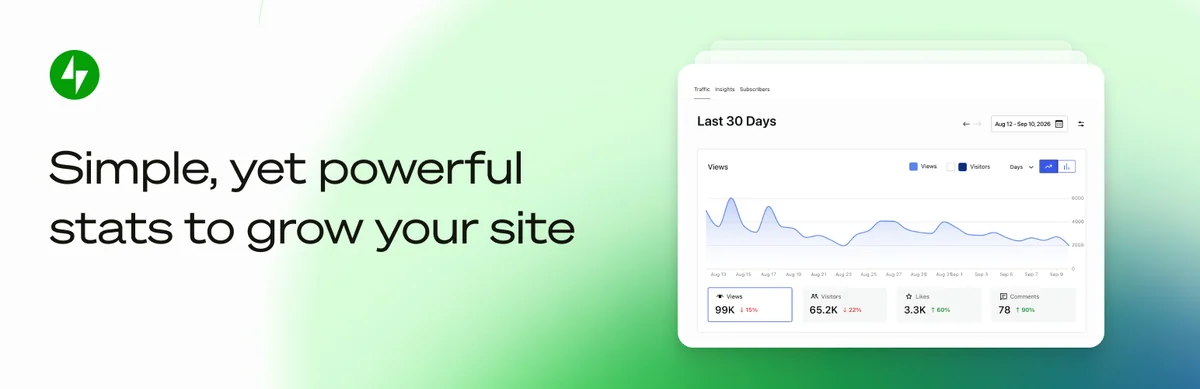 Official Jetpack Stats banner supplied by the developer; promotional figures and promises unverified.
Best forStatistics integrated with a WordPress.com account
Jetpack Stats displays traffic and content within the WordPress.com ecosystem. Its guide updated in September 2026 advertises a free foundation for every website type, with complete history. UTM reports, devices and regional or city location belong to the paid offering. Check the account plan and applicable price; display within WordPress does not mean data is stored only in your database.
Offer pricing
Free foundation for all websites. Paid Stats: 7.95 EUR/month displayed with annual payment, starting at 10,000 monthly views per website.
Billing: Monthly equivalent billed annually; paid quota expandable according to traffic.
Renewal and support: The page reserves discounts for the first term and advertises renewal at full price; future EUR amount not established.
Taxes not specified in the pricing consulted; total and tax treatment to check before payment.
Checked on .
Strengths
- Free: views, visitors, pages, referrers, clicks and countries, with complete history.
- Paid: UTM campaigns, devices, regions and cities, plus priority support.
What to consider
- The 10,000-view quota corresponds to the initial paid tier, not a prohibition on free use beyond it.
- Processing within the Jetpack/WordPress.com ecosystem; not exclusively local storage.
Pricing terms and compatibility
Understanding the offer
- Price at the time of review
- Free foundation for all websites. Paid Stats: 7.95 EUR/month displayed with annual payment, starting at 10,000 monthly views per website.
- Currency
- EUR
- Billing
- Monthly equivalent billed annually; paid quota expandable according to traffic.
- Renewal and support
- The page reserves discounts for the first term and advertises renewal at full price; future EUR amount not established.
- Taxes and fees
- Taxes not specified in the pricing consulted; total and tax treatment to check before payment.
- Commitment and terms
- The free plan accepts every website type and traffic level, with complete history, according to the current guide.
- Date checked
Compatibility and components
- WordPress.com account and permissions to check
Clicky Analytics
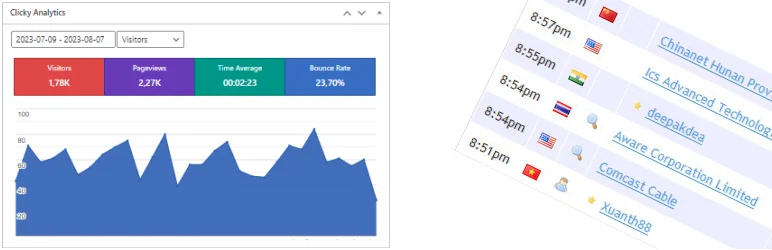 Official Clicky Analytics banner supplied by the developer; promotional figures and promises unverified.
Best forConnecting a website to the Clicky service
Deconf’s Clicky Analytics connector installs Clicky tracking and displays statistics in administration. It may suit a website already using this service. Some advanced data requires a Pro account. In particular, examine name and email collection options before activation: the cookieless setting does not remove the need to identify transmitted information and the tracking purpose.
Offer pricing
Free connector. Clicky Free: 1 website, 3,000 page views/day. Pro: 9.99 $/month or 79.99 $/year for 10 websites and 30,000 page views/day in total.
Billing: Pro Plus: 14.99 $/month or 119.99 $/year, same website and traffic limits; Pro Platinum: 19.99 $/month or 159.99 $/year, 30 websites and 100,000 page views/day.
Renewal and support: Pricing and features remain those of the subscription while it remains active, according to the published policy.
Taxes not specified in the pricing consulted; total and tax treatment to check before payment.
Checked on .
Strengths
- Foundation: traffic reports and real-time data.
- Pro: goals, campaigns, journeys and exports; heatmaps and uptime monitoring from Pro Plus.
What to consider
- Free history limited to 30 days.
- Detailed visitor/action history guaranteed for only six months in paid plans.
Pricing terms and compatibility
Understanding the offer
- Price at the time of review
- Free connector. Clicky Free: 1 website, 3,000 page views/day. Pro: 9.99 $/month or 79.99 $/year for 10 websites and 30,000 page views/day in total.
- Currency
- $ — code monétaire non précisé sur la page consultée
- Billing
- Pro Plus: 14.99 $/month or 119.99 $/year, same website and traffic limits; Pro Platinum: 19.99 $/month or 159.99 $/year, 30 websites and 100,000 page views/day.
- Renewal and support
- Pricing and features remain those of the subscription while it remains active, according to the published policy.
- Taxes and fees
- Taxes not specified in the pricing consulted; total and tax treatment to check before payment.
- Commitment and terms
- Quotas cumulative across websites; 21-day premium trial then reversion to free if no purchase.
- Date checked
Compatibility and components
- Clicky account and keys necessary
StatCounter
 Official StatCounter logo published by the developer.
Best forTraffic service with behavioural options
StatCounter provides a connector to its traffic reports and behavioural features. The advertised Basic plan retains free basic statistics; replays are a separate add-on and heatmaps belong to Premium Plus. Choose the useful scope rather than enabling everything during the trial. Check captured data and retention limits specific to your offering before choosing these reports.
Offer pricing
Free Basic: 5,000 sessions/month. Premium: 9 EUR/month for 20,000 sessions; Premium Plus: 19 EUR/month for the same volume.
Billing: Monthly prices from the EUR view; annual payment advertised with a 10% discount. Exact included website scope to confirm.
Renewal and support: Renewal and future amount unspecified in the table consulted.
Taxes not specified in the pricing consulted; total and tax treatment to check before payment.
Checked on .
Strengths
- Premium: conversion tracking, CSV exports, emails and three-year history.
- Premium Plus: heatmaps, Google Ads integration and UTM campaigns, with five-year retention.
What to consider
- Basic retains detailed data for 14 days.
- The replay selector gives zero recordings without an add-on; traffic-only pricing does not include 1,000 replays.
Pricing terms and compatibility
Understanding the offer
- Price at the time of review
- Free Basic: 5,000 sessions/month. Premium: 9 EUR/month for 20,000 sessions; Premium Plus: 19 EUR/month for the same volume.
- Currency
- EUR
- Billing
- Monthly prices from the EUR view; annual payment advertised with a 10% discount. Exact included website scope to confirm.
- Renewal and support
- Renewal and future amount unspecified in the table consulted.
- Taxes and fees
- Taxes not specified in the pricing consulted; total and tax treatment to check before payment.
- Commitment and terms
- Replays extra: 9 EUR/month for 1,000 recordings; do not equate them with the traffic plan.
- Date checked
Compatibility and components
- Account and collection rules to define
Plausible Analytics
 Official Plausible Analytics banner supplied by the developer; promotional figures and promises unverified.
Best forOverview through an external analytics service
The Plausible plugin connects WordPress to its analytics service with measurement and event features. The offering described requires a subscription after the trial: plugin availability does not constitute a permanent free plan. This approach may suit a page and conversion overview in an external service. Check necessary events and the terms of the selected offering.
Offer pricing
Hosted service paid after a 30-day trial. At 10,000 page views/month: Starter 9 $/month for 1 website; Growth 14 $ for 3 websites; Business 19 $ for 10 websites.
Billing: Monthly; annual at ten monthly payments according to the public calculator, or 90/140/190 $ for the tiers cited.
Renewal and support: Future price not guaranteed; cost adapted to page-view and event volume.
Taxes calculated by Paddle according to billing details; check the applicable total at payment.
Checked on .
Strengths
- Starter: goals, custom events and Email/Slack reports, without an advertised retention limit.
- Growth: team and shareable dashboards; Business: revenue, funnels, journeys and statistics API.
What to consider
- Custom events count towards consumption: size the volume beyond pages alone.
- Community Edition hosting requires its own resources; it is not included in the Cloud trial.
Pricing terms and compatibility
Understanding the offer
- Price at the time of review
- Hosted service paid after a 30-day trial. At 10,000 page views/month: Starter 9 $/month for 1 website; Growth 14 $ for 3 websites; Business 19 $ for 10 websites.
- Currency
- $ — code monétaire non précisé sur la page consultée
- Billing
- Monthly; annual at ten monthly payments according to the public calculator, or 90/140/190 $ for the tiers cited.
- Renewal and support
- Future price not guaranteed; cost adapted to page-view and event volume.
- Taxes and fees
- Taxes calculated by Paddle according to billing details; check the applicable total at payment.
- Commitment and terms
- The plugin is free, the Cloud service paid; self-hosted Community Edition is a separate deployment.
- Date checked
Compatibility and components
- Plausible account and domain to configure
TWIPLA
 TWIPLA promotional banner; consent claims come from the developer and do not constitute legal validation.
Best forService combining traffic and behavioural analysis
TWIPLA, formerly Visitor Analytics, combines traffic measurement and behavioural analytics features. A free plan and premium offerings are advertised, with several privacy modes. Free is limited to 400 page views, 25 replays and one funnel; quotas increase with offerings. Check chosen settings, team permissions and the scope of sessions or events before using a report to explain someone’s behaviour.
Offer pricing
Free: 400 page views/month per website. Starter: 2.39 USD/month for 500 page views; Basic: 10.39 USD for 10,000; Advanced: 19.99 USD for 25,000; Pro: 31.99 USD for 50,000.
Billing: Monthly equivalents billed annually; each website has its own subscription.
Renewal and support: Renewal and taxes to confirm for the chosen subscription; no future-price guarantee recorded.
Taxes not specified in the pricing consulted; total and tax treatment to check before payment.
Checked on .
Strengths
- Free: 20 events, 25 replays, one heatmap and one funnel.
- Basic: 1,000 events, 500 replays, four maps and four funnels; survey tools included according to quota.
What to consider
- When page views are exhausted, collection suspended until the following month or a plan change.
- Visits missed during suspension are not recovered retrospectively.
Pricing terms and compatibility
Understanding the offer
- Price at the time of review
- Free: 400 page views/month per website. Starter: 2.39 USD/month for 500 page views; Basic: 10.39 USD for 10,000; Advanced: 19.99 USD for 25,000; Pro: 31.99 USD for 50,000.
- Currency
- USD
- Billing
- Monthly equivalents billed annually; each website has its own subscription.
- Renewal and support
- Renewal and taxes to confirm for the chosen subscription; no future-price guarantee recorded.
- Taxes and fees
- Taxes not specified in the pricing consulted; total and tax treatment to check before payment.
- Commitment and terms
- Initial 30-day trial then reversion to Free; Growth Engine tokens form a separate quota.
- Date checked
Compatibility and components
- TWIPLA account and collection to assess
Simple Analytics
 Official Simple Analytics banner supplied by the developer; promotional figures and promises unverified.
Best forOverview service with an official connector
The official Simple Analytics plugin connects the website to the service of the same name, distinct from older Google plugins with similar names. It offers exclusion rules and event options; the listing also advertises a free plan. The hobby plan covers five websites with a badge and thirty-day history; also check cache effects on exclusions. Do not infer actual collection from the plugin’s enabled status alone.
Offer pricing
Free hobby plan: 5 websites and 1 user. Simple offering: 20 EUR/month at the 100,000-page-view tier, with 1 user and 10 websites.
Billing: Monthly price from the EUR view; additional user advertised at 20 EUR/month; annual with two free months.
Renewal and support: Cost adapts to usage; future price not guaranteed.
Taxes not specified in the pricing consulted; total and tax treatment to check before payment.
Checked on .
Strengths
- Traffic dashboard, WordPress connector and configurable events.
- Free: views without a fixed commercial cap under fair use; paid: longer history.
What to consider
- Data older than 30 days is deleted on the free plan.
- Paid volume may increase the bill; an unresolved annual overage may result in an automatic tier increase.
Pricing terms and compatibility
Understanding the offer
- Price at the time of review
- Free hobby plan: 5 websites and 1 user. Simple offering: 20 EUR/month at the 100,000-page-view tier, with 1 user and 10 websites.
- Currency
- EUR
- Billing
- Monthly price from the EUR view; additional user advertised at 20 EUR/month; annual with two free months.
- Renewal and support
- Cost adapts to usage; future price not guaranteed.
- Taxes and fees
- Taxes not specified in the pricing consulted; total and tax treatment to check before payment.
- Commitment and terms
- The free offering requires a badge and history limited to 30 days; separate standalone 14-day trial.
- Date checked
Compatibility and components
- simpleanalytics plugin; do not confuse similarly named products
Microsoft Clarity
 Official Microsoft Clarity logo published by the developer.
Best forExamining interactions and navigation problems
Clarity adds interaction maps and session replays to examine page usage. It addresses a more detailed usability question than a traffic counter. Define a need and check masking before collecting journeys. A movement or click does not reveal someone’s actual intention and is insufficient to explain a lack of purchase.
Offer pricing
Clarity and its connector are offered free of charge.
Billing: No paid subscription necessary for the maps and replays described.
Renewal and support: No paid renewal for this scope.
Not applicable to the service described as free.
Checked on .
Strengths
- Click and scroll maps, session replays and AI-assisted summaries.
What to consider
- A replay describes interactions; it does not prove visitor motivation or satisfaction.
- Masking, exclusions and form collection must be checked before use.
Pricing terms and compatibility
Understanding the offer
- Price at the time of review
- Clarity and its connector are offered free of charge.
- Currency
- Unspecified. Confirm for the offer you choose.
- Billing
- No paid subscription necessary for the maps and replays described.
- Renewal and support
- No paid renewal for this scope.
- Taxes and fees
- Not applicable to the service described as free.
- Commitment and terms
- Clarity account and project to create; Microsoft service external to WordPress.
- Date checked
Compatibility and components
- Clarity account and exclusions necessary
WP Visitor Statistics
 Official WP Visitor Statistics banner supplied by the developer; promotional figures and promises unverified.
Best forTraffic reports administered in WordPress
WP Visitor Statistics presents traffic data in WordPress without imposing a complete external analytics service. Pro adds widgets, summary emails, city-level location and an interactive map among other features. Examine address and location information, purging and any associated services. A local dashboard does not justify assuming every auxiliary feature works without exchanging data with a provider.
Offer pricing
Free foundation. Pro Basic: 29 USD one-time purchase for 1 domain; Professional: 49 USD for 5 domains; Business: 69 USD for 25 domains.
Billing: Lifetime licences advertised; Basic without add-ons, Professional and Business with add-ons included.
Renewal and support: No annual subscription advertised for these licences; check update/support scope in the licence.
Taxes not specified in the pricing consulted; total and tax treatment to check before payment.
Checked on .
Strengths
- Foundation: traffic, countries, IP hashing and automatic cleanup of old data.
- Pro: widgets and shortcodes, email reports, cities, interactive map and IP reports.
What to consider
- Location is an IP-address-based estimate, not the visitor’s exact physical position.
- Advertised unlimited retention remains bounded by database space and chosen settings.
Pricing terms and compatibility
Understanding the offer
- Price at the time of review
- Free foundation. Pro Basic: 29 USD one-time purchase for 1 domain; Professional: 49 USD for 5 domains; Business: 69 USD for 25 domains.
- Currency
- USD
- Billing
- Lifetime licences advertised; Basic without add-ons, Professional and Business with add-ons included.
- Renewal and support
- No annual subscription advertised for these licences; check update/support scope in the licence.
- Taxes and fees
- Taxes not specified in the pricing consulted; total and tax treatment to check before payment.
- Commitment and terms
- An unlimited plan is also offered; its amount is not assigned from the 29–199 USD range alone.
- Date checked
Compatibility and components
- Update the plugin before deployment; its listing describes recent security fixes.
Usermaven
 Official Usermaven banner supplied by the developer; promotional figures and promises unverified.
Best forCampaign and journey analysis with an external platform
Usermaven connects the website to a platform analysing channels, events and journeys. Its WooCommerce integrations target cart stages and purchases among other things. This level of detail concerns a team that has defined its events and their use. Business combines attribution, journeys and funnels; check transmitted information and the attribution method, because a ready-to-activate connector does not automatically validate collected commercial data.
Offer pricing
Free connector; Business and Enterprise platform by quotation, without an established public amount.
Billing: Billing period, included volume and price to establish in the quotation.
Renewal and support: Renewal terms and amount to specify in the contract.
Taxes not specified in the pricing consulted; total and tax treatment to check before payment.
Checked on .
Strengths
- Business: multi-touch attribution, funnels, journeys, segments and CRM/advertising connections.
- Enterprise: warehouse export, BigQuery, SAML SSO and private cloud or on-premises options.
What to consider
- No permanent free platform plan appears in the current table.
- Unlimited websites does not mean unlimited events, workspaces or assistance services.
Pricing terms and compatibility
Understanding the offer
- Price at the time of review
- Free connector; Business and Enterprise platform by quotation, without an established public amount.
- Currency
- Unspecified. Confirm for the offer you choose.
- Billing
- Billing period, included volume and price to establish in the quotation.
- Renewal and support
- Renewal terms and amount to specify in the contract.
- Taxes and fees
- Taxes not specified in the pricing consulted; total and tax treatment to check before payment.
- Commitment and terms
- Unlimited websites advertised; additional workspaces, assistance and white labelling offered separately.
- Date checked
Compatibility and components
- Usermaven account and event configuration
AnalyticsWP
 Official AnalyticsWP logo, published by the developer.
Best forIntegrated analysis with journey reports
AnalyticsWP offers measurement integrated into WordPress with journey reports and activity matching. The commercial offering displays a paid licence and trial. It may suit a team wanting to administer this analysis within the website. Check the data and identification methods used; claims of accuracy or resistance to blocking are not independently measured results here.
Offer pricing
Paid licence; applicable price not established because the page displays contradictory amounts.
Billing: One-time purchase advertised, 1-site or unlimited-site licences; 7-day trial.
Renewal and support: No subscription advertised; contractual scope of the lifetime licence to confirm.
Taxes not specified in the pricing consulted; total and tax treatment to check before payment.
Checked on .
Strengths
- Journey reports in WordPress, with single-site or unlimited-site licences.
What to consider
- The pricing page presents two different prices for each scope; no reliable amount can be retained here.
- Claims of accuracy or resistance to blocking are not independent test results.
Pricing terms and compatibility
Understanding the offer
- Price at the time of review
- Paid licence; applicable price not established because the page displays contradictory amounts.
- Currency
- Unspecified. Confirm for the offer you choose.
- Billing
- One-time purchase advertised, 1-site or unlimited-site licences; 7-day trial.
- Renewal and support
- No subscription advertised; contractual scope of the lifetime licence to confirm.
- Taxes and fees
- Taxes not specified in the pricing consulted; total and tax treatment to check before payment.
- Commitment and terms
- Have the amount and scope confirmed before purchase; none of the contradictory prices retained.
- Date checked
Compatibility and components
- Resources and collection rules to check
Track The Click
 Official Track The Click logo published by the developer.
Best forMeasuring outbound link clicks
Track The Click records outbound clicks in a local database and provides views for examining them. It can address a targeted question about links causing visitors to leave a page. It is a measurement supplement, not an exhaustive visitor counter. A recorded click proves neither arrival at the destination nor a subsequent sale; retain this distinction in reports.
Offer pricing
Free basic features: outbound click tracking without a service subscription.
Billing: Free installation on the relevant websites; local storage.
Renewal and support: No paid renewal necessary for the free scope described.
Not applicable to the free foundation.
Checked on .
Strengths
- Outbound click tracking in headers, content, widgets and footers.
- Views by link and domain: target URL, link text, source page and click count.
What to consider
- Measures neither sales nor even successful loading of the destination website.
- Blocked or unexecuted JavaScript may prevent click recording.
Pricing terms and compatibility
Understanding the offer
- Price at the time of review
- Free basic features: outbound click tracking without a service subscription.
- Currency
- Unspecified. Confirm for the offer you choose.
- Billing
- Free installation on the relevant websites; local storage.
- Renewal and support
- No paid renewal necessary for the free scope described.
- Taxes and fees
- Not applicable to the free foundation.
- Commitment and terms
- Practical limits depend on the server; no verifiable priced premium offering retained.
- Date checked
Compatibility and components
- JavaScript and link scope to check
Beehive Analytics
 Official Beehive Analytics banner supplied by the developer; promotional figures and promises unverified.
Best forGA4 for a team or multisite network
Beehive brings Google Analytics data into WordPress with access control features and multisite scenarios. It may suit a team using WPMU DEV or administering several websites. Pro adds white labelling and automatic client reports through the WPMU DEV subscription. Define permissions per website and check existing tagging before connecting a new dashboard to the same service.
Offer pricing
Free Beehive. WPMU DEV suite including Beehive Pro: Basic 50 USD/year for 1 website, Standard 75 USD/year for 3 websites, Plus 100 USD/year for 10 websites.
Billing: Price of the complete suite, not a standalone Beehive licence; annual billing for these three offerings.
Renewal and support: Future amount not guaranteed by the page consulted.
Taxes not specified in the pricing consulted; total and tax treatment to check before payment.
Checked on .
Strengths
- Free: GA4 integration, reports in WordPress, role-based access and multisite operation.
- Pro: white labelling and automated client reports, included in the WPMU DEV suite.
What to consider
- The suite pays for several tools; less financial value if the free GA4 dashboard alone suffices.
- GA4 connection and permission checks necessary for each managed scope.
Pricing terms and compatibility
Understanding the offer
- Price at the time of review
- Free Beehive. WPMU DEV suite including Beehive Pro: Basic 50 USD/year for 1 website, Standard 75 USD/year for 3 websites, Plus 100 USD/year for 10 websites.
- Currency
- USD
- Billing
- Price of the complete suite, not a standalone Beehive licence; annual billing for these three offerings.
- Renewal and support
- Future amount not guaranteed by the page consulted.
- Taxes and fees
- Taxes not specified in the pricing consulted; total and tax treatment to check before payment.
- Commitment and terms
- Suite subscription necessary for the Pro services cited; Google Analytics remains separate.
- Date checked
Compatibility and components
- Google account and multisite scope to assess
Piwik PRO
 Official Piwik PRO banner supplied by the developer; promotional figures and promises unverified.
Best forAn organisation with an analytics platform and governance
Piwik PRO adds its analytics platform’s container, distinct from Matomo, to WordPress and provides collection integrations. This choice concerns an organisation needing a suitable analytics suite and governance. It must not be compared with a simple local counter solely on plugin cost. Business combines four modules and twenty-five months of retention; size domains and actions in the quotation before deployment.
Offer pricing
Free connector; Business from 36 EUR/month. Enterprise from 366 EUR/month with annual billing. No current permanent free Core plan.
Billing: Business: cost according to domains and actions, charging frequency to confirm; Enterprise billed annually.
Renewal and support: Future amount and renewal terms to specify in the contract.
Taxes not specified in the pricing consulted; total and tax treatment to check before payment.
Checked on .
Strengths
- Business combines Analytics, Tag Manager, data activation and the Cookie Information CMP.
- 25-month retention, cloud hosting operated in the EU in Sweden; 50 custom reports per website advertised.
What to consider
- The former free Core has been replaced; the free connector does not fund the service.
- The limits of 20 domains and 2 million actions are not attributed to the minimum 36 EUR price.
Pricing terms and compatibility
Understanding the offer
- Price at the time of review
- Free connector; Business from 36 EUR/month. Enterprise from 366 EUR/month with annual billing. No current permanent free Core plan.
- Currency
- EUR
- Billing
- Business: cost according to domains and actions, charging frequency to confirm; Enterprise billed annually.
- Renewal and support
- Future amount and renewal terms to specify in the contract.
- Taxes and fees
- Taxes not specified in the pricing consulted; total and tax treatment to check before payment.
- Commitment and terms
- 30-day trial; Business can reach 20 domains and 2 million actions/month depending on configuration, not necessarily at the entry price.
- Date checked
Compatibility and components
- Piwik PRO account and container to assess
Google Analytics for WooCommerce
 Official Google Analytics for WooCommerce banner supplied by the developer; promotional figures and promises unverified.
Best forShop events sent to Google Analytics
This official integration connects WooCommerce to Google Analytics to transmit commerce events. It addresses measurement of shop actions rather than complete accounting. Check events already sent by other components, identifiers and failure cases. A purchase event must not be duplicated on every reload or equated without checks to a final collected payment.
Offer pricing
Free official Google Analytics for WooCommerce integration.
Billing: No annual licence for this extension; Google Analytics account required.
Renewal and support: No paid renewal for the free plugin.
Not applicable to the free plugin.
Checked on .
Strengths
- Product views, cart additions/removals, checkout initiation and transactions.
- Administrator exclusion; WP Consent API integration.
What to consider
- The purchase tracking described requires returning from payment to the order-received page.
- The extension does not provide a consent banner interface; avoid duplicates with other GA4 tagging.
Pricing terms and compatibility
Understanding the offer
- Price at the time of review
- Free official Google Analytics for WooCommerce integration.
- Currency
- Unspecified. Confirm for the offer you choose.
- Billing
- No annual licence for this extension; Google Analytics account required.
- Renewal and support
- No paid renewal for the free plugin.
- Taxes and fees
- Not applicable to the free plugin.
- Commitment and terms
- SkyVerge Google Analytics Pro for WooCommerce is a separate paid offering, unnecessary for basic events.
- Date checked
Compatibility and components
- WooCommerce, GA4 and absence of duplicates to check