


Choose a tool for a problem, not a collection to install
Your site can have imprecise titles, broken links or poorly described images without needing a new full suite. The desired result is a clear configuration: every feature must have an owner, and each addition must solve an observed gap. These twenty-five references form a catalog of choices, not an installation list. The eight general suites in particular are alternatives to one another; specialist tools become complementary only when their features do not overlap.
Start without installing anything: review important titles and content, check navigation and examine features in the theme, hosting and existing plugins. Alternative text can be written using existing tools; an internal link can be added during review. If this work meets the need and remains reasonable for the volume involved, keep that solution. Automation becomes worthwhile when an identified problem recurs often enough to justify configuration and upkeep.
The selection is based on publisher listings. The local acceptance test compares HTML from WordPress core, Yoast and SEOPress. Other offerings are described according to their documentation. To choose, start with a precise need and then check the site’s output.
Compare before you choose
The offers at a glance
Find the use case and budget that fit, then read the details to see the limitations and any components you may need.
On smaller screens, the table scrolls horizontally. With a keyboard, press Tab to focus the table, then use the left and right arrow keys.
| Offer | Best for | Pricing and billing | Renewal and support |
|---|---|---|---|
 Yoast SEORead the details | Guided writing and overall SEO management. | Free. Premium displayed at 118.80 EUR excluding VAT per year. annual subscription for Premium Displayed price excludes VAT. | Check the currency and renewal amount in the order summary. |
 Rank Math SEORead the details | Modular management of several SEO needs. | Free. PRO displayed at renewal as an equivalent of 8.99 USD per month, or 107.88 USD per year excluding taxes. annual subscription. The first-year price varies by offer and currency. Taxes are additional according to the pricing table. | 107.88 USD per year at the displayed rate of 8.99 USD when recorded. Check the price for your country. |
 All in One SEORead the details | A suite that can grow with identified advanced needs. | Free. In the dollar example in the table, Basic costs an introductory $49.50 and $99 per year at renewal for one site. annual subscription for Basic Possible additional purchase: taxes and total not verified. | The table distinguishes introductory and renewal prices. Check the payment currency. |
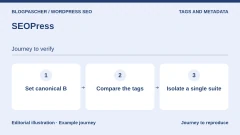 SEOPressRead the details | Metadata and workflows with page builders. | Free. PRO for one site at $49 per year excluding VAT in the dollar pricing table. annual subscription VAT is additional according to the table. | Same price advertised at renewal. |
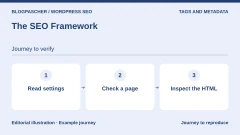 The SEO FrameworkRead the details | Automated metadata with targeted settings. | Free. Pro at an equivalent of $7 per month, or $84 per year for two sites. annual subscription Possible additional purchase: taxes and total not verified. | Check the amount at renewal. |
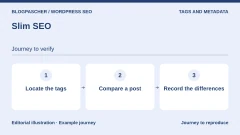 Slim SEORead the details | An automated SEO foundation with few desired settings. | Free. Pro Personal at $59 per year for one site. annual subscription Possible additional purchase: taxes and total not verified. | $59 at the displayed regular renewal price. |
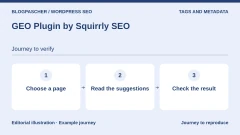 GEO Plugin by Squirrly SEORead the details | Guided editorial assistance and connected audits. | Free directory version; prices and terms of any additional offerings not recorded. Possible additional purchase: taxes and total not verified. | Terms for any paid plans were unavailable at the time of review. |
 SmartCrawlRead the details | Teams already organized around WPMU DEV. | Free directory version; prices and terms of any additional offerings not recorded. Possible additional purchase: taxes and total not verified. | Terms for any paid plans were unavailable at the time of review. |
 RedirectionRead the details | Targeted redirects and 404 error tracking. | Free directory version; prices and terms of any additional offerings not recorded. Possible additional purchase: taxes and total not verified. | Terms for any paid plans were unavailable at the time of review. |
 Safe Redirect ManagerRead the details | A redirect registry with a simple scope. | Free directory version; prices and terms of any additional offerings not recorded. Possible additional purchase: taxes and total not verified. | Terms for any paid plans were unavailable at the time of review. |
 Broken Link CheckerRead the details | Maintaining a large link library. | Free directory version; prices and terms of any additional offerings not recorded. Possible additional purchase: taxes and total not verified. | Terms for any paid plans were unavailable at the time of review. |
 Link Whisper FreeRead the details | Internal linking suggestions while writing. | Free directory version; prices and terms of any additional offerings not recorded. Possible additional purchase: taxes and total not verified. | Terms for any paid plans were unavailable at the time of review. |
 Internal Link JuicerRead the details | Rule-based semiautomatic internal linking. | Free directory version; prices and terms of any additional offerings not recorded. Possible additional purchase: taxes and total not verified. | Terms for any paid plans were unavailable at the time of review. |
 Breadcrumb NavXTRead the details | Visible hierarchical navigation under your control. | Free directory version; prices and terms of any additional offerings not recorded. Possible additional purchase: taxes and total not verified. | Terms for any paid plans were unavailable at the time of review. |
 Easy Table of ContentsRead the details | Navigation within tutorials and long articles. | Free directory version; prices and terms of any additional offerings not recorded. Possible additional purchase: taxes and total not verified. | Terms for any paid plans were unavailable at the time of review. |
 XML Sitemap & Google NewsRead the details | Specialized sitemaps for an editorial site. | Free directory version; prices and terms of any additional offerings not recorded. Possible additional purchase: taxes and total not verified. | Terms for any paid plans were unavailable at the time of review. |
 XML Sitemap Generator for GoogleRead the details | A sitemap generator separate from the SEO suite. | Free directory version; prices and terms of any additional offerings not recorded. Possible additional purchase: taxes and total not verified. | Terms for any paid plans were unavailable at the time of review. |
 IndexNow PluginRead the details | Change notifications to IndexNow search engines. | Free directory version; prices and terms of any additional offerings not recorded. Possible additional purchase: taxes and total not verified. | Terms for any paid plans were unavailable at the time of review. |
 Schema & Structured Data for WP & AMPRead the details | Specialist markup with per-content rules. | Free directory version; prices and terms of any additional offerings not recorded. Possible additional purchase: taxes and total not verified. | Terms for any paid plans were unavailable at the time of review. |
 WPSSO CoreRead the details | Coordinating social and structured metadata. | Free directory version; prices and terms of any additional offerings not recorded. Possible additional purchase: taxes and total not verified. | Terms for any paid plans were unavailable at the time of review. |
 Five Star Business Profile and SchemaRead the details | Local information and hours on the site. | Free directory version; prices and terms of any additional offerings not recorded. Possible additional purchase: taxes and total not verified. | Terms for any paid plans were unavailable at the time of review. |
 Auto Image Attributes From Filename With Bulk UpdaterRead the details | Prefilling attributes from clean filenames. | Free directory plugin; paid Image Attributes Pro module, price not recorded. Possible additional purchase: taxes and total not verified. | Terms for any paid plans were unavailable at the time of review. |
 Media File RenamerRead the details | Media naming with reference checks. | Free directory plugin; paid Pro edition, price and renewal not recorded. Possible additional purchase: taxes and total not verified. | Terms for any paid plans were unavailable at the time of review. |
 Hreflang ManagerRead the details | SEO relationships between language versions already created. | Free Lite. CodeCanyon Regular at 229 USD. Separate direct Personal offering at 69 USD per year for one site. one-time purchase on CodeCanyon. Annual subscription for direct Personal. CodeCanyon price excludes taxes and processing fees. | Six months of support on CodeCanyon with a paid extension. Direct Personal advertises twelve months of support and updates. |
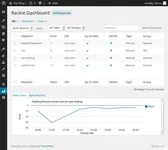 RankieRead the details | Rank tracking with an accepted budget and external service. | 27 USD for a Regular license. Bright Data SERP API service paid separately. one-time license purchase. The API is billed separately. CodeCanyon price excludes taxes and processing fees. | Six months of support included. Confirm paid extension and API cost. |
Visible criteria for comparing the right families
A candidate is included when it meets an identifiable need, has an accessible primary listing and allows its limitations to be described honestly. Popularity, a marketing promise or a rating is not enough to demonstrate its quality on your site. We distinguish the free directory product from its accompanying commercial add-ons and external services that may add a cost. This separation avoids comparing a feature available without payment with a demonstration that requires several subscriptions.
The first approach is to keep existing features. The second chooses a single general suite for metadata and sitewide SEO settings. The third adds a specialist for an uncovered task: redirects, specific structured data, link checking or local information. These approaches can be combined, but they must remain understandable. If you do not know which tool produces a tag, sitemap or redirect, the stack has already become hard to maintain.
- Overall SEO: compare Yoast SEO, Rank Math, All in One SEO, SEOPress, The SEO Framework, Slim SEO, Squirrly and SmartCrawl as foundation choices, not as eight add-ons.
- Addresses and links: examine Redirection or Safe Redirect Manager for redirects; Broken Link Checker for errors; Link Whisper or Internal Link Juicer for internal linking.
- Navigation: distinguish Breadcrumb NavXT’s breadcrumb trail from Easy Table of Contents’ contents list, then check whether the theme already provides them.
- Discovery: compare the two sitemap generators by exclusions and content types; IndexNow meets a different notification need.
- Specialties: choose an owner for structured markup, and handle local contact details, media, language relationships and rank tracking separately.
One general suite and a prepared migration
For a small team, the useful difference often lies in the workflow: writing guidance, a preference for automation or a need for specific modules. Prepare three representative examples, such as a service page, a post and an archive. Record the titles, descriptions, canonical URLs and structured output you want to retain. The canonical URL identifies the reference version of a page; it must not be chosen arbitrarily by several competing tools.
Before changing suites, back up the database and files and have a test copy prepared. An advertised import feature does not prove that every setting in your installation will be carried over. Compare the examples after import, note differences and then decide on the production switch with the person responsible. If important information is missing or two components produce contradictory values, stop the switch and return to the documented configuration.
Links and redirects: favor relevance over volume
A redirect should lead to a page that still answers the original request. A 404 error does not prove that a replacement destination exists: a legitimate removal can remain a removal. When replacing a URL, check the complete path to the final destination. A chain of redirects, an overly broad rule or a loop makes diagnosis harder. Plan a way to remove the targeted rule without erasing the entire registry.
Internal linking requires the same discipline. A useful link helps someone understand or continue an action; repeating an anchor everywhere does not replace that judgment. Suggestions assist review, while automatic rules need limits and exclusions. Check a small set before applying a broader process. With a link checker, also examine the flagged destinations: a temporary refusal or bot protection does not automatically justify removing the link.
Sitemaps and structured data: check what the site exposes
A sitemap is a list of URLs intended to help content discovery; it guarantees neither crawling nor indexing. Check the existing one before generating another. It must match the intended public scope without reintroducing excluded content. A specialist plugin may meet editorial or media needs, but the number of available formats is not itself a quality criterion. A small, well-linked site may not need an additional generator.
Structured data describes entities and content in a format search engines can interpret. Correct markup does not guarantee a rich result. Information must match what is actually visible and current: no fake reviews, invented prices or nonexistent services to complete a form. A technical validator helps detect errors, but truthfulness and relevance require review. If the theme, WooCommerce and the SEO suite already describe a product, examine their output before adding a fourth component.
Media, local information and languages: separate responsibilities
For images, separate the filename, the attachment title and the alternative text presented to some users. An informative illustration and a decoration do not have the same editorial need. Automation based on a filename does not know every intention behind the page. Preserve descriptions already written, work on a copy or sample and check the result in context before any bulk processing.
Renaming media also requires retaining a backup of files and the database: references can extend beyond the media library. For local contact details, designate someone to maintain hours and address changes. For a multilingual site, the relationship between versions does not replace writing and validating them. These responsibilities remain necessary even if a plugin automatically produces the markup or display.
Check the environment and full cost before deciding
On self-hosted WordPress, the work requires the necessary permissions to manage plugins and an appropriate backup. On WordPress.com, check the site’s plan and any incompatibilities: the documentation reviewed currently permits installation on its paid plans, without making every plugin automatically appropriate. In multisite, have the network administrator confirm the scope of activation. Do not turn an editorial selection into permission to modify every site in the same account.
For budgeting, compare the chosen scope, number of sites, support, updates, renewals and external services. The two CodeCanyon licenses presented meet specialist needs; their displayed amount is not a final tax-inclusive quote. Rankie adds a dependency on a paid API. If that cost and setup are not useful, first examine the tracking data already available. No purchase or signup is needed to read this selection.
After choosing, plan a limited validation with concrete criteria: expected output without duplication, intact navigation and information matching the page. Keep the previous settings and rollback plan. If these checks are not possible, ask the host or technical owner for help before deployment. The best result is not the largest number of active plugins, but an understandable, maintainable site.
Identify what produces the canonical tag, noindex and description
Choose a public control page and a page intended to stay out of search results. Open the HTML source of the first and record the title, every link rel="canonical" and meta tags whose name is description or robots. Also check the GET response headers. A proxy or server can send X-Robots-Tag there even if the HTML says nothing about it. Compare two addresses by opening their final URLs after redirection.
A canonical URL identifies the preferred address among identical or similar pages. A noindex directive asks the search engine to exclude the page from results if it can read the directive. To diagnose a public page, also check Settings, then Reading, the SEO suite’s rule for that content type and the individual setting. Protecting a private copy is a matter of access control. Blocking crawling can prevent the search engine from reading noindex.
To recreate the control setup, create two reference pages A and B on the same copy. In Yoast’s advanced settings for the control page, set address A as the canonical URL. In SEOPress, enter B. Give the two plugins different descriptions. On the second control page, request noindex in Yoast and keep SEOPress in its indexable state. Capture the response with core alone, each plugin alone and then both active. Perform these activations only on your copy.
- Record the final address, HTML values and any header directives for each page.
- Test one suite at a time, then reproduce their overlap on the copy.
- Read an indexable page and a page marked noindex to compare the output.
Read the eight responses and restore a single suite
In the WordPress 7.1.4 HTTP control setup, core alone rendered the page’s canonical URL and no meta description. Yoast 28.8 rendered canonical A and its description. SEOPress 10.4 rendered canonical B and its description. When both plugins were active, the HTML contained two different canonical tags, two descriptions and two robots meta tags. There was still only one HTML title.
For the page marked noindex in Yoast, Yoast alone produced noindex and omitted its canonical tag. With SEOPress active, its canonical B and index directive remained alongside Yoast’s noindex. In the core-only control, the global Reading setting produced noindex and nofollow. This case concerns local output from these versions with a minimal theme. It does not measure canonical selection or indexing by a search engine.
After deactivating SEOPress on the copy, the indexable page returned to Yoast-only output. For a real migration, export settings before removing the old suite, then check the canonical URL, description, robots directive and sitemap with the chosen tool. Also check the theme, code snippets and cached responses if a duplicate persists. Remove a tool only after identifying the fields or redirects it managed.
Google’s documentation states that when robots rules conflict, it applies the most restrictive one. Correct the overlap so the site emits the intended directive. Keep the canonical URL, sitemap and internal links consistent for public pages. Once the public response has been checked, indexing is monitored separately.
- Confirm the output of one suite alone before removing the other on the site.
- Check a page, a post and a site-specific content type, then check active sitemaps.
- Keep the settings backup and the record of responses before and after the correction.
Assess a promise of visibility in AI answers
For Google Search’s AI features, the fundamentals remain useful, reliable content that is crawlable, linked through navigation and available as text. Google requires neither an llms.txt file nor special schema.org markup for these features. A suite sold under the GEO label therefore does not guarantee a citation: ask what verifiable action it brings to your site.
Distinguish writing assistance, answer monitoring and a technical change. An assistant can prepare a title for review; a tracking tool can record answers to defined queries. Neither result proves that it controls a search engine’s recommendations. Compare the connected service’s cost, quotas, transmitted data and observation exports before subscribing. Other services’ rules must be checked separately: Google’s guidance does not apply to every assistant.
- Choose a few useful pages and check their public accessibility, sources, internal links and the answers they provide.
- For each observation, record the query, service and date; keep the answers without automatically attributing a variation to a plugin.
- Add a paid feature only if it solves an identified writing, checking or tracking need.
Further reading
Sources and references
Use these references to check the features, requirements and limitations described. Reading documentation is not a practical test.
View 43 references
- Yoast SEO — Published features and versions ↗ — Documentation consulted:
- Yoast SEO — Pricing conditions ↗ — Documentation consulted:
- Yoast SEO — Developer documentation ↗ — Documentation consulted:
- Yoast SEO — Developer documentation ↗ — Documentation consulted:
- Rank Math SEO — Published features and versions ↗ — Documentation consulted:
- Rank Math SEO — Pricing conditions ↗ — Documentation consulted:
- All in One SEO — Published features and versions ↗ — Documentation consulted:
- All in One SEO — Pricing conditions ↗ — Documentation consulted:
- SEOPress — Published features and versions ↗ — Documentation consulted:
- SEOPress — Pricing conditions ↗ — Documentation consulted:
- The SEO Framework — Published features and versions ↗ — Documentation consulted:
- The SEO Framework — Pricing conditions ↗ — Documentation consulted:
- Slim SEO — Published features and versions ↗ — Documentation consulted:
- Slim SEO — Pricing conditions ↗ — Documentation consulted:
- GEO Plugin by Squirrly SEO — Published features and versions ↗ — Documentation consulted:
- SmartCrawl — Published features and versions ↗ — Documentation consulted:
- Redirection — Published features and versions ↗ — Documentation consulted:
- Safe Redirect Manager — Published features and versions ↗ — Documentation consulted:
- Broken Link Checker — Published features and versions ↗ — Documentation consulted:
- Link Whisper Free — Published features and versions ↗ — Documentation consulted:
- Internal Link Juicer — Published features and versions ↗ — Documentation consulted:
- Breadcrumb NavXT — Published features and versions ↗ — Documentation consulted:
- Easy Table of Contents — Published features and versions ↗ — Documentation consulted:
- XML Sitemap & Google News — Published features and versions ↗ — Documentation consulted:
- XML Sitemap Generator for Google — Published features and versions ↗ — Documentation consulted:
- IndexNow Plugin — Published features and versions ↗ — Documentation consulted:
- Schema & Structured Data for WP & AMP — Published features and versions ↗ — Documentation consulted:
- WPSSO Core — Published features and versions ↗ — Documentation consulted:
- Five Star Business Profile and Schema — Published features and versions ↗ — Documentation consulted:
- Auto Image Attributes From Filename With Bulk Updater — Published features and versions ↗ — Documentation consulted:
- Media File Renamer — Published features and versions ↗ — Documentation consulted:
- Hreflang Manager — Published features and versions ↗ — Documentation consulted:
- Hreflang Manager — Developer documentation ↗ — Documentation consulted:
- Hreflang Manager — Developer documentation ↗ — Documentation consulted:
- Rankie — Published features and versions ↗ — Documentation consulted:
- Google — structured data policies ↗
- Google — role and limits of sitemaps ↗
- WordPress.com — installing and managing plugins ↗
- Google — language and regional versions ↗
- Consolidate canonical signals ↗ — Documentation consulted:
- Understand noindex and the conditions for reading it ↗ — Documentation consulted:
- Compare robots directives in HTML and headers ↗ — Documentation consulted:
- Google Search Central — AI features and your website ↗
Uses, prices and what to check
25 offers in detail
Compare the features you need and the terms of each offer. The order of these entries does not indicate a ranking.
Yoast SEO
 Vendor image
Best forGuided writing and overall SEO management.
Yoast SEO lets you configure a page’s canonical URL, descriptions and indexability. In the WordPress control setup, free edition 28.8 produced its own description and a custom canonical URL. On the page marked noindex, it omitted the canonical tag. When SEOPress was also active, its output could still contain another canonical URL. Check the actual HTML and headers before changing suites.
Offer pricing
Free. Premium displayed at 118.80 EUR excluding VAT per year.
Billing: annual subscription for Premium
Renewal and support: Check the currency and renewal amount in the order summary.
Displayed price excludes VAT.
Checked on .
Strengths
- Editorial guidance in WordPress
- Metadata and structured markup together
What to consider
- Choose this suite instead of another general suite
- Distinguish advanced and AI features by plan
Pricing terms and compatibility
Understanding the offer
- Price at the time of review
- Free. Premium displayed at 118.80 EUR excluding VAT per year.
- Currency
- EUR
- Billing
- annual subscription for Premium
- Renewal and support
- Check the currency and renewal amount in the order summary.
- Taxes and fees
- Displayed price excludes VAT.
- Commitment and terms
- Unspecified. Confirm for the offer you choose.
- Date checked
Compatibility and components
- Yoast 28.8 checked on WordPress 7.1.4 responses over local loopback.
- Check the theme, custom pages and cache separately.
Rank Math SEO
 Vendor image
Best forModular management of several SEO needs.
Rank Math is aimed at people wanting to centralize several SEO tasks and choose the modules useful to their site. Its listing presents content optimization, Schema markup and link tools, among other features. This breadth requires an inventory beforehand: an option already provided elsewhere does not need to be enabled a second time. Start with a limited scope and check output before expanding the configuration.
Offer pricing
Free. PRO displayed at renewal as an equivalent of 8.99 USD per month, or 107.88 USD per year excluding taxes.
Billing: annual subscription. The first-year price varies by offer and currency.
Renewal and support: 107.88 USD per year at the displayed rate of 8.99 USD when recorded. Check the price for your country.
Taxes are additional according to the pricing table.
Checked on .
Strengths
- Broad documented scope
- Tools grouped in one interface
What to consider
- Check free/premium features and quotas
- Examine connected services and AI separately
Pricing terms and compatibility
Understanding the offer
- Price at the time of review
- Free. PRO displayed at renewal as an equivalent of 8.99 USD per month, or 107.88 USD per year excluding taxes.
- Currency
- USD
- Billing
- annual subscription. The first-year price varies by offer and currency.
- Renewal and support
- 107.88 USD per year at the displayed rate of 8.99 USD when recorded. Check the price for your country.
- Taxes and fees
- Taxes are additional according to the pricing table.
- Commitment and terms
- PRO covers personally owned sites. Check the plan for client sites.
- Date checked
Compatibility and components
- Documentation review only, without installation. Minimum WordPress/PHP requirements and compatibility with the reader’s configuration are not certified; reread the listing for the chosen version and check on staging.
All in One SEO
 Vendor image
Best forA suite that can grow with identified advanced needs.
All in One SEO offers a suite covering metadata, sitemaps and specialist features presented with its commercial plans. It is worth considering when you want to keep the same family of tools as the site grows. However, start with the concrete need and check which tier covers it. A module’s presence in the general presentation does not mean it is available in the free directory version.
Offer pricing
Free. In the dollar example in the table, Basic costs an introductory $49.50 and $99 per year at renewal for one site.
Billing: annual subscription for Basic
Renewal and support: The table distinguishes introductory and renewal prices. Check the payment currency.
Possible additional purchase: taxes and total not verified.
Checked on .
Strengths
- Central SEO management
- Catalog of specialist modules
What to consider
- Local SEO, redirects and other modules: check the required edition
- Do not equate the commercial listing with the free scope
Pricing terms and compatibility
Understanding the offer
- Price at the time of review
- Free. In the dollar example in the table, Basic costs an introductory $49.50 and $99 per year at renewal for one site.
- Currency
- Unspecified. Confirm for the offer you choose.
- Billing
- annual subscription for Basic
- Renewal and support
- The table distinguishes introductory and renewal prices. Check the payment currency.
- Taxes and fees
- Possible additional purchase: taxes and total not verified.
- Commitment and terms
- Basic covers one site.
- Date checked
Compatibility and components
- Documentation review only, without installation. Minimum WordPress/PHP requirements and compatibility with the reader’s configuration are not certified; reread the listing for the chosen version and check on staging.
SEOPress
 Editorial diagram. Set canonical B → Compare the tags → Isolate a single suite. — BlogPasCherOpen full-size illustration ↗
Best forMetadata and workflows with page builders.
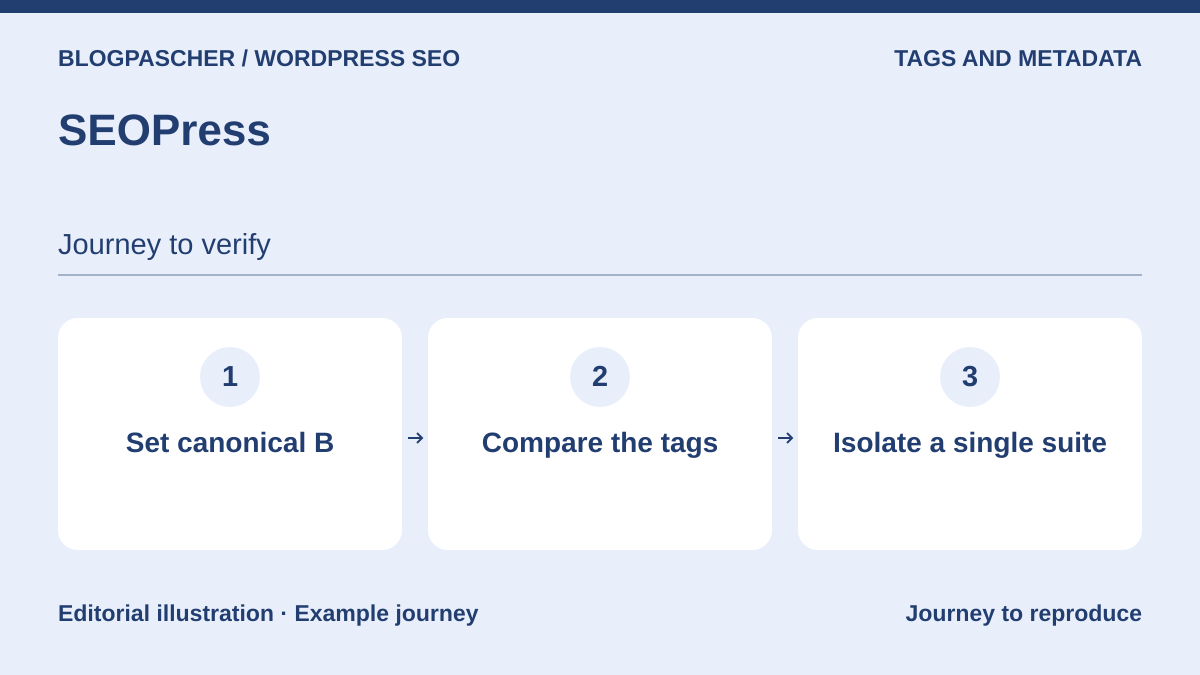
SEOPress centralizes titles, descriptions and directives across several page types. In the local control setup, free version 10.4 produced canonical B and its description. These two tags coexisted with Yoast’s when both plugins were active. To replace a suite, first compare the imported settings and the HTML produced with SEOPress alone.
Offer pricing
Free. PRO for one site at $49 per year excluding VAT in the dollar pricing table.
Billing: annual subscription
Renewal and support: Same price advertised at renewal.
VAT is additional according to the table.
Checked on .
Strengths
- Universal SEO box advertised
- Import workflow from other suites
What to consider
- Check migration on a sample
- Check separate professional modules and AI costs
Pricing terms and compatibility
Understanding the offer
- Price at the time of review
- Free. PRO for one site at $49 per year excluding VAT in the dollar pricing table.
- Currency
- Unspecified. Confirm for the offer you choose.
- Billing
- annual subscription
- Renewal and support
- Same price advertised at renewal.
- Taxes and fees
- VAT is additional according to the table.
- Commitment and terms
- One site for the recorded price. AI credits and offerings are separate.
- Date checked
Compatibility and components
- SEOPress 10.4 checked on WordPress 7.1.4 responses over local loopback.
- Test import, builders and hosting settings on your copy.
The SEO Framework
 Editorial diagram. Read settings → Check a page → Inspect the HTML. — BlogPasCherOpen full-size illustration ↗
Best forAutomated metadata with targeted settings.
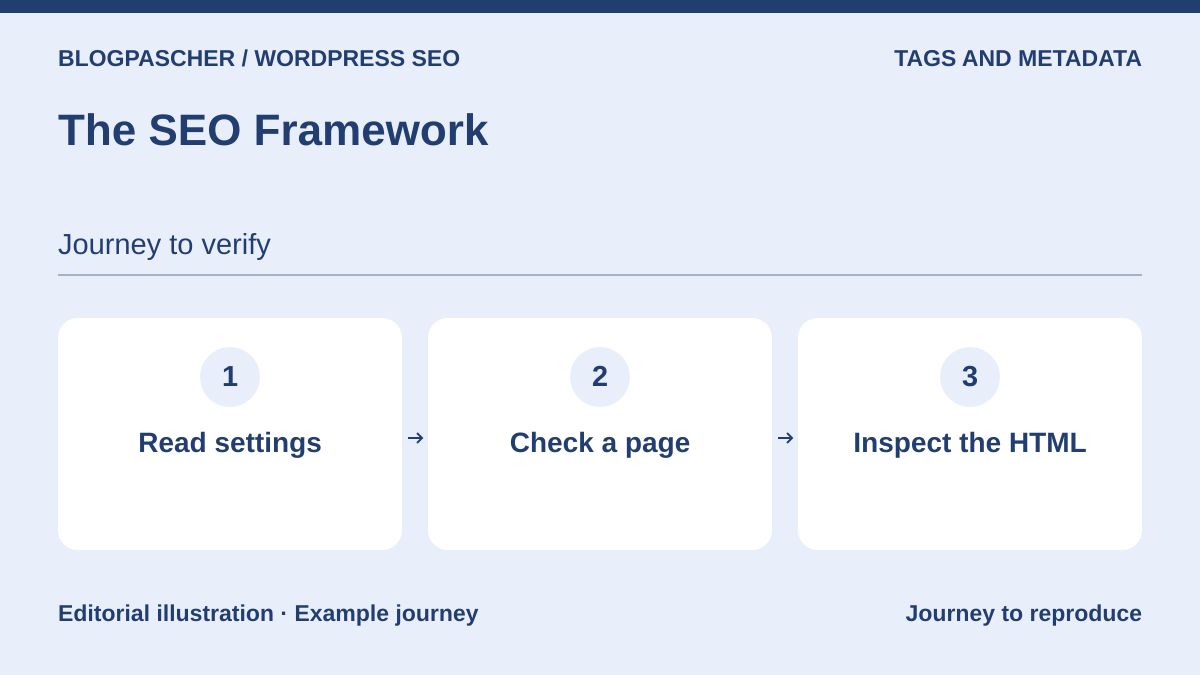
The SEO Framework emphasizes prefilled metadata and an automated initial configuration. It may interest a site looking for a technical foundation rather than a lengthy word-by-word optimization process. An automatic suggestion still deserves review, especially for archives, commercial pages and short content. Its positioning does not prove a speed advantage on your installation: no comparative measurement was performed for this selection.
Offer pricing
Free. Pro at an equivalent of $7 per month, or $84 per year for two sites.
Billing: annual subscription
Renewal and support: Check the amount at renewal.
Possible additional purchase: taxes and total not verified.
Checked on .
Strengths
- Prefilled tags
- Approach focused on SEO configuration
What to consider
- Review automated output
- Assess additional extensions according to need
Pricing terms and compatibility
Understanding the offer
- Price at the time of review
- Free. Pro at an equivalent of $7 per month, or $84 per year for two sites.
- Currency
- Unspecified. Confirm for the offer you choose.
- Billing
- annual subscription
- Renewal and support
- Check the amount at renewal.
- Taxes and fees
- Possible additional purchase: taxes and total not verified.
- Commitment and terms
- Pro extensions usable on two sites according to the table.
- Date checked
Compatibility and components
- Documentation review only, without installation. Minimum WordPress/PHP requirements and compatibility with the reader’s configuration are not certified; reread the listing for the chosen version and check on staging.
Slim SEO
 Editorial diagram. Locate the tags → Compare a post → Record the differences. — BlogPasCherOpen full-size illustration ↗
Best forAn automated SEO foundation with few desired settings.
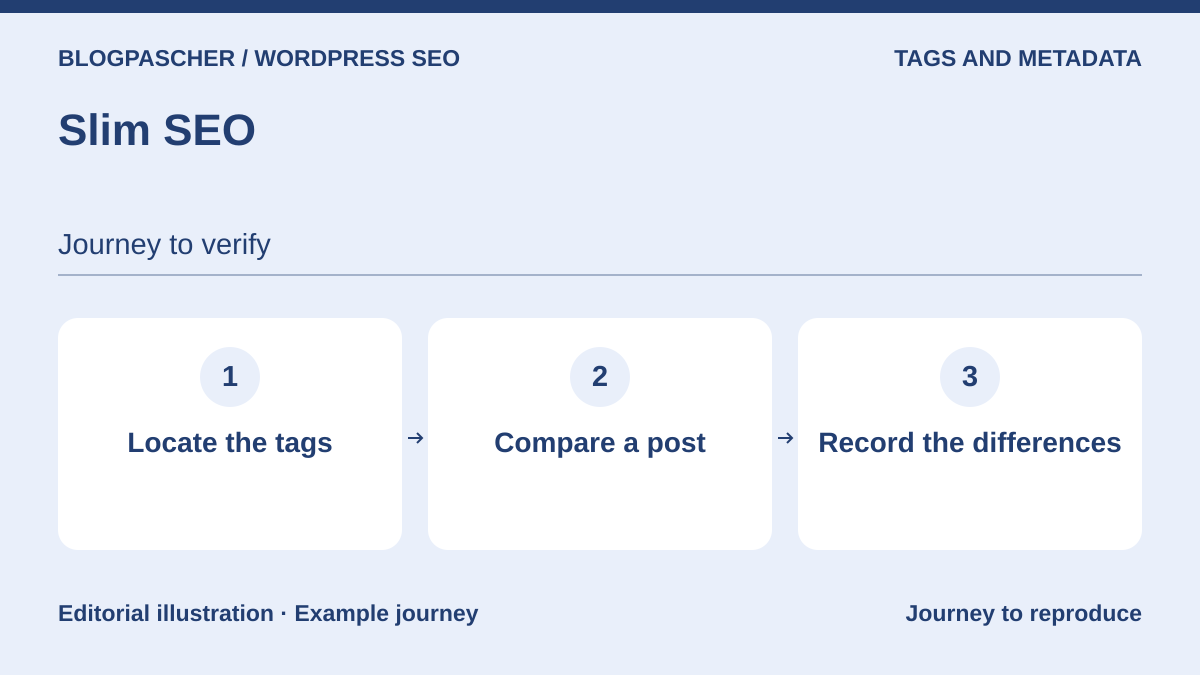
Slim SEO aims to reduce the amount of configuration needed to produce the main metadata. It is worth considering for a simple site whose owner prefers automatic values without numerous diagnostic modules. Its listing also presents AI features using a personal provider key. This capability is not necessary for the basic approach and must not be confused with a free, unlimited service included in WordPress.
Offer pricing
Free. Pro Personal at $59 per year for one site.
Billing: annual subscription
Renewal and support: $59 at the displayed regular renewal price.
Possible additional purchase: taxes and total not verified.
Checked on .
Strengths
- Automatic metadata generation
- Limited configuration scope
What to consider
- Check suggested values for specific content
- Optional AI with external terms and costs
Pricing terms and compatibility
Understanding the offer
- Price at the time of review
- Free. Pro Personal at $59 per year for one site.
- Currency
- Unspecified. Confirm for the offer you choose.
- Billing
- annual subscription
- Renewal and support
- $59 at the displayed regular renewal price.
- Taxes and fees
- Possible additional purchase: taxes and total not verified.
- Commitment and terms
- One site with updates and support for one year.
- Date checked
Compatibility and components
- Documentation review only, without installation. Minimum WordPress/PHP requirements and compatibility with the reader’s configuration are not certified; reread the listing for the chosen version and check on staging.
GEO Plugin by Squirrly SEO
 Editorial diagram. Choose a page → Read the suggestions → Check the result. — BlogPasCherOpen full-size illustration ↗
Best forGuided editorial assistance and connected audits.
Squirrly organizes optimization around analyses, priority pages and editorial recommendations. Its current presentation combines traditional SEO with visibility in answer engines. Focus on its value for someone wanting a list of tasks to examine, not a promise of citation by AI. Connecting to an external account is part of the documented workflow; check the transmitted data and service limits before choosing it.
Offer pricing
Free directory version; prices and terms of any additional offerings not recorded.
Possible additional purchase: taxes and total not verified.
Checked on .
Strengths
- Priority pages and content assistant
- Analysis presented as actions
What to consider
- External account required for the documented workflow
- No guarantee of citation or ranking
Pricing terms and compatibility
Understanding the offer
- Price at the time of review
- Free directory version; prices and terms of any additional offerings not recorded.
- Currency
- Unspecified. Confirm for the offer you choose.
- Billing
- Unspecified. Confirm for the offer you choose.
- Renewal and support
- Unspecified. Confirm for the offer you choose.
- Taxes and fees
- Possible additional purchase: taxes and total not verified.
- Commitment and terms
- Unspecified. Confirm for the offer you choose.
- Date checked
Compatibility and components
- Documentation review only, without installation. Minimum WordPress/PHP requirements and compatibility with the reader’s configuration are not certified; reread the listing for the chosen version and check on staging.
SmartCrawl
 Vendor image
Best forTeams already organized around WPMU DEV.
SmartCrawl brings together titles, descriptions, sitemaps and content checks in the WPMU DEV family. It may be relevant to a team already using this environment and wanting fewer scattered dashboards. The choice must still address actually missing features, rather than merely the appeal of a bundled subscription. The listing distinguishes Pro features: check that boundary before building a workflow dependent on a particular audit or automation.
Offer pricing
Free directory version; prices and terms of any additional offerings not recorded.
Possible additional purchase: taxes and total not verified.
Checked on .
Strengths
- Metadata and sitemap management
- Analysis and reports presented together
What to consider
- Separate Pro features
- Do not activate another general SEO suite alongside it
Pricing terms and compatibility
Understanding the offer
- Price at the time of review
- Free directory version; prices and terms of any additional offerings not recorded.
- Currency
- Unspecified. Confirm for the offer you choose.
- Billing
- Unspecified. Confirm for the offer you choose.
- Renewal and support
- Unspecified. Confirm for the offer you choose.
- Taxes and fees
- Possible additional purchase: taxes and total not verified.
- Commitment and terms
- Unspecified. Confirm for the offer you choose.
- Date checked
Compatibility and components
- Documentation review only, without installation. Minimum WordPress/PHP requirements and compatibility with the reader’s configuration are not certified; reread the listing for the chosen version and check on staging.
Redirection
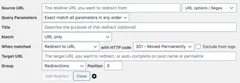
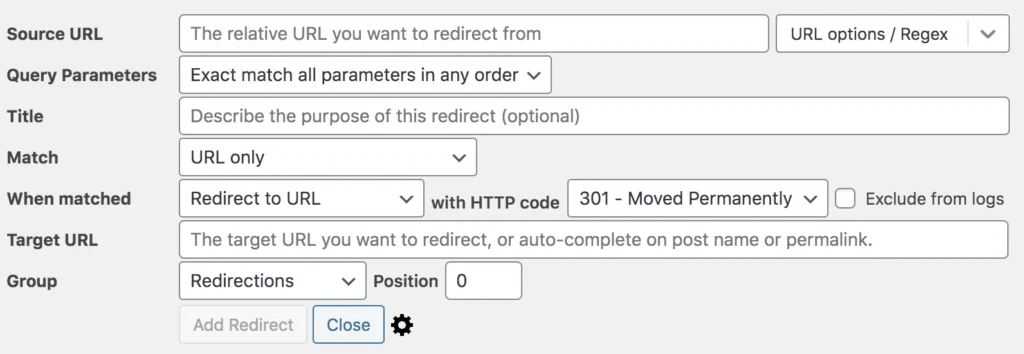 Screenshot from the Redirection documentation, file dated 2020: identify the source, target, and HTTP status code fields. The addresses, options, and labels are examples to adapt to your version.Open full-size screenshot ↗
Best forTargeted redirects and 404 error tracking.
Redirection manages address changes and examines 404 errors without becoming a general SEO suite. Its value emerges after replacing a page or changing a structure: an old URL can be connected to a relevant destination. This does not justify redirecting every error to the homepage. Prepare a short list of addresses, then check the final destination and absence of loops before extending the rules.
Offer pricing
Free directory version; prices and terms of any additional offerings not recorded.
Possible additional purchase: taxes and total not verified.
Checked on .
Strengths
- Redirect management
- 404 tracking and advanced matching
What to consider
- Limit and protect logs
- Reserve regular expressions for rules you understand
Pricing terms and compatibility
Understanding the offer
- Price at the time of review
- Free directory version; prices and terms of any additional offerings not recorded.
- Currency
- Unspecified. Confirm for the offer you choose.
- Billing
- Unspecified. Confirm for the offer you choose.
- Renewal and support
- Unspecified. Confirm for the offer you choose.
- Taxes and fees
- Possible additional purchase: taxes and total not verified.
- Commitment and terms
- Unspecified. Confirm for the offer you choose.
- Date checked
Compatibility and components
- Documentation review only, without installation. Minimum WordPress/PHP requirements and compatibility with the reader’s configuration are not certified; reread the listing for the chosen version and check on staging.
Safe Redirect Manager
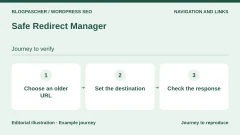
 Editorial diagram. Choose an old URL → Set the destination → Check the response. — BlogPasCherOpen full-size illustration ↗
Best forA redirect registry with a simple scope.
Safe Redirect Manager is a focused alternative for administering redirects through WordPress tools. The 10up listing emphasizes storage as custom post types rather than a general settings table. It suits an organization primarily wanting to maintain a readable mapping registry. Do not combine it with several managers acting on the same paths; first define where a redirect should be created and documented.
Offer pricing
Free directory version; prices and terms of any additional offerings not recorded.
Possible additional purchase: taxes and total not verified.
Checked on .
Strengths
- Dedicated interface under Tools
- Storage documented as custom post types
What to consider
- Does not replace a full audit
- Compare rule priority with the server and other plugins
Pricing terms and compatibility
Understanding the offer
- Price at the time of review
- Free directory version; prices and terms of any additional offerings not recorded.
- Currency
- Unspecified. Confirm for the offer you choose.
- Billing
- Unspecified. Confirm for the offer you choose.
- Renewal and support
- Unspecified. Confirm for the offer you choose.
- Taxes and fees
- Possible additional purchase: taxes and total not verified.
- Commitment and terms
- Unspecified. Confirm for the offer you choose.
- Date checked
Compatibility and components
- Documentation review only, without installation. Minimum WordPress/PHP requirements and compatibility with the reader’s configuration are not certified; reread the listing for the chosen version and check on staging.
Broken Link Checker
 Vendor image
Best forMaintaining a large link library.
Broken Link Checker helps identify broken links and missing images in content. It complements an SEO suite by detecting a maintenance problem rather than choosing a page’s metadata. The listing distinguishes local and cloud checking modes. Choose with volume, resources and information sent externally in mind. A result marked as an error deserves opening the destination before any removal or replacement.
Offer pricing
Free directory version; prices and terms of any additional offerings not recorded.
Possible additional purchase: taxes and total not verified.
Checked on .
Strengths
- Detects missing links and images
- Local and cloud modes described
What to consider
- Possible false positives to check manually
- Load, account and privacy vary by mode
Pricing terms and compatibility
Understanding the offer
- Price at the time of review
- Free directory version; prices and terms of any additional offerings not recorded.
- Currency
- Unspecified. Confirm for the offer you choose.
- Billing
- Unspecified. Confirm for the offer you choose.
- Renewal and support
- Unspecified. Confirm for the offer you choose.
- Taxes and fees
- Possible additional purchase: taxes and total not verified.
- Commitment and terms
- Unspecified. Confirm for the offer you choose.
- Date checked
Compatibility and components
- Documentation review only, without installation. Minimum WordPress/PHP requirements and compatibility with the reader’s configuration are not certified; reread the listing for the chosen version and check on staging.
Link Whisper Free
 Vendor image
Best forInternal linking suggestions while writing.
Link Whisper Free offers internal link suggestions and an overview of link distribution. It is useful to writers who know their subjects but forget related articles already published. A suggestion becomes useful only if its destination actually complements the passage being read. Retain editorial control and review the anchor within its sentence. The listing reserves certain bulk operations and reports for Premium; the free catalog should not create an expectation of these.
Offer pricing
Free directory version; prices and terms of any additional offerings not recorded.
Possible additional purchase: taxes and total not verified.
Checked on .
Strengths
- Contextual suggestions
- Link health report advertised in the free version
What to consider
- Distinguish insertion and bulk features from Premium
- Validate suggestions rather than accepting them all
Pricing terms and compatibility
Understanding the offer
- Price at the time of review
- Free directory version; prices and terms of any additional offerings not recorded.
- Currency
- Unspecified. Confirm for the offer you choose.
- Billing
- Unspecified. Confirm for the offer you choose.
- Renewal and support
- Unspecified. Confirm for the offer you choose.
- Taxes and fees
- Possible additional purchase: taxes and total not verified.
- Commitment and terms
- Unspecified. Confirm for the offer you choose.
- Date checked
Compatibility and components
- Documentation review only, without installation. Minimum WordPress/PHP requirements and compatibility with the reader’s configuration are not certified; reread the listing for the chosen version and check on staging.
Internal Link Juicer
 Vendor image
Best forRule-based semiautomatic internal linking.
Internal Link Juicer builds links from keywords configured for content. Unlike a simple suggestion list, its value lies in a recurring linking policy, with exclusions and limits to organize. This requires a clear editorial taxonomy: the same term can have several meanings and should not always lead to the same page. Start with a small content set and check the reading experience before rolling it out more broadly.
Offer pricing
Free directory version; prices and terms of any additional offerings not recorded.
Possible additional purchase: taxes and total not verified.
Checked on .
Strengths
- Keyword-based configuration
- Exclusions and anchor diversification documented
What to consider
- Avoid mechanical or excessive links
- Do not run two automatic internal linking systems together
Pricing terms and compatibility
Understanding the offer
- Price at the time of review
- Free directory version; prices and terms of any additional offerings not recorded.
- Currency
- Unspecified. Confirm for the offer you choose.
- Billing
- Unspecified. Confirm for the offer you choose.
- Renewal and support
- Unspecified. Confirm for the offer you choose.
- Taxes and fees
- Possible additional purchase: taxes and total not verified.
- Commitment and terms
- Unspecified. Confirm for the offer you choose.
- Date checked
Compatibility and components
- Documentation review only, without installation. Minimum WordPress/PHP requirements and compatibility with the reader’s configuration are not certified; reread the listing for the chosen version and check on staging.
Breadcrumb NavXT
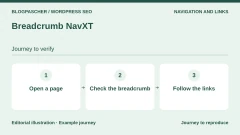
 Editorial diagram. Open a page → Check the breadcrumb → Follow the links. — BlogPasCherOpen full-size illustration ↗
Best forVisible hierarchical navigation under your control.
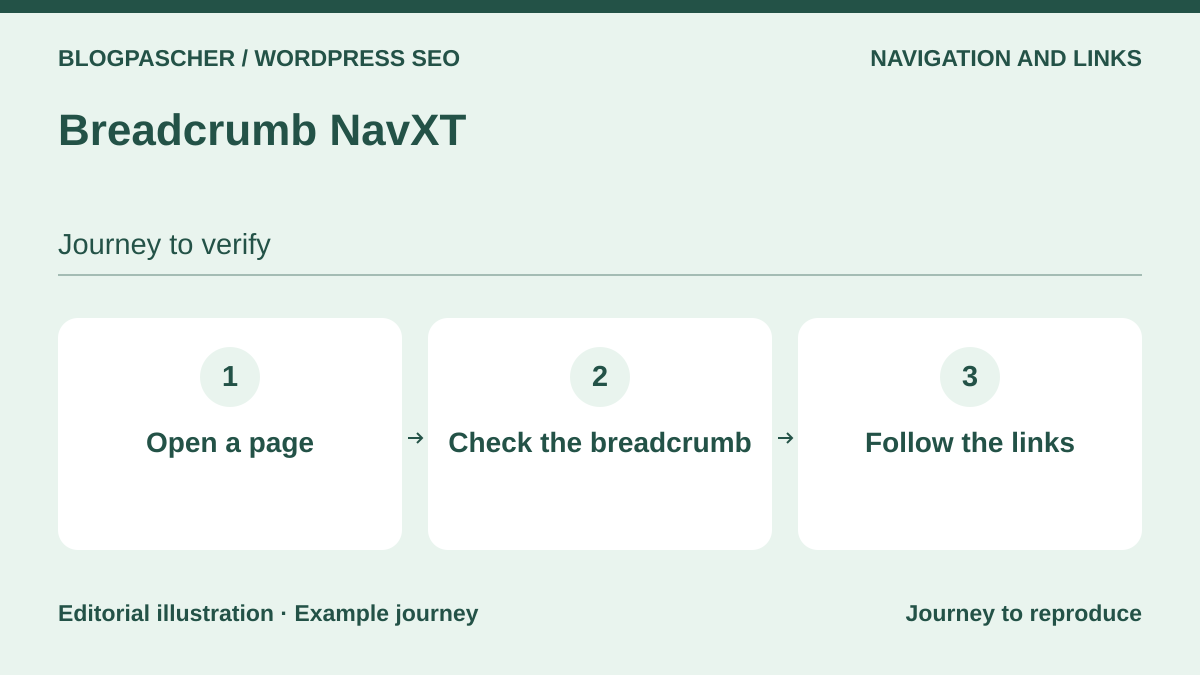
Breadcrumb NavXT produces a breadcrumb trail that helps locate a page within the site hierarchy. Its role differs from a table of contents within a post: it represents a navigation path between levels. The listing advertises BreadcrumbList markup and a display block. Before adding it, examine the one from the theme or SEO suite, then choose a single consistent path, especially for posts assigned to multiple categories.
Offer pricing
Free directory version; prices and terms of any additional offerings not recorded.
Possible additional purchase: taxes and total not verified.
Checked on .
Strengths
- Customizable breadcrumb trail
- Block and BreadcrumbList markup documented
What to consider
- Integrate the display into the appropriate template
- Possible duplication with the theme or SEO suite
Pricing terms and compatibility
Understanding the offer
- Price at the time of review
- Free directory version; prices and terms of any additional offerings not recorded.
- Currency
- Unspecified. Confirm for the offer you choose.
- Billing
- Unspecified. Confirm for the offer you choose.
- Renewal and support
- Unspecified. Confirm for the offer you choose.
- Taxes and fees
- Possible additional purchase: taxes and total not verified.
- Commitment and terms
- Unspecified. Confirm for the offer you choose.
- Date checked
Compatibility and components
- Documentation review only, without installation. Minimum WordPress/PHP requirements and compatibility with the reader’s configuration are not certified; reread the listing for the chosen version and check on staging.
Easy Table of Contents
 Vendor image
Best forNavigation within tutorials and long articles.
Easy Table of Contents turns headings in long content into a navigable contents list. Its main contribution is to reading: a visitor can reach the part that addresses their problem. It replaces neither a proper heading structure nor substantive work. Choose which levels to include and which content types are affected, then check anchors on mobile. A short article does not need a table of contents simply because the tool can generate one.
Offer pricing
Free directory version; prices and terms of any additional offerings not recorded.
Possible additional purchase: taxes and total not verified.
Checked on .
Strengths
- Heading-based table of contents
- Selective activation and configurable levels
What to consider
- No guaranteed ranking gain
- Avoid duplicating the builder’s table of contents
Pricing terms and compatibility
Understanding the offer
- Price at the time of review
- Free directory version; prices and terms of any additional offerings not recorded.
- Currency
- Unspecified. Confirm for the offer you choose.
- Billing
- Unspecified. Confirm for the offer you choose.
- Renewal and support
- Unspecified. Confirm for the offer you choose.
- Taxes and fees
- Possible additional purchase: taxes and total not verified.
- Commitment and terms
- Unspecified. Confirm for the offer you choose.
- Date checked
Compatibility and components
- Documentation review only, without installation. Minimum WordPress/PHP requirements and compatibility with the reader’s configuration are not certified; reread the listing for the chosen version and check on staging.
XML Sitemap & Google News
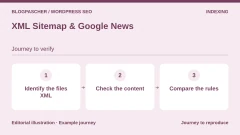
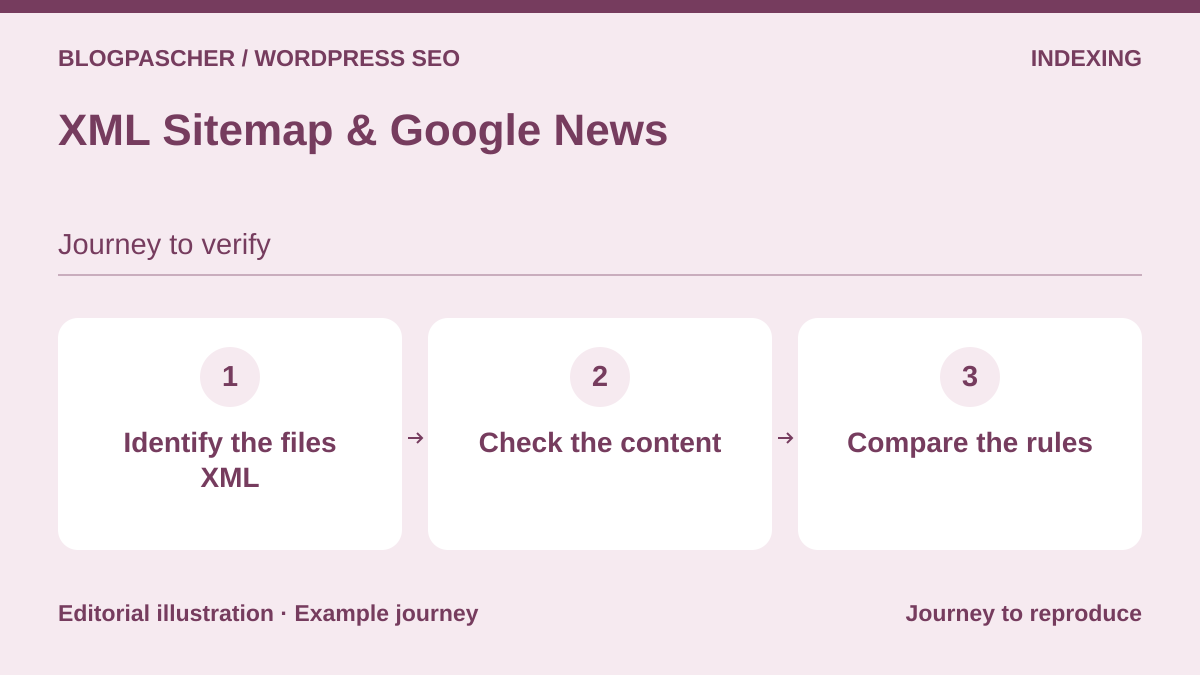 Editorial diagram. Locate the XML files → Check the content → Compare the rules. — BlogPasCherOpen full-size illustration ↗
Best forSpecialized sitemaps for an editorial site.
XML Sitemap & Google News targets control over sitemaps and a specialized news feed. It is an option to examine for a publisher whose needs exceed the sitemap already produced by its installation. The listing distinguishes the main generator from advanced extensions. Choose a single source of truth for the URLs to expose, then check exclusions and dates. Generating a News sitemap does not guarantee admission to Google News.
Offer pricing
Free directory version; prices and terms of any additional offerings not recorded.
Possible additional purchase: taxes and total not verified.
Checked on .
Strengths
- Control over content types
- Dedicated news sitemap
What to consider
- Separate advanced offerings
- No guarantee of crawling or inclusion in Google News
Pricing terms and compatibility
Understanding the offer
- Price at the time of review
- Free directory version; prices and terms of any additional offerings not recorded.
- Currency
- Unspecified. Confirm for the offer you choose.
- Billing
- Unspecified. Confirm for the offer you choose.
- Renewal and support
- Unspecified. Confirm for the offer you choose.
- Taxes and fees
- Possible additional purchase: taxes and total not verified.
- Commitment and terms
- Unspecified. Confirm for the offer you choose.
- Date checked
Compatibility and components
- Documentation review only, without installation. Minimum WordPress/PHP requirements and compatibility with the reader’s configuration are not certified; reread the listing for the chosen version and check on staging.
XML Sitemap Generator for Google
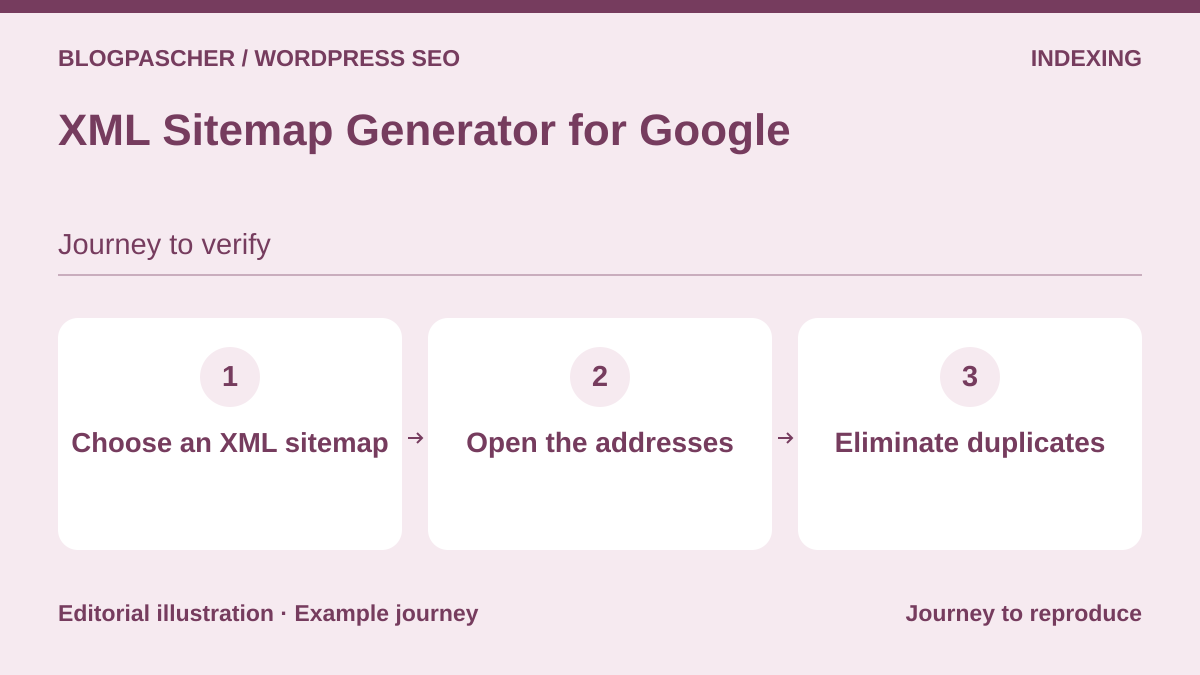 Editorial diagram. Choose an XML sitemap → Open the addresses → Eliminate duplicates. — BlogPasCherOpen full-size illustration ↗
Best forA sitemap generator separate from the SEO suite.
XML Sitemap Generator for Google focuses on generating sitemaps rather than the full set of SEO settings. It may suit someone wanting to manage this feature separately when the existing generator does not meet the observed need. Its listing describes several sitemap formats and support for custom content. Check which are useful in your case; publishing more files does not automatically improve their quality or indexing.
Offer pricing
Free directory version; prices and terms of any additional offerings not recorded.
Possible additional purchase: taxes and total not verified.
Checked on .
Strengths
- Scope dedicated to sitemaps
- Custom content and taxonomies advertised
What to consider
- Feature often already provided elsewhere
- Check exclusions and canonical URLs
Pricing terms and compatibility
Understanding the offer
- Price at the time of review
- Free directory version; prices and terms of any additional offerings not recorded.
- Currency
- Unspecified. Confirm for the offer you choose.
- Billing
- Unspecified. Confirm for the offer you choose.
- Renewal and support
- Unspecified. Confirm for the offer you choose.
- Taxes and fees
- Possible additional purchase: taxes and total not verified.
- Commitment and terms
- Unspecified. Confirm for the offer you choose.
- Date checked
Compatibility and components
- Documentation review only, without installation. Minimum WordPress/PHP requirements and compatibility with the reader’s configuration are not certified; reread the listing for the chosen version and check on staging.
IndexNow Plugin
 Vendor image
Best forChange notifications to IndexNow search engines.
IndexNow Plugin, offered by the Bing Webmaster team, notifies participating search engines of URL creation, updates and deletion. It is a notification mechanism, not a replacement for the sitemap or proof that a search engine has indexed the page. It may interest a frequently updated site when its SEO suite does not already provide this notification. Check submitted URLs and exclusions; no indexing request can by itself fix an inaccessible page.
Offer pricing
Free directory version; prices and terms of any additional offerings not recorded.
Possible additional purchase: taxes and total not verified.
Checked on .
Strengths
- Automatic and manual submission
- Documented request history
What to consider
- Do not present it as universal submission to Google
- Avoid duplicate notifications
Pricing terms and compatibility
Understanding the offer
- Price at the time of review
- Free directory version; prices and terms of any additional offerings not recorded.
- Currency
- Unspecified. Confirm for the offer you choose.
- Billing
- Unspecified. Confirm for the offer you choose.
- Renewal and support
- Unspecified. Confirm for the offer you choose.
- Taxes and fees
- Possible additional purchase: taxes and total not verified.
- Commitment and terms
- Unspecified. Confirm for the offer you choose.
- Date checked
Compatibility and components
- Documentation review only, without installation. Minimum WordPress/PHP requirements and compatibility with the reader’s configuration are not certified; reread the listing for the chosen version and check on staging.
Schema & Structured Data for WP & AMP
 Vendor image
Best forSpecialist markup with per-content rules.
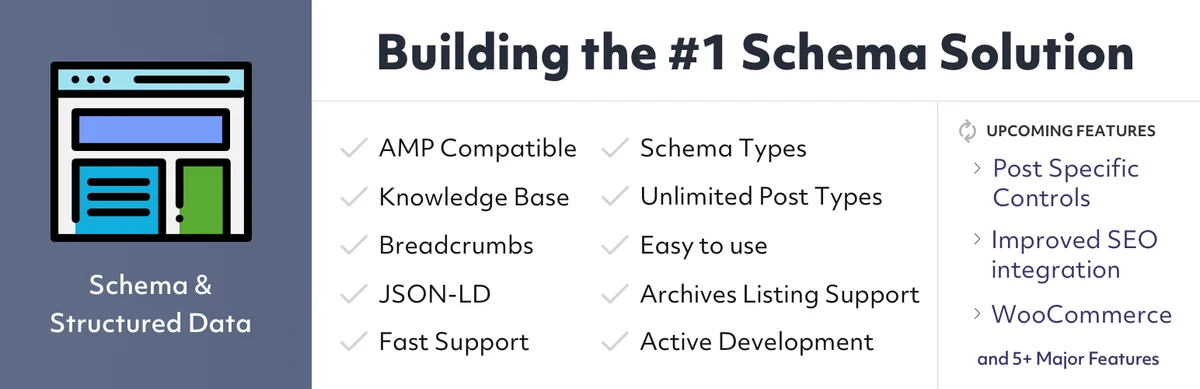
Schema & Structured Data for WP & AMP explicitly describes the nature of content through structured data. Its listing presents several types and inclusion or exclusion rules. It deserves examination when a genuinely needed type is not properly covered by the existing suite. Start with one family of pages and visible information, then check the markup produced. Adding fictional properties to obtain a rich display is never acceptable.
Offer pricing
Free directory version; prices and terms of any additional offerings not recorded.
Possible additional purchase: taxes and total not verified.
Checked on .
Strengths
- Schema types and templates documented
- Conditional inclusions and exclusions
What to consider
- Avoid duplication with the theme and SEO suite
- Rich results subject to search engine rules
Pricing terms and compatibility
Understanding the offer
- Price at the time of review
- Free directory version; prices and terms of any additional offerings not recorded.
- Currency
- Unspecified. Confirm for the offer you choose.
- Billing
- Unspecified. Confirm for the offer you choose.
- Renewal and support
- Unspecified. Confirm for the offer you choose.
- Taxes and fees
- Possible additional purchase: taxes and total not verified.
- Commitment and terms
- Unspecified. Confirm for the offer you choose.
- Date checked
Compatibility and components
- Documentation review only, without installation. Minimum WordPress/PHP requirements and compatibility with the reader’s configuration are not certified; reread the listing for the chosen version and check on staging.
WPSSO Core
 Vendor image
Best forCoordinating social and structured metadata.
WPSSO Core combines structured data with metadata intended for sharing platforms and search engines. Its listing presents uses related to media and products, among others. It is relevant to sites that need to coordinate these outputs instead of handling each preview separately. The advertised breadth does not remove the need to choose the information source, especially for products or organizations. Also examine the add-ons needed for your case, without assuming every feature presented belongs to the free offering.
Offer pricing
Free directory version; prices and terms of any additional offerings not recorded.
Possible additional purchase: taxes and total not verified.
Checked on .
Strengths
- Schema and sharing metadata
- Documented media and product scope
What to consider
- Distinguish editions and extensions
- One authority for each metadata output
Pricing terms and compatibility
Understanding the offer
- Price at the time of review
- Free directory version; prices and terms of any additional offerings not recorded.
- Currency
- Unspecified. Confirm for the offer you choose.
- Billing
- Unspecified. Confirm for the offer you choose.
- Renewal and support
- Unspecified. Confirm for the offer you choose.
- Taxes and fees
- Possible additional purchase: taxes and total not verified.
- Commitment and terms
- Unspecified. Confirm for the offer you choose.
- Date checked
Compatibility and components
- Documentation review only, without installation. Minimum WordPress/PHP requirements and compatibility with the reader’s configuration are not certified; reread the listing for the chosen version and check on staging.
Five Star Business Profile and Schema
 Vendor image
Best forLocal information and hours on the site.
Five Star Business Profile and Schema publishes a business’s contact details and hours with markup matching the displayed information. It is a useful local add-on when the site needs to present one or more locations clearly. Do not confuse it with a Google Business Profile management tool: the documentation specifies that it does not update those external listings. Designate someone to manage special hours and check contact detail consistency whenever something changes.
Offer pricing
Free directory version; prices and terms of any additional offerings not recorded.
Possible additional purchase: taxes and total not verified.
Checked on .
Strengths
- Contact cards and hours
- Business information accompanied by Schema
What to consider
- Does not synchronize Google Business Profile
- Examine privacy implications of optional mapping
Pricing terms and compatibility
Understanding the offer
- Price at the time of review
- Free directory version; prices and terms of any additional offerings not recorded.
- Currency
- Unspecified. Confirm for the offer you choose.
- Billing
- Unspecified. Confirm for the offer you choose.
- Renewal and support
- Unspecified. Confirm for the offer you choose.
- Taxes and fees
- Possible additional purchase: taxes and total not verified.
- Commitment and terms
- Unspecified. Confirm for the offer you choose.
- Date checked
Compatibility and components
- Documentation review only, without installation. Minimum WordPress/PHP requirements and compatibility with the reader’s configuration are not certified; reread the listing for the chosen version and check on staging.
Auto Image Attributes From Filename With Bulk Updater
 Vendor imageOpen full-size screenshot ↗
Best forPrefilling attributes from clean filenames.
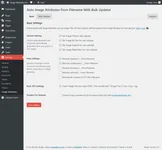
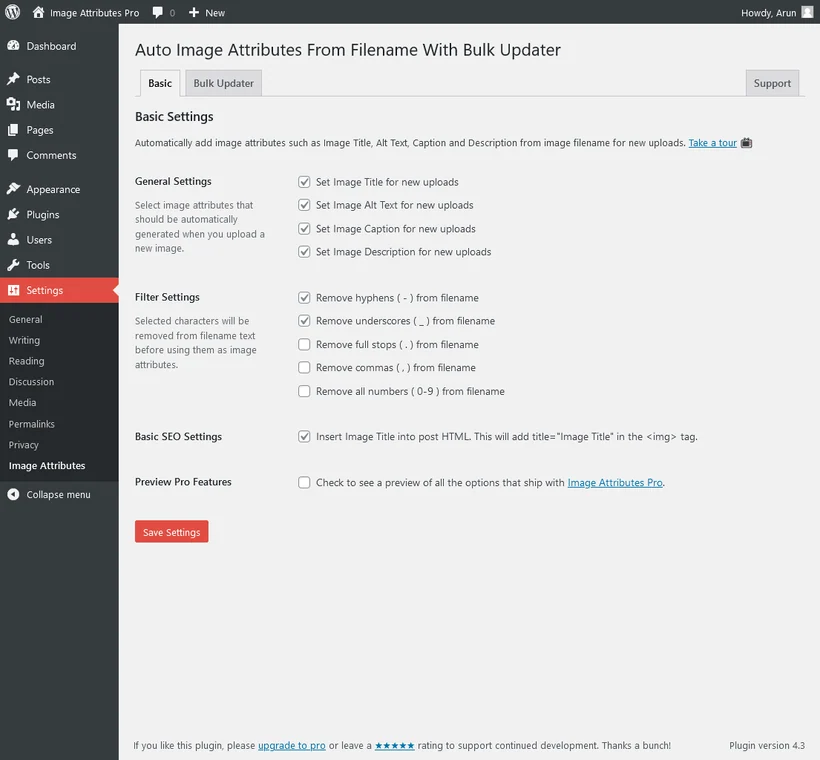
This tool fills image attributes from the filename. A camera reference, however, does not describe a photograph. Be careful with free bulk processing: it rewrites all attributes of existing media library images without respecting the settings chosen for new uploads. Do not run it on a library whose descriptions must be preserved. Work on a backed-up copy; exclusions and preservation of already filled values are advertised Pro module features to check before use.
Offer pricing
Free directory plugin; paid Image Attributes Pro module, price not recorded.
Possible additional purchase: taxes and total not verified.
Checked on .
Strengths
- Processing of existing and new media
- Several attributes supported
What to consider
- Free bulk processing can overwrite existing attributes even if the options for new uploads are disabled.
- Exclusions and preservation of existing values belong to the Pro module; a contextual description is still needed.
Pricing terms and compatibility
Understanding the offer
- Price at the time of review
- Free directory plugin; paid Image Attributes Pro module, price not recorded.
- Currency
- Unspecified. Confirm for the offer you choose.
- Billing
- Unspecified. Confirm for the offer you choose.
- Renewal and support
- Unspecified. Confirm for the offer you choose.
- Taxes and fees
- Possible additional purchase: taxes and total not verified.
- Commitment and terms
- Unspecified. Confirm for the offer you choose.
- Date checked
Compatibility and components
- Documentation review only, without installation. Minimum WordPress/PHP requirements and compatibility with the reader’s configuration are not certified; reread the listing for the chosen version and check on staging.
Media File Renamer
 Editorial diagram. Choose media → Rename on a copy → Check links. — BlogPasCherOpen full-size illustration ↗
Best forMedia naming with reference checks.
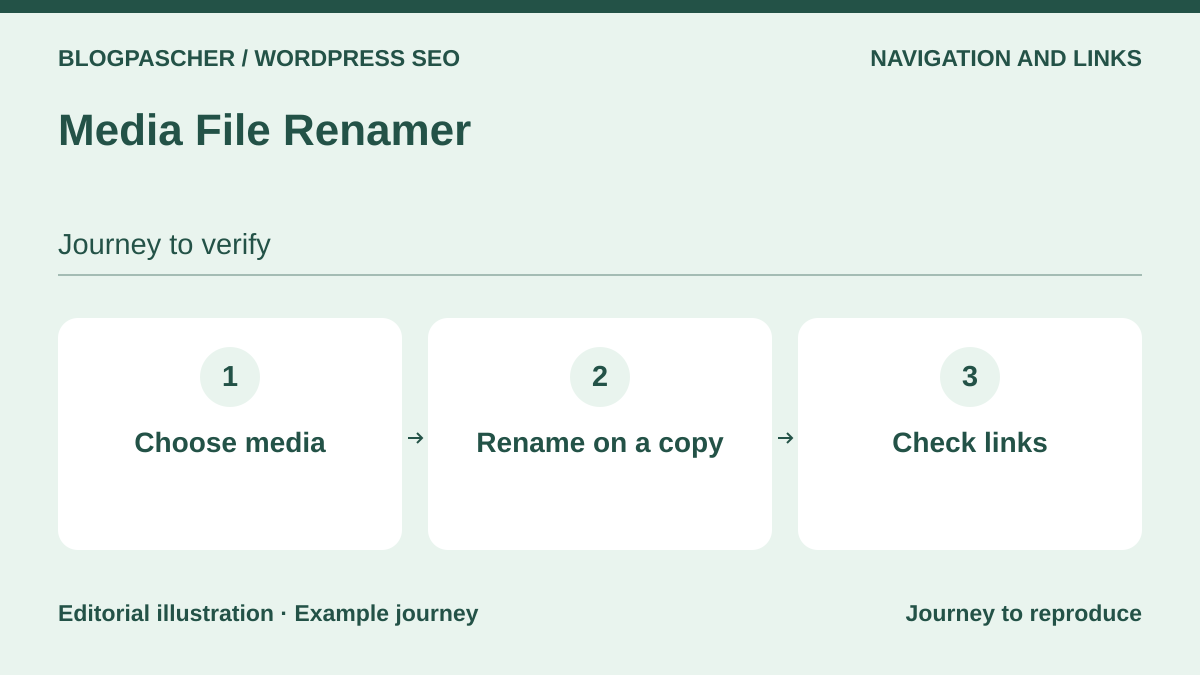
Media File Renamer helps change media filenames. Renaming an already published file requires more care than changing an attachment title. Inventory references, page builders and external storage before choosing this approach. The listing classifies AI visual analysis and automatic metadata synchronization as Pro features. It also flags limits with certain builders; neither free availability of these advanced features nor universal compatibility is presumed here.
Offer pricing
Free directory plugin; paid Pro edition, price and renewal not recorded.
Possible additional purchase: taxes and total not verified.
Checked on .
Strengths
- Individual and batch renaming documented
- File locking advertised
What to consider
- Back up files and database before renaming
- Check external references and object storage
- AI visual analysis and automatic metadata synchronization advertised in Pro.
Pricing terms and compatibility
Understanding the offer
- Price at the time of review
- Free directory plugin; paid Pro edition, price and renewal not recorded.
- Currency
- Unspecified. Confirm for the offer you choose.
- Billing
- Unspecified. Confirm for the offer you choose.
- Renewal and support
- Unspecified. Confirm for the offer you choose.
- Taxes and fees
- Possible additional purchase: taxes and total not verified.
- Commitment and terms
- Unspecified. Confirm for the offer you choose.
- Date checked
Compatibility and components
- Documentation review only, without installation. Minimum WordPress/PHP requirements and compatibility with the reader’s configuration are not certified; reread the listing for the chosen version and check on staging.
Hreflang Manager
 Vendor imageOpen full-size screenshot ↗
Best forSEO relationships between language versions already created.
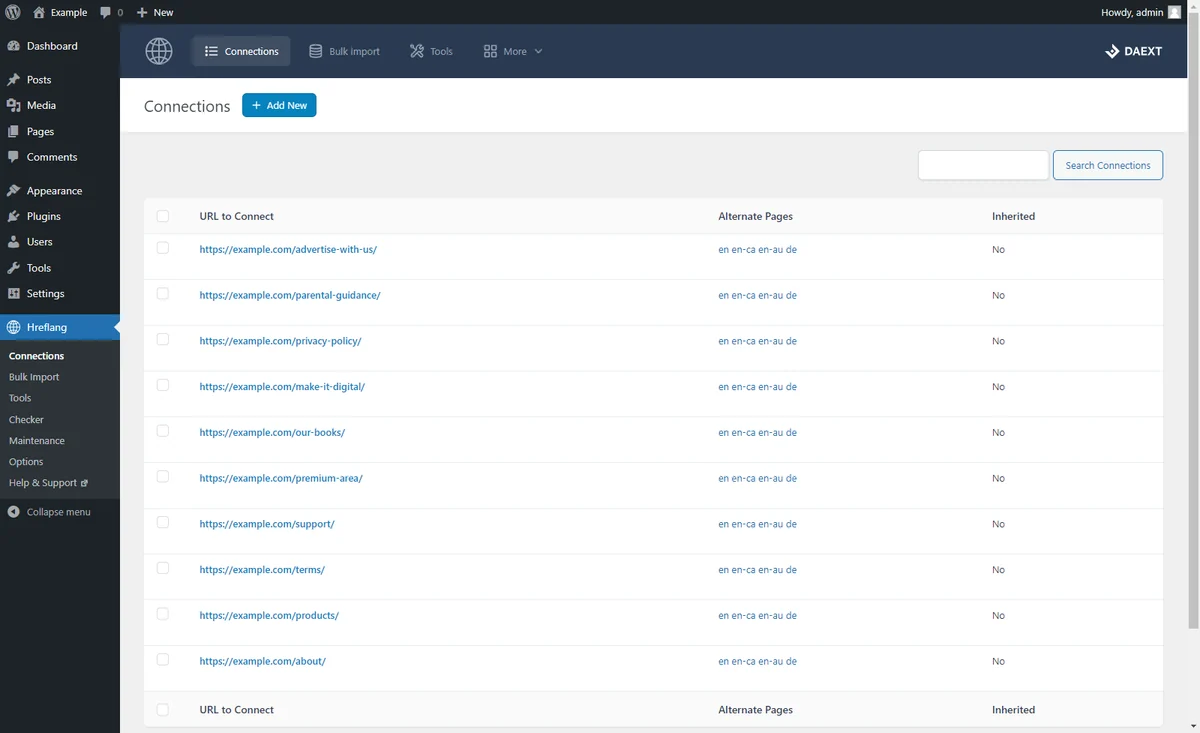
Hreflang Manager connects pages intended for different languages or regions to produce the corresponding signals for search engines. It is not a tool that translates articles: the versions must already exist and be correctly associated. It may serve a particular multilingual architecture whose translation tool does not cover the necessary mappings. Before purchase, check for competing tags and verify reciprocal link consistency across several representative pages.
Offer pricing
Free Lite. CodeCanyon Regular at 229 USD. Separate direct Personal offering at 69 USD per year for one site.
Billing: one-time purchase on CodeCanyon. Annual subscription for direct Personal.
Renewal and support: Six months of support on CodeCanyon with a paid extension. Direct Personal advertises twelve months of support and updates.
CodeCanyon price excludes taxes and processing fees.
Checked on .
Strengths
- Associate versions by language or region
- Management through Connections and the sidebar
What to consider
- No content translation
- May duplicate tags already produced by a multilingual plugin
- The Lite version must not be equated with the Pro scope: hreflang checking and network synchronization are among Pro features.
Pricing terms and compatibility
Understanding the offer
- Price at the time of review
- Free Lite. CodeCanyon Regular at 229 USD. Separate direct Personal offering at 69 USD per year for one site.
- Currency
- USD
- Billing
- one-time purchase on CodeCanyon. Annual subscription for direct Personal.
- Renewal and support
- Six months of support on CodeCanyon with a paid extension. Direct Personal advertises twelve months of support and updates.
- Taxes and fees
- CodeCanyon price excludes taxes and processing fees.
- Commitment and terms
- Regular covers one end product. Direct Personal covers one site.
- Date checked
Compatibility and components
- CodeCanyon listing: WordPress 6.6.x to 7.0.x advertised; last update listed on 9 July 2026. Seller statement, no installation test; PHP compatibility not verified.
Rankie
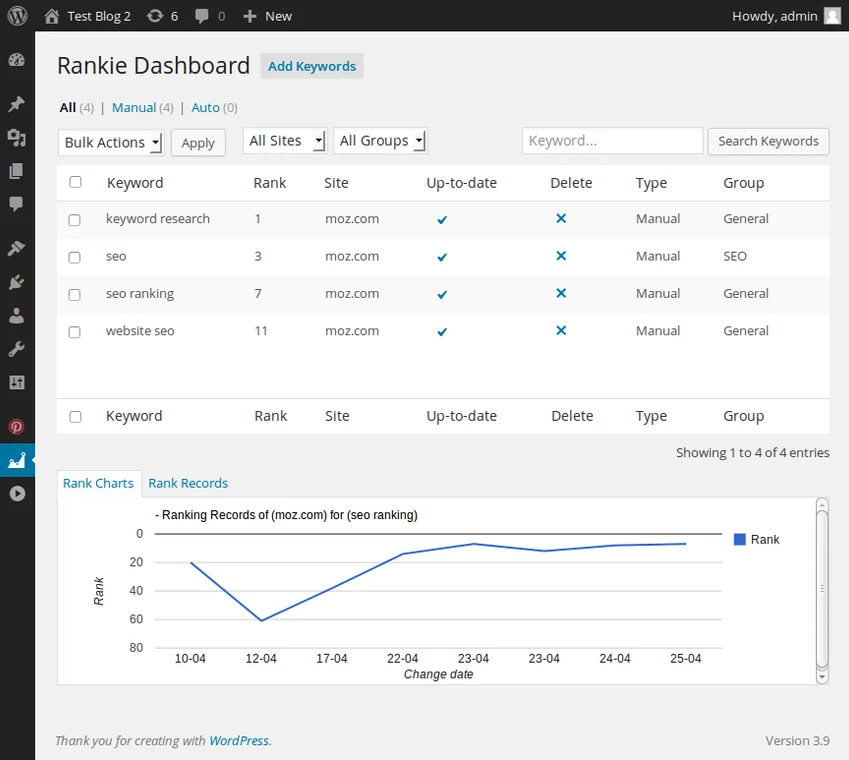 Demo screenshot published on Rankie’s official listing. It shows an older WordPress interface, not a test performed for this site.Open full-size screenshot ↗
Best forRank tracking with an accepted budget and external service.
Rankie is a keyword rank-tracking tool, not a plugin that fixes pages. It can monitor a limited list of queries when tracking them in WordPress meets a real need. The listing specifies a dependency on the paid BrightData SERP API: the plugin price therefore does not represent the full budget. Prefer data already accessible in your tools before adding this dependency, and interpret rankings as observations that depend on context.
Offer pricing
27 USD for a Regular license. Bright Data SERP API service paid separately.
Billing: one-time license purchase. The API is billed separately.
Renewal and support: Six months of support included. Confirm paid extension and API cost.
CodeCanyon price excludes taxes and processing fees.
Checked on .
Strengths
- Ranking history and reports
- Measurement scope distinct from SEO suites
What to consider
- External API and additional recurring budget
- Dependency on search engine changes and scheduled processing
Pricing terms and compatibility
Understanding the offer
- Price at the time of review
- 27 USD for a Regular license. Bright Data SERP API service paid separately.
- Currency
- USD
- Billing
- one-time license purchase. The API is billed separately.
- Renewal and support
- Six months of support included. Confirm paid extension and API cost.
- Taxes and fees
- CodeCanyon price excludes taxes and processing fees.
- Commitment and terms
- One end product under the license. Access to the external service required.
- Date checked
Compatibility and components
- CodeCanyon listing: WordPress 6.3.x to 7.0.x advertised, Gutenberg Optimized: No; update listed on 19 June 2026. Seller statement, not a practical test; PHP compatibility not verified.