

Choose the operation that addresses the need
The media library holds records for images, documents, videos and other files. Three elements may have different names. The title helps you find the record in WordPress. The filename is usually part of its direct address. The attachment page’s slug concerns yet another URL. Before choosing a plugin, open a record and note its title, ID and direct address. Ask the person using the media to clarify what they want to change.
If the file exists and the only problem is finding it, start with WordPress filters and a descriptive title. A search plugin becomes relevant when several editors know the filename or alt text but not the title. A folder plugin becomes useful when the team regularly browses by project, customer or product range. To improve how photos appear to visitors, start with the guide to galleries. To repair an address already returning an error, diagnose the cause before moving anything.
Limit the first rollout to one tool and one task. A folder manager, renaming tool and usage scanner support different decisions. Combining them immediately makes problems harder to attribute. Define an observable result, such as finding the five Horizon range PDF records from the insertion dialog without changing their URLs.
Compare before you choose
The offers at a glance
Find the use case and budget that fit, then read the details to see the limitations and any components you may need.
On smaller screens, the table scrolls horizontally. With a keyboard, press Tab to focus the table, then use the left and right arrow keys.
| Offer | Best for | Pricing and billing | Renewal and support |
|---|---|---|---|
 FileBirdRead the details | A site that has accumulated media by campaign and needs to find files in the insertion dialog. | Free version available. USD 149 — Regular on CodeCanyon. One-time purchase Taxes and processing fees excluded. | Future updates and six months of support advertised. Optional support extension. |
 Real Media LibraryRead the details | A team organizing images and documents in a shared hierarchy. | Free version available. USD 79 — Regular on CodeCanyon. One-time purchase Taxes and processing fees excluded. | Future updates and six months of support advertised. Optional support extension. |
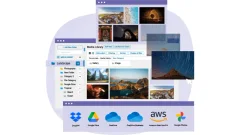 WP Media FolderRead the details | A site wanting to organize files while retaining the option to connect separate storage. | USD 49. Plugin purchase with one year of updates and support Check applicable taxes. | No recurring payment advertised. Check the price for extending updates and support. |
 HappyFiles ProRead the details | An agency wanting several classifications for the same attachment. | USD 59. One-time purchase VAT or GST excluded. | Lifetime updates advertised. |
 Folders — PremioRead the details | A team wanting common organization for pages, posts and media. | Free version available on WordPress.org. Additional features and offers depend on the developer. Free download of the checked edition. | Terms for any paid plans were unavailable at the time of review. |
 CatFoldersRead the details | A store that regularly selects visuals from the insertion dialog. | Free version available on WordPress.org. Additional features and offers depend on the developer. Free download of the checked edition. | Terms for any paid plans were unavailable at the time of review. |
 Media Library OrganizerRead the details | A training site combining PDFs, images and audio files in one project. | Free version available on WordPress.org. Additional features and offers depend on the developer. Free download of the checked edition. | Terms for any paid plans were unavailable at the time of review. |
 Wicked Folders ProRead the details | A site already using Wicked Folders for pages that wants to add media. | USD 49. One year of updates, one site Check applicable taxes. | Confirm renewal pricing with the developer. |
 Virtual Media FoldersRead the details | A site favoring taxonomy-based WordPress organization that needs to prepare a transfer. | Free version available on WordPress.org. Additional features and offers depend on the developer. Free download of the checked edition. | Terms for any paid plans were unavailable at the time of review. |
 ShelfwrightRead the details | A site transferring categories or folders from an older plugin. | Free version available on WordPress.org. Additional features and offers depend on the developer. Free download of the checked edition. | Terms for any paid plans were unavailable at the time of review. |
 Media Library AssistantRead the details | An image library or documentation collection using detailed metadata. | Free version available on WordPress.org. Additional features and offers depend on the developer. Free download of the checked edition. | Terms for any paid plans were unavailable at the time of review. |
 Media Library Folders — Max FoundryRead the details | A project with a documented need for physical organization under uploads. | Free version available on WordPress.org. Additional features and offers depend on the developer. Free download of the checked edition. | Terms for any paid plans were unavailable at the time of review. |
 MediaPilot AIRead the details | A team wanting to separate organization from automatic enrichment features. | Free version available on WordPress.org. Additional features and offers depend on the developer. Free download of the checked edition. | Terms for any paid plans were unavailable at the time of review. |
 Double Youpï Refined Media LibraryRead the details | A site wanting to organize media first, then evaluate format conversion. | Free version available on WordPress.org. Additional features and offers depend on the developer. Free download of the checked edition. | Terms for any paid plans were unavailable at the time of review. |
 Media Search EnhancedRead the details | A team that knows the file or alt text but forgets the displayed title. | Free version available on WordPress.org. Additional features and offers depend on the developer. Free download of the checked edition. | Terms for any paid plans were unavailable at the time of review. |
 Media File RenamerRead the details | A team that needs to standardize existing filenames with editorial control. | Free version available on WordPress.org. Additional features and offers depend on the developer. Free download of the checked edition. | Terms for any paid plans were unavailable at the time of review. |
 Phoenix Media RenameRead the details | A small team wanting to correct a few names without a global process. | Free version available on WordPress.org. Additional features and offers depend on the developer. Free download of the checked edition. | Terms for any paid plans were unavailable at the time of review. |
 Enable Media ReplaceRead the details | An association publishing a new edition of an already-linked document. | Free version available on WordPress.org. Additional features and offers depend on the developer. Free download of the checked edition. | Terms for any paid plans were unavailable at the time of review. |
 Media Library ToolsRead the details | A site wanting to reconcile a naming convention with a metadata inventory. | Free version available on WordPress.org. Additional features and offers depend on the developer. Free download of the checked edition. | Terms for any paid plans were unavailable at the time of review. |
 Media CleanerRead the details | A site needing to analyze apparently unused files before migration. | Free version available on WordPress.org. Additional features and offers depend on the developer. Free download of the checked edition. | Terms for any paid plans were unavailable at the time of review. |
 Media DeduperRead the details | A site suspecting repeated uploads of the same large file. | Free version available on WordPress.org. Additional features and offers depend on the developer. Free download of the checked edition. | Terms for any paid plans were unavailable at the time of review. |
 Media TrackerRead the details | A block-based or builder-based site needing to check a few critical images. | Free version available on WordPress.org. Additional features and offers depend on the developer. Free download of the checked edition. | Terms for any paid plans were unavailable at the time of review. |
 Freshet Unused MediaRead the details | A maintainer wanting to see references before changing an important image. | Free version available on WordPress.org. Additional features and offers depend on the developer. Free download of the checked edition. | Terms for any paid plans were unavailable at the time of review. |
 Media SyncRead the details | A site with files under uploads but no corresponding WordPress record. | Free version available on WordPress.org. Additional features and offers depend on the developer. Free download of the checked edition. | Terms for any paid plans were unavailable at the time of review. |
 Export/Import MediaRead the details | A team delivering a media inventory with titles and alt text. | Free version available on WordPress.org. Additional features and offers depend on the developer. Free download of the checked edition. | Terms for any paid plans were unavailable at the time of review. |
Prepare a sample of fictional media
On an isolated copy, prepare three small dummy images and a two-page PDF. Put the word Rivage only in the first image’s title, only in the second file’s name, and only in the third image’s alt text. Add the second image to an Image block and as the featured image of test content. Add the PDF as a direct link in another piece of content. Create a Catalogue folder and an Archives folder.
Before any change, export or record attachment IDs, URLs, relative paths, titles and expected uses. Download the four files and keep a backup of the copy’s database. If testing a builder, plan a second control in a field or template it produces. A test sheet can have one row per media item and one column for each place where it appears.
- Search for Rivage in Media and in the insertion dialog actually used. For each result, record whether the term comes from the title, filename or alt text.
- Move the second image to Archives with the folder manager. Compare its ID, direct address, file contents and the two locations where it appears.
- Keep a control row for an unclassified file. Repeat the search with an editor account on the copy to check that the feature remains available to the intended role.
Check organization and search on the copy
Our WordPress 7.1.4 and MariaDB test environment used three fictional PNG images. The WordPress control query found one attachment by its title. With Media Search Enhanced 1.0.1, the same search found all three, including matches in the filename and alt text. The test used WordPress calls. Then repeat the theme’s or builder’s insertion dialog workflow to validate your team’s process.
With FileBird 6.5.9, the control image was classified in Catalogue and then moved to Archives. The path, URL, ID and file bytes remained identical. The block and featured image kept the same reference. This result concerns virtual organization. For remote storage, private media or physical folders, repeat the test with the relevant site’s mechanisms.
If replacing a folder manager, record the hierarchy, multiple assignments and unclassified items before importing. Compare three levels of the tree and totals per folder, then test inserting a file from the builder. Test disabling the old manager only on the copy. The main risk is losing administrative assignments while the files remain visible on the site.
Choose between changing the title, replacing or renaming
To make a record easier to find, first change its title. If a document changes and visitors need to keep their link, replacing it in place may be appropriate. Retain the old version and check that the selected option keeps the same path and file type. If both versions must remain accessible, create two attachments instead and give each version an explicit name.
Renaming the file is a broader decision. Record the old URL and identify content using it. A block may store an ID, a direct address or both. A builder, custom field, background image or external document may use other references. Also check size variants and object storage if the site uses them. Prepare how to handle old URLs that must remain usable before publishing a batch of renames.
In the local test, temporarily replacing the image bytes at its location preserved the address. Restoring the previous file recovered its initial hash. This step checks the principle of replacement at a constant URL. It does not measure a replacement plugin’s settings, thumbnail rendering or a CDN response. Repeat those checks on your copy with the chosen tool.
- Choose an initial media item, record the old and new destinations, and decide whether the first must remain reachable.
- Open the file and pages that use it. Check the featured image, the size variant in the block and the version actually served.
- If a control fails, restore the files and attachment data before continuing with the next batch.
Check uses and duplicates before deleting anything
The Uploaded to column shows the record’s parent association. It does not list every page where the file appears. To determine whether media is still useful, search for an ID reference and a direct URL. Check the theme, fields, reused blocks and product metadata if your site uses them. A usage report is particularly useful when you know two or three control references and can check that it finds them.
Two identical files may have different titles, alt text and permissions. Matching names are not enough to establish a duplicate, and identical bytes do not guarantee that attachments are interchangeable. Before consolidating duplicates, identify the record to retain, record its uses and decide how to handle old URLs. Also retain the reference when a file is cited in a newsletter or external site.
Start with cleanup tools in read-only or reporting mode on the copy. A plugin may not recognize a reference stored in an unusual field, a URL written into a stylesheet or a link from another site. Keep an exported inventory and a copy of the files. A restoration test should recover a control media item’s expected ID, path and bytes.
Compare licenses and decide on the first rollout
With free editions, test the features needed for daily work before examining premium modules. If an agency manages several sites, check the number of sites covered and access to updates after the support period. A CodeCanyon Regular license covers one end product under its terms. The license price, taxes and support extension are separate items.
For AI features, check which images or metadata are sent, the provider, credits and how suggestions can be reviewed. Compare generated descriptions with test images before any batch processing. Alt text explains the image’s content or function in context. A naming convention and an accessibility check remain separate tasks.
Once the copy has passed validation, start with one folder or a small batch. Record the plugin name, version and setting used. Choose who will check results and who knows how to restore the backup. If planning filename changes, do not simultaneously change the CDN, storage or image-conversion system. Moving from one batch to the next depends on the results obtained with the control files.
Sources and references
Use these references to check the features, requirements and limitations described. Reading documentation is not a practical test.
View 29 references
- FileBird — Official pricing or download ↗ — Documentation consulted:
- FileBird — Official listing ↗ — Documentation consulted:
- Real Media Library — Official pricing or download ↗ — Documentation consulted:
- Real Media Library — Official listing ↗ — Documentation consulted:
- WP Media Folder — Official pricing or download ↗ — Documentation consulted:
- HappyFiles Pro — Official pricing or download ↗ — Documentation consulted:
- Folders — Premio — Official pricing or download ↗ — Documentation consulted:
- CatFolders — Official pricing or download ↗ — Documentation consulted:
- Media Library Organizer — Official pricing or download ↗ — Documentation consulted:
- Wicked Folders Pro — Official pricing or download ↗ — Documentation consulted:
- Wicked Folders Pro — Official listing ↗ — Documentation consulted:
- Virtual Media Folders — Official pricing or download ↗ — Documentation consulted:
- Shelfwright — Official pricing or download ↗ — Documentation consulted:
- Media Library Assistant — Official pricing or download ↗ — Documentation consulted:
- Media Library Folders — Max Foundry — Official pricing or download ↗ — Documentation consulted:
- MediaPilot AI — Official pricing or download ↗ — Documentation consulted:
- Double Youpï Refined Media Library — Official pricing or download ↗ — Documentation consulted:
- Media Search Enhanced — Official pricing or download ↗ — Documentation consulted:
- Media File Renamer — Official pricing or download ↗ — Documentation consulted:
- Phoenix Media Rename — Official pricing or download ↗ — Documentation consulted:
- Enable Media Replace — Official pricing or download ↗ — Documentation consulted:
- Media Library Tools — Official pricing or download ↗ — Documentation consulted:
- Media Cleaner — Official pricing or download ↗ — Documentation consulted:
- Media Deduper — Official pricing or download ↗ — Documentation consulted:
- Media Tracker — Official pricing or download ↗ — Documentation consulted:
- Freshet Unused Media — Official pricing or download ↗ — Documentation consulted:
- Media Sync — Official pricing or download ↗ — Documentation consulted:
- Export/Import Media — Official pricing or download ↗ — Documentation consulted:
- WordPress Edit Media documentation ↗ — Documentation consulted:
Uses, prices and what to check
25 offers in detail
Compare the features you need and the terms of each offer. The order of these entries does not indicate a ranking.
FileBird
 Publisher-provided icon. — Publisher
Best forA site that has accumulated media by campaign and needs to find files in the insertion dialog.
The organization panel stays within the media library and arranges files into virtual folders. Put a published image into Campagne and then Archives, and compare its address before and after. The free edition lets you test this workflow. The commercial price record concerns the CodeCanyon Regular license, separate from licenses sold directly by the developer.
Offer pricing
Free version available. USD 149 — Regular on CodeCanyon.
Billing: One-time purchase
Renewal and support: Future updates and six months of support advertised. Optional support extension.
Taxes and processing fees excluded.
Checked on .
Strengths
- Drag-and-drop and bulk assignment.
What to consider
- Check compatibility with the builder’s selection dialog and the edition-specific options.
- A folder is neither a server path nor a privacy rule.
Pricing terms and compatibility
Understanding the offer
- Price at the time of review
- Free version available. USD 149 — Regular on CodeCanyon.
- Currency
- USD
- Billing
- One-time purchase
- Renewal and support
- Future updates and six months of support advertised. Optional support extension.
- Taxes and fees
- Taxes and processing fees excluded.
- Commitment and terms
- Regular license for one end product under Envato’s terms.
- Date checked
Compatibility and components
- WordPress.org version recorded: 6.5.9.
- Tested up to WordPress 7.1.4 according to the public listing.
- Virtual organization verified with version 6.5.9 on local WordPress 7.1.4.
Real Media Library
 Publisher-provided icon. — Publisher
Best forA team organizing images and documents in a shared hierarchy.
Distinguish file folders, collections and gallery-data folders according to the documented behavior. An editorial library can keep PDFs alongside a project’s photos without displaying them in a public gallery. If the same visual is useful to two projects, check shortcuts in the selected edition before creating a second attachment.
Offer pricing
Free version available. USD 79 — Regular on CodeCanyon.
Billing: One-time purchase
Renewal and support: Future updates and six months of support advertised. Optional support extension.
Taxes and processing fees excluded.
Checked on .
Strengths
- Hierarchy, sorting and organization in the media library.
What to consider
- Lite and Regular do not cover exactly the same features.
- Do not confuse virtual organization with any physical-address module.
Pricing terms and compatibility
Understanding the offer
- Price at the time of review
- Free version available. USD 79 — Regular on CodeCanyon.
- Currency
- USD
- Billing
- One-time purchase
- Renewal and support
- Future updates and six months of support advertised. Optional support extension.
- Taxes and fees
- Taxes and processing fees excluded.
- Commitment and terms
- Regular license for one end product under Envato’s terms.
- Date checked
Compatibility and components
- WordPress.org version recorded: 4.23.12.
- Tested up to WordPress 7.1.4 according to the public listing.
- Check compatibility with your WordPress version and media-selection dialog.
WP Media Folder
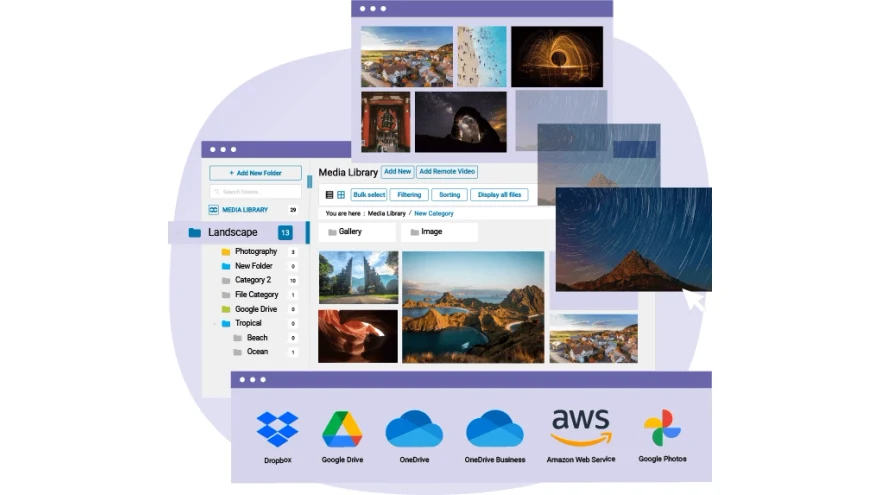 Publisher-provided presentation image. — PublisherOpen full-size screenshot ↗
Best forA site wanting to organize files while retaining the option to connect separate storage.
JoomUnited offers a media-library hierarchy and filters, with integrations depending on the plan and modules. First test finding a PDF in the insertion dialog. If the project synchronizes a directory or remote storage, check who can modify content from each side.
Offer pricing
USD 49.
Billing: Plugin purchase with one year of updates and support
Renewal and support: No recurring payment advertised. Check the price for extending updates and support.
Check applicable taxes.
Checked on .
Strengths
- Folders and filters in the media library.
What to consider
- Gallery and cloud-storage modules and the AI plan have their own terms.
- Synchronization can propagate changes to another location.
Pricing terms and compatibility
Understanding the offer
- Price at the time of review
- USD 49.
- Currency
- USD
- Billing
- Plugin purchase with one year of updates and support
- Renewal and support
- No recurring payment advertised. Check the price for extending updates and support.
- Taxes and fees
- Check applicable taxes.
- Commitment and terms
- Unlimited sites according to the pricing table. Plugin package with cloud and gallery modules listed at USD 69.
- Date checked
Compatibility and components
- Check compatibility with your WordPress version and media-selection dialog.
HappyFiles Pro
 Publisher-provided icon. — Publisher
Best forAn agency wanting several classifications for the same attachment.
HappyFiles uses taxonomy terms. A file can appear in several folders when that mode is enabled, which suits a logo reused across projects. Also check which role can reorganize the library and whether importing the old hierarchy preserves the expected assignments.
Offer pricing
USD 59.
Billing: One-time purchase
Renewal and support: Lifetime updates advertised.
VAT or GST excluded.
Checked on .
Strengths
- Multiple assignments and role-based filtering.
What to consider
- The developer states that the free version has been withdrawn.
- Check permissions on a copy using an editor role.
Pricing terms and compatibility
Understanding the offer
- Price at the time of review
- USD 59.
- Currency
- USD
- Billing
- One-time purchase
- Renewal and support
- Lifetime updates advertised.
- Taxes and fees
- VAT or GST excluded.
- Commitment and terms
- Unlimited sites according to the direct offering.
- Date checked
Compatibility and components
- Check compatibility with your WordPress version and media-selection dialog.
Folders — Premio
 Publisher-provided icon. — Publisher
Best forA team wanting common organization for pages, posts and media.
Folders can organize WordPress content and media with the same approach. Enable only the types useful to your team. Try bulk assignment from the move menu and folder selection in the media dialog. If migrating from another plugin, compare totals before and after importing.
Offer pricing
Free version available on WordPress.org. Additional features and offers depend on the developer.
Billing: Free download of the checked edition.
Checked on .
Strengths
- Drag-and-drop or menu assignment, with import and export advertised.
What to consider
- Advanced features depend on the edition.
- Exporting the structure does not replace copying the files and database.
Pricing terms and compatibility
Understanding the offer
- Price at the time of review
- Free version available on WordPress.org. Additional features and offers depend on the developer.
- Currency
- Unspecified. Confirm for the offer you choose.
- Billing
- Free download of the checked edition.
- Renewal and support
- Unspecified. Confirm for the offer you choose.
- Taxes and fees
- Unspecified. Confirm for the offer you choose.
- Commitment and terms
- No purchase required for the WordPress.org edition.
- Date checked
Compatibility and components
- WordPress.org version recorded: 3.3.1.
- Tested up to WordPress 7.1.4 according to the public listing.
- Check compatibility with your WordPress version and media-selection dialog.
CatFolders
 Publisher-provided icon. — Publisher
Best forA store that regularly selects visuals from the insertion dialog.
CatFolders lets you filter by folder during selection. A product team can separate original photos from exported variants, then find the correct visual without browsing every date. Start with top-level folders. Check the plan if you need more detailed subfolders.
Offer pricing
Free version available on WordPress.org. Additional features and offers depend on the developer.
Billing: Free download of the checked edition.
Checked on .
Strengths
- Top-level folders and bulk selection.
What to consider
- Check depth and organization tools in the selected edition.
- Organization is separate from file URLs and permissions.
Pricing terms and compatibility
Understanding the offer
- Price at the time of review
- Free version available on WordPress.org. Additional features and offers depend on the developer.
- Currency
- Unspecified. Confirm for the offer you choose.
- Billing
- Free download of the checked edition.
- Renewal and support
- Unspecified. Confirm for the offer you choose.
- Taxes and fees
- Unspecified. Confirm for the offer you choose.
- Commitment and terms
- No purchase required for the WordPress.org edition.
- Date checked
Compatibility and components
- WordPress.org version recorded: 2.5.7.
- Tested up to WordPress 7.1.4 according to the public listing.
- Check compatibility with your WordPress version and media-selection dialog.
Media Library Organizer
 Publisher-provided icon. — Publisher
Best forA training site combining PDFs, images and audio files in one project.
This manager organizes WordPress files of several types. Create a category per module, then compare results in List and Grid views and when selecting from a post. If you need to transfer the classification, check that the plan also exports attachment assignments.
Offer pricing
Free version available on WordPress.org. Additional features and offers depend on the developer.
Billing: Free download of the checked edition.
Checked on .
Strengths
- Organization and filters across media types.
What to consider
- Confirm export options and automation in the edition.
- File types permitted by WordPress or the host still apply.
Pricing terms and compatibility
Understanding the offer
- Price at the time of review
- Free version available on WordPress.org. Additional features and offers depend on the developer.
- Currency
- Unspecified. Confirm for the offer you choose.
- Billing
- Free download of the checked edition.
- Renewal and support
- Unspecified. Confirm for the offer you choose.
- Taxes and fees
- Unspecified. Confirm for the offer you choose.
- Commitment and terms
- No purchase required for the WordPress.org edition.
- Date checked
Compatibility and components
- WordPress.org version recorded: 2.1.6.
- Tested up to WordPress 7.1.4 according to the public listing.
- Check compatibility with your WordPress version and media-selection dialog.
Wicked Folders Pro
 Publisher-provided icon. — Publisher
Best forA site already using Wicked Folders for pages that wants to add media.
The developer reserves media-library folders for Pro. Check the experience in the block insertion dialog and the media field of the builder or ACF. Install only the scope the team needs to avoid reorganizing orders, users and images all at once.
Offer pricing
USD 49.
Billing: One year of updates, one site
Renewal and support: Confirm renewal pricing with the developer.
Check applicable taxes.
Checked on .
Strengths
- Pro media organization in the advertised selection screens.
What to consider
- The free edition organizes other content.
- Budget for continued updates after the first year.
Pricing terms and compatibility
Understanding the offer
- Price at the time of review
- USD 49.
- Currency
- USD
- Billing
- One year of updates, one site
- Renewal and support
- Confirm renewal pricing with the developer.
- Taxes and fees
- Check applicable taxes.
- Commitment and terms
- Personal edition price.
- Date checked
Compatibility and components
- WordPress.org version recorded: 4.2.0.
- Tested up to WordPress 7.1.4 according to the public listing.
- Check compatibility with your WordPress version and media-selection dialog.
Virtual Media Folders
 Illustration of the taxonomy and transfer feature. — Illustration by BlogPasCherOpen full-size illustration ↗
Best forA site favoring taxonomy-based WordPress organization that needs to prepare a transfer.
Virtual Media Folders provides a taxonomy-based tree. Its migration module lists several supported sources. Check assignments for an image in a deep folder and an unclassified PDF before disabling the previous tool. Also assess what remains filterable without the module.
Offer pricing
Free version available on WordPress.org. Additional features and offers depend on the developer.
Billing: Free download of the checked edition.
Checked on .
Strengths
- Virtual folders using taxonomy logic.
What to consider
- Check migration against the module and originating plugin.
- Importing a hierarchy does not prove all assignments were transferred.
Pricing terms and compatibility
Understanding the offer
- Price at the time of review
- Free version available on WordPress.org. Additional features and offers depend on the developer.
- Currency
- Unspecified. Confirm for the offer you choose.
- Billing
- Free download of the checked edition.
- Renewal and support
- Unspecified. Confirm for the offer you choose.
- Taxes and fees
- Unspecified. Confirm for the offer you choose.
- Commitment and terms
- No purchase required for the WordPress.org edition.
- Date checked
Compatibility and components
- WordPress.org version recorded: 2.2.1.
- Tested up to WordPress 7.1.4 according to the public listing.
- Check compatibility with your WordPress version and media-selection dialog.
Shelfwright
 Illustration of the folder-tree reuse feature. — Illustration by BlogPasCherOpen full-size illustration ↗
Best forA site transferring categories or folders from an older plugin.
Shelfwright provides a tree view and documents migration from several plugins. Compare a parent folder, a subcategory and media assigned to several categories before approving the migration. On a copy, also check filters in the insertion dialog used by the usual builder.
Offer pricing
Free version available on WordPress.org. Additional features and offers depend on the developer.
Billing: Free download of the checked edition.
Checked on .
Strengths
- Documented imports from several folder managers.
What to consider
- Validate hierarchy and assignments against the actual source.
- Support and compatibility remain subject to the project and your version.
Pricing terms and compatibility
Understanding the offer
- Price at the time of review
- Free version available on WordPress.org. Additional features and offers depend on the developer.
- Currency
- Unspecified. Confirm for the offer you choose.
- Billing
- Free download of the checked edition.
- Renewal and support
- Unspecified. Confirm for the offer you choose.
- Taxes and fees
- Unspecified. Confirm for the offer you choose.
- Commitment and terms
- No purchase required for the WordPress.org edition.
- Date checked
Compatibility and components
- WordPress.org version recorded: 1.0.9.
- Tested up to WordPress 7.1.4 according to the public listing.
- Check compatibility with your WordPress version and media-selection dialog.
Media Library Assistant
 Publisher-provided icon. — Publisher
Best forAn image library or documentation collection using detailed metadata.
Media Library Assistant adds a management screen and taxonomy, bulk-editing and metadata-processing features. Use a fictional author and two keywords on separate attachments. Then read the filter results before applying a collective edit, especially if the library contains automatically imported information.
Offer pricing
Free version available on WordPress.org. Additional features and offers depend on the developer.
Billing: Free download of the checked edition.
Checked on .
Strengths
- Advanced filters and taxonomy or metadata management.
What to consider
- Preparing rules requires learning.
- Check metadata fields before batch processing.
Pricing terms and compatibility
Understanding the offer
- Price at the time of review
- Free version available on WordPress.org. Additional features and offers depend on the developer.
- Currency
- Unspecified. Confirm for the offer you choose.
- Billing
- Free download of the checked edition.
- Renewal and support
- Unspecified. Confirm for the offer you choose.
- Taxes and fees
- Unspecified. Confirm for the offer you choose.
- Commitment and terms
- No purchase required for the WordPress.org edition.
- Date checked
Compatibility and components
- WordPress.org version recorded: 3.44.
- Tested up to WordPress 7.1.4 according to the public listing.
- Check compatibility with your WordPress version and media-selection dialog.
Media Library Folders — Max Foundry
 Publisher-provided icon. — Publisher
Best forA project with a documented need for physical organization under uploads.
This plugin creates real folders and offers moving, copying and renaming. A path change requires checks of direct links, HTML, derived sizes and remote storage. Try a PDF and an image on the copy. Decide beforehand how to restore the database and files together.
Offer pricing
Free version available on WordPress.org. Additional features and offers depend on the developer.
Billing: Free download of the checked edition.
Checked on .
Strengths
- Physical folders and file operations.
What to consider
- A physical move can change the URL.
- Pay particular attention to external links and image variants.
Pricing terms and compatibility
Understanding the offer
- Price at the time of review
- Free version available on WordPress.org. Additional features and offers depend on the developer.
- Currency
- Unspecified. Confirm for the offer you choose.
- Billing
- Free download of the checked edition.
- Renewal and support
- Unspecified. Confirm for the offer you choose.
- Taxes and fees
- Unspecified. Confirm for the offer you choose.
- Commitment and terms
- No purchase required for the WordPress.org edition.
- Date checked
Compatibility and components
- WordPress.org version recorded: 8.4.4.
- Tested up to WordPress 7.1.4 according to the public listing.
- Check compatibility with your WordPress version and media-selection dialog.
MediaPilot AI
 Publisher-provided icon. — Publisher
Best forA team wanting to separate organization from automatic enrichment features.
MediaPilot AI combines organization, folder migration and metadata tools. First check organization with AI features disabled. If evaluating field generation, use test media and record the data sent, service used, quotas and review options.
Offer pricing
Free version available on WordPress.org. Additional features and offers depend on the developer.
Billing: Free download of the checked edition.
Checked on .
Strengths
- Organization and AI features documented separately.
What to consider
- Check the provider and cost if AI is enabled.
- Folder permissions do not guarantee protection of a file reachable by URL.
Pricing terms and compatibility
Understanding the offer
- Price at the time of review
- Free version available on WordPress.org. Additional features and offers depend on the developer.
- Currency
- Unspecified. Confirm for the offer you choose.
- Billing
- Free download of the checked edition.
- Renewal and support
- Unspecified. Confirm for the offer you choose.
- Taxes and fees
- Unspecified. Confirm for the offer you choose.
- Commitment and terms
- No purchase required for the WordPress.org edition.
- Date checked
Compatibility and components
- WordPress.org version recorded: 2.9.1.
- Tested up to WordPress 7.1.4 according to the public listing.
- Check compatibility with your WordPress version and media-selection dialog.
Double Youpï Refined Media Library
 Illustration of the collections and conversion feature. — Illustration by BlogPasCherOpen full-size illustration ↗
Best forA site wanting to organize media first, then evaluate format conversion.
This plugin combines folders, collections and conversion features. Start with organization while conversions are disabled. On a copy, identify which plugin already creates WebP or AVIF variants. If using a second feature, check originals and image display before deploying both changes together.
Offer pricing
Free version available on WordPress.org. Additional features and offers depend on the developer.
Billing: Free download of the checked edition.
Checked on .
Strengths
- Folders and migration from several documented structures.
What to consider
- Conversion depends on libraries available on the server.
- Unused-file suggestions require manual validation.
Pricing terms and compatibility
Understanding the offer
- Price at the time of review
- Free version available on WordPress.org. Additional features and offers depend on the developer.
- Currency
- Unspecified. Confirm for the offer you choose.
- Billing
- Free download of the checked edition.
- Renewal and support
- Unspecified. Confirm for the offer you choose.
- Taxes and fees
- Unspecified. Confirm for the offer you choose.
- Commitment and terms
- No purchase required for the WordPress.org edition.
- Date checked
Compatibility and components
- WordPress.org version recorded: 0.3.25.
- Tested up to WordPress 7.1.4 according to the public listing.
- Check compatibility with your WordPress version and media-selection dialog.
Media Search Enhanced
 Illustration of the file name and alternative text feature. — Illustration by BlogPasCherOpen full-size illustration ↗
Best forA team that knows the file or alt text but forgets the displayed title.
This plugin extends search to filenames and several attachment fields, including alt text. Test three files with the same word appearing respectively in the title, filename and alt text. Its value should be assessed in the dialog where the team actually selects images.
Offer pricing
Free version available on WordPress.org. Additional features and offers depend on the developer.
Billing: Free download of the checked edition.
Checked on .
Strengths
- Search by fields, taxonomies, filename and multiple terms.
What to consider
- Test it in the selected builder’s modal.
- An additional result must correspond to the correct file and version.
Pricing terms and compatibility
Understanding the offer
- Price at the time of review
- Free version available on WordPress.org. Additional features and offers depend on the developer.
- Currency
- Unspecified. Confirm for the offer you choose.
- Billing
- Free download of the checked edition.
- Renewal and support
- Unspecified. Confirm for the offer you choose.
- Taxes and fees
- Unspecified. Confirm for the offer you choose.
- Commitment and terms
- No purchase required for the WordPress.org edition.
- Date checked
Compatibility and components
- WordPress.org version recorded: 1.0.1.
- Tested up to WordPress 6.9.11 according to the public listing.
- Search verified with version 1.0.1 on local WordPress 7.1.4.
Media File Renamer
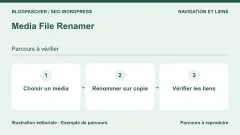
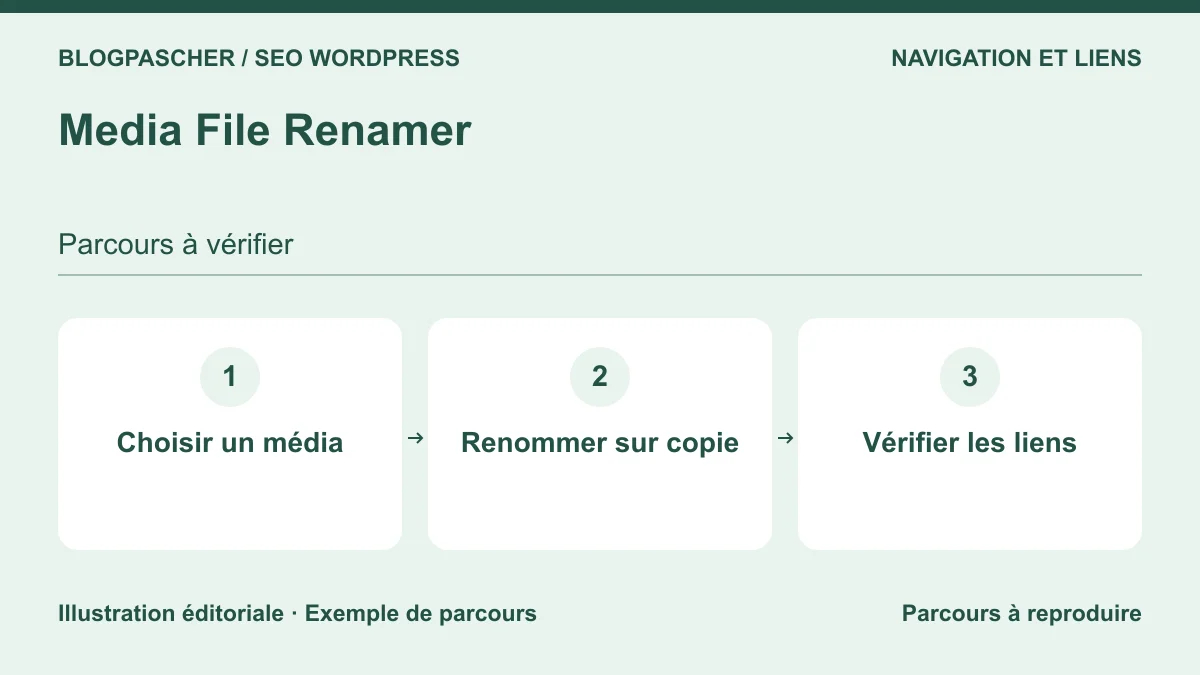 Editorial diagram. Choose media → Rename on a copy → Check links. — BlogPasCherOpen full-size illustration ↗
Best forA team that needs to standardize existing filenames with editorial control.
Media File Renamer offers individual or bulk renaming and metadata options. Start with one attachment in content published on the copy. Then compare block attributes, the derived file, thumbnail, CDN and old URL. AI suggestions require a human decision before application.
Offer pricing
Free version available on WordPress.org. Additional features and offers depend on the developer.
Billing: Free download of the checked edition.
Checked on .
Strengths
- Guided renaming, metadata editing and bulk operations depending on the edition.
What to consider
- Check reference coverage and the scope of AI features.
- Links from another site are not rewritten by WordPress.
Pricing terms and compatibility
Understanding the offer
- Price at the time of review
- Free version available on WordPress.org. Additional features and offers depend on the developer.
- Currency
- Unspecified. Confirm for the offer you choose.
- Billing
- Free download of the checked edition.
- Renewal and support
- Unspecified. Confirm for the offer you choose.
- Taxes and fees
- Unspecified. Confirm for the offer you choose.
- Commitment and terms
- No purchase required for the WordPress.org edition.
- Date checked
Compatibility and components
- WordPress.org version recorded: 6.3.7.
- Tested up to WordPress 7.1.4 according to the public listing.
- Check compatibility with your WordPress version and media-selection dialog.
Phoenix Media Rename
 Publisher-provided icon. — Publisher
Best forA small team wanting to correct a few names without a global process.
Phoenix adds renaming features to the media library. Choose an original image and record its ID, path and two derived formats. Then check the rendering of a block using it. If the site has a builder or CDN, test its references separately.
Offer pricing
Free version available on WordPress.org. Additional features and offers depend on the developer.
Billing: Free download of the checked edition.
Checked on .
Strengths
- Targeted renaming in the media library.
What to consider
- Check exact behavior with your version and builder.
- The availability of an old direct link needs a separate check.
Pricing terms and compatibility
Understanding the offer
- Price at the time of review
- Free version available on WordPress.org. Additional features and offers depend on the developer.
- Currency
- Unspecified. Confirm for the offer you choose.
- Billing
- Free download of the checked edition.
- Renewal and support
- Unspecified. Confirm for the offer you choose.
- Taxes and fees
- Unspecified. Confirm for the offer you choose.
- Commitment and terms
- No purchase required for the WordPress.org edition.
- Date checked
Compatibility and components
- WordPress.org version recorded: 3.13.6.
- Tested up to WordPress 7.1.4 according to the public listing.
- Check compatibility with your WordPress version and media-selection dialog.
Enable Media Replace
 Publisher-provided icon. — Publisher
Best forAn association publishing a new edition of an already-linked document.
This plugin lets you replace a file from its attachment record. If the new edition must retain the same URL, test the appropriate replacement option with the same file type. Record the name, ID and content actually served, especially when a cache retains the previous version.
Offer pricing
Free version available on WordPress.org. Additional features and offers depend on the developer.
Billing: Free download of the checked edition.
Checked on .
Strengths
- File replacement without inserting it again in every post.
What to consider
- Replacement options have different effects on the path.
- An in-place update overwrites the previous version. Keep a copy.
Pricing terms and compatibility
Understanding the offer
- Price at the time of review
- Free version available on WordPress.org. Additional features and offers depend on the developer.
- Currency
- Unspecified. Confirm for the offer you choose.
- Billing
- Free download of the checked edition.
- Renewal and support
- Unspecified. Confirm for the offer you choose.
- Taxes and fees
- Unspecified. Confirm for the offer you choose.
- Commitment and terms
- No purchase required for the WordPress.org edition.
- Date checked
Compatibility and components
- WordPress.org version recorded: 4.2.3.
- Tested up to WordPress 7.1.4 according to the public listing.
- Check compatibility with your WordPress version and media-selection dialog.
Media Library Tools
 Publisher-provided icon. — Publisher
Best forA site wanting to reconcile a naming convention with a metadata inventory.
Media Library Tools combines renaming, cleanup and CSV features. On a copy, export a small portion of the library, then compare the file, attachment fields and content references. Enable only one feature per test so each result can be attributed to the setting that produced it.
Offer pricing
Free version available on WordPress.org. Additional features and offers depend on the developer.
Billing: Free download of the checked edition.
Checked on .
Strengths
- Name and metadata operations, with CSV import or export advertised.
What to consider
- Evaluate AI and batch processing separately.
- Do not start cleanup based solely on an export’s results.
Pricing terms and compatibility
Understanding the offer
- Price at the time of review
- Free version available on WordPress.org. Additional features and offers depend on the developer.
- Currency
- Unspecified. Confirm for the offer you choose.
- Billing
- Free download of the checked edition.
- Renewal and support
- Unspecified. Confirm for the offer you choose.
- Taxes and fees
- Unspecified. Confirm for the offer you choose.
- Commitment and terms
- No purchase required for the WordPress.org edition.
- Date checked
Compatibility and components
- WordPress.org version recorded: 2.4.0.
- Tested up to WordPress 7.1.4 according to the public listing.
- Check compatibility with your WordPress version and media-selection dialog.
Media Cleaner
 Publisher-provided icon. — Publisher
Best forA site needing to analyze apparently unused files before migration.
Media Cleaner analyzes attachment usage according to the edition and available integrations. Treat its report as a checklist. A visual may be a page background, a field resource or an external URL. Compare the report with known uses, then test restoration on a copy.
Offer pricing
Free version available on WordPress.org. Additional features and offers depend on the developer.
Billing: Free download of the checked edition.
Checked on .
Strengths
- Reference analysis and the option to audit beforehand.
What to consider
- Detection methods vary by edition and plugins.
- No bulk deletion without checks and verified restoration.
Pricing terms and compatibility
Understanding the offer
- Price at the time of review
- Free version available on WordPress.org. Additional features and offers depend on the developer.
- Currency
- Unspecified. Confirm for the offer you choose.
- Billing
- Free download of the checked edition.
- Renewal and support
- Unspecified. Confirm for the offer you choose.
- Taxes and fees
- Unspecified. Confirm for the offer you choose.
- Commitment and terms
- No purchase required for the WordPress.org edition.
- Date checked
Compatibility and components
- WordPress.org version recorded: 7.3.7.
- Tested up to WordPress 7.1.4 according to the public listing.
- Check compatibility with your WordPress version and media-selection dialog.
Media Deduper
 Publisher-provided icon. — Publisher
Best forA site suspecting repeated uploads of the same large file.
Media Deduper searches the library for duplicates. Check both file contents and attachment IDs. Identical bytes do not make two uses interchangeable. One copy may have alt text, a title or a link specific to the content using it.
Offer pricing
Free version available on WordPress.org. Additional features and offers depend on the developer.
Billing: Free download of the checked edition.
Checked on .
Strengths
- Grouping of potential duplicates and inventory assistance.
What to consider
- Check consolidation options in the selected edition.
- Retain every useful reference before deleting an attachment.
Pricing terms and compatibility
Understanding the offer
- Price at the time of review
- Free version available on WordPress.org. Additional features and offers depend on the developer.
- Currency
- Unspecified. Confirm for the offer you choose.
- Billing
- Free download of the checked edition.
- Renewal and support
- Unspecified. Confirm for the offer you choose.
- Taxes and fees
- Unspecified. Confirm for the offer you choose.
- Commitment and terms
- No purchase required for the WordPress.org edition.
- Date checked
Compatibility and components
- WordPress.org version recorded: 1.5.9.
- Tested up to WordPress 6.9.11 according to the public listing.
- Check compatibility with your WordPress version and media-selection dialog.
Media Tracker
 Publisher-provided icon. — Publisher
Best forA block-based or builder-based site needing to check a few critical images.
Media Tracker indicates where it detects uses. Add a control image to a block, a field and a product gallery on the copy, then compare the report with actual rendering. A missed detection can reveal a limitation of the method. Retain manual validation for references outside the database.
Offer pricing
Free version available on WordPress.org. Additional features and offers depend on the developer.
Billing: Free download of the checked edition.
Checked on .
Strengths
- Advertised usage records and analysis of several content types.
What to consider
- Builders and custom fields use different formats.
- An undetected file may be essential to the site.
Pricing terms and compatibility
Understanding the offer
- Price at the time of review
- Free version available on WordPress.org. Additional features and offers depend on the developer.
- Currency
- Unspecified. Confirm for the offer you choose.
- Billing
- Free download of the checked edition.
- Renewal and support
- Unspecified. Confirm for the offer you choose.
- Taxes and fees
- Unspecified. Confirm for the offer you choose.
- Commitment and terms
- No purchase required for the WordPress.org edition.
- Date checked
Compatibility and components
- WordPress.org version recorded: 1.4.1.
- Tested up to WordPress 7.1.4 according to the public listing.
- Check compatibility with your WordPress version and media-selection dialog.
Freshet Unused Media
 Illustration of the per-attachment checking feature. — Illustration by BlogPasCherOpen full-size illustration ↗
Best forA maintainer wanting to see references before changing an important image.
Freshet adds a usage check per attachment and documents several sources, including featured images and some ACF fields. First use it on a few known uses. A CSS reference, an old exported post or an external site must be examined separately before considering a file safe to delete.
Offer pricing
Free version available on WordPress.org. Additional features and offers depend on the developer.
Billing: Free download of the checked edition.
Checked on .
Strengths
- A check action in the list and details of detected uses.
What to consider
- Validate support for your actual fields and templates.
- Results depend on the scope and data analyzed.
Pricing terms and compatibility
Understanding the offer
- Price at the time of review
- Free version available on WordPress.org. Additional features and offers depend on the developer.
- Currency
- Unspecified. Confirm for the offer you choose.
- Billing
- Free download of the checked edition.
- Renewal and support
- Unspecified. Confirm for the offer you choose.
- Taxes and fees
- Unspecified. Confirm for the offer you choose.
- Commitment and terms
- No purchase required for the WordPress.org edition.
- Date checked
Compatibility and components
- WordPress.org version recorded: 1.3.1.
- Tested up to WordPress 7.1.4 according to the public listing.
- Check compatibility with your WordPress version and media-selection dialog.
Media Sync
 Illustration of the local-file re-registration feature. — Illustration by BlogPasCherOpen full-size illustration ↗
Best forA site with files under uploads but no corresponding WordPress record.
Media Sync identifies files already on disk and offers to register selected items. On a copy, place a control PDF in the intended directory and check that only one attachment is added. WordPress-generated thumbnails and variants need checking to avoid reimporting them as originals.
Offer pricing
Free version available on WordPress.org. Additional features and offers depend on the developer.
Billing: Free download of the checked edition.
Checked on .
Strengths
- Local scanning and targeted import of eligible files.
What to consider
- Files must be inside uploads and compatible with WordPress.
- Registering files again does not recreate historical relationships by itself.
Pricing terms and compatibility
Understanding the offer
- Price at the time of review
- Free version available on WordPress.org. Additional features and offers depend on the developer.
- Currency
- Unspecified. Confirm for the offer you choose.
- Billing
- Free download of the checked edition.
- Renewal and support
- Unspecified. Confirm for the offer you choose.
- Taxes and fees
- Unspecified. Confirm for the offer you choose.
- Commitment and terms
- No purchase required for the WordPress.org edition.
- Date checked
Compatibility and components
- WordPress.org version recorded: 1.5.3.
- Tested up to WordPress 7.1.4 according to the public listing.
- Check compatibility with your WordPress version and media-selection dialog.
Export/Import Media
 Publisher-provided icon. — Publisher
Best forA team delivering a media inventory with titles and alt text.
Export/Import Media provides a CSV workflow with row preview and validation. Start by exporting a short period. Reconcile the paths, titles and other metadata of two attachments, then examine duplicate rules. A CSV export documents records. Also keep a backup of the files.
Offer pricing
Free version available on WordPress.org. Additional features and offers depend on the developer.
Billing: Free download of the checked edition.
Checked on .
Strengths
- Documented filtered export, preview and batch import.
What to consider
- Advanced updating of existing media depends on Pro.
- The team must control the URLs being imported.
Pricing terms and compatibility
Understanding the offer
- Price at the time of review
- Free version available on WordPress.org. Additional features and offers depend on the developer.
- Currency
- Unspecified. Confirm for the offer you choose.
- Billing
- Free download of the checked edition.
- Renewal and support
- Unspecified. Confirm for the offer you choose.
- Taxes and fees
- Unspecified. Confirm for the offer you choose.
- Commitment and terms
- No purchase required for the WordPress.org edition.
- Date checked
Compatibility and components
- WordPress.org version recorded: 1.8.3.
- Tested up to WordPress 7.1.4 according to the public listing.
- Check compatibility with your WordPress version and media-selection dialog.