

A sitemap can return 200 while it is still being written
A static sitemap truncated during writing is diagnosed at the generator and file-publication level. The PlanetHoster–o2switch comparison concerns access to the scheduled task and target site. If the current account already permits these checks, start by correcting this workflow rather than migrating for this symptom alone.
A custom WordPress plugin produces the file sitemap-editorial.xml every night. The file is complete when you open it later, but a read during the task receives a document stopping after the first addresses. Yet the server returns HTTP 200. If the generator opens the public file for writing and fills it progressively, a request can read the bytes already written before the closing tag is present. The response status does not indicate whether the XML is usable.
The case concerns a static sitemap published at a stable URL. WordPress also has its own wp-sitemap.xml index, which may be served through a rule and generated on demand. Before modifying a file, identify the component responding at your sitemap URL. If the document is produced on every request by core, an SEO plugin or another application, diagnose that component. The file-replacement procedure applies to the document written to disk by the task. The related troubleshooting guide covers missing sitemaps, WordPress routes and addresses returning errors.
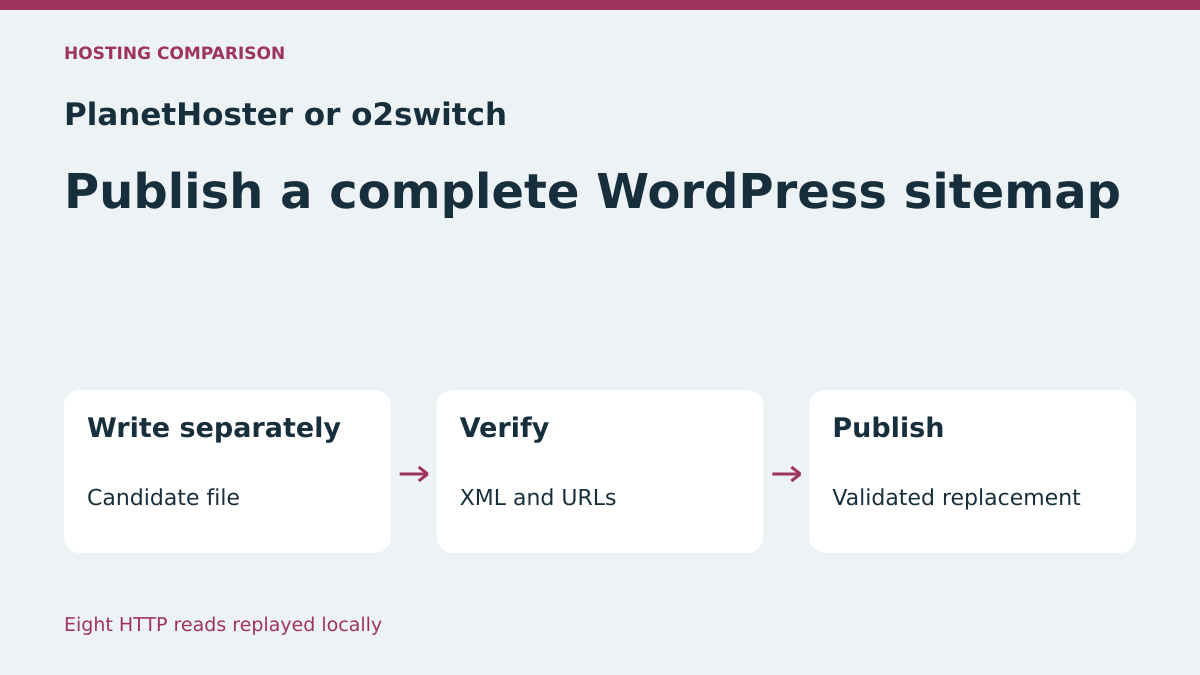
The comparison follows the same operation on both plans: locate the site and script, read the sitemap during a test generation, then prepare the new version separately. The previous file remains available until the candidate has been validated. PlanetHoster documents Cron jobs in N0C and o2switch documents them in cPanel. The local acceptance test checks both ways of writing the file, using HTTP reads at known stages.
Compare before you choose
The offers at a glance
Find the use case and budget that fit, then read the details to see the limitations and any components you may need.
On smaller screens, the table scrolls horizontally. With a keyboard, press Tab to focus the table, then use the left and right arrow keys.
| Offer | Best for | Pricing and billing | Renewal and support |
|---|---|---|---|
 PlanetHoster The World, pack of ten Standard Web ProjectsRead the details | A team running several projects and tracking each sitemap from its own domain. | Introductory package offer at €5.49 per month over 24 months, equivalent to €131.76 at the displayed rate. Initial 24-month cycle at the quoted rate Prices include tax under the terms. Confirm the applicable total. | Automatic renewal by default. Disable no later than 30 days before expiry. Renewal amount to confirm. |
 o2switch GrowRead the details | A team already associating cPanel tasks with its test domains. | Equivalent to €7 excluding VAT/month; €84 excluding VAT paid for twelve months Annual payment Prices exclude VAT; tax-inclusive total depends on billing | €84 excluding VAT for annual renewal at the recorded rate |
Capture the response while the document is being regenerated
On a private copy, note the custom sitemap’s exact address, site root, file path and command producing it. Record when the task runs or launch it once through the mechanism provided on that copy. During the test, keep at least one read before generation, one during and one after. Note the time and, if possible, execution identifier to correlate responses with the task log.
Keep headers and body from every GET response. In PowerShell, put the test URL in $url, then use curl.exe -sS -D entetes.txt -o sitemap-recu.xml "$url". Give the three readings’ files different names. Check the status, bytes received and XML parsing. If the server advertises the same number of bytes as actually received, the HTTP transfer may have delivered a complete response from the transport perspective while the source file was still being generated.
The problem may disappear once the task finishes. A manual read several hours after the incident may therefore succeed. In the test environment, choose a generation long enough to observe the intermediate state or have the generator temporarily instrumented to make that moment visible. If a cache serves a different copy, identify the responding layer and repeat the measurement through the intended test path. Also read the public address after correction, because it may retain an older version that is still valid.
- Identify the task writing the file and note its start and end times.
- Compare HTTP responses before, during and after generation.
- Parse the XML actually received and keep the result with the record.
Check addresses as well as XML syntax
A well-formed sitemap can remain incomplete. A generator may correctly close the document after omitting pages, for example if a selection stage is interrupted. For a small control dataset, prepare the expected address list and compare it with loc values. Check the XML root and protocol namespace, then the entry count. A correct count can hide a duplicate and a missing address. Comparing addresses therefore remains useful for this test.
For a larger site, record the expected address list using the same criteria as the generator. In particular, specify published content, canonical addresses and included content types according to your procedure. If the generator produces several child files, validate the affected files and check that the index references available versions. In this exercise, there is one file and comparison covers two or three fictional addresses known in advance.
Record a hash of the last validated file and keep a rollback copy in a protected location. After an interrupted generation, this hash checks that the public version is still the one you validated. If the address actually points to a dynamic response, keep the HTTP record and check the content source in the relevant generator. Replace a file only after confirming it is the one served by the URL.
PlanetHoster The World: locate the project publishing the sitemap
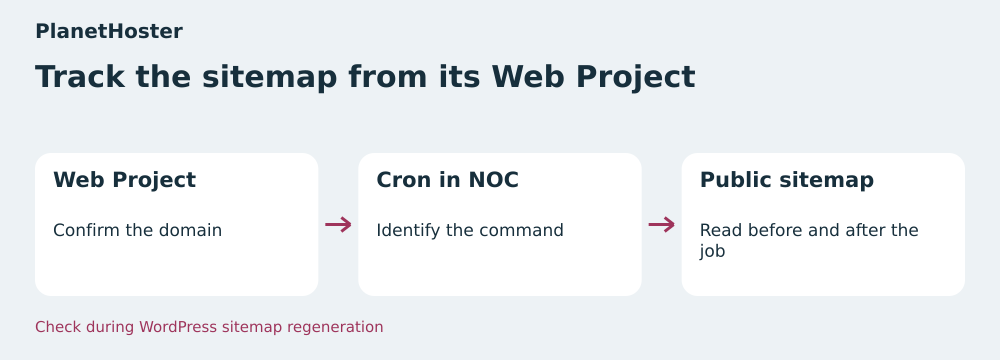
In the PlanetHoster Customer Area, identify the Web Project serving the test domain. Open its N0C interface, then the Crons section. N0C help documents adding a task, frequency, full command path and a comment identifying it. Web Project details help locate project access information. Record the domain, served root and generation folder from the selected project. Another Web Project may have a file with the same name.
In the task, check the script path and published file path. Also identify the user writing the file and whether the web server can read it after replacement. Use a private copy and generation from a fictional catalog to test read and replacement permissions. N0C documentation says an email may be sent when the task produces output. If the script logs a failure, retain the execution identifier, time, number of validated addresses and publication result in the log.
In a package containing several projects, record these values per site. A successful test on one Web Project does not establish permissions or sitemap location for another. Check the task’s behavior if interrupted and the method of restoring the previous file from the protected location chosen for that project.
o2switch Grow: connect the cPanel task to the site root
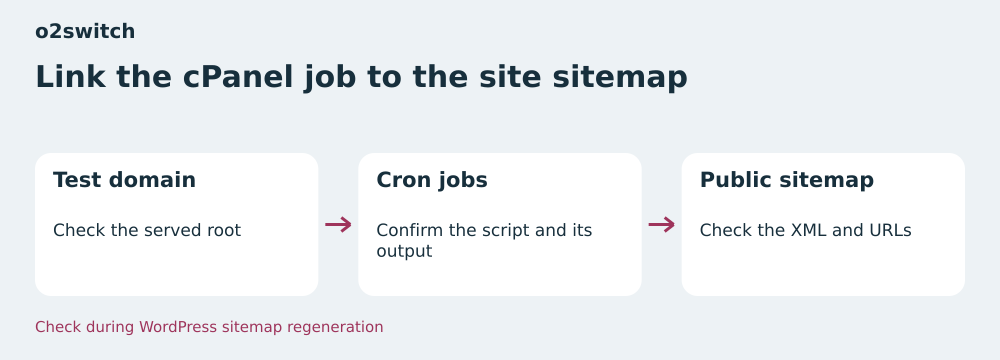
In cPanel, open the Cron jobs section documented for Grow. Record the command and frequency, then associate it with the domain serving the file. The documentation recommends an absolute script path. When several sites are present, confirm the destination folder before adjusting the task. For an initial acceptance test, keep a copy of the starting configuration and have the test script write within the area designated for this site.
Check whether another task or manual launch can produce the same file. Preparing a version separately protects readers during creation. Two separate producers can nevertheless publish in the reverse of the intended order. o2switch documentation presents flock to prevent simultaneous executions. If choosing this mechanism, put the lock in a location accessible to the relevant tasks and associate the same lock with every entry point publishing this sitemap. A lock specific to each command would not coordinate the two writes.
Check the generation log and read from the test URL. If the command runs while the file remains old, check whether validation failed, a lock prevented execution or the cache serves another version. To return to the starting situation, restore the previous command and validated copy. Then check what the server delivers in the HTTP response.
Plans and terms recorded on November 11, 2026
PlanetHoster The World displays an introductory offer of €5.49 per month for a 24-month cycle, applying in particular to the ten Standard Web Projects package selected here. This totals €131.76 over the cycle at the displayed price. The quoted rate is for the package. The Standard listing states 10 GB NVMe or SSD per project. Public terms state tax-inclusive prices and automatic renewal by default, to be disabled no later than 30 days before expiry if you wish to stop. Confirm the tax-inclusive total and package-specific renewal amount in the cart.
o2switch Grow displays a monthly equivalent of €7 excluding VAT, or €84 excluding VAT paid for twelve months. The published annual renewal price in the consulted rate schedule is also €84 excluding VAT. The plan advertises eight vCPU threads and 16 GB RAM. The domain is free for the first year according to the listing. In the summary, record the tax-inclusive total applicable to the account and domain price for the next cycle. The price alone does not indicate a task’s result or its permissions on a folder.
Compare cost over the selected duration and the organization of sites you actually use. At PlanetHoster, the quoted introductory price covers ten projects for two years. Grow is billed over twelve months at the described rate. For a single sitemap, the technical value mainly comes from being able to locate the task, destination file and a valid copy. Note access scope and recovery procedure before moving the task to another plan.
Write and check the new version before replacement
In the generator, write XML to a candidate file unique to the execution. Choose a location that will not be served publicly and is on the same filesystem as the destination. Leave the published file in place during this step. Close the candidate before parsing it. Check that its structure, encoding and addresses match the test dataset. If the task stops during writing, the public address continues serving the previous version.
After validation, request file replacement in one operation suited to the environment. In Python, the exercise uses os.replace(candidat, destination). In PHP, a generator can use rename($candidat, $destination) when its environment permits replacement under the verified conditions. Check the call’s result and treat failure as a publication failure. Check directory permissions and the web server’s ability to read the file after replacement. Keep the previous version in place until the validated candidate is published.
On a test copy, stop the generator just before validation, then observe the served address. Repeat with XML that parses correctly but lacks an address. The expected result is the same: the already-validated file remains in place. If several tasks can replace the destination, agree on a single producer or shared lock. Replacement protects readers while a candidate is prepared. The version finally published must also be the expected one.
- Write and close a protected candidate on the same filesystem as the destination.
- Check XML and addresses, then perform replacement and check its result.
- Read the URL and compare response addresses and hash with the validated candidate.
Return to an already-checked file if publication fails
Keep the last validated version before publishing. For rollback, prepare this copy as a new candidate and check its hash and XML. Then replace the file using the same method. Read the address with a real request and check that the old list has returned. If a cache retains the intermediate or latest version, use the designated invalidation mechanism for the URL after establishing that the file served at the origin matches the chosen copy.
The task log must reveal whether failure comes from generation, validation or replacement. After generation failure, the last version may remain usable while the team corrects the script. However, record its date and check that it still matches the scope you want to declare. A readable version can become too old for the business need. Retaining the old copy and tracking freshness answer two different questions.
Also perform a complete test rollback by restoring the previous command if you changed the trigger, working directory or output path. Check that a manual launch and scheduled task use the same destination file. If the component produces an index and several sitemaps, check index links before restoring service. A sitemap pointing to an unavailable child file must be corrected even if its own XML is valid.
What the eight acceptance-test readings showed
The script writes a fictional 214-byte sitemap containing two addresses. During direct rewriting, the request receives 151 bytes with status 200 and an advertised length of 151 bytes. The parser rejects this incomplete document. Once writing finishes, the 266-byte document contains the three expected addresses. With separate preparation, the read at the same intermediate stage retrieves exactly the old version’s 214 bytes. After replacement, it receives the validated 266 bytes.
The test then rejects a truncated XML file and a well-formed file missing two addresses. In both cases, the public version retains the same hash. Rollback restores the exact old version. The eight checks passed with Python 3.14.4 from the extracted ZIP. The server and writes are real on loopback. The exercise uses fictional data and does not run WordPress or the compared plans’ tasks.
Choose PlanetHoster if your organization tracks publications by Web Project and can isolate testing in N0C. Choose o2switch if the team already manages tasks by cPanel account or subaccount and has a verifiable script procedure. In both cases, validate reading during generation, rejecting an incomplete candidate and returning to the previous copy. These three observations connect plan selection to how the sitemap remains available while updating.
- Extract the ZIP and run
python recette.py. - Compare reads during direct writing, during separate preparation and after replacement.
Further reading
Sources and references
Use these references to check the features, requirements and limitations described. Reading documentation is not a practical test.
View 11 references
- PlanetHoster The World — Package introductory price over 24 months ↗ — Documentation consulted:
- PlanetHoster The World — Tax treatment and renewal ↗ — Documentation consulted:
- PlanetHoster The World — Web Project cron jobs in N0C ↗ — Documentation consulted:
- o2switch Grow — Displayed twelve-month price ↗ — Documentation consulted:
- o2switch Grow — Annual renewal price ↗ — Documentation consulted:
- o2switch Grow — cPanel cron jobs and locking ↗ — Documentation consulted:
- PlanetHoster, Web Project details ↗ — Documentation consulted:
- WordPress, sitemap generator ↗ — Documentation consulted:
- Sitemaps.org, format and XML validation ↗ — Documentation consulted:
- Python, replacing a file ↗ — Documentation consulted:
- PHP, replacing a file with rename ↗ — Documentation consulted:
Uses, prices and what to check
2 offers in detail
Compare the features you need and the terms of each offer. The order of these entries does not indicate a ranking.
PlanetHoster The World, pack of ten Standard Web Projects
 Follow the sitemap from its Web Project — BlogPasCher editorial illustration.Open full-size illustration ↗
Best forA team running several projects and tracking each sitemap from its own domain.
On The World, record the Web Project serving the domain before opening Cron jobs in N0C. Check the working directory, permissions and published file for that project.
Offer pricing
Introductory package offer at €5.49 per month over 24 months, equivalent to €131.76 at the displayed rate.
Billing: Initial 24-month cycle at the quoted rate
Renewal and support: Automatic renewal by default. Disable no later than 30 days before expiry. Renewal amount to confirm.
Prices include tax under the terms. Confirm the applicable total.
Checked on .
Strengths
- Organization by Web Project
- N0C Cron jobs documented
What to consider
- Price quoted at package level
- Renewal amount to record
Pricing terms and compatibility
Understanding the offer
- Price at the time of review
- Introductory package offer at €5.49 per month over 24 months, equivalent to €131.76 at the displayed rate.
- Currency
- EUR
- Billing
- Initial 24-month cycle at the quoted rate
- Renewal and support
- Automatic renewal by default. Disable no later than 30 days before expiry. Renewal amount to confirm.
- Taxes and fees
- Prices include tax under the terms. Confirm the applicable total.
- Commitment and terms
- 24 months for the selected introductory offer
- Date checked
Compatibility and components
- WordPress
- N0C
- Cron
o2switch Grow
 Link the cPanel task to the site’s sitemap — BlogPasCher editorial illustration.Open full-size illustration ↗
Best forA team already associating cPanel tasks with its test domains.
On Grow, connect the cPanel account’s Cron command to the domain root. For commands publishing the same sitemap, check that a shared lock prevents them from running simultaneously.
Offer pricing
Equivalent to €7 excluding VAT/month; €84 excluding VAT paid for twelve months
Billing: Annual payment
Renewal and support: €84 excluding VAT for annual renewal at the recorded rate
Prices exclude VAT; tax-inclusive total depends on billing
Checked on .
Strengths
- Cron jobs and locking example documented
- Annual renewal published
What to consider
- Path and permissions to confirm per domain
- Domain renewal to check
Pricing terms and compatibility
Understanding the offer
- Price at the time of review
- Equivalent to €7 excluding VAT/month; €84 excluding VAT paid for twelve months
- Currency
- EUR
- Billing
- Annual payment
- Renewal and support
- €84 excluding VAT for annual renewal at the recorded rate
- Taxes and fees
- Prices exclude VAT; tax-inclusive total depends on billing
- Commitment and terms
- Twelve months
- Date checked
Compatibility and components
- WordPress
- cPanel
- Cron