

A profile must remain accurate when a member changes role
A community directory may display complete profiles on opening day, then lose value when a member changes activity. Someone seeking a contact sometimes sees an old role on the card and the new one on the detail page. To compare KLEO and Join Up, start with an ordinary update. Identify where the member enters their description, which views reuse it and which role can correct it.
KLEO describes a BuddyPress environment with a directory and search journeys. It merits shortlisting when the list serves as the main entry point. Join Up highlights profiles and activities, with Youzify advertised in the bundle. It merits examination when the profile is the main starting point. In both cases, the theme organises display while fields, sources and update rules require a network-specific decision.
The procedures target a team managing self-hosted WordPress. They use a test copy protected by access control, fictional accounts and information invented for the exercise. Check that the copy cannot send notifications to real members. Discouraging search engines does not protect site access. In multisite or a managed service, ask the manager which screens and components are accessible. Prepare a sparsely populated profile and one linked to two fictional groups. The former examines optional fields. The latter helps locate information appearing beyond the profile page.
Compare before you choose
The offers at a glance
Find the use case and budget that fit, then read the details to see the limitations and any components you may need.
On smaller screens, the table scrolls horizontally. With a keyboard, press Tab to focus the table, then use the left and right arrow keys.
| Offer | Best for | Pricing and billing | Renewal and support |
|---|---|---|---|
 KLEORead the details | Community organised around members and their profiles. | USD 59 Regular; USD 1,900 Extended — recorded November 2, 2026 Theme purchase; six months of support included and access to future updates advertised, without guaranteed maintenance duration. Advertised excluding taxes and handling fees; final checkout amount not established. | No mandatory annual theme renewal displayed; optional support extension, price not recorded. |
 Join UpRead the details | Community whose member profile is the entry point. | USD 85; item marked 100% GPL — recorded November 2, 2026 Theme purchase; six months of support included and access to future updates advertised, without guaranteed maintenance duration. Advertised excluding taxes and handling fees; final checkout amount not established. | No mandatory annual theme renewal displayed; optional support extension, price not recorded. |
Prices and component scope
On November 2, 2026, KLEO's listing displayed 59 US dollars Regular and 1,900 dollars Extended. Join Up's displayed 85 dollars and marked the item 100% GPL. These labels describe distinct offerings. The displayed amount alone does not explain project reuse rights, integration costs or standalone licence terms. Before costing a network takeover, separate the theme, necessary components and transfer time. These prices are dated records from November 2, 2026, not confirmation of availability or amount on your purchase day. No theme purchase or trial was performed for this comparison.
For KLEO, BuddyPress and bbPress are mentioned. WPBakery, Slider Revolution and Go Pricing are advertised as bundled, with Elementor mentioned as compatible. The listing consulted November 2, 2026 indicated a last displayed update of October 30, 2025 and a WordPress tag up to 6.9.x. For Join Up, BuddyPress, bbPress and Elementor are mentioned, with Youzify and Slider Revolution advertised as included. The displayed date is February 3, 2026 and the recorded tag goes up to 7.0.x. These are listing statements without verification of the combination to install.
Ask the provider to state which component creates fields, which displays them and which manages groups. Specify the included Youzify version if the team considers Join Up. Also ask which screens KLEO uses for the selected demo's directory. The number of templates shown does not calculate profile maintenance cost. The quotation must specify work to revisit at the next version or theme change.
Both offerings advertised six months of support and access to future updates, without guaranteed maintenance duration. Prices are advertised excluding taxes and handling fees; checkout total and support-extension price are not established here. For a bundled component, distinguish updates distributed by the theme author from a standalone licence purchased from the component publisher. Theme support is not an installation or customisation service.
KLEO warrants a reservation before a new project: its last displayed update dates from October 2025 and the recorded tag stops at WordPress 6.9.x. This demonstrates neither abandonment nor incompatibility, but does not validate a newer installation. Request the version of the package actually supplied and its compatibility matrix before selecting this candidate. Join Up's 7.0.x tag also remains a declaration, not a trial result with your BuddyPress and Youzify versions.
Define fields and their owners
Prepare a short list of information with a reason for each item. In the fictional scenario, a display name, activity sentence and group suffice. Record who enters each field, who may read it and where it is reused. Information useful to management may remain separate from the card. Publishing real information must follow organisational decisions. Demonstration illustrations and profiles are not sources for those decisions.
The list card must help recognise a person and open their profile. The profile can explain activity or link to groups. When the same information appears in both views, check whether they read the same field. A manually copied sentence becomes difficult to track during changes. A register can state field name, source, displaying views and the role responsible for correction.
Also examine optional fields before comparing templates. If a member leaves a description empty, their name and explicit link may suffice in the list. A succession of empty labels makes the profile hard to read. Prepare a long group title and a profile without a photo. The expected result is that each view indicates its contents and the member understands how to add requested information.
Workflow 1. Prepare a profile and its card
This approach suits a network still deciding which fields to present. It requires rights to pages on a private copy and a test profile. Ordinary pages let you compare list and detail before choosing directory presentation. The team must be able to decide what is visible, optional and useful without depending on a demonstration. These pages are only a content mock-up: they create no real BuddyPress profiles, do not synchronise cards and verify no group permissions. The second workflow checks these behaviours in the actually installed engine.
- In Pages > Add New Page, create a fictional profile draft. Enter name, activity and group. Separately record fields reserved for management. Create a second profile without a description.
- Prepare a list page with two links and short text per card. For checks between editors, use previews accessible to their accounts. To browse links as an ordinary member, publish only these fictional pages on the protected test copy: a WordPress draft or private page is not accessible to every subscriber. Publish nothing on the real site.
- Open both profiles from the list in a narrow view. Check that the short profile remains recognisable. Change an activity and record places where the change must be repeated.
- Return fictional pages to draft and remove links from the working list. Keep the field register to ask the provider to show the same sources in the template.
Workflow 2. Correct activity from the intended role
This variant concerns a network already having a copy with the authorised engine and components. It requires fictional profiles and test access for the member and profile manager. The scenario corrects a single activity. It checks propagation to cards and groups. If the organisation wants editorial approval, specify how it is implemented. The commercial listing does not guarantee this setting.
Use two separate sessions for the member and manager. After saving, reload the profile and open its direct address in each session; record visible text and fields. Then compare with the profile list. If a restricted field appears in a session that should not see it, stop presentation selection and correct access rules on the copy. Hiding a line in a template does not demonstrate its data became inaccessible.
- On the test copy, open the fictional profile and its editing screen. Record the activity field's name, value and views reusing it. Log out of the administrator account before logging in as a member: an administration-rights check does not validate ordinary rights.
- From the test account, change only the activity. Record status after saving. If a role must review the change, identify the screen where it can find it.
- View the profile, profile list and two fictional groups. If the old activity remains visible, find its source before editing a shared template. A group card may reuse independent text.
- Restore the initial value. Record actual paths used and differences between roles. If access prevents the exercise, clarify the setting in the copy's documentation.
Workflow 3. Remove a membership and check links
Changing groups and removing a profile from the directory are two distinct operations. Prepare a fictional profile in two groups and decide what must remain visible after removing one membership. A private copy, suitable backup and rights over the relevant relationship are required. The expected result is that the second group retains its link and the direct profile no longer describes an old membership.
- Record the profile address and group pages. Ask for the actual setting used for their relationship. Record starting values in the register.
- Remove only membership of the first group on the copy. Open both group pages, then the profile from the intended role. Check that the account remains identifiable in the second group.
- Separately examine the scenario where the profile must leave the profile list. Open its direct address in the test view. A disappearing card does not establish the state of the profile, links or media.
- Restore both fictional states and review the list. Keep steps and screens in the directory operating guide. Decisions about deleting or archiving real data belong to the manager.
Organise handover and bulk corrections
A manager may discover several profiles use an old label. Before changing them, distinguish a display-label change from a data-value change. A shared label can be corrected in a template. A value varying by person must remain attached to their profile. Prepare two fictional profiles, only one using the old label. A general replacement without this distinction risks removing valid information from the other profile.
For handover, request a record of fields, groups and card sources. On the copy, have someone who did not build the site locate the activity source. Ask them to explain what they would change and subsequently check. If fields depend on a component, specify what a test export retains. A page export does not establish recovery of accounts, additional fields or group relationships. Prepare migration criteria before changing themes.
When profiles are sparsely populated, add a short-profile example to documentation. If the team wants to invite members to update descriptions, provide correction instructions and an internal contact. Compare the result in the list and profile. You can then choose a presentation providing enough information without multiplying fields nobody maintains.
Choose the entry point suited to members
Shortlist KLEO if the directory must remain the main route and the selected demo lets you locate card sources. Shortlist Join Up if profiles and activities are the starting point, subject to clarifying Youzify's role. Request the same correction in both environments. The provider must show the changed value, affected views and procedure for restoring the starting state.
The KLEO banner presents phone profile previews and the Join Up montage shows several community pages. These promotional visuals come from SeventhQueen and Qode Interactive respectively. They illustrate a presentation offered by their authors; their commercial statements are not an independent assessment. Actual rights, update workflow and field recovery must be verified on the intended installation. If a reference page and short list already meet the need, retain that version to compare the value of a more elaborate template.
The choice becomes clearer with three cases: a sparsely populated profile, activity correction and group removal. Ask the directory owner to prepare them from documentation. If several screens must be consulted, record which and who can access them. If data propagate automatically, indicate where to check results when a card does not reflect the change. This maintenance sheet is as valuable as the demonstration page for anticipating everyday use.
Distinguish a name change from a duplicate
In a real directory, several people may have the same display name. To distinguish them, choose relevant authorised information, for example their working group. On the copy, create two fictional profiles with the same name and different activities. Someone opening the list must identify the desired profile without knowing an internal ID. Check the same situation in search if the chosen demo provides it. The theme may display a result while the team still needs to define which data help recognise people.
When the name changes, record how the installation builds the direct address. Check whether correction changes only text or also the profile link. If the address changes, ask the manager for the planned procedure for old links. The desired outcome depends on the network's decision about the profile. Do not assume a redirect from a name update. Keep a fictional example showing old and new presentation in the register.
Finally, prepare handling of a correction request received outside the site. State whom it goes to, which screen verifies the change and how to tell the person their profile was reviewed. In a small community, a pending-corrections list sometimes suffices. In a larger network, document the workflow in the adopted tool. This decision lets you compare KLEO and Join Up screens through a recurring task with identifiable responsibilities.
Further reading
Sources and references
Use these references to check the features, requirements and limitations described. Reading documentation is not a practical test.
View 2 references
- KLEO — official listing in the November 2, 2026 record (archived offering and price) ↗ — Documentation consulted:
- Join Up — official listing in the November 2, 2026 record (archived offering and price) ↗ — Documentation consulted:
Uses, prices and what to check
2 offers in detail
Compare the features you need and the terms of each offer. The order of these entries does not indicate a ranking.
KLEO
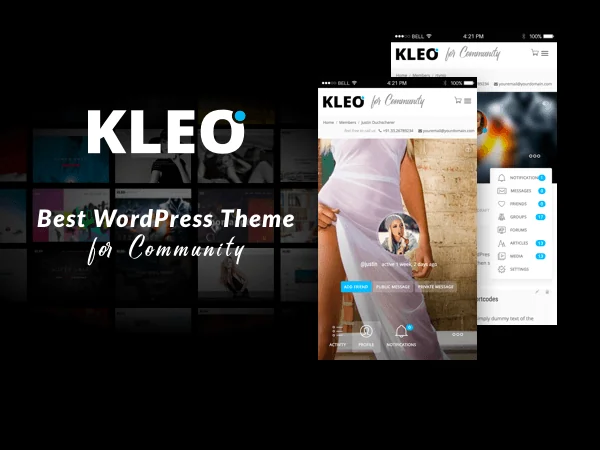 Official KLEO promotional banner by SeventhQueen, with profile views on phones. The visible superlative belongs to the developer’s image.
Best forCommunity organised around members and their profiles.
KLEO lets you compare several presentations of a BuddyPress community, particularly a member directory and profile search. Choose it for these journeys rather than the number of demonstrations. A professional association may want to find a skill, while a club prefers groups and activities. Define necessary fields before choosing filters; the listing does not prove all data will be relevant to your audience.
Offer pricing
USD 59 Regular; USD 1,900 Extended — recorded November 2, 2026
Billing: Theme purchase; six months of support included and access to future updates advertised, without guaranteed maintenance duration.
Renewal and support: No mandatory annual theme renewal displayed; optional support extension, price not recorded.
Advertised excluding taxes and handling fees; final checkout amount not established.
Checked on .
Strengths
- Profiles and member search; several community presentations.
What to consider
- Last update displayed October 2025; WordPress 6.9.x tag.
- Conditional recommendation: recent WordPress and BuddyPress versions not validated by available records.
Pricing terms and compatibility
Understanding the offer
- Price at the time of review
- USD 59 Regular; USD 1,900 Extended — recorded November 2, 2026
- Currency
- USD
- Billing
- Theme purchase; six months of support included and access to future updates advertised, without guaranteed maintenance duration.
- Renewal and support
- No mandatory annual theme renewal displayed; optional support extension, price not recorded.
- Taxes and fees
- Advertised excluding taxes and handling fees; final checkout amount not established.
- Commitment and terms
- Standard licence for one end product: Regular if access is free; Extended normally required if access is paid. Check Envato exceptions and third-party components according to the project.
- Date checked
Compatibility and components
- BuddyPress and bbPress; Elementor and WPBakery mentioned as compatible.
- WPBakery, Slider Revolution and Go Pricing advertised as bundled; archive not inspected.
- Confirm builder Pro features and membership modules.
- Last update displayed: 30 October 2025. Highest WordPress tag: 6.9.x. Gutenberg Optimized: Yes.
Join Up
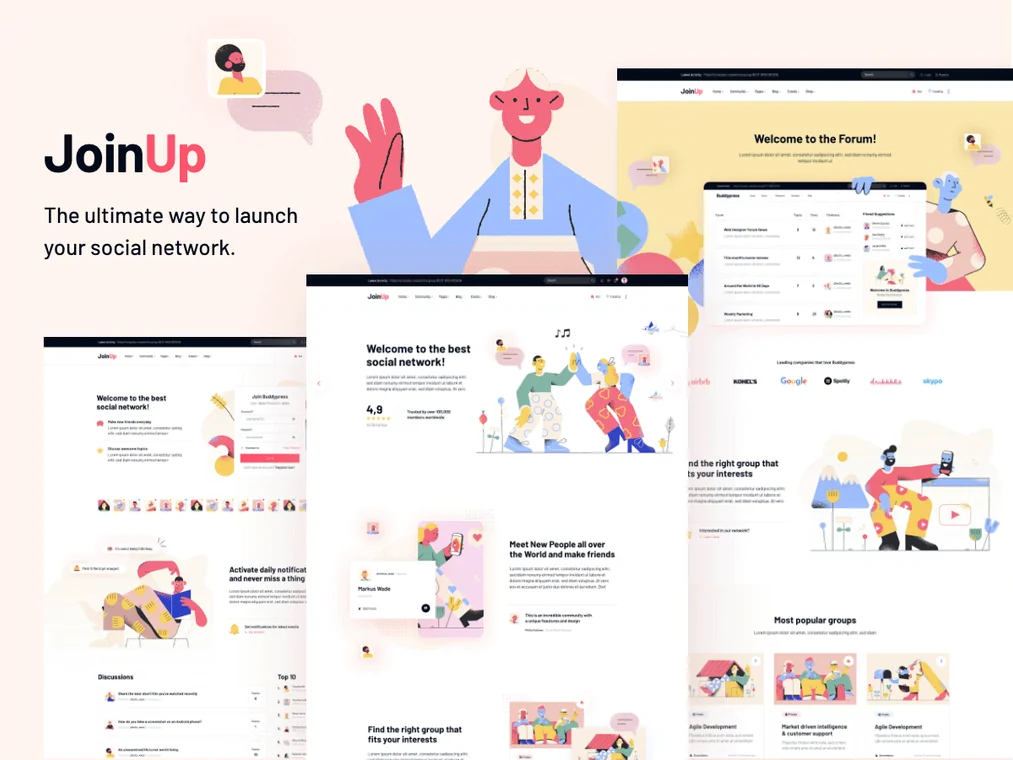 Official Join Up promotional montage by Qode Interactive, with illustrations, community pages and forum.
Best forCommunity whose member profile is the entry point.
Join Up presents BuddyPress community templates and advertises Youzify in its bundle. It merits comparison if the profile and activities are the site's primary entry point. Test a sparsely populated profile, then a member belonging to several groups: a generous presentation must remain understandable with little content too. Maintaining Youzify becomes part of the project, even if you do not customise every screen.
Offer pricing
USD 85; item marked 100% GPL — recorded November 2, 2026
Billing: Theme purchase; six months of support included and access to future updates advertised, without guaranteed maintenance duration.
Renewal and support: No mandatory annual theme renewal displayed; optional support extension, price not recorded.
Advertised excluding taxes and handling fees; final checkout amount not established.
Checked on .
Strengths
- BuddyPress templates and forums advertised.
What to consider
- Profile development tied to a bundled extension.
Pricing terms and compatibility
Understanding the offer
- Price at the time of review
- USD 85; item marked 100% GPL — recorded November 2, 2026
- Currency
- USD
- Billing
- Theme purchase; six months of support included and access to future updates advertised, without guaranteed maintenance duration.
- Renewal and support
- No mandatory annual theme renewal displayed; optional support extension, price not recorded.
- Taxes and fees
- Advertised excluding taxes and handling fees; final checkout amount not established.
- Commitment and terms
- Item marked 100% GPL: the archive's GPL terms apply to the product instead of standard Regular/Extended terms. Examine services, activation and third-party assets separately.
- Date checked
Compatibility and components
- BuddyPress, bbPress and Elementor.
- Youzify and Slider Revolution advertised as included.
- Separate standalone component licences and additional services.
- Last update displayed: 3 February 2026. Highest WordPress tag: 7.0.x. Gutenberg Optimized: Yes.