

Choosing for the catalogue and everyday work
A shop must let customers find a product, understand variations and complete an order. Before changing themes, check whether your current organisation can meet these needs: clearer categories, consistent attributes, suitable images and better-structured pages. A new theme does not automatically correct incomplete catalogue data or poorly defined delivery rules.
This comparison concerns Flatsome Classic sold on ThemeForest and WoodMart, also distributed on that platform. The new Flatsome Site Builder is a separate product built around WordPress blocks and a different commercial model. Its features are not attributed to the Classic edition compared here. Both selected products concern self-hosted WordPress; check installation permissions on multisite or WordPress.com.
Information was consulted in official sources on November 3, 2026. No theme was purchased or installed, and no conversion or response times measured. The proposed decision rests on catalogue, editing tools, dependencies and your team’s ability to maintain the shop. An attractive demo remains a commercial presentation.
Compare before you choose
The offers at a glance
Find the use case and budget that fit, then read the details to see the limitations and any components you may need.
On smaller screens, the table scrolls horizontally. With a keyboard, press Tab to focus the table, then use the left and right arrow keys.
| Offer | Best for | Pricing and billing | Renewal and support |
|---|---|---|---|
 Flatsome Classic — ThemeForest editionRead the details | A shop whose team knows UX Builder or wants to adopt that environment. | 59 USD — Regular License recorded November 3, 2026 One-time purchase on ThemeForest. Taxes and processing fees excluded. | Six months of support; price optional extension separately. Any commercial services and modules separate. |
 WoodMart — xtemosRead the details | A catalogue with structured search and a team trained in the chosen builder. | 69 USD — Regular License recorded November 3, 2026 One-time purchase on ThemeForest. Taxes and processing fees excluded. | Six months of support; price optional extension separately. Any commercial services and modules separate. |
Flatsome Classic: a method based on UX Builder
Flatsome Classic uses UX Builder for visual construction and UX Blocks for reusable content. This organisation may suit a team wanting one main method for commercial pages and presentation elements. It also requires knowing theme-specific settings and retaining an inventory of builder dependencies.
For a site already built with UX Builder, start by measuring the work needed to correct the catalogue and existing templates. A complete redesign in another tool may cost more than reworking a few pages. That does not guarantee Classic suits every project: have actual features and versions checked instead of relying on an old demo screenshot.
The author states that Classic remains available and receives critical and WordPress/WooCommerce compatibility fixes. Flatsome Migrator is also documented for moving to blocks, with content lacking equivalents to review. This tool does not turn a ThemeForest purchase into automatic access to direct offerings. If considering this move, prepare separate documentation with its contract, components and acceptance testing on a copy. For this comparison, retain UX Builder as the working basis.
WoodMart: choosing the builder before templates
WoodMart documents Gutenberg, Elementor and WPBakery with components specific to each environment. Installation notably requires WoodMart Core, then the selected builder if not WordPress’s own. This variety may interest a team already trained in one tool. It does not mean every element exists everywhere with exactly the same settings.
The author specifies that a later builder change does not automatically convert content. Therefore choose the working method before importing a demo and confirm templates of interest. An element intended for a product template does not necessarily work in an ordinary page. Template context and required extensions are part of verification.
WoodMart offers tools for archives, product pages, cart and checkout. Their value must connect to your journey: adding an information table, organising variations or clarifying a filter. Avoid multiplying presentations solely to reproduce a demo. The client must be able to edit a product without rebuilding the entire page whenever price changes.
Preparing categories and attributes before filters
A category groups products; an attribute describes a characteristic such as size, material or colour. WooCommerce distinguishes these and allows catalogue organisation with them. If material appears only in the description, an attribute filter cannot necessarily use it. Therefore start with data structure without installing an additional filter.
WoodMart documents filter forms using categories, attributes, availability, price and sorting. For an attribute, its documentation requires creating global terms, then assigning them to products. Filters can then be placed in the intended context. This approach tests a real commercial question, such as finding a jacket in a particular material and size.
For Flatsome Classic, check the filter component and widgets present in the selected demo with actual data. Do not attribute new Site Builder modules to it. In both themes, prepare an empty result, sold-out product and long category. The filter must explain what remains selected and allow an easy return to the full catalogue.
- On the working copy, open Products > Attributes. Create Size, configure its terms, then assign them to comparison products and save.
- In WoodMart, open HTML Blocks > Add New. Add Product filters with the chosen builder, select this attribute’s filter and publish the block on the copy.
- In Theme Settings > Product archive > Shop filters, enable filters, select HTML Block as content, then your block. Save and check the shop-side result. These labels follow English documentation; translations may vary.
Basing the choice on difficult products
A simple product with one photograph is insufficient to distinguish shop themes. Prepare an item with several sizes, a product with a long description and another whose variations have different prices or availability. Add a category with very similar products. The page must help customers understand the selection before adding to cart.
Variation presentation must remain connected to WooCommerce data. A colour swatch is a visual choice; it guarantees neither correct stock nor a different image for every variation. Check the association between value, photograph, price and purchase button. If a product cannot be ordered, the message must be understandable without relying only on colour.
Then compare the team’s work: creating a variation, editing a description and replacing a photograph. Global templates can avoid correcting every product page separately, but exceptions must be identifiable. Customisation hiding useful information across all products requires a template correction, not a series of manual description edits.
Testing cart and checkout as a separate journey
WooCommerce has cart and checkout pages and blocks plus older shortcode-based integrations. Your shop may use one of these journeys with payment or delivery extensions. General theme compatibility claims do not guarantee every combination. Identify exact components before selecting a checkout template.
On a neutralised copy, check the cart with a variation, changed quantity, authorised discount code and test delivery address. Total, shipping method and messages must match expected rules. A visually correct page can still hide a validation error or extension-added field. To identify the existing journey, open Pages > All Pages, then Cart or Checkout: record whether it contains a WooCommerce block, shortcode or builder template. Do not replace this component during simple inventory.
Use only the provider’s simulation methods to check payment. The expected result includes order status, amount and test confirmations without real charges or fulfilment. If the journey fails, identify the component and precise action before changing themes. Repeating a real order to see whether it works is not an acceptance-testing method.
Comparing budget without confusing theme and business services
As of November 3, 2026, individual listings display Flatsome at 59 USD and WoodMart at 69 USD for Regular, excluding taxes and handling fees. Both purchases advertise six months of support. The initial ten-dollar difference is insufficient to decide: it prices neither redesign work nor specialist extensions and service contracts.
For these ThemeForest offerings, theme payment is one-off and support extension remains optional. Advertised updates do not represent an unlimited shop-maintenance contract. Payment gateways, commercial subscriptions, carriers and integration work may have their own costs. A compatible module is not necessarily supplied in premium form. Regular covers one end product; according to Envato, a freely accessible shop can use it even when selling products. Paid site access needs separate checking.
In WoodMart, WPBakery is advertised as bundled; this does not automatically provide a standalone licence. For Elementor, do not assume Pro is included. In Flatsome Classic, new Site Builder terms do not replace those of the compared purchase. Have identical needs and dependency lists prepared for both candidates before calculating the complete budget.
Preparing maintenance for the complete shop
The shop combines WordPress, WooCommerce, theme and payment or logistics extensions. The theme therefore does not alone control journey stability. Record versions, custom templates and components your activity actually uses. The update owner must also know periods when disruption would be particularly inconvenient.
At the November 3, 2026 check, Flatsome’s listing displays version 3.20.12 and an October 29 update; WoodMart’s displays an October 28 update and a changelog ending with 8.6.6 dated October 27. These are author-provided information, not versions installed here. Retain documentation for the selected branch and builder; a recent date does not prove compatibility of your combination.
If using WooCommerce HPOS order storage, check extensions manipulating those data. Choosing a theme does not confirm every connector’s compatibility. Do not change storage, payment methods and builder in one redesign operation: separate changes so any failure’s cause can be recognised.
Placing AI features in context without entrusting them with the shop
MCP presented on the new Flatsome site belongs to Site Builder; do not attribute it to Classic. WoodMart documents an MCP plugin connecting an agent to WordPress and able to modify content, settings, products or orders. This integration does not establish an included AI-provider subscription or generation credits.
WoodMart recommends a working copy and change review: the agent acts with the connected account’s permissions. In theme selection, do not turn this possibility into a promise of autonomous catalogue management. Check the AI-service offering, accessible data and necessary permissions before any connection. No agent was connected or evaluated for this report.
Backing up without losing recent orders
A shop backup must retain files and database corresponding to a coherent state. Prepare the working copy and check rollback before importing a demo. Separate this copy from the commercial site and neutralise payments, emails and real carrier or stock integrations.
The public site may keep receiving orders while you prepare new templates. These operations do not necessarily exist in your copy. Later replacing the entire database with the copy could remove them from the site without cancelling external payments. Have the technical owner prepare switching and recovery of recent data.
Also plan for stock and price changes and new customer accounts. These must not be treated as simple mock-up files. If a problem appears after switching, identify the last operation and data to preserve before restoring anything. Rollback must restore the journey while retaining a reliable record of received sales.
Planning recovery of pages and data
Products and orders belong to WooCommerce’s organisation, while appearance may depend on theme and builder templates. This does not mean the entire shop will be immediately presentable after a change. Inventory product pages, archives, reusable blocks, header and content added by business extensions.
To leave Flatsome Classic, assess UX Builder pages separately from commercial data. For changing builders in WoodMart, the author states old content is not automatically converted. In either case, take a representative page and category to estimate rework. A demo import does not migrate your shop customisations.
Retain useful addresses and map changed pages. Also check elements the client uses to maintain the catalogue: instructions, tables, documents and delivery information. The expected result is a shop whose same products and orders remain recognisable with a checked new journey. Product counting alone does not verify variations and media.
When should you choose Flatsome Classic or WoodMart?
Flatsome Classic remains a coherent avenue for a team familiar with UX Builder, wanting to retain that method and able to confirm needs using this branch’s components. Its identified one-time purchase makes theme costing easier. It is less appropriate to select it for features shown only in the new Site Builder or to avoid all training in a specific environment.
WoodMart merits comparison if your team uses one of its three editors and catalogue tools address concrete search and presentation needs. Its recent documentation details template contexts and filters. In return, you must settle the builder and dependencies before setup rather than relying on later automatic conversion.
For a small catalogue without special needs, ease of data entry may be decisive. For a catalogue rich in variations, filters and information consistency become priorities. For an active shop, recovering orders and customisations may matter more than purchase-price differences. None of these scenarios supplies a universal quality or conversion score.
Establishing success criteria before deciding
Write a short acceptance test for both candidates: find a product using two criteria, select an available variation, understand its price and complete a simulated order. Add a no-result search, sold-out product and return to catalogue on a phone. The team must explain every outcome, including error messages.
Also check keyboard navigation, swatch labels, price readability and checkout-form validation. Commercial listing accessibility or speed claims do not replace these checks. Do not calculate a sales promise from a mock-up; traffic, offering, content and logistics also influence results.
The final quotation must identify theme, branch, builder, extensions, services and deadline owner. It must include acceptance testing, recent-data recovery and rollback. If an essential component or its compatibility remains uncertain, exclude that combination and proceed with another. These checks still need performing on a real installation before putting the shop into production.
Sources and references
Use these references to check the features, requirements and limitations described. Reading documentation is not a practical test.
View 20 references
- Flatsome Classic — ThemeForest listing and price ↗
- WoodMart — ThemeForest listing and price ↗
- Flatsome — distinguishing Classic from the new Site Builder ↗
- Flatsome — documentation and migration ↗
- Flatsome Classic — dedicated documentation ↗
- Flatsome Classic — UX Block and shop header ↗
- WoodMart — installation process and builders ↗
- WoodMart — components by editor ↗
- WoodMart — filter form ↗
- WoodMart — product-page configuration ↗
- WooCommerce — categories and attributes ↗
- WooCommerce — cart and checkout ↗
- WooCommerce — HPOS order storage ↗
- WooCommerce — test orders ↗
- WordPress — backups ↗
- Envato — Regular licence ↗
- Envato — bundled extensions ↗
- Flatsome — documented Classic migration ↗
- WoodMart — MCP and permissions ↗
- Envato — licence selection and commerce ↗
Uses, prices and what to check
2 offers in detail
Compare the features you need and the terms of each offer. The order of these entries does not indicate a ranking.
Flatsome Classic — ThemeForest edition
 Historical developer image for Flatsome Classic: “New in 3.0” and the ranking are older marketing statements, unrelated to the current version or Site Builder.
Best forA shop whose team knows UX Builder or wants to adopt that environment.
Flatsome Classic suits a shop retaining UX Builder editing and able to assess needs within this branch. WooCommerce categories and attributes must remain consistent for useful search journeys. Redesign requires reworking builder-specific templates and content. New Site Builder modules and its direct contract remain separate from this purchase.
Offer pricing
59 USD — Regular License recorded November 3, 2026
Billing: One-time purchase on ThemeForest.
Renewal and support: Six months of support; price optional extension separately. Any commercial services and modules separate.
Taxes and processing fees excluded.
Checked on .
Strengths
- Identified UX Builder editing method
- Reusable UX Blocks content
What to consider
- Avoid confusion with Flatsome Site Builder
- Rework builder-specific content when changing tools
Pricing terms and compatibility
Understanding the offer
- Price at the time of review
- 59 USD — Regular License recorded November 3, 2026
- Currency
- USD
- Billing
- One-time purchase on ThemeForest.
- Renewal and support
- Six months of support; price optional extension separately. Any commercial services and modules separate.
- Taxes and fees
- Taxes and processing fees excluded.
- Commitment and terms
- End product under Regular licence; transfer activation and access to the owner.
- Date checked
Compatibility and components
- Flatsome Classic and WooCommerce; check versions and business extensions together.
- No purchase or practical test. Specific payment and template compatibility not assumed.
- Listing checked November 3, 2026: displayed version 3.20.12, update October 29, 2026, highest WordPress tag 7.1.x. Seller declarations, without testing this combination.
WoodMart — xtemos
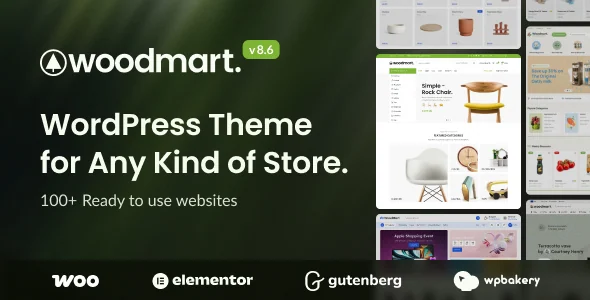 WoodMart developer presentation image showing version 8.6. Visible templates, numbers and compatibility logos do not constitute tests performed here.
Best forA catalogue with structured search and a team trained in the chosen builder.
WoodMart offers shop organisation with several builders and documented filter tools. It interests a team settling editor and templates before setup, then using reliable catalogue attributes. This flexibility requires selecting components actually needed. Neither payment features nor stock connectors should be declared compatible solely on the basis of the theme.
Offer pricing
69 USD — Regular License recorded November 3, 2026
Billing: One-time purchase on ThemeForest.
Renewal and support: Six months of support; price optional extension separately. Any commercial services and modules separate.
Taxes and processing fees excluded.
Checked on .
Strengths
- Gutenberg, Elementor and WPBakery documented
- Detailed filters and template contexts
What to consider
- Builder change without automatic conversion
- Elements and dependencies vary by template
- MCP integration: account permissions passed to the agent; AI service and credits not established as included.
Pricing terms and compatibility
Understanding the offer
- Price at the time of review
- 69 USD — Regular License recorded November 3, 2026
- Currency
- USD
- Billing
- One-time purchase on ThemeForest.
- Renewal and support
- Six months of support; price optional extension separately. Any commercial services and modules separate.
- Taxes and fees
- Taxes and processing fees excluded.
- Commitment and terms
- End product under Regular licence; transfer activation and access to the owner.
- Date checked
Compatibility and components
- WoodMart Core required; WooCommerce for the shop; builder according to selected mode.
- WPBakery advertised as bundled; Elementor Pro and business extensions not assumed included. No practical test.
- Listing checked November 3, 2026: update October 28, 2026; changelog 8.6.6 of October 27; highest WordPress tag 7.0.x. The changelog also mentions 7.1 fixes: this discrepancy is not resolved by testing here.