

The comparison case: two teachers, twelve courses and paid access
A small training center is preparing twelve courses taught by two teachers. It wants to sell a learning path, offer illustrated lessons and retain learner results. It has text, authorized videos and exercises; it is not seeking an open marketplace with dozens of instructors. This case is illustrative. The issue is choosing a maintainable learning environment rather than merely a school-looking home page. This article rests on a documentary review: no installation, transaction, licence activation or educational-data migration was performed.
Eduma uses LearnPress and bundles plugins from that ecosystem. The MasterStudy theme is associated with MasterStudy LMS Pro. Comparing them therefore means examining two sets of data and features alongside layouts. A theme and LMS have different roles: the former presents screens, while the latter organizes courses, enrollment and activities among other things. Satisfactory appearance does not prove that results will survive an engine change.
Start without another tool if you only need to present a program and collect inquiries using existing features. If an LMS already operates in the center, retain it as the starting point. Rebuilding twelve courses to change a banner would be difficult to justify. For a genuinely new project, first prepare one representative unit to compare workflows rather than demo quantity.
Compare before you choose
The offers at a glance
Find the use case and budget that fit, then read the details to see the limitations and any components you may need.
On smaller screens, the table scrolls horizontally. With a keyboard, press Tab to focus the table, then use the left and right arrow keys.
| Offer | Best for | Pricing and billing | Renewal and support |
|---|---|---|---|
 Eduma — ThemeForest offeringRead the details | Center using LearnPress or choosing this ecosystem for a new project. | 63 USD Regular, crossed-out 79 USD; Extended displayed at 3,200 USD Theme purchase; six months of support and future updates advertised. Taxes and processing fees excluded; checkout total not established. | Optional support extension, amount not recorded; no compulsory annual theme renewal displayed. |
 MasterStudy — ThemeForest offeringRead the details | Center choosing the MasterStudy engine and confirming the Pro offering and support. | 59 USD Regular; Extended displayed at 1,600 USD Theme purchase and future updates advertised; no support in the purchase block. ThemeForest taxes and fees excluded; separate offering’s currency, taxes and renewal not established. | No compulsory annual theme renewal displayed. Separate plugin: one-site plan at $99/year; post-trial renewal terms must be confirmed. |
What is included: bundled LearnPress versus MasterStudy editions
Eduma bundles LearnPress with premium add-ons. LearnPress core is free; the theme price covers presentation and complementary components, not hosting or payment services. The official list includes Assignments for coursework, Gradebook for results and Co-Instructors for collaboration. Match each of the two teachers’ needs to those modules, then activate only useful ones. Advertised module counts vary between commercial blocks: names and scope matter more than a promotional total.
MasterStudy documentation distinguishes three levels: the free WordPress-directory plugin, MasterStudy LMS Pro included exclusively with the theme, and separately sold Pro Plus. Names are similar, but rights and features must not be mixed. The ThemeForest MasterStudy price therefore does not mean every Pro Plus service or new feature is supplied without later cost.
Documentation offers theme owners a three-month Pro Plus trial without a bank card. It then advertises up to 50% off the first year of an annual plan, excluding lifetime plans. This is neither permanently free access nor a guaranteed renewal price every cycle. Before depending on a trial-discovered feature, record its edition, end date and actual offered amount. Prices shown in documentation screenshots are explicitly examples.
This distinction helps prepare the project: for Eduma, associate each feature with LearnPress and its add-on; for MasterStudy, associate it with free, theme Pro or Pro Plus. A demo library can reveal a workflow but does not replace this inventory. Standalone licences and direct support for bundled components also remain distinct from the theme purchase. Thus, the MasterStudy table places assignments, certificates, course bundles and drip content in Pro, but reserves AI Lab and advanced reports for Pro Plus. A gradebook in one edition does not mean every analytical dashboard in another has been acquired.
Compare a teaching unit with both teachers
Prepare the same small course for the trial: an introduction with prerequisites, two lessons, a downloadable resource and an exercise with expected feedback. Files should be fictional or authorized for the copy. Check what a newcomer sees, then what an enrolled learner returning to continue sees. The program and next action should remain understandable on a phone.
With Eduma, data and activities follow LearnPress organization. With MasterStudy, they follow its own learning engine. Compare lesson creation, question editing and viewing a result. If either teacher already knows one environment, that expertise matters; it does not guarantee that every desired Pro feature is present in the selected package.
Also check responsibilities: who publishes courses, modifies assessment and views results. Do not automatically give every teacher site administration rights. For our small center, correcting an exercise should not require changing the store or theme. An attractive instructor interface is insufficient if correction requires asking the technical owner for help at every step.
An automatically marked quiz and commented assignment serve different purposes. If the learning path requires files or long answers, confirm support in the exact edition before purchase. Check learner feedback and the ability to resume an activity. A site-generated certificate alone is not official recognition: define what it certifies and the criteria for awarding it.
Sell a learning path: distinguish payment from access
For our center, the product sold is a learning path containing several courses. First define what opens after payment: every course immediately, a progressive schedule or a limited access period. Also define what a teacher may change once a learner has started. The theme does not choose the educational or commercial model; it displays rules configured in the LMS and payment components.
Eduma offers LearnPress integrations, including Stripe and WooCommerce, for course sales. WooCommerce integration is not required if an available gateway already covers the intended payment. To sell a learning path or organize membership, check the exact access feature and selected components: a Paid Memberships Pro connector does not mean all that service’s offerings are included. Recurring subscriptions or local payment methods may add conditions. Always distinguish module price, payment-provider fees and educational-content access.
MasterStudy also advertises course sales within its LMS environment. Compare the scenario in the Pro version supplied with the theme without automatically attributing Pro Plus capabilities to it. Check account creation, recognized payment, pending payment and access recovery. A buy button does not establish that cancellation, refund or expiration will behave as the center wants.
On a test copy, disable sending to real learners and connected services. Use only a correctly configured test payment environment with fictional identities. Also check direct links to lessons and files. If an unenrolled account reads restricted material, or a test payment leaves the course closed, keep the project out of live operation and identify the responsible rule.
Cost and support: verify the offering before comparing prices
On November 2, 2026, Eduma displays 63 USD for Regular with a crossed-out 79 USD price. MasterStudy displays 59 USD for Regular. The observed purchase difference is 4 USD, excluding advertised taxes and processing fees. No personal checkout was consulted. This is not a complete quote for a paid platform: confirm the licence suited to the usage and selected components. Envato distinguishes selling a separate service from paid access to site areas using the item. Our scenario includes payer-only courses: present this exact workflow to the seller and Envato rather than assuming Regular fits because the home page is public. Displayed Extended offerings are 3,200 USD for Eduma and 1,600 USD for MasterStudy; they are not multisite licences.
The most important issue concerns support. Eduma advertises six months of assistance. The MasterStudy purchase listing explicitly says the seller does not provide support for the item, while a documentation page still advertises six months. This discrepancy must remain visible. If the center depends on vendor help, obtain written confirmation of the offering actually purchased; do not build the project on the most favorable documentary promise.
Both listings advertise future updates. No compulsory annual theme-renewal expense is displayed in these offerings. With unchanged scope and no option, the theme-only cost therefore remains the observed initial purchase, subject to licence suitability. Hosting, backups, external assistance, video, payment fees and standalone components remain separate; no universal estimate for these lines is added.
The separately sold MasterStudy plugin displays an annual plan at 99 dollars for one site, with one year of updates and priority assistance. This offering must not be attributed to the 59 USD theme. The exact currency behind $, final taxes and pricing terms after the trial were not established in checkout. The ten-site plan adds nothing to the described center. For Eduma too, a bundled add-on does not automatically grant a standalone licence or every service from the relevant provider.
AI is optional assistance, with an edition and provider to identify
Eduma highlights LearnPress AI. LearnPress documentation explains connecting to the AI service using your own key, configured under LearnPress > Settings > OpenAI. It describes preparing descriptions, lessons, questions and illustrations. This connection does not mean the theme price includes unlimited usage credit. Before enabling it, check provider terms, usage cost and who may start generations. No universal monthly budget can be inferred from buying Eduma.
MasterStudy places AI Lab in Pro Plus rather than Pro supplied with the theme. Its documentation also requires a key from the chosen provider and describes teacher access settings. Costs may therefore combine Pro Plus with external consumption; no free included quota is established here. Both teachers can prepare their twelve courses manually. If generation assistance is selected, they must review instructions, expected answers and examples before publication. Avoid sending named learner results or confidential work to an external service without defining the conditions for that use.
Transfer courses without confusing content with history
The center must preserve text, media and questions, but also enrollment, attempts, results and access. A WordPress page export does not necessarily reconstruct these elements. Before changing LMS, back up database and files, then list data and where each item is stored. Include download links, certificates already issued and references needed to find an enrollment.
For LearnPress to MasterStudy, an official LMS Migration procedure now exists. It advertises transfer of courses, users, enrollment, orders, reviews, quiz attempts and progress. It requires the active source plugin plus free MasterStudy and Pro; confirm availability in the edition supplied with your theme. Examine the list of data actually offered and exclusions on a copy before transferring. This documentation does not prove that every add-on setting, certificate or submitted assignment from your center will be converted.
The MasterStudy procedure advertises copying source data and an undo function that removes imported elements. Later changes to those elements are also lost when undone: it therefore does not replace a backup and must not serve as improvised rollback on an active platform. In the reverse direction, the consulted LearnPress page describes transfer from Tutor; it does not demonstrate complete migration from MasterStudy. The two directions are not interchangeable.
Teachers should check one transferred course before full migration: lesson order, questions, expected answers, grading scheme and learner feedback. Test learners should recover the correct progress state. If a tool transfers text but not history, plan an explicit way to retain or consult that history; do not reset every account without the center’s decision.
MasterStudy activation documentation also contains an important detail: the described licence-deactivation action removes the theme from the site. It must not be used as a casual test button on the live site. Prepare restoration and have the responsible person verify the transfer procedure. No purchase, activation, licence deactivation or theme removal was performed here.
A selection method for the training center
For this center, we would favor Eduma if LearnPress is already used and teachers know how to organize courses in it. Bundled plugins may meet several needs without changing engines, but must be checked feature by feature. Support advertised in the listing is also a concrete consideration for a small team without a permanent technical owner.
We would choose MasterStudy if the center consciously selects its learning engine and confirms that theme Pro covers the twelve planned courses. It must then resolve the support discrepancy before purchase if assistance is needed. A feature visible only in Pro Plus should either be removed from the initial project or priced with its terms. The small base-price difference does not compensate for a poorly identified dependency.
If no LMS is deployed, have both teachers compare the same representative unit. One creates lessons and the exercise; the other finds the result, corrects it and publishes feedback. Then ask someone playing a learner to find the course, resume an activity and understand what is complete. This article assumes no completion time or success rate.
The best choice is the one whose learning workflow, rights and maintenance the center understands. If correction or data exit remains uncertain, retain the test course and request targeted clarification from the provider. Do not import twelve courses only to discover later that a grading scheme, access or history cannot be transferred. Demos explore an interface; they validate neither training quality nor data preservation.
- Prepare an isolated copy with files and database backed up, real sending disabled and fictional accounts. On WordPress.com or multisite, first check permitted components and installation rights with the owner.
- Create the representative course and test learner and teacher workflows, then payment only in a test environment. Expected result: test enrollment opens the correct content and an unenrolled account remains excluded.
- If a result or permission is inconsistent, stop cutover. Return to prior versions and settings on the copy using the prepared restoration method; do not restore an old live database while erasing new enrollments or orders.
Sources and references
Use these references to check the features, requirements and limitations described. Reading documentation is not a practical test.
View 17 references
- Eduma: offering, price and compatibility ↗ — Documentation consulted:
- Eduma: bundled modules and LearnPress AI ↗ — Documentation consulted:
- MasterStudy: purchase and absence of support ↗ — Documentation consulted:
- MasterStudy: supplied package ↗ — Documentation consulted:
- MasterStudy: editions and feature table ↗ — Documentation consulted:
- MasterStudy: Pro Plus trial and limited discount ↗ — Documentation consulted:
- MasterStudy: contradictory support documentation ↗ — Documentation consulted:
- MasterStudy: licence deactivation and theme removal ↗ — Documentation consulted:
- MasterStudy: annual one-site plugin price ↗ — Documentation consulted:
- MasterStudy: migration from LearnPress ↗ — Documentation consulted:
- LearnPress: migration from Tutor ↗ — Documentation consulted:
- LearnPress: configuring AI assistance ↗ — Documentation consulted:
- MasterStudy: AI Lab, edition and provider key ↗ — Documentation consulted:
- Envato: paid access and licence limits ↗ — Documentation consulted:
- Envato: bundled components ↗ — Documentation consulted:
- Eduma: import and child theme ↗ — Documentation consulted:
- MasterStudy: official demo screenshot ↗ — Documentation consulted:
Uses, prices and what to check
2 offers in detail
Compare the features you need and the terms of each offer. The order of these entries does not indicate a ranking.
Eduma — ThemeForest offering
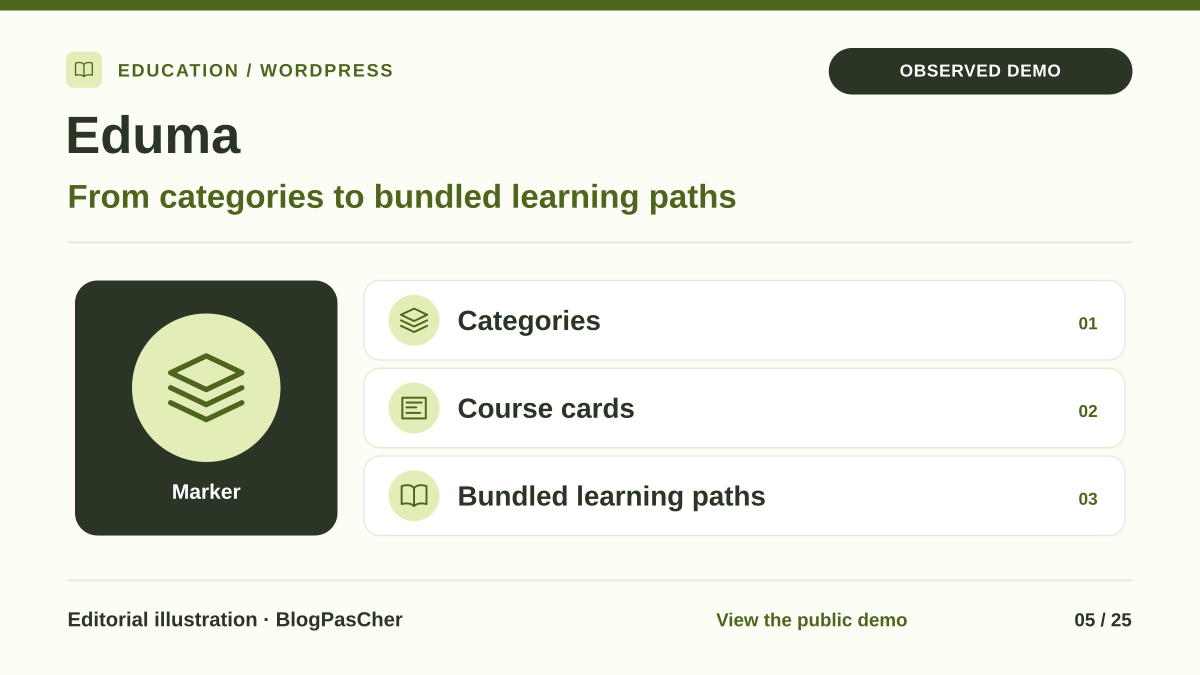 Editorial illustration. Observed demo: the Main 2026 demo presents categories, course cards and paths grouping several courses. — BlogPasCher · observed demoOpen full-size illustration ↗
Best forCenter using LearnPress or choosing this ecosystem for a new project.
Eduma suits a center adopting LearnPress and wanting to retain course structure beyond page appearance alone. Bundled plugins must be matched to actually required features. For our two-teacher team, value is measured through creating and correcting a representative unit, then data continuity. The reduced price is insufficient to decide if another platform already holds enrollments and results.
Offer pricing
63 USD Regular, crossed-out 79 USD; Extended displayed at 3,200 USD
Billing: Theme purchase; six months of support and future updates advertised.
Renewal and support: Optional support extension, amount not recorded; no compulsory annual theme renewal displayed.
Taxes and processing fees excluded; checkout total not established.
Checked on .
Strengths
- LearnPress and Assignments, Gradebook and Co-Instructors add-ons advertised in the Eduma package.
- LearnPress gateways and WooCommerce integration allow selection of a suitable payment workflow.
What to consider
- Bundled add-on rights do not replace standalone offerings or external-service contracts.
- The consulted LearnPress migration tool describes Tutor as source; return from MasterStudy remains to be established.
Pricing terms and compatibility
Understanding the offer
- Price at the time of review
- 63 USD Regular, crossed-out 79 USD; Extended displayed at 3,200 USD
- Currency
- USD
- Billing
- Theme purchase; six months of support and future updates advertised.
- Renewal and support
- Optional support extension, amount not recorded; no compulsory annual theme renewal displayed.
- Taxes and fees
- Taxes and processing fees excluded; checkout total not established.
- Commitment and terms
- Confirm licence according to intended paid access; bundled add-ons distinct from standalone licences and third-party services.
- Date checked
Compatibility and components
- LearnPress and add-ons according to features; Elementor and Thim Elementor Kit according to templates.
- Last update displayed: September 22, 2026; WordPress 7.0.x tag is a declared compatibility claim.
- LearnPress AI uses an external-service key; consumption, mobile apps and third-party services are not presumed included.
MasterStudy — ThemeForest offering
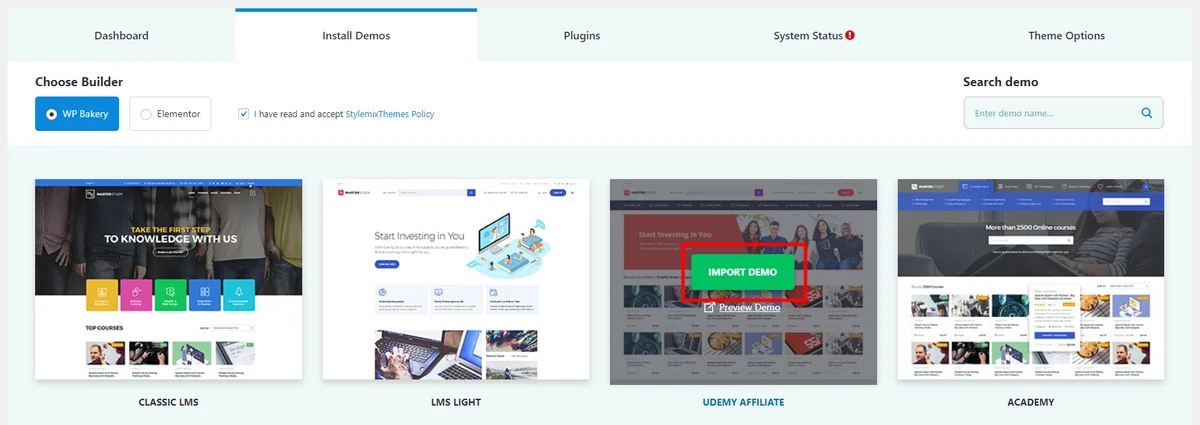 Screenshot from official MasterStudy documentation; demo selector example, without installation by the workshop. The interface may vary by version.Open full-size screenshot ↗
Best forCenter choosing the MasterStudy engine and confirming the Pro offering and support.
MasterStudy suits a center selecting its LMS engine and checking the scope of Pro supplied with the theme. Assignments, certificates and course bundles appear in the official edition comparison, while AI and advanced reports belong to Pro Plus. A tool now documents migration from LearnPress with prior checking of available data. The absence of support in the purchase block remains to be resolved before relying on vendor assistance.
Offer pricing
59 USD Regular; Extended displayed at 1,600 USD
Billing: Theme purchase and future updates advertised; no support in the purchase block.
Renewal and support: No compulsory annual theme renewal displayed. Separate plugin: one-site plan at $99/year; post-trial renewal terms must be confirmed.
ThemeForest taxes and fees excluded; separate offering’s currency, taxes and renewal not established.
Checked on .
Strengths
- Bundled MasterStudy LMS Pro: assignments, certificates, course bundles and drip content documented.
- LMS Migration tool documented from LearnPress, listing data and exclusions before transfer, subject to available edition.
What to consider
- The ThemeForest offering excludes support while documentation advertises six months: confirmation required if this help is needed.
- AI Lab and advanced reports reserved for Pro Plus; three-month trial distinct from permanent access.
Pricing terms and compatibility
Understanding the offer
- Price at the time of review
- 59 USD Regular; Extended displayed at 1,600 USD
- Currency
- USD
- Billing
- Theme purchase and future updates advertised; no support in the purchase block.
- Renewal and support
- No compulsory annual theme renewal displayed. Separate plugin: one-site plan at $99/year; post-trial renewal terms must be confirmed.
- Taxes and fees
- ThemeForest taxes and fees excluded; separate offering’s currency, taxes and renewal not established.
- Commitment and terms
- MasterStudy Pro included with the theme according to documentation; Pro Plus and services separate. Paid-project licence must be confirmed.
- Date checked
Compatibility and components
- MasterStudy LMS Pro and theme components; WPBakery/Visual Composer advertised as included, Elementor listed as compatible.
- Last update displayed: November 2, 2026; WordPress 7.0.x tag is a declared compatibility claim.
- The documented licence-deactivation procedure removes the theme: an appropriate backup and method are essential.